Log in
EN
FR

Softube

147 products found

Categories
Series
Filter
Sort by
Evaluation
  • Reviewed or not
  • Editor’s award
  • Reviewed by Audiofanzine
Availability
  • Available or not
  • Sold new or used
  • Sold new
  • Sold used
Must-have products
  • All products
  • Flagship products
  • Best rated products
  • Hot products
  • Popular products
Price
  • Freeware
€
Clear
Sort by
  • Popularity
  • User ratings
  • Price - low to high
  • Price - high to low
  • Used price, increasing
  • Used price, decreasing
  • Name (from A to Z)
  • Name (from Z to A)
  • Added on
Choose a category
Sort results
  • Popularity
  • User ratings
  • Price - low to high
  • Price - high to low
  • Used price, increasing
  • Used price, decreasing
  • Name (from A to Z)
  • Name (from Z to A)
  • Added on
Filter results 147 results found
Evaluation
Availability
Must-have products
Price
  • Freeware
Show results

The best Softube reviews

The reviews Audiofanzine members found the most helpful.
  • « A Specific Mixing Control Surface »

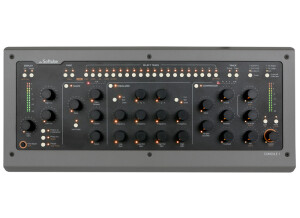
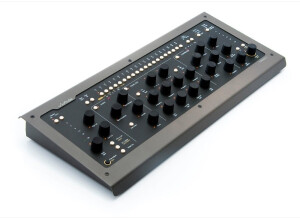
    Used with a Mac and Studio One Pro 3. It is a surface control with the specific controls of a channel strip organized into 7 sections: - input level, low-cut and high-cut filters a phase inversion - gate and transient control - 4-band EQ with selectable frequences and Q… - compression with selectable values for ratio, threshold, attack and release time (gain is automatic) - controls for drive and character (the latter to provide an analog color to the sound) as well as output level, plus two solo and mute keys Finally, on the up and down sides, two series of controls for tracks, presets or plug loading (I’ll detail these later on). Nothing too fancy so far. There are some well-done video tutorials around. The device is wonderfully designed, all made of metal with readable indications, quality knobs and control keys which are well enough spaced for anyone – even those among us with big fingers –, and LEDs everywhere to make it more readable. Let’s get straight to the point. This is a USB- supplied MIDI control surface with no DSP, aimed at controlling not only a collection of Softube plugins emulating professional consoles but also some Universal Audio plugins since version mkII. Please note that: - the SSL4000 plug-in comes with the device - two other consoles are emulated, plus some sort of plugin recycling that can count as a third one (Summit Audio Channel). Other models are rumored to be in the making. - All UAD plugs are not emulated, notably the channel strips (!!!) so check the list of available plugins So if you’re not a UAD user, it’s not obvious that getting this device should be a priority for you. There are of course exceptions (listed below). Depending on the piece of software that you use, you can control the pan, volume, select a track, solo and mute. Well, some DAWS but not all: so far, I believe Sonar and Studio One to be the ones with the best integration (though they’re not the most used. Most parameters featured on the surface can be automated. Regarding its ergonomic aspect, the manufacturing quality and clear (as well as rather classic) layout of the parameters make it a comfortable, intuitive (almost instictive) and easy-to-use surface. But what makes a big difference is Softube’s cleverness to NOT hav but tiny or badly-oriented LED Screens, but to consider how obsolescent such screens are especially while such a device is bound to be used with a real screen. So? Well, just press a small button labelled DISPLAY and you get everything appearing on your screen – all controls, and even 4 display modes! There are two annoying things however: the absence of a transport bar type control and of a motorized fader – a real pity! That would have made it the perfect device. So yeah, I know, Softube has stated before that the Console 1 ONLY aims at controlling the parameters from a single channel strip… But that doesn’t rule a motorized fader out. Finally, in a mixing context, a transport bar is useful, Native Instrument have understood the ergonomic interest of it as they have featured one on their keyboards. While here, you’ll have to use your keyboard and mouse, or invest in a surface control with a transport bar and fader… So, to make it short, a Console 1 mkII with a faderport behind would have been as close as it gets to plain perfect. Now, one can wonder if it’s worth the €500 it costs. I’ll now get to what motivated me to purchase it. First, the excellent SSL plugin that comes with it. As I have neither the budget (purchase, service…) or space to own such a console, a great emulation with physical controls (which is more or less what this product is about) is a real asset. But it’s of course all about tastes, so it’s up to you to decide if this is for you or not. This one plugin has replaced a whole series of plugins that I used before, it’s incredibly efficient and as usual with great plugins if you barely change one parameter and it sounds good then it’s great. Also, I’m a UAD user… (a question of tastes, again). Finally, I intend to buy an 8-fader controller anyway, but for a tight budget that could be a real issue! Edit from September 2018: This one is VERY sturdy: it fell twice from my deck – I have a 2-year-old daughter… Except for a slightly bent corner, it still looks in its prime! It would deserve an extra half-star...

  • moosers's review

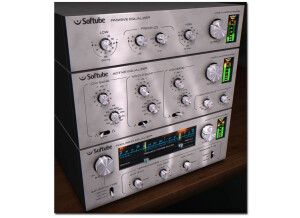
    The Softube Passive-Active Pack is a bundle of three equalization plug-ins. The plug-ins included with this bundle are the Softube Passive Equalizer, Softube Active Equalizer, and the Softube Focusing Equalizer. Installing the bundle should be quick and easy granted that you have a compatible system and that your system can handle it. The make up of these plug-ins is generally pretty easy to follow, although each has it's own type of thing going on. The interface is designed to look like an old stereo system, which is kind of cool to look at. The plug-ins are available in either VST, RTAA, or AU formats. I haven't had a look at a manual for this bundle, nor do I anticipate ever needing one. SUITABILITY/PERFORMANCE I recently got the Softube Passive-Active Pack and I'm now running it in my home recording that consists of Pro Tools LE 8 and a Mac Book Pro lap top computer with a 2.2 Ghz Intel Core 2 Duo processor and 4 GB of RAM. I run Pro Tools LE with a Digi 002R audio interface and I monitor everything with a pair of Adam A7s. I've yet to encounter any performance issues with these plug-ins, as they work just fine within my configuration. OVERALL OPINION While these plug-ins definitely sound good and are useful to have around, the Softube Passive-Active Pack plug-ins aren't my go to equalizer plug-ins. I've been tending to use them when I'm looking for something a little bit different. You can change your sound pretty drastically with these plug-ins if you'd like, but usually I just make small EQ moves with them. I'd recommend checking out the demos for these plug-ins if you're looking to add some relatively inexpensive EQ's, but they wouldn't be my first recommendation if you are looking for your first or second EQ buy.

  • moosers's review

    The Softube FET Compressor was a quick install as it was the same process as most plug-ins that I have installed before. I didn't experience any compatibility issues or any other problems as everything went smoothly and I had the plug-in up and running in Pro Tools rather quickly. The interface of the plug-in is easy to follow as it has pretty basic parameters including knobs for input, ratio, attack, release, parallel inject, and output. It also has a 'detector' section that has parameters for external side chain, low cut, high cut, and look ahead. The plug-in also has metering for both input level and gain reduction. Unless you are having trouble installing this plug-in I don't think that the manual is necessary since it is easy to figure out on its own. SUITABILITY/PERFORMANCE So far I haven't experienced any sort of lag or performance problems with the Softube FET Compressor plug-in. I am currently running it on a Mac Book Pro that has a 2.2 Ghz Intel Core 2 Duo processor and 4 GB of RAM and I run the plug-in in Pro Tools LE 7.4 that runs with a Digi 002R audio interface or an Mbox Micro depending on where I am. I'm able to run a few of these at a time within this configuration without any issues, and can't speak about using it beyond this amount as I've never needed to. As long as you have a pretty reliable system that you are currently able to run some plug-ins on, I don't think that you'll have an issues running this plug-in. OVERALL OPINION While it is definitely nice not to have to worry about installation or performance issues, the main reason I enjoy using Softube's FET Compressor plug-in is because of the sound quality. It has a much thicker sound that most software compressors out there that I have used and I've found it useful in a variety of situations including for vocals, drums, and guitars. The price of this plug-in isn't all that cheap but at the same time it isn't expensive either. If you are looking for a reasonably priced compressor that doesn't sound too digital like all the rest of them, definitely look into trying this plug-in.

  • « Silky Smooth - the Tube-Tech CL1B »

    The Softube Tube-Tech CL1B is a plugin emulation of the original hardware unit by the same name. The hardware compressor has been around since 1987 and was created in Denmark as an updated LA-2A opto style of compressor. It has a legendary reputation and a starring role as the go to compressor in many top studios around the world, so it's easy to see why Softube decided to make a plugin to mimic the hardware. From the beginning, installation is straight forward although you do need an iLok to run the plugin...and the less said about that the better. Anyway, once you have everything up and running in your DAW the configuration is very simple and the GUI is exactly the same as the hardware unit and beautifully done, infact you'll probably spend the first 5 minutes foaming at the mouth at how good it looks but of course it's not all about the looks, luckily though it sounds even better. The manual should be briefly consulted to get yourself familiar with the 3 different 'attack/release SELECT' sections, or you could just take my word for it when i say; 'Fixed' has an Attack time of 1 millisecond, and a Release time of 50 milliseconds. 'Manual' allows the user to set the attack time from 0.5 to 300 milliseconds and the release time from 0.05 seconds to 10 seconds. and 'Fix/Man' is a combination of both and you will definitely need to read the manual for this as it is quite complex It also features a side-chaining option like a lot of other compressors, the manual has a section where it gives settings to try for different applications such as vocals, guitars etc and this could be a starting point for new users of the CL1B. SUITABILITY/PERFORMANCE Upon opening the plugin in your DAW, the default setting will have the attack and release setup on manual selection which means the user can control the attack and release settings over the left like a normal standard compressor. The ratio ranges from 2:1 up to 10:1 so it is fairly flexible in this department. For a lot of standard compression jobs like bass, piano, guitar and vocals - keeping the ratio, attack and release knobs set to around the 12 o'clock position gives some nice consistent results that are transparent yet a subtly 'goey' and 'gluey' feel just like a good analogue compressor although not quite as strong. On vocals and bass, the CL1B gently and smoothly caresses the signal with modest attack, release and threshold settings, to sit perfectly in most mixing situations and is clean enough to use on voiceover tracks if used with 2-3db of levelling gain reduction. The performance to CPU usage ratio is excellent, you can safely run multiple instances of the plugin in 1 session along with other EQ plugs and VST's you would normally use as well without any straining of your computers processor. The Tube-Tech CL1B is ultra friendly in this respect i've found while using a macbook with 4GB of RAM on OSX 10.6.8 in Logic Pro 9. It's as stable as a horse's home. OVERALL OPINION One of my personal favourite uses of the CL1B is for adding an extra bit of saturation to electric guitar tracks. Put the CL1B on an aux send track to use as a parallel compressor and for any 'Big' choruses or moments when the guitar should be front and centre, then automate the guitar send level generously until you get about 10db of gain reduction from the CL1B and make sure to have the threshold low and the attack/release SELECT at 'Fixed' which will grey out the attack and release knobs and listen to the extra bit of crunch and power it adds to the guitars when blended in with the original tracks. This can also work on vocals, bass, keys, synths and drums. An excellent Parallel compressor with great character when pushed. I would buy the Tube-tech again and again because it really is that good. With new plugins coming out left, right and centre every week it seems, it can be easy to forget how impressive the results are from this plugin which has been around since 2009, but in terms of sound quality the CL1B is up there with the very best along with it's user friendly GUI and classic settings, you really can't go wrong with it and with a price tag that is 2 grand less than the real hardware unit - it's a no brainer really if you have the 200 dollars to spare. The iLok issue does put a dampener on an otherwise amazing plugin of the highest quality, but looking past that i would recommend this plugin to anyone who works primarily ITB. It's silky smooth, opto sound works a treat on many instruments and works magic on vocals, which is my personal favourite use for it. Having not used the hardware before, i can only go by what other engineers who have experienced the hardware have say about the comparison - and it is mostly all positive opinions on that matter. Mix engineer Tom Elmhirst uses the hardware Tube-Tech CL1B as one of his main compressors and with credits like Adele and Amy Winehouse's biggest hits to show then that says a lot about the quality of the unit. Attack Magazine rated the CL1B in the top 20 compressors of all time (number 4 to be exact) and state that the Softube CL1B plugin is one of the best emulations ever made. The link for that article can be found right here if you wish to look for yourself - https://www.attackmagazine.com/features/top-20-best-hardware-compressors-ever-made/17/ So if you are in the market for a top digital compressor with a clear and engaging layout based on time-tested classic hardware, then the Softube Tube-Tech CL1B should be one of your purchases. Don't think about it, just get it.

  • « Explosive dynamics tool »

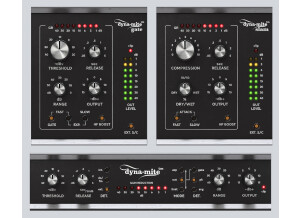
    Softube's Valley People Dyna-mite is a dynamics processor based on a 1980's hardware unit of the same name but originally created by Valley People who are part of the PMI group, which is who Softube licences it from. If you want to find out more about the original Dyna-mite hardware unit made by Valley People then you should have a look on their website or even on Softube's website as they have the hardware manual to download as well as their own plugin version. The manual is informative (as you would expect) and the website has a short and user-friendly PDF guide to each explain each feature and even suggests typical uses such as Limiting, de-essing, gating, expanding and keying and the settings to dial in to achieve each use. The link for this is below if you would like to have a sneaky peak; https://www.softube.com/files/Valley%20People%20Dyna-mite%20Quick%20Guide.pdf There are even a few diagrams to show how the limiting, expanding and gating work as well as the circuit layout/configuration for the plugin. Installation is also kept secure, well explained and straightforward enough much like other Softube's products. SUITABILITY/PERFORMANCE The performance of the Softube Valley People Dyna-mite is nothing short of incredible and unique in it's own way. I cannot compare the plugin and the original hardware unit because i haven't used the hardware unit but from what i hear from engineer friends of mine who have used the hardware, it is very very close to the original. The GUI is excellent and even has a short explanation of each setting whenever you change something to guide you through the features sort of, the size of the GUI is perfect and even the look of it is badass. Check out this link to hear top Producer/Mixer/Engineer Joe Chiccarelli speak about the hardware unit and for anyone who has used the plugin, his description of it's effect matches what you will hear when using the plugin. https://en.audiofanzine.com/plugin-multi-effect-bundle/softube/valley-people-dyna-mite/medias/videos/a.play,m.35523.html The Dyna-mite is very stable and i have had no issues what so ever since i started using it with Logic Pro 9 on a macbook with OSX 10.6.8 and 4GB of RAM back in October 2013. This plugin is very light on CPU usage and you can confidently use at least 20 instances of the plugin without worrying about performance issues, you probably won't need anywhere near that many but the possibility is always there. The gating is fierce with this plugin, very strict and tight indeed for audio with a lot of bleed, negative thresholds can also be selected to give a 60's reverse Hendrix like feel to a sound for lack of a better description. The sidechaining and keying options can be selected using the 'EXT' option to achieve that ducking, pumping bassline so prominent in dance music or for voiceover work to turn the music down whenever someone is talking. The Dyna-mite is also a useful De-Esser when the ds-fm mode is selected along with limit mode and peak to control sibilance in vocals or harsh hi hats/cymbal transients. With all of these options it is easy to see why the Valley People Dyna-mite has been described as a secret weapon and hidden treasure by Softube, as it is not as famous as an 1176 or Fairchild for example but it is a classic piece of gear nonetheless, with producers and engineers worldwide being able to benefit from it's convenient migration to plugin land thanks to this Softube emulation. OVERALL OPINION If i really had to critique any part of the Softube Valley People Dyna-mite plugin, then i would say it is not the most versatile in terms of compression use due to no 'attack' or 'ratio' settings (ratio is fixed at 20:1 for limiting/compressing), but then again you wouldn't complain about a Ferrari not being good for off road driving or at Arnold Schwarzenegger for not doing romantic comedies. The Valley People Dyna-mite knows what it excels at, and in my opinion that is smashing drums. It's snappier than a pissed off Jack Russell and can add A LOT of bite to snares, kicks, loops and drum buses amongst other things. The avgDET option with limit mode and fast release (0.01 sec) is best for getting the snap from drums and even basslines, guitars and pluck synths if desired as it uses a slower attack time... although in saying 'slower' it is still below 10ms in my estimation so still pretty quick. Using the Dyna-mite on an aux send for Parallel compression can add so much sustain to a drum track you will still be hearing it the next day, for this effect just set it to limit mode, .1 or .2 sec/20db release time (or even longer depending on the material) and pk (peak) detection to clamp down on the transients in order to lengthen the envelope and add some serious power and weight to the drums. The tendency is to overdo things with the Dyna-mite, and i STRONGLY recommend you do it at least once to get it out of your system and just for the fact that it is ridiculously satisfying to destroy a drum track with 60db of pumping gain reduction. The saturation as a result of high gain reduction is another beautiful characteristic of the Dyna-mite and can be useful for blending in a richer texture to the source or for a blown out exaggerated effect. Overall the Softube Valley People Dyna-mite is a very effective plugin and an excellent emulation of the original hardware unit. Yes it does gating, sidechaining and expanding very well indeed, but as a headline grabber this thing can crush the life out of any audio you put in front of it, which depending on the type of music you work on could be useful or not so useful when it comes down to how you approach things. It can be inspiring if you are looking to mess about with audio and create some interesting effects using the limiting, gating, expanding or sidechaining. The only reason i can think of to not get this would be the high price tag of over $200, i think to be fair it could be a bit lower. If it's a one size fits all compressor you are looking for then don't get this, but if punch and snap with a tight gate is what tickles your fancy then you'll be hard pushed to find anything else in-the-box that beats the Softube Valley People Dyna-mite.

  • moosers's review

    The Softube Tube-Tech PE 1C is an equalizer plug-in that is a software version of the Tube Tech PE1C Pultec style EQ. I've used both this software version and the original hardware EQ, as we have the hardware version at the studio I'm working at now and I've used this plug-in in the past at one of the other studios that I used to work at. Since I don't own it, I didn't have anything to do with installing it and can't speak about what this process entails with this particular plug-in, although it's probably safe to assume it's much like installing any piece of software. Moving onto the interface of the plug-in itself, it's exactly like the hardware Tube-Tech PE1C, and when I say exactly, I mean exactly! It's got a stellar 3D interface that literally looks like a picture of the original. Since the PE1C is modeled after the classic Pultec EQ's, you'll certainly recognize this configuration if you're familiar with the Pultec make up. It's got two bands that each have both boost and attenuation leveling knobs, as well as a set of fixed frequencies to choose from on each. It also has a bandwidth parameter that applies to both of the bands in addition to it's overall output gain knob and it's attenuation selection knob. A manual isn't totally necessary here, as I have a feeling most users won't need it. SUITABILITY/PERFORMANCE Although I haven't used the Softube Tube-Tech PE 1C since the studio that I was working at closed down, when we were running this it was in a Pro Tools HD setting, so very rarely did we have performance issues with plug-ins. The computer was an Apple G5, and although I can't remember the exact specs, it was very quick for a G5. Even though the interface is 3D and all that, it still doesn't seem like it takes up too much processing power. However, it's definitely hard for me to say how it might react in an LE sort of setting... OVERALL OPINION Although the Softube Tube-Tech PE 1C doesn't have the same, warm tube driven sound that the original Tube-Tech PE 1C, it still sounds awesome and is great for use across the board, whether it be for mixing or not. I love the Pultec style EQ configuration, so I always found this plug-in easy to use. It's been a while since I used this in the old studio that I work at, but I'm lucky enough that the studio that I now work at has a real Tube-Tech PE 1C, which I have to say definitely sounds better when compared to my recollection of this plug-in. It's worth mentioning however that this plug-in was indeed developed in tandem with Tube-Tech, so they had a say in this thing and certainly thought it was a good enough emulation to put out under their name, and I'd definitely agree that it's as close as you're going to get sound wise. The plug-in is inexpensive enough where it's definitely worth checking out regardless of if you're a home or professional studio owner. I love Softube's line of plug-ins that emulate and are endorsed by their original manufacturers, and their Tube-Tech stuff is some of their best...

  • moosers's review

    Softube's Bass Amp Room is a bass amplifier simulator plug-in, and a cool one at that. Softube has a few different amp simulation plug-ins in this vein that share the same sort of interface. I don't own this plug-in, as I've just used it at the studio that I work at. It comes in all major plug-in formats and for both Mac and PC. I didn't install the plug-in myself since I don't own it, but I've never heard of us having any problems with it. The interface of the plug-in is really cool, as it gives you three different amps to choose from, all with different settings. You've also got controls for your DI signal and a parameter to balance out the levels between the amp and DI. The amps each have a virtual microphone in front of them that you can actually drag and move into different positions, and is quite flexible and what it is able to do. I wouldn't say that using the plug-in is hard, so I don't think there's any need for a manual. SUITABILITY/PERFORMANCE All of the systems that we have at the studio are Pro Tools HD based, so we rarely have performance issues at all one these systems. For this reason, it's hard to say how much processing power the Softube Bass Amp Room plug-in will take up in an LE type of system or something similar. To me I would think that most users would be okay, but since there are so many different levels of systems out there, it's definitely hard to say based on my experience with the plug-in. OVERALL OPINION Overall, the Softube Bass Amp Room is one of my favorite bass amp simulators to use. It's really user friendly and there is a lot that can be done with it. The sound of it is definitely pretty realistic as far as amp simulators go, although I'm not totally convinced with amp simulators in general, although this definitely seems to be one of the better sounding ones. The interface is probably my favorite thing about it as it looks really cool and is very versatile. I'm not sure if this comes in a bundle or something with the other Amp Room plug-ins, but either way it's worth looking into as a bass amp simulator.

  • moosers's review

    Softube's Trident A-Range is an equalizer plug-in that is designed after a real Trident console. This is one of the best console emulations out there that I've used, as it's endorsed by Trident themselves and has a very realistic interface. As long as you have a compatible system, you shouldn't have any issues installing it as it only took me a few short minutes to get it going. Learning the interface should be easy even if you are unfamiliar with the original Trident console that this is modeled after, which I'm not sure on the model #. It's a four band EQ, with each band consisting of four frequencies to choose from and a gain slider for cutting or boosting. It also has a high and low pass filter, each of which has three frequencies to choose from. Lastly, in keeping with the original Trident channel strip, it has a phase button, a saturation parameter and an overall output leveler. I haven't seen a manual for this plug-in so I can't speak to it's worth. SUITABILITY/PERFORMANCE Right now I'm running the Softube Trident A-Range plug-in in Pro Tools LE 8 on my Mac Book Pro that has a 2.2 Ghz Intel Core 2 Duo processor and 4 GB of RAM. I run Pro Tools LE with a Digi 002R audio interface and I monitor with a set of Adam A7's. Thus far I've been able to run the plug-in smoothly and without issues, but this is only while running a few instances at a time within a single session. I've yet to try and bring up a fully loaded session and try to throw EQ's on each, so I can't say what it's max power is. However, it only takes up a modest amount of processing power so most users shouldn't encounter too many performance issues. OVERALL OPINION I've only had the Softube Trident A-Range in my DAW at home for a couple of months, but I've really been loving my time with it in this short window. It's truly a great software EQ and it's super easy to use and has a clean tone. I can generally do everything I'd like on it in terms of finding the right frequencies, but it isn't fully parametric so if you're trying to zoom in on something it's probably not the best choice. However, for adding color via EQ here and there, it's pretty much perfect for a piece of software. I always prefer to use hardware, but at home where I don't have much it's great to be able to have something like this that sounds great and is easy to use inside the box. Softube's Trident A-Range is a must try for anyone interested in a nice software EQ.

  • moosers's review

    The process of installing the Softube Spring Reverb plug-in wasn't hard as it only took a few minutes. It was the same process as most other plug-ins out there as it was straight ahead with nothing out of the ordinary. The interface of the plug-in didn't take me too long to get used to as everything is nicely laid out. In the interface you've got parameters for mix, number of springs (one, two, or three) and bass and treble in the form of knobs as well as sliders for tension and shake. This is awesome because it has parameters strictly in terms of a spring reverb and caters itself to this, so you can really get some versatile sounding spring reverb tones. I haven't seen the manual for the Softube Spring Reverb plug-in, so I can't say how well together it is or not. SUITABILITY/PERFORMANCE Thus far I haven't ever had any problems with running the Softube Spring Reverb plug-in on my system. I am currently running an RTAS version of the plug-in on a Mac Book Pro that has a 2.2 Ghz Intel Core 2 Duo processor and 4 GB of RAM and I run the plug-in in Pro Tools LE 7.4 that runs with a Digi 002R audio interface or a Digidesign Micro Box, depending on where I am. I've never had a problem running the plug-in within this configuration although I do tend to use an auxiliary channel with any type of reverb to save processing power. However, I have been able to run a few of these on a few different aux channels without any issues. I think that as long as you have an adequate system to run Pro Tools on, that you shouldn't have any trouble running Softube Spring Reverb. OVERALL OPINION I've been using the Softube Spring Reverb for about six months and I'd definitely a fan of the way this plug-in sounds. There aren't too many plug-ins out there that are solely devoted to a spring reverb, and this one does a great emulation of one. It is easy to use and definitely provides enough parameters to make it quite versatile in terms of the different sounds that you can get. The price of the plug-in is quite cheap when compared to other plug-ins of the same nature. This is a great reverb plug-in for both home studio owners and professionals alike.

  • « 3 amps »

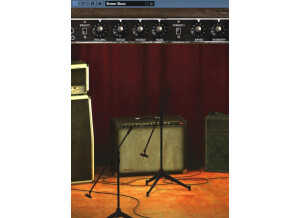
    The Softube Vintage Amp room is an easy plug in to use, the basic version of this plug in cost around 200 dollars but I suggest getting the TDM version because it comes with more amps but it is about a hundred dollars more than the Native version. This version has three amplifiers that are all simulated in a vintage amp room. There is a “white” amp that is a good amp for distorted sounding guitars and it is very easy to use. There are no built in effects on it and there is only one channel but it is a great starting point to work with. The “brown” amp is very easy to use, it has a clean and clear sound but still give that warmth and punchy sound that I love to have when working with these style of amps. SUITABILITY/PERFORMANCE The “green” amp is the warmest one out of the three too me and it is more of the type that I would use on a regular basis because of how good it can get guitars to cut through the mix while still letting other instruments be present. All three amps are great vintage style amps with clean and rich sounds. Using these amps is very easy and takes no manual reading and no learning curve. They all run great and take up little to no CPU unless you use multiple instances of it at the same time then you will notice the CPU bar going up. OVERALL OPINION The interface of these amps is very simple and basic, nothing is hard to understand and being that they do not have a lot of effects there really isn’t much you can manual do to them besides tweak a few of the knobs. I recommend this to anyone who loves vintage amp and vintage amp sounds in digital form. I was very pleased with these three amps and how smoothly they run as a VST in multiple DAW’s.

  • moosers's review

    Softube's Metal Amp Room is an amp modeling piece of software that comes in a bundle of these Amp Room plug-ins. I'm not sure if it can also be purchased individually, but it's available in VST, RTAS, and AU formats as well as for both Mac and PC operating systems. I don't own this plug-in as I've just used the bundle and this plug-in individually at the studio where I work. For this reason I can't speak about the process of installing the software. I will say that I really love the interface of this plug-in and the other Amp Room plugs. It's great how much flexibility there is. There are two different types of amps to choose from here, each with the ability to change parameters and to change the mic placement via a 3D virtual interface which is engaging and easy to use. The 'amp' panels give you control over gain, volume, EQ, a gate, and presence. I haven't had a look at the manual for this plug-in, so I don't know how useful it would be or not. SUITABILITY/PERFORMANCE We're running the Softube Metal Amp Room plug-ins on a few different systems at the studio where I work. All of them are Pro Tools HD based, but the A room has Mac Pro desktop that has dual 2.66 Ghz Intel Xeon processor and 10 GB of RAM. Since we're running Pro Tools HD and an incredibly powerful computer, we very rarely have performance issues and for this reason it's hard to say how well this plug-in would run on an LE system... OVERALL OPINION While not my favorite plug-in in the bunch of Amp Room plugs, the Softube Metal Amp Room is still a nice tool for those who are looking for some heavier distorted guitar sounds inside the box. I will say that I always think the best and most authentic sounding way to get deep distortion sounds is by using the real thing, but when not possible, this plug-in will certainly come in handy. It's got one of the coolest interfaces of any plug-in I've ever seen. While this one in particular might not be as useful to me as the others since I don't usually play or record this sort of music, the whole Amp Room bundle is worth checking out if you're interested in this one.

  • moosers's review

    Softube's Tonelux Tilt is a unique equalization plug-in that was designed in tandem by Softube and Tonelux, the original hardware manufacturer and designer of the Tilt. The process of installing the plug-in was quick and easy as it only took a few minutes to get everything up and running in Pro Tools. As long as you have a compatible system I really can't foresee too many users having trouble with installation or related matters. Using the plug-in is fairly simple once you get the hang of it, but since I hadn't used the original MP1 mic pre that has the tilt feature, it took me a little while to understand how to use it properly. Beyond the tilt section, which is designed for helping the track to cut through the mix or to take it a step back, it also has a 6 db - 12 db high pass and low pass filter as well as a polarity button and an overall gain knob. The tilt section itself consists of a shape mode button to choose between either loud/tilt mode and a knob to turn it either way. A manual shouldn't be necessary granted that you understand the working parts at hand. SUITABILITY/PERFORMANCE I haven't had any issues at all related to performance with the Softube Tonelux Tilt thus far in my time using it in my home studio, as it definitely won't take up much of your processing power at all. In fact, I've had a good amount of them running on different tracks at once without any issues. The system I'm running the plug-in on is Pro Tools LE 8 based and is on a Mac Book Pro consisting of a 2.2 Ghz Intel Core 2 Duo processor and 4 GB of RAM. I run Pro Tools with a Digi 002R audio interface and I monitor with a set of Adam A7's. OVERALL OPINION The Softube Tonelux Tilt is definitely one of my favorite plug-ins that Softube has to offer. I've loved having this plug-in in my suite in the short time that I've had it, as it's a great sounding plug-in that is very easy to use once you get the hang of it. I'll use it whenever I can't quite get a track to stand out the way I'd like it to, and while it doesn't always do the job, often times it does. It's got a great looking interface that is true to the original form and the plug-in is indeed endorsed by Tonelux as well, which is always a good thing. The plug-in also comes with a version of it for use with Digidesign Venue for live shows, but I don't have a use for this. If you want a unique EQ plug-in that gets the job done quickly and easily for your studio of any kind, the Softube Tonelux Tilt one is a must try.