Log in
EN
FR

Native Instruments Virtual pianos/organs

30 products found

Categories
Series
Filter
Sort by
Native Instruments
Evaluation
  • Reviewed or not
  • Editor’s award
  • Reviewed by Audiofanzine
Availability
  • Available or not
  • Sold new or used
  • Sold new
  • Sold used
Must-have products
  • All products
  • Flagship products
  • Best rated products
  • Hot products
  • Popular products
Price
  • Freeware
€
Clear
Sort by
  • Popularity
  • User ratings
  • Price - low to high
  • Price - high to low
  • Used price, increasing
  • Used price, decreasing
  • Name (from A to Z)
  • Name (from Z to A)
  • Added on
Choose a category
Selected category: Virtual pianos/organs
Sort results
  • Popularity
  • User ratings
  • Price - low to high
  • Price - high to low
  • Used price, increasing
  • Used price, decreasing
  • Name (from A to Z)
  • Name (from Z to A)
  • Added on
Filter results 30 results found
Brands
Evaluation
Availability
Must-have products
Price
  • Freeware
Show results

The best Native Instruments Virtual pianos/organs reviews

The reviews Audiofanzine members found the most helpful.
  • « Well priced »

    I don't normally have any issues with Kontakt plugin but I did with this one. It wouldn't give me output at first and it wasn't an issue with my DAW either. I finally realized it was some kind of mute function deep within the plugin that I had to find. Normally I would say this was my fault but I've been working with Kontakt for a while and I really think this was NI's issue. Not a huge complaint since it works fine now but still I wasted a good hour. This is a pretty cpu hogging piece of plugin. It will tank your hard drive and ram just as much as any other high quality piano. I'm serious about that. Prepare to have your memory chewed apart by this thing if you run it with a low latency. It also takes up about 7 gigs or so of space so take that into account. I have a fast rig so it gives me no problems. Using it with an AXIOM 25 right now. So first, I'll start with what I like about it. Well for $100 it sounds very very good. It's a really modern sounding piano with a more forward sound that's less bassy in the low notes than you might expect. It's really made to be used on top 40 style songs rather than by itself. I truly think this piano is voiced more for a full arrangement. If you want that big classic grand sound this is not it. This is the kind of piano you hear on those billboard r&b hits every week. Now the bad. It sounds good and not great. Once again the price I think reflects that. It's just not terribly 3D sounding to me. NI has put out better pianos before. Something was lost in the making of this one. I think it might have something to do with the weak ambient sounds. The reverb and room acoustic are just meh to be honest. No matter how I set them they just sound so so. I'll wrap up by saying that for $100, this is a good plugin for modern radio piano sounds. Other than that, I think you can do better. I rarely use it these days. But then again I have some very nice pianos now. If i was on a tighter budget I might use it more.

  • « Best Wurly Sounds I've found »

    It's made to work in the kontakt environment which is where I use it. I'm not the biggest fan of the kontakt interface but it is a really convenient way to group a lot of got instruments together. Native Instruments plays things pretty much by the book. They have proven products and Elektrik is no different. It loads up with a ton of presets which are more useful than most. Although sometimes the names make me wonder what they mean? Not really a big deal. SUITABILITY/PERFORMANCE I've never had any issues with Kontakt or Elektrik. Any problems I've had have been failures on my part. I initially had troubleshooting errors with interfacing but most of the time it was a case of "should've read the manual." I've been using kontakt for years and elektrik piano for a couple. I do worship music in a live environment and I frequently use a keyboard for come songs. In our type of music we need a Wurlitzer sound pretty often. I had tried a few out there and found most of the vsti's I played to be pretty weak. Most of them sounded very fake and lacked the organic bass you get with elektrik. This plugin is by far the best I've found. It just sounds very real. The effects are okay. I would recommend you use an external reverb and delay if you need that though. The ones onboard are just eh... I end up using MK2 most often. I expect most people that use this will gravitate toward one of the keyboards and rarely use the other ones. But really, the value is great regardless. For the quality you get here, I think the price is sort of a bargain. OVERALL OPINION What I like most, hands down is the realism. Elektrik has that organic tone that I never got with other emulations before. It's the closest I've come to having a real keyboard in the room. I use it live most of the time and you would think I had one on stage. It's really that level of quality. I've tried the competitors and I would strongly recommend this one. If it's a bit pricey, save up. You won't be happy with the cheaper options.

  • Deleted member's review

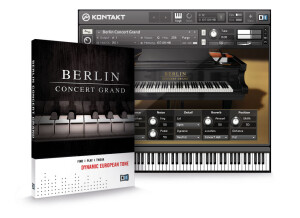
    Native Instruments has a line of pianos that I find rather remarkable, and one of them that does not fail to possess this quality is the Native Instruments Berlin Concert Grand. Compared to its very formidable siblings, the Berlin Concert Grand possesses a rather rich tone. It is quite the far cry from the brilliant sound of the New York Concert Grand that I enjoy using for more poppish music, and the Berlin does tend to get a bit lost in a heavier, brighter pop or rock mix. However, when it comes to complementing more orchestral sounds or if one is simply attempting to achieve a more classical sounding piano than the New York Concert Grand is capable of, the Berlin Concert Grand fills the hole. With these two offerings from Native Instruments, one can cover almost all of the territory of a piano. And that is despite the limited tweaking of these pianos. Like the others in its class, the Berlin Concert Grand lacks many parameters that quite frankly, can be compensated for in a DAW anyway. The ones it does have are things that DAWs can't fix: microphone positioning, velocity curves (well...you could technically fix this), whether the lid is open, closed, or partially open. These are essential parameters that can change the flavor of a sound immensely, and are very nice for Native Instruments to have included without all of the bloat. The Berlin Concert Grand also isn't terribly taxing on the computer. Considering its size as a library, I'm very impressed. In fact, none of these pianos are terrible to my modest computer (Core 2 Duo 2.0 GHz, 4 GB RAM, 320 GB 7200 RPM). All in all, Native Instruments Berlin Concert Grand is a fantastic sample library that doesn't play games. It simply exists, and sounds good, and that's all that really matters to me, and many others.

  • « Googly goo. »

    The title of this review just about perfectly illustrates the sound I made (and I suppose the face I made as well) as soon as I struck middle C for the first time in the Native Instruments New York Concert Grand. You can only imagine the mathematically logical conclusion as to what happened when I started actually playing it. No. Actually I didn't explode, but I did spend the next three hours hunched over my piano playing. The New York Concert Grand is not at all editable outside of a few of the pianos essential but basic parameters which I will cover, in terms of the sample itself. That may seem a shame, but considering the fact that I can use other plug ins on the track housing the piano, it's nothing to be feared. The piano has a brilliance to it, and it's certainly the most "pop" sounding of all of the Native Instruments grand pianos. This makes it far more suitable to use in song production than the others. I defer to the other pianos when a more orchestral sound is required of me. However, this can be managed, tamed, brought further out with the basic things that Native Instruments puts on the New York Concert Grand piano. You can choose mic position, velocity curves, whether the lid is open or not, or partially. You name it! I can't even remember all of the things that it lets you do, so the best advice I could give would be to watch a video on it, or look at a picture of the interface. The program also runs rather smoothly; it's not at all greedy like some of the heavier sample libraries, and yet it sounds almost as good. However, I'm more concerned with the final sound than how meticulously the piano is recreated, so I have to again heap praise on Native Instruments for a job well done.

  • moosers's review

    I've been using the Native Instruments Akoustik Piano virtual instrument for about a year and I have come to know it as one of the best virtual acoustic pianos out there. It was easy to install and doesn't take to long to figure out what everything does. The interface is laid out smartly and everything is right there for you to get a ton of different types of acoustic piano sounds. Having all the presets there is a huge plus as there are a ton of great pre made sounds in this. I run this virtual instrument both as a stand alone piece of software and in Apple Logic. It always runs smoothly for me when I run this on my Mac Book Pro that has a 2.2 Ghz Intel Core 2 Duo processor and 4 GBs of RAM. While I always like to use a real acoustic piano when I can, if that is not an option having Native Instruments Akoustik Piano is a huge asset as it give me a great sound in the box that I can control via a MIDI controller and edit like I would MIDI. It also has a built in metronome and the ability to play audio files that you can play along with. The price is reasonable, especially if you buy this as part of Native Instruments Komplete bundle of virtual instruments. The virtual piano in the interface sets the scene for a real simulation of an acoustic piano. I love the sound quality of this pedal and the price is definitely worth it for what I am trying to do. It is versatile in terms of the different piano sounds and has always run faithfully for me. Overall, I definitely recommend Native Instruments Akoustik Piano for those who want a great sounding piano inside of the box.

  • moosers's review

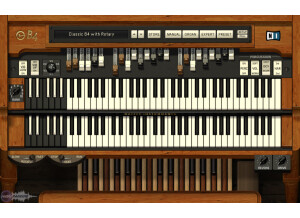
    I had problems installing Native Instruments B4, nor did I have any compatibility issues with my machine. It was easy to install, and I have installed and used it both on a Mac and a PC. I use it as a standalone plug-in and in Logic. I don't a manual for this as it is straightforward enough where I didn't need it. SUITABILITY/PERFORMANCE I run the B4 on a Mac Book Pro lap top with a 2.2 Ghz Intel Core 2 Duo processor and 4 GB or RAM. I have also used it on a Hewlett Packard lap top with a 3.0 Ghz processor and 2 GB of RAM. It has almost run smoothly on both machines for me. I only used it as a stand alone on the PC, but on the Mac have run it successfully in both Logic and as a stand alone. I only run one of these at a time to play on usually, but it can also be used as a plug-in effect that can be really cool sometimes! OVERALL OPINION I've been using Native Instruments B4 for about four years. It provides me quick and easy organ sound that I can play with my MIDI controller. The B4 is quite a realistic organ sound, and while it definitley doesn't match a real B3, it is just as good as most organ sounds on synthesizers, if not better and more versatile. I haven't used any other virtual organs like this one, as this fit my price range and I liked it from the get go. I try to use a real organ whenever I have a recording that needs organ, but when that is not possible the B4 comes in handy. It is easy to use and is also great for getting down ideas before you go to dub with a real organ. Overall, the B4 suits my needs and I would definitley recommend looking into it.