Log in
EN
FR

Behringer DJ Gear

42 products found

Categories
Series
Filter
Sort by
Behringer
Evaluation
  • Reviewed or not
  • Editor’s award
  • Reviewed by Audiofanzine
Availability
  • Available or not
  • Sold new or used
  • Sold new
  • Sold used
Must-have products
  • All products
  • Flagship products
  • Best rated products
  • Hot products
  • Popular products
Price
  • Freeware
  • Low-cost (< $65)
  • Mid-range ($65 - $150)
  • Premium (> $150)
€
Clear
Sort by
  • Popularity
  • User ratings
  • Price - low to high
  • Price - high to low
  • Used price, increasing
  • Used price, decreasing
  • Name (from A to Z)
  • Name (from Z to A)
  • Added on
Choose a category
Selected category: DJ Gear
Choose a series
Sort results
  • Popularity
  • User ratings
  • Price - low to high
  • Price - high to low
  • Used price, increasing
  • Used price, decreasing
  • Name (from A to Z)
  • Name (from Z to A)
  • Added on
Filter results 42 results found
Brands
Evaluation
Availability
Must-have products
Price
  • Freeware
  • Low-cost (< $65)
  • Mid-range ($65 - $150)
  • Premium (> $150)
Show results

The best Behringer DJ Gear reviews

The reviews Audiofanzine members found the most helpful.
  • « Mixer and a interface »

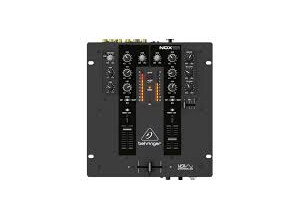
    The Behringer NOx303 is a DJ mixer that can be racked if needed, but I preferred to use it as a table top unit. This mixer sits in solid castings and is built to last a long time. I love products from Behringer because they are affordable and made to last a long time. This mixer was simple to set up and all of the functions of it are pretty simple too. It connected to my PC quickly and I was able to access all of my music on my hard drive to mix with. It has a USB audio interface built into it, and I used it many times just for that purpose when recording my own vocals at home. The preamps built into it are very clean sounding and I used a Blue Bird Microphone with it and had amazing quality at home with no vocal booth or room acoustic treatments. UTILIZATION There are some effects on this unit as well, the tape echo and regular echo are pretty simple but I really liked the vocoder that it had built into it. It gave me a robotic style voice that most mixers in this price range just don’t have. This would have been the only reason I would have liked to use it live though. SOUNDS There are also lo pass and high pass filters to work with on this mixer. It would not have been a bad mixer to work with live with all of the effects and functions but at the time I had a really good mixer from Numark that I was very happy with. OVERALL OPINION Out of all of the times that I interacted with this mixer, I have never had a single problem with it and had a lot of fun with it. Using it mostly as an audio interface at home I was able to record songs and do voice overs with it in a robotic voice.

  • « Lovin' the VMX mixers »

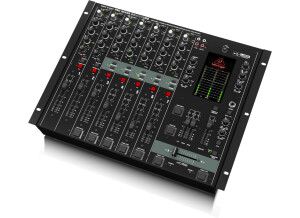
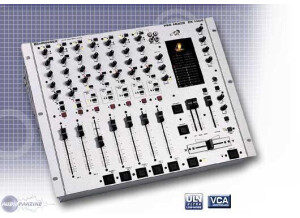
    The VMX1000USB is made by Behringer and it is a great mixer for a DJ to own. This mixer is rackable but it will take up more than one rackspace. I am a big fan of all of the mixers from Behringer in the VMX line, because of the quality and portability of them. This VMX1000 is one of the least portable ones just because of the size of it but it has some really good features. It has RCA inputs which was great for me to run my RCA cables in from my turntable and my CD player decks. It can also connect to your computer via USB so you can work with your MP3’s as well. UTILIZATION Setting this mixer up was not hard at all, if you are familiar with mixers then it will only take a few moments and it will all be ready to go. There are some effects on this mixer but not a lot of them; that was not an issue for me because it was not hard to use external effects from other gear with it. There are a total of 7 channels on the VMX1000USB. SOUNDS This VMX series mixer is not the portable one, it is 3 ½ x 9 ½ x 13 1/10. If you have a rack with some open spaces this will work perfectly for you but if not I would not want to use it unless it was racked just for space concerns. OVERALL OPINION The VMX1000 comes with software if you choose to use it; you can even use your own software that you want to use with it which I recommend. I mainly only use one DJ software for when I am working with this mixer and it is not the one that came with it. The VMX1000USB does come with Audacity (which is free anyways) and a built in drum machine. I just loved the features of the VMX1000 mixer.

  • yoTrakkz's review

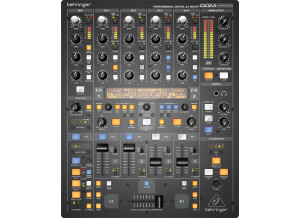
    The Behringer Digital Pro Mixer DDM 4000 is a pretty decent mixer. When I purchased it I was expecting a lot better, I have used other Behinringer products in the past and they have always created affordable products for what you are looking for but most of them are baseline and nothing special. That’s what this mixer was too me, just a baseline unit. Price is good, but the quality isn’t great there are a few other mixers that you can get for about the same price as this one that are better quality and have more options. UTILIZATION This Mixer has 2 Microhpone impurts and they have Gain Eq, and a few FX that you can use. You have some BPM synchronized knobs and a crossfader start options. One thing I like a lot about this mixer that I feel some other mixers lack is there is a button that you can push that will restore your previews mixer settings that you have used before. This is great because you don’t have to go through and do all of the same stuff that you have done before on your mixer. Never seen another model that can do it quite like the Behringer Digital Pro Mixer DDM4000 can, its pretty simple. SOUNDS No hiss generated, eq was simple nothing to complex OVERALL OPINION Overall the Mixer is pretty good, its high quality and it has a ton of creative tools and an ok layout that will take some getting use to, but like I said before this isn’t something that you should get if you are a working dj, because there are other models out on the market that will blow this one out of the water for around the same price. Benhringer always delivers affordable products though, so for that reason is why I gave this mixer a try. I will give any company that has a good name a try over one that I have never tried before.

  • Audiofanzine FR's review

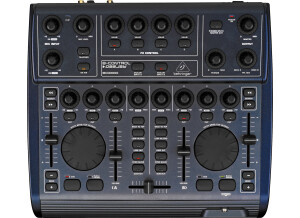
    I've been using the BCD2000 for two years. I wouldn't give it away except for a BCD3000. The handling is not easy for beginners, but once you get control of it, your mixes will become more interesting. The BCD allows you to create your own personal sound world. Both rear analog inputs make it more versatile and allow you to make almost anything. Pros & cons: + Easy to use, short learning curve + Compact size, light weight, easily transportable + Traktor support + DirectX plugins + Integration of external gear - Quality of the controls - BDJ software is not reliable and requires too much RAM - Is it easy to make settings? Yes - Is the user's manual clear and comprehensive? No, I didn't read it. - Is it easy to access the main functions? Yes - Does it generate noise? No - Recording quality? WAV files are freely editable! - How long have you been using it? Already two years - How would you rate its value for money? OK. The only limit is your imagination, regardless of the product you buy - Based on your experience, would you buy this product again? Yes, or a BCD3000. Originally written by beebux on Audiofanzine FR.

  • Audiofanzine FR's review

    (Originally written by Madmike/translated from Audiofanzine FR) Which technical specifications motivated your choice? I used a BCD2000 two years. But I updated my computer to a Macbook with Mac OS X and only the 3000 is compatible with it. What do you use it for? I use it for mixing in parties (indoor and outdoor, lounge and deep house ambiance). What's your setup (motherboard, CPU, RAM, hard drive,...)? Black 2.4 Macbook with Mac OS X - Do you use it with other instruments or systems (mixing console, preamp, DtD, ...) and what's your setup? With the professional sound system of the place (sometimes the sound technician is also provided LOL) or directly connected to active P.A. speakers. UTILIZATION - Did you have any problems during the installation? No, it was much simpler than with the 2000 (see my tutorial ( http://www.mcdsound.com/2007-07/bcd2000-and-traktor-tutorial/ )) - Did you have any incompatibility problems? No but you have to download the update before installing. - How complicated is the overall configuration? The overall configuration is easy but it's better if you already know Traktor. - Is the user's manual clear and comprehensive? User's manual? Never read it =) GETTING STARTED Is the driver stable? Yes but I disable the wi-fi function of my Mac since it sometimes slows down the audio streaming. I guess its due to the Mac's hardware architecture. I never had this problem with the 2000 and a PC but I did disable the anti-virus when mixing. It works pretty smoothly when the wi-fi is disabled. - Which software do you use? Tracktor 3 - What's the latency of your system? Few ms. You can adjust it but you won't feel it anymore under 10 ms. - How many tracks can you record/playback simultaneously? Traktor 3 is conceived for 4+1 tracks (4 playback sources + 1 HDD recording track). But I have only tested it with 3 playback sources or 2 sources + recording. It works great, perhaps a bit slower only (especially the pre-listening function) OVERALL OPINION I got it a few days ago and it works perfectly with my Macbook. But I had to return the first one I got because the right jog was faulty. Considering that I haven't found a real competitor product on the market I would definitely choose this one again.

  • Audiofanzine FR's review

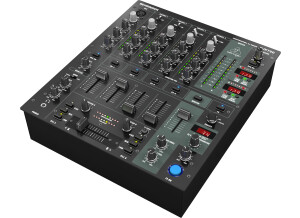
    (Originally written by franzzy78/translated from Audiofanzine FR) Hi, It has lots of functions considering its size. 5 channels + 2 mics Its only strong point. UTILIZATION Easy-to-use mixer. SOUNDS The sound is OK but it can start saturating very easily. It adds too much noise. The voice knobs don't fade out the signal completely so be careful in cue listen. Use the equalizers to cut frequencies rather than boost them. The reason is simple, you've got +12 dB boost but -32 dB cut. I'm looking for some punch. But it has none whatsoever. It has half the output power of my Vestax PMC 40. I think it's its weakest point. OVERALL OPINION It's been 6 months now and we will change it as soon as possible. We purchased it because we have 4 CD players and 1 computer... and it has 5 channels. Behringer makes good inexpensive products. But they messed up with this one. We don't recommend it, not even for amateur use.

  • FP User's review

    I am satisfied with most of the features on the mixer. I would have like to seen a better beat counter seeing as I am a new dj. I really think my beat counter may be screwed up, or I don't know how to use it. It was good to me for a first mixer. I would have love to seen the 8 second sampler from the Pioneer DJM-600. Price paid $350 Canadian UTILIZATION Took me around 5 minutes to set all the cables up and get it running. The manual is really helpful and I thank Behringer for making it so helpful. It was easy to understand, even for a first time buyer. I have to figure out the beat counter then it will be all good. Thats my only concern about it right now. The whole layout of the faders and dials was pretty good. Every thing is in a good place. SOUNDS Sound quality is good, but one of my turntables is in bad shape, and it shows in the hum. If you have out of shape turntables, fix it or get a new one. It really shows in the sound. I found some of the effects to be useless, but some of the effects I like. I like the Panning Tremolo. It has a total of 46 effects built in. There is a great spinning dial to scroll through different effects easier. I am going to buy a seperate effects machine later. OVERALL OPINION I have not had to contact Behringer for anything that has gone wrong with the DJX 700. It has been great for me. It seems like a tough mixer, and the quality of the mixer is good. I really like this mixer, but I can't speak for every DJ seeing that this is the first mixer I have bought. I am fairly new at DJing, but this mixer I really enjoy. I think if I had the money I would go with the Pioneer DJM-600, but for know I absolutly love this the Behringer DJX-700. I can't wait to see what they come out with next! Originally posted on FutureProducers.com Posted by: Unknown (January 1-, 2003)

  • FP User's review

    This is a great mixer. For the price nothing beats it! 3 channels, great kills,effects loop outs, booth outs, record outs, surround sound. The only strange thing is the beat counter. Price paid 315 UTILIZATION Kill switches are on the front panel which takes getting used to, the manual is great, the interface is very simple Bang for Buck this mixer is worth checking out! SOUNDS Sounds great! OVERALL OPINION I love it! Its overall a great mixer for a great price. I heard that behringer has ripped off companies in the past, but if this is a rip it still kills on price. Originally posted on FutureProducers.com Posted by: Unknown (January 1-, 2002)

  • FP User's review

    Pretty much standard features here, nothing over the top that would make this mixer unique or wanted solely for a single feature. However, the BPM counter is complete garbage and I wish there was a way to turn it off. I have to use ugly black electric tape to tape it off. As well, it would've been nice if there was a crossfader curve control as I do not like the curve of it. I like the split cueing feature so you can test your mix in your headphones and the lamp plug is great if you plan on spinning at dark events. Price paid: $215.05 CAD UTILIZATION If you've used a mixer before, this shouldn't be too hard to figure out. Some features took a little longer to figure, but, within an hour, you'll have a firm grasp of how to use this mixer. SOUNDS Overall, the sound quality of this mixer is pretty good. I do not have anything to compare it to, however, it is a Behringer, thus, there must be something out there that sounds better then this. I have had a problem though. There seems to be a low, electric like hum on the third channel when cueing it in the headphones. It only happens when cueing that channel, so, it isn't a problem with my turntable's grounding. OVERALL OPINION The quality of this mixer seems exceptional. It has a metal body, plastic knobs and plastic faders (not the inside, the part where you move). The crossfader is very smooth and feels like an optical fader. However, the internal wiring in the mixer makes a hum in the third channel on the right side when cueing in my headphones as mentioned at the starting of this review. Overall, I enjoy this mixer. It's relatively easy to use and has great features. Very nice mixer for a beginner to get into DJ'ing and with a price like that, it is unbeaten. I recommend this mixer to a beginner or someone looking for a cost-effective yet decent quality mixer. However, I dislike the hum I get on the third channel when cueing. Originally posted on FutureProducers.com Posted by: ( 7-, 2004)