Log in
EN
FR

Mackie Motorized MIDI Control Surfaces

9 products found

Filter
Sort by
Evaluation
  • Reviewed or not
  • Editor’s award
  • Reviewed by Audiofanzine
Availability
  • Available or not
  • Sold new or used
  • Sold new
  • Sold used
Must-have products
  • All products
  • Flagship products
  • Best rated products
  • Hot products
  • Popular products
Price
  • Freeware
€
Clear
Sort by
  • Popularity
  • User ratings
  • Price - low to high
  • Price - high to low
  • Used price, increasing
  • Used price, decreasing
  • Name (from A to Z)
  • Name (from Z to A)
  • Added on
Sort results
  • Popularity
  • User ratings
  • Price - low to high
  • Price - high to low
  • Used price, increasing
  • Used price, decreasing
  • Name (from A to Z)
  • Name (from Z to A)
  • Added on
Filter results 9 results found
Evaluation
Availability
Must-have products
Price
  • Freeware
Show results

The best Mackie Motorized MIDI Control Surfaces reviews

The reviews Audiofanzine members found the most helpful.
  • AnimalTracksStudio's review

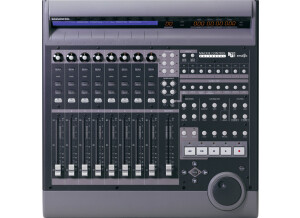
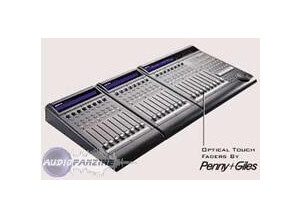
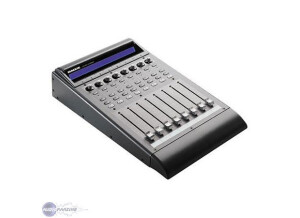
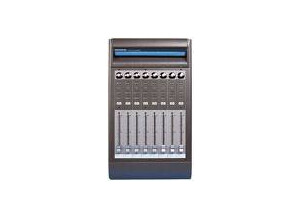
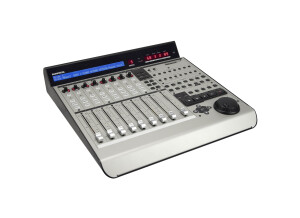
    MACKIE CONTROL UNIVERSAL I am sure there are some people out there that have never had the opportunity to mix music down on an actual mixer. There are those that toil over using a mouse to make fader movements on the mix. Let me be perhaps the first to tell you that you NEED to get your hands on a midi control surface such as the Mackie MCU. This thing makes it possible to handle things on a mix that would be near impossible to do on a regular mixer and much faster than I could do on a mouse. It is a breeze to interface into the system using midi and can interface with almost any software on the planet. I have used it with Ableton, Cakewalk, Sonar, Pro Tools, and Sony Vegas for Video. I have actually not found a program that I can not get it to work with. The midi implementation makes it a breeze to customize it to your lifestyle and software. It has motorized Penny and Giles volume sliders, continuous control pan pots and a plethora of buttons that will work with just about any feature on your software. The really neat thing about the MCU is that you can have an ENDLESS amount of control. Using the bank button you can slide to the next group of 8 channels and the controls snap into place showing you the positions. You can also add extenders to add more channels in banks of eight should you need more than eight at one time. Believe me, once you get one you will wonder how you ever survived by using a mouse to manipulate the series of sub menus on the bar when you can get directly to it with one button click. The transport buttons are the single most useful thing to me. I love being able to push play, or stop and not have to click a mouse for it. I may be old school. But that is what it is all about. There are scribble strips that tell you what is on that channel so you don’t have to take your eyes off the board. That helps keep things flowing. The original model is getting quite affordable. I have been using mine over a year and would buy another in a heart beat even at the suggested list price.