Log in
EN
FR

Motorized MIDI Control Surfaces

102 products found

Filter
Sort by
Evaluation
  • Reviewed or not
  • Editor’s award
  • Reviewed by Audiofanzine
Availability
  • Available or not
  • Sold new or used
  • Sold new
  • Sold used
Must-have products
  • All products
  • Flagship products
  • Best rated products
  • Hot products
  • Popular products
Price
  • Freeware
  • Low-cost (< $350)
  • Mid-range ($350 - $950)
  • Premium (> $950)
€
Clear
Sort by
  • Popularity
  • User ratings
  • Price - low to high
  • Price - high to low
  • Used price, increasing
  • Used price, decreasing
  • Name (from A to Z)
  • Name (from Z to A)
  • Added on
Sort results
  • Popularity
  • User ratings
  • Price - low to high
  • Price - high to low
  • Used price, increasing
  • Used price, decreasing
  • Name (from A to Z)
  • Name (from Z to A)
  • Added on
Filter results 102 results found
Evaluation
Availability
Must-have products
Price
  • Freeware
  • Low-cost (< $350)
  • Mid-range ($350 - $950)
  • Premium (> $950)
Show results

The best Motorized MIDI Control Surfaces reviews

The reviews Audiofanzine members found the most helpful.
  • victormelamade's review

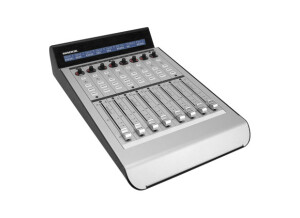
    I have been using this control surface for a few months now, after upgrading from the original mackie control universal. This one is awesome! To be perfectly honest, this newer version doesn't bring that much for features to the table. One of the most notable is the fact that connectivity is now a lot easier. With this version, you can connect the mackie control universal plus three other expansion items, whether the extender pro or the plug-in controller C4, all with a single USB connection. You only have to connect the expanders to the main MCU unit with MIDI, and then the MCU can hook up to your computer via USB. This makes for a lot less cabling and mess on your desk. The look and feel of the unit is definitely a lot more sleek and professional now, and the LCD screen displays have been imrpoved. They are now easier to read and are angled so the whole set up is a lot more ergonomic. A nice thing about this control surface is that it is basically customizable to all major host platforms. The faders and panpots are obviously all going to work with any software, but the host specific interface and transport buttons can be programmed to work according to your specific host. Mackie even includes plastic overlay sheets that label the buttons properly for your given host. The faders on this unit are very sensitive in a good way, and are thankfully pretty quiet which reduces distraction when you have automated faders and you are trying to mix. Overall, this control surface is a great fit for me, and allows you to finally have some tactile control over your software in a way that makes sense. This unit is pricey still because it is relatively new, but get yourself one of these and a few extenders and you won't regret it. Best control surface on the market right now.

  • « 3 MIDI in and MIDI out »

    The Mackie Control Universal is a solid work station that has 9 faders and all of them are motorized. there are over 50 total buttons on the Control Universal and most of them are fully customizable and can be synced with whatever you want them to control. The Mackie Control Universal connects to your computer through USB and it is very easy to set up. It will work with almost any system you have, but the faster and better your computer is, the better performance you will get out of the Mackie Control Universal. The Mackie Control Universal has a built in MIDI interface and a great feeling jog wheel. This unit has metal casting and is solidly built. All of the knobs and faders have good slide to them and resistance. There are no audio inputs or audio outputs on this unit. But there are 3 MIDI ins and outs as well as transport controls. This unit is a bigger unit, but it is not too heavy so you can take it with you if you need to. I have been using this unit for 7 months and using it about 2 to 3 times a week since then. There is an LCD display screen , you can see all of your mixes in real time. I love having all the buttons (50) that the Mackie Control Universal provides. I am able to control all of my plug-ins and VST synths right with the Mackie Control Universal knobs and buttons. This unit costs around a grand, but it is a great investment to have in your home studio because it will give you full control over your DAW and make your life much easier. It is always good to have a console like this that can work with your DAW. It will shave hours off of your session time that you could be using to make more music with.

  • moosers's review

    The Tascam US 2400 is a MIDI based control surface designed for use with various digital audio workspaces. While it looks like a console, it merely controls what you would control inside of the box with a sequencer. This is helpful for those who want the feel of real faders and knobs but don't have a real console. I believe the US 2400 is compatible with just about any type of DAW, but I have used it primarily with Cubase SX. While this unit is a bit big for smaller or home studios, it is nice to have 24 faders and channel strips to control any and all tracks you might have within your sequencer. If 24 is not enough you can shuffle between whatever tracks you would like to control. Each virtual channel has a fader, as well as buttons for mute, solo, and record ready. Each also has a knob on top that is programmable. On the right side of the controller, there are transport buttons like play and record, as well as a master fader and a number of buttons to control various options, some of which are programmable. The overall look of the US 2400 is nicely laid out, which makes everything easy to access and even easier to understand. Learning this control surface is quick, and its capabilities are wide. A lot of us out there don't always like controlling our DAWs with our mouse, and the Tascam US 2400 can make that a thing of the past. While this is bigger than other control surfaces like the Mackie HUI or the Digidesign Command 8, it doesn't get as in depth in terms of what you can control as these other options. For me, this is fine as I prefer to control a lot of things in the box, and the US 2400 covers all the ends that I would like to control outside of my DAW. The price of the US 2400 is quite reasonable, and is a lot cheaper than you might think. Overall, I highly recommend the Tascam US 2400 for home studio owners looking to get a control surface of this nature.

  • AnimalTracksStudio's review

    MACKIE BABY HUI The one thing that you absolutely have to invest in for your home studio is a Motorized control surface. It will speed up your recording and mixing process and will make recording FUN again. One neat little thing about the HUI is that they are ROCK solid and relatively inexpensive to find these days. HUI stands for HUMAN USER INTERFACE. Basically, it does what your mouse does when it comes to mixing digital audio; only it does it faster and more precise. I mainly use a Mackie MCU for my Control Surface but keep my old tried and True Baby HUI for location recordings and a back up in case I need one. When I say they are rock solid, let me explain. My Baby HUI has been a staple in my studio for years, one late night session the drummer tripped and fell into it knocking it to the floor. The Pan Pot went flying and the Control board for the transport punched inside the unit below the surface. The paint was a little bit scraped and the corner of the unit had a small bend. I thought my Baby HUI was a now a paperweight. After a few kind words to the drummer and after every left for the night I disassembled the unit. I put a slightly larger set of screws in the nuts for the Transport and reassembled the unit, turned it on and it functioned as if nothing happened. The shaft for the pan pot is broken and I have to either replace the board for $50 US or live with a knob that comes off and needs to be re-seated occasionally. Not a bad result for a ten-foot drop into a concrete floor. The one drawback is due to the compact size. Smaller throw faders. I can live with that for a smaller size and the tank like construction. This unit is staying in my arsenal of tools for many more years.

  • « Loving this unit »

    The Avid Artist Control has 4 touch sensitive motorized faders and programmable buttons and knobs. There are transport controls on this unit which is one of the reasons I feel like it is so much better than the Artist Mix from Avid. The touch screen is a brilliant edition to the Artist Control that the “Mix” from Avid didn’t have either. The only issue with the touch screen is that sometimes in can be a bit unresponsive and I had to tap a few times in the same spot to get it to register properly. This could cause some major issues for me down the road. Setting up the Avid Artist Control was very easy just like most Avid products are, I didn’t even have to open up the manual or quick start guide to get it set up and running with my Mac or my PC. There are 12 assignable soft keys which is enough but it would have been a plus if there were more on this unit, especially with the price tag on it. The touch screen interface is a 800 x 480 pixel touch screen which has a bright display and really is easy to read and work with in any lighting situation. There are no audio inputs or outputs on this unit, some would say it would be nice if it did have some since it is considered a “mixer” but it didn’t make any difference to me. There are only 4 faders and 9 knobs on this unit but if you have everything set up the proper way and you are comfortable with it, then it really doesn't matter that there aren't more faders and knobs. The 35 dedicated soft keys and 12 assignable soft keys fit right in with my set up and was just enough for me to work with. There are no performance pads on this unit but since it is used as a “mixer” there was no need for any. I was very happy working with this unit, the only issue that I had was with the touch screen responsiveness sometimes.

  • « Nice control surface, but no ins or outs »

    The Mixed Logic M24 is the ultimate control interface for someone who has a medium sized studio. There are a total of 24 motorized faders on the m24, and 24 pan controls as well. This surface is very well built and will last a long time. It reminds me a lot of some of the higher end Pro Tools boards because of how well it is made and all of the functions that it can handle. It is not very cheap though and it does cost over 2500 dollars (well it did while ago, not too sure what the price is now). It has a 40 character backlit display that has 4 display lines. There are over 140 large LED lights too giving every single thing that you need to have when it comes to larger boards. Setting this up can be a long and daunting process especially if you are using a software DAW that will make you jump through loops to get it to work right. Also keep in mind there are no audio inputs or outputs on this device as it is not an interface it is just a control surface for your DAW. Now depending on which DAW you use with it, it will give you great control over your workflow and workspace. This unit is rather big though and it will take up your whole work space desk, so make sure you have the room for it. It is not very heavy only weighing about 30 pounds or so but it looks a lot heavier. I just don’t think it is made out of thicker and heavier material. If you have the room and the money for a big control surface then this is the best one you can get for the money. With that being said, I think they have you are willing to spend over 2 grand on this control surface you mine as well just spend a little more and get a whole Pro Tools set up that has audio inputs and outputs. So at the end of the day this is a great controller surface, but I would not choose it over a Pro Tools work surface with a full input and output board.

  • « motorized faders »

    The Artist Mix is made by Euphonix and it is a control interface that has motorized faders and all of the buttons and knobs can be programmed to work with your DAW. This control interface is so easy to use, and you can use it on Windows computers and Mac with a very easy set up process for both systems. This interface is on the higher end of the price range but because the sliders are motorized and the interface of the unit is very user friendly makes it worth the money. This control surface is very portable, it cannot be racked but it does not take up much of your workspace. I have been using it since about 2010 and it has never gave me any problems. All of the motorized faders work great every single time and they are well made. I have never had a single issue with any button or knob on this control interface since the day it came out of the box. There are 63 soft keys and a total of 8 knobs. There is also an input footswitch which I do not use because I just don’t have a use for it. This mixer is surprisingly portable weighing less than 5 pounds, I also have a gig bag that did not come with it but I use it to transport the Artist Mix from place to place just to keep it scratch free. There are no audio inputs or outputs on this mixer, and it does not connect to your computer from a USB or MIDI cable. It takes a Ethernet connection to sync it up to your computer Mac or PC. The interface and layout of this mixer is what really draws me to it. It is laid out perfectly for my set up and using it with Logic and Cubase has made my workflow so much easier. Only thing that I wish is that it had the start, stop and record function on the bottom center portion of the mixer.

  • « Control Pro Tools »

    The Digidesign Control 24 is an excellent choice for your hardware console if you can afford it. I have not used a better console in all of my years mixing. This unit is very big and expensive, most of us don’t have the room for even if we could afford it. I have used several Digidesign control surfaces but none of them was this big and powerful. The value of this unit for the price is correct. If you want the best you will have to pay for the best! I have worked with this unit a few times but not so much anymore. It does give you the ability to control your whole session right from this unit. If you can find a studio still using this model then kudos to them, because this unit has been replaced by the Avid 24. The Avid 24 is way more up to date and has a better and more modern look to it but it has basically the exact same specs. The Avid 24 also cost more than the original Digidesign Control 24. With 24 channels, all being touch sensitive and motorized. You will have enough channels to run your whole project that you are working on. The board also has visual to it as well, it will show you the channel names and settings on the LED strips. All of your Pro Tools functions can be controlled with the Control 24. It will make your workflow extremely fast. It does take some time to understand this unit and learn to use it. It is not a plug and play type of unit because you will be confused at first if you have never worked with it before. If I had the money and the space I would purchase this so fast it would make my head spin. You have to use this at least once in your lifetime!

  • « Mastering and Mixing made simple »

    The Euphonix Artist Mix is a control surface that has 8 motorized faders and all of the buttons are programmable. It can be used on your Mac or your PC if your system meets the right requirements. The Artist Mix gives you complete control over all of the most powerful parts of creating and mixing your music. You can use it with your master tracks as well as plug-ins and effects channels. All of the faders on the Euphonix Artist Mix are very well made, they have the feel of a very expensive Pro Tools board. Setting the Euphonix Artist Mix up was simple. It only takes a few minutes. It has 63 soft keys and this unit is also very portable and light. There are no audio inputs or audio outputs. It connects to your computer through a Ethernet cable. The fader throw is 100mm, and as stated it is fully motorized and touch sensitive. It is a big plus that you can get a mixing console for this price and of this size. You can easily take this with you wherever you go. The design is nice and the build is very strong, I don’t see this having any problems in the near future. I have been using it since last November and it has not gave me any problems yet. It doesn’t take up much desktop space either which is great, because it can not be racked. This will speed up your workflow and make mixing and mastering a breeze. Once you learn how to use the Euphonix Artist Mix to edit and change your plug-ins then you will have the whole session right in the palm of your hands. I can not picture myself trying to master a song without this unit now that I have it. It has just made everything easier and I highly suggest it. I would not have it any other way and would buy again fast!

  • « Time to get rid of our mouse Cubase Users! »

    The CC121 by Steinberg is a USB control interface for Cubase that will sync right up so fast it will make your head spin. There really is no installation involved besides the drivers if needed. I have been using this interface for 2 years now , and I use it as much as possible whenever it is around. The CC121 is very well built that’s why it cost a little more than other similar units. It is made out of stronger metal and it is a heavier unit than expected. It has 26 soft keys and 4 assignable ones, 15 knobs, 1 fader and connects to your computer through USB. This control interface is truly Cubase Ready. Don’t waste your time getting this if you are not a Cubase user and have understand of how Cubase works. Each DAW has devices like this so you will need to find one that will suit you. But if you are a Cubase user and Lover like I am then this is a must buy. The touch fader is very accurate and smooth. If you want to have your EQ in Cubase controlled externally then the CC121 can take that task one and do it great. This will pretty much let Cubase users get completely rid of the mouse. It is just so much easier using this then it was grabbing the mouse every time for such basic functions. I am happy that I chose to use this control interface. It has lasted this long and I don’t see it every stop working on me because of how well it is built. I have tried several different types of control interfaces with Cubase. Some made for Cubase and some not, but the CC121 has beat out any other one that I have used or tried. It truly is a gem for any Cubase user. Great quality and speeds up your work flow. Throw your mouse away!

  • « Connect it and use it »

    The PreSonus FaderPort is a 1 channel USB Fader that has transport controls. It only cost 129 and can be purchased at almost any retailer online or in store. For it to be such a low priced unit, it sure is well built. It was a lot heavier than I thought it was going to be, I expected a cheap plastic feel to it, but I was wrong it is nice and heavy. The FaderPort has Pan control, record enable, mute, and solo on it. There is also a foot-switch port (foot-switch not included) for punching in and out quickly and hands free. The FaderPort will work with your Mac or PC. I have used it on my Windows 7 system and on my Macbook and it never gave me a problem with either one. I have used it with a number of different DAWS and it seems to work great with whatever I use it with. I use it the most in Logic Pro though. You just connect the FaderPort to your computer through USB and start using it. It is very simple and just in case you need the manual it does come with one that is easy to understand and use if you need it. This device is very portable and can be taken with you wherever you need it to be. That is the reason why I was sold on this one because it seemed to be more portable and plug and play like than some of other ones that I have used. There are not tricks with the FaderPort, it works exactly like it is suppose to and it is truly plug and play (once you have the drivers installed which only take a few minutes). It is not an interface, there are no ins and outs on it. It is strictly a 1 channel fader. So if you already have an interface and just need a fader with transport controls you won’t find any other ones that are built like this for this price. It is a must buy.

  • « Behringer BCF2000 »

    The BCF is a usb powered motorized 8 fader control surface retailing for under $200. It has 2 buttons per channel along wit a endless rotary knobs. The BCF2000 comes logic, mackie, and hui control built in and can be programmed to control and midi capable feature in your selected software. I wanted a control surface to help control Logic and Pro Tools and 8 motorized faders for under $200 is hard not to look at. I purchased this control from Musiciansfriend for $179. After doing some research this control surface got pretty good reviews. This control surface is really bang for your buck. Motorized fader for under $200 you will not find anywhere else. Expect to pay at least $900 one. Fader responsiveness is good enough to use. Once set up it will take some time to learn since functions aren't listed on the controller, but once you learn them this can speed up your work flow. The size of this controller is good. its 13x11 so it won't take up a lot of room on your desk. Other control surfaces like the mackie and alesis I find rather large. My biggest complaint is there in no led screens to see which track you have selected in pro tools, in logic this is not a problem because one of the buttons highlights to show selected track. Also this was an absolute pain to get working with Pro Tools. Had to do a lot of downloading extra software and configuring. Once it was set up it was fine though. My biggest second complaint is that the faders are rather noisy. Hearing the motor move the faders is annoying, especially when playing back a mix. Buttons are not labeled so you have to memorize or print out the layout of what buttons do what in what DAW. Buttons are a little too clicky for me. While recording my podcast I always have to go back and edit out the clearly audible click the control surface makes when I'm punching in. If your recording someone not in the same room with you than you will be ok. Behringer is not known for their build quality but the build quality on the BCF2000 is better than it seems. At appearance it looks all plastic but holding it in person it has some weight and mass to it. All buttons are hard plastic. Despite the buttons being loud and clicky, loud motorized faders, no led screen showing tracks, and no button layout on the control surface, I still have to give this product a perfect 5. Reason is all those cons can be overlooked because of the price point. Again 8 motorized faders for $179 is a unbeatable deal. If this cost the price of normal 8 fader control surfaces I never would of even considered it. so if you are looking for an inexpensive control surface with 8 motorized faders your only option is the BCF2000, and its not a bad option to be stuck with. This review was originally published on http://www.musicgearreview.com