Log in
EN
FR

PAD Controllers

97 products found

Filter
Sort by
Evaluation
  • Reviewed or not
  • Editor’s award
  • Reviewed by Audiofanzine
Availability
  • Available or not
  • Sold new or used
  • Sold new
  • Sold used
Must-have products
  • All products
  • Flagship products
  • Best rated products
  • Hot products
  • Popular products
Price
  • Freeware
  • Low-cost (< $150)
  • Mid-range ($150 - $550)
  • Premium (> $550)
€
Clear
Sort by
  • Popularity
  • User ratings
  • Price - low to high
  • Price - high to low
  • Used price, increasing
  • Used price, decreasing
  • Name (from A to Z)
  • Name (from Z to A)
  • Added on
Sort results
  • Popularity
  • User ratings
  • Price - low to high
  • Price - high to low
  • Used price, increasing
  • Used price, decreasing
  • Name (from A to Z)
  • Name (from Z to A)
  • Added on
Filter results 97 results found
Evaluation
Availability
Must-have products
Price
  • Freeware
  • Low-cost (< $150)
  • Mid-range ($150 - $550)
  • Premium (> $550)
Show results

The best PAD Controllers reviews

The reviews Audiofanzine members found the most helpful.
  • « Full sized pads in a small, super portable package »

    What I love most about this unit is it is quite small and light compared to my MPD 24. I can put this in my laptop case with my MBP and still have room to spare. It also is much better when you are traveling (car/plane) to have this smaller unit as space becomes scarce. I also actually like the way you select presets. It is done by holding down the preset button and selecting the Pad that corresponds to the preset you need. It is a little tricky at first, but after you get the hang of it, you'll be swapping banks/presets with lightening speed. What I don't like about it is the same thing all Akai MPD's seem to have an issue with....sensitivity. It's almost a joke to use this controller without the "Full Level" selection enabled. It just doesn't offer any softer hits. The best thing you can do is either buy a "sensitivity kit" from the various sites that offer them or do the deed yourself with some electrical tape. I can't believe that Akai, after all these years, has still not addressed this concern. But, you can pick up one of the sensitivity kits for less than $20. If you look at it as a necessary purchase, then you are only spending about $120 to get a sweet, solid midi controller. This unit makes no sound on it's own so that question doesn't apply, but in regards to presicion, the pads suffer from the sensitivity issue I mentioned before. I have used an Akai MPD 24 as my main drum controller for about a year and I love it. The MPD 18 is just as loved in my home but serves its purpose mainly as an on the go device.

  • jthedon2009's review

    For how long have you been using it? About three years now and not a single fault with it. What thing do you like most/least about it? Ok its like this once you buy the Korg Pad Kontrol you will never feel like using any OTHER Midi Studio Controller...Period, this machine will never fail you or let you down, the only thing I dislike about it is the roll function does not work to well with any sequencer eg, Fl Studio and Ableton live. Did you try many other models before getting this one? No I Had been using my typing keyboard to make beats before that and it was a big step up to say the least! What is your opinion about the value for the price? Ok you could go and get a Akai Mpd Or A M Audio Trigger Finger but waste your money on those things when you could buy this for alot less... Knowing what you know now, would you make the same choice?... Yes most definitely without a single doubt this is the best midi drum pad ever on first sight you will feel the pads and the will feel hard and rubbery but once you load some sounds then you will apreciate the softness of them.

  • « Not so good velocity pads, great XY pad! »

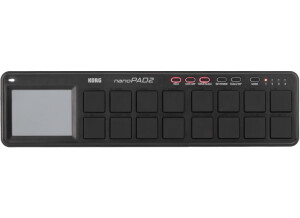
    The unit is USB powered with one mini USB port. It features 16 velocity-sensitive pads and a single X-Y pad. It's very small, light, and portable. It's entirely plastic and a little flimsy. The pads themselves are significantly smaller than full-sized drum controller pads, but still big enough to be played without accidentally hitting multiple pads. Unfortunately, the quality of the pads is not as good as other pad controllers out there. The pads are a bit mushy with a bit of play before they'll trigger a sound. This means you have to hit the pad fairly hard to trigger a sound reliably, which makes playing lightly to get very low velocity notes very difficult if not impossible. It's pretty easy to get started with, you simply plug it in and play. There are 4 lights used to represent 4 scenes which you switch between with the scene button. Each scene can be customized to send different midi values or behave differently with the Korg Kontrol Editor software. Each pad can also be customized to send up to 4 notes per pad. The software itself has a nice layout with everything on one page and you can easily change each pad to act as either a standard drum pad or as a toggle for things like clip launching in Ableton Live. One interesting function is the touch scale which turns the X-Y pad into a midi ribbon controller sending notes determined by where you press on the pad. With the Gate Arpeggiator enabled, your notes will trigger in sync with your host. The velocity sensitive pads each have a note and scale written above them on the controller and when you hold down the Scale or Key button and press one of these pads, the XY pad will be quantized to that particular scale or key. The unit has most of the significant musical scales including Chromatic, Major, Minor, Pentatonics, Blues scale, and it also supports one user made scale that you can define in the Kontrol Software. The NanoPad2 doesn't generate sounds itself but Korg does supply a very nice software bundle with the NanoPad which includes Korg M1LE, UVI Digital Synsations, EZ Drummer Lite, AAS Ultra Analog Sessions, Lounge Lizard Sessions, and Strum Sessions. I haven't tried other pad controllers in this price range, but while the velocity sensitive pads aren't very good compared to more expensive products that feature drum pads like Native Instruments Maschine or Akai MPCs, the touch scale feature of the XY Pad makes the NanoPad2 worth purchasing. It's a pretty cheap unit at around $50 USD and the build quality certainly reflects that, but with the touch arpeggiator you get a pretty fun and inspiring way of creating leads and arpeggiated melodies.

  • « Great product, with a few limitations »

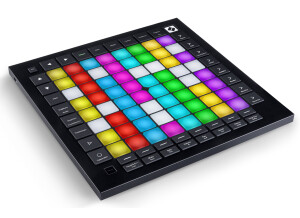
    The Launchpad S is an updated improvement to Novation's original Launchpad. It provides you with an 8 by 8 grid of quality rubber pads that allow you to trigger loops, sounds, and functions through midi messages via USB. Construction: It's simple to operate and pleasant to look at. The unit is well built and can take plenty of abuse in live situations without any failure. Don't be afraid to really dig into the pads when you're in the heat of a high-energy performance- this thing can handle it! The Launchpad S is housed in a strong, lightweight plastic case. There are four rubber feet on the bottom with pointed grooves that provide a strong grip to just about any flat surface. I've never had a problem with it sliding around or slipping. The pads are thick and sturdy. They run deep in the plastic casing and have some extra give after being pressed down to prevent your fingers from damaging the internal components. Depending on the messages being sent and received, the pads light up red, green, or yellow. One slight problem- the USB port is on the right side of the case, and seems to be a little weak. It does keep a fair grip on the USB cable, but I think it could be better. This has made me nervous during performances that it might come loose. The best way I can explain it is that you can suspend the unit above the ground by only holding onto the cable, but a gentle tug when it is sitting on a table will pull the cable out. (Note- holding the unit with the USB cable alone is not recommended.) I previously was using pads on a different midi controller, and they were very inconsistent and one even broke from gentle studio use. That is why I looked for a better solution and found the Launchpad S. If you need a low cost pad controller, this unit is a good choice. In Use: To use the Launchpad S, you simply plug it in to your computer or ipad and wait for it to be read. Unlike the original Launchpad, this one doesn't need any special drivers to be pre-installed before running. It is intended to be used with Ableton Live and works best in that environment. Novation provides Launchpad S Automap information to use with Live and FL Studio. When set to Automap, it will run with no problems. Assigning the pads to different tracks, loops, and commands is straightforward. You can also navigate the software with the buttons surrounding the pads and use them to send transport messages. Ableton Live Lite software is included with the unit, so you can begin experimenting with different controls right away. My only problem with the Launchpad S is that it doesn't work near as well in any other software. It is only really intended to be used with Ableton Live, FL Studio, or the Launchpad iPad App. This is a puzzling limitation, because it communicates with a computer using standard midi messages. I was able to map it to Cakewalk Sonar's Matrix View to trigger loops and one shots with great ease, but there is very limited visual feedback on the pads, if any at all. Why would Novation limit their customers to two DAWs and an App? I think they could make this a much more common device in home studios everywhere if they wrote a short software that allowed a user to map the visual feedback of the lights to any DAW they choose. When used with the iPad App it behaves in a similar manner to its Ableton Live functionality. You use it to trigger sounds by pressing on a pad and navigate by using the side buttons. Additionally, there are grid modes that work in the App, Ableton Live, and FL Studio that turn the pads into a light up mixer. The buttons create an image that represents sliders and you can swipe your fingers up and down the pads to increase or decrease the values. Conclusion: Overall I am very pleased with the Launchpad S. It is built well and works for its intended purpose. Unfortunately it does have its limits when it comes to being a complete solution for a pad controller for all of your software, but if you use it with Ableton Live or FL Studio it will keep you happy for years.

  • « Great, but no interface »

    The Akai Professional MPC Studio is the newest line of MPC from Akai and it came out this year. I had the pleasure of working with it twice. It comes stocked with over 6GB of sounds and it supports VST plug ins. You can use the Akai Professional on a PC or Mac, it is very portable and for it to be only 600 dollars it could be the best MPC option for a lot of musicians and DJ’s. The Akai Professional can host VST plug-ins and allow you to tweak those plug –ins in real time. Of course this MPC has the world famous 16 MPC pads, and each of them are back lit. All of your favorite MPC controls including the transport controls are on this unit as well. MPC Swing, and Note Repeat are some of the patented functions of the MPC brand and they are also included on the Akai Professional Studio. The back lit screen I decent but not great, it will however let you create right from the screen without the need to have to look at the computer screen. The whole unit is very slim and can fit in one of your gig bags or backpack/laptop bags. Many people have said this MPC was a watered down version of the Renaissance, the biggest issue between the Studio version and the Renaissance version is that the Renaissance version comes with a built in interface. The Akai Professional Studio does not have an interface on the unit, you will need to have an external interface. The Akai Professional MPC Studio is powered by your computer via USB. It has a 64 track sequencer and no MIDI on the actual unit. So if you already have a good interface that has MIDI then this MPC would be just as good for you as the Renaissance would, and it cost about 60 percent cheaper too!

  • « buy it and use it carefully »

    If you are an Ableton Live user then you need to go out and buy the AKAI Professional APC 40 as soon as you can, it is a USB based controller that has a total of 109 different buttons! 9 different faders and a cross fader and it is compatible with Macs and PC’s. This is the best performance controller for Ableton Live by far in to me. The APC 40 is made to use with performing, if you need hands on control over Ableton Live then you must have the APC40, there is also an APC 20 which is about 100 dollars cheaper but it is missing some pretty key functions. On the APC 40 there are a total of 40 clip triggers a cross fader, tap temp and 16 knobs. The APC40 is easy to set up and its plug and play so if you are a live performer you will have no problem showing up, plugging in and start rocking the house effortlessly. Because this is made for Ableton Live the set up process could not be quicker, it basically does all the work for your when installing. Outside of all of the cool features of the APC 40, there is a huge issue with it. The problem is that it is not well built at all. The knobs are very cheap and will break off if you use it a lot and travel with it a lot. I don’t see this unit lasting someone who uses it a lot and travels with it, more than 6 months without it falling apart. If you do lose a knob or two it will not make the APC40 stop working but it will or could affect your performance and most definitely the look of the APC40 with missing knobs. Also the “nudge” button isn’t well but. Seems like if you put a little to much stress on it changing tempo’s then eventually it will come off and not hold up for you. The APC 40 is a must have but use it with caution and don’t be surprised if you take it somewhere to perform and come home with missing knobs and buttons.

  • « Good Device, I just dont like Ableton »

    The Novation Launchpad is a USB MIDI control only for Ableton Live, it has a 64 button set up that call are back lit. It can be used with either PC or Mac. It connects to your computer via USB, that is the only way it can connect. There are not audio ins or outs. This unit is pretty light, I would say it only weights about 2 pounds or so, and when you purchase it comes with a copy of Ableton Live 8 now. I have used this for a few months before selling it because I just was not a fan of the workflow of Ableton itself. But the Novation Launchpad really did give an amazing amount of control with Ableton. I used the Launchpad to control my mixes and also as a trigger function for audio clips. It does come with a manual, that I don’t think was very good. I learned how to use it and all of the functions basically on my own and from watching tutorials online. The manual was very confusing and to “wordy”. I will say that if you don’t already use Ableton and love it then don’t buy this. That is the mistake that I made, I purchased this because I wanted to use it, and not Ableton. You can not use this without using it in Ableton. The price of it is very affordable and it is a great device and I can see why anyone who is an Ableton lover would buy it. But it just wasn’t for me. It was very difficult to set up and understand and the manual was horrible. It would be better if it had some fader sliders and some sort of transport controls. Also if they could make it a more versatile device that can be used in multiple software programs that would change everything for me. I think the Novation Launchpad is a must have for someone who loves Ableton, its just not for me.

  • « A worthy controller, but not the best »

    The MPD24 is a Midi controller from Akai featuring 16 pads, 6 faders and 8 knobs. It has USB and midi in/outs. It's pretty easy to use, and the quality is nice. The pads feel good under your fingers and are responsive, featuring velocity and aftertouch and such. There are four available pad banks. It also has a set of transport controls. The thing is well built, but not as good as some of the other pad controllers out there, and rather small. The big pads are nice, but you only have 16 which means you can pretty much only use it to record drums. If you have the cash, you should spring for the APC40 or the Novation Launchpad, my favorites. I wouldn't really recommend it unless you need more pads than come on a lot of midi keyboards, and only want to do drums. Set up and installation are easy, factory presets work fine. The sliders are actually of exceptional quality, and the knobs are pretty smooth. I'm still not sure how useful or economical the thing is though. It's only use is playing drums and samples. It's basically a midi version of the MPC. If you need an MPC type thing, save up and get one, way worth your money compared to this. Also, one thing is that the pads are square, but the sensors below are round! This can cause some velocity and feel issues that can actually be pretty annoying, whereas something button based like the novation launchpad is a better option. I sold this not long after owning it, as it just sat in my unused junk closet gathering dust and taking up space. It's really not a good alternative to the MPC type approach to making music, though I don't like that approach anyways, so you may want a second opinion.

  • « Amazing value for its price »

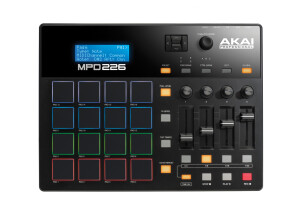
    Akai's MPD 26 follows in the same footsteps as the MPD 26 with excellent pad sensitivity. The MPD26 features authentic MPC pads, therefore it provides music production enthusiasts with the genuine feel of Akai's flagship MPC sampler series. Features pre-loaded midi functions with programs including Live, Fl Studio, Reason, Sonar, Stylus, and more. Along with these features are six faders and six knobs completely assignable via midi. As for the value for the price, there is not much more you can possibly ask for from a midi pad controller. The precision and quality of sound is dependent on the digital audio workstation of choice. The MPD 26 includes full transport features with fast forward, rewind, stop, play and record buttons. In addition, this unit also features the same note repeat, tape tempo, and time division features found on the MPC series. The full level and 16 levels feature are also present, something MPC users are readily familiar with. This is complemented with four pad banks. In terms of cosmetics, the MPD 26 has a sleek, sturdy black frame, a pleasant change from the MPD 26’s sliver frame. With the way my personal home studio is set up, the streamlined workflow the MPD 26 displays within FL Studio 9 is quite impressive. Whether you are already an MPC owner, or you are looking for that authentic MPC feel to accompany your digital audio workstation of choice, Akai’s MPD 26 fulfills every requirement you can possibly desire in a midi pad controller, and looks good as well. Perhaps the only negative aspect of the MPD 26 is the fact that it has only six programmable knobs, two less than the MPD 24. Many Ableton Live users have complained that this dpes not mesh well with the eight mappable micro knobs within Live’s interface. However, this should not stop anyone from considering this great product, excellent valur for the price.

  • moosers's review

    M-Audio's Trigger Finger is a MIDI controller in the form of a drum machine set of pads. It is designed for those who want the a feel of an MPC type of drum pad, but who want to use sounds from your computer, virtual instruments, and/or modules. There are a number of MIDI controller pads out there like this one, but the Trigger Finger is the one that I have used the most. While I'm not huge into making electric drum beats, it is certainly a nice thing to have, and having a pad like this is a lot easier to use than a keyboard in my opinion. It has a good feel overall, very realistic to what a real drum machine feels like. In addition to the 16 pads it has, it also has sliders and knobs for controlling the other aspects of your sound, which of course are all programmable. I've generally found that using the Trigger Finger is an easy thing to do, as I can't recall any problems that I had with it if I did. I've used Trigger Finger primarily with Apple Logic Pro, but it can definitely be used with all sorts of different pieces of software - anything that is MIDI compatible. While the Trigger Finger is no longer available, you can definitely find them used at good prices, as this wasn't too pricey to begin with. If you really enjoy the feel of a traditional drum machine and want that sort of control and feel in the digital realm and the world of computers, this is definitely the MIDI controller that I would recommend getting, especially for those who are on a budget. There are definitely a few other MIDI controllers out there like this one that have even more control, but the M-Audio Trigger Finger gives you the most bang for your buck overall in my opinion. The Trigger Finger is definitely a product to be looking at for a drum machine style MIDI controller.

  • JayDMusic's review

    This is a review of the Akai MPD16 MIDI Control Surface. I used it for quite a while and was very pleased with it before I upgraded to an MPD24. You can read my review on the MPD24, too. First off, I have to say, that I bought this product on a whim. I wasn't really planning on anything when I walked into Sam Ash, but after playing on the MPCs for a little, I decided that using keys wasn't the best way for me to chop samples or play drums in my DAW. I decided that I was going to take the bit of money I had and pick out a pad control device. The MPD caught my eye because as every person who's heard of the MPC, they will know that it's made by Akai, also. Akai is legendary when it comes to pad control devices, and I had seen a video where a guy chopped an looped a sample in his DAW with the MPD. I thought to myself, &quot;This can be a great investment! I can program my drums just how I want to!&quot;. This, coupled with its easy USB connect-ability, made me whip out the debit card for this baby. When I brought it home, I was surprised when I pulled it out of the box. I thought it would be a little flimsy piece of hardware. I was wrong. It was built well, and could easily withstand the trials of a traveling performer or producer. The pads were soft and thin, sensitive, too. The fader was nice to control the volume in my DAW. The installation of the thing was a piece of cake. I dropped the CD into my drive, and it read and installed in a matter of a minute or two. I opened up Fruity Loops Studio (Yeah, I use it. Sue me. I love it!), and picked out one of my favorite samples. I dropped it into the FL Slicer and opened my MIDI settings and activated the automatically-detected MPD16. I started hitting the pads on the MPD and realized exactly what my studio had been missing. Using this device made it easy to manipulate and choose exactly what chops I wanted to use. Then, I opened up the FPC plugin and in no time, I had a great drum kit with perfectly configured pads to pound on! The classic 16 levels and Full Level switch made it easy for me to make my drums fade in and out with master precision instead of having to guess while I adjust the volume of the drum. Instead, I had 16 perfectly spaced levels to work with. I was really pleased with its seamless performance thus far. I was only an hour in, too. After having it for a couple days, I was so pleased with it that I went out and bought the MPD24, too. When it comes to pros and cons, there were only pros. Sorry to make you guys upset by leaving out the cons. That's because there were none. The pros were the price, the construction, the pads, the compatibility, the company, the customer service, and the piece of equipment in general. It's a great piece, and I recommend it to anybody who wants to have a simple pad control device to control their DAW. It's a great value and it can prove priceless to any home studio setup.