Log in
EN
FR

Other MIDI Control Surfaces

114 products found

Filter
Sort by
Evaluation
  • Reviewed or not
  • Editor’s award
  • Reviewed by Audiofanzine
Availability
  • Available or not
  • Sold new or used
  • Sold new
  • Sold used
Must-have products
  • All products
  • Flagship products
  • Best rated products
  • Hot products
  • Popular products
Price
  • Freeware
  • Low-cost (< $250)
  • Mid-range ($250 - $500)
  • Premium (> $500)
€
Clear
Sort by
  • Popularity
  • User ratings
  • Price - low to high
  • Price - high to low
  • Used price, increasing
  • Used price, decreasing
  • Name (from A to Z)
  • Name (from Z to A)
  • Added on
Sort results
  • Popularity
  • User ratings
  • Price - low to high
  • Price - high to low
  • Used price, increasing
  • Used price, decreasing
  • Name (from A to Z)
  • Name (from Z to A)
  • Added on

The best Other MIDI Control Surfaces reviews

The reviews Audiofanzine members found the most helpful.
  • « fully customizable »

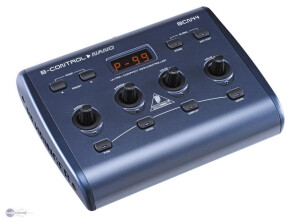
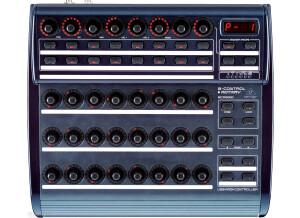
    I have been using the B Control Rotary BCR2000 in Cubase and even in Logic on my Mac for a long time now. The control surface of the BCR2000 gave me complete control over all of my virtual synths that I was using. This unit is so well made it actually feels like knobs that are on some expensive Motif or Fantom keyboards. You can have 4 groups and 32 presets with each group. It can be connected to your computer through USB or through standard MIDI connections. Using the BCR2000 will change the way your workflow is without a problem. It will take some time to fully remember how you have everything set up if you choose to save it as a preset, because there really are not any labels or any places to put labels so you can remember. There are blank spaces so you can write in your own labels that you may want but I just don’t like that because it can get sloppy if you want to move things around or change things up after time using a pen then having to scratch out words and write more. The unit has a good weight to it, it does not feel cheap or plastic like. It does also come with a power connection to a wall outlet. Using it with Reason was probably the easiest to set it up with and start using it. Cubase took a little more work and so did Logic. It also runs great in Ableton Live and Sonar. It is very versatile and can be used to control anything you want. As long as you are using Windows XP or higher then it will work with your system. If you do need some new drivers you can easily download them from Behringer’s website and you can also get all of the support you need. This unit is also backed by a factory warranty as long as the damage is not your fault they will fix it or give you a new one.

  • « works like a charm »

    The Phat Boy is a MIDI Controller that has a classic synth type look to it. It will allow you to have it control any of the functions you might want it to control in your DAW. I have the Phat Boy specifically set up with a few different VST synths that I use on a regular basis. So that each time I use those synths I can tweak and change the parameters of them right with the Phat Boy without even having to touch the mouse or mess with the VST at all. The Phat Boy connects to your computer via MIDI and it is very easy to set up and to use it. It comes with different face plates for it so you can basically use the functions for whatever you want if you use the blank face plate or you can use the one that’s already labeled with options like (filter cut, etc..). The Phat boy has been around for a while so if you can find one that someone is selling you will be able to get it at a really cheap price. It is a smaller and pretty thin unit so storing it or having desk space for it will not be hard to find. You can not rack it though. The quality of the G Media Phat Boy is great, it is well built with strong heavy material. I have had it for a while and dropped it and even spilled stuff on it and it still works great. I am happy that I chose to use the Phat Boy, I do wish that it was rack-able though. That is about the only request that I had with it because you can run out of desk space fast with all these controllers and MIDI gear. If you are in the search of a MIDI controller with fully assignable knobs then the Phat Boy is perfect for you, especially if you are on a small budget.

  • « classic »

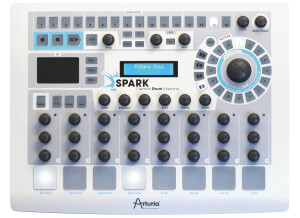
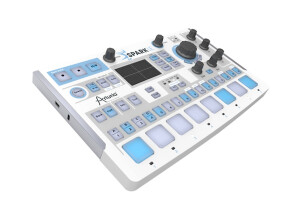
    The spark is a great forward thinking idea put forth by Arturia. I wasn't sure what to expect considering this was Arturia's first walk in the park with a drum type machine and it was to be my first drum machine, but I have been very happy with the results. At this price point, I am very pleased with my purchase. The spark boasts some big time features as well as emulations of the famed 808, 909, and more. I wasn't expecting much from the content that came with the machine, since I already have so many sample drum packs, but I was floored by the quality of the included samples. The manual was very clear and sufficient. I really didnt even need it! The quality of the samples caught me off guard. The interface looks a bit tricky and confusing at first, but within minutes I was jamming. The way everything integrates is very easy to understand which was a concern of mine. Spark is a unique instrument and approach to building drums but it is also a very straight forward and easy to understand instrument. Basically, you can create up to 16 tracks, each with up to 64 steps. These tracks are numbered 1-16 and placed in a circle. Overall, I can sit and play with Spark for hours and have so much fun. Bringing back the tactile feel of a drum machine that’s been missing from my arsenal for so long, but adding features that are very cleverly thought out and making them easy to get to. Spark ships with a great array of sounds and as I mentioned, it’s easy to change banks or individual sounds within a bank and add your own sounds. Probably the most amazing thing about Spark is the price. I had to look a couple of times to realize that at $599 retail, the hardware controller comes with Spark. How Arturia does this with such a great piece of hardware is nothing short of incredible.

  • « GarageBand companion »

    Ever need a GarageBand controller for your mixes? If so, this device could have been for you. The goal that M-Audio had in mind was to create a versatile mixer to use with a simple DAW like GarageBand that every Apple user had pre-installed on their computer. The device contains eight rotary encoders to control volume, pan, sends, effects and whatnot, seven mode buttons to assign encoders to tracks or effects, eight sets of mute, solo and record buttons, +/- buttons for more assignable functions, master volume fader, dedicated buttons for play, stop, record, fast forward, rewind, and tons more features. The device itself meant well. I mean, you could use the device to add some versatility to a limited DAW. However, I felt that GarageBand was simply too limiting as a DAW for this to be worthwhile. I heard that it works with Logic, but I never tried it with that, so I can’t comment. I really like that it has built-in MIDI support. That’s a must have, in my opinion. Too many devices out there are trying to do away with MIDI, and I don’t understand it. The more you implement MIDI into devices, the less nonsense we have to buy. The buttons weren’t too bad, but they kinda felt a tad cheap. In fact, the entire device felt a bit cheap to me. I heard issues of these breaking, so maybe it’s not the best thing in the world. The price itself wasn’t too bad given all the features this had. If you ever come across one of these and just want to mess around with it, it might not be a bad buy. However, I can’t really recommend it due to its limited usage. There are too many other good devices out there that work better.

  • moosers's review

    Frontier Design Group's Tranzport is a wireless remote control to use with your DAW. It's a simple USB based controller that really just controls the bare minimum in terms of what it will control in your DAW. It's compatible for both PC and Mac systems and I believe it suitable for use with pretty much any DAW. It comes with a receiver that is attached to a USB plug and goes into your computer. It's of course very nice that it's wireless as you can move it anywhere you need. It's great for times when you're the only person working on a session or if you're playing and aren't right next to the computer. Some of the controls found on Tranzport include a full array of traditional transport buttons like play, record, stop, fast forward, etc. It also then has individual track parameters like record ready, solo, and mute, and a set of track toggle switches to choose the track you'd like to apply these parameters to. You can also do punches and add markers with Tranzport. Lastly, there's an screen that shows each track's levels and name, as well as what time you're at in the song. It doesn't have a fader, which is really the only thing missing here. We have one of these in one of the smaller studios at the studio complex where I work, and people definitely seem to like to have the option of using it. It's definitely best suited in a smaller home studio, but I can see it being useful across the board. I do wish the price was a bit more reasonable, as it seems to be a bit expensive for something of this make up, but I guess it's because it's wireless. Either way, Frontier Design Group's Tranzport wireless DAW controller is a great little tool to help you use your DAW a bit easier.

  • Audiofanzine FR's review

    (Originally written by fabamarie/translated from Audiofanzine FR) I've owned it for nearly two years. In the beginning, I didn't understand a thing about Midi but one day I discovered its huge possibilities. It allows you to control virtually everything depending on the software sequencer you use. With Cubase SX3 it's great. The fact that you can control the zoom function manually allows you to work fast and be more precise, even though you need two controllers to zoom in and out. But considering the large number of possibilities this unit provides, that's not a problem. The knobs are push knobs so you also get eight buttons for each configuration: play, stop, record, 1 or 2 markers, scissors and eraser tools, full zoom out... Everything can be freely configurable and it's a true pleasure. This sturdy and compact battery or PSU operated unit is really versatile. I don't regret this purchase. I always carry it with me or have it in my drawer with my keyboard. Editing takes a long time, the user's manual is very bad and I've never been able to use the learn function successfully.

  • FP User's review

    13 midi knobs + a midi channel selector knob. It's all well and good but it depends what your setup is. If you are using Rebirth or Reason it IS a wonderful model to have. Sometimes you wont be able to control a parameter on your synth if its not compatible. Price paid $150 pretty easy. If you have a &quot;learn&quot; option on your synthesizer parameters (like in Reason and Rebirth) then you just need to touch the knob to assign to it. It feels a bit &quot;home made&quot; but on the other hand it has never failed on me. I dont use it enough, and would probably love more one of those sweet Doepfter boxes over the phat boy Originally posted on FutureProducers.com Posted by: Unknown ( 3-, 2002)

  • FP User's review

    I rated the Features at an 8 becuase for the price and the software presets that came with the device. It was cool to see that a little thought was put into adding presets for some of the more popular VSTi's out there. The CD came with a few demos of the excellent NI soft synths, and evolution in house CRAP STUDIO V.2 DO YOURSELF A FAVOR AND DONT INSTALL SOUND STUDIO II. If you even get the application to work, you'll 2nd guess your purchase because it looks like a Fisher Price toddler program. I had to switch it to NT Compatible mode since Im running windows 2000 and the piece of trash became overloaded with my VSTi's and crashed several times. So aside from that, I was very pleased to actually be able to use some presets. The driver install was not as difficult as alot of people on the net claim it to be. It was actually very simple, and I was using it in Reason 5 minutes after it was out of the box. Price paid: 99.00 with FREE next day air ( www.audiomidi.com) VERY EASY to use. Plug it in. Activate the midi port. twist some knobs. Evolutions units are the cheapest I have ever felt. This device is no exception. The knobs are no bigger than an eraser on a pencil, and the indicator dial is solid black, and not very raised. this makes it damn near impossible to take a visual snapshot of your controller config. The box weighs 1 pound, and the back lacks a midi out, although they show you how cheap they were to not include it. I DO LOVE THE LCD SIZE THOUGH. I wish it showed more, but for 100.00 bucks, it's way worth it. I love the little box. It's cheaper than a phatboy, and you can hook up 5 to one machine. It's a neat device if you need the knobs. However if you have a ton of knobbed devices around the house, just daisy chain those ho's and save the 100 bucks and go to the pawn shop and try to scam something you can make noises with. Originally posted on FutureProducers.com Posted by: Unknown ( 1-, 2003)