Log in
EN
FR

RME Audio

159 products found

Categories
Series
Filter
Sort by
Evaluation
  • Reviewed or not
  • Editor’s award
  • Reviewed by Audiofanzine
Availability
  • Available or not
  • Sold new or used
  • Sold new
  • Sold used
Must-have products
  • All products
  • Flagship products
  • Best rated products
  • Hot products
  • Popular products
Price
  • Freeware
€
Clear
Sort by
  • Popularity
  • User ratings
  • Price - low to high
  • Price - high to low
  • Used price, increasing
  • Used price, decreasing
  • Name (from A to Z)
  • Name (from Z to A)
  • Added on
Sort results
  • Popularity
  • User ratings
  • Price - low to high
  • Price - high to low
  • Used price, increasing
  • Used price, decreasing
  • Name (from A to Z)
  • Name (from Z to A)
  • Added on
Filter results 159 results found
Evaluation
Availability
Must-have products
Price
  • Freeware
Show results

The best RME Audio reviews

The reviews Audiofanzine members found the most helpful.
  • « A German sedan »

    Which technical specifications motivated your choice? The good converters for recording, a good clock. Do you use it with other instruments or systems (mixing console, preamp, DtD, ...) and what's your setup? ... Preamp into an XLR, MPC into a jack. What do you use it for? What's your setup (motherboard, CPU, RAM, hard drive,...)? For everything! To record vocals and separate tracks of the MPC, composing/mixing. Setup: PC 4GB RAM, Windows 7 32 bits. UTILIZATION Are the drivers stable? Very stable. Are they up to date? Yes. Which software do you use? Cubase 5 and FL Studio 11. What's the latency of your system? 8 m/s GETTING STARTED Did you have any problems during the installation? No, it's done pretty fast. Is the overall configuration complicated? Yes. And the virtual mixer is easy to get to grips with. Did you have any incompatibility problems? No. Is the user's manual clear and comprehensive? ... Yes. OVERALL OPINION How long have you been using it? For over 3 years. Did you try any other models before buying this one? An M-Audio FastrackPro. Which feature do you like best? The sound fidelity, the single knob to browse inputs/outputs, the XLR converters, the virtual mixer. Which feature do you like least? Not enough inputs on the rear! I'll have to take the model just above as a consequence. Maybe a small reverb or an EQ. How would you rate its value for money? Maybe a bit expensive. Based on your experience, would you buy this product again? ... Without hesitation! If I had more money, I'd take the 800 to have more inputs/outputs.

  • julien.stazma's review

    I use this soundcard as the core of my home studio where I produce my music and mix and master songs for other people. I also use it as MIDI interface for my synths, an also to record them with Live. I use Live 9 to produce my music and Reaper for mixing and mastering and this card works fine in any situation with my two workstations. I chose it specially for TotalMix FX, which allows you to do complex routings and access a very good EQ and compressor without using the PC's processor. UTILIZATION Very stable drivers, both with Live and Reaper. The overall latency of 7ms is imperceptible (for example, playing a guitar plugged directly into the card and using headphones to not disturb the neighbors, hahaha). GETTING STARTED Very easy installation, as well as the overall setup, no incompatibilities. The TotalMix software might make you scratch your head in the beginning, but you'll get it fast enough. OVERALL OPINION I have been using it for a bit over a year now (I used to have an FA-66, a Native Instrument Audio Kontrol, which I still use live because it's super sturdy, and also a MultiMix 8) and it is perfect for all my needs, besides having an excellent performance (compared to the other soundcards I mentioned, the difference in terms of audio quality is flagrant). TotalMix FX is a big plus due to its routing prowess and its quality DSPs. It's not cheap, but you know what you are getting.

  • moosers's review

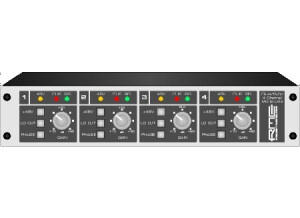
    The RME Audio QuadMic is a four channel microphone preamplifier that is made in Germany. It is designed to be brought on the go for mobile recording, as it's small size allows you to transport it easily and quickly. However, it can be used in non-mobile situations as well. QuadMic has four dual XLR and 1/4" inputs and four 1/4" line outputs, all of which are in the back of the unit. I guess that this will fit inside a rack casing, but it is only about half the size across, so you'd need two of them to fit it in perfectly. UTILIZATION The make up of the RME Audio QuadMic is very straight forward and simple to follow. Each of the four mic preamps has a knob for gain and buttons for +48 volt phantom power, a lo cut option, and for phase. It also has LED meters for your signal, phantom power on/off, and clipping. There really isn't all that much to know beyond these basic parameters, so a manual won't be necessary for most users. SOUND QUALITY The sound quality is a bit above average with the RME Audio QuadMic, especially considering the compact nature the preamp. While designed for mobile recording uses, the QuadMic is definitely more than just a compact set of preamps, as I've only used these inside the recording studio and not on the go. Either way you use them, it is basically the same - it's just nice to have the option to move them easily if needed. The QuadMic can be used to record just about any application, as I don't feel that they favor one over another, they are in general decent enough sounding mic pres for all sorts of situations. This certainly wouldn't be my first choice for a mic pre, but if you need four extra channels of pres, the QuadMic will do the job most times. OVERALL OPINION For the price, the RME Audio QuadMic is a great deal. While the preamps don't sound all that much better than those you'd find on most audio interfaces, keep in mind that they are really designed just to offer an extra set of preamps to users in need. If you've got an audio interface where you have the inputs but need more mic preamps like a Digi 002 for example, the RME Audio QuadMic offers an inexpensive solution to expand. So while ideal for mobile recording, the QuadMic will help out users of all types...

  • « Get a used one »

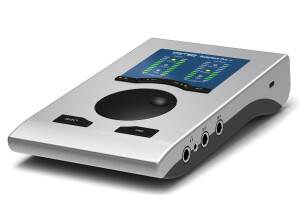
    The RME audio interface was created to be very mobile. It was designed to be able to be taken to different places so you can always have your music with you and be able to create no matter where you go. One thing that I noticed about this interface is that it comes in different colors. This is one of the first interfaces that I have seen that can come in different colors for style, I have seen the one pictured above and I have even seen a pink one before. Its kind of crazy how you can pick a different color. UTILIZATION 192 kHz is what you will get when using the RME Audio Interface, and not too mention it’s a USB interface as well. There is an extra headphone output option as well, which I though was really good to have this one such a smaller unit. Most larger interfaces have that option not a mobile one. It does also have midi I/O as well, you will be able to have great control over your music when using the RME Audio Interface. GETTING STARTED All latencies on the mac and pc are both low, but I did experience a little more of a lag when using it on my pc than I did on my mac. I am not sure why this was, it could be that my pc is a few years older than my mac, but I have not had any other latencies on that pc before so maybe it was an issue with the interface and the daw. OVERALL OPINION It’s a great interface, you can pick your own color and get a great sounding recording from such a small stylish device. If you are looking to purchase one brand new it will cost you a good piece of money. I say purchase it used or refurbished to save your self some money.

  • « Alot of inputs »

    The Audio Octo Mic by RME is an analog solid state pre amp that is a both a pre amp and a DI box in one. It has 2 1/4 inch DI inputs and XLR connections as well. It is a rackable unit. UTILIZATION The configuration of the Octo Mic is pretty easy to follow and understand, and there are a lot of nice options and parameters to help you get your level in the best possible way. There are two large knobs for gain and level, as well as buttons that are either on or off for 48V phantom power, either Lo-Z or Hi-Z, either mic or DI, a low cut, and a phase button. There are also two LED lights that show power and the level coming. The manual for Octo Mic is pretty complete, but the pre amp is easy enough to use that you don't need the manual to learn how to use this. SOUND QUALITY The sound quality of Octo Mic is pretty great. The pre amp is full sounding and will faithfully reproduce whatever mic or direct input that you throw this through. It has a rich and warm tone quality to it that makes it great for applications of all types. I have used the Octo Mic on everything from vocals to guitars, always with results that I'm happy with. The overall sound of the Octo Mic is full and is a great choice for applications of all types. OVERALL OPINION I've been using the Octo Mic for about a year and I've found it to be both a great direct input box and mic pre. I have come to know Universal Audio as a company that makes top end gear that really sounds great and is easy to use. The price of the Octo Mic is pretty reasonable, and isn't overpriced at all in my opinion. If you are looking for a reliably great sound mic pre and DI box in on, this is seriously worth a look.

  • « NO LATENCY for Virtual Keys....period! »

    I got this interface because it is known for being the small form-factor "top-dog" for live virtual keys, and I was not disappointed. This unit is the lowest-latency USB-based unit I know of. It is well built, clean, transparent, rock solid and stable due to great drivers, and easy to use. The added bonus for me was the TotalMix FX mixer-client that allows me to adjust and EQ individual channels via the unit's onboard internal DSP. It does not have a lot of input and output jacks (2+2), but it doesn't necessarily need them. I bought it specifically for live performance use with my keyboard controllers, laptop, virtual keyboard plug-ins, and the Cantabile 3 host software.

  • « No driver problems »

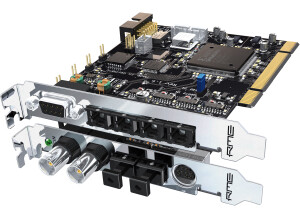
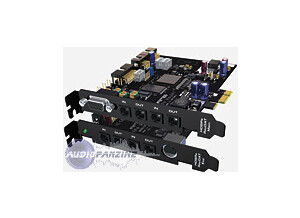
    The HDSP 9652 is the updated version of the DIGI9652 from Hammerfall. It has 3 ADAT optical ins and outs. 1 SPDIF digital In and out and 1 breakout cable. The HDSP 9652 is well made, and will update the drivers as you go so you don’t ever have to worry about the drivers failing with your computer or some issues coming about. As long as you system is connected to the internet you will never have to worry about drivers because the HDSP 9652 does all of the work for you. UTILIZATION The HDSP 9652 has a SyncCheck option that will check all of the inputs and signals to make sure they are all synced with your BPM or Clock. The HDSP 9652 comes with the drivers for Mac OS9, Mac OS X, Windows 98, Windows 2000, Windows XP, and if you have a different system like Windows Vista or Windows 7 you can easily get the drivers online when you purchase or the HDSP 9652 might find the drivers for you when you install it. There really is no brain work when installing the HDSP 9652, because it does all of the work for you. GETTING STARTED I have had no compatibility issues while using the HDSP 9652, it worked great on my Windows XP machine and even when I updated the service packs it downloaded a new driver and then worked perfectly again. There really is nothing to worry about with installing this interface or drivers because all of the work is done for you. OVERALL OPINION The interface is very quiet, it makes no noise and the latency is nowhere to be found. You can use this to record whatever type of audio you want to record whether it be digital or analog signals. My favorite part of this interface is that it updates all of the drivers for you and you don’t have to worry about any of the technical stuff. My least favorite thing about this interface is that it is not portable, having several different machines that I use made me have to have different interfaces for all of them. I wish I could have this on all of my desktop computers. The precision and quality of sound is amazing. It is worth the buy.

  • « fast »

    I was debating on whether to use a usb interface or a firewire interface. I decided to try both, after using both I had my mind set on just using Firewire because it seemed to be so much faster on my system. So I went with the RME Fireface 400, the Fireface 400 worked great on my windows xp desktop and with the updated drivers from online I never had a single problem. I didn’t have a single problem before the driver update but I guess they updated them for a reason so I went with it. UTILIZATION It was easy to set up, but depending on what type of DAW you plan on using it with you may have to jump through some loops with setting it up and getting it work properly. I have used it with several daws, some of them cause no problems at all and some are just a pain in the butt trying to set it up and get it running right. GETTING STARTED After getting it all set up you will be good to go and shouldn’t have to do it again in the audio settings of your program. I have experienced less lag with using the Fireface 400 than usual. Its pretty close to no lag at all, but as the saying goes there is no such thing as having no lag at all but this is as close as I have got to having no latency between my gear and computer. I plan on switching this over to my vista computer soon so we will see how that goes. OVERALL OPINION Overall, I have been using for a few years and im happy with it. They will keep me posted with driver updates when they come out and it’s a very affordable audio interface. Fireware is greater than usb for my set up now. I will only use firewire.

  • « this is great! »

    A completely professional grade interface. I track live instruments with Neumann M149 tube, AEA R84, RE20, Rode and modified Shure SM 57s , all in a real studio through high end tube pres and 1950s vintage mic pres etc... This interface has phenomenal sound quality even at 44.1. The multiple connections allow me to connect a Lexicon hardware digitally via SPDIF. I also use all my vintage tube gear - not only to track- but to mix as well in Logic pro in the same way as you use plugins..except they are the real thing! and with the same flexibility as a plugin. So if you desire to be able to use all your analog gear to mix in the box alongside your plugins simultaneously, this interface makes it happen and Logic pro 9 is set up for it, so it is very easy. UTILIZATION The clock is so good it has become the master clock in the studio. Clocking makes an audible difference in terms of audible phase shift harshness. I have not yet used the mic pres, as I have plenty of amazing vintage ones by Altec, UA, UREI, and a Buzzaudio MA2.2. The headphone monitor volume is very powerful and clean. The overall sound -if coupled with Logic pro 9- approximates the sweetness of 30 ips Ampex tape in general character and vibe (at 44.1). At higher rates it becomes more" Hollywood soundtrack" in detail level and vivid transient response as well as dynamic range perception. GETTING STARTED getting started was simple, it actually suprised me with how easy it was. OVERALL OPINION Overall, I am shure it will sound very different depending on what DAW you have ( protools, nuendo, cubase all have their own sound character due to differing algorithms and design priorities. But the great news is it's superb -smooth non ear-fatiguing- performance at CD quality 44.1. I hope this gives an idea of how this unit performs in strictly professional circumstances (the studio has a IT 20 series II Furman balanced power supply conditioning) for very long hours at a time.

  • Audiofanzine FR's review

    (Originally written by Supermanu/translated from Audiofanzine FR) I was looking for a stable sound card to record albums. It has worked with several PC's but I won't give you any details. UTILIZATION Very easy installation... Just install it and it works! I never had any incompatibility problems. Very simple configuration. I didn't read the user's manual. GETTING STARTED The drivers stability is outstanding I've never had a system crash!! RME makes constant updates. I use it with Cubase. I get 3 ms latency for recording. And I increase it for mixing. I only make mono or stereo recordings. I can play back up to 60 tracks. OVERALL OPINION I've been using it for 4-5 years, I don't know exactly. I tested many other sound cards and this is the only one I kept. Good value for money. Based on my experience, I would buy it again.

  • FP User's review

    I can't say that I've been much more pleased with any piece of gear I have ever bought. It does exactly what they say it will. It sounds great, and is incredibly stable. In fact, this audio card alone is a major reason why I am going to stay with the PC platform for a while longer. Price paid $900 UTILIZATION No hassles. GETTING STARTED I've used it with it's pcmica host card at gigs. I use it at home in the studio. It made of metal. I fly with it all the time. Customer service is awesome even though they are all the way over in Germany. I tend to get a response via email in less than 6 hours. Oh, and their techs know what is up. OVERALL OPINION I like it so much I'm probably going to get an digiface to turn my laptop into a reaktor beast. I trust the reliability of this card as much as the audio outs on my hardware synths. It's just solid. Originally posted on FutureProducers.com Posted by: Unknown ( 6-, 2003)