




With improved performance, new workflows, MPCe pads, and more controls, Akai has delivered a new version of the MPC Live that’s more ambitious and feature-rich than ever.

For several years now, Akai has been evolving its MPC models far beyond their roots as samplers, drum machines, and grooveboxes. The Live, X, One, and the keyboard versions have gradually transformed the MPC into a production workstation capable of composing, recording, arranging, and mixing without the need for a computer. This evolution has been accompanied by a steady stream of software updates and new virtual instruments. Akai demonstrates a clear commitment to evolving its MPCs over the long term. Faced with serious competitors like Native Instruments Maschine+ or Ableton Push 3, Akai intends to maintain its lead, and it must be acknowledged that, amid this dynamism and the balance between hardware power and feature richness, the competition sometimes struggles to keep up.
And so, here comes the MPC Live III. This new generation retains the overall philosophy of modern MPCs while introducing a host of new features. Under the hood, performance has significantly increased, and the user interface has evolved with more physical controls. Above all, the recent arrival of the MPC 3 operating system significantly changes the way you approach creation on the machine. One key question remains: do these changes make the MPC even more relevant, or more complex than it needs to be? That’s what we’re going to find out.
Akai MPC: understanding the platform and workflow
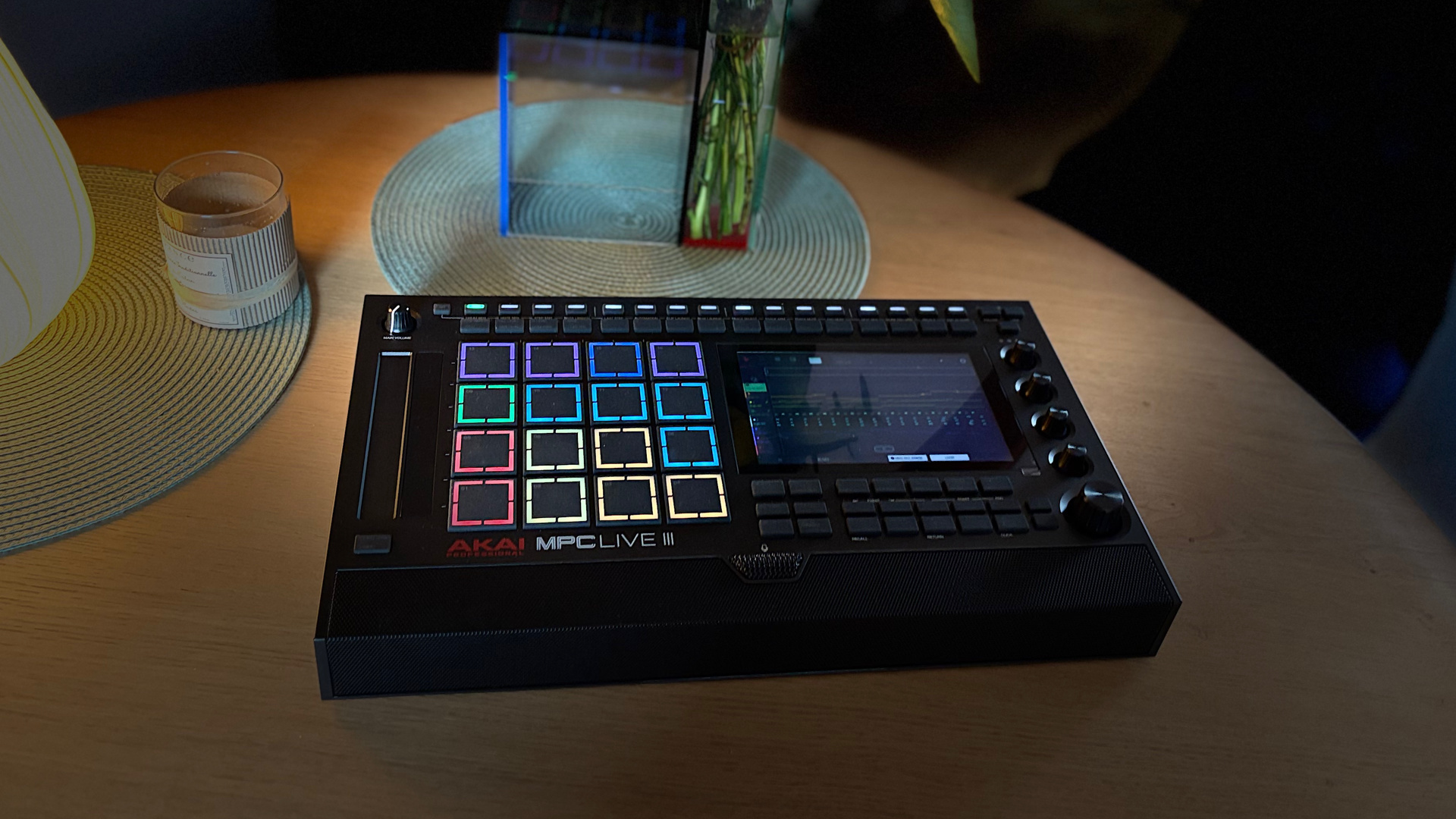
Originally, MPC stood for MIDI Production Center, but for several years now it has stood for Music Production Center, a change that accurately reflects the platform’s evolution. Understanding an MPC requires a slight shift in vocabulary for those coming from a DAW. Here, we don’t think solely in terms of audio or MIDI tracks, but rather in terms of several historical layers that have shaped the identity of the line.
First are the Tracks, which correspond to the working tracks. They host the various sound sources: drum programs, virtual instruments, audio tracks, external MIDI, or CV control. In recent versions of the system, the organization is closer to that of a DAW, with a more direct relationship between track and sound source. Programs remain a central element of the MPC’s DNA. They can consist of a drum kit, a multisampled instrument, or a program sliced into segments.
Sequences, long at the heart of the MPC workflow, represent distinct musical sections: verse, chorus, break, intro, rhythmic variation, etc. They remain relevant for those who like to build track-by-track before assembly. Added to this is now a more linear approach via the Arranger, introduced in the MPC 3 environment. You can therefore work either in traditional blocks, on a continuous timeline, or by combining the two. This is one of the great strengths of the current platform: offering multiple methods of creation without imposing a single path.
Akai MPCs suit many types of musicians, even more so in their latest generations, as they now closely resemble hardware DAWs. However, historically, they have made their name in urban music. For this review, I sought the opinion of a friend, Cyril aka Greenfinch, who is accustomed to this type of production. We did two sessions together, and you can hear the results in the audio clips.
Hands-on, ergonomics, and hardware updates
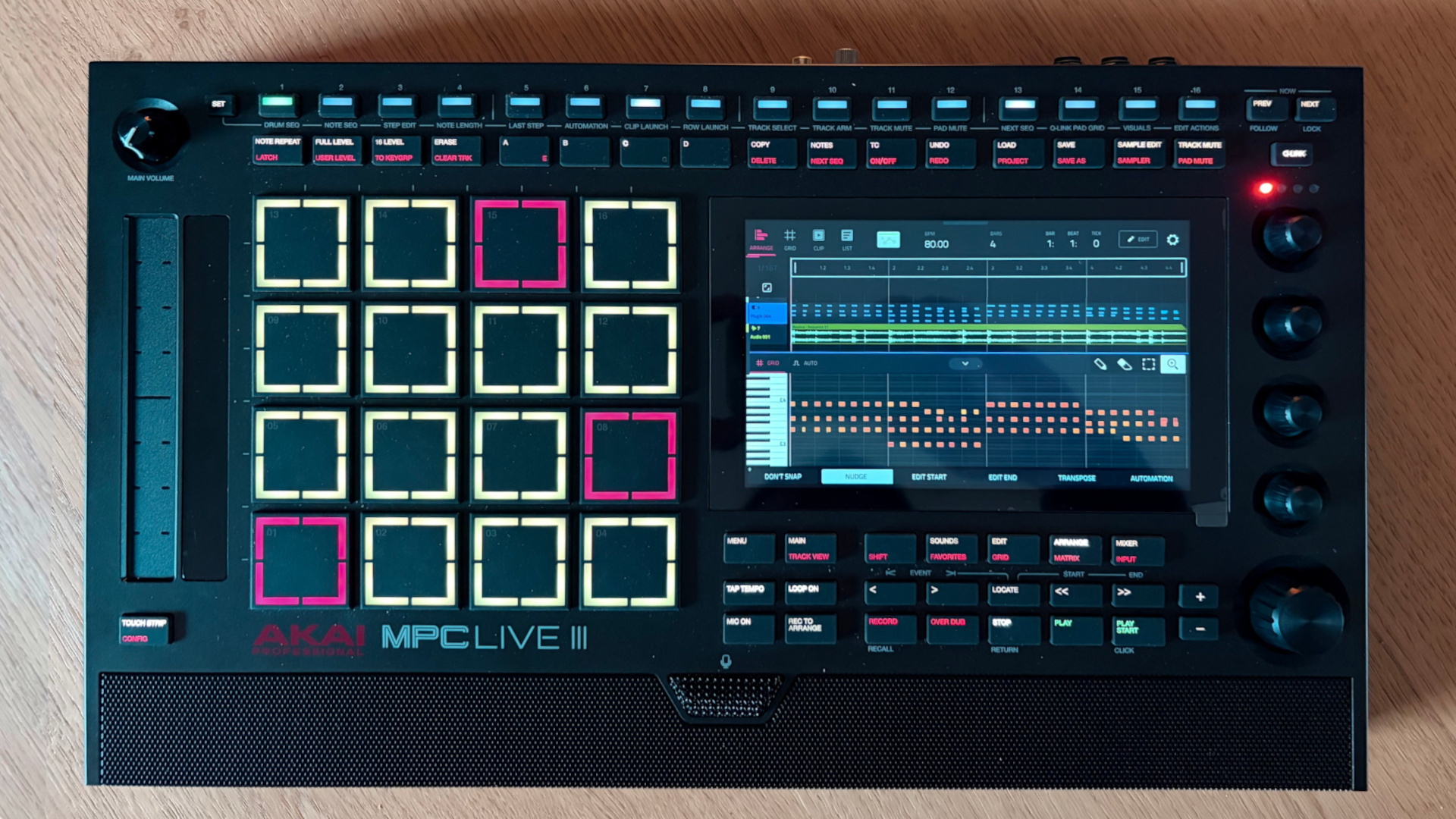
What immediately stands out with this new generation is the front panel, which is much more feature-packed than the previous model. The Live III features more dedicated controls and is slightly wider to accommodate a touch strip similar to the MPC Studio.
Another eye-catching feature is the row of sixteen buttons at the top. They play an important role in several operating modes, including the step sequencer. One of the major hardware innovations of this generation is the new MPCe pads. We’ll come back to that. Of course, the multi-touch screen remains at the heart of the user experience. Still in a 7-inch format and high-resolution, it is both easy to read and practical. Its responsiveness is exemplary, comparable to what you’d find on a latest-generation iPad, for example. It’s a pleasure to use, even if fine-tuning remains less comfortable. The navigation wheel and the four touch-sensitive encoders offer an effective alternative to the screen, especially since, with the many new controls, many operations no longer systematically require the touchscreen. The buttons retain their pleasant rubberized feel, with primary and secondary functions accessible via Shift or a double-tap.
The MPC Live III retains one of the series’ major strengths: the built-in battery. It offers up to three hours of battery life according to Akai, a figure that can vary depending on usage. During testing, this figure was not only frequently verified but also often exceeded. Like with previous versions, there are built-in speakers. I was expecting them to be just a stopgap, and I was pleasantly surprised. Of course, you wouldn’t risk mixing with them, but for composing, jamming, even with other musicians, they offer more than enough clarity and definition. For this unit, Akai added a built-in microphone. It doesn’t replace a good mic, but it’s also useful and far from a gimmick.
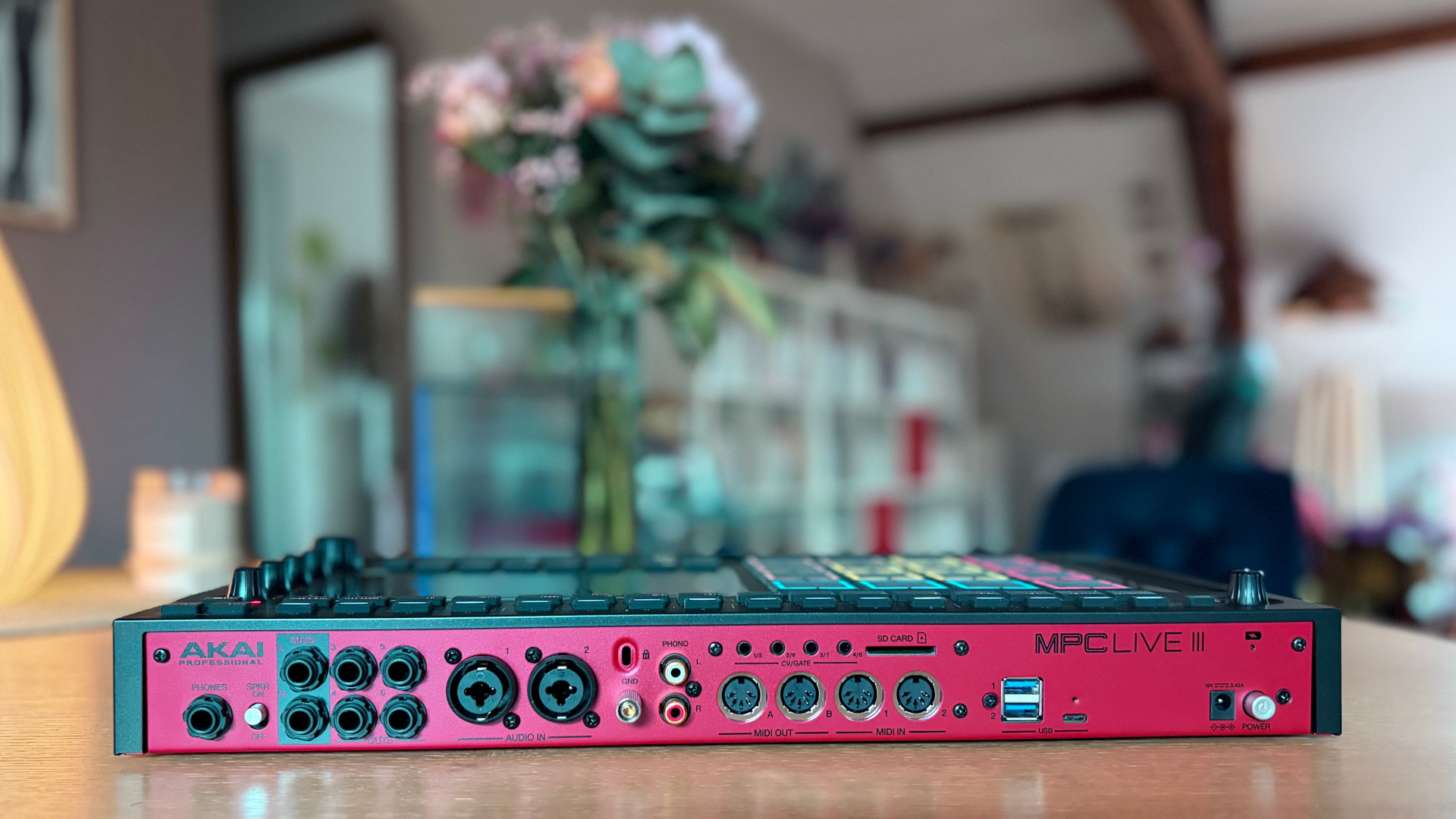
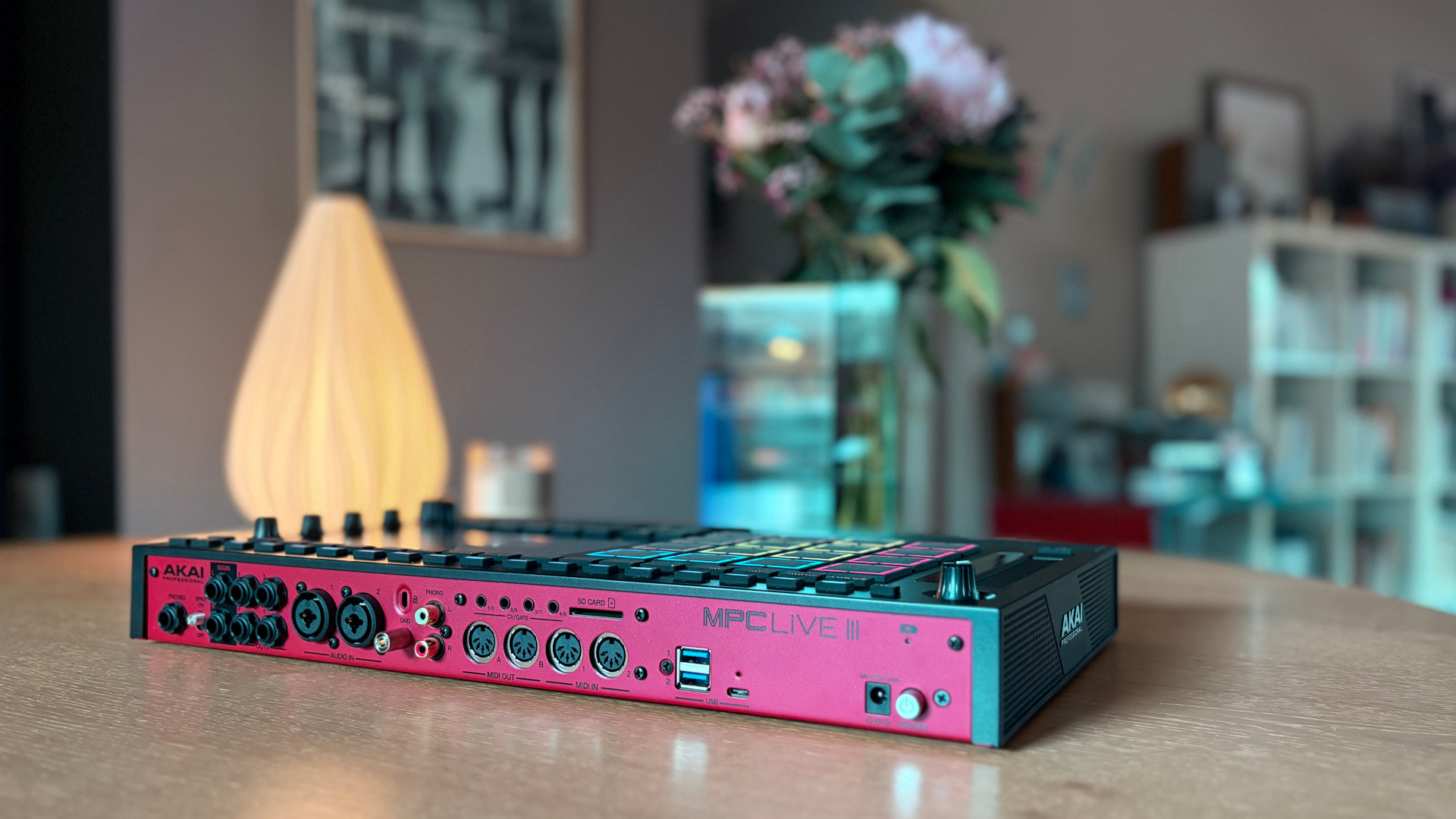
Power is still supplied via an external power supply. The main updates concern the two combined XLR/6.35 mm jack inputs, capable of handling both line-level sources and microphones thanks to their built-in preamps and 48 V phantom power. The other major new feature is the addition of a USB-C port for connecting to a Mac, PC, iOS, or Android device, enabling the exchange of up to 24 bidirectional audio channels and 32 MIDI channels, with the option to sample directly from a smartphone or a DAW. To conclude this overview of the unit’s rear panel, let’s mention the power button and a Kensington lock slot. The machine also features Wi-Fi and Bluetooth connectivity compatible with Ableton Link.
On the hardware side, the MPC Live III has received a major upgrade that’s a real leap forward. It now runs on an eight-core ARM processor paired with 8 GB of RAM, compared to a four-core processor and 2 GB of RAM in the previous generation. This upgrade directly translates to increased capabilities. The maximum number of audio tracks is now 16, up from 8. The number of virtual instrument tracks has increased from 8 to 32. Polyphony has also improved, with 256 stereo voices compared to 64 previously. Internal storage now reaches 128 GB. Beyond the numbers, there’s a noticeable improvement in responsiveness. Navigation, project loading, and instrument use feel smoother than on previous models.
MPC Live III in use: performance, fluidity, and learning curve
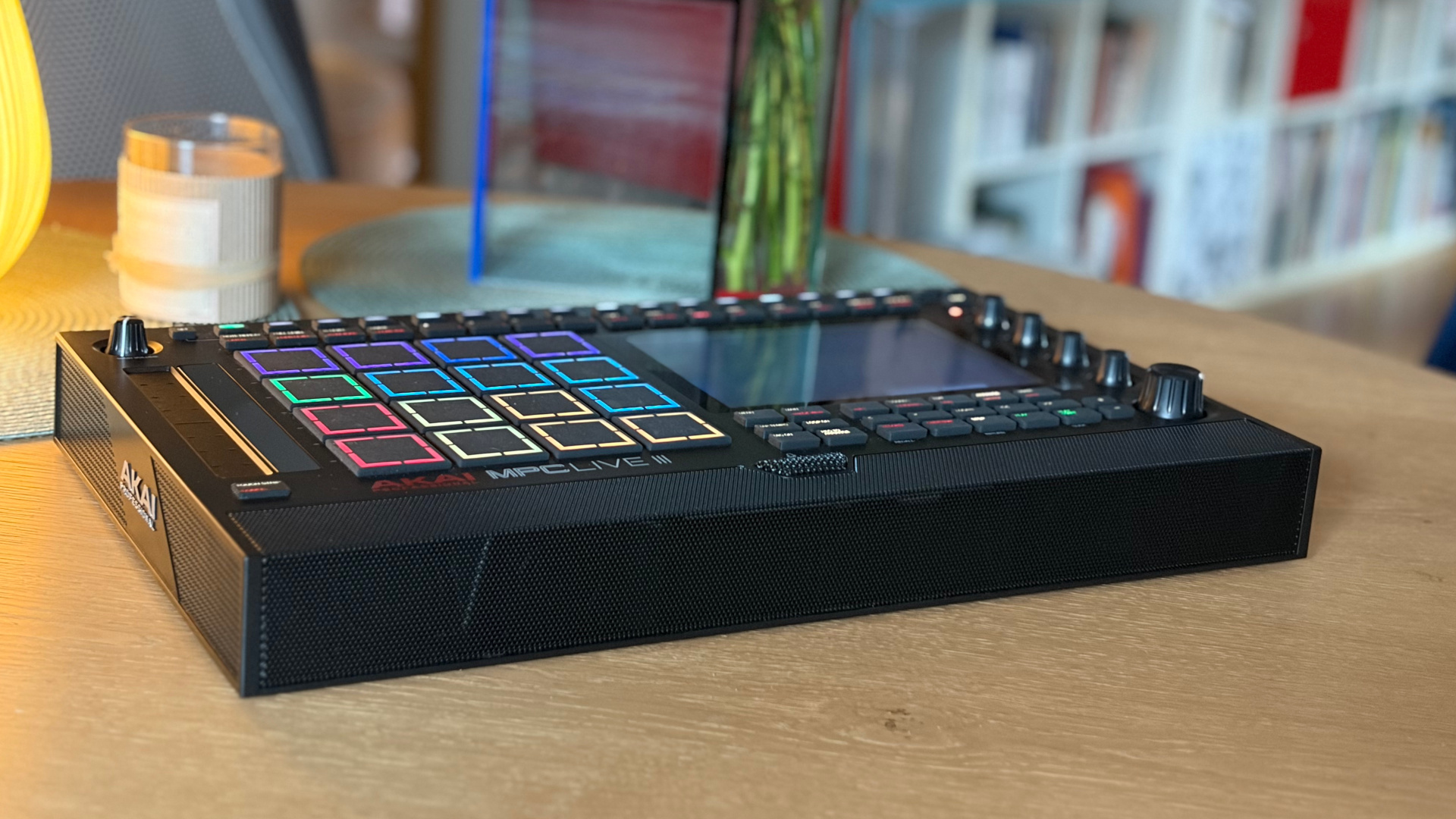
Users who have never operated an MPC will likely be a bit lost at first. But after all, as with any new machine, you have to take the time to get the hang of it. Here, the learning curve is commensurate with the device’s robust feature set. Regular users of the line will quickly find their bearings despite the many new features introduced by this new generation.
As for those who have already dabbled with MPCs from before the touchscreen era, while some principles remain the same, they’ll need to spend a little time getting accustomed to the machine. Today’s MPCs are far more feature-rich than their predecessors, and a lot has changed. Over the years, Akai has added new workflows that layer on top of the traditional system based on Tracks, Programs, and Sequences. This accumulation of tools can be overwhelming at first, but it also allows everyone to develop their own workflow. In practice, however, some ergonomic inconsistencies become apparent across the system’s pages.
Depending on whether you’re working in the Main view, the Grid editor, Program Edit mode, or the Mixer, the logic for accessing and editing isn’t always perfectly consistent. Added to this is the coexistence of the traditional sequence-based approach and the new workflows associated with Matrix mode, which can sometimes create the impression of different paths for similar actions.
The additional processing power of this Live III means you no longer feel limited. The number of simultaneous audio tracks or instruments has increased significantly, and polyphony is no longer an issue. In practical terms, this means fewer constraints and greater comfort and fluidity on large projects. The downside of this richness is a certain density. The MPC may seem overwhelming at first. But for those willing to embrace its logic, it becomes a remarkably comprehensive environment.
MPCe pads: expressiveness, modulation, and new playing possibilities
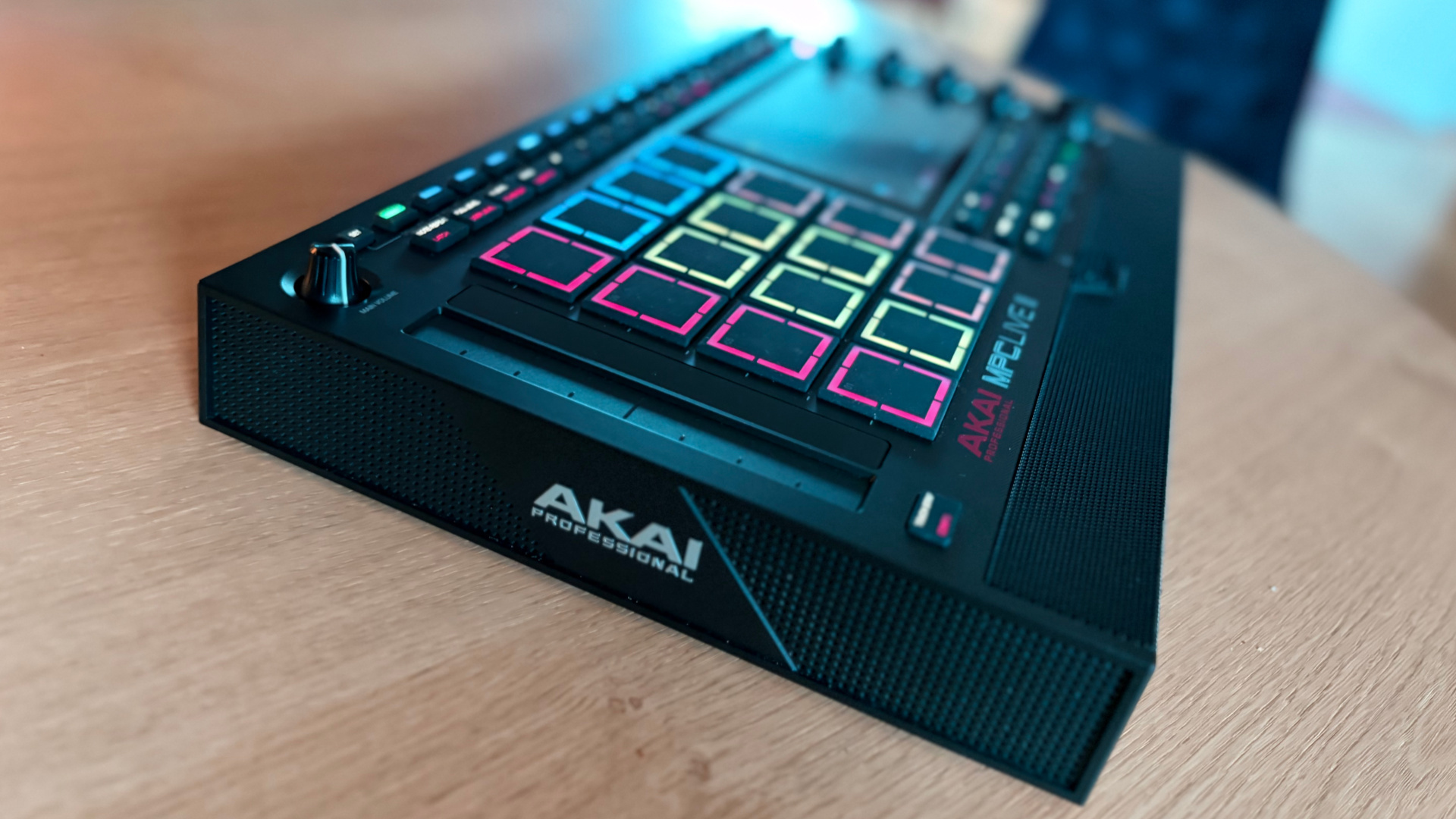
In practice, Drum Programs can utilize up to 8 samples per pad. These can be distributed across different trigger zones — the corners or the center of the pad — and can create smooth transitions between sound layers using various fades.
Ultimately, the traditional 16-pad grid offers up to 64 playable zones. The possibilities don’t stop there. The corners of the pads can also accommodate articulations such as rolls, flams, note repetitions, and various rhythmic effects, all synchronized to the project’s tempo. A per-pad modulation matrix, with up to 32 possible destinations, allows you to create complex variations whose movements can then be recorded as automation and edited in the sequencer.
On paper, this kind of new feature is typically one of those that elicits an initial “wow” reaction before raising a perfectly legitimate question: Is it really beneficial in everyday use? After spending several hours with the machine, the answer is clearly yes. These new pads offer a real boost in expressiveness. They certainly require a bit more precision, but nothing insurmountable. You get the hang of them very quickly, and the additional possibilities soon feel natural. Whether it’s to enrich your playing with variations, trigger different effects, or introduce real-time modulations, their contribution is far from being just a gimmick. The potential of this technology is further highlighted by the MPCe extension included with the machine.
Creative raw material: sampling and virtual Instruments
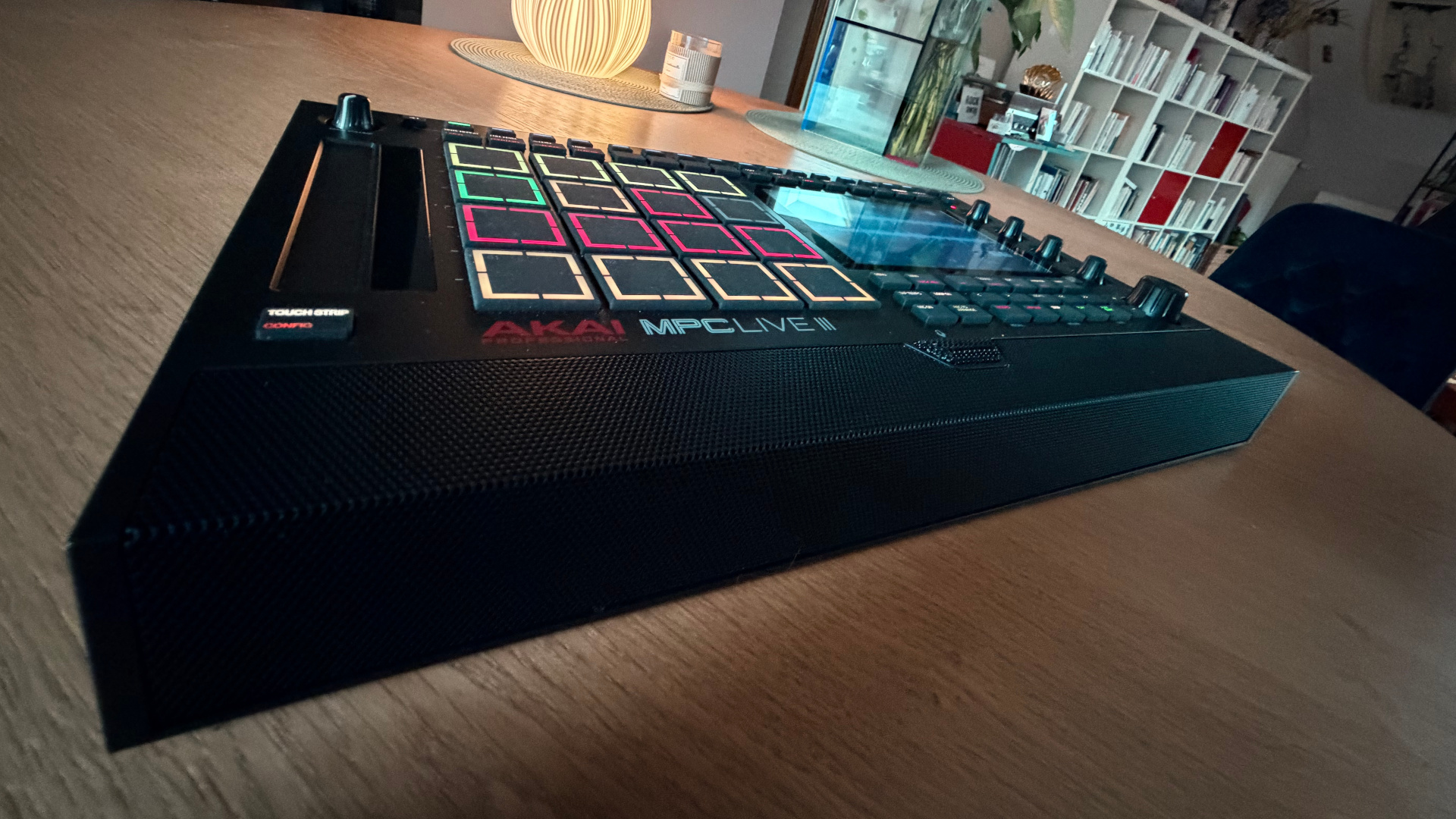
Once captured, the sound can be edited, sliced, and then used in a Drum Program or a Keygroup, depending on the intended use. In this regard, the philosophy remains the same as in previous generations. Where the MPC Live III truly brings something extra is in the integration of sources. With more open connectivity, notably the addition of USB-C, it becomes easier to connect audio from a computer or mobile device, in addition to the standard audio inputs.
The new XLR/jack combo inputs with preamp and phantom power, as well as the built-in mic, are very welcome, and Cyril and I made full use of them. Recording vocals used as textures via the built-in mic, recording an electric guitar plugged directly into the MPC… all of this can be done quickly and easily, without interrupting the workflow. You can also import files, resample the machine itself, or retrieve various content to rework later.
Sample editing remains one of the machine’s strong points. Cutting, normalization, fades, inversion, time-stretching, transient detection, creating slices, assigning to pads: everything is done very easily. Chopping, the go-to technique for many users, remains as enjoyable as ever. You chop up a loop, distribute the fragments across the pads, then replay the material in your own way. This approach remains highly creative, whether you’re working with hip-hop, house, electronica, experimental pop, or soundtracks. Time-stretching and pitch control are solid. One of the most enjoyable things is that the MPC Live III is just as comfortable recording a sound and playing it back in seconds as it is spending much more time building a complex instrument. Few machines strike this balance so well.
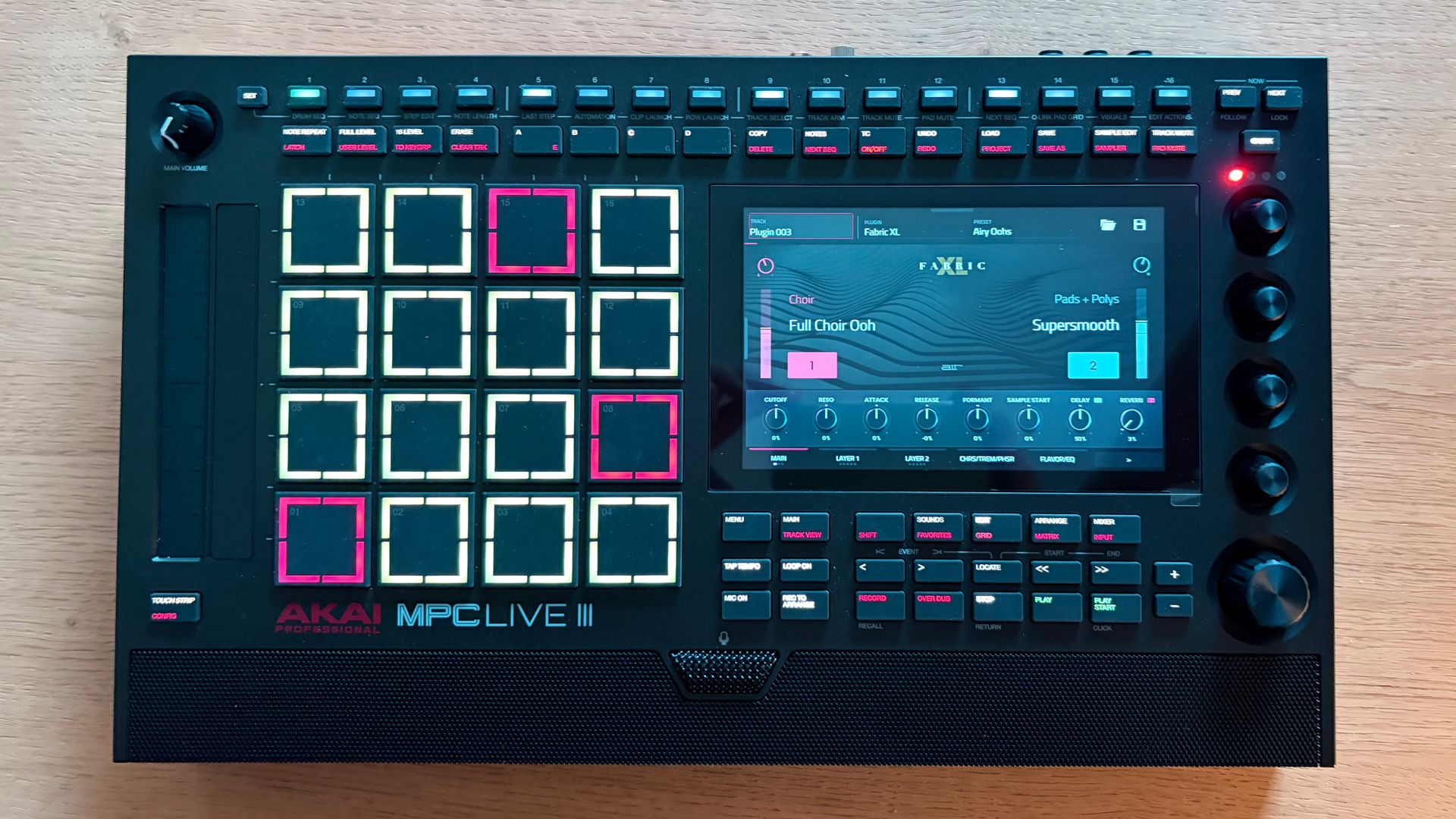
The selection is fairly varied, but electronic instruments take center stage. There are also acoustic sounds, but they’re of average quality. Let’s face it, that’s not really part of the machine’s philosophy, even though I know some people who would have liked more varied and higher-quality acoustic sounds (right, Cyril?).
On the other hand, the electric pianos (Rhodes, Wurlitzer…) are of very high quality, with a rich and warm sound. The organs in the Organ module perform just as well. As for the synthesizers, the quality varies widely. Some Native Instruments-branded instruments hold their own quite well, but the Minimoog and Juno emulations aren’t convincing. The character of these machines isn’t really captured.
That said, overall, this collection of synths does what it’s supposed to. The main appeal of the synths and sound banks lies in their integration: everything runs directly on the device, without a computer, using a touchscreen-based interface and built-in controllers. This keeps the creative workflow very smooth. Ultimately, the system has now reached a level of maturity sufficient to produce complete tracks without relying on an external software environment. For users who wish to go further, the ecosystem continues to expand with additional instruments.
Sequencer, Matrix Mode, and new composition workflows
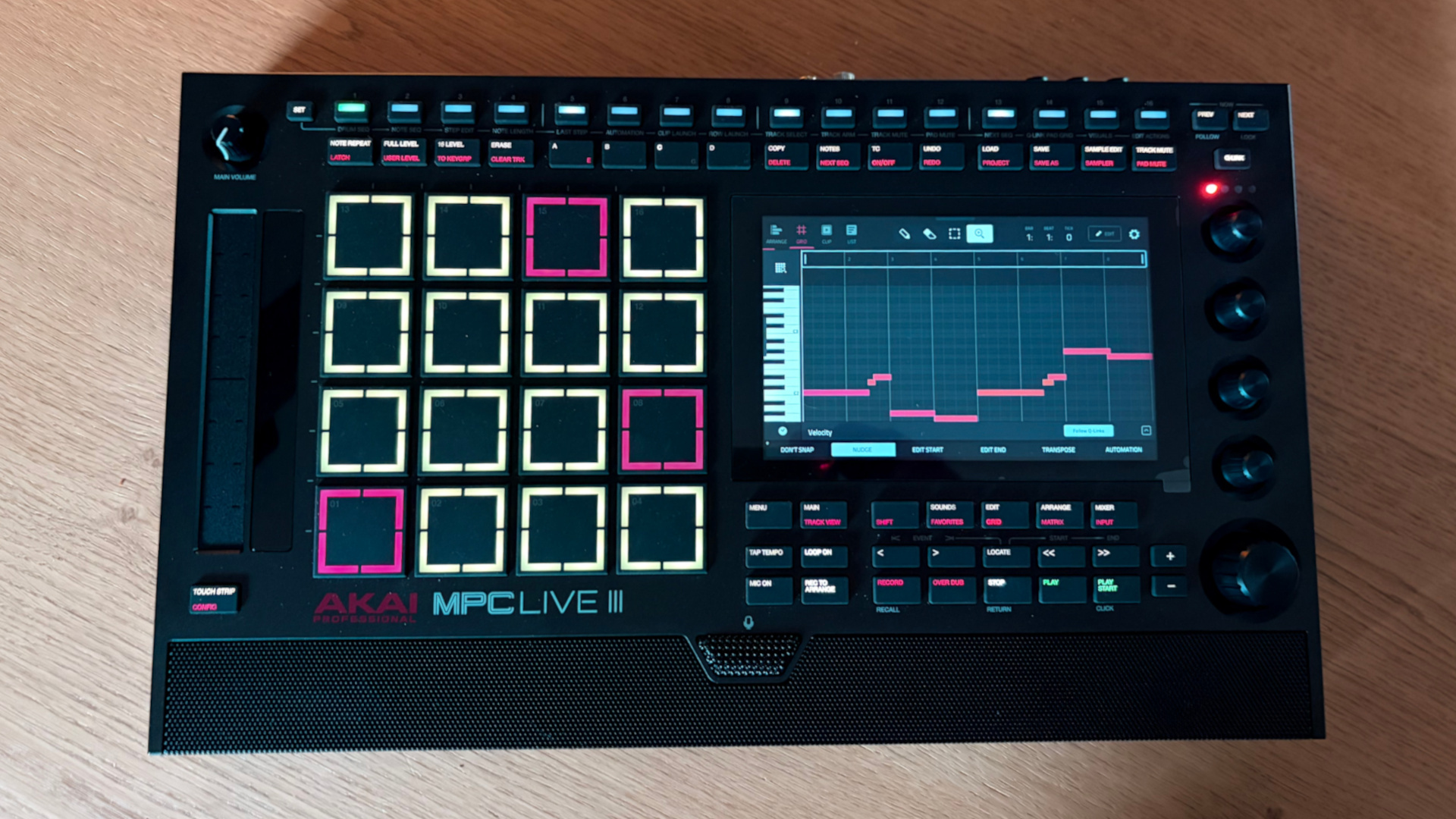
The operation is similar to what you find on a TR-802, but goes further: you select a sound, activate steps, adjust velocity, probability, ratchets, or other parameters. The touch strip allows you to adjust the velocities of selected steps. It’s a more direct workflow for those coming from classic drum machines.
Note Seq mode, meanwhile, lets you program melodic sequences and chords using a logic inspired by the SH-101. And honestly, it’s awesome — it’s a real pleasure to program little synth sequences. Detailed editing is naturally still available via the dedicated on-screen views: piano roll, event editing, automation, micro-adjustments, note lengths, controllers, and variations. The MPC offers multiple paths to the same destination, which is what makes it both rich and complex.
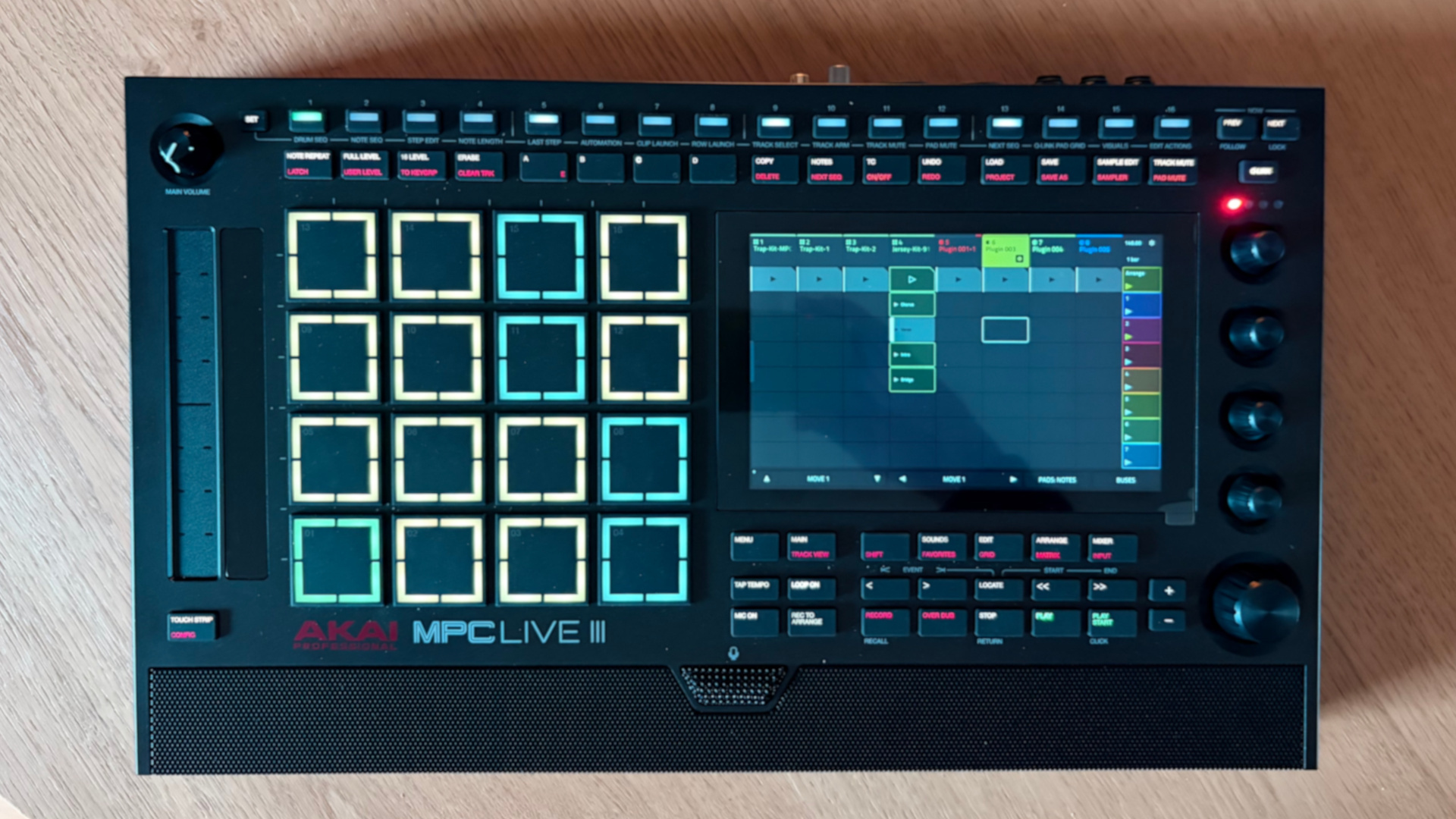
You can trigger scenes, improvise structures, capture ideas, and shift from a pattern-based workflow to a much freer performance-based one. You quickly get the hang of this way of working, even if you’re used to a more linear workflow.
The coexistence of traditional Sequences, Matrix, and the linear arranger makes the Live III one of the most versatile options on the market. Few machines allow you to switch so freely between classic beatmaking, clip-based performance, and full-scale arrangement.
Effects, software integration, and the MPC 3 environment
Some effects are designed for speed, while others offer more detailed interfaces and extensive settings. AIR processing naturally plays a significant role in this ecosystem.
Parameter automation, track inserts, auxiliary sends, and routing options allow you to take production to the next level. You can work within the machine for a long time before feeling the need to export to an external DAW. Not everything necessarily matches the most renowned software on the market, but, in a standalone context, the overall quality is quite impressive.
Beyond its standalone operation, the MPC Live III integrates with a comprehensive software ecosystem through the MPC 3 application, available for macOS and Windows. This software carries over the machine’s philosophy into a computing environment that’s more comfortable for certain uses: large screen, mouse, keyboard, advanced file management, and integration with existing studio software. The main benefit is workflow continuity. A project started on the Live III can be continued on a computer and then sent back to the machine as needed. The general organization specific to the MPC universe is preserved. The software can also be used as a standalone application or as a plug-in within a compatible DAW.
User Review: Greenfinch’s opinion on the MPC Live III
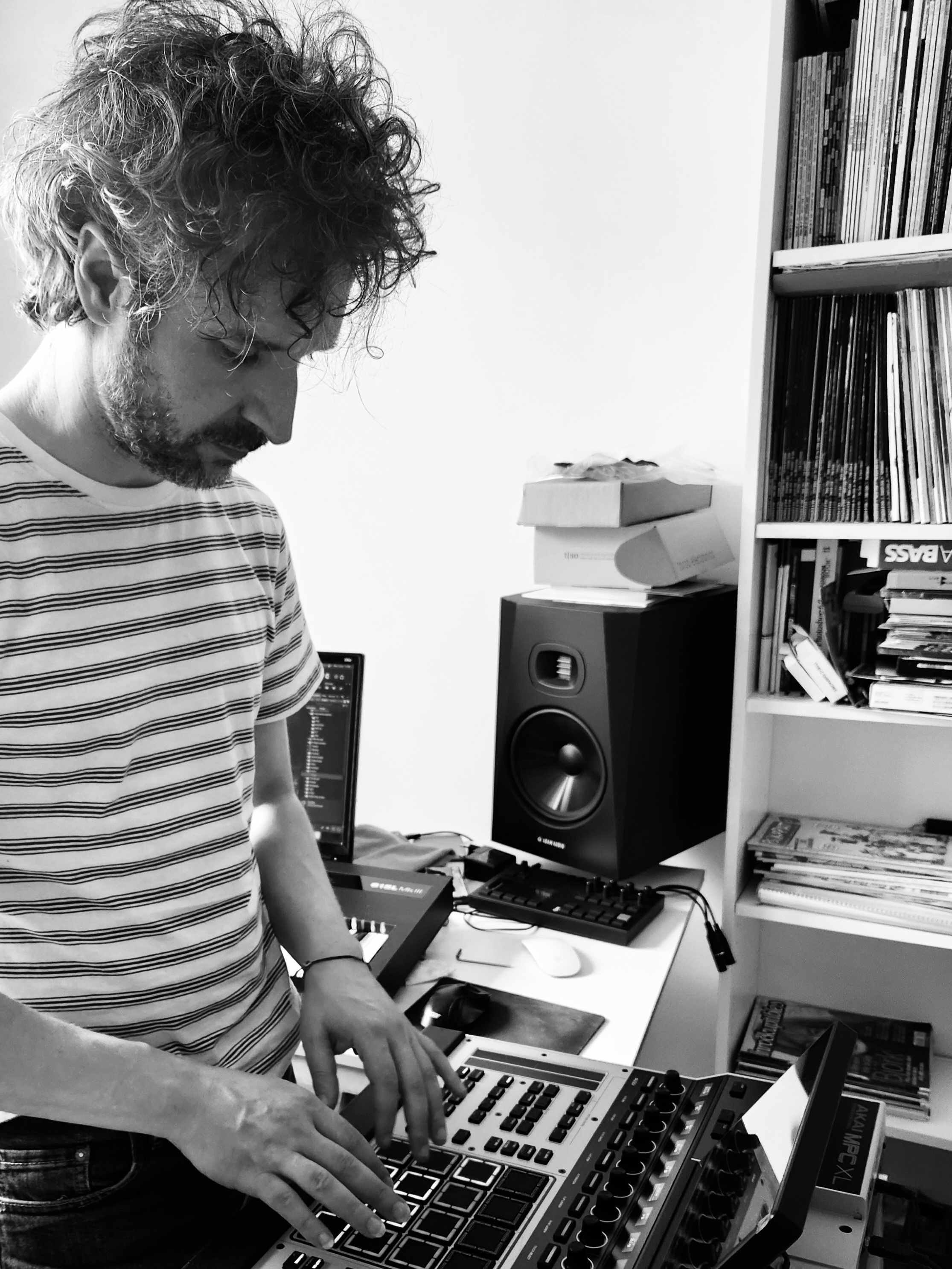
Okay, so Cyril, aka Greenfinch, musician and composer. Not a beatmaker because I don’t like that label, but a music composer, with a focus on rap for years now. But I have a classical background. I studied jazz and did French chanson. For the past 15 years, I’ve been working on Greenfinch, my personal project, and I’ve been producing tracks for rappers, but also for lo-fi lately. I’ve had the opportunity to release a few tracks on Chillhop and Lofi Girl, and before that, I collaborated on rap projects with artists who tour quite a bit, like Scylla, Le Bon Nob, Kool Shen, Zippo, and Davodka. I’m a bit of a jack-of-all-trades when it comes to music — I’m a guitarist, among other things.
For the tests, we did two fairly quick sessions, one for each model. What did you think of the MPC Live III and how it handled?
It was pretty tough to get the hang of, though. I needed your help. There were things I didn’t understand. It’s a very comprehensive machine. There are a lot of shortcuts, but also a lot of key combinations. I like the screen. It’s sufficient; you can clearly see the essential information. Recording was pretty intuitive. But I remember needing your help with quite a few questions. After an hour, I’d figured out how to add instruments, how to record, and how to sequence. Then, after getting a good feel for it, we made a track. Honestly, the first one — the very first track (Cyr 1) — we made it in half an hour.
You’d already used an older-generation MPC, the MPC 2000 XL, if I recall correctly?
No, it was the 1000. I never had the chance to get a 2000 XL, but I know there are plenty of beatmakers I love who use it, like Itam, Mani Deïz. The converters added a tone I didn’t get on the MPC 1000. A grain that everyone was looking for, in hip-hop at least. I also had an Ensoniq EPS. I really liked that aliasing. I found it interesting.
After experiencing the older-generation MPCs and discovering the Live III, did you find your bearings again, or is it a completely different beast?
On the 1000, there were a lot of key combinations. The Shift key was used a lot. On the Live III, there are still plenty of them, but also quite a few direct-access keys. And the screen helps a lot. So yes, I’ve gotten used to the key combinations again (laughs), but otherwise, it’s very different. I felt like the workflow was a mix between the old MPCs and a DAW.
The workflow is very similar to a DAW like Ableton Live, for example. With a large screen, a piano roll, etc. For someone who’s never wanted to work with a DAW — because that’s a real thing — it might be complicated. For someone who’s only ever used full hardware, who’s really only known that, a machine like the Isla, for example, which I know well, is probably a better fit.
Together, we barely touched on Matrix mode, so of course, you can’t say much about it, but for the rest, what do you think of performance recording and editing?
Yes, we mainly used linear mode. We used the piano roll by adding notes via touch. We played parts in real time, mainly the pianos and drums. Real-time quantization worked well.
We also recorded parts without quantization, in free mode.
Oh yeah, on the first track, I think.
We can also talk about the guitar recording…
Exactly. We used a guitar that wasn’t optimized at all — its strings should have been changed years ago — and in the end, we managed to get a clean sound.
A bit of a roots guitar, an old Yamaha Pacifica — we plugged it directly into the MPC Live III, and I added a clean amp simulator.
Yes, we plugged it in directly; the sound was very good, the volume was reasonable, and the gain was reasonable. For the production, I just edited it a bit to add some spatial depth. Something we could have done with the Live III…
Sound-wise?
Well, of course, the texture is very digital. But the machine has so many built-in effects — just like a DAW — that you can use to get aliasing, distortion, etc. We didn’t use the vintage engines (the model simulations like the MPC60 or the SP-1200) on the Live III, but I think they’re there [Author’s note: Yes]. So you can get that classic vintage sampler sound.
What did you think of the internal sound banks?
Very good. In fact, there were already built-in lo-fi banks, and I even asked you for some elements. So that means I really liked them. You have to sort through them, but yes, I could potentially use them in my productions.
And the virtual instruments? I have my own opinion on the matter, which might not be the same as yours. What did you think of them?
Average. That’s it — I’d say average. Actually, it’s like with DAWs: the built-in instruments are good for anything electronic, but as soon as you get into more acoustic sounds, they’re just average. They lack realism. The choirs, violins, etc., fall somewhere between synthetic and realistic. On the other hand, the electric pianos, synths, and pads are extraordinary. Overall, it definitely gets the job done.
We’ve already touched on effects a bit…
We didn’t use effects very much because the base sounds were good. We used a bit of delay, reverb, EQ… The reverbs are nice; there’s some in every track. For the production, I rebalanced things a bit in a DAW, because that’s what I’m used to, and because of the balance I needed to hear. But it could have been done in the Live III. And I found the effects editing with the controls very well done — it’s intuitive. Ultimately, it must be pretty cool to do everything with a single machine, and I wouldn’t be afraid to give it a try. I’d love to make tracks that are purely intuitive.
Were you comfortable with the screen? What did you think of its responsiveness?
Super precise. Even the piano roll and stretching notes were easy. Honestly, there’s nothing to complain about there.
What did you think of the new MPCe pads?
At first, I thought I was going to trigger things accidentally. But actually, I realized that unless you have bear paws, you don’t really need to concentrate that hard. So, it might require a tiny bit more precision. But the feature is so unique that it’s worth it. And in terms of velocity control, it’s spot-on. Just like Akai’s reputation in that area.
If you had to sum up this experience in one word?
Fun. Maybe a little complex at first, but it’s like any new instrument — you have to get used to it.
Thanks, Cyril.