Log in
EN
FR

Virtual Organs

178 products found

Filter
Sort by
Evaluation
  • Reviewed or not
  • Editor’s award
  • Reviewed by Audiofanzine
Availability
  • Available or not
  • Sold new or used
  • Sold new
  • Sold used
Must-have products
  • All products
  • Flagship products
  • Best rated products
  • Hot products
  • Popular products
Price
  • Freeware
  • Low-cost (< $25)
  • Mid-range ($25 - $65)
  • Premium (> $65)
€
Clear
Sort by
  • Popularity
  • User ratings
  • Price - low to high
  • Price - high to low
  • Used price, increasing
  • Used price, decreasing
  • Name (from A to Z)
  • Name (from Z to A)
  • Added on
Sort results
  • Popularity
  • User ratings
  • Price - low to high
  • Price - high to low
  • Used price, increasing
  • Used price, decreasing
  • Name (from A to Z)
  • Name (from Z to A)
  • Added on
Filter results 178 results found
Evaluation
Availability
Must-have products
Price
  • Freeware
  • Low-cost (< $25)
  • Mid-range ($25 - $65)
  • Premium (> $65)
Show results

The best Virtual Organs reviews

The reviews Audiofanzine members found the most helpful.
  • songboy's review

    I run a Macbook with Logic 9 and Ableton 7. There is no compatibility issues that I am aware of. I have never referenced the manual, in fact, I am not sure it came with one. Although, if you are familiar with a real tube organ, you should get the hang of this right away. If not, look it up. In the sense that this is a reproduction visually as well as aurally of a B3, then yes it is setup simply. Yes, all the typical functions are easily accessible via the tab bar in the upper part of the window. Select either Manual, Organ, Expert or Preset and you will be able to find everything you need. SUITABILITY/PERFORMANCE I use it in both programs mentioned earlier as well as a standalone unit from time to time. So far it has worked very well. No drop outs, no crashes. I really enjoy this plugin, but the plugin I find myself drawn to when I need a B3 is GSi's VB3. I am giving this an 8 out of 10 because the VB3 is 2 units better. I have been using this plugin for about a year. OVERALL OPINION What I like about this plugin is the great presets and the excellent attention to detail when dealing with options on an organ. What I don't like is what I don't like about a lot of plugins out there. Its so damn hard to read/use live because its small and therefore hard to read. The real problem is you cannot resize it. Hitting fullscreen leaves the plugin the same size and puts a black background blocking everything else out. Kinda dumb. I got this in the big package deal I think I paid about $100 or $150 for this. Thats not too bad, but in the end, I wish I had just bought the GSi VB3. Sound quality is very good, 2nd only to the VB3. I have organ patches in just about every sound machine I own as well as software like Logic, Ableton, Reason, and a few others have a ton too. This ranks number out of all those guys. In the end, no I would not make the same choice again. I would have just bought the GSi VB3

  • « Sounds are decent, but it works great »

    The DSK B3x is a freeware plug in that has 2 layers and 12 different waveforms. The effects aren't too much, it only has Delay and Flanger. DSK has come out with a ton of VST that have all been free and all of them have been pretty good and worth the download. Installing the B3x is very quick, it only takes a few seconds to download and install it. It is also very stable and can even run great on slow machines. I have ran the B3x on my Intel Core i7 3770 processor and it worked fine as well as on a old Toshiba laptop that I was using for a mobile set up. SUITABILITY/PERFORMANCE DSK B3x works great in Cubase and FL Studio. It has never froze or crashed on me, in fact none of the DSK freeware line have ever froze or crashed on me. I have been using B3x for 8 months now and have been using DSK freeware plug ins for years and none of them gave me any issues. The B3x is very stable and it takes little CPU to run it. OVERALL OPINION The best part about the DSK B3x is that it is free and you have nothing to lose if you download it. It only takes a few seconds to install in your VST folder then you are ready to load it up and start using it. As far as the sound quality, it is decent. But nothing to brag about, you really can not expect much more from a free VST. It will serve its purpose , but if you are looking for high quality organ patches you might want to look else where. The DSK B3x seems to come up short in to me when it comes to the quality of the sounds, there is a huge difference between a freeware organ and a paid high quality organ. But if you can afford a good organ Vst then DSK will still work for you temporarily.

  • « great organ! »

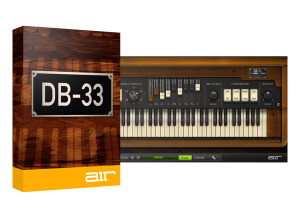
    I had no problems installing Digidesign AIR DB 33, nor did I have any compatibility issues with my machine. It was easy to install, and I have installed and used it both on a Mac and a PC. I use it as a standalone plug-in and in Logic. I don't a manual for this as it is straightforward enough where I didn't need it. SUITABILITY/PERFORMANCE I run the B4 on a Mac Book Pro lap top with a 2.2 Ghz Intel Core 2 Duo processor and 4 GB or RAM. I have also used it on a Hewlett Packard lap top with a 3.0 Ghz processor and 2 GB of RAM. It has almost run smoothly on both machines for me. I only used it as a stand alone on the PC, but on the Mac have run it successfully in both Logic and as a stand alone. I only run one of these at a time to play on usually, but it can also be used as a plug-in effect that can be really cool sometimes! OVERALL OPINION I've been using the AIR DB 33 for two months nw. It provides me quick and easy organ sound that I can play with my MIDI controller. The AIRE DB is quite a realistic organ sound, and while it definitely doesn't match a real B3, it is just as good as most organ sounds on synthesizers, if not better and more versatile. I haven't used any other virtual organs like this one, as this fit my price range and I liked it from the get go. I try to use a real organ whenever I have a recording that needs organ, but when that is not possible the DB 33 comes in handy. It is easy to use and is also great for getting down ideas before you go to dub with a real organ. Overall, the AIR DB 33 suits my needs and I would definitely recommend looking into it.

  • « Most likely the best organs around »

    I've been a big fan of kontakt for a while now. It's quick, easy, lightweight, and frankly NI has provided a very large and impressive collection of vsti for it. Vintage Organs is one of those vsti, and it features a sizable handful of organs, the highlights being 3 historic hammond models. Vintage Organs comes with a bundle of presets that give you sounds you might be familiar with if you're a fan of such recordings. Most of the presets are really good. They cover a lot of different vibes and styles. SUITABILITY/PERFORMANCE I sometimes play keys for a large church worship project. Maybe 30% of the time I have to have organ sounds on tap. As much as I use that kind of sound, I decided to get Vintage Organs since I was already familiar with Kontakt. Right away I knew it was a good purchase. Not only can you get a massive array of organ sounds, but the quality is at a very high level. Sometimes it can take while to find the sound you're looking for if you aren't familiar with how an organ works. There was a bit of a learning curve for me because I know next to nothing about them. The manual is pretty helpful but I found messing with presets and controls at random was faster as far as teaching the ins and outs. After a couple hours I had a comfortable grasp of how to manipulate each organ well enough. I use some pretty classic sounds and I never get too crazy with it. My needs aren't too heavy. Kontakt as always is a good host and doesn't really get bogged down. Load times are reasonable. OVERALL OPINION As far as I'm concerned this is the best organ collection out there. The fact that it's in kontakt is just a bonus. The sounds are far and away better than anything I've used, as well as the presets and functionality. You get so many features. The cabinet options, the tone controls, and swells. All are very nice things to have. Well worth it.

  • moosers's review

    I had problems installing Native Instruments B4, nor did I have any compatibility issues with my machine. It was easy to install, and I have installed and used it both on a Mac and a PC. I use it as a standalone plug-in and in Logic. I don't a manual for this as it is straightforward enough where I didn't need it. SUITABILITY/PERFORMANCE I run the B4 on a Mac Book Pro lap top with a 2.2 Ghz Intel Core 2 Duo processor and 4 GB or RAM. I have also used it on a Hewlett Packard lap top with a 3.0 Ghz processor and 2 GB of RAM. It has almost run smoothly on both machines for me. I only used it as a stand alone on the PC, but on the Mac have run it successfully in both Logic and as a stand alone. I only run one of these at a time to play on usually, but it can also be used as a plug-in effect that can be really cool sometimes! OVERALL OPINION I've been using Native Instruments B4 for about four years. It provides me quick and easy organ sound that I can play with my MIDI controller. The B4 is quite a realistic organ sound, and while it definitley doesn't match a real B3, it is just as good as most organ sounds on synthesizers, if not better and more versatile. I haven't used any other virtual organs like this one, as this fit my price range and I liked it from the get go. I try to use a real organ whenever I have a recording that needs organ, but when that is not possible the B4 comes in handy. It is easy to use and is also great for getting down ideas before you go to dub with a real organ. Overall, the B4 suits my needs and I would definitley recommend looking into it.

Categories that may interest you