Log in
EN
FR

Edirol

99 products found

Categories
Series
Filter
Sort by
Evaluation
  • Reviewed or not
  • Editor’s award
  • Reviewed by Audiofanzine
Availability
  • Available or not
  • Sold new or used
  • Sold new
  • Sold used
Must-have products
  • All products
  • Flagship products
  • Best rated products
  • Hot products
  • Popular products
Price
  • Freeware
€
Clear
Sort by
  • Popularity
  • User ratings
  • Price - low to high
  • Price - high to low
  • Used price, increasing
  • Used price, decreasing
  • Name (from A to Z)
  • Name (from Z to A)
  • Added on
Choose a series
Sort results
  • Popularity
  • User ratings
  • Price - low to high
  • Price - high to low
  • Used price, increasing
  • Used price, decreasing
  • Name (from A to Z)
  • Name (from Z to A)
  • Added on
Filter results 99 results found
Evaluation
Availability
Must-have products
Price
  • Freeware
Show results

The best Edirol reviews

The reviews Audiofanzine members found the most helpful.
  • « Kind of pricey »

    The Edirol UA 5 is a very sturdy interface that can handle some punishment. I no longer own this unit but I remember when I was using it I put it through all types of abuse by accident. I had this really small desk that I was using that my laptop could barely fit on, and I had this beside the laptop and it kept getting knocked off the desk and the basement floor was concrete. I though for sure it would end up breaking on me one day but it never did. Once of the drops did pop off the cap of the front output knob. But I was able to get it to go back on. The Edirol UA 5 has several different connects and records up to 24 bits. UTILIZATION It was very easy to use, it had a great sound quality and switch able phantom power. This device is very simple but at the same time its very complex with everything that you can do with it. But one key thing for me was that you cant record and then play simultaneously. I didn’t realize that until I read in the manual that you can do that at 96khz. GETTING STARTED The font of the device is where everything is, the back of the device has nothing. Your ins are in the front all the knobs and monitor levels are in the front, so this makes for a great device for home because you probably wont every have to turn it around to get a look at the back of it. OVERALL OPINION Great interface, but there are some other ones that are very similar and are cheaper. When this first came out I remember I paid almost 300 dollars for it. I wasn’t happy with that price, it didn’t hold up for a long time though and I don’t regret my decision. But there are other interfaces that will cost less and can sound the exact same.

  • « very handy to keep on you »

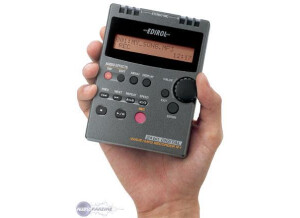
    The Edirol R-1 is a compact solid state recorder that uses microSD cards to record .wav files up to a resolution of 24 bit, 48 kHz stereo with its built in, twin condenser microphones. MP3 recordings and lower quality stereo and mono .wav files may be recorded, but I have only used the highest quality settings which produce very accurate results. The 2 gb card that is included will record for approximately an hour and 50 minutes at the highest stereo resolution. There is a switchable low pass filter that may be set at 40 hz, 80 hz, or 120 hz, or off entirely. There is an 1/8” line in for connecting external microphones and an 1/8” headphone/line output on the other side. On the rear of the unit is a small stand for slightly elevating the recorder when placed on a flat surface. There are automatic record level setting of “high” and “low,” but it's probably best for the user to set the level at manual to adjust the optimum recording level for the material at hand. I purchased this to do live recordings of concerts. It records a little hot with the condenser mics, meaning I have to set it manually to a recording level of 0. Fortunately, it hasn't clipped on me yet, and having nearly two hours to record is plenty of time for the type of work I'm doing with it. When I received the recorder, I was pleasantly surprised by its compact size, which is small enough to slip into a shirt or pants pocket. It handles recorded sound very accurately and even has some switchable EQ controls in the menus that I've never bothered to fuss with. The battery time is decent, but I'd recommend anyone who purchases it to also buy a 15 minute recharger set for AAA batteries. You will not have to change batteries within a straight two hour recording. For longer recordings, on either a larger card or at a lower resolution, the recorder can be USB powered, such as through most standard micro USB chargers.

  • Audiofanzine FR's review

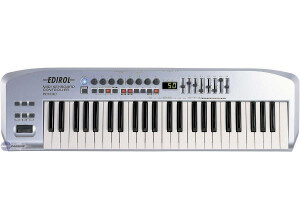
    (Originally written by Vador/translated from Audiofanzine FR) Size, weight, brand. It's the he ideal tool for songwriting when you're not in your studio. UTILIZATION Because of its thickness, the keyboard provides a special playing feel but you'll quickly get used to it. Everything is easy to understand. OVERALL OPINION Avoid this keyboard. It didn't take long for the keys to start causing problems. Some keys don't respond anymore unless you hammer on them, so only half the notes you play are audible! I brought it back to the store and they tried to repair it but it was impossible so I received a new one. Two years later I had the same problem but the device had no warranty anymore. Now it's useless. EDIROL = 0 (regarding this keyboard)

  • Audiofanzine FR's review

    (Originally written by Ulm/translated from Audiofanzine FR) - Which technical specifications motivated your choice? XLR stereo input (I don't need anything more), RCA input, MIDI... - What do you use it for? Audio recording and playback What's your setup (motherboard, CPU, RAM, hard drive,...)? Average PC: 1.66 GHz CPU, 1 GB Ram - Do you use it with other instruments or systems (mixing console, preamp, DtD, ...) and what's your setup? I connect the output of my Soundcraft EPM6 to both XLR inputs and the sound goes to the PC via Firewire. I also use a Yamaha DX7 Midi keyboard (I use it as a master keyboard but also when I have math homework ^_^) UTILIZATION - Did you have any problems during the installation? Nope - Did you have any incompatibility problems? Nope - How complicated is the overall configuration? Power up, plug in, select the sample rate and that's it... - Is the user's manual clear and comprehensive? Yes GETTING STARTED Is the driver stable? No problems with Vista (for once!) Notice: There is no control software so you must make all settings on the hardware, which isn't a lot fun considering the size of the knobs. A small Roland-like utility would be a better solution... but it's a small detail. - Are they up-to-date? Yes I guess... - Which software do you use? Reason 3, Recycle 2.1 and Cubase SX3 - What's the latency of your system? Between 0 and 7 ms - How many tracks can you record/playback simultaneously? I haven't made an actual test but I'd say several dozens OVERALL OPINION - How long have you been using it? About six months - Which feature do you like the most / the least? Pros: Sound quality, virtually no latency, RCA and MIDI inputs, sturdy housing. Cons: No control software, small knobs. - Did you try any other models before buying it? Someone lent me a Motu 828mkII, which is great, but not that much better than this small interface... - How would you rate its value for money? Very good - Based on your experience, would you buy this product again? Yes. Buy it if you don't have a lot of money BUT do want good-quality gear. If you have enough money, check out Motu or RME...

  • JoeW1's review

    Edirol Orchestral is compatible with different working platforms like Xp , Vista , 7 or MAC. The manual that is included with the software is more than enough to obtain the necessary knowledge of how the pack works and how to use it. The setup doesn't require a lot of time or effort , it's very fast and easy to manage. SUITABILITY/PERFORMANCE The software works correctly in its initial configuration. The software has a good level of stability , no issues found while using it for some time. I'm getting great performances in using different orchestral elements in my songs , a very nice grand piano is included here. I've been using Edirol for two or three years. OVERALL OPINION What I like most about this product are the different articulations , the different type of strings, woodwinds, brass, percussion and Keyboards , a great vibrato and tremolo included with the instruments , and of course pizzicato and spiccato. I also like how amateur friendly is the design , very easy visually to find your right patch or your articulation. This product has 24-bit/96kHz sampling resolution. My opinion about the value for the price is great , this product can be bought for 350 $ , which is way cheaper than other orchestral packs. You get a full orchestra for just 350 $ , that's a good deal , however the quality and the precision and quality of the sounds is quite weak , I don't really like how strings sound , brass and woodwinds sound even worst. The tremolo instruments sound good , apart from them you get a quality of 60 %. Not a very good quality of the sounds , but with some compressors and reverbs , you get the effect. I've tried several models , this is probably the cheapest , and the most amateur friendly product. Knowing what I know , I don't think I would buy this product , but great product for beginners.

  • « Switching the sample rate was a hassle »

    The Edirol UA1000 only works with a Windows XP machine (unless they have changed the drivers from the time I was using it). It is a 10 in and 10 out interface that works via USB. I have gotten nothing but high quality audio recordings and play back with this interface. It is very versatile and has line inputs, mic inputs and even guitar inputs on it. UTILIZATION One of the huge downfalls on this interface is that you cannot change the sample rate on the fly (not that all interfaces allow that), you have to turn it completely off and back on after you change the sample rate and this can be a huge hassle especially when you have other people in your studio working with you and everything has to stop for a moment. GETTING STARTED This interface does install very easily, it took not time at all to install and start using. Even if you are brand new to installing interfaces or if you are purchasing your first interface, this could be the perfect one for you. It works with USB only, no FireWire and it works great with a desktop set up or a mobile set up as long as you are using Windows computers. OVERALL OPINION I have used this interface with Cubase, and a laptop that was running XP 32 bit and it never gave me any problems. It does come with a well written manual just in case but I didn’t even need to use it at all. The interface is built to last a long time and is solid. The sample rate issue was the only problem that I didn’t like about it but it does have a rotary switch that offers 44.1, 48, 88.2 and 96 kHz sample rates. But switching the unit off any time I wanted to switch was a huge hassle and I absolutely messed up my workflow many times.

  • « Issues with Mac computers »

    The UA-4FX is an affordable interface that connects to computers via USB 2.0 port. There are 14 effects that come with it and one of them is great, it is the COSM mic preamp simulator. It also comes with Sonar LE and a plug in that only works with PC computers. I have used this interface on a Windows XP laptop 32 bit and it worked fine. Setting it up was a breeze and all of the recordings and playback that I got out of it were very high quality. You can also use this interface with a Mac computer but I have heard that there are issues when using the included plug in on a Mac. UTILIZATION If you are an XP user you can use the Surround Sound function (S/PDIF) output but this is only for a PC Windows XP user. I am not sure why this function isn’t available to more systems though. The effects are one of my favorite parts with it. GETTING STARTED There is a multi band compressor and limiter to use on master tracks that sound really good and I would take them over any standard compression and limiters that come with a software or DAW. Plus it has the basic reverbs and delays/distortions for a guitar. OVERALL OPINION Being that this software works great with XP and is shaky on a Mac it really depends on what system the user has and if they want to put up with the headaches that could arise (for Mac users). If you are a Windows user I recommend using this and even working in the Dolby Digital surround sound with it, you can do some great stuff if you are into working with film. If you are a Mac user, I would probably hold off until they figure out what is going on with the compatibility issues.

  • « Small device .. you will eventually outgrow it »

    The Edirol UM-1X is a 1 in and 1 out USB MIDI interface, the MIDI cord is pretty long as well as the USB side of it. So you can reach your gear no matter where it might be in the room. The device is very small and can be taken anywhere with you. The UM1X has very fast processing of MIDI DATA and you wont experience much latency. It also has LED indicators to let you know that MIDI data is being passed from your gear through the UM-1X. Setting it up is very easy in any DAW you might be using, since its just a 1 in and 1 out there are not issues with trying to set up multiple channels. It is truly a plug and play unit. UTILIZATION I have never experienced a update for the drivers. The disk that comes with the UM-1X had the right driver to work with all programs and systems. I used it on my Intel Core i7 desktop computer and never experienced any issues with it. I still own it I just don’t use it much. If you want to switch the MIDI gear to a different piece of gear you may have to restart the UM-1X or close out of your session, I did experience some minor issues with changing the MIDI gear in the middle of a project. OVERALL OPINION It is a small affordable MIDI adapter that plugs into your computer via USB. If you are in need of a MIDI connection this one will serve its purpose for your small set up, but as your studio grow you will need to get a different MIDI interface with more ins and outs because 1 just wont be enough once you get more gear. I am happy with my choice to use the UM-1X while I had it, it has low latency and works great.

  • « Portable with dual phantom power »

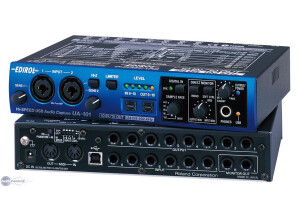
    The FA101 is a 10 in and 10 out interface, it is also pretty small for all of its capabilities. But it’s a perfect interface for home use, and if you want to pack it up in your mobile or laptop case to take with you for your recording needs if you are out and about. For it to be a little device you would expect it to have two separate pre amps and for it to be able to support recording as well as playback on up to 10 different channels. I used the FA101 with a mac book pro and it worked seamlessly and without any issues. UTILIZATION As I stated it has a phantom power microphone preamp button for both channels on the front of the unit which is a good surprise for the small size of the FA101. It records at 192kHz with a digital output of 44.1 kHz. On the Front of the FA101it also has a high impedance digital jack as well. You can also connect your midi devices to the FA101because it supports midi in and out. GETTING STARTED The owners manual is very in depth and well written as well as easy for the basic user to understand. Set up can get a little difficult depending on which DAW you are going to use it with. It will all come down to how familiar you are with using interfaces and also how familiar you are with using your own DAW and setting up your connects. OVERALL OPINION The FA101 is a smaller interface that is very portable, that is the most favorite aspect of it, you will have the ability to have a great quality interface no matter where you go and have all of the connection space you need for all situations. The quality for the price is very good, I highly recommend using the FA101

  • « yout gotta start somewhere' »

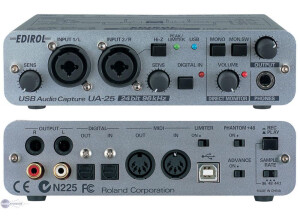
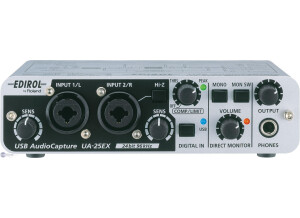
    The Edirol UA 25 is a good usb audio interface for you to use at your home studio and setup. Or if you are the type of person who is on the go a lot your can take it with you almost anywhere because its not that big. I wouldn’t expect to get great quality from it though, its pretty much like a started audio interface. It will serve its purpose though but for more complex stuff it just wont cut it. UTILIZATION Never had any issues with it and never had to pick up a manual. Everything worked like it was suppose to and never froze up my computer or my program. I did experience some more lag with it than expected. Maybe its because I was use to using firewire interfaced and then jumping on my laptop with a usb interface was a problem. I am not too sure if that’s what it was or not. GETTING STARTED Is very easy to get started, but as I said before don’t think that you can get great quality from it. Even if you have a good mic you still wont be able to see its full potential using the Edirol UA 25. Not saying the UA 25 isn’t good because it is, its very affordable and compact I would recommend it to someone who is just getting into recording at home and needs somewhere to start. It will provide a good understand of how interfaces work. The Edirol UA 25 would be a good starter interface. OVERALL OPINION Overall, it does the job. I couldn’t see my self using it for to long though I just felt limited to the ability to only do some demo stuff. that’s why I got it though was just for that reason. I didn’t expect much more. If you are looking for a smaller interface that will give you a better quality you can look into the Mbox line of products. They are small compact but better than this. Overall, still good.

  • « Edirol PCR-M80 61 Key MIDI Keyboard Controller »

    I've been playing for 37 years in rock bands, improvisational groups, and at home. I like any music that is not strictly commercial, that attempts to make contact with the listener. I bought it online about three months ago. I'm not sure who sold it to me. I paid the going price for it, whatever that was. IT has eight sliders, eight knobs, and eight buttons for real time midi control, along with the 61 key keyboard and jacks for a sustain pedal and an expression pedal. Every key in the second octave is problematic. Three of them don't work at all, the rest work sometimes, or when they are pounded really hard. Sometimes touching a key lightly produces the maximum velocity and what should have been a delicate little ghost note explodes in the middle of a phrase. It is EXTREMELY frustrating to attempt to play this piece of junk. IT looks well built and would be a very good piece of equipment if the darn keys worked when they were pressed. Avoid it at all costs. It will only break your heart, and you will be tempted use a hammer on the non-working keys, which may lead to unjustified feelings of guilt on top of the feeling of stupidity at having bought it in the first place. Maybe they made some good ones, but mine sucks. This review was originally published on http://www.musicgearreview.com

  • « Edirol UA1A USB Powered Audio Interface »

    Bought from www.edirol.com.au for AUD$240. It's a 2 in, 2 out audio interface using the USB port on either a Mac or PC. I bought it because I have a laptop and it is a cheap alternative to laptop PCMCIA cards which can be very expensive. I have Cakewalk on the laptop for my recording software, and it's only home use stuff so the 2in/out is all I need. I like the size of this unit (small). The USB cable is easily long enough to wrap around a computer. It only has 16 bit, 44k sample rate. This is fine for me but it might be cool to have a selection. The inputs and outputs are on RCA plugs. TRS jacks would have been cooler. Installation! Man, USB is cool. I had it unpacked, installed and was recording audio in under 10 minutes! A record for me. No messy PCI cards or taking things to bits. The PC recognised it instantly (Toshiba laptop), found the drivers all by itself (Win98SE) and proceeded to do it's thing! It is also self powered via USB....no wall wart. The covering is made of plastic. Bit flimsy I feel. The inputs/outputs are gold plated which is a nice touch. The USB cable is nice a strong with a metal connector. I like this little unit. It is a great and easy to use device for getting audio in and out of a computer. For home recording where your soundcard is less than average or maybe you need portability, this unit is a winner. This review was originally published on http://www.musicgearreview.com