Log in
EN
FR

Novation

155 products found

Categories
Series
Filter
Sort by
Evaluation
  • Reviewed or not
  • Editor’s award
  • Reviewed by Audiofanzine
Availability
  • Available or not
  • Sold new or used
  • Sold new
  • Sold used
Must-have products
  • All products
  • Flagship products
  • Best rated products
  • Hot products
  • Popular products
Price
  • Freeware
€
Clear
Sort by
  • Popularity
  • User ratings
  • Price - low to high
  • Price - high to low
  • Used price, increasing
  • Used price, decreasing
  • Name (from A to Z)
  • Name (from Z to A)
  • Added on
Sort results
  • Popularity
  • User ratings
  • Price - low to high
  • Price - high to low
  • Used price, increasing
  • Used price, decreasing
  • Name (from A to Z)
  • Name (from Z to A)
  • Added on
Filter results 155 results found
Evaluation
Availability
Must-have products
Price
  • Freeware
Show results

The best Novation reviews

The reviews Audiofanzine members found the most helpful.
  • « The most analog digital synth around! »

    Hello, Here’s my first review, in the spur of the moment after discovering it for an hour now :) First of all, it’s beautiful and the finish is really great! Soundwise, well, what a killer! Everything works smoothly, with no unpleasant digital artefact, no step effect on the filter or anywhere else… The sound is wide, precise and crystal-clear, the distortion is warm and the filter sounds of magic (plus, the resonance setting doesn’t drag the volume down)! The effects are beautiful and musical (with a superb reverb and creative delay). The LFOs are very fast (up to 1,600Hz!), plus you have three crazy and very elaborate oscillators with a surprising SHAPE setting which allows to change the waveshape drastically! All the parameters are very intuitive and can be called directly, the instrument is well-designed and reminds you of Novation’s extended know-how! Forget the Ultranova and Mininova (which I know well) – the PEAK is 10 light years ahead of them (in terms of sound/warmth, NCO/FPGA technology, filter… well, granted, the price is way ahead, too :8) )! The peaks actually reminds me much of the rack version of the Supernova, both for its sound and specs (architecture/design, effects and so on). It’s 2017’s SUPER-Supernova, and I love that! I’ll edit this review when the discovery phase is over, but I can already tell you how great this is and I believe there will be a before and an after-PEAK! ;) It’s the most analog digital synth around! EDIT Here’s my latest version of this review after using it for a few days Once the “discovery” phase is over, my opinion on it is a bit more contrasted. Here’s why. The PEAK sounds great, and everything I’ve stated before in that regard remains true, yet… it sounds TOO GOOD, too clean to my taste, the sound is straight, square, it does what it’s asked to do and this is it. It seems to be lacking madness or something, the filter is way too clean to my taste – it sounds great for sure, straight, clear-sounding, but somehow unimaginative: no surprise to be expected. I can’t lead it where I want to… Perhaps because of the factory presets which are very average – sounds you’ve heard 1000s of times, almost mere clichés. It provides very good classic analog sounds, nothing to say in that regard and it sounds powerful and fat… Still, it lacks originality. Is this because of the matrix? There’s a “little something” missing, which is difficult to explain. Even if it’s a great synth, it has a peculiar sound grain which is very straightforward, no frills, no touch of madness, like it or not. The unison lacks stereo width to my taste, it pales when compared with my Virus Indigo… What a pity. My virus sounds rougher, more sparkling in a sense, crazier also, even though it features a digital filter.

  • « A nice plaything with potential »

    I’ve tried it for an hour or so before writing this review but I’ve also spent t least 10 times as much reading other review on it on the internet, so I knew what to look after ;) I had never really used such a machine or pad controller before, so my only reference will be the Electribe 2 that I’ve tested in a shop. Music style and context of use Originally a drummer, most often in a live context, I’d use it alongside a synth (a Korg R3) but I think I’ll mostly use in in standalone at home (or elsewhere) due to its portability and as a pad MIDI controller in a studio context. No particular style preference, even if a drum machine and the synth’s original sounds are more on the techno side. Does it seem sturdy and well-finished? It clearly does! I’ve quickly tried an Electribe 2 and felt the latter was fragile, almost an unfinished product (with the x/y pad reminiscent of a 2000s low-end laptop). It’s light, made of plastic, but clean and sturdy. Is it easy to use? What about its ergonomics? It’s very easy to use, even without a screen you easily grab how it works and get used to the workflow. Compared with the Electribe 2 again, the circuit is in the upper league and it’s more user-friendly and clear – even in spite of the absence of a screen. Does it provide enough advanced functionalities for you to edit your sequences? Enough for basic use (velocity, note, control automation). You can’t edit complex rhythm parts or change the time signature (4/4 and so on). What do you think of its overall sound ? What is your opinion on the included factory sounds? What about its editing and processing capacities? As a whole, the basic sounds sound… well, but not exceptional either. The (macro) controls which allow to change the settings are nice and responsive but I understand how frustrated some users can be regarding the fact you can’t know what you’re doing. Novation’s serendipity is nice, but you wish you could do otherwise. BUT – while the basic sounds are not so exceptional, merely tweaking the settings and adding a small amount of the circuit’s delay or reverb allows you to appreciate it more and more. It has a real potential, plus if you add the editot you understand you have a real, comprehensive synth under your fingertip. Of course, you can control it using an external keyboard using its MIDI plugs ( :bave: ). In a nutshell, a small learning and tweaking to build your own sounds will lead you to something that sounds rather well. What are its pros and cons? + Very fun, very quick. You can have fun with it, you quickly learn how to use it and you quickly get familiar with the features – within 10 minutes you know how it works. Veeery easy to transport. It takes 6 batteries, so you unplug it all and take it in your pocket – it even has a small speaker, OK it’s crappy but it’s still nice to have. Great in that regards: it’s transportable, but not cheap. It looks good. I find it classy, again compared with the (ugly) grey Electribe the latter looks all the more cheap. The pads are nice and responsive – though they feature no aftertouch: you can live without it, but it would have been nice. MIDI features open the door to very interesting perspectives. I’ve plugges a keyboard on it, in the end you can almost use it as a Nova rack. Or the other way around: you can use it to control another device, or even Ableton (caution though, don’t expect a Launchpad workflow, though perhaps with an appropriate firmware update?...). Updates come in quickly, which is a nice thing. 2 months after it came out a complete editor was made available, and while it’s not the most user-friendly piece of software you could dream of at least it is here and allows you to explore what this device can do. Regarding drum sounds, it seems it’s all about samples so why not a future possibility to edit these in the future?... - The rhythm parts are limited : you can’t get out of a 4/4 time signature. Of course you could cheat the system, just like the 16-step pattern limit (which can’t be extended). A bit on the light side though. Limited effects : a few reverbs, delays, sidechain – …that’s all, folks! The synths allow for chorus effects but this is it. Not that much of a problem though. It’s always better fo favor dedicated and high quality effect units instead of low-end effects (don’t forget we’re talking about a sub-€350 product!). The lack of control display : a tiny screen to just allow us to see what we do or even change the macros without a computer would have made it the ultimate machine. Not that much of a problem especially given its price and other features, but it’s still noteworthy. In the end, it won’t replace a big sequencer or DAW. You get 2 synth voices and 4 drum voices (kick, snare, perc1 & perc2 ) – a little short for an entire symphony, isn’t it? Unless you’re into a minimal style, it won’t do everything on its own but will still offer a solid ground for composing music or rhythms. Overall After reading and viewing all possible kinds of tests and as someone who rarely buys gear, I’m not disappointed at all and don’t regret my purchase. Updates let us hope that it will get even better in the future, but even in its current state it’s a great device no matter if you play for fun, live or in the studio. It also features a very good value-for-money ratio considering its overall quality. I thought of giving it 4 stars out of 5 considering the few aforementioned cons, but considering its price and competition I’ll go with a 5 ;)

  • « So many options. Worth it for the price. »

    The Novation Launchpad combines elements of a mixer, a sequencer, and an effects rack all in one 64 button pad designed to interface with Ableton Live. As I mainly use Ableton I'm not sure whether you can program it to work with other DAW's, but the interface with Live is one that is very flexible and easy to learn. If you are one for triggering clips, the Novation Launchpad is certainly for you. After the samples, midi files, etc. are triggered - indicated by the corresponding button lighting up green - there are infinite ways of manipulating the signal thanks to the User 1 and User 2 interfaces, which are completely customizable. I'm fond of setting one user interface to automap effects in real time while leaving the other as my "solo" instrument, wherein the buttons act as a keyboard. On top of this the Novation Launchpad is the lightest, most compact, and surprisingly the most durable piece of equipment I have had the pleasure of using. My issues with the launchpad are simple: the keyboard scale is easy to figure out but is difficult to master coming from a standard piano background, the quantization settings for audio vs. midi clips are a bit confusing, and the buttons aren't the best replacement for faders. For the price however, this isn't a bad buy. In fact it's a very good buy compared to Ableton's other hardware interface, the APC-40. Just be ready to practice, practice, practice if you see yourself doing an entire set on this device, and maybe have a separate mixer on hand to get a more precise fade.

  • « Just starting tweaking knobs »

    The Novation MiniNova is a synthesizer that is very small and compact but packs some great sounds. It has some of the same features as the regular model UltraNova. The MiniNova has 256 sounds on it, you can tweak and transform each one of those sounds very easily with the knobs on the front of the MiniNova. The MiniNova does not have speakers on it though so you will need to have some sort of an interface to plug it into. Or you can purchase some sort of monitor just to send the audio signal through. Especially if you are live musicians and use the MiniNova, you will want to have a good monitor to play it with. UTILIZATION One thing you will notice with the MiniNova is you can get some great sounds very easy. You can just tweak a few knobs after loading a preset and get some good stuff. There is no programming involved and no need to read the manual or watch any tutorials. Just load a sound and start turning knobs. I have found some really good sounds that I use in my electronic music just by messing around with knobs on the MiniNova. SOUNDS The MiniNova also has a voice-tune effect and vocoder on it. I do not use the vocoder that much but it does come in handy sometimes. The MiniNova is well built, all of the material it is made out of seems to be strong. I can tell the MiniNova will last a long time for me as long as I don’t drop it or knock it off the stand. OVERALL OPINION Using the MiniNova is like a breath of fresh air. I have not had many synthesizers that give me such good sounds with little to no effort at all. I think anyone who makes electronic music or even dub or bass music needs to get this synthesizer now.

  • « AutoMapping »

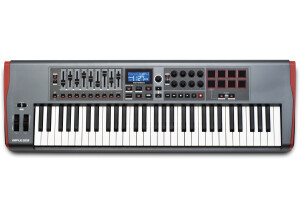
    The Novation Impulse 61 is a 61 key USB MIDI controller that has drum pads, faders and transport controls. Everything is fully capable of being synced with any DAW and it comes with Automap software. This controller can be used with a Mac or a PC running virtually any system. I would use this with Logic and with Cubase many times. Not that this is my favorite MIDI controller, but I would put it in my top 3 for this price range because of all of the options that it has on it. It reminds me of some of the M-Audio MIDI controllers. UTILIZATION The keys are semi weighted and touch responsive. You will not feel like you are at an expensive piano while on this keyboard but the feel of it is a lot better than what other controllers will give you. If you have some knowledge of working with AutoMap software programs than you will be right at home with that much needed feature. Using this controller with 3rd party plug ins and VST’s can get kind of tricky unless you have general knowledge of Mapping everything. You will receive a manual that will walk you through most of it, but it is something that seeing it visually will make it a lot easier so like some video tutorials online will work better for most new users. OVERALL OPINION Setting this controller up is very quick and easy, just make sure the drivers are loaded and that is about it. You will be able to use it in your DAW as a generic controller or if there is a preset for it you can use that but there probably won’t be with this controller being so new. This is a great controller to have, but I wouldn’t get it if I was not into working with the auto mapping and other features. Do not purchase it just for using the keys to control your VST sounds. You can get a cheaper controller for that. Buy this to have it fully run your VST’s and all of the functions!

  • FP User's review

    I can't think of anything that's missing. Lots of features, 3 oscillators, 2 LFO's, lots of parameters, lots of realtime tweakable knobs (±30), lots of FX onboard with nearly all possible parameters, 512 (changeable) sound presets and 512 empty user sound storage, ... I dare to say this a hundred percent complete machine. And if I have to say one bad thing about it: the presets are very bad - only a few exceptions. Price paid $ 2.100 UTILIZATION This is a great piece of gear, but it has a learning curve. I mean it's hard to start working with it, but once you know and understand the key features, it's a very easy and lovely machine. The manual is not that good. The first time you read it, it's hard to understand - a thing I usually don't have with new gear. Could be better; maybe for the Supernova III ?! And I prefer - but that's a personal opinion - sliders instead of knobs, especially for filter features and so... SOUNDS Sound quality is very good to excellent. I like it. Maybe not thé "real analog" sound, but still very close. Excellent for bass sounds, trance leads, dirty organs, in fact any kind of analog-type sounds. Less (but still very good) for strings/pads/sweeps. Focused on dance-music (especially trance/progressive). FX: all kind of FX (the classic reverb / delay / chorus/flanger/phaser types - as well as distortion / pan / tremolo / EQ fx) stored by sound preset, with lots of features - but a minor point is the FX quality: especially the reverb FX could be much better OVERALL OPINION This is a robust 2U rack, with only minor point that sometimes the knobs intend to come loose. I once contacted customer support via e-mail, and I received an answer from Novation (also by e-mail) within 24 hrs. I really can't think of anything that's missing (as I said above). This is a very complete and lovely machine with a great (virtual) analog sound. Already a classic machine !! Also used by: ATB, Jamiroquai, Orbital, A Guy Called Gerald, and many many more... Originally posted on FutureProducers.com Posted by: Unknown ( 4-, 2002)

  • « Novation SL-61 is an excellent controller keyboard mostly for studio and DAW »

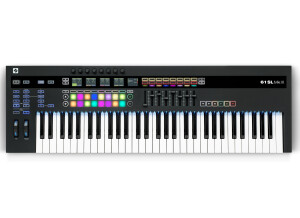
    Not having our regular studio and piano, between two locations, the Novation perfectly completes our DAW (Logic Pro) to compose, create, record new electronic music tracks. The Novation SL-61 is mostly used as a Keyboard controller for the DAW. As composers, pianists/ Keyboardists, synth players, and producers of electronic music, we used the Novation 61 SL MkIII for creating music, sound research, recording myself, producing the tracks on a DAW Logic-Pro, for practising and rehearsing. The Novation is helpful in releasing our electronic music. The current work-flow (Novation SL-61, Logic Pro, Softwares) is simple and fine, corresponding well to electronic music creation, in the temporary studio situation. We have an efficient, rigorously well-though, ergonomic, creative-friendly workflow, constituted with the best softwares and hardwares. Overall, the Novation SL-61 is an excellent instruments for semi-pro or musicians with advanced experience in DAW and controller. The SL-61 is very complete with a rich repertoire of musical, mixing and pre-recording functions, which of course requires some learning time to master all the richness of functions. The integration with Logic Pro is excellent, easy, intuitive and quick, and the SL-61 offers a quick way to browse through sounds database to work on them. Compared with other controller keyboards offering such large palette of functionalities, and a good keyboard, the instrument is quite affordable, mush affordable that some other keyboards not more performing, offering a good value for money. The Novation SL-61 keyboard is excellent for Daw, mixing, production. The 61 notes is really an asset, as well as the lightness and portability, which makes easy to move and settle quickly the DAW in a new place. Nevertheless, for us, the keyboard is not good enough for a live performance, which is upon our experience the case of most of all controllers and keyboards to this type. The keyboard response is good, not subtle enough for a real expression; the keys returner movement is too strong and fast The SL-61 keyboard lacks a proper response to a pianistic of a simple synth play style. Again, this critics is addressed to 90% of current controller and keyboard on the market. The Novation SL-61 ranks in the upper range, and is much better than the major part of these controller and keyboards. For live session, the required quality exists only with upper range synths (Oberheim, Waldorf, only a few Moogs) and on older synths, which had good weighed keyboards, even with aftertouch (Yamaha DX-7), before the Fatar kbd era which degraded the overall quality of synths keyboards, but reduced prices and costs. To that extent, in its category, we really consider the Novation SL-61 as an excellent keyboard controller, - maybe one of the best keyboard in its category-, adapted to music creation, mix and production, with potential for evolution due to the richness of its functions. We see it definitely as a good buy, as we got it at a reduced price. Thee Novation SL-61 Mk III is already an excellent and performing instrument. What could be improved on future version ? 1. Ergonomy : We would wish a more easily understandable access to the multiple functions. After 6 months, we only master the main functions. To improve our mastering, we will need to come back to the manual in a new learning phase. 2. Screen : A real and larger, integrated single colour screen rather than the 5 mini screens. The improvement should consider limiting the cost. If used with a DAW, screen is not essential as most of the eye control is on the DAW 3. Keyboard. Excellent as a keyboard controller. Good keyboard, but still lacks a better natural pianistic / synth keyboard "touché". To our opinion it prevents the SL-61 from being taken for live session. This default is shared by most of current keyboards. We would really wish a lighter and more variable return moment of the keys. The keyboard sensitivity curve is not easy to set to have a smooth sound transition, equal on all notes. We find discrepancy on the sounds even for keys with a same finger touché. (we followed the manual, maybe we didn't set it fully properly).

  • « Great product, with a few limitations »

    The Launchpad S is an updated improvement to Novation's original Launchpad. It provides you with an 8 by 8 grid of quality rubber pads that allow you to trigger loops, sounds, and functions through midi messages via USB. Construction: It's simple to operate and pleasant to look at. The unit is well built and can take plenty of abuse in live situations without any failure. Don't be afraid to really dig into the pads when you're in the heat of a high-energy performance- this thing can handle it! The Launchpad S is housed in a strong, lightweight plastic case. There are four rubber feet on the bottom with pointed grooves that provide a strong grip to just about any flat surface. I've never had a problem with it sliding around or slipping. The pads are thick and sturdy. They run deep in the plastic casing and have some extra give after being pressed down to prevent your fingers from damaging the internal components. Depending on the messages being sent and received, the pads light up red, green, or yellow. One slight problem- the USB port is on the right side of the case, and seems to be a little weak. It does keep a fair grip on the USB cable, but I think it could be better. This has made me nervous during performances that it might come loose. The best way I can explain it is that you can suspend the unit above the ground by only holding onto the cable, but a gentle tug when it is sitting on a table will pull the cable out. (Note- holding the unit with the USB cable alone is not recommended.) I previously was using pads on a different midi controller, and they were very inconsistent and one even broke from gentle studio use. That is why I looked for a better solution and found the Launchpad S. If you need a low cost pad controller, this unit is a good choice. In Use: To use the Launchpad S, you simply plug it in to your computer or ipad and wait for it to be read. Unlike the original Launchpad, this one doesn't need any special drivers to be pre-installed before running. It is intended to be used with Ableton Live and works best in that environment. Novation provides Launchpad S Automap information to use with Live and FL Studio. When set to Automap, it will run with no problems. Assigning the pads to different tracks, loops, and commands is straightforward. You can also navigate the software with the buttons surrounding the pads and use them to send transport messages. Ableton Live Lite software is included with the unit, so you can begin experimenting with different controls right away. My only problem with the Launchpad S is that it doesn't work near as well in any other software. It is only really intended to be used with Ableton Live, FL Studio, or the Launchpad iPad App. This is a puzzling limitation, because it communicates with a computer using standard midi messages. I was able to map it to Cakewalk Sonar's Matrix View to trigger loops and one shots with great ease, but there is very limited visual feedback on the pads, if any at all. Why would Novation limit their customers to two DAWs and an App? I think they could make this a much more common device in home studios everywhere if they wrote a short software that allowed a user to map the visual feedback of the lights to any DAW they choose. When used with the iPad App it behaves in a similar manner to its Ableton Live functionality. You use it to trigger sounds by pressing on a pad and navigate by using the side buttons. Additionally, there are grid modes that work in the App, Ableton Live, and FL Studio that turn the pads into a light up mixer. The buttons create an image that represents sliders and you can swipe your fingers up and down the pads to increase or decrease the values. Conclusion: Overall I am very pleased with the Launchpad S. It is built well and works for its intended purpose. Unfortunately it does have its limits when it comes to being a complete solution for a pad controller for all of your software, but if you use it with Ableton Live or FL Studio it will keep you happy for years.

  • BeyondR's review

    Novation ZeRO SL is one of the greatest midi controller that can be used either live or in recordings. What I like most about this product is the great display provided that is very easy to use and giving all the necessary information to the person that is using it. It has a 144 character display , this product has a very well made design and a great quality concerning the features provided and the feedback. Probably one of the biggest advantages of this product is its great display that assists the user on the features that are used , the exact motions that are used , etc . Brightly lit LED has eight smooth encoders , 16 knobs, 8 faders and 32 assignable backlit LED buttons and an auto map function that is very useful. It also has a touch-sensitive rotary encoder which allows a great control in ream time over the hardware for composers and performers. I also love the soft touch velocity sensitive drum pads that allow building different patterns , 32 bright user LED buttons that can be assigned to different tasks , the fact that this product is multi Daw compatible is also a great feature of it. However , the best Daw in terms of compatibility with this product is Ableton Live , so keep that in mind if you're an user of Ableton and you're thinking about buying this product. My opinion about the value for the price is good , this product costs at range of 300 $ , it's not much , buy this controller can make a huge difference in your creation process. Precision and quality of sounds I would rate 9/10 , everything works good. Knowing what I know, I would buy this product again , I love the way it's designed , and I love its features.

  • « Had some issues with drivers »

    The Impulse 49 is a 49 key MIDI controller that has semi weighted keys, but for some reason the keys do not feel like they have any weight to them at all. They feel cheap and plastic like, which I thought was odd because the knobs and sliders all feel well made. There are over 25 knobs and faders and each one of them feels well made and seems like they will last a long time. There are also 8 drum or trigger pads on this MIDI controller, they are not MPC pads but they will do. UTILIZATION I have been through so many different MIDI controllers because I can never find one that I really like enough to stick with full time. I only used this controller for about 3 months because of the way that the keys felt. They felt very similar to the keys on the Behringer U Control MIDI controller, though they say they are weighted they still don’t feel like it. OVERALL OPINION You can use this MIDI controller with whichever DAW you use, it will work on any system and with any software. I mostly used it with Cubase, Logic, FL Studio and some Ableton Live. It never gave me any compatibility issues with any of those programs. When you purchase the Impulse 49, it will come with a copy of Ableton Live lit and depending on where you purchase this from you might get the Loopmasters sample library and even some more good software. You will need to have a 32 bit Windows system to run this, unless you are on Windows 7 and in that case it can run on 32 or 64 bit. I had issues with Windows Vista 64 bit with this controller, it just would not work right so I had to keep it on my XP computer. It would not work right on there either so I had to download the service pack 3 from the Windows page and then it worked. I just was not happy with all of the headache that came with this board.

  • « expensive but it has alot of functions »

    I used this MIDI controller back in 09, it is a 49 key MIDI controller with semi weighted keys. There are over 50 total fully programmable buttons and knobs that you can use to control your functions in your DAW. You can use this with any computer that has a USB 2.0 port or you can just use it via MIDI connections. With the Novation 49 SL MK II you have the options to use it via USB to power it or you can power it from a wall plug (the wall plug did not come with mine). UTILIZATION Setting up this MIDI controller and the software that comes with it is very simple. It will all depend on which computer and OS you have to make sure you get the right driver installed but after that you can use it right away. Now loading up the software that comes with it might take a little more time because it does come with a bundle of software that you can record and edit with. OVERALL OPINION The 49 SL MK II comes with MIDI ins and outs (through, in and 2 outs) and it has a dedicated transport control. First look at this controller you would not think that it is portable, but it really is. It is light and easy to take around with you and if you use it via USB then you won’t need any other cables. The thing that I did not like about this controller is the price. I feel it should have been a little more affordable, I would respect this price if it came with better software or some really good VST instruments to use. But the software that it comes with is average at best and the price is over 500 dollars. There are other controllers that are just as good and cost much less.

  • moosers's review

    The Novation Remote 25 SL MkII is a 25 key MIDI controller for all types of uses. It comes in a few different sizes in terms of the amount of keys available, with this one being the smallest of the bunch. The controller has connections for MIDI input and thru, with two separate MIDI out channels. It also has 1/4" connections for both an expression and sustain pedal, as well as a USB port. It can be powered via either the USB port or with a nine volt power supply. UTILIZATION Using the Novation Remote 25 SL MkII overall isn't difficult, but learning everything that it has to offer is going to take a bit of use. I really just scratched the surface with this controller, but it's got as much control as you could ask for from a MIDI controller. In addition to the fairly standard controls, it has eight faders, a unique toggle pitch controller, transport buttons, and assignable parameter controls. The feel of the keys isn't the best but isn't the worst by far. It's easy enough to play, I'll say that. I haven't seen the manual, but it might not be a bad idea if you've just bought this and want to learn everything about it. OVERALL OPINION The Novation Remote 25 SL MkII is among the best MIDI controllers of this size that I've used. It also comes in 49 and 61 key models, so don't let the size of this model deter you. It's pretty much the perfect MIDI controller for anyone who wants a ton of control and options to work with, but if you're after a simple controller, this isn't it. For me at home I have an M-Audio Keystation 88 Pro, which is less in depth as I don't necessarily need all the controls this has to offer. Having said this, many people certainly will need the parameters and welcome the in depth control. It's of course going to be a bit more expensive than your average controller because of this, but it's definitely not your average MIDI controller...