Log in
EN
FR

DJ Software

181 products found

Filter
Sort by
Evaluation
  • Reviewed or not
  • Editor’s award
  • Reviewed by Audiofanzine
Availability
  • Available or not
  • Sold new or used
  • Sold new
  • Sold used
Must-have products
  • All products
  • Flagship products
  • Best rated products
  • Hot products
  • Popular products
Price
  • Freeware
€
Clear
Sort by
  • Popularity
  • User ratings
  • Price - low to high
  • Price - high to low
  • Used price, increasing
  • Used price, decreasing
  • Name (from A to Z)
  • Name (from Z to A)
  • Added on
Sort results
  • Popularity
  • User ratings
  • Price - low to high
  • Price - high to low
  • Used price, increasing
  • Used price, decreasing
  • Name (from A to Z)
  • Name (from Z to A)
  • Added on

The best DJ Software reviews

The reviews Audiofanzine members found the most helpful.
  • Audiofanzine FR's review

    (Originally written by Jerekmirko/translated from Audiofanzine FR) Which technical specifications motivated your choice? The auto-mix allows you to go away during 5 minutes to smoke a cigarette. The sync function allows you to mix very fast and precisely (I also mix with turntables so I know the problem) and generally it gives you all possibilities of digital mixing. My system: Asus motherboard, Pentium 4 Dual core 3.8 GHz, 1 Gb Ram. Windows XP. Professional usage: I'm a resident DJ so I use it every weekend. Do you use it with other instruments or systems (mixing console, preamp, DtD, ...) and what's your setup? USB2 connection, Stanton mixer, external Aureon sound card, good headphones and that's it!! GETTING STARTED Did you have any problems during the installation? No installation problems. Did you encounter any incompatibility problems? Nope. - How complicated is the overall configuration? It was a bit hard in the beginning to find out if it fitted my needs, but nothing too difficult. I didn't need the user's manual. SUITABILITY/PERFORMANCE What about the hardware+software configuration stability? No problem, It has never crashed. OVERALL OPINION I've been using it for one and a half years. Which feature do you like the most / the least? The most: The song search engine (don't compare it with other software, VDJ is the best), the GUI and the simplicity. I love the Matcher window, definitely the best of all softwares I've tested. I also like the precision and the simplicity of the sync function. The Magicbeat function makes synchronization very easy especially at the end of your set when you are tired. I like the different skins! Of course everyone has its own taste (I like the Pioneer CDJ 700 skin because it shows everything I need). The loop function (4, 8, 16 and 32 beats) is very handy. The ergonomics. I like the fact that you can record and save several Cue points per song (you don't need to redefine your Cue points during each performance!). Of course I also like the fact that I can now have tons of MP3 songs in my PC so I don't have to carry heavy CD cases along with me. Especially when someone in the audience wants to hear an old hit... You don't have to carry a CD only for one song (and one person)! The least: The EQ and its too wide frequency ranges (kill the bass or the mids and you won't hear the song anymore). You'd better use the EQs of a good mixer. I wish you could add or remove windows from skins (sampler, effects, etc.) like on Mixvibes. Did you try any of other models before buying this one? Traktor, Mixvibes Producer (this one is really great but it has no accurate matcher and not enough skins, so I prefer VDJ). How would you rate its value for money? It's ok. It's an excellent software. Other ones have more features but it is clearly the most ergonomic. My only critique is that if you buy a Midi controller (RMX, Berhinger BCD3000, etc.) with the software, the price is not so attractive anymore... Based on your experience, would you buy this product again? Yes, for sure. It's very comprehensive and it even allows to mix video files. It's the only program I will keep.

  • « Enhance your set »

    Serato Video gave me no compatibility issues when installing it on my computer. You can run it on just about any system or computer as long as you have a decent amount of RAM available. This plug in will allow you to sync up videos with your music set. This is only beneficial if you have video monitors set up with your rig or if the club has a video system set up that will allow you to show videos on. Most clubs do allow this, but some do not so you will need to beware before you purchase this thinking all clubs will allow you to do this. SUITABILITY/PERFORMANCE Serato Video will allow you to use a MIDI controller to change things live and on the fly. Using Serato Video may take some time to understand, but once you get the basics of time coding the videos down you will not have any issues after that. It does come with a manual that can explain everything to you, it is fairly easy and the learning curve is pretty small. OVERALL OPINION If you plan on using this on a Windows PC you will need to have Windows 7 or higher for it to work properly. On a Mac you can use just about anything over OS 9. I do recommend making sure you have a lot of CPU/RAM to run it because it does chew up a lot of your CPU and if you are running a DJ program as well then you could run into some problems which could be the last thing you want if you are in the middle of a set or show. Overall, this is a must have for any live DJ. Add some monitors to your set and provide some visuals for your crowd. It will enhance the experience of your listeners and make your set that much more enjoyable.

  • « helped me alot »

    Lately I have been mesing around in Atomix Virtual DJ 4 just to start to learn some digital DJ stuff. I am not a DJ by any means and probably will never be one but it is fun just to mess around and mix and blend my own music for my own online radio show that I put on from time to time just for friends and family. I also used Virtual DJ 4 to do mixes of top 40 songs to make my own DJ tape for family events and reunions. I have kind of become the DJ of all of our events thanks to Atomix Virtual DJ 4. Without Atomix I would have never been able to mix stuff together and match tempos manualy. I love how easy everything is in Atomix and it really made being a “DJ” fun to me. GETTING STARTED Very easy to understand once you get the basics of it out of the way you will be able to do some really cool do stuff and put your own DJ cd’s out to friends and family and you will be known as a DJ. Or even if you are taking DJ’ing serious and its not just a hobby then Atomix as gave you all the options that you need. I think this software is great for the first time just staring out DJ too, so you can understand the basics of how DJ’ing works. SUITABILITY/PERFORMANCE The Program is very stable on my dual core pc running windows business vista. I can take this with me any where on my laptop and mess around and put together some good blends and mixes. As I stated im not a pro, but Atomix is teaching me to be a digital DJ pro and I will be continuing to use this software for fun for a long time to come. OVERALL OPINION Overall, I love this software. I havent used many DJ softwares so I can compare it to a lot of them. But out of the few that I have tried this one works the best for me and it is the easiest to understand and use.

  • « Youtube to Mp3 Converter »

    I used this audio converter tool. It's good but Fvdtube is better. If you want to convert YouTube videos to Mp3 then FvdTube is the best option. It serves as an online tool for downloading YouTube videos for absolutely free. Apart from this, it also enables you to download Mp3 songs and videos that you can search by name. This is excellent platform as it allows to download music and videos in very high-quality. Also, not only it lets you download YouTube videos or convert to Mp3, but also you can download videos from many other sources including Facebook, Instagram, Dailymotion, etc. and convert the videos.https://goo.gl/U6XY3a

  • « complete system »

    Numark Cue is a neatly constructed software for all your DJ needs. It cost 260 dollars and can be used on Mac systems running at least 10.4 with 2GHz or higher. On Windows computers you can run on 7, Vista, or XP as long as you have 1GB of ram and 200MB of hard disk space. If you want to use Numark Cue to work on video then you need 2GB RAM instead of 1 and an upgraded video card for your PC. The Numark Cue is very sturdy on my system and reliable, you can use it to mix audio and video. You can play audio from CD, MP3, WAV’s, and DVD’s. If you want to play video you can play right from DVD or your standard computer formats like AVI and WMV. You can even use your plug ins with Numark Cue as a host for them. This software while detect your BPM for your and it will be very accurate, and you can put your stuff straight to the internet from the Cue. GETTING STARTED While using the Numark Cue one thing that stood out to me is how easy it was to sync songs together, and have beat matched tempo loops quickly. You can also manage all of your music very easily in this program too. Numark Cue has everything you need to entertain and wow your spectators. I have not used the manual for the Numark Cue, but I do know it came with one. Setting the Numark Cue up was easy and quick. SUITABILITY/PERFORMANCE The software works great, and I have never had an issue with it, even using plug ins with it has not caused it to crash or freeze. It is very stable. OVERALL OPINION The price and quality of program you get with Numark Cue makes the purchase worth it. If you are in need a full system to edit video and audio and create mixes this is for you. If you are not into the video side of things then you might want to look elsewhere because a big part of this software belongs to video. I am happy with my choice to use Numark Cue while I had it, it worked great and was reliable for entertaining.

  • « Fun »

    Numark’s Virtual Vinyl is a DJ Software complete system that comes with an audio interface. It comes priced in at about 450 and it is worth every penny of it! You can mix, scratch and sample all of your audio files with this analog turntable. It comes with CUE 5 software that will run on your system without any issues, it is easy to install and doesn’t take up much of your CPU. You can visually check your mix right on the screen, you don’t have to have speakers to do it on if you don’t want. You can run your audio or video out to a system that is external like in a club and everyone else can see and hear what you are doing very easily. Now I wouldn’t want to use this system as my main set up, just because I don’t feel it is a good enough work flow for me, and part of the reason is because I am just not as comfortable with it is I would like to be but over time it will grow on me. It has been out for a few years now though I have only had it for a year and maybe used it a total of 50 hours or so just messing around. I have not used it in a live setting and probably won’t because I just don’t trust it yet. It is a good system to buy for someone who wants the whole experience of using hardware with software. As long as you have a fast computer you should be able to work well with it. I have used several similar systems and most of them are all priced at about the same number so I am pretty sure it’s a standard value for the price. I wouldn’t purchase this if you are a full time working DJ though.

  • « must buy »

    Pinky Pinky Vst is a vst plug in that can be used in almost any daw that you can think of it it accepts plug ins. Pink will then give you the option of scratching your current projects without having them mixed down to mp3 or .wav format. Which is pretty cool because I have used it just on certain instruments and not the whole song and you can really put out some cool effects if you use it right and give your music a edgy feel to it that most people don’t have. GETTING STARTED It was very easy to install it only took about a minute to install and it works great on my laptop and my pc. I have used it on Windows Xp systems and In Vista and on a friends mac before and havent had a synth issue with it. I have used it as a plug in in all the major softwares like cubase, fl studio, and logic and it worked great in each one of them . SUITABILITY/PERFORMANCE Performance was second to none, no crashes or defects and I still continue to use it from time to time because it is so light on the computer it wont take up your cpu like traktor or some of the other DJ plug ins. You can use this in multiple channels in your project without it glitching or shutting down on you. OVERALL OPINION Overall, I am happy that I have this vst to use in my projects.. They now have Version 2 out which has made some major improvements and upgrades along with some fancy new options that you can use to be more creative. Pinky Pinky Vst worked perfect for me and I recommend you try It. The price of it is not that bad either and their may be a trial or demo version online to try before you purchase.

  • « A great piece of DJing software »

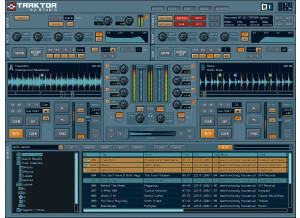
    What technical features/characteristics motivated your choice? - Traktor Pro 2 uses new TruWave hi-resolution technology to illuminate your waveforms and color them in a way that differentiates between kicks, snares, hats, etc, giving you an extra edge in anticipating your mix. It also has better zoom features to set tighter cues, and new loop recording and sample decks to allow for additional creativity. With what instruments or systems (console, preamp,DTD...) do you use it and what connection types are there ? - I run this on my MacBook Pro and usually operate is via a midi controller, whether that be a set of decks (Numark Mixtrack, NS7, or Denon DN-MC6000) or a midi controller (Novation Launchpad) For what use? - I primarily use it for DJing, but also like to run some of my own music through it as a part of my mastering stage to add some post production effects. What is your Setup (Mother Board/CPU/RAM/Disc,...)? - I run Traktor on a MacBook Pro with a 2.7Ghz Intel Core i7 processor with 4GB of RAM. GETTING STARTED Were there any compatibility issues? - No, I have not incurred any compatibility issues with this software. Is the general configuration/setup simple? - The general configuration is fairly simple, though there are a number of options and parameters that are available to play around with. There is certainly a learn curve, however that said, give it a couple hours to a couple days depending on your DJing capabilities and you will be completely aware of what Traktor has to offer. Is the manual clear and sufficient? - The manual, though extensive, is certainly clear and sufficient. It is well indexed and covers everything I had issues with. Are the typical functions easily accessible? - Yes. If you wanted to start mixing right out of the box with no skill you could definitely get going very quickly in Traktor Pro 2. The playback and cue buttons are all readily accessible and the library interface is easy to use, making finding tracks a breeze. SUITABILITY/PERFORMANCE Does the software work correctly in this configuration? - Yes. Is this configuration (software and gear) stable? - I have never had audio or CPU issues where Traktor has been the source. What performance are you getting? - A very good one. Traktor's effects sound great, it works well with every controller I have used, and its cueing and looping functions work exceptionally well. It's my favorite DJing software and the one I use the most. For how long have you been using it? - I have had Traktor Pro 2 for a year and three months, and it has been absolutely fantastic so far. OVERALL OPINION What thing do you like most/least about it? - The thing I like most has to be the TruWave hi-res wave coloration that assigns different timbre sounds to different colors. I can't say there's anything I really dislike. What is your opinion about the value for the price? - It is pricey as it is a Native Instruments product, but it is absolutely worth the money. Plus, the 2.5 Pro update was just released for free so they take some pity on us consumers. Precision and quality of the sound? - The sound quality is high. As aforementioned the effects sound especially good. Did you try many other models before getting this one? - I have used Virtual DJ and Serato Scratch and much prefer Traktor to both of them. Knowing what you know now, would you make the same choice? Absolutely. Knowing what I know now I would never have used Serato Scratch or V-DJ.

  • « Under-rated, but does the job well. »

    Unfortunately no particular technical features or characteristics motivated my choice to download and purchase the Virtual DJ 7 Pro version. I was at a gig in a crunch for time and needed a software that could play music videos in high-definition and cross-fade between them. After a frantic search through numerous blogs, Virtual DJ surfaced as the right choice. And I'm glad I made it. I performed with it connected to my Denon DN-MC6000 and an external mixer and it worked flawlessly. Music videos easily handled by my 2.7 Ghz Intel MacBook Pro with 4GBs of RAM. GETTING STARTED There were no compatibility issues, but there was a compatibility success. Using the recently added ReWire support new in Virtual DJ 7, I was able to connect V DJ to my Ableton Live 8 set-up, and then to my DN-MC6000, and mix effects, scratches, etc. onto my music as a sort of post-production. Although this is supported through digital DJ software competitors such as Native Instruments' Traktor, V DJ's vibrant, user friendly interface won me over in the end. After the show I went back and surfed through the manual and it makes apparent many things you would intuitively know about the software with minimal exposure and some musical talent, but also highlights some of the nuances of this most recent version. Bottom line, it is worth reading the manual and reaping all possible benefits of the V DJ experience. SUITABILITY/PERFORMANCE The software works well on my mac and with every midi controller that I have plugged in and configured. No lag or excess CPU use, so I can't complain. I've been using this software for about three months now and am starting to prefer it over Traktor for my on-the-fly mixes. OVERALL OPINION What I like most about Virtual DJ 7 is that, despite it's many advancements from Virtual DJ 6 it is still free to try the "home" version. I say that for the price of on-the-house, it's worth the try. Heck, you might actually like it. Although it has been ridiculed for being simplistic, Virtual DJ 7 is an aesthetically pleasing yet complex system that is capable of much more than just cross-fading tracks. Take time to explore the free version and if it strikes your fancy, upgrade and reap the benefits.

  • « i love it »

    Atomix Virtual DJ 3.x is the first piece of DJ software that I have ever used. At first glance it looked great and seemed simple. But after using it I realized I wasn’t going to be able to do it without some help. I had to look around for some help online on the forums and in the virtual manual that I had for it. GETTING STARTED After I got the hang of out the basic functions work it was a lot of fun to use. I am not a d j but I do enjoy creating my own mixes and just messing around from time to to and may become a d j someday but for now its just for enjoyment to me but I don’t see why a real d j wouldn’t be able to use this software to d j with even in a live setting , if you have a good computer that can handle it you could probably do your whole d j set with it. SUITABILITY/PERFORMANCE The price of it was pretty cheap, I think I got it off a clearance rack for around 100 bucks or so and it ran great on my dual core pc. OVERALL OPINION I haven't used in other d j softwares before this one so its hard to judge how good it was at the time. But since then I have messed around with a few other softwares but I must say this one seems like its one of the better ones. All the functions are right there in front of you and pretty easy to understand. Its just like having a real d j set up just on the screen instead of actually having the tables in front of you. I love how d j’s now can just carry a laptop around and that’s it. I have been seeing d j’s do this for a few years now so I had to get the program and try it for my self and im pretty impressed with it.

  • « upgraded »

    The Rane Serato Scratch Live is no longer being made, its actually been replace with its upgraded version the Rane SL 2. But for those of us who have used or have the SL 1 we know they they still provide support for it even though its no longer being manufactured. It actually still gets updated pretty frequently if you are subscribed to the mailing list. GETTING STARTED Serato scratch Live is really easy to understand just start it up and get going. Getting started was a breeze and I think I may have only had 1 crash or freeze up with it and that was because I was using it on a very old dell laptop that just couldn’t handle it. But when I use it on my other laptop it works great, it worked great on my dell laptop great just that one time wasn’t so good. SUITABILITY/PERFORMANCE The manual to this device is one of the easiest manuals ever, I only opened it just to look around at the features when I first got it and the manual really seemed to be watered down. But its not watered down its just that easy to understand. OVERALL OPINION Overall, it’s a great program , and even though its no longer being made you can get the upgraded version which has more features its called the Rane SL2. You will love these product and it will keep your creative juices flowing. So load up those mp3’s that you love and listen to each day and start scratching and mixing them up. This program can do it all, the Ran Serato is a must buy item to have in your arsenal especially if you are just getting started you wont find an easier program to get cracking with. I highly recommend this or at least the upgraded version since this one is no longer being made.

  • « Native Instruments always brings the heat »

    Native Instruments Traktor pro 2 is a bundle that I knew that I needed to get because I have several of Native Instruments products and software’s. All of the products that they produce are very easy to use and have a great quality about them. The Traktor Pro 2 is a complete system that will take care of all of your DJ needs. The Traktor Pro 2 will get you mixing great songs and putting together great mixes for clubs your friends and family right away, basically as soon as you get it out of the box. GETTING STARTED I did need to manual though just because this system was a lot different then some of the other bundles that I have gotten from Native instruments. It required a little reading on my part but there where no issues after I figured a few things out. I had no compatibility problems when installing it on my dual core pc running windows vista with service pack 2. SUITABILITY/PERFORMANCE Some of the cool things about this is that you can synce it right up to your ipod! So you can get right the some of you r favorite and popular songs right away. I am also pretty sure it can sync right up with iTunes to purchase songs or download free promo songs. I havent used the Itunes features yet. The built in mixer has multiple eq filter types and it will give you total control over your whole project and mixing. OVERALL OPINION Overall, great software, before I purchased it I was thinking “Is this really going to work?, Being that I love hardware so much? “ But after using it, I had no issues with this software hardware integration. I highly recommen this to anyone who wants to be a DJ! I am really happy with my purchase and would do It again knowing what I know now I will make sure other people purchase this too!