Log in
EN
FR

Software Amp Simulators

799 products found

Filter
Sort by
Brand
Evaluation
  • Reviewed or not
  • Editor’s award
  • Reviewed by Audiofanzine
Availability
  • Available or not
  • Sold new or used
  • Sold new
  • Sold used
Must-have products
  • All products
  • Flagship products
  • Best rated products
  • Hot products
  • Popular products
Price
  • Freeware
  • Low-cost (< $40)
  • Mid-range ($40 - $85)
  • Premium (> $85)
€
Clear
Sort by
  • Popularity
  • User ratings
  • Price - low to high
  • Price - high to low
  • Used price, increasing
  • Used price, decreasing
  • Name (from A to Z)
  • Name (from Z to A)
  • Added on
Sort results
  • Popularity
  • User ratings
  • Price - low to high
  • Price - high to low
  • Used price, increasing
  • Used price, decreasing
  • Name (from A to Z)
  • Name (from Z to A)
  • Added on
Filter results 799 results found
Brands
Evaluation
Availability
Must-have products
Price
  • Freeware
  • Low-cost (< $40)
  • Mid-range ($40 - $85)
  • Premium (> $85)
Show results

The best Software Amp Simulators reviews

The reviews Audiofanzine members found the most helpful.
  • « Software Amp Simulation »

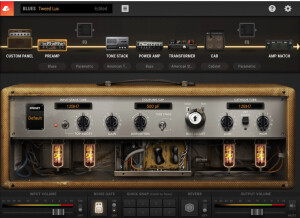
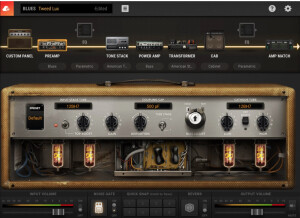
    Amplitube 3 is a software plug-in that can be used inside a DAW or as a stand-alone application. The signal path for a guitar and bass has been modeled digitally including: amplifiers, cabinets, microphones, stomp boxes, and rack effects. The software can be installed by downloading it off the IK Multimedia website. Authorization is completed using an IKM software application if your computer connects to the internet. IK Multimedia has also released a 'Custom Shop' application to run alongside of AT3. This allows you to 'purchase' different gear models on an individual basis. The Custom Shop application is free to download. SUITABILITY/PERFORMANCE The software is laid out to be intuitive for anyone that has played guitar and used effects. First, the signal goes through a section of stomp-box effects pedals. Then, the signal goes through an amplifier followed by a cabinet/microphone. Finally, there is a section of rack effects. This is a typical ordering of processing that guitarists use in the real world. However, one of the benefits of using software is experimenting with crazy ideas. AT3 has some parallel signal path options, but it is really limited if you want to change the ordering of processing. Most other amp sims offer more flexibility if you are the kind of person that likes to experiment. To me, the weakest part of the software is the 'post-effects'. I almost never use the effects inside AT3, and also use some other compressor/eg/reverb in my DAW. Guitar Rig 5 has much better options because you can use models of great compressors (1176, LA-2A) and an SSL Eq model. AT3 just comes with a stock compressor, and basic eqs. OVERALL OPINION There are many different options for amp simulation software these days (Guitar Rig 5, Line 6 Pod HD/Pod Farm 2, Eleven, OverLoud THD, etc). Every company models the gear in different ways, so they each sound a little different. For instance, an AC30 in Amplitube sounds different than the same amp in GR5 and on a Pod HD. I have a preference of different amps depending on the software, and that's up for you to decide for yourself. The best part of Amplitube is that IKM have started to license amplifiers from different brands. There are a whole bunch of different Orange amps that can be purchased. Most other amp sims just have a single Orange amp model. The Fender add-on pack also includes some great Fender amp models that you won't find else where like the Super-sonic. Finally, bass amps are typically an 'after-thought' in amp sim software. The Ampeg add-on pack is in a league of its own compared to other bass amp sims. I don't even waste my time with other bass amp models.

  • « Another letdown »

    Let me start by saying I have tried literally every guitar amp sim out there. I have a lot of tube amps and being a studio engineer I really wish I could sell some of them. So my search for the perfect amp sim has gone on for a while. I have been using Guitar Rig since version 3 and with every version I have hoped that it would get better. So far it's definitely been in the good but not great camp. Install is quick. Sometimes it can have issues with audio compatibility and crashing. All I can say about that is...it happens. It's not a deal breaker or anything. But NI needs to work on this particular program's stability. It's only gotten worse over the years unfortunately. GR5 crashed ALL the time. SUITABILITY/PERFORMANCE I use it with a variety of instrument preamps going through firewire. Usually I bring it up in Cubase. It doesn't get used very often because frankly I don't think it sounds quite good enough for my tracks. Well sometimes it does, but rarely. It performs with a reasonably low amount of hiccups. My CPU runs it easily. OVERALL OPINION Here's the deal with GR5. It gets a few things right. The interface is by far my favorite of any soft based amp sim. Everything is very interactive and visual. The audio and control layout is made up so that you can navigate everything very quickly and get things done a lot quicker than most other amp sims where a lot of simple tasks end up taking a while. Guitar rig has always done a good job of making you feel like all the gear was right in front of you. So that's great. The sound quality is another story. The effects are generally pretty good. Some of the more analog ones fall a bit short but the overdrives/reverbs/mods effects are mostly spot on. I would know because I have used most of the "real life" gear. Most of the effects are at least usable and some of them get even higher marks. Only a handful are just utterly bad. But there's so many...it's a non issue. The cab sims are great too. They tend to be pretty accurate most of the time. Mic placement options are good. Just like in real life, you have to play with placement and stuff. So it's fair. Now the amps...this is where Guitar Rig has fallen short for me. SOME of them are pretty spot on. The AC30, Fenders, and the rectifier are pretty darn close. The rest are garbage. The Uberschall sounds nothing like my uberschall. The marshalls are a gritty mess. They sound flubby and harsh all at the same time. The Orange and Hiwatt sims sound vaguely like their counterparts but are mostly just bad. It's very difficult to get good sounds out of any of them and I have spent 30 minutes on amp settings just fighting to get a tone that isn't awful. If only the amps were good, this would be a pretty solid soft sim. Unfortunately the most important element at work is a miss. So I can't give a good rating. To be fair, almost all the soft synths I've tried have been pretty bad. The only good amp sim I've played is the axe-fx which of course isn't software. Sorry guys. Maybe next time.

  • « Gotta be one of the best amp simulators »

    Getting started is a breeze. Pop the disc in, install it, and authorize it, run it. It's just an effect after all. It's a very simple plugin too. You have a lot of options but they are all very easy to understand. The hardest parameters are probably the ones reguarding the individual effects, like compression, if you don't have experience with it. 4 screens: effects, amp, mic, racks. All very intuitive if you're a guitarist. Still easy if your not. SUITABILITY/PERFORMANCE It is one of my more CPU intensive effects. Not that it's that bad but it will take up more than an EQ or reverb. I run a Gateway 2.0GHz dual core, 2GB RAM computer. I've been using it for over a year. It is a stable plugin. Never had problems with it crashing. Works fine on Windows XP. OVERALL OPINION It is really as good as you make it. By that I mean you need a good guitar sound running through it to really get a good tone. It's got everything you need to make a good guitar but you just got to work with the effects, pedals, mics, amps, etc to get what your looking for. To help out they have a ton of presets which are usually what I use and then make simple tweaks to them. I don't think it's as good as a live guitar if your running a guitar vst through it but it's a close second. RealStrat + Amplitube Fender beats out G1 Electric Strum any day. I'd definatly make the choice to buy it again. I would take a look at all of the Amplitube plugins and find the one that is right for you. I've only tried Fender but I'm sure they are all quality products.

  • moosers's review

    Nomad Factory's Rock Amp Legends plug-in is a piece of amp modeling software that is available for a variety of different system. It's compatible for both PC and Mac operating systems and comes in VST, RTAS, or AU plug-in formats, covering pretty much all the bases here. The plug-in was designed by Jimmy Crespo, former member of Aerosmith and highly accomplished guitarist. I don't own this software, so I wasn't involved with installing it at all. Learning how to use this plug-in shouldn't be too difficult, as everything is laid out in a way where all the features are easily located. There are a variety of different amps that you can choose from, each with their own parameters. There's a main section of parameters located on the Marshall looking amp head in the interface that has traditional amp parameters like treble, middle, and bass EQ, presence, master volume, drive, and reverb. It then has further control over your sound with sections for a more in depth EQ, compression, a noise gate, and then effects like delay, a modulator which has settings for a chorus and a phaser, and also for tremolo. It's a pretty in depth interface in terms of what you have to play with, but everything is more or less self explanatory and I don't think that you'll need a manual unless you're a beginner. SUITABILITY/PERFORMANCE The studio that I work at has the Nomad Factory Rock Amp Legends plug-in installed on one of our systems. We have a number of different studios on site, and for whatever reason this is only on one of the systems in one of the mixing rooms. Usually we'll have all of the plug-ins installed on all of the systems, but I guess not too many people will use this unless it's during the mixing process. All of our systems are Pro Tools HD based, and the one in particular that it's on is a G5 desktop. Can't say we've ever had an issue running it... OVERALL OPINION While not my favorite amp modeling software out there, there's still a lot that you can do with the Nomad Factory Rock Amp Legends plug-in. It pretty much has all of the bases covered in terms of different features and effects, but in general I don't find all of the sounds to be totally realistic here. In general I try to get my guitar sounds from the source, but when you need to beef up a sound or do some sound fixing, amp modeling can certainly be helpful. There are a few other pieces of amp modeling software out there that I'll use before this one if I need to, but I've messed around a good amount with this one and it can certainly be useful. I like using it for more subtle changes in sound rather than trying to change the whole tone all the way around. I'd recommend checking out Softube's Amp Room plug-ins and even Digidesign's Eleven before this one, but Nomad Factory's Rock Amp Legends software is cheap enough where there's no harm at all in checking it out for yourself.

  • moosers's review

    Softube's Bass Amp Room is a bass amplifier simulator plug-in, and a cool one at that. Softube has a few different amp simulation plug-ins in this vein that share the same sort of interface. I don't own this plug-in, as I've just used it at the studio that I work at. It comes in all major plug-in formats and for both Mac and PC. I didn't install the plug-in myself since I don't own it, but I've never heard of us having any problems with it. The interface of the plug-in is really cool, as it gives you three different amps to choose from, all with different settings. You've also got controls for your DI signal and a parameter to balance out the levels between the amp and DI. The amps each have a virtual microphone in front of them that you can actually drag and move into different positions, and is quite flexible and what it is able to do. I wouldn't say that using the plug-in is hard, so I don't think there's any need for a manual. SUITABILITY/PERFORMANCE All of the systems that we have at the studio are Pro Tools HD based, so we rarely have performance issues at all one these systems. For this reason, it's hard to say how much processing power the Softube Bass Amp Room plug-in will take up in an LE type of system or something similar. To me I would think that most users would be okay, but since there are so many different levels of systems out there, it's definitely hard to say based on my experience with the plug-in. OVERALL OPINION Overall, the Softube Bass Amp Room is one of my favorite bass amp simulators to use. It's really user friendly and there is a lot that can be done with it. The sound of it is definitely pretty realistic as far as amp simulators go, although I'm not totally convinced with amp simulators in general, although this definitely seems to be one of the better sounding ones. The interface is probably my favorite thing about it as it looks really cool and is very versatile. I'm not sure if this comes in a bundle or something with the other Amp Room plug-ins, but either way it's worth looking into as a bass amp simulator.

  • moosers's review

    IK Multimedia's Ampeg SVX is a bass guitar amp modeling plug-in that can be used in a variety of formats. It's compatible on both PC and Mac operating systems, as well as for VST, RTAS, and AU plug-in formats, as well as having the capability to be run as a stand alone piece of software. I wasn't involved with installing this plug-in at the studio where I work, as it was already being used before I started working there. As long as you have a compatible system, and most users will, you should be all set as far as installation is concerned. The interface of SVX has a few different parts to it, as it's possible to change all sorts of parameters. There are four main screens inside of the plug-in - an amp head, a speaker cabinet with choice of microphone type, a tuner, and a virtual effects pedal board. There are many different modules to choose from within each of these windows as well. Even with all of this control, the interface is still very user friendly and easy to understand. A manual most likely won't be necessary for most users. SUITABILITY/PERFORMANCE While I haven't had too many major issues with the IK Multimedia Ampeg SVX in terms of performance, it definitely is going to take up a good amount of processing power when you use it. At the studio where I work we run it within a Pro Tools HD system, so we don't really have any issues running it, but occasionally it will freeze up if I have a few of them going which isn't very often. If you're running it in an LE system, you're most likely going to want to print your sounds as much as possible, of course depending on what kind of system you have and all that. OVERALL OPINION Overall, the IK Multimedia Ampeg SVX plug-in is a very powerful one. There is a ton that you can do with it, a lot of which I've yet to explore into. In general it has a very realistic and believable sound, which for me is the main thing to look for in amp modeling software like this. There aren't as many bass guitar amp modeling plug-ins out there as there are for guitar, making the IK Multimedia Ampeg SVX all that more sweet. I don't use this on every song, but it's awesome to have around when the bass is not as happening as it could be. A few times when I thought we might of needed to do some parts again to get a wider sound, the Ampeg SVX plug-in saved me. For only $100 USD, IK Multimedia's Ampeg SVX is a great addition to a studio of any size.

  • songboy's review

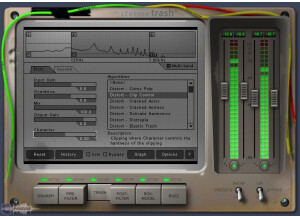
    There were no compatibility issues with this plugin and my Macbook running Logic 9 and Ableton 7. The manual is clear enough, and if you haven't used any of IZotope's plugins, it doesn't hurt to reference it to get used to the interface. Its not a hard interface to use, its just that it has its own style and can be a little confusing at times. Once you get used to it though, its pretty simple and easy to use. Yes, the typical functions are fairly accessible. At first I would get confused how to navigate the whole interface, but the learning curve is not too bad. SUITABILITY/PERFORMANCE Trash has worked flawlessly time and time again inside of Logic and Ableton. It is very stable and has had no audio problems or crashes. It does what its supposed to do which is give you a large collection of Distortion presets and great tools to design your own. Because of that, I give it a 10 out of 10. I have been using this plugin for about 9 months. I got it about the same time as I got Schaak Audio's Transient Shaper and I find myself using them together to get really really dirty crunchy sounds. OVERALL OPINION What I like the most is that this is the best Distortion plugin I have ever used. You can tweak the crap out of it and get some amazing distortion sounds with a wide range of usage. It also has a bunch of modeled sounds ranging from actual amps to actual effects that are really nice. What I don't like about this device? Well, not really anything. Its a great tool and a necessity for those wanting a myriad of Distortion sounds and amp/cabinet models. I really enjoy this plugin overall. It produces some very convincing distortion sounds that most people will believe you got from hardware gear. The overall quality is definitely a 10 out of 10. It can go from dark and muddy crunch to brittle and piercing sparkle. I have used a lot of different distortion plugins including the ones in Logic 9, Ableton 7 and D16 Devestator. The only one that can truly share the stage with Trash is the D16. But Trash whens overall due to the vast amount more of options. Yes, I would definitely purchase this plugin again. Its a must have for any person who likes using computer audio.

  • moosers's review

    Installing the Steinberg Magneto plug-in wasn't a problem at all because it installs itself when you install Cubase. I used to run Cubase SX 2.0 before I got my Pro Tools rig and this was one of my plug-ins I used within that configuration. Steinberg Magneto always ran smoothly and stably for me without any compatibility problems or other issues. I've never seen the manual for Steinberg Magneto so I can't speak to if it is helpful or not when trying to figure out this plug-in. SUITABILITY/PERFORMANCE When I used this plug-in in Cubase SX 2.0 I was running it on a Hewlett Packard lap top that had a 3.0 Ghz processor and 2 GB of RAM. Steinberg Magneto and Cubase as a whole always ran pretty well with this configuration and while I didn't use this plug-in everyday, when I did use it I was able to run a few of them at once if I so desired. It can be used both as a stereo or mono plug-in. OVERALL OPINION I've been using Steinberg Magneto for about five years and while it wasn't my first choice for warming up a signal, it did work well for me when I found a place to use it. The plug-in is pretty easy to use as it has knobs for high filter, tape speed, drive, characteristics, input, and output. It also has a series of buttons to determine what will show up on the meters. Since the plug-in came free with Steinberg Cubase SX, I can't really complain too much about it, but suffice it to say that sometimes it doesn't always sound that realistic sounding. In other words, if you want to warm up your signal it is probably best to do so at the source or with your pre-amps or other hardware, as it is almost impossible to do so all the time with a plug-in. This being said, for those using Cubase, Steinberg Magneto comes in handy and is nice to have.

  • « Ultimate IR Creator & Loader »

    I’m a hardware guy, although I do use digital/software tech, including my DAW. Cabinetron, however, was a no-brainer and I was very anxious to try this software, mostly to customize IRs, rather than use it as a loader. Yes, it does work in DAWs and as a stand-alone perfectly fine, but to create unique sounding IRs and then load them onto hardware, is key for my use. Cabinetron does include hundreds of IRs, and you can import your own to customize them further, but the ease of use and flexibility is what makes Cabinetron highly desirable. And based on what I’ve seen out in the industry, this likely is the ultimate IR creator and loader at the time of writing. Cabinetron’s customization is vital since different gear and guitars can result in an IR sounding good in one instance, or too dark, muddy, etc., in other instances. If only you could tweak that IR. What’s mind-blowing is that you can stack upward of 8 IRs into a very usable and unique impulse response. Not that you have to – perhaps one is enough for some people. There are a number of videos demonstrating and addressing the ‘details’ of this program, and so, I’ll focus the features I like best and tend to use most. As indicated, you can load up to 8 IRs, whether from the Cabinetron package or from your own collection. Each IR then can be customized via an EQ, altering the distance of the mic, adding gain, panning, etc., what a number of programs offer. What’s kick ass is the ‘Mutation’ list, so that you can make an IR sound heavier and fatter, scooped, punchier, more on ‘fire,’ etc., and that’s at a click of a button (you can listen to changes via an A/B comparison). This one operation makes a huge difference, and I find combining IRs with different characteristics produces some very distinctive and practical IRs. From there, the Mixer allows you to adjust the balance among the IRs (if two or more), and then the EQ section allows for further modification and blending to your specs. EQ is possible on the main page, but this other EQ section is for that final tone balance among the group, if required. In many instances, I was content with the EQ and left it. The advanced EQ section does have a number of common presets, e.g., top shelf, high pass, flat tilt, etc., although you can manually transform the EQ. There’s a Tone Capture function, in the event you want to narrow in on a particular song’s sound, as well as a Room option for some ambient reality, and a Doubler for Metal players (20 ms latency to the right channel for a wider sound), although the Doubler does provide a unique quality to clean tones, and the program can operate in stereo. As well, Cabinetron also is for bass, with ten highly useful IR presets that literally transforms a bass, from warm to rock-aggressive. I included these in the demo, whereas the guitar has hundreds of IR samples that were far too extensive to go through. Once all is said and done, you can save your presets or export them (in a host of different digital sizes and responses), even if stacking 8 IRs into one and adding the Doubler or Room. And Cabinetron is so simple to use, I can see how people will start developing IRs for distribution using this program. More importantly, it is a joy to use. I never encountered any bugs or glitches, and I’m using this program to not only achieve great guitar tones, but to achieve those details that cut through the mix and match my gear even better. I’m uncertain what could be added to Cabinetron, but what it does offer is amazing.

  • « Humbly an amazing sounding amp! »

    Since latest years I've been more and more into amp sims and sims in general (physical). Modelling technology is making giant steps specially these latest years. And because of that, I'm subscribed to many builders and programmers and for that matter it was an advertisement that came to my email address. I've got many great amp sims, every one has its flavor. This one stands up and can compete with other brands without any problem. It's very user friendly because you can find the controls very responsive to your needs. This one is oriented more than anything to that desired "breakup" of the clean sound. As far as I see it's not that CPU intensive, at least on my M1 MacBook Air. It also comes with up to six pedals that you can fine-tune and chase your favorite sound. These are: • Noise Gate • Compressor • Drive Pedal • Chorus • Analog Delay • Reverb The presets included give that hype you are waiting for if you love those wonderful Strat breakups (John Mayer) or maybe that desired Robben Ford drive with a humbucker equiped guitar. This amp sounds warm and with good body, I'm very pleased with the ranges you can obtain with it. From crystal cleans to raging overdrives. I can say this one is a steal for the price and the sound you can have. Tasty and delightful. PROS: Incredible warm cleans and overdrives, drives you towards the good thing. Awesome response on the attack. Great pedalboard with up to six units. Cab sim to fine-tune your sound. Tuner included. CONS: Not for metal.

  • « Improved Sound and a Plethora of Effects & Tools »

    Guitar Rig 6 is a software package that allows for stand-alone playing (connect a computer to a speaker system for live playing) or within a DAW for recording. Easy to download and install, the stand-alone version opens by clicking the icon, or you can drag and drop the program into an audio track’s FX bin within a DAW. There are over 1,000 presets that can be utilized as is, or edited or new ones created from scratch. When selecting one of the premade presets, you select the ‘instrument’ (e.g., bass, vocals, guitar, keys, etc.), and a list will be provided of the more appropriate choices. There still are hundreds listed just for guitar, and so you can narrow your selection further by selecting a genre (e.g., metal, pop, country), tone characteristics (clean, crunch, metal, ambient) or FX category (e.g., modulation, reverb, delay). So far, this is straight forward, and do realize that I’m basing my review and opinion on not having worked with previous Guitar Rig versions. I have used other VST plug-ins, although I found them somewhat sterile sounding (which may not be a surprise since that experience is at least a decade old). However, based on forum discussions, many people have found previous versions of Guitar Rig good for home practice and perhaps some general recording, but that the program lacked liveliness, insofar as the sound of the amps and cabs were concerned. I have no opinion on that, but I can say that I am impressed with the amps and cabs in version 6. Can one compare the amps and cabs with Guitar Rig 6 to a real amp, or perhaps the sounds from an Axe-Fx or Kemper? I don’t think they are that far removed, thanks in part to the new machining technology and the custom cab IRs by Ownhammer and 3 Sigma Audio. But even if the real amp and the other modelers are better (more so for crunch and hi-gain, as the cleans are sublime), as some demo gear personnel have suggested, there are a few recommendations I would like to make. The program includes various dynamics, two of which I really like. First is the Transient Master (select ‘Zep Room’) and the other is the VC76 model (select ‘Electric Guitar’); run each separately and together, since they both are complimentary. With either or both in place, listen to the comparison and how much more alive a preset can sound (I did not do this on the demo, but do download the free demo version and give it a try). However, adding either or both tends to increase the gain or drive, and so the amp may have to be adjusted down to some degree to maintain the same amount of hair. Once these are in place, I find the Guitar Rig 6 presets sound exceptional (better) and ideal for both live and recording purposes. The flexibility of Guitar Rig 6 also is superb, allowing you to drag and drop as many effects as you want, stack cabinets and customize to your heart’s content. One feature I want to bring up is the cab/mic customization, including use of the Control Room Pro, which provides eight custom setups with 27 cabinets, up to 16 microphones and up to three mic positions (including room mics). If that wasn’t enough, select the ‘general’ control room that provides its own presets, but allows you to combine classic cabinets with up to eight mics (positioned by studio expert Peter Weihe) – each mic has its own fader that integrates into an 8-track mixer so that you can blend them as desired. Now, for those who were not impressed with previous version amps and cabs, there is no argument that a Guitar Rig strength is its effects. There are many standard delays, reverbs and modulations, but what makes this package so awesome is the wide array of custom presets that includes dozens of unique, strange, beautiful and sometimes weird effects that would be impossible, or darn near so, to reproduce with other programs or hardware. Another strength is the studio tools, such as allowing you to adjust the mid and side channels of a mix or split the signal into high and low frequencies. Other tools include a sequencer, oscillator and multi-step envelope, as well as rack tools (recording tape deck, tuner and a macro control center with up to 16 parameters that can be configured as knobs and buttons). Without hesitation, for the price of Guitar Rig 6, which is about the same as some pricier pedals on the market, you get a huge amount of gear and flexibility that can be applied to any instrument, without even utilizing the amps and cabs. You then can use one of the amps with your own cab IRs, or other amp plug-in amps with the Ownhammer and 3 Sigma Audio IRs included with Guitar Rig 6. Overall, there is a lot to this program, both pre-developed and available for customization. And with a free trial download, there is nothing to lose.

  • « An interesting evolution from the previous version, but with a real latency problem »

    To begin with, my review only intends to be an average user's review - I'm not a geek or anything, my computer is quite correct but ages slowly. My config: POD HD300 with all contents deactivated (amps, fx, cabs) used as a soundcard, to an iMac i5 from late 2011 with 8GB of RAM. The first overall constatation is very positive, espacially compared with Amplitube 3 which never managed to convince me to let my POD HD down (into Garage Band), which sounds were quite better (cleaner, more realistic, more dynamics, in a word more of a real mic'ed amp than a digital bee-like tone). With version 4, it's way easier to get a "real sound", which can entirely be set up as you like (amp, fx, cab, speaker, mics and so on), plus with a real interaction between all elements. Grain-wise, I finally feel a real pleasure playing on computer-based models (with lows that hold up, musical hi-mids and dynamics at both your right hands and volume knob). My POD only (temporarily?) owes me keeping it to its role as a soundcard. Yet, I have a real latency problem. This already was a problem with Amplitube 3, but reversely. Here's the problem: &gt; in standalone mode, Amplitube 3 worked very well, but using it as an AU plugin in Garage Band was just horrible &gt; with Amplitube 4, it's just the other way around: standalone mode offers a horrible latency (with the buffer set at 512), but everything goes well in GarageBand after faking I intended to record, unless I try to create a new, quite complex preset, then latency goes nuts again. No problem, you record again, start a new countout, stop and it works! I want to make it clear that this latency problem occurs while CPU and RAM uses are still very, very low. Finally, after detailing these problems which may owe as much to my equipment and rather modest qualities as a user as to the software itself, it's a coherent product for training and home recording.

Categories that may interest you