Log in
EN
FR

Tape/Vinyl simulators

155 products found

Filter
Sort by
Evaluation
  • Reviewed or not
  • Editor’s award
  • Reviewed by Audiofanzine
Availability
  • Available or not
  • Sold new or used
  • Sold new
  • Sold used
Must-have products
  • All products
  • Flagship products
  • Best rated products
  • Hot products
  • Popular products
Price
  • Freeware
  • Low-cost (< $35)
  • Mid-range ($35 - $65)
  • Premium (> $65)
€
Clear
Sort by
  • Popularity
  • User ratings
  • Price - low to high
  • Price - high to low
  • Used price, increasing
  • Used price, decreasing
  • Name (from A to Z)
  • Name (from Z to A)
  • Added on
Sort results
  • Popularity
  • User ratings
  • Price - low to high
  • Price - high to low
  • Used price, increasing
  • Used price, decreasing
  • Name (from A to Z)
  • Name (from Z to A)
  • Added on

The best Tape/Vinyl simulators reviews

The reviews Audiofanzine members found the most helpful.
  • « Accurate Tape Simulation »

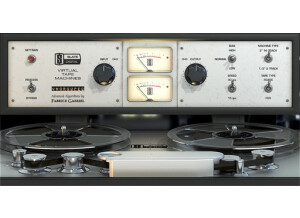
    Slate Digital Virtual Tape Machine is a software plug-in to be used inside a DAW. Installation is performed after a direct download of the software from the slatedigital.com website. Authorization is achieved on an iLok2. This plug-in can be used to simulate the sound of your tracks being recorded to tape. There have been many people dissatisfied with the digital recording medium for sounding sterile in comparison to tape. To this day it is common for mastering engineers to bounce a mix to tape just to capture that extra punch of having the music on tape. If you think your recordings sound too digital, this plug-in might help you solve that problem. You might also want to check out the Virtual Console Collection from Slate Digital that emulates the sound of analog hardware. SUITABILITY/PERFORMANCE This plug-in is easy to use. The main control is to set the simulated level of the input signal to the tape. Increasing the input level will add more 'saturation' to the signal, similar to what happens if you record loud signals to tape. Apart from that, you can select tape speed as either slow/fast. A slower tape speed emphasizes lower frequencies. 'Bias' allows you to control if the plug-in emphasizes low or high frequencies as well. You can select between single channel tape simulation for individual tracks, or 2 channel tape simulation for mix-down by emulating a mastering tape machine. You can also select between two different kinds of magnetic tape from different manufactures. These last two controls are really subtle and probably only important for the most anal engineers and tape aficionados. Hidden under the settings panel are controls for tape hiss (if you really want to sound realistic), and bass emphasis. One of the main reasons people like the sound of tape is that it beefs up the low-end, perfect for bass guitar and drums. This control allows the user to dial in the desired about of extra 'umph to the low-end. OVERALL OPINION This plug-in does a good job of making your tracks sound like they were recorded to tape. I have never seriously recorded with tape, so I can't make a direct comparison of how well it simulates tape. I can also say, that I have no desire to buy a tape machine and tape, and have to maintain the whole set-up. However, I would like my recordings to sound like they were recorded to tape. I'd prefer to have a close simulation that have to deal with the hassles of the real thing. VTM is the most accurate emulation that I have used. I also own Waves Kramer MPX Master Tape. I prefer to uses the MPX plug-in when I want heavy tape-saturation effects. I really like MPX for the extreme effects, but think VTM does a better job on gluing all my tracks together when used subtly. I don't really like how VTM sounds when you really overdrive the input. A few small things to be aware with VTM - it is extremely CPU intensive, and adds over 2000 samples of delay to your tracks when inserted.

  • « Great Piece of Software! »

    It's freeware, so it's very easy to install. You give izotope your email address, and then they send it to you. Download it, install it, get to work. Once it's opened up the GUI is pretty straight forward. There are controls for things like dust amount, scratches, and wear. There is also a section in the bottom left where you can choose if the record is warped or not. Unfortunately I've never used this as it is only available in the DX version of the software, not VST. SUITABILITY/PERFORMANCE It's very light on the CPU, had never crashed, has never really been a problem. It's a very light program that will more than likely never give you any problems. I've been using it for over a year and I love it. I use it with FL Studio on a Dell XPS Studio PC running Windows 7. It has six cores and 6 GB of RAM, but even with computers less suited for music Izotope Vinyl still shouldn't give you any problem. OVERALL OPINION Well it's free so you can't really go wrong. Fortunately it's a great peice of software anyway, which makes it way better. It really has the capability of making normal instruments or recording into old timely pieces from the 20's to even the 70's. It's a very convincing sounds. Sometimes when I want the sampled feel to a beat that isn't sampled I'll add it to some choice instruments. Better yet, I'll even record myself, pitch it up, add some vinyl, and boom. I have the high pitched vocal sample, except it's not a sample. It's a great tool for making drums sounds dusty or old as well. Overall it's a great piece of software that I use all the time. The best part is it is FREE!

  • moosers's review

    Crane Song's Phoenix Luster is one of the five plug-ins that come in the Phoenix bundle. These plug-ins are designed to add some analog warmth to your digital tracks. Each of the five plug-ins is a different tone in doing this, but all of them share the same function. Each also share the same interface, with three modes to choose from - gold, sapphire, and opal, as well as a large knob for setting the amount of analog saturation you'd like. Luster is just like the other plug-ins in that they couldn't be any easier to use and pretty much provide an instant analog sound for the digital world. You shouldn't have any problems installing the software as you install all five at once with the simple step by step process you would follow with installing any software. I haven't ever seen a manual for this plug-in, nor do I think I ever will need to. SUITABILITY/PERFORMANCE I've currently got the Crane Song Phoenix Luster plug-in and the other Phoenix plug-ins running on my home studio's system. This system is Pro Tools 9 based which I'm running on a Mac Book Pro laptop that has a 2.2 Ghz Intel Core 2 Duo processor and 4 GB of RAM. I run Pro Tools with a Digi 002R audio interface and monitor with a set of Adam A7's. I don't tend to run too many instances of this plug-in at once, but even if I did I don't think I'd have a problem on the aforementioned system. OVERALL OPINION The Crane Song Phoenix Luster plug-in and the Phoenix bundle in general are probably the best of their kinds in terms of analog emulators in the digital world. It's great to have the five different colors here, as Luster is probably my second favorite behind the Dark Essence plug-in. They all do serve similar functions, but I use Luster for mixing while I usually use Dark Essence on the master buss. No matter how you want to use it, Luster is very effective in warming up your digital tracks, although it can only take you so far if you've done everything the box. The Phoenix bundle is one that every DAW owner should have...

  • « Great Tape Saturation/Echo »

    Kramer MPX Master Tape is a plug-in from Waves to be used inside a DAW. The software is easy to install and authorize. There are only a few controls, but they aren't immediately intuitive when you first try out the plug-in. This plug-in can be used for a couple of different processing reasons. It can add some subtle tape compression/glue to your tracks. It can add heavy tape saturation/distortion. It can add tape delay/echo. It can even add some extra bottom end to your tracks. Tape Hiss/Noise can be mixed in at different volumes. Wow & Flutter is also variable, which can be added in subtly or with extreme settings. I've found in practice I always turn off the noise and wow & flutter. SUITABILITY/PERFORMANCE The main function of the plug-in to add glue/saturation to your tracks is controlled by the input level and the 'flux'. I read an interview on the Waves website that suggested using the input dial so the signal is peaking at 0 on the VU meter. This was typical of how the level was set on real tape machines back in the day. Then it was suggested to crank up the flux to achieve the desired glue/saturation. In my opinion, turning up the input dial so that the signal is peaking well above 0 on the VU meter can achieve good tape saturation as well. Its all up to you to experiment with. I usually use the 15'' tape speed because it doesn't color the sound to much. The 7.5'' setting adds some boost to the low-end and rolls off some of the top-end. Occasionally, this can be useful - like on a drum bus or to tame the top-end of distorted electric guitars. OVERALL OPINION Tape saturation/compression effects are useful as a cumulative effect across all your tracks - on every track, and on your mix-down bus. Kramer MPX is a good tool to take off the digital edge/sharpness of recording in the box (ITB). I also own the Slate Digital Virtual Tape Machine plug-in. I have never used or heard the UAD tape plug-ins. Compared to VTM, I prefer Kramer MPX for heavy saturated tape effects compared to VTM. However, I use VTM more for the subtle glue of tape on more of my tracks. I also like that VTM offers a modeled 'bus' tape machine along with the single 'track' tape machine. VTM only offers a single tape model.

  • « Vintage Tape Machine »

    The VTM-M2 is a vintage Tape Machine that was made by CDSoundMaster. There are 2 different operating models for low and high calibrations. It also has a full session recall (DAW). It was very easy to install and it is extremely small on your CPU, you wont even be able to tell that the VTM-M2 is even running. The interface for the VTM-M2 is very easy to understand and it looks really vintage and cool . It will definitely shock you at first glance, the developers and designers put a lot of time into creating a really vintage looking tape machine. But there are really only a few knobs and buttons that are even functioning. SUITABILITY/PERFORMANCE There has been 2 different updates to the VTM-M2. Now the latest version is 1.2 and I think they have fixed some of the small bugs. The price of VTM-M2 is 179 online and that is a very fair price for such a great compressor plug in. Virtual Interactive Signal Chain Technology is a technology that CDSoundMasters have created and they stand by it. You will get a very balanced sound when using the VTM-M2. I have been using it for a short time, and don’t use it as much as I would like to but I plan on hanging on to it because it will come in handy in the future when I have more time to work with it. It is very stable and has never crashed and can be used on your PC. OVERALL OPINION The quality of the VTM-M2 seems great, it will give you a very great sound for your mix. I have not seen the manual for it but I know it did come with one, I just never took the time to look at it because I would rather learn how to use it the natural trial and error way. You will get your money’s worth after about a month of using it and understand it. I am happy that I purchased it and I know that anyone else that has purchased it is probably happy too.

  • « get it, its free »

    I love the tone Bytes Vinyl plug in, you really couldn’t ask for much more plus its free. What is there really to complain about with the Tone Bytes Vinyl Plug in? Some of the key features of it are, dust emulation , frequency responses emulation some distortion and its fully midi capable. You should definitely download this and start using it right away especially if you like the old vinyl sound. I first heard a lot of vinyl sounds in one of my favorite trip hop groups. It seemed as if they would play the instruments out and then press them on vinyl then play it back from the vinyl and record other stuff over it. But after I fould the Tone bytes Vinyl plug in I see how its possible. SUITABILITY/PERFORMANCE I am not sure if they do pres the vinyl or if they just use a plug in like this but it sure sounds exactly the same and it’s the exactly same thing I was looking for. I had no idea how to get that dust emulation sound on some of my songs. I am so happy I found this and best of all its free (though im not sure why because they could easily get 25 bucks for this easy). It is very stable no issues. OVERALL OPINION You wont be disappointed with the Tone bytes Vinyl Plug in, if you are un happy with it or its not your style and you just don’t see your self using it much then you can always uninstall it, its not a big piece of software and it installs really fast and im sure it will uninstall even quicker you probably just remove it from the vst folder and put it in the trash been. Download it now and check it out, use those vinyl effects and watch how it gives your music more of a older but erie feeling to it.

  • « Loads of warmth... »

    Same install as with all U-audio plugs. Download the updater and license, run it, installed...restart...good to go. And of course it does the usual U-Audio 2 week demo timer if you wanna try it. SUITABILITY/PERFORMANCE I'm running it with Protools 9 HD as well as Protools 10 and Logic 9. No issues whatsoever. Also have used it with Nuendo 5.5, Cubase 6. OVERALL OPINION The UAD Ampex ATR-102 provides all of the original unit’s desirable analog sweetness. Like magnetic tape, users can dial in a clean sound, or just the right amount of harmonic saturation. The primary purpose of the UAD Ampex ATR-102 is to obtain tape mixdown sonics within the DAW environment. To obtain the classic tape mixdown sound, instantiate the plug-in as the last insert on the output bus, after other processing is applied (or possibly as the second-to-last insert, before a brick-wall processor such as the Precision Limiter). Of course, creative “non-standard” results can be obtained by placing the Ampex ATR-102 in any channel insert or on busses in a send/return configuration. The UAD Ampex ATR-102 models seven popular magnetic tape formulas. Each type has its own subtle sonic variation, distortion onset, and tape com- pression characteristics. The tape types that can be selected depend on the active tape speed and head type; all tape types are not available for all tape speeds and head types. Lower fidelity types are included to facilitate more signal coloration options. The original hardware machine was manufactured with an interchangeable head block system which enabled the system to be quickly converted to use ei- ther 1/4” or 1/2” tape stock by simply swapping out the heads and recali- brating the electronics. As track width increases, subtle improvements to sta- bility, fidelity, and noise become apparent. A popular custom aftermarket tape head is available which enables the use of 1” tape stock, enabling even higher fidelity with its greater track widths. All three tape head widths are ac- curately modeled and selectable in the UAD Ampex ATR-102. All four tape speeds in the original hardware are modeled in the UAD Ampex ATR-102. Speeds of 3.75, 7.5, 15, and 30 inches per second (IPS) are avail- able. Each speed provides distinct frequency shift, head bump, and distortion characteristics. Higher speeds have higher fidelity; 3.75 IPS has a distinc- tively “lo fi” character. Tape machines can be setup with different calibration levels, which entails set- ting unity gain from input through output based on the magnetic flux (amount of magnetic field) of a given tape formulation. Different calibration levels pro- vide different tape response characteristics for a given level into the recorder. Four selectable calibration levels are available in the UAD Ampex ATR-102. Tape recorders have inherent signal noises that are a by-product of the elec- tro-mechanical nature of the machine. While “undesirable” tape system noise is historically considered a negative and was an attribute that pushed the technical envelope for better machine design and tape formulas (and ulti- mately, “noiseless” digital recorders), noise is still an ever-present character- istic of the sound of using tape and tape machines. The UAD Ampex ATR-102 models the hum, hiss, wow, flutter, and crosstalk characteristics of the original hardware. These noise components can be in- dividually disabled, adjusted, and/or exaggerated for creative purposes (even though the servo-controlled, direct-drive capstan tape transport of the original hardware provides excellent wow and flutter specifications). The original hardware was manufactured with isolation transformers, which can color the signal. A common modification to the hardware tape machine eliminates the transformers from the signal path to produce a (subjectively) “cleaner” sound. UAD Ampex ATR-102 simulates the behavior of the trans- formers in the hardware circuit, and can be optionally disabled in the plug-in, providing both sonic options. A popular application of multi-head tape recorders is to employ them for slap- back tape echo effects. If the machine is running in record mode but the re- corded signal is monitored from the repro head (as opposed to the sync head), the physical space between these two heads results in a short delay be- tween the signal sent to the recorder and the monitored signal. When these signals are combined with mixer routings, the classic slapback echo is mani- fest. The UAD Ampex ATR-102 implements the ability to reproduce this classic effect with a simple set of controls, and expands the capabilities by extending the available delay times beyond what is possible in the physical realm. The ability of a magnetic tape recorder, which has inherently non-linear re- sponse characteristics, to accurately reproduce an audio signal with a mini- mum of noise and distortion requires precise adjustments to the system elec- tronics. The calibration settings are based on the current tape speed, formulation, emphasis EQ, and tape width. The hardware must be meticu- lously re-adjusted each time a different tape, speed, emphasis EQ, or head width is used (and for system wear and drift, even if these variables are not changed). UAD Ampex ATR-102 has an automatic calibration feature that tunes all calibration electronics with a single button. Even though automatic calibration is available, the individual controls that ad- just calibration are exposed for sonic manipulation. Playback EQ, record (tape) EQ, and record bias can easily be altered for manual calibration and/or creative purposes. UAD Ampex ATR-102 includes the full suite of tools required to manually cal- ibrate the recorder. Manual calibration tools are provided so expert users can calibrate the system to their preferred methods for obtaining desired results. The manual calibration tools consist of a tone generator (with multiple test tones and levels), a distortion meter with digital readouts, and a full suite of Magnetic Reference Laboratory (MRL) alignment tapes, which are used to cal- ibrate playback electronics. While the UAD Ampex ATR-102 is a true stereo processor designed primarily for use in stereo-in/stereo-out configurations, it will also operate in mono-in/stereo-out and mono-in/mono-out modes. When used in a mono-in/stereo-out configuration, the mono input signal is sent to both channels of the processor, which can then be adjusted indepen- dently. When used in a mono-in/mono-out configuration, adjusting any left or right control will change both the left and right controls (the left/right controls are always linked in mono mode). Set up the plug-in by first adjusting Tape Speed, Tape Type (tape formulation), and Emphasis EQ, or simply select a factory preset. Note that as you lower the tape speed, the tape “sound” becomes more audible. Once this basic setup is made, adjust the L/R Record (gain) levels, for more or less tape/cir- cuit coloration/saturation.

  • « Adds that vintage tape sound »

    This is yet another Eddie Kramer product that Waves has released. This time, they made a plugin based off of the famous Ampex 350/351. For those that don't know, this was a very famous master tape device that was used for some saturation and other cool effects on the master bus and even individual tracks at times. The device is a bit complex, so I'll break down what everything does: Speed - this selects the tape speed that you want Monitor - there are various monitoring modes you can select with this Bias - adjusts the overall bias of the sound. This is mostly used for fine tuning everything. VU Meter - simply displays the meter VU Calibration - this sets the overall limit of what you're going for Delay Time - this is probably the coolest feature as you can add some real neat delays to enhance the quality of the mix or add a totally unique sound Delay Tape - this simply selects different modes for the delay Feedback - this controls the amount of the delay signal Lowpass - just as it says, it's a lowpass filter Record level - this is simply the input level Link I/O - links the record and playback levels Playback level - controls the total output Flux - this emulates some of those more bizarre sounds that would occur with the real units Wow & Flutter - controls different modulations Noise - you can actually add noise with this for that more vintage feel SUITABILITY/PERFORMANCE Waves plugins are pretty well known for being the industry standard plugins out there, and for good reason. First of all, the plugins are cross platform. That means that both PC and Mac guys can use them. Given that I'm a Mac guy, that's a huge plus for me. The plugins themselves are very stable. I've never experienced a crash directly related to inserting a Waves plugin into any audio or MIDI bus in Logic. I've never read the manual, so I can't really comment on that. However, most of these plugins are fairly intuitive when it comes to their usage. While the names may be a touch convoluted if you don't know what they're modeling, you can get a good idea as to what they do if you just mess around. It doesn't take up much memory when in use, even with the 32 bit bridge application in Logic, and I've been using these for quite awhile now. OVERALL OPINION This works great on the master bus for that more vintage kinda feel, but I find it works especially nice for guitar lead tracks. You can get some really killer effects by placing this on the guitar bus, adding in some delay, cranking the wow & flutter knob and going for it. Definitely try it out!

  • « Really cool tape emulator for Pro Tools! »

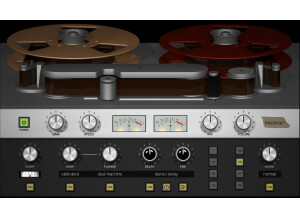
    This is a Digidesign made plugin. It's the Avid Reel Tape Saturation plug-in. It comes with the ReelTape suite which also features the Reel Tape Delay and Flanger. It's a pretty easy plug-in to install and get started. I didn't feel as though I really needed to use the manual, as I've basically just been testing out the different features to get a feel for it. The manual is informative enough though. The basic idea behind the plug-in is that it's supposed to replicate the sound of a tape machine on your digital tracks. There have been many attempts to get this pattern right, and they've all had different results as far as I've seen. This is probably one of the better attempts at nailing this sound that I've come across. It has controls for drive, speed, noise, bias, output, and calibration adjust. These all give it characteristics of tape machines, but actually also allow the flexibility of getting a variety of tones as opposed to the specific sound of one tape machine. SUITABILITY/PERFORMANCE I haven't had any issues with this plug-in at all. It's never crashed Pro Tools on me (unlike some other plug-ins i've used). It's never really bogged down the system for me either. It's been a quick, satisfying performance the whole time. I use it with my Pro Tools LE 8 home system with a Digi 003 and have yet to experience any issues, and there have been times when my system has had a hard time keeping up with a plug-in. OVERALL OPINION I really like the way that this plug-in recreates the tone of a tape machine. While that's certainly not going to be useful for everybody, it's pretty nice to use when you are working with any sort of retro-themed band, or anything with a folkier, more rustic feel. It can also be used really effectively in electronic music, if you need something to bring a warmer contrast to whatever you are working with. All in all, it's got a variety of uses, it can be used on individual tracks plus busses with equally good results. Perfect for fans of analog recording who don't want to have to maintain all that gear!

  • moosers's review

    Crane Song's Phoenix Luminescent is one of five that makes up the Phoenix bundle of analog treatment plug-ins. These plug-ins aim to recreate digitally a tape saturation sound to help digital tracks sound warmer and more realistic. Each of the five plug-ins in the bundle including Luminescent serve the same purpose, but each has a different take on it and provides users with different colors to use for different situations. They all do share the same interface, with a make up consisting of three modes to choose from - opal, sapphire, and gold, as well as a knob for setting the amount saturation desired. Once you understand the format, you'll be able to use each of the plug-ins independently and easily since they're all the same. I really like this simple make up as it makes it as easy and as possible to get the most from the plug-in. A manual shouldn't be necessary here... SUITABILITY/PERFORMANCE I'm currently running the Crane Song Phoenix Luminescent plug-in (as well as the other Phoenix plug-ins) on my home studio's system. Included in this set up is a Mac Book Pro laptop computer with a 2.2 Ghz Intel Core 2 Duo processor and 4 GB of RAM, which I'm using to run Pro Tools 9. I use the plug-in only in Pro Tools since that is my main DAW for mixing. I've never had any problems at all with the performance of it since I only use a few instances of it at a time anyway. OVERALL OPINION Crane Song's Phoenix Luminescent plug-in is the cleanest of the bunch in the Phoenix bundle of analog treatment plug-ins. I don't use it as often as I do some of the others like the Dark Essence plug-in, but it still comes in handy a lot if I'm looking to warm up a sound without adding too much coloration. I like this one for mixing individual tracks because of this, while I mostly will use Dark Essence on a master buss. I think the Phoenix bundle in general is one that every DAW owner who is working mostly inside the box should have. There are a lot of analog treatment plug-ins out there, but most of them don't sound nearly close to the real thing, and while this doesn't necessarily sound exactly like you ran it through a tape machine, it's the closest you're going to come in the world of plug-ins. Definitely worthwhile for everyone with a DAW to have...

  • moosers's review

    Crane Song's Phoenix Dark Essence is one of five plug-ins that comes in the Phoenix bundle of analog saturator plug-ins. Each of the five is of a different tone, but all of them more or less serve the same function. This is probably my favorite of the bunch or at least it's the one I use the most. I installed all of the Phoenix plug-ins at once as it's a simple step by step process that anyone should be able to complete easily. Learning how to use the plug-in isn't tough at all as it couldn't get much simpler. The plug-in has three modes - gold, sapphire, and opal, and a knob for setting how much analog tape saturation you'd like. That's literally everything there is to it, so I can't imagine too many users having problems figuring this one out. All of the plug-ins in the bundle share pretty much the same make up, so once you know one, it's just matter of choosing which flavor you'd like. A manual shouldn't be necessary here... SUITABILITY/PERFORMANCE I've currently got the Crane Song Phoenix Dark Essence plug-in and the full Phoenix bundle running on my Pro Tools system at home. This system has Pro Tools 9 running on a Mac Book Pro laptop with a 2.2 Ghz Intel Core 2 Duo processor and 4 GB of RAM, while I run Pro Tools 9 with a Digi 002R audio interface or as a stand alone application when I'm on the go. I've never had a problem running any of these plug-ins including Dark Essence, as I usually run these on a master fader anyway, so it's not like I'm running too many of them at a time. OVERALL OPINION The Crane Song Phoenix Dark Essence plug-in and the Phoenix bundle in general is a great one to have in any DAW. They're using for mixing and for using on a master bus for home mastering purposes. Dark Essence adds a certain presence and fullness to your sound and is definitely up there with the best analog tape saturators that I've used to date. The bundle as a whole is definitely worth considering for any DAW owner as it's not all that expensive for a bundle of this quality. If I were building up a new DAW, these would be some of the first that I added to the mix...

  • « Fantastic Plug in for tape heads! »

    After purchasing this plug-in from the Massey website, I have had no problem using it. I haven't had any issues with compatibility on this computer or with the plug-in. The manual can be downloaded from the website and has not been necessary at this point, but also is informative for somebody who, for whatever reason, didn't know how to use the plug-in. The setup of this plug-in only took a few minutes of time and had no hiccups or problems. The functions of this plug-in are easy as any I've seen. SUITABILITY/PERFORMANCE This software works fine with my setup. I have a Macbook Pro with 4 GB of RAM. I've never had this plug-in slow down my system, or mess up the session I was working with. I haven't had much of a problem with the performance, so I'd say the performance has been stellar. I've been using it for a few months now but I use it quite a bit. OVERALL OPINION I think that this plug-in is a god-send to people who tend to prefer the sound of analog tape, but don't like working in that medium, as digital is a much easier format to work in. It is a great plug-in to give everything a warmer sound overall. If you can't use tube mics, tube mic pres, or ribbon mics in the studio, and you need to capture that warmth, this application is a great choice. It is really easy to use, just has two knobs, drive and trim, and a switch to go from normal, to medium, to bright, which will change the quality of the effect. It overall works mostly as a compressor or saturator, and it is a great thing to apply to everything from drums to guitars to vocals if they are feeling a little cold to you. It can control the amount of compression and saturation you can control easily, all while using only two knobs and a switch. Highly recommended for all engineers, it's very useful.

Categories that may interest you