Log in
EN
FR

Lo-Fi

116 products found

Sort results
  • Popularity
  • User ratings
  • Price - low to high
  • Price - high to low
  • Used price, increasing
  • Used price, decreasing
  • Name (from A to Z)
  • Name (from Z to A)
  • Added on

The best Lo-Fi reviews

The reviews Audiofanzine members found the most helpful.
  • « Decimate at will »

    See the "Info" tab for complete specs. Installs easily through an executable, authorization is processed with the keyfile which is available for download at your user account on the developer's website. The keyfile must be used within 72 hours after downloading. The English manual is clear and detailed, including technically. Adequation : Very stable on a Macpro 8 x 2,4 gHz with Mac osX 10.8.5/Logic Pro 9.1.8 and Logic X, 8 GB of ram, SSL Madi AX. The same with a MacPro 2013 hexacore, OSX 10.11.1, Logic Pro 10.2. I used it intensively for some weeks for beta-testing, no bugs to be reported. Overall : What we have here is a stereo bitcrusher with a decimator unit coupled with a multiband filter section. Algorithms are of the highest quality: paradoxically, degrading the sound is done cleanly. I find it great for Lo-Fi treatment especially for vocals and drum loops, which are the kinds of materials on which I use it most. It's also efficient to get the type of sounds you get from old samplers, and great to make pads or basses dirty for instance. The factory presets are numerous and cover many bases. GUI is simple and intuitive, as usual. Now you can change its size ("Options" menu in the "GUI3 tab) - a feature that will be extended to all D16 Silverline series plugins. Regarding the changes from v1, independent channel treatment was suppressed (something I actually don't miss at all). But now, the "Dithering" control is integrated, and the resampling section was deeply changed. It now has new features such as a "Jitter" parameter, two resolution modes and two new filters (which replace the AA LPF): an "Approximative Filter" which filters the pre-resampling harmonic content, and "Images Filter" which filters the signal post-resampling to avoid aliasing (regarding the resolution and details on the "Resampler" module filters, see the manual about the "Mid-Thread/Mid-Riser" quantization modes). I'll admit the approach is very interesting. This version 2 allows to experiment much further. So the GUI differs a lot from v1's, but its excellent ergonomics makes it easy to start using. D16 also seems to pay more attention than before to the way their plugins look (like Antresol and Devastor 2), the GUI il less austere, more contrasted and colored, making it more pleasant to use. The GUI's big size also makes things easier (user can choose from two sizes, actually). Now we start with a "Preamp" (0 to 48dB), then a "Quantizer" where the resolution of the degradation applied to the signal is determined, the choice of quantization mode through the "DC Shift" LED (Mid-Thread or Mid-Riser mode), and "Dithering". The "Resampling" section has several resampling setting controls including frequency (44Hz to 44.1kHz), "Jitter" and the new "Approximative Filter" and "Images Filter". Then there's the section with the multiband filters, featuring the same filter types as in the previous version (LP/BP/HP/BR) but with a wider sweep than before (20Hz to 20 kHz instead of 14Hz to 12 kHz), based on analog models with adjustable resonance setting that can be (like in v1) pre- or post-decimation. The "Reso/B.Width" selector has different actions depending on the selected filter, it controls filter resonance for lowpass/highpass and the filter's bandwith for bandpass/band-reject. Finally, there are output settings with the dry/wet balance and output level. The preset browser was also redesigned, it is now tag-based. You just select the effect type categories and the corresponding presets appear at the bottom of the window. When creating presets, once they're saved, you just go to the "Edit" tab, select a preset and click on the category you want (the "*" symbol appears, signifying the preset is now tagged). You can also export several presets at once to a .zip file, avoiding to go to the HDD's browser to get all these files (eg for a backup) then reimport them on another computer. Conceived with a new architecture, the preset manager also allows importing proprietary .d16pkg preset banks. The plugin can also be inserted on an instrument track as a MIDI-controlled effect. The "MIDI learn" function was also revamped compared with version 1, assigning the MIDI controller now only takes a right click on one of the plugin's settings and the assign window pops up, while using the down arrow the menu window gets extended. Regarding the AU version, only the MIDI-controlled effect has the necessary MIDI ins. In a "traditional" plugin use, you'll have to use Logic Pro's internal MIDI Learn (cmd + L). Another option I asked for during betatesting was added, it regards those using a single-button mouse or a laptop with an old trackpad witout a right-click (I still have a 15" macbook pro from 2010): it only takes pressing the "shift" key while clicking on a parameter to access the context menu, as I thought it was a pity such an opportunity would be unavailable to some users. Finally, this version also brings support of the Rack Extension format for Reason users. It is also important to mention that you can't import presets created with version 1. As usual, I wanted to develop all features as much as possible. As a beta-tester with a already a significant experience with this product, this is somehow more of a bench test than a real user review strictly speaking.

  • moosers's review

    The Nomad Factory Essential Retro-Vox is a plug-in that is a part of Nomad's Essential bundle of plug-ins. This bundle is inexpensive and offers up nine plug-ins in total including this one. I believe you could buy this plug-in individually, but it looks like it's probably worth it to buy the whole bundle if you're interested in one. I installed the entire bundle of plug-ins at once, along with a number of other Nomad Factory plug-ins. I didn't have any problems at all doing this, as it was quick and painless. Learning how to use this plug-in in particular was pretty easy. It shares a similar looking interface to the rest of the plug-ins in the bundle, which is laid out nicely and isn't convoluted at all. It's got some basic parameters via sliders for a gate, compression, and treble and bass EQ control. In then has a 'vinylizer' section where the damage is done, giving you control over the level, RPM speed, and drive level. Lastly, it has input, output, and vocal mix overall controls. It's certainly not a hard plug-in to use, so I wouldn't think that a manual would be necessary. SUITABILITY/PERFORMANCE Right now I'm running the Nomad Factory Essential Retro-Vox on my system at home, which consists of Pro Tools LE 8 and a Mac Book Pro lap top. The computer has 4 GB of RAM and a 2.2 Ghz Intel Core 2 Duo processor, while I'm running Pro Tools with a Digi 002R audio interface. This configuration has been more than adequate for running this plug-in, especially considering that I've never had a need to have this running on more than one track at once. Even if I had to run a few more I definitely could, as it's not the kind of plug-in that will bog your system down at all. OVERALL OPINION While the Nomad Factory Essential Retro-Vox plug-in is definitely pretty cool, I wouldn't have bought it if it wasn't in the Essential bundle of plug-ins since I really don't use it all that much. It definitely does as advertised, as it's great for turning your vocal sound into some lo-fi goodness. The main reason that I wouldn't buy this plug-in on it's own is because iZotope has a very similar plug-in for free called Vinyl. It's got a very similar make up and sound, so if you're looking for a vinylizer sort of plug-in, I'd go with that one before this. Having said that, if you're looking at the Essential bundle anyway, this is definitely a nice addition to add to the suite.

  • songboy's review

    I use an Intel Macbook and there has been no compatibility issues. As for a manual, I have never needed one because the Decimort is a very simple device. There are quite a few knobs to twist on this guy, but it all makes sense. And even if it doesn't, twist them and listen to the effect it makes, and you'll get it. Because of all that, the general configuration and setup is a breeze. The typical functions are easily accessible as they are all right on the front face. SUITABILITY/PERFORMANCE I have used this plugin in Logic 8/Mainstage 1, Logic 9/Mainstage 2 and Ableton 7/8 and this unit works correctly in all of them. The only stability problems I seem to be having of late is Ableton 8, it occasionally crashes (once a week it seems), but I don't believe this plugin has anything to do with it (AB 8 crashes whether its there or not). Other than that, I don't experience any stability issues. The performance on this plugin is amazing. I used the bitcrusher on Logic often before I got this little guy. Once I opened this up, I have never used the Logic 9 option ever again. I give this a 10 out of 10. The idea of this thing is to degrade the quality of the sound as well as distort it, which it does, but it makes the degradation sound amazing, as if I were doing it with an analog device. I have been using this plugin for about two months. OVERALL OPINION What I like most about this device is its excellent sound quality. I know that sounds weird because this device is supposed to make it sound bad artistically of course. But, anyone who wants raunchy dirty sounds knows there is a difference between crappy and "bad." This makes things sound "BAD." Take a vocal track and run it through this and you will think you entered an underground punk show in some dirty bar in Europe. Also, the presets are really nice to get you started, especially the drum presets. There isn't anything that I don't like about this plugin, it does what it says it does and it does it well. I think my studio partner paid a little over $60, which is a great deal. I have tried others including Logic 9's built in unit, but this one kicks their asses. Yes, I don't ever want to be without the decimort, I use it too much.

  • moosers's review

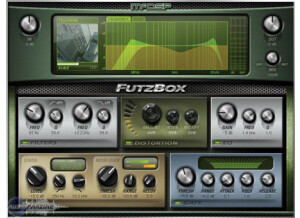
    The McDSP Futz Box was easy to install without any problems or issues. I had the plug-in up and running soon after I had it and there were no compatibility issues whatsoever. The interface of the McDSP Futz Box is very easy to follow and understand. It is split up into a few different sections to allow you to lo-fi your sound. There are sections for filters, distortion, EQ, gate, leveling, and noise duck. There is then a graph and knobs for overall input, output, and mix level. I don't have a manual for the McDSP Futz Box, but it is easy enough to install and use that you don't really need it. SUITABILITY/PERFORMANCE I am currently running the McDSP Futz Box on a Mac Book Pro that has a 2.2 Ghz Intel Core 2 Duo processor and 4 GB of RAM. I run this plug-in in Pro Tools LE 7.4 that runs off of a Digi 002 rack audio interface, and with this configuration I've never had a problem running this plug-in. While I don't use too many of these at once because of the nature of the plug-in, I've never had a problem running a few of these at once when I wanted to. OVERALL OPINION I've been using the McDSP Futz Box for about a year and have found it to be one of the better lo-fi plug-ins out there because of the great versatility that it has. Since it has a variety of sections, its capabilities are pretty wide and it is somewhat easy to zero in on the sound that you are trying to achieve. The price of the McDSP Futz Box isn't too expensive for the native version, but unless you think you might use it a lot, it might not be worth it for the small home studio owner. If you want a lo-fi plug-in but don't want to pay for something that you might not use that much, I would recommend downloading Izotope Vinyl over this simply because it is free. This being said, the McDSP Futz Box is a great plug-in on its own and is definitely worth a try for anyone looking for a lo-fi plug-in.

  • « Sonalksis TBK2 »

    The TBK2 is part of Sonalksis Creative Elements bundle. It is a Digital Grimebox that creates sonic degradation. It differs from regular degradation effects with its real-time automation capabilities that allow for smooth transition on audio degeneration. It is made for creative use on any of the steps during music creation, be it recording, mixing or mastering. As with the other TBKs, the TBK2 is also sold for a price of $99.99, while Sonalksis’ Creative Elements Bundle retails for $249.99. A free trial is available on Sonalksis site. <a href="http://www.glintonline.com">http://www.glintonline.com</a> TBK2’s functionality can essentially be put to use in three different ways of audio degeneration manipulation: bit crushing, down sampling, and distortion. Once again, it is Sonalksis’ software that features a simple design but proves powerful enough to create very interesting and sometimes surprising results. It sounds great for bit crushing drum grooves, down sampling strings instruments and distorting bass lines. Clipping control is a nice feature that helps you to not be taken by surprise while adjusting depth levels, saving your ears some pain and preserving their longevity Although this is a plug-in with which you certainly can get some really interesting sounds, I think so few Mode types of audio degeneration available (comprised of 4) can sometimes limit further processing experimentation. Despite its small dimension and few features, the TBK2 is quite a machine. Knob and controls present precision on manipulations with zero latency Producers and electronic musicians are certain to have a blast with this no ordinary bit crusher/down sampler plug-in. Easy and intuitive to use, able to deliver quality audio degeneration results. Price can be a little hefty depending one’s budget, but if you are looking for such an effect, then go for it with no regrets. This review was originally published on http://www.musicgearreview.com

  • « Free Pro Tools plug-in that rocks! »

    This is a plug-in that will run on any version of Pro Tools. It comes installed with the software itself so there is no reason to purchase it outside of Pro Tools, unless of course you are using a different DAW. As it came pre-installed with the Pro Tools version of LE that I bought, I haven't had any compatibility issues other than the ones that might have arisen when I installed Pro Tools, but since I resolved those quickly I was good to go. There was no need for a manual as this plug-in was pretty easy to use. SUITABILITY/PERFORMANCE This is a plug-in that has a lot of cool features. It's great for giving whatever track you are using the illusion of having really nasty distortion, or perhaps a bunch of noise or saturation. It's really good for experimental mixing and vocals, stuff that sounds nasty and distorted for aesthetic effect. It's got a way of dropping sample rate too, which is cool if you want to slow the whole thing down. I haven't ever had it bog down on me, it's really just an efficient plug-in. OVERALL OPINION I really like throwing this effect onto things that I think are recorded too clean for the mix. Basically it'll dirty up anything it goes on. It's definitely something that needs to be used sparingly, as you won't hear anything at all if you use it on every track. But it is kind of a cool way to make a vocal sound more interesting or blend into a different kind of mix. If you need it to sound like a telephone, a radio, a television set, or somehow just make it sound dirtier, this is usually a good bet. And since it's free with Pro Tools it's obviously worth the price. Highly recommended.

  • moosers's review

    The Soundhack +Decimator is a free lo-fi plug-in that is available for most systems. It comes in formats for both Mac and PC, as well as in RTAS, AU, and VST, which is pretty rare for a free plug-in like this to be available across the board. It's easy enough to download and install the plug-in straight from Soundhack's website, which should only take a matter of minutes. It's also really easy to use the plug-in, as the only parameters it gives you is control over the bit and sample rates. It's designed for lowering each of these parameters to create an digital aliasing effect and for decimating the signal. You definitely shouldn't be needing a manual for this one... SUITABILITY/PERFORMANCE Right now I'm running the Soundhack +Decimator plug-in on my recording rig at home. I'm running an RTAS version of the plug-in in Pro Tools LE 8, which I run with a Digi 002R and on a Mac Book Pro computer with 4 GB of RAM and a 2.2 Ghz Intel Core 2 Duo processor. It wouldn't be possible for this plug-in to take up any less amount of processing power, so everyone should be able to run this regardless of the type of system you're using. OVERALL OPINION The Soundhack +Decimator plug-in is the type of lo-fi effect that you might as well have around just in case you're feeling using something like this. I've only messed around with it after downloading it, as I've yet to use it for any serious musical endeavor. I work mostly with acoustic instruments, but I can see this being most useful for electronic music for downsampling and getting lower bit rates for sure. Either way, being that's it's a free one, you might as well go ahead and try it for yourself if you're still reading this...

  • moosers's review

    Steinberg's Grungelizer is a free lo-fi/vinyl plug-in that I used to run in Steinberg Cubase SX 2.0 and Cubase SX 3. I don't know what type of plug-in format this comes in, or really even where to get it now, but a few years ago I used to run it. I don't know if it is compatible outside of Steinberg based products, but I would assume not. I don't remember if this plug-in was already installed with Cubase, or if I had to install it separately. The interface of Grungelizer is pretty simple, as it consists of knobs for crackle, noise, distort, EQ, AC, and timeline. The crackle has a switch for you to choose what type of record you want it to sound like - either a 33, 45, or 78. The AC has as switch to go along with it as well, and the timeline ranges from 'today' to '1900.' A manual isn't necessary at all here... SUITABILITY/PERFORMANCE I'm no longer running Steinberg's Grungelizer plug-in since I now run Pro Tools instead of Cubase SX. However, when I did run it I ran it on a Hewlett Packard Pavilion dv8000 lap top with a 3.0 Ghz processor and 2 GB of RAM. I don't remember ever having an issue running this plug-in within this rig, but I definitely never used more than one or two of them at a time as this isn't the type of plug-in where that would be necessary. Usually I would just put it on the master channel to give a whole song a vintage feel, and this never taxed my system much at all. OVERALL OPINION Steinberg's Grungelizer plug-in is overall a very interesting one, that will undoubtedly draw comparisons to iZotope's Vinyl plug-in since it is basically used for the same thing and has a lot of the same parameters. While I prefer iZotope's version of the plug-in (both are free) since it is fully compatible with most DAWs, both plug-ins will pretty much do the same thing. Really the bottom line is whether you're running a Steinberg DAW or another one, because if you're not running Steinberg's Cubase or Nuendo I don't believe you'll be able to run this plug-in anyway, in which case I'd recommend going with Vinyl...

  • moosers's review

    E-Phonic's LoFi plug-in is a piece of freeware that comes in VST format. I'm not currently running this on my Pro Tools system, as this is a plug-in that I used in Cubase before I switched over to Pro Tools. As far as downloading and installing the plug-in goes, this whole process shouldn't take very long at all. It's a simple task and I don't think that most users will have a problem with it. The interface of the E-Phonic LoFi plug-in is fairly simple, but it does have a good amount of control, especially for a free plug-in. It's got sections for 'down scaler,' filter, amplifier, crusher, and shaper. Each has a few different sliders to control your sound, and you can actually place them in a whatever order you would like in terms of your signal chain. I don't think that you'd be able to find a manual for this plug-in, but one isn't necessary anyway. SUITABILITY/PERFORMANCE When I ran Cubase SX, I ran the E-Phonic LoFi plug-in in it, but no longer do so since I now run Pro Tools. Although I have the Fxpansion VST to RTAS converter for Pro Tools, I haven't gotten around to converting this VST plug-in to be used yet, as I haven't found a pressing reason to do so. Having said this, when I ran it in Cubase it always ran smoothly without hiccups or other problems. The computer that I was running this plug-in and Cubase SX 2.0 on was a Hewlett Packard Pavilion dv8000 lap top with a 3.0 Ghz processor and 2 GB of RAM. I was running the system with a MOTU 896 HD interface as well. I can't recall ever having an issue running this plug-in, as it didn't seem to take up much processing power at all. Also helping was the fact that I never needed to run more than one or two of these at a time. OVERALL OPINION E-Phonic has a whole slew of free VST plug-ins like LoFi that I had in my Cubase SX suite. While these plug-ins were definitely useful for me at the time, they aren't the best plug-ins in a world, which is something you should always expect from free plug-ins anyway! However, if you are running a platform that runs VST plug-ins, I really don't see a reason not to at least download this plug-in and try it out for yourself. It definitley came in handy for me when I had it.

  • moosers's review

    I didn't have any compatibility or other issues pertaining to the installation of the Bomb Factory Cosmonaut Voice plug-in for Pro Tools. It was a quick process and the interface of the software is just as easy to figure out. You simply have parameters in the form of knobs for threshold and noise and a switch to choose between either beep or squelch. Since this is a lo-fi plug-in, parameters usually aren't articulated all that well because they aren't easily explained, but this one does a better job than some of the other ones out there. I've never seen the manual for the Bomb Factory Cosmonaut Voice plug-in, but this is easy enough to figure out on its own that one isn't necessary. SUITABILITY/PERFORMANCE The Bomb Factory Cosmonaut Voice is a plug-in that won't take up much processing power at all and for this reason it can be run on pretty much any Pro Tools system that can adequately handle Pro Tools. I'm running the plug-in on a Mac Book Pro lap top that has a 2.2 Ghz Intel Core 2 Duo processor and 4 GB of RAM and I run Pro Tools LE 7.4 with a Digi 002R audio interface. I'm able to run this plug-in without any issues at all within this configuration, even if I don't use this plug-in all that often... OVERALL OPINION The Bomb Factory Cosmonaut Voice plug-in will definitely do the job that it advertises as it is capable of getting a variety of lo-fi type sounds ranging from radio sounds to spacey sounds. The range of sounds possible isn't all that wide, but if you are looking to lo-fi up your sound a bit, this plug-in will definitely do the trick. The only problem I have with the Bomb Factory Cosmonaut Voice plug-in is that I feel it should be a bit cheaper. Other than this, the plug-in is nice to have around as you never know when you might want to make something sound worse than it does!

  • moosers's review

    The process of installing the Bomb Factory Funk Logic Mastererizer wasn't hard at all as since it is a free plug-in that you can download from Digidesign's website. It only took a few minutes to download and to install and even though this plug-in is kind of a joke, it can sometimes come in handy or can at least be fun to play around with! The interface doesn't require any sort of figuring out as even though they will affect the sound when you move them, the parameters aren't labeled with anything real or concrete that make real sense. The whole purpose of this plug-in is to make your sound worse and in turn is a cool lo-fi effect! A manual definitely isn't need for this plug-in. SUITABILITY/PERFORMANCE I haven't had any problems at all running the Bomb Factory Funk Logic Mastererizer since installing it. I've been running the plug-in on a Mac Book Pro that has a 2.2 Ghz Intel Core 2 Duo processor and 4 GB of RAM. I run the plug-in in Pro Tools LE 7.4 that runs with a Digi 002R audio interface or a Digidesign Micro Box depending on where I am. I've never used more than one of these at a time, but it doesn't take up too much processing power so I don't think that anyone will have problems running this if they want to run a lot of them in a single session. OVERALL OPINION I first used the Bomb Factory Funk Logic Mastererizer a few years ago and while it isn't a plug-in that I use very often at all, it is cool to use when I want to lo-fi a signal. While this plug-in is kind of a joke as you will soon learn if you use it, it is a free piece of software and you can never really complain about that. I like having it in my arsenal as well as I feel I can always use another plug-in, no matter what because you never know when something might click and it can become useful. If you have Pro Tools, definitely go to the Digidesign website and download this plug-in for free.

Categories that may interest you