Log in
EN
FR

Other effects/processors

592 products found

Categories
Filter
Sort by
Brand
Evaluation
  • Reviewed or not
  • Editor’s award
  • Reviewed by Audiofanzine
Availability
  • Available or not
  • Sold new or used
  • Sold new
  • Sold used
Must-have products
  • All products
  • Flagship products
  • Best rated products
  • Hot products
  • Popular products
Price
  • Freeware
  • Low-cost (< $65)
  • Mid-range ($65 - $150)
  • Premium (> $150)
€
Clear
Sort by
  • Popularity
  • User ratings
  • Price - low to high
  • Price - high to low
  • Used price, increasing
  • Used price, decreasing
  • Name (from A to Z)
  • Name (from Z to A)
  • Added on
Choose a category
Selected category: Other effects/processors
Sort results
  • Popularity
  • User ratings
  • Price - low to high
  • Price - high to low
  • Used price, increasing
  • Used price, decreasing
  • Name (from A to Z)
  • Name (from Z to A)
  • Added on
Filter results 592 results found
Brands
Evaluation
Availability
Must-have products
Price
  • Freeware
  • Low-cost (< $65)
  • Mid-range ($65 - $150)
  • Premium (> $150)
Show results

The best Other effects/processors reviews

The reviews Audiofanzine members found the most helpful.
  • moosers's review

    Maxim Digital Audio’s Testone is a free and simple signal generator that is available in VST plug-in format. You can download this and a variety of other MDA plug-ins for free. They don’t take up much space at all, so if you’re able to run VST plug-ins, you might as well check them all out. While many signal generators out there just provide you with a signal and no real control, MDA’s Testone is actually pretty in depth. It’s got a simple interface that is easy to understand and use, with sliders for choosing your mode (waveform), level, channel (L/R), frequency one, frequency two, sweep, thru, and db level. A manual isn’t necessary at all for this plug-in, nor do I believe that they made one. SUITABILITY/PERFORMANCE I’m not running this plug-in any longer, but when I was it was with Cubase SX 2.0 and 3. The computer that I was running it on was a Hewlett Packard Pavilion dv8000 lap top with 2 GB of RAM and a 3.0 Ghx processor. I’m not running it any more now that I’m running Pro Tools and don’t really have a use for it. These free MDA plug-ins are designed to take up a very low amount of processing power, so no one should be encountering performance issues if you’re able to run your DAW in the first place. OVERALL OPINION The Maxim Digital Audio Testone plug-in is really a necessity more than anything else. While it might be necessary for some, most DAW users probably won’t need something like this. Having said that, being that it’s free you might as well have it around. You never know when you might want to test something out and need a signal generator. Being that it doesn’t take up much space at all, I’d definitely recommend downloading it. It’s definitely more than an added bonus that the plug-in is actually quite in depth in terms of the tones it can make…

  • moosers's review

    Maxim Digital Audio, otherwise know as MDA, has a large collection of free VST plug-ins for PC, amongst them being this Envelope plug-in. I downloaded MDA's free plug-ins in one swoop, but since it was a while ago I don't remember too much about the process. It shouldn't be a problem to download and install this plug-in as long as you have a properly compatible system, which means having a PC and a VST compatible DAW platform to run it on. It's got a plain and simple looking interface like most of the MDA plug-ins, with parameters for output, attack, release, and gain in the form of sliders. I don't believe that any manual was made for these free MDA plug-ins, but I could be wrong about this. Even if they do have one, I don't believe that it would be necessary. SUITABILITY/PERFORMANCE I don't run this plug-in any longer ever since I made the switch from a PC to a Mac for recording, but when I did run the Maxim Digital Audio Envelope plug-in it was in Cubase SX, and of course on a PC. The PC was a Hewlett Packard Pavilion dv8000 lap top with a 3.0 Ghz processor and 2 GB of RAM. I definitely never had even the slightest issues running the plug-in even within this system, which is a lot less of a system from what I'm running now. It really takes up next to no processing power. I first used the plug-in about six years ago when I first started putting together my home studio and was experimenting with whatever free plug-ins I could get my hands on. OVERALL OPINION The Maxim Digital Audio Envelope plug-in definitely would never be a plug-in that I would have purchased, but for free it was worth having around anyone. I can't say that it saw all that much action for the time that I was running it, but perhaps in other hands it may have gotten used more often. It doesn't have all that realistic of a sound, but it really just depends on what type of sound you're going for and what type of projects you're working on. This is a rather old plug-in as far as plug-ins go, but for free I'd still recommend checking it out for yourself.

  • moosers's review

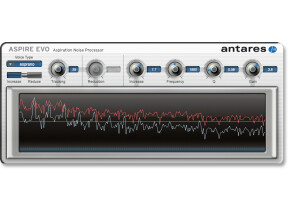
    The Antares Systems AVOX Aspire Evo is a unique vocal processing plug-in that is a part of the AVOX Evo Vocal Toolkit of vocal plug-ins. The plug-in is unique because it allows you to actually control different components of the human voice without affecting the harmonic content that is there. I wasn't the one to install this plug-in or the bundle it comes in, as I don't own this and have only used it at the studio where I'm working. Learning to use the plug-in certainly won't take just a minute, as even though the parameters are pretty simple, learning to master using it isn't easy. I certainly wouldn't say that I've mastered getting the best sounds possible from it, but after using it for a little bit it's a lot easier to use than it was when I first tried it. The plug-in has settings for choosing the voice type (alto, soprano, etc), as well as if you'd like to increase or decrease a certain aspect of sound in the voice. It then also has parameters for tracking, amount of reduction or increase, desired frequency, Q (band width), and lastly gain. The main working parts here are that of a filter or equalizer, but it's highly specified for the voice. It also has a graph which will show you both the original and the affected sound wave. A manual would be a good idea if you're feeling lost, but I haven't seen one of this myself. SUITABILITY/PERFORMANCE We've got the full AVOX Evo bundle and the AVOX Aspire Evo plug-in running on all of our Pro Tools HD systems at the studio where I work. We have a number of different studios on site, all with Pro Tools HD, so we rarely will have any problems running plug-ins, let alone one where you're generally only going to be running one at a time. That's the case here as I can't say I've ever had anything close to performance issues with this plug-in on any of the systems we've got. OVERALL OPINION While certainly a great idea and good execution here, the Antares Systems AVOX Aspire Evo is definitely a bit of a glorified EQ. What I mean by this is that at the heart of this plug-in is a specified EQ, so while it's a nice one to have around, most of what can be done in here can most likely be handled using an in depth parametric EQ. Having said this, the Aspire plug-in does it's thing and does it well. In general it's got a clean and realistic tone, but I find that you can't really make too many drastic changes to the sound without it sounding artificial. I wouldn't buy the AVOX Evo bundle for this plug-in, but if you do have the bundle already this plug-in is definitely one that can be helpful to you.

  • moosers's review

    Blue Cat Audio's Gain Suite is a series of free simple plug-ins for a variety of different formats. It's available for both Mac and PC operating systems, and in pretty much any plug-in format I can think of, including RTAS, VST, and all the other majors. Included in the Gain Suite is three different plug-ins including Blue Cat's Gain, Blue Cat's Stereo Gain, and Blue Cat's Widening Gain. You can link them up if you want to use more than one at once, which is a pretty cool feature. Each also has a few different skins to choose from in terms of visuals. The process of downloading and installing the plug-ins was quick and simple, as you can access them directly from Blue Cat Audio's website. Using these plug-ins couldn't be any easier as they are just for gain up or down, kind of like Pro Tools' trim plug-in, but a bit more in depth. No manual is necessary for use with these plug-ins, nor do I know if they even make one. SUITABILITY/PERFORMANCE Right now I'm running Blue Cat Audio's Gain Suite in Pro Tools LE 8 and on a Mac Book Pro lap top. The computer has a 2.2 Ghz Intel Core 2 Duo processor and 4 GB of RAM, while I'm running Pro Tools with a Digi 002R audio interface and monitoring with a set of Adam A7's. These plug-ins take up such a small amount of processing power, that the vast majority of users won't have anything to worry about. If you think you're on the fence you might as well try them out since they're free anyway. OVERALL OPINION While maybe not the most illustrious plug-in suite, Blue Cat Audio's Gain Suite is a free bundle of useful plug-ins nonetheless. They're perfect for use when you don't want to have your DAW's automation going, as you can automate outside of it with these. Blue Cat has a bunch of free plug-ins that are definitely worth snatching up and I'd encourage you to head over to their site and do it now!

  • moosers's review

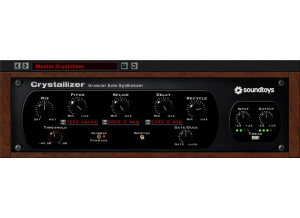
    The Soundtoys Crystallizer is an echo plug-in that is compatible with a variety of interfaces. Installing the plug-in in my configuration wasn't a problem at all as it the process only took a short while. I didn't have any compatibility issues or other related problems and was able to have the plug-in running within a few minutes. The interface of the software also didn't take long too get accustomed to as it is a user friendly plug-in for the plug-in. The interface features parameters for mix, pitch, splice, delay, recycle, threshold, gate, input, and output, so as you can see there are a lot of control settings to work with. I've never had a need to look at the manual, but I think it is easy enough to use anyway that you don't really need one. SUITABILITY/PERFORMANCE I am currently running Soundtoys Crystallizer on a Mac Book Pro that has a 2.2 Ghz Intel Core 2 Duo processor and 4 GB of RAM. I run the plug-in solely in Pro Tools LE 7.4 that runs with a Digi 002R audio interface. Within this configuration I've been able to run a few of these plug-ins within a single session without issues. As I do with all reverbs and delays, I use these on aux channels and bus my tracks to them to save processing power, which I believe is essential while running LE or a similar type of set up. As long as you have a system that you are currently able to run plug-ins on at a pretty good rate, I don't think this plug-in will present any problems for you. OVERALL OPINION Soundtoys Crystallizer isn't your typical echo plug-in. The sounds that you can get range from traditional to unique, but it is the unique and strange sounds that I can get from this plug-in that make it so appealing to me. The plug-in won't cost to much and is definitely worth the investment if you looking for an interesting echo/delay plug-in. Soundtoys makes some pretty awesome sounding plug-ins, and I would definitely lump Cystallizer in this group. All in all, the plug-in is definitely worthy of a try for both home studio and professional studio owners alike.

  • moosers's review

    The Nomad Factory Essential Retro-Vox is a plug-in that is a part of Nomad's Essential bundle of plug-ins. This bundle is inexpensive and offers up nine plug-ins in total including this one. I believe you could buy this plug-in individually, but it looks like it's probably worth it to buy the whole bundle if you're interested in one. I installed the entire bundle of plug-ins at once, along with a number of other Nomad Factory plug-ins. I didn't have any problems at all doing this, as it was quick and painless. Learning how to use this plug-in in particular was pretty easy. It shares a similar looking interface to the rest of the plug-ins in the bundle, which is laid out nicely and isn't convoluted at all. It's got some basic parameters via sliders for a gate, compression, and treble and bass EQ control. In then has a 'vinylizer' section where the damage is done, giving you control over the level, RPM speed, and drive level. Lastly, it has input, output, and vocal mix overall controls. It's certainly not a hard plug-in to use, so I wouldn't think that a manual would be necessary. SUITABILITY/PERFORMANCE Right now I'm running the Nomad Factory Essential Retro-Vox on my system at home, which consists of Pro Tools LE 8 and a Mac Book Pro lap top. The computer has 4 GB of RAM and a 2.2 Ghz Intel Core 2 Duo processor, while I'm running Pro Tools with a Digi 002R audio interface. This configuration has been more than adequate for running this plug-in, especially considering that I've never had a need to have this running on more than one track at once. Even if I had to run a few more I definitely could, as it's not the kind of plug-in that will bog your system down at all. OVERALL OPINION While the Nomad Factory Essential Retro-Vox plug-in is definitely pretty cool, I wouldn't have bought it if it wasn't in the Essential bundle of plug-ins since I really don't use it all that much. It definitely does as advertised, as it's great for turning your vocal sound into some lo-fi goodness. The main reason that I wouldn't buy this plug-in on it's own is because iZotope has a very similar plug-in for free called Vinyl. It's got a very similar make up and sound, so if you're looking for a vinylizer sort of plug-in, I'd go with that one before this. Having said that, if you're looking at the Essential bundle anyway, this is definitely a nice addition to add to the suite.

  • songboy's review

    There are no compatibility issues with this program and Logic 9 and ableton 8. As for the manual, I have never needed to consult it. This is a fairly straight forward unit and shouldn't give you any trouble after spending five minutes with it. This unit is pretty simple in my opinion. You have an area at the top that tells you what step the unit is on (1-16) and below you select what you want to happen during that step, i.e. VCA and/or Filter. The VCA sequencer section lets you select left or right while the Filter section gives you only one button to select. For a quick idea of what this does, put on something that holds consistent sustain, like a pad, click on every button in both in the VCA sequencer and turn every one off in the Filter section. This pretty much gives you no effect on your sound. From there, just start turning buttons on and off and it all makes sense. Yes, the typical functions are very easily accessible as they are all right in front of you. SUITABILITY/PERFORMANCE As stated before, it works great in both of my DAW's. I throw it on all sorts of tracks when they start to sound boring to me and it breathes a whole new life into them. So far, this plugin has never crashed or lost any settings that I have set up. The operation of the plugin is easy, logical and a lot of fun. I give it a 10 for performance. I have only been using this plugin for a few months but my studio partner said he has used it for over a year. OVERALL OPINION What I like most about this plugin is the great sounding effect you get out of it. With both the Filter and VCO section, you can get some wild sounding changes to any track. It sounds exceptionally awesome on pads and even drum tracks. I throw it on vocals sometimes but don't expect anyone to understand what you are singing as this thing whacks out the vocals and makes them more of a interesting noise than a vocal track (sounds really good on backup harmonies and such). Nothing I have noticed so far that would make me think there is anything to dislike about this plugin. I know that Audio Damage put out "Big Sequencer 2" and its damn near impossible to find any info or pics on this plug in anywhere, so maybe there is something wrong about it that I haven't come across yet. But so far, so good. My partner bought this over a year ago and he can't remember how much he paid for it. I looked everywhere to find info on it but there seems to be none. The precision and quality of the sound seems to be spot on to me. No artifacts and no degradation that I can hear. This is the only sequencer of this kind that I have ever used. I look forward to checking out the "sequel" to this plugin in the future, but for now, this unit does all I need. Yes, I would definitely buy this product if my studio partner hadn't already. Its a lot of fun and, for me, essential in getting some new life on dull tracks.

  • songboy's review

    I use an Intel Macbook and there has been no compatibility issues. As for a manual, I have never needed one because the Decimort is a very simple device. There are quite a few knobs to twist on this guy, but it all makes sense. And even if it doesn't, twist them and listen to the effect it makes, and you'll get it. Because of all that, the general configuration and setup is a breeze. The typical functions are easily accessible as they are all right on the front face. SUITABILITY/PERFORMANCE I have used this plugin in Logic 8/Mainstage 1, Logic 9/Mainstage 2 and Ableton 7/8 and this unit works correctly in all of them. The only stability problems I seem to be having of late is Ableton 8, it occasionally crashes (once a week it seems), but I don't believe this plugin has anything to do with it (AB 8 crashes whether its there or not). Other than that, I don't experience any stability issues. The performance on this plugin is amazing. I used the bitcrusher on Logic often before I got this little guy. Once I opened this up, I have never used the Logic 9 option ever again. I give this a 10 out of 10. The idea of this thing is to degrade the quality of the sound as well as distort it, which it does, but it makes the degradation sound amazing, as if I were doing it with an analog device. I have been using this plugin for about two months. OVERALL OPINION What I like most about this device is its excellent sound quality. I know that sounds weird because this device is supposed to make it sound bad artistically of course. But, anyone who wants raunchy dirty sounds knows there is a difference between crappy and "bad." This makes things sound "BAD." Take a vocal track and run it through this and you will think you entered an underground punk show in some dirty bar in Europe. Also, the presets are really nice to get you started, especially the drum presets. There isn't anything that I don't like about this plugin, it does what it says it does and it does it well. I think my studio partner paid a little over $60, which is a great deal. I have tried others including Logic 9's built in unit, but this one kicks their asses. Yes, I don't ever want to be without the decimort, I use it too much.

  • moosers's review

    The Ohm Force Hematohm is a frequency shifter plug-in that is compatible with a variety of systems. It was an overall quick installation process as I was able to download the plug-in and install it within a few minutes. The interface of the software is user friendly with simple parameters to play around with. The parameters it has include tempo/BPM, amount, mode, time, direct, feedback, attack, release, and waveform. All users should be able to figure out this pretty quickly and for this reason I don't believe that a manual is necessary. SUITABILITY/PERFORMANCE Thus far, I haven't had any issues running the Ohm Force Hematohm plug-in. I'm currently running the plug-in on a Mac Book Pro that has a 2.2 Ghz Intel 2 Core Duo processor and 4 GB of RAM and I run it in Pro Tools LE 7.4. I run Pro Tools with a Digi 002R audio interface or a Digidesign Micro Box depending on where I am working from. Within this configuration, I can't say I've ever had any problems running this plug-in. It doesn't take up much processing power as I'm able to run a few of them at a time if I need to. I've only been running the plug-in for a few weeks as this is a new purchase for me. OVERALL OPINION In my opinion, the Ohm Force Hematohm is an outstanding plug-in. It has a top notch sound and is incredibly easy to use. I'm liking Ohm Force more and more these days as I find them to make some stellar plug-ins at a very reasonable price. In addition to its clean and versatile sound bank, it has a great price that will make it affordable for professionals and amateurs alike. If you are a student you get 50% off! All in all, I'd definitely recommend at least trying out the demo of this plug-in as you will probably end up buying it!

  • moosers's review

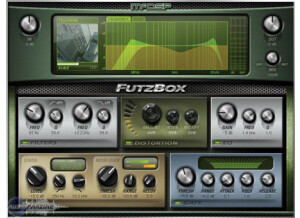
    The McDSP Futz Box was easy to install without any problems or issues. I had the plug-in up and running soon after I had it and there were no compatibility issues whatsoever. The interface of the McDSP Futz Box is very easy to follow and understand. It is split up into a few different sections to allow you to lo-fi your sound. There are sections for filters, distortion, EQ, gate, leveling, and noise duck. There is then a graph and knobs for overall input, output, and mix level. I don't have a manual for the McDSP Futz Box, but it is easy enough to install and use that you don't really need it. SUITABILITY/PERFORMANCE I am currently running the McDSP Futz Box on a Mac Book Pro that has a 2.2 Ghz Intel Core 2 Duo processor and 4 GB of RAM. I run this plug-in in Pro Tools LE 7.4 that runs off of a Digi 002 rack audio interface, and with this configuration I've never had a problem running this plug-in. While I don't use too many of these at once because of the nature of the plug-in, I've never had a problem running a few of these at once when I wanted to. OVERALL OPINION I've been using the McDSP Futz Box for about a year and have found it to be one of the better lo-fi plug-ins out there because of the great versatility that it has. Since it has a variety of sections, its capabilities are pretty wide and it is somewhat easy to zero in on the sound that you are trying to achieve. The price of the McDSP Futz Box isn't too expensive for the native version, but unless you think you might use it a lot, it might not be worth it for the small home studio owner. If you want a lo-fi plug-in but don't want to pay for something that you might not use that much, I would recommend downloading Izotope Vinyl over this simply because it is free. This being said, the McDSP Futz Box is a great plug-in on its own and is definitely worth a try for anyone looking for a lo-fi plug-in.

  • « Three-channel, easy-to-use Guitar amp/cab for clean, dirty and hi-gain »

    Here is a simple-to-use VST plug-in that enables you to go from clean, to crunch, to rock and to hi-gain/metal. A three channel highly-tweakable amp with two perfectly matched cabs that can be blended. With several presets, Martin Linda (pro musician/engineer) and Audified has taken much of the guesswork out on getting a great tone. I like how easy this is to use and dial into various tones. For the money, this is a very decent plug-in for those wanting straight-forward, out of the box guitar tones, although there's plenty of tweaking ability to create your own tones. https://www.youtube.com/watch?v=AsPTRMGH1jQ&feature=youtu.be https://shop.audified.com/products/linda-rockstack

  • « Popularized by Jimmy Page, the Sounds Still Remain Practical and Relevant »

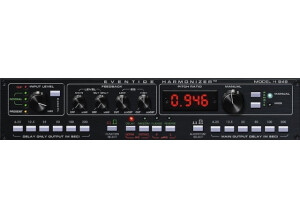
    Popularized by Jimmy Page, this plug-in is based on Eventide’s H949, its first de-glitched micro-pitched harmonizer. You can operate it as a single unit, but also in Dual mode for stereo widening, doubling and reverse link pitch alteration. Besides micro-pitch shifting (including reverse pitch-shifting) and intervals (e.g., octave, minor second up, perfect fifth down, etc.), there are great sounding delays (randomized and reverse), flangers and special effects, with presets ideal for human voice and instruments. The sounds are crisp, clear and unique when compared to typical guitar pedals, etc., since this is an actual digital reproduction of the original rack mount unit. It even has turnable knobs for real-life tweaking. No particular cons and it works with my Windows 7, 64-bit computer (running Cakewalk's Sonar X3 DAW).