Log in
EN
FR

Virtual Racks/Hosts for Plug-ins

128 products found

Sort results
  • Popularity
  • User ratings
  • Price - low to high
  • Price - high to low
  • Used price, increasing
  • Used price, decreasing
  • Name (from A to Z)
  • Name (from Z to A)
  • Added on

The best Virtual Racks/Hosts for Plug-ins reviews

The reviews Audiofanzine members found the most helpful.
  • « a slight lag on my pc »

    D Sound RT Player is compatible with both mac and pc platforms. It will allow you to route any sound or vst player through your 16 different banks that it provides to give you all real time sounds. When using this on my windows laptop a few years back for some reason I was experiencing a slight delay in the sound after it would be processed through the D Sound RT player. Normally when I press a midi key the sound is immediate but when using the vst routed through D Sound RT Player there was like a few milliseconds of a delay before the sound would actually come out. Now this is something that I can deal with just because I don’t think its that big of a deal but I know a lot of people that hate those little small lags and couldn’t deal with it. Several people that where using my laptop and using D Sound RT Player complained about this small lag a lot. I am not sure what caused the lag, but to me it wasn’t a big deal. So keep in mind that you could have some sort of a small lag with the D Sound RT player, but the lag is small minimal you can probably deal with it and it wont bother you that much. It is also depending on what type of system you are using, that will determine if DSound RT Player will configure properly. SUITABILITY/PERFORMANCE Installing D Sound RT Player is very quick and easy. it’s a rather small software program and doesn’t take up much disk space. I never ran it on a mac, but I am sure that running it on a mac wont cause you any problems and it will work just as good as it does on a windows computer . (not sure about the delay though). OVERALL OPINION There is no doubt you will enjoy having the D Sound RT Player in your set up. Its affordable and great, they do put out upgrades for it every once and a while and they will keep your posted on when they come out with them so you will stay updated.

  • « professional »

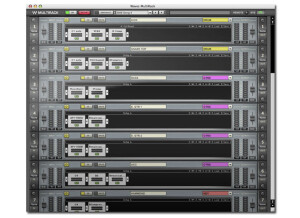
    Waves Multi rack has run great for me for a long time now. I have nothing but great things to say about this plug in. Most all of the plug ins from Waves are great, and are very professional and high quality. You will have issues when using any of the plug ins that they produce. Using the Multi Rack from waves was one of the easiest transitions from hard ware to software every . Also there is no iLok required for the newest version of this software which is absolutely great, iLok is something that I am not a fan of anymore. About a 3 years ago using iLok with pro tools I didn’t have a problem with , then I never really cared for it after that. SUITABILITY/PERFORMANCE Setting this up couldn’t be easier and if you need help setting it up you can go online and check out the community where there are a bunch of users that probably had the same issues you are having and they can help. There are also online video tutorials for beginners who are using Waves Multi Rack for the first time and want to get a head start with this high quality plug in. OVERALL OPINION If you have a some what decent laptop you will be able to get a great sound using the Waves Multi Rack plug in. I am amazed all of the time with the effects that I can create while using it. It is a new software but still has the hardware feel to it, just in a digital sense. So that is why it made so much since for me to decide to go with using waves Multi Rack plug in. It has really help me take my masters to the next level in no time. I recommend getting this, especially if you are coming from hardware racks.

  • « user friendly »

    I had no problems getting the Art Teknika Console 1.2 up and running on my machine. It was as easy as any plug-in I have installed before. The configuration of the plug-in takes a bit of getting used to, only because the plug-in is packed with a few different signal processors and each one has its own unique parameters. That being said, everything is laid out in a nice order and the interface is very user friendly. The VU meters and the EQ graph are both easy to follow and very helpful. I've never looked at the manual before as I didn't have any problems with installation and was able to figure out the plug-in as a whole pretty easily. SUITABILITY/PERFORMANCE I am running the plug-in on a Mac Book Pro with a 2.2 Ghz processor and 4 GB of RAM. I have been using it in Pro Tools 7.4 with a Digi 002 rack as an audio interface and monitoring with Yamaha NS-10s. I am getting good performance from it while only using it on the master fader. Beyond that I'm not sure how well it will run, but keep in mind it is obviously a mastering plug-in and is not really intended for use beyond the master fader. OVERALL OPINION I've had the Teknika Console 1.2 (never had 1.1) for about a year. It is a really convenient and quick way to master mixes. The plug-in is reasonably priced and has an equalizer, a tube compressor, and a multi-band limiter. It also has sections for output leveling, presets, fading in and out and setting it to either mono or stereo. I like this mastering suite better than Izotope Ozone as I think the signal processing is more realistic and authentic, and while it is a bit more expensive than the Ozone, I think it is worth the price. Overall I like this plug-in as a cheap, all in the box option for quick and easy mastering that can add a lot to your mixes.

  • yoTrakkz's review

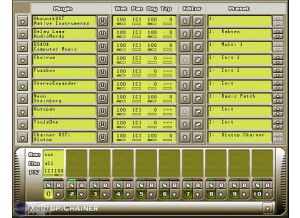
    Xlutop Chainer is a multi effect and muti instrument rack for musicians and sound designers. it’s a vst host that runs stand alone or with your other software that you use for your music creation. You can also edit effects in real time but you will need to run Asio with this or you will have the lagging choppy feeling going on because it can eat up your computer’s ram space. So a fast pc is needed in order to get the full capabilities out of this vst. SUITABILITY/PERFORMANCE I ran it on a quad core pc with asio drivers so I didn’t have any issues with it. But when I ran it on my laptop just to have it in a portable form with me I had a ton of issues, my laptop isn’t the most powerful machine out but its still a good quality music creation tool for my portable set up. But it takes a lot of ram to power this vst. OVERALL OPINION Overal it’s a great VST not to expensive either, I am not sure if there is a demo version but if there Is I suggest giving it a shot before you buy because you will want to see how it runs on your pc or mac before investing the money into purchasing it, Xlutop Chainer has came out with version 1.03 now and I think they fixed some minor issue’s they were having it with and it made a difference and faster performance. You can even save your Chainer preset files for fast access to your complex effect and instrument presets for another time or mix. Wet, dry, panning and transpose parameters are some of the strong points of this program. Its worth the buy but only if your computer is really fast and can handle it, because with this running you might not be able to run anything else.

  • yoTrakkz's review

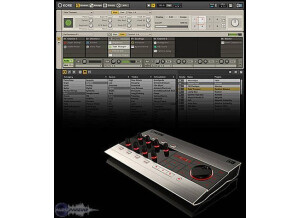
    Native Instruments Kore 2 is a high quality sound pack and has a bunch of great presets that can go into your mixes right away. You wont even need to do too much eq to the sounds because they are done by pros that make sure they are ready to go right out of the gate. However there are a few bugs that can give you some crashes when running in Fl Studio and a few other digital audio workstations. SUITABILITY/PERFORMANCE Native Instruments Kore 2 worked great on my quad core windows pc. It did eat up a lot of cpu though, but once I downloaded the new ASIO drivers that fixed most of that problem up right away. Native Instruments Kore 2 delivers a great product and even better customer support. You never have to worry about if you lose your boxed version because you can get everything online from the website once you create an account and enter all of the info on your boxed version which you will need to do as soon as you receive your package. OVERALL OPINION Overall you couldn’t ask for much more from Native Instruments with the Kore 2. It has everything you need to create with and it runs in almost all software programs that we all use in today’s music world. The price is kind of high, but if you shop around for a while online you will come across a pretty good deal somewhere and get it at a steal. A lot of people are selling these online and I don’t know why, it could be because they don’t want to take the time to learn and understand how to fully get al of the possibilities out of this package. Since I first bought the Native Instruments Kore 2, I have made some changes and upgraded, but still use a lot of the original presets from the Kore 2 pack.

  • songboy's review

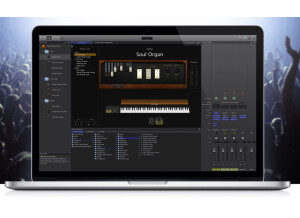
    Yes, mainstage installed without any problems. Being that is Mac only software, it installed on my Mac perfectly. Yes, the general configuration and setup is simple. It gets a little more convoluted when you start assigning the knobs and switches on your "layout" to your hardware controllers, but its totally doable with a little thought power and the tutorials found on Apple's website. So far, Mac's audio program manuals are really a halfway attempt to solving your problems. I really get the "dirt" when I find good tutorials on the web. SUITABILITY/PERFORMANCE My computer set up is a Macbook (2.2ghz, 4gb ram, 320gb HD), and I use a Presonus Firepod and Presonus Firebox for my Audio interface. Mainstage works great with this setup. Well, I guess it would be a 10 of 10. I have never used a program so intuitive and user friendly to accomplish this task. So far, Mainstage has only had two problems. One is with Rob Papen synths (blue and albino) and the other is with Synthogy Ivory. The RP synths cause Mainstage to crash every time so they are out. Synthogy basically gets stuck in the forefront of the screen and I cannot close it out. There fore blocking the view of Mainstage. Other that that, it has no problems. OVERALL OPINION I have been using Mainstage for about 1 year. What I like most of all is the insane amount of control you get. You can assign almost any knob/switch to be controlled by almost any hardware device. Also, its really just the best tool for a live, computer toting musician I have ever come across. What I don't like is the few problems I spoke of earlier, but those may just be the plugins themselves. This came in the Logic pro 8 package. For $500 you get a complete studio DAW with all sorts of goodies and this gem of a program. I say its the best value on the market. I would absolutely buy this program and the rest of Logic 8 in a heartbeat.

  • Audiofanzine FR's review

    (Originally written by Jazzjude/translated from Audiofanzine FR) No installation problems Not compatible with Native Instrument Akoustic Piano (and perhaps other plug-ins). It's a pity! Complicated configuration SUITABILITY/PERFORMANCE Intel Core 2 Duo P 7350 2.00 GHz CPU, 3 GB Ram, Win XP Pro SP3, M-Audio Fast track Pro USB A bit too slow when you load a new sound. Good performance. Stable configuration ("bad plug-in" list and restoration console with crash test function). OVERALL OPINION Several years You can switch between several plug-ins using the program change function of the master keyboard. It gives you the possibility to use almost any virtual synth as standalone. No value for money rating because it's a must-have if you play live on stage. I would certainly buy it again (if I had only known, I would have bought it earlier)!

Categories that may interest you