Log in
EN
FR

Monitor Controllers

240 products found

Sort results
  • Popularity
  • User ratings
  • Price - low to high
  • Price - high to low
  • Used price, increasing
  • Used price, decreasing
  • Name (from A to Z)
  • Name (from Z to A)
  • Added on

The best Monitor Controllers reviews

The reviews Audiofanzine members found the most helpful.
  • « Fantastic piece of gear »

    I purchased this second-hand as an upgrade to my monitoring chain from my Mackie Big Knob. Buying it used, along with the money I got from the salie of the big knob, made this a fantastic purchase. One thing that I truly loved and became accustomed to on the Big Knob was the 'dim knob' feature. With it, my workflow drastically improved. After long hours, I can help avoid fatigue by monitoring with my PMCs while using the dim knob feature in order to hear bass perfectly, even at low volumes. This key feature of the big knob was a must-have for me, and drastically narrowed my options for a higher end monitoring controller. SPL was one of the few controllers that made the cut and, ultimately, sold me. Another feature I was aware of yet had little experience with until making this purchase was the Latency Free Cue Mix feature for tracking musicians. It's an extremely easy-to-use future that blends the musicians' track and the track mix with one knob, making it easy to accentuate the ideal blend for your tastes. The build quality is truly top, with a robust and druable feel to the knobs. They truly addressed every possible feature. Everything is labled upside-down on the back so you can easily read it while peering over the top :). It comes complete with talk back, talkback remote switch, slave output, and headphone out. One potential negative (or positive, depending on how you look at it), is the fact that the MTC doesn't use speaker trims. This is a negative because you have to use the trims on your monitors in order to properly set levels (which can get tricky). The positive spin to having to do this is that it helps the SPL dispense with additional circuitry in order to keep everything to a minimal sound path, maintaining a higher sound quality. Once it's all set up, the sound quality is fantastic. The only other negative I could complain about is perhaps some scratchiness to a few of the switches and one knob. As mine came used, I don't know if this is a typical issue or unique to my specific unit. Regardless, I'm very impressed with the overall quality and ergonomics of the MTC. While I enjoyed the Big Knob, this was an upgrade that truly left me with no regrets. Highly recommend.

  • « I love it »

    I've been using it for 3 years for home studio. I didn't have the chance to test other models, but I'm very pleased with this one, and I don't have the need to get something better, for the time being. What I like most is that it has four headphone outs that can be fed one source or the other, just like the main output. I also use the Mono button, which allows me to verify if there are any phase problems. The Mute and Dim functions are also useful when you are no working alone. My only reserve would be the VU-meter, although, given the price, I can't really complain. It's useful to have a quick overview of the output level at the end of the chain, but it's not very precise. Bottom line, it's a very good unit, which I recommend. Its value for money is very good. If it were to break, I'd get the same one, no doubt about that.

  • moosers's review

    PreSonus's Central Station is a device designed to be the base for your recording studio. It is like the Mackie Big Knob, where you route your monitors and everything through it. It doesn't make or process any sound of it's own, it's really just a very helpful utility tool. As far as connections go, it has three sets of stereo 1/4" outputs for your monitors, making it easy to switch between A, B, and C monitors, as they are labeled on the Central Station. It also has two sets of stereo 1/4" line outputs and two sets of 1/4" inputs in addition to RCA aux inputs. For talkback, it has an XLR input for the talkback mic and a 1/4" connection for a pedal. There is also a connection for the external remote controller for Central Station, which is the called the Central Station Remote, or the CSR-1 for short. Lastly, it has digital inputs for SPDIF and Toslink. The front of the device is split up into different sections for talkback, headphones, cue, mains, passive speaker control, and metering. The talkback has a simple button to engage the TB mic, and the headphone section has two 1/4" headphone jacks and leveling knobs for each. The main and cue sections have routing buttons and leveling knobs, while the speaker control section is where you can choose between the different speaker outputs. The metering is bright and easy to follow as well. That's pretty much all that you need to know about the Presonus Central Station, which isn't too much but is certainly enough for something like this. I've seen this in action in both professional and home studios, making it a rare breed of gear that can crossover easily. If you're looking for something to anchor your studio down and to give you easy access to routing and monitoring, absolutely check out the Central Station.

  • moosers's review

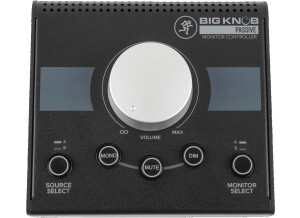
    The Mackie Big Knob is a routing system and controller for your digital audio workspace. It is designed for home studio owners to have total control over their inputs and outputs in terms of monitoring. It allows you to have a few sets of monitors going at one time and switching between them with the push of a button. It also has two headphones jacks and three separate monitoring sections. In addition, it has a talk back microphone built into it so you can use it for that as well. There are tons and tons of connections in the back for all sorts of monitoring, most of which are 1/4 inch connections. On the front of the unit there is a meter that monitors your overall output and will show if your signal is overloading. You can select the input source on the front if you choose to, but I don't really use this feature of the Mackie Big Knob as I have other means of routing my inputs. The 'big knob' itself controls the master volume output and there are buttons for mono, dim, and mute that concern the overall master output. The unit is powered by a standard power adapter that comes with it and it is nice that the unit is small enough to carry around so you can bring it anywhere if you choose to. While most of the features are pretty useful on the Mackie Big Knob, this isn't a necessary piece to your digital audio workstation as Mackie would like you to believe. While it can be helpful, it is by no means needed to run your studio and for this reason I probably wouldn't recommend it to home studio owners unless you have a bunch of different monitors that you would want to easily switch back and forth between. The price is too much for this to be used otherwise, so I recommend to keep this in mind when considering buying the Mackie Big Knob.

  • « ALMOST flawless! »

    i use this in my home studio as my monitor controller. no need to "church it up," this unit is simply fantastic! i replaced the pre amp side of a denon avr-788 at first, then bought a dedicated power amp (a.r.t. sla1) after. without a doubt it improved my staging and separation at ALL volume levels. when i hooked it up, i had an air of skepticism towards it's acclaimed transparency, but it was inarguable with the width of my stereo field, and staging across that field (i do mid and far field monitoring in a pretty well treated room, not near field monitoring). there is only ONE thing that i would change: the subwoofer channel could REALLY use a trim/level adjust. aside from that i can't believe that i get this quality for so little investment!

  • moosers's review

    The Brainstorm Electronics TB-4 Communicator is a unique device for wirelessly controlling your talk back button in the studio. I had never heard of the TB-4 until a couple of weeks ago when I had the chance to use it in a major LA recording studio. I don't know anything about hooking up the TB-4 with your console or anything like that since the studio had it all hooked up and ready to go. It doesn't have a built in microphone that I'm aware of - it simply engages the talkback button on your console so if you're in another part of the room you don't need to go over there and push it. It's really a simple thing but can be a lot of help in the studio, especially in larger studios with a big control room. If you're adjusting some outboard gear in one part of the room and want to speak with the players in the live room, it's nice to not have to go over to the console in order to do so. Looking at the specs, the TB-4 Communicator is powered by a nine volt battery. It also has four modes to work with for different situations and for controlling different monitoring. These modes include headphones, speakers, headphones and speakers, and an auxiliary option. I'm not sure how you control each of these or what the set up is like, but it's always a good thing to have options. As far as price is concerned, the Brainstorm Electronics TB-4 Communicator is quite expensive for such a little device! This is certainly made for major professional recording studios, as it's not really necessary in any other spot, hence the large price tag. That being said, I think major studios will find that their clients would love to have the TB-4 Communicator available to them.

  • « Passive stereo monitor controller, pristine audio quality, lots of useful options »

    The SMC-7 stereo monitor controller is cased in a 1U rackmount chassis, it is an essentially passive relay-operated device, featuring active mono-summing. actually offers incredible affordability for the many capabilities included, especially considering the price tag of its other larger rack space products. In addition to impeccable monitor control, a lots of features are available, mono sum, l+r, l-r, r-l, -l-r, bass management chance, LED meters for VU and Stereo Phase Correlation, 3 input select, 3 output spkr pairs, carefully engineered, but its amazing build quality and the sound that can be achieved, not to mention the other great features included, make the SMC-7 a stand-out option for the engineer seeking quality monitor control.

  • moosers's review

    The Presonus CSR-1 Remote is a small remote control that is designed for used with Presonus’ Central Station, which is a routing device for studios. The CSR-1 is connected to Central Station with a DB15 cable, which is the only connection on the remote. The unit is overall pretty small, so it’s easy to place right on your desk next to your mouse and keyboard for easy access. Of course something like this is really only necessary in a smaller studio, or a studio without a console. The control that’s available with the CSR-1 includes speaker selection, a main level knob, a talkback section, and an input selection section. This all makes a bit more sense when compared with the Central Station unit itself, which has all of these sections on it. The talkback section gives you control over the mic level and also has a button for engaging the built in mic. You can use up to three sets of speakers with the Central Station, so here you’ve got buttons for A, B, and C monitors, as well as buttons for mute, dim, and mono. If you’ve got the Central Station and know it a bit, you’ll be able to recognize all of these parameters pretty quickly as they match up with the unit itself. Central Station doesn’t come with the CSR-1 Remote, as it needs to be bought separately as far as I know. The price of the remote on it’s own isn’t all that much, but of course you need both the Central Station and the remote, although Central Station is also priced reasonably. For larger home studios or smaller professional ones without the luxury of a console, the tandem of the Presonus Central Station and the CSR-1 Remote is definitely something that I’d encourage checking it out, as it can be more than a useful too to have around.

  • moosers's review

    The ProCo Sound Switch Witch is a four channel powered monitor selector box, designed for quick switching between different sets of monitors in the studio. It has two XLR inputs for sending your console or interface to the box itself, and then four sets of stereo XLR outputs for routing your different sets of monitors to the box. The unit is rack mountable and will take up a single rack space, but in the professional studio where I have used it in, we had it above the console not racked for easier access. I can't think of any other sort of uses for the Switch Witch beyond for being able to quickly switch between different sets of monitors in the studio, but this is essentially a four way splitter, so I'm sure users will be able to find other ways to adapt it if they wanted and/or needed to. I've used the Switch Witch with three different sets of studio monitors - a pair of Adam A7s, a pair of Auratones, and a pair of larger JBL speakers. While most of the time we would keep it set on the A7s, if I was looking to get a different perspective from a different set of monitors, all that needed to be done was to flip the switch on the proper channel. The front panel has on/off switches for each of the channels, so it isn't like you can only have one of them engaged at a time. In fact, you could have all four sets going on at once, or none at all if you so choose. The price of the ProCo Sound Switch Witch doesn't make it the cheapest around, but the price also isn't unreasonable considering the great build and design on this. If you've got three or four sets of studio monitors that you find yourself constantly switching between, the ProCo Sound Switch Witch is definitely the way to go for quick switching and easy routing.

  • moosers's review

    The Hosa SLW-333 is a simple three channel switching box. It allows you to send one stereo signal to three separate outputs and is a unit that I have used for switching between different sets of studio monitors. It simply has stereo 1/4" input connections and three channels of stereo 1/4" outputs. It doesn't require any power and has a knob to choose between the three channels. Like I said, I have used the box for easy switching between different sets of monitors in the recording studio, but I can think of a ton of different uses for the SLW-333 in addition to this use. Hosa has really made it as simple as possible to use this and to set it up, as there isn't very much that you need to know at all. It doesn't affect the sound quality at all, at least that I can hear or that I've been able to compare. In theory it really shouldn't be adding anything of its own and I do not believe that it is. It is built pretty decently, at least for something by Hosa, so I would think that it would be able to have some longevity as long as you don't drop it or anything. The only bad part about the Hosa SLW-333 is the price, as I do think it is a bit overvalued. While it has a nice design and good make up, it doesn't seem to me that it should be worth as much as they are selling it for. However, I can't really think of another product like this to compare it to. I would definitely encourage anyone who needs what is essentially is three way splitter to definitely check out the Hosa SLW-333 to see if it is something that you need or want...

  • FP User's review

    The feature are brilliant and all I could ask for regarding a DAW set-up. 4 source inputs, 2 speaker output selectors, mono and dim options, talkback, producer and musician cue outputs, talkback level adjuster for all UNDER $100. $99- The sound is enough to do what I do, that is get rough mixes together to bring to a better mixing enviroment and score to film, tv, and commericials. The only severe bad thing about this box is that I've noticed the sound to be a bit crunched or naturally compressed and a bit colored. This is not good, but you learn to deal and would rather use this than a mackie or another cheap console. The signal path seems simple, which probobly means better. This unit is the perfect size and a dream to use... Doubt I will ever contact customer support. I love this box and I think it's invention is genius. Originally posted on FutureProducers.com Posted by: Unknown (January 1-, 2003)

Categories that may interest you