Log in
EN
FR

Virtual wavetable synths

93 products found

Filter
Sort by
Evaluation
  • Reviewed or not
  • Editor’s award
  • Reviewed by Audiofanzine
Availability
  • Available or not
  • Sold new or used
  • Sold new
  • Sold used
Must-have products
  • All products
  • Flagship products
  • Best rated products
  • Hot products
  • Popular products
Price
  • Freeware
  • Low-cost (< $75)
  • Mid-range ($75 - $100)
  • Premium (> $100)
€
Clear
Sort by
  • Popularity
  • User ratings
  • Price - low to high
  • Price - high to low
  • Used price, increasing
  • Used price, decreasing
  • Name (from A to Z)
  • Name (from Z to A)
  • Added on
Sort results
  • Popularity
  • User ratings
  • Price - low to high
  • Price - high to low
  • Used price, increasing
  • Used price, decreasing
  • Name (from A to Z)
  • Name (from Z to A)
  • Added on

The best Virtual wavetable synths reviews

The reviews Audiofanzine members found the most helpful.
  • « Extremely deep synth! »

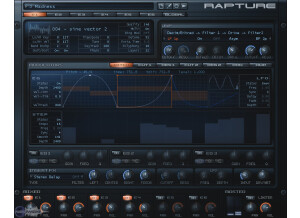
    Installing Rapture is a snap with no extra license manager applications to install. That said, the interface can be a bit overwhelming to someone first loading it. There's a page for each oscillator and each envelope for those oscillators which means making your own patches will require lots of flipping back and forth between the oscillator and envelope pages until you're done tweaking. There are also lots of small text options on the interface for adjusting things like detune, velocity tracking, etc. It's not the most straight-forward interface, but the manual does describe all of the interface functions succinctly. SUITABILITY/PERFORMANCE I've been using Rapture in production for about 4 months with no instability in REAPER, however Rapture seemed to have a bit of incompatibility with Renoise 3.0. Rapture would randomly spike CPU up to 100% and stay there, shutting down the audio engine and forcing you to restart Renoise for it to behave properly. Performance in REAPER is very respectable, though--Using a similar patch in Rapture, CPU use was roughly equivalent to Massive and Ultra Analog, about 3% CPU for a large pad sound. OVERALL OPINION Rapture is a wavetable synthesizer, which uses any one of over 200 sound files to use as the source for the oscillators and you can load in your own .wav files to use as waveforms as well. This opens up some very interesting sound design capabilities as you can load sounds besides standard analog waveforms to use for synthesis. The presets showcase the sonic capabilities of the synth, however, Rapture has been around for several years and most of the presets sound quite dated for modern productions. A major feature that sets Rapture apart from a lot of synthesizers are the envelopes. Gone are the traditional ADSR controls, replaced instead with the ability to draw your own envelopes using custom curves. You can make very complex shapes and get incredibly animated modulation. There's also a step sequencer to use with your envelopes for more rhythmic movement. For further sound sculpting, you can use up to 2 of the 19 filters and add built-in insert effects such as reverb, delay, and distortion per oscillator as well as use those globally across all of the 6 oscillators. If you can get past the fairly cumbersome interface and dig into the possibilities that the multistage envelopes and wavetable synthesis can provide, you'll find yourself able to make huge, lush pads and insanely animated basses and leads. However, If you're mostly a preset player or aren't interested in complex sound design this may not be the synth for you. Pros: + Capable of very complex modulation with the multistage envelopes + Many filter types and insert effects + Effects, filters, and envelopes are independent for each oscillator Cons: - Interface is overwhelming at first glance and fiddly. Lots of very small text and pages. - Presets are dated

  • « Better than the original Waves 2 »

    Waldorf PPG Wave 2.V was developed by Steinberg and is compatible with MAC or Windows. It will work differently on a Windows computer than it doesn't on a Mac though. In my experiences on a Windows computer it works more “fluid” like and on a Mac there are some small bugs. I am not sure if they have every updated those bugs yet either. So MAC users beware. The original Wave 2 was realest almost 30 years ago, Steinberg has brought it back to live with this plug in. SUITABILITY/PERFORMANCE It was easy to install, and it ran perfect on my XP and Vista Machines, but not too well on MAC. There are many bugs that I have seen and dealt with while running it on a MAC. So I don’t even use it on there any more, working around those bugs and dealing with them are a headache. OVERALL OPINION The sounds are the best thing about this plug in, they have managed to take some of the older sounds from the original Wave 2 and bring it to the computer music world but with a twist. Also its very affordable, I have been using this for almost 8 year now. The Waldorf PPG Wave 2. Has some very unique filters and effects that are very CPU light, you can go crazy with the effects and it wont effect your systems performance at all (on Windows). Now on a MAC that’s a different story. They have constructed this VST to highly resemble the look of the original Wave 2 don’t to every color and button. Difference is, the Wave 2 was not affordable at all for the average person when it first came out, you weren’t able to get it unless you had a huge budget. The Waldorf PPG Wave 2, is better than the original and its cheaper. You will love the quality of sound, I am extremely happy to say that I purchased this 8 years ago and I am still using it to this day. I would make the same choice all over again if I needed to.

  • « I will pass »

    Hermann Seib Wavesim is a vst that is very small in size on your computer but has so much to offer. I had never heard of this VST until I was browsing around online looking for a hidden VST gem that most other people either haven’t heard of or don’t use. I came across Hermann Seib Wavesim, so I took a shot in the dark and bought it, because I couldn’t find a download demo version of it anywhere online. It is a basic VST plug in with nothing too special about it, every thing can be controlled right from the main screen of the VST. I have never seen a manual for it, but I think they have one uploaded online on the website you can download if you need it. But I doubt that you will need the manual if you are familiar with VST plug ins and molding sounds. All of the functions of the VST are very easy to reach and control. There are some drawbacks of this software though, there just aren’t enough options as far as effects. They should have put in a better effects and some more phaser and flanger type of effects right on the VST. Those are effects that computer musicians over to use to spice up dry sounds. SUITABILITY/PERFORMANCE The software worked great on my Toshiba AMD dual core processor with 320 gigs. It installed effortlessly and I was able to use it right away. The price of the software was very affordable. I don’t think they have put out any updates for it yet though ever. I wonder if some of the newer systems can play this VST, and if they cant you just wont be able to use it since Hermann Seib have not put out any updates or fixes. OVERALL OPINION There are also a few small bugs in the software and I have had a few crashes. But they are not severe and don’t happen often. Knowing what I know now I would not purchase this again. It was good when I got it, but after a few months I was done with it.