Log in
EN
FR

Virtual subtractive synths

677 products found

Filter
Sort by
Brand
Evaluation
  • Reviewed or not
  • Editor’s award
  • Reviewed by Audiofanzine
Availability
  • Available or not
  • Sold new or used
  • Sold new
  • Sold used
Must-have products
  • All products
  • Flagship products
  • Best rated products
  • Hot products
  • Popular products
Price
  • Freeware
  • Low-cost (< $65)
  • Mid-range ($65 - $150)
  • Premium (> $150)
€
Clear
Sort by
  • Popularity
  • User ratings
  • Price - low to high
  • Price - high to low
  • Used price, increasing
  • Used price, decreasing
  • Name (from A to Z)
  • Name (from Z to A)
  • Added on
Sort results
  • Popularity
  • User ratings
  • Price - low to high
  • Price - high to low
  • Used price, increasing
  • Used price, decreasing
  • Name (from A to Z)
  • Name (from Z to A)
  • Added on
Filter results 677 results found
Brands
Evaluation
Availability
Must-have products
Price
  • Freeware
  • Low-cost (< $65)
  • Mid-range ($65 - $150)
  • Premium (> $150)
Show results

The best Virtual subtractive synths reviews

The reviews Audiofanzine members found the most helpful.
  • « From the Odyssey »

    I had no compatibility issues installing or running Gforce Oddity on my PC. It is an analog virtual synth that installs quickly and easily to your system. It does not require much disk space or CPU to run Oddity. It has a high pass filter and flying slider feature. It is basically the software version of the classic Odyssey synth. It did a great job of mimicking the Odyssey with sounds and sound creation. The Gforce Oddity allows you to change the parameters to do some really cool stuff. So if you understand how the parameters work in this VST you will have so many options to change and mold sounds the way that you want them. SUITABILITY/PERFORMANCE It has never crashed or gave me a single issue. I have not used in my Macbook , but on my Windows XP computer it worked great. The interface is big and easy to ready and understand. All of the sliders can be color coded so you can tell them and their functions apart. I have run this VST simultaneously up to 4 times before and it didn’t crash or freeze. So I am sure you can run it more times than that at the same time and it should be fine. OVERALL OPINION It only costs 99 dollars, so you really don’t have anything to lose with purchasing this. If you love analog sounds or if you have used and heard of the Odyssey then you will love what this Oddity can do with some of the same sounds as the Odyssey. The only change that I would make to it is that I wish it had a lot of effects right on board. It would be cool if they had the original effects in full, and to also add some. But nonetheless it is a great VST and it will work with any DAW or software program that accepts VST plug ins.

  • « Real Moog? »

    IK Multimedia SampleMoog only cost 99 dollars and can be downloaded right after your purchase. It is very easy to install and set up, it will only take a few minutes and you will be able to load it up in your computer and start using it right away. There are some really good sounds on the SampleMoog, with a collection of sounds from the Moogs over the years. There are over 2000 sounds from all of the most rare and best Moogs in history, they are all accurate sounds to they real thing. Now there is nothing like a real Moog and if you are looking for a real Moog sound and feel then you will need to go out and buy a real one. But the SampleMoog by IK Multimedia will get you pretty close to it. SUITABILITY/PERFORMANCE The layout of the IK Multimedia SampleMoog could be a little better or maybe if they offered some more skins for it. The color of the text and the text box where you pick your patches clashes pretty bad to me and it was not easy on my eyes. I wish there was a way to change it, I love how everything else looks and with the wood grain look it adds a lot of character to the VST. All of the parameters are easily changed and edited on the main screen of the IK Multimedia SampleMoog. OVERALL OPINION For the price, you have nothing to lose. You will get some classic replications of the original Moogs and be able to change them and add effects to them in real time. If you want to add some flavor to your sounds then purchasing this is a good idea or if you just are a classic Moog lover and want it all in the software format then you will need to make this investment. But if you are looking for a real Moog, get a real Moog.

  • « Full Control »

    The Sonic Projects OP-X Pro is a solid Vst plug in that you can use in almost any one of your DAW programs or music creation programs on Windows Based computers. I think you can also use it on a Mac as well. There are some really good filters in OP-X Pro like, Cutoff, and the Noise filters. It does come with a manual in PDF format and the manual is easy to navigate through being that it is on a computer but it is rather long. There are a lot of pages to the manual but since its on the computer it makes it easy to jump to whatever you want right away by searching the topic. You will probably most definitely need the PDF manual when you are first starting out. There are a lot of virtual knobs, buttons and sliders on this VST and it took a while for me to figure it all out. SUITABILITY/PERFORMANCE The OP -X Pro is very stable, I have experienced maybe 1 or two freezes with it though. It doesn’t freeze all the way to the point where I have to do a hard restart. But it will freeze and slow everything down for a few seconds and then go back to normal. I am not sure why it does this and after contacting Sonic Projects they weren’t able to solve the issue either. They just said there must be an issue with another program on my computer and they gave me a driver update but it didn’t change anything. OVERALL OPINION The Price of OP -X Pro is very reasonable, its not overpriced and for what you will pay for it , you will get your money’s worth within the first few days you are using it. When using the OP -X Pro you will have full control over every sound and full control over tuning everything. It will really put you in the drivers seat. I am very happy with my purchase of this VST. I have been using it for less than a year now and will continue to use it for a long time to come. I will develop my talent using it as well.

  • « A classic synth, unchanged »

    Arturia's CS-80V 2 is their plugin synth that accurately copies the Yamaha CS-80, without the need of having to carry that bulky keyboard around. It has all the original parameters of the Yamaha CS-80: 2 oscillators, 4 filters (high pass, low pass), 2 LFOs, 4 envelopes, 2 VCAs, 1 sub-oscillator (LFO), 1 ring modulator, chorus and tremolo. The new version contains better MIDI Control Assignments, and it has official support for 64-bit operations and the new operating systems, such as Mac OS X Lion. SUITABILITY/PERFORMANCE What makes Arturia's CS-80V 2 is the direct, exact copy of the visual interface from the actual classical synth. There are many synths that replicate older, vintage keyboards, but change the visual layout to something more modern and practice from a software plugin standpoint. Little has changed here. Even the preset buttons 1-12 (and two rows of them) still exist on the plugin version, which is relatively useless, since the VST plugins can handle presets externally. But it is pretty cool that feature is on there, and they accurately capture the original presets on the original keyboard. There are a few sections that are added to make the keyboard more modern, such as the modulation section and the additional layering section on the top. But if you turn these off, it's just like using the original synth, which is amazing. Being vintage, it is a little hard to follow the synthesis chain, when compared to modern synths, but it only takes a few hours (or a few minutes) to understand what's going on here. OVERALL OPINION Overall, the sounds of the CS-80V 2 are amazing, and the version 2 adds even more features. The sounds here are a bit raw, as there are little built in effects, such as reverb, to help smooth the sound. If you ever wanted to fool around with a classic synth, and see how these old guys work, be sure to check out one of Arturia's synths. They capture that essence almost flawlessly.

  • « good editing abilities »

    Sylenth 1 was a vst that I was using for a while until I purchased a few other. But during the time while I was using it I was in love wit it. There are just so many options you have when using Sylenth and manpulation the sounds or editing them to the way you want them. The possibilities are really endless with this vst plug. It was easy to install and set up and use, no manual was needed and im not sure if there is actually one that comes with it or not because I didn’t have one I don’t think. SUITABILITY/PERFORMANCE Sylenth worked great on my quad core pc and my laptop. It never crashed or froze. I only used in in Fl Studio so im not sure how it would work in any other DAW or midi sequencing program that’s out. I am curious to know if they have come out with another or newer version of it though? OVERALL OPINION Overall, the sounds are really good. A lot of synths and spacey type of sounds that you can use in your mix and with a lot of different effects available right in Sylenth you will be able to get creative and start making sounds that no one else has, which is real important to me because in todays music everyone is using the same plug ins and the same keyboards so its good to have a vst that you can really make things sound “different” in or even use it to create your “own” signature sound that you will be remembered by. For the price (which isn’t bad at all) Sylenth is one of the best in that range. I have heard hit songs on the radio that have used the basic presets that come with Sylenth, so you know that its top quality. But at this point everyone has it, so its time for them to come out with a newer one or more presets to build off of.

  • moosers's review

    The Arturia CS-80V is a software synthesizer that is a virtual version of the Yamaha CS-80 from the late 1970's. You can get the software for all formats as far as I'm aware of, but I've only used it on a Mac based system. I don't own this software, so I wouldn't be able to speak about the installation process. Learning how to use the software isn't too difficult if you're just looking to get some basic sounds from it, but it's incredibly in depth. There are so many parameters on here it's almost hard to fathom! I haven't used an original CS-80V myself, so I can't say how it compares exactly, but it seems to be a pretty good emulation of the interface just by judging from pictures of the original. In my time using the CS-80V I've generally stuck to using the presets, but obviously you can get pretty deep with it if you spend the time learning what everything does. A manual would definitely be a good idea if you're serious about learning how to use everything in this soft synth. SUITABILITY/PERFORMANCE We have the Arturia CS-80V synthesizer running at the studio where I'm working, which has it on a Pro Tools HD based system. It won't usually get used in Pro Tools however, as mostly it's used in Logic on this system. We have a few different studios, but it generally gets used in the smaller productions suites rather than the main room. Either way, all our systems are pretty sturdy and can handle running this software no matter what it's running with. OVERALL OPINION There's a ton of different sounds that are possible with the Arturia CS-80V, which are valuable to have regardless of if you're looking for sounds like the Yamaha CS-80 or not. I haven't delved into the CS-80V as much as is possible at all, but I've used it enough I think to get a good feel of the different sounds possible here, which are certainly vast. It's definitely got the sound of a 70's into the 80's synthesizer, which is great if you're going for that sort of vibe as I often am. If you're interested in this software at all, it's not too expensive as far as high quality software synths go, so definitely do yourself a favor and check it out.

  • moosers's review

    SmartElectronix's Taurus is a free software synthesizer that is available in VST format and for PC only. It's a software emulation of the classic Moog Taurus bass foot pedals. It's been a while since I had this software installed on my system, as I no longer have a PC, so I don't remember too much about installing the software. As long as you have a PC and a VST compatible platform to run the software with, you should be all set. The interface of the plug-in has a lot more controls than you'll find on the original Taurus, but that does allow for a lot more control, which you'll need since this doesn't sound nearly as good as the original Taurus. The interface has a filters and loundness (amp) section, as well as a series of other parameters to control a variety of settings. A manual shouldn't be necessary, and I haven't seen it if there is one. SUITABILITY/PERFORMANCE I'm not running this software synthesizer any more, but when I did it was on a PC using Cubase SX. The computer that I used to run the SmartElectronix Taurus synth on was a Hewlett Packard Pavilion dv8000 consisting of a 3.0 Ghz processor and 2 GB of RAM. I definitely never had an issue running the plug-in in this configuration, as I never ran more than one at a time anyway. It's free, so even if you're unsure of how well it will run, you might as well try. OVERALL OPINION There aren't any other software synths out there that I'm aware of that emulator a Moog Taurus, and certainly none of them are free. While the SmartElectronix Taurus isn't the best possible emulator, it still sounds pretty good and can definitely give you some nice and deep bass synth sounds. I like how much control you've got, as it makes it capable of sounds that a Taurus wouldn't be able to do. Definitely do yourself a favor and give it a try if you're system will allow you to.

  • songboy's review

    I primarily run this unit in Logic 9 and Ableton 8. It does have a stand alone feature but I rarely use it. In all modes there were no compatibility issues. Due to the fact that this plugin is physically modeled after a real analog synth, I had no need for a manual. The general configuration and setup is not very simple if you are not familiar with analog synth setups. If you are, than this is nothing new. It has a LFO, Oscillator, effects (filter/delay) and mixer sections. It also has a "Poly/Mod" section that is some what different. So all in all its a basic analog synth setup. Yes, all the functions are easily accessible as they are all laid out in front of you. SUITABILITY/PERFORMANCE Yes, in both Logic 9 and Ableton 8 the software works great. It responds well to midi signals and is very customizable. So far, the plugin has never crashed or lost and presets or custom banks. I really dig this unit, I give it a 10 out of 10. It functions well and it has some real powerful synth tone. I have been using this unit for around a year. OVERALL OPINION What I like most about this unit is two main things. One, it really sounds great. I have not had the privilege to use a real Prophet, but I imagine that this thing is not to far away in overall sound quality. Of course the true analog sound can't be beat by a computer, but this unit exudes some very convincing warmth. The other thing I really like about the Pro 53 is the 8 push button patch selector on the unit itself. This is really nice in a live situation and can save you tons of time (and cpu) if you need to switch to another sound mid song. Its fully customizable so you can put the 8 patches you use most in the selector for extremely easy access. All synth units should have this, its brilliant. I can't say there is anything I don't like about this unit. I guess some of the presets are not to my liking, but there are plenty of knobs to fool with to change that awful abrasive "techno" sounding synth into a creamy tasteful layering tool, or whatever you are into. Again, I have never used the real deal, but I give this a 10 out of 10. Everyone who has heard me play this is impressed with the sound. I have lots of other synths in my arsenal. I like to use this one when I want a ripping lead, a nice fat bass or some interesting sound effects. Yes, I would definitely buy this guy again.

  • songboy's review

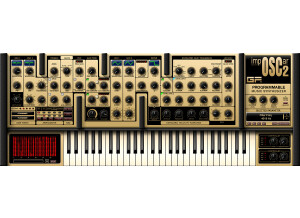
    I have had no compatibility issues using this plugin on a Macbook with Logic 9 and Ableton 8. As for the manual, I have never referenced it. The great thing about these virtual reproductions of vintage synths is that once you learn the basics of synthesizers, you really don't need to know much else. Yes, the general configuration and setup is simple enough if you are comfortable with the typical synthesizer interface (i.e. LFO, waveform, attack/decay settings). All of the knobs and functions appear right before you, so navigating the Imposcar is a breeze. SUITABILITY/PERFORMANCE The plugin works great. It is quick to change sounds/patches and it responds perfectly with my Maudio Axiom keyboard. So far this plugin has never crashed in Logic 9. As for Ableton, I am having problems with that software, but I don't believe it is the Imposcar's fault as it happens with different plugins as well. When it comes to getting vintage (and sometimes cheezy) sounds, this thing sounds pretty good. I find myself drifting towards this plugin for fun, but I wouldn't say its in my top, go to arsenal. The sounds are nice, but some of the presets don't sound all that warm. I have never played the real Oscar synth, but I imagine it sounds pretty full being that it is analog. This however shows a little weakness, but its still very usable and fun to toy with. So for performance, I give it an 8 out of 10. I have been using this synth for about a year. OVERALL OPINION What I like most about this plugin is the interface. Its a nice basic synth interface, but the real nice thing is the little window on the right. When you adjust a knob, the window shows what that knob is and the exact amount of adjustment you have set it to. That's so much nicer than having to "eyeball" where the knob was when you made a good sound and forgot to save it, or if you just want to know how much of one parameter you adjusted. What I don't like about it is some of the sounds are kinda weak. Again, not horrible, but I have many other plugins that would win in a fight. I paid around $100 for this guy which is not that bad. If you are on a budget and you want a decent synth to start of with, this is a good choice. I have no idea how close this plugin is to the real deal so I can't rate its precision but for the sounds I give it an 8 out of 10. I have tried a slew of other synths and I find this one to be on the lower half of my favorites. I probably wouldn't buy this synth again just because I don't use it that much.

  • songboy's review

    I am running with a Macbook with Logic 9 and Ableton 7. So far, no compatibility issues whatsoever. The configuration and setup is fairly simple. It helps to have some experience using hardware synths to really feel comfortable with this unit right away, being that it is literally a model of the physical unit. Having all the presets to start you off is a great thing, with out them, I imagine I would have spent a lot of time just figuring out how to make unique sounds on this puppy. As for the manual, I don't think I have ever looked at it. Again, this is modeled after the real deal so for the most part, what you see is what you get. Creating your own presets and saving them is very easy thanks to the always present menu bar that houses those options as well as other ones you will eventually want to mess with. All the functions are right in your face so I would say Yes, they are easily accessible. SUITABILITY/PERFORMANCE So far, this software has worked flawlessly. No issues with crashes or lost presets, very stable. I have never played a real Mini Moog but I have spent a lot of time using Moog gear such as a voyager, taurus and many moogerfoogers. With that said, I think this thing sounds great!! Of course you will never be able to match the quality of the real deal, but I have had many folks come to me after a performance and ask where the Moog was. So I give it a 10 out of 10 for being the closest I will get to real moog sound with out shelling out over a $1000. I have been using this plugin for around 6 months. OVERALL OPINION What I like most about the Minimoog is the sound. As mentioned earlier, I am very pleased with it. What I like least about it is whenever you click on a knob or parameter to grab it with your mouse, it changes to exactly where the mouse is hovering. This proves a pain during live performance or even when working in the studio if you are experimenting, trying to find the right sound. I haven't looked into finding a change for this because I have attached a Axiom midi controller to control the unit. It would be nice though if the initial click of the mouse just selected the knob, then moving the mouse changed the parameter. I believe my studio partner bought this plugin and a few others for under $400. All together he got 3 plugins. If you can't afford the real deal, then spending a 1/10 of it to get the closet sound I have found so far is not so bad. Precision and Quality of the sound is extremely good, considering the fact this is a digital reproduction of a synth heralded for its perfect analog sound. I have used many different synths that have had Moog presets, but no, I have never used another plugin modeled after a specific Moog product. I would definitely make the same choice, this plugin is great for basses, pads and leads and I would have a hard time replacing it. Good buy!!!

  • « last »

    vsdergdfgzerthgrthzrthzrtrtazertyuilsdhghfghdfghfhfghtrherhrthzehrthertherthrthztrhhzhtrhzthzrthztrhzttzmiphiortpkhrtjhmlkgjhlkfjgklh,f;h,dlkfgjhkjf shofdj hpeirtj opiiij hoitr jhpoij triophjz prh pozh ^z rtjhzortjhitjrit iojhzjtr hiojiogjiojr oigrioio ueoirtoizeurotiuozrutoirotizeurtozriotuzoeir utoizerutouroiutozperioutpoiureoituoierutioueropzeroipzeoirut oizeru toiuroitu eroituzoierutioeuriuituzperoi utpzerio utpaoiuertiaouioertuoierutioueoriutaoiureiotaoiutoiautioauioerutaioueriotauiouetoiauioeutioaertioeuoirutioerutaiopuitueriotu aiouertoiaureoitueroitueriotuiaoretuaioruejrhjth zkjerh rht eherhtio rterhtio ehrtioehroith ertoiaiitihaoh hoirtherithk itihi'a ithihj iriteit irijaiiuiuid ieiidui diititirutiuiru duiuiduiudiuiiruitu ir fgiuiusigodfoig gisdfogisirfitosurotsd sirueoitueori eioriotu eeiouroeir eioritu eoritzo ie rtoizer tizeeoirutioueior teioirt eori tuioeori toze.

  • « Freeware At It's Finest? »

    As far as compatibility issues go, I do not recall any instances of software malfunctioning. When I first started using Synth 1 and importing banks into it, I do remember the process being rather confusing at first - loaded banks would frequently disappear. And while the general setup / configuration of the synthesizer is extremely easy to navigate, I think the imagery would benefit from a more professional looking design. Another thing I would like to mention is loading the presets from banks is rather tedious. If you want to browse different sounds, you can only choose ONE AT A TIME, then the library box disappears. Sure, this is only a few-second inconvenience, but it makes browsing the preset sounds so much more difficult and time consuming, when it seems like something that could be fixed with ease. SUITABILITY/PERFORMANCE Synth1 works brilliantly with my DAW. It's a very versatile synth with a great diversity of sounds. I've never noticed any CPU spikes, it's never bogged down my DAW or anything like that. The software seems stable, and aside from the minor issues mentioned earlier (unappealing interface design, library windows closing whilst browsing presets) seems quite stable, even multiple instances running simultaneously. I actually opted not to use this synth for years based on it's looks alone - I know, ignorance at it's finest! But 6 years ago I was not as well versed in VST's as I am now. I just couldn't understand why so many went on about how Synth1 is the ultimate freeware VST. Now, years later, I can understand the love for this VST far more than I did back then. OVERALL OPINION The best thing about Synth1 is it's surplus of diverse sounds. This thing can nail any tone you're looking for! And the user support is incredible - literally hundreds of banks. For the price of FREE you can't complain about Synth1, it truly shouldn't be freeware but I am very grateful that it is. I know producers who make full albums with Synth1, and they sound pretty killer! You simply can't go wrong with freeware, and Synth1 is amongst the best of them, right there with my other personal favorite freeware VST, SQ8L.