Log in
EN
FR

Virtual FM synths

97 products found

Sort results
  • Popularity
  • User ratings
  • Price - low to high
  • Price - high to low
  • Used price, increasing
  • Used price, decreasing
  • Name (from A to Z)
  • Name (from Z to A)
  • Added on

The best Virtual FM synths reviews

The reviews Audiofanzine members found the most helpful.
  • « Amazing complex synth, unique! »

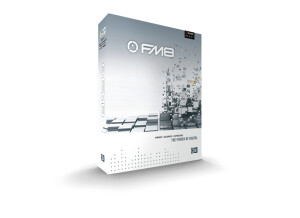
    I had no compatibility issues setting up FM8. The installation and set up process is very simple and straightforward. However, the software itself is very complex and hard to understand at first. To the new user, FM8 will probably be overwhelming. To understand what's going on you need to know oscillator routing, enveloping, and have a good understanding of the way synthesizers work. You can easily look through the presets and fidget around to find out what certain parameters in the software does, but it will teach you a lot about synthesis and routing. Once you understand the structure of FM8, it is very straightforward and actually not that complicated at all. The interface is just a bit daunting at first. SUITABILITY/PERFORMANCE FM8 works flawlessly on my Windows 8 Laptop, 2.5GHz Intel i5-4200M CPU, 6 gigs of ram. I have been using this software for over 2 years now and it has proven to be very stable, and easy on CPU. As for performance, this is easily the most diverse synthesizer out there. The possibilities are virtually endless. You can make anything from a devastating heavy bass synth, to a soft pleasant chime or bell, and everything in between! FM8 is a truly revolutionary plugin. OVERALL OPINION If you want a synth that can do just about anything, FM8 is the one for you. It is a must-have for anyone looking to better their sound design and learn more about synthesis. At first, FM8 will seem complex and hard to understand, but it really is straightforward once you get to understand it. There are so many varieties of oscillator waveforms, routing techniques, and even built in effects that will help you create some insanely innovative sounds that will make you stand out. I would highly recommend this plugin to anyone interested in electronic dance music production.

  • « Could be better. »

    As I purchased and installed the Ableton Live 8 Suite package - which includes Operator as an instrument - getting started was as easy as waiting for Live to be done and opening an instance of the synthesizer. Unlike some more complex synthesizers, Operator is an easy to use 4 oscillator deal with graphic ADSR envelopes that allows for manipulation of various parameters of the waveform. The learning curve is not terribly steep, as the sounds being produced by each of the four oscillators are fairly limited and the overall complexity isn't high. SUITABILITY/PERFORMANCE Operator definitely works well in Ableton Live, but I kind of expected more from it. The sounds, when played side-by-side with synthesizers customized in Native Instruments' Massive or FM8 sound feeble and pathetic. There is certainly much less versatility in Operator. That said, I found this synthesizer a great way of teaching others the basic properties of additive synthesis and have incorporated some of its more sinusoidal sounds in my music. OVERALL OPINION For a stock DAW synthesizer, Operator was made out to be something much bigger than it turned out being for me. I have been much more impressed over the years with the stock synths in Logic Pro and Fruity Loops, and am disappointed that my flag-ship DAW is lacking in this department. Unfortunately I can't comment on the value for the price as it came with my Ableton Live 8 Suite package, but I can say that if Operator was stripped out of Ableton and sold as a solo VST, I wouldn't buy it. It works, but it wouldn't make or break my decision to buy Ableton over another DAW.

  • « FM is cool »

    Native Instruments FM 7 is very easy to use and to understand you wont need a manual nor will you have any issues running it with your system no matter what system you have. I have ran it on macs and pc’s and have seen it work on some really old systems before. I still have FM 7 and still use it, I havent really felt the need to upgrade it, I purchased it when it first came out and have been using it every since then. I only thought about upgrading one time and that was because they had some sale going on but I didn’t do it. I am very happy with FM 8 and probably wont upgrade untill they put out like FM 11 or so. SUITABILITY/PERFORMANCE Set up is easy and every thing is pretty much automatic, you wont have any issues installing or running it on your machine as long as you have a decent amount of ram you should be ok, if it installs correctly on your system then you wont have any issues with it freezing or messing up in the middle of your session. I have used it in about 3 different daws and it hasn’t caused a problem in any of them. OVERALL OPINION I am glad to say that I have been using FM 7 for all these years, and I have it to the point where I have all of my own sound banks now. I no longer even touch any of the presets I have all of my own presets that I have built over the years and I am very happy with them. I have even uploaded some of my presets online so other people can use them and all I get is thanks. FM 7 has worked great for me, and once you get the hang of it you will be creating your own presets too.

  • « could be alot better »

    Loft soft FM Heaven doesn’t get much praise in the vst world, in fact I really don’t recall many of the musicians that I know personally that actually use it, and I didn’t even know that it existed until I got a spam mail from the saying that they would give me a free license to this software to use it if I wrote them a review and gave them some feedback. So I say ok, its free why not. SUITABILITY/PERFORMANCE Installing it was super easy, I had no problems and it worked great on my xp laptop and on my vista pc. They didn’t send a manual with it so I didn’t have one to know how good the manual was, they just told me if I needed help understand it to check their website or get on the forums and start asking around, which wasn’t very good customer service if you ask me. OVERALL OPINION If you are looking for a ton of presets I wouldn’t purchase the FM Heaven, I don’t feel like it had enough presets for me. Well there are enough, as in a lot of them, but most of them aren't even usable because they sound really fake and thin. Even some of the base synths where really thin which I don’t understand why they would have sound designers making base synths that are thin. Especially in today's world of music and they way they speakers are made now. Speakers are made for nice bass and thickness but all the sounds in this vst are thin. The great thing about this software is that you wont have any issues with it, but as far as the sounds. They fail to me. Invest your money in a trusted FM synth and get some good full thick sounds that you can use right away.

  • « Ok.. »

    Digital Audio DX 10 is a good virtual FM synth , and best of all is that it is 100 percent free to download and use. It will worth pretty much no matter what computer or operating system you have. It is a very simple and watered down synth. There isn’t anything that really stands out about it except the fact that it will work great and wont crash on your and wont take up a lot of you computers ram or disk space. SUITABILITY/PERFORMANCE Setting it up was extremely easy, it couldn’t be any easier . It didn’t come with a manual but im sure they probably have one online somewhere but you wont need it at all. The software seems to be pretty stable, though I don’t use it anymore and didn’t use it much when I had it because it just really wasn’t that much to it and the presets where all pretty standard. There was a lot of room for improvement though that many they will do if they every come out with a more advanced and thought out version of DX 10 from Digital Audio. OVERALL OPINION The thing that I liked the best about it is that it is really easy to use and understand there are no options that can confuse you . Everything is pretty basic and stuff that you see in most all standard softwares. Another great thing about it is that it is free, not because it is free you can tell that there wasn’t a ton of effort put into creating it. I wish they would come out with a paid version and make some more options and sounds and just an overall better synth. I would be curious to how good it would be with more effort put into it. I will be on the lookout for a new version, but in the meantime download this free version.

  • « difficult to understand »

    Odo Double Six v2 has a freeware version of this software out but its nothing like this version that is the paid version. The value for the vst itself is pretty good and the price is reasonable. You wont feel like you have the best vst though. My first thought when I opened it up was what in the world did I get my self into. It looks so confusing and the general functions of it are so difficult to understand unless you are into sound design and creation then this will confuse you with out a doubt. SUITABILITY/PERFORMANCE Getting started with it wasn’t too hard it did take longer to load into my pc. It actually took longer than a lot of other software that I own took to load so I though it was going to be really cpu heavy but it wasn’t. but the software does work good, on pc. I didn’t try It on my mac but I doubt that macs would give it any problems working. OVERALL OPINION The sounds are decent, but in my opinion there is just too much editing involved. I felt like any time I wanted to use this I had to go through a whole process of basically creating my own sound from scratch, and sometimes I just want to hurry up and get an idea out I don’t want to be bothered with trying to figure out how to create sounds. This software was too confusing for me to use, I don’t recommend getting it unless you really have a good understand on how sound creation works and how sounds are designed. There are far more better softwares that are out that can do what this does and are a lot easier to understand. I do not recommend this for the average computer musicians. You will need to be advanced to understand it.

  • « pretty unique »

    When I first heard about Cyclop I was very curious because I heard other people talking about it. So I went in without a clue and purchased it without any trials or demo downloads or anything. Im not sure if they even have a demo download version of the software , they should have one though because most softwares do in order to give use a chance to look and see if we really want to make the investment purchasing the full version. I purchased the full version of Cyclop for around 125 dollars about a year or so ago and have been using it every since. SUITABILITY/PERFORMANCE Setting it up was really easy, though I didn’t need a manual I still used it from time to time because the set up of Cyclop might look pretty easy it still threw me some challenges trying to edit certain paremeters of the sounds and presets that come with it. OVERALL OPINION The sounds are actually pretty good, I was surprised because I have never used or even heard of any software from Sugar byes company so I didn’t expect to get as good sounds as they had. I expected really thin and weak sounding synths that just weren’t going to be full enough for me and I thought I would have to add a buch of effects in order for the sound to fit my style. After using it for a few months I really fell in love with it and have been using it every since. I think it’s a great virtual synth plug in, it may be just a little overpriced though. It should cost around 99 bucks or so in order to compete with some of the other leading vst that are being used in todays music. But still at 125 I feel I got my money’s worth within the first month that I used it.

  • moosers's review

    The Audio Simulation DreamStation DXi2 is a software synthesizer, modeling it’s sounds after traditional analog synthesizers. I haven’t used this plug-in in a few years since I was in school and working with building sounds. I don’t own it and I’m pretty sure that it’s only available for PC systems so I wouldn’t be able to run it even if I had it and wanted to. The configuration of the Audio Simulation DreamStation DXi2 consists of all the working parts of an in depth synthesizer. It’s the perfect way to learn all of the components that make up a synthesizer, which is one of the reasons we used it a lot in the music technology classes I took in college. The DreamStation DXi2 has three oscillators, each with a slightly different make up of parameters to work with. There is then an amplifier which gives you control over the life cycle of the sound – attack, decay, sustain, and release. The amplifier is followed by a filter, an LFO, a envelope, a vibrato effect, and an overall output section. If you understand the basic parts of a synthesizer, this will be pretty easy. If not, this is a great place for you to start. SUITABILITY/PERFORMANCE I don’t remember much about the systems we ran this software on at my school, but they were all PC computers. We used the synth mostly in Cakewalk Sonar software, which was able to run it smoothly for the most part. It’s been a little while since I used it, but I don’t remember having any problems running it within the PC systems we were using it on. OVERALL OPINION While the sounds heard from the Audio Simulation DreamStation DXi2 may not necessarily be the most authentic ‘analog’ synth sounds you’ll ever hear, but they certainly sound pretty good and are more than adequate in most situations. I seem to remember that there were a good amount of presets to use as starting points, but it’s definitely fun to work from scratch and make your own sounds. I don’t know too much background information on DreamStation of the DXi2, but it’s cheap and is a great way to start getting into the worth of synthesizers.