Log in
EN
FR

Bomb Factory

34 products found

Categories
Filter
Sort by
Evaluation
  • Reviewed or not
  • Editor’s award
  • Reviewed by Audiofanzine
Availability
  • Available or not
  • Sold new or used
  • Sold new
  • Sold used
Must-have products
  • All products
  • Flagship products
  • Best rated products
  • Hot products
  • Popular products
Price
  • Freeware
€
Clear
Sort by
  • Popularity
  • User ratings
  • Price - low to high
  • Price - high to low
  • Used price, increasing
  • Used price, decreasing
  • Name (from A to Z)
  • Name (from Z to A)
  • Added on
Choose a category
Sort results
  • Popularity
  • User ratings
  • Price - low to high
  • Price - high to low
  • Used price, increasing
  • Used price, decreasing
  • Name (from A to Z)
  • Name (from Z to A)
  • Added on
Filter results 34 results found
Evaluation
Availability
Must-have products
Price
  • Freeware
Show results

The best Bomb Factory reviews

The reviews Audiofanzine members found the most helpful.
  • « The BOMB »

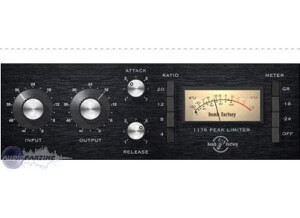
    We use this everyday at my studio. I have the original hardware units so I can tell you it's close but not exact. For vocals it has a bit more colorizing than the SSL WAVES but for snare and toms I use it regularly and it sounds very close on live instruments. Most newer engineers have never heard this unit or even hear of it. For vocals I think you need to be careful as to how your threshold is set as well as attack. Play with the attack and don't over compress with the threshold or you will hear it. Most of the time when we teach our students (www.comia.biz) how to use this plug in we start with the input gain along with adjustments on the ratio. The plug in version verses the original is quite different on the ratio adjustments. The original unit has a very unique sound when turning of the input along with using the ratio knob. You will hear that compression kick in immediately. On the plug in you have to play with the levels for some time to dial in the right compression. On snare drums it is very tough at first to get the right settings. I usually copy the snare track down and work on another track as I do the same with vocals and kick drum. Kick drum is the hardest to dial in. I use to use this on kick drums but I have moved on to the SSL channel. The input adjustment on the plug in is to sensitive for my ears and don't have the patience to work with it along with the ratio. There are to many quick fix compressor plug ins out there in the market that I like better. But for snare drum, sub mixing drums with a buss, this plug in sounds really good. You have to get a good deal of input to hear the compression. I usually start by engaging the compression and then hit the "bypass" to make sure as I compress the levels are exactly the same engaged or disengaged so that I can hear the exact amount of compression I am using. I do the same on vocals. Normally I start with an 8:1 and it sounds great. The more extreme the compression on this plug in the better. I don't like a light compressor on this unit. I like it to be really compressed. Another use I have for this plug in is for guitars. I have used this plug in successfully for years on guitars and I don't use it on an auxiliary just a straight insert. I can always rely on this one to give me a great sound. SUITABILITY/PERFORMANCE Works great no issues and does the trick as a great basic compressor. Stable runs great with Pro Tools. 10 years been using it. I have owned the original 1176 for years so I know the real unit like the back of my hand and it is about 70 percent like the original but not exactly. I also worked with legendary producer Andy Jons and he at first did not like this plug in but after a while he started to get the feel for it and started changing is mind by the end of the record. I will say that I don't use it as much as I did in the past. OVERALL OPINION I like it is sounds great and now it comes with Pro Tools so you can't beat it. As for the go to compressor yes and no. I use it when I need a specific sound on vocals and or snare. I no longer use the plug in on kick, it is not like the original on the room mics but I do like the plug in over all and you know it is there for problems that you incur when mixing.

  • « Great if you know the origninal unit. »

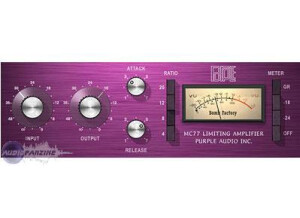
    I have owned about every compressor made. I do use this plug in a great deal and most of what I like about it is the extreme compression. Hold SHIFT and PRESS all the RATIO BUTTONS and then open up the attack and put a quick release on and BAM! you will have a extreme compression. I use this plug in for GUITARS, CLEAN GUITARS and it really shines on guitars. The black face is better for vocals. I pull this plug in up all the time for extreme compression and it works brilliantly. It is not intense on the CPU but I use an HD system and I have not tried it on my laptop. I will say that it is not a real difficult plug in to use and most of time I find it very useful on guitars and as a secondary or extreme compressor for that kinda of old school effect that you hear on spaghetti tone guitars. I also like that you can use multiple compressors and adjust them to different attack times and it creates a really nice effect for the voice or effect for guitar. The extreme settings are real easy to get use to and the unit can take a strong hit on the input stage. It takes a great deal to distort this plug in. I also like this plug in on an auxiliary buses for drums, that is the complete set. I use it for parallel compression for snare tracks and vocals and I crush the input and mix the crushed signal into the mix with the unaffected track and it sounds really good. More so than that black face 1176 for vocals and drums I think this has a bit better extreme compression effect. It is softer sounding than you would expect. SUITABILITY/PERFORMANCE Works great. Sounds great and really sings on guitars and snare drum. Been using it the week it was released and every since and I have had no issues with it ever acting up, slowing my computer down or in any way performing unstable or erratic. some of my engineers like it so much that I always notice that the first plug in on guitars and bass is this one. OVERALL OPINION Sound quality is a bit dirty but great for old school engineers. I like the dirt of grunge that this unit give you. BUY IT.

  • moosers's review

    The Bomb Factory MoogerFooger Bundle is a set of four plug-ins that are modeled after the Moog MoogerFooger pedals. The plug-ins that are included in this bundle include the 12 stage phaser, ring modulator, analog delay, and low pass filter. All of these plug-ins are useful in my opinion, but I definitely end up using a few of them more than I do the others. These plug-ins can be purchased separately, but it's definitely a good deal within the bundle if you're interested in all of these plug-ins or even just two of them. Installing the bundle is quick and simple, as my experience doing so was pain free and easy. Learning how to use these plug-ins is also quite simple, as each only has a few parameters to get used to, with great sounding presets to get your starting point if you need it. A manual isn't something that would be necessary with the MoogerFooger Bundle, but I haven't seen it so I don't know anything about it. SUITABILITY/PERFORMANCE Right now I'm running the Bomb Factory MoogerFooger Bundle on a Mac Book Pro that has a 2.2 Ghz Intel Core 2 Duo processor and 4 GB of RAM. I run the plug-ins in Pro Tools LE 8 that runs with a Digi 002R audio interface or a Digidesign Micro Box if I'm not working from home. I can't ever say that I've had a problem related to performance with these plug-ins, as they don't seem to take up much processing power at all. The analog delay plug-in I always run on an auxiliary channel and bus my tracks to it to save processing power anyway, but I could probably get away with not doing this if I wasn't already in the habit of it... OVERALL OPINION I think my favorite plug-in in the Bomb Factory MoogerFooger Bundle is the analog delay, but all four of these plug-ins are more than useful. I also really like the 12 stage phaser as I find myself using it a lot as well. The ring modulator is definitely my go to ring modulator if I need one, which isn't all that often since it's certainly the most out there effect of all of these. The low pass filter is also great, but I don't use it as much as the delay and phaser. The price of the full MoogerFooger bundle is definitely worth it in my opinion, but I wouldn't buy it from a larger music dealer as you can find it for pretty cheap if you look enough. The bottom line is that these are awesome plug-in that I use very often and would absolutely recommend them for both home and professional studio owners.

  • « Easy and effective chorus and vibrato »

    As long as you are relatively comfortable with installing plug-ins then it should be a breeze. You really don't need a manual for this plug-in, it really is that simple! It's a one knob style interface so that's what you get, one knob and it's right there, so yep it's definitely easily accessible! SUITABILITY/PERFORMANCE I've been using it for 6 or 7 years now and I've never really had any issues with it. If you want to use 2 or more instances though you need to make sure your computer is up to the task, this plug-in is fairly CPU hungry for such a simple plug-in. I have not tried using this one outside of Pro-Tools so you may have other performance problems or not when used with other DAWs. OVERALL OPINION The thing that I like most about this plug-in is the vibrato, the thing I like least is the chorus. I think that the vibrato function is alot more clean and realistic compared to a high end external stompbox model than the chorus is. The chorus always seems to become a little thin which is an understandable issue yet this plug-in just isn't rich enough while using it's chorus modes. The Vibrato functions sound much more lush and don't color/thin the sound quite as much. If you got this plug-in with a Bomb-Factory bundle or for free then the price is right! I've used several external vibrato and chorus pedals for my guitar rig over the years. I would rate the vibrato function of this plug-in to be just shy of the quality that I've gotten out of a floor model in the past, and obviously much cheaper. The chorus just falls short of my expectations, if you don't have any other chorus plug-ins then use this one; it's not terrible.

  • « A Strange Animal »

    This plug-in is super easily instaled and typically free as well as having virtually no compatibity issues. It's one and only function is so easily accessible that all it has is a process button! SUITABILITY/PERFORMANCE The Essential Clip Remover works fine for it's level of accuracy and is a very easy to use. I've used it rarely for about 7 years now and I like it as much as it deserves. OVERALL OPINION The thing to like most about this plug-in is that it may possibly save that one take for you at some point. To like least is that it's very inaccurate and unreliable for truly professional work, but it does do it's job under reasonable circumstances. First off, you should really go as far out of your way to prevent clipping as possible especially if you are doing paid work or even if you are just doing your own music. As long as your digital recordings are sufficiently noise free and not clipped out then you have huge amounts of headroom in digital work to bring the volume up in a mix. (An appropriate way of controlling your noise level is to ensure that the noise floor is AT LEAST -45dbfs from the average dbfs of the audio. -60dbfs is ideal.) Oddly enough, I've actually found a glitch/oddity with this plug-in that allows it to be used a really killer distortion effect, the kind of brutally mangled, bit-crushed, evil distortion that lends itself nicely to industrial music or even just as a filtered/distorted drum intro/break. If you use a brickwall limiter on a track or a group of tracks and bounce those to a new track, while leaving the output of the limiter set to 0.00dbfs, then apply the Essential Clip Remover; the result is a truly grating, unique distortion sound. I suppose it's because the ECR looks for those 0 crossings and you sort of confuse it when your material is hitting 0 consistently yet not crossing. Try it, it's actually alot cooler than what the ECR was actually made for. I've never used any other clip removers before simply because you shouldn't have to if you are careful and precise while recording. I have heard of some other clip fixes and software that are absurdly expensive. Since you can typically get this for free it's certainly worth trying out whether for it's intended purpose or to just play around and be experimental with it.

  • « Vintage style EQ »

    The Pultec Bundle by Bomb Factory has been one of the main equalizers that I have been using over the last two years. I have not had any compatibility issues when using it with Cubase, Reason, Ableton Live or FL Studio. No matter which computer or DAW I use it in it works great. It does come with a manual that is easy to read through if you need it but chances are you won’t need it because it is that easy to operate. All of the basic functions of the Pultec Bundle are easy to access and operate. Installing and setting up the Pultec Bundle was quick, I installed it on my Windows Vista 32 bit system and it was very smooth. It gave me zero troubles during the installation and worked great. It does not take up much CPU either. SUITABILITY/PERFORMANCE I have been using the Pultec Bundle for 2 years now and it is running at a high performance. No crashes or freezes have happened on either of my computers. You can also use the Pultec Bundle with Pro Tools, I don’t prefer to use it with Pro Tools though because my Pro Tools already has some powerful EQ plug-ins installed. OVERALL OPINION In the Pultec Bundle you will get a few vintage style EQ’s, the Equalizer EQP-1A, the MEQ-5, and the EQH-2. Each one of these plug-ins are made to model after the real vintage products. I love using all of the EQ plug-ins on vocal tracks. Using the EQP-1A has really allowed me to take my engineering skills to the next level. My least favorite thing about these plug-ins is that if you run them multiple times on the same track in the same session it will start to eat your CPU. So running it simultaneously multiple times could cause you some issues depending on how fast your computer is.

  • « Classic Compression »

    The Bomb Factory Classic Compressors Bundle can be used as a VST in any software program that you use to make and mix your music in on both Mac and PC platforms. All of the compressors in this bundle are based on old school or vintage style compressors that where originally hardware compressors at some point. When you purchase the Bomb Factory Classic Compressors Bundle you will be able to have it instantly because nothing gets shipped to your house, it will be available to be downloaded immediately. It does come with a manual that is in PDF format, the manual is clear and concise. SUITABILITY/PERFORMANCE Installing the Bomb Factory Classic Compressors Bundle was simple, it is not that big of a file so you don’t need a lot of extra hard drive space to install it and you don’t need a lot of RAM to run it. I have used this bundle in Cubase, Ableton Live and FL Studio. In each DAW that I use it in it works great and has never gave me a single issue. OVERALL OPINION The classic compressors that come with the Bomb Factory Classic Compressors Bundle are, Bomb Factory BF-2A, Purple Audio MC77, Bomb Factory BF-3A and the Fairchild 660 and 670. iLok is required in order to operate the Bomb Factory Classic Compressors Bundle. There are some really good compressions that you can get with this bundle. I have not found a better compression bundle that cost this price yet. I have been searching for a real hardware compressor, then came across this bundle and thought I could save some money and rack space. I am nothing but smiles with this bundle. It has gave me the exact style of compression that I want to have. I love the Fairchild 660 the most because it breathes life into my drums. I also love the BF-3A because it works wonders on my master tracks.

  • moosers's review

    Bomb Factory's Voce Spin is one of two plug-ins that come as the Voce Bundle. The other plug-in in the bundle is the Chorus/Vibrato, with this one being the slightly simpler of the two. Voce Spin is essentially a virtual Leslie rotating speaker. I've got this bundle at home and have also used it on a number of other Pro Tools HD systems. The make up of the plug-in really couldn't be any easier to control, as it simply has two settings to work with. It looks just like the switch on a Hammond organ that will control the Leslie effect, with this one just having two settings for chorale and tremolo, which are essentially just two different rotating speaker sounds. That's all there is to using the plug-in, making it possibly the easiest one ever, so no manual is necessary. SUITABILITY/PERFORMANCE Right now I'm running the Bomb Factory Voce Spin plug-in on my Pro Tools 9 based system at home. I run everything on a Mac Book Pro laptop that has 4 GB of RAM and a 2.2 Ghz Intel Core 2 Duo processor, while I run Pro Tools 9 with a Digi 002R audio interface. I also monitor with a set of ADAM A7's. This system has been more than enough to run Voce Spin and the other Chorus/Vibrato plug-in included in the bundle. These are really low processing power guzzling plug-ins. OVERALL OPINION Bomb Factory's Voce Spin is a great sounding Leslie emulation and is awesome to have in your DAW at all times. I don't use this on nearly every session, but when I do need it, it's a quick and easy way to get a nice Leslie sound. I like it because it allows me to use this sound for things other than an organ, which I'd be limited to if I was using a real Leslie speaker. For this reason I find myself using Voce Spin on things like guitars, vocals, and everything else in between. It's really a damn good Leslie emulation and while it's nice that it's simple, I guess having a bit more control wouldn't be terrible. The Voce bundle is extremely cheap and definitely worth looking into if you love the Leslie sound like I do.

  • « One of the better analog delay simulators »

    This is a plug-in that is supposed to simulate analog delay. The setup for this plug-in was pretty much nonexistent, as it comes with each version of Pro Tools, or at least versions 8 and higher (I can't remember whether or not this particular plug-in comes with older versions of Pro Tools as I hadn't started using it as much until recently). That is the reason there is no price above, as there isn't a really accurate way to describe the cost. There were no compatibility issues with this plugin at all since it worked from the minute I started using Pro Tools at home. This plug-in is really easy to use since there are relatively few parameters. SUITABILITY/PERFORMANCE I've never had too many problems with this plug-in. I do know, however, that you can't always open it in too many different locations, as it will slow down the computer. At least it does that on my setup, but mine has been known to slow down on occasion. I usually have to tweak the settings a bit to get the Pro Tools session to run quicker, though, so I doubt that this particular plug-in is the problem. I've been using this for a few months now and I usually have good results in terms of system performance, with the occasional hiccup that I previously mentioned. It's got a wealth of controls, from a mix control, to delay time and feedback, to drive (gain), to a high pass filter. So it has all the basic controls plus a few little extras. OVERALL OPINION I really like the sound of this analog delay. Unlike other plug-ins which have a very clean and accurate sound, this plug-in actually modifies the sound of the track the way that a Moogerfooger analog delay unit (hardware) actually would in real life. Granted, it's not exactly the same, as there really is no way to 100% replicate the sound of an analog delay pedal. However, it's pretty darn close, and as a plug-in that comes with Pro Tools, it's quite useful. I'll often use it during sessions if the players/producers/clients can't determine what sound they want from a pedal (assuming that they have one to use). Otherwise it may well be a go-to plug-in for me, unless the client wants a cleaner, more digital sounding delay.

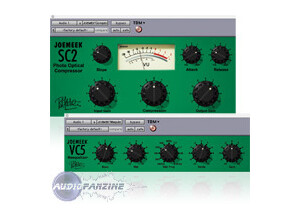
  • « Plug-In Compressor that emulates the Joe Meek outboard compressor »

    This plug-in, made by Bomb factory, who I'm starting to really like, is a pretty solid plug-in. There have not been any compatibility issues for me, all of the Bomb Factory plug-ins I've used have been uniformly solid in terms of installation. The manual was perfectly clear about setup, and I wasn't confused in the least. The setup of this plug-in wasn't any more or less complicated than any other (that is, if you are aware of what gear you're using, and you know what you're doing, it'll go smoothly.) The regular functions of this compressor are easy to use always. SUITABILITY/PERFORMANCE The software has always worked fine for me. I can't really use the same plug-in on more than 5 or six tracks for the most part, but then, there's never much need for that anyway. If I absolutely needed to use it on multiple tracks, I would bus some of them to an auxiliary track in order to use it once for multiple tracks. I've never gotten bogged down while using this plug-in, except when I tried to use it on more than six tracks, after which I ran into some trouble. Honestly though, that's more likely because of my Pro-Tools setup than the plug-in itself, as it happens with almost any plug-in being used that much. I've only recently started using this plug-in a lot but I do like it. OVERALL OPINION I've heard that this is a good plug-in, but it pales in comparison to the actual Joe Meek dynamic processor(s) that it's based off of. I haven't used one of them as of right now, but I do think that it's a pretty great plug-in. The interface is really simple, and resembles the analog gear. The sounds that I've gotten with it are pretty great, they are subtle like a great compressor of this type should be. This distinguishes it from some other Bomb Factory compressors which are anything but subtle (though those are good too.) I like this, and while I probably wouldn't say it's my favorite compressor plug-in, I'm starting to really enjoy it a lot.

  • moosers's review

    The Bomb Factory Pultec EQH-2 is an equalizer plug-in that comes in the Bomb Factory Pultec bundle for Pro Tools. There are three plug-ins in this bundle, with this one basically being a simpler version of the most popular EQP-1A. I wasn't involved with installing or getting these plug-ins situated, as I don't own the bundle myself and have only used it at the studio where I'm working. Using the EQH-2 is quite easy, as it's just a two band equalizer. It really doesn't get any simpler than this, with each band having a few fixed frequencies to choose from to go along with boost and attenuation knobs. This is the standard Pultec make up, so those familiar with other software Pultec emulators or real hardware Pultecs will feel right at home here. No manual should be necessary, and I can't comment on this one in particular since I haven't had a need to check it out at all. SUITABILITY/PERFORMANCE We're running the Bomb Factory Pultec EQH-2 on a few different systems at the studio, as we have a number of rooms. The main room, like all of the rooms, is Pro Tools HD based, and this room in particular has a Mac Pro computer consisting of 10 GB of RAM and a dual 2.66 Intel Xeon processor. This is really more than enough to run this plug-in, and since we have Pro Tools HD anyway we don't get many performance problems with any plug-ins... OVERALL OPINION For whatever reason, I often find myself using this simpler Bomb Factory Pultec EQH-2 over the EQP-1A, even though it's got more options. It does really depend on what I'm looking to do, but sometimes it's nice to use this plug-in because it's just so plain and simple. It has a good sound quality and is fine for boosting or cutting at the given frequencies, although you don't have control over the set frequencies. This bundle as a whole is definitely nice to have around, but I've yet to add it to my home rig as it isn't completely necessary for me. If you're interested in these plug-ins for nostalgic purposes I'd recommend staying away since they won't live up to the hype, but if you want a simple and clean sounding EQ, the EQH-2 is definitely worth looking into.

  • moosers's review

    The Bomb Factory Pultec MEQ-5 is a mid range equalizer plug-in that is available within Bomb Factory's Pultec bundle. I'm not 100% sure if it's available as an individual plug-in or not, but I'm pretty sure you can only get it within the bundle. Also included in the bundle are the EQP-1A and EQH-2 equalizers. I wasn't involved with the installation process, as I don't own the full bundle myself and I'm only running the EQP-1A at home. The full bundle I've used at the studio where I'm working, so they had already taken care of installing it. The interface of the plug-in is pretty simple, even if you haven't used the original MEQ-5 or other Pultec hardware. It's basically got three different bands, with each of them having a parameter for setting the frequency and one for setting the gain. Two of the bands are for boosting, and one is for cutting. Each has a series of fixed frequencies to choose from. A manual shouldn't be necessary to learn how to use this plug-in. SUITABILITY/PERFORMANCE The system that I've used the Bomb Factory Pultec MEQ-5 on is Pro Tools HD based, so all of the processing power is handled by this. Therefore, it's pretty rare that a plug-in will cause performance problems on our system, as is the case with most plug-in on an HD system. I can't say how well this plug-in would run on an LE system or something similar, but judging from using other Bomb Factory Pultec plug-ins in this setting, I think that as long as you have a decent enough system to currently run your DAW and plug-ins comfortably, this plug-in won't present you with any problems. OVERALL OPINION While I don't find it to be as useful in general as the EQP-1A, which is also included in the Pultech bundle, the Bomb Factory Pultec MEQ-5 is still a great EQ plug-in to have around for when you want to just affect the midrange (give or take) of a sound. It's fool proof to use and has a nice and clean sound. Having also used an original hardware MEQ-5, I can say that this comes nowhere close, but it's still a nice try as no one will ever be able to match that sort of sound in the box. The Bomb Factory Pultec bundle and the MEQ-5 are definitely helpful EQ plug-ins that are worth checking out for Pro Tools users.