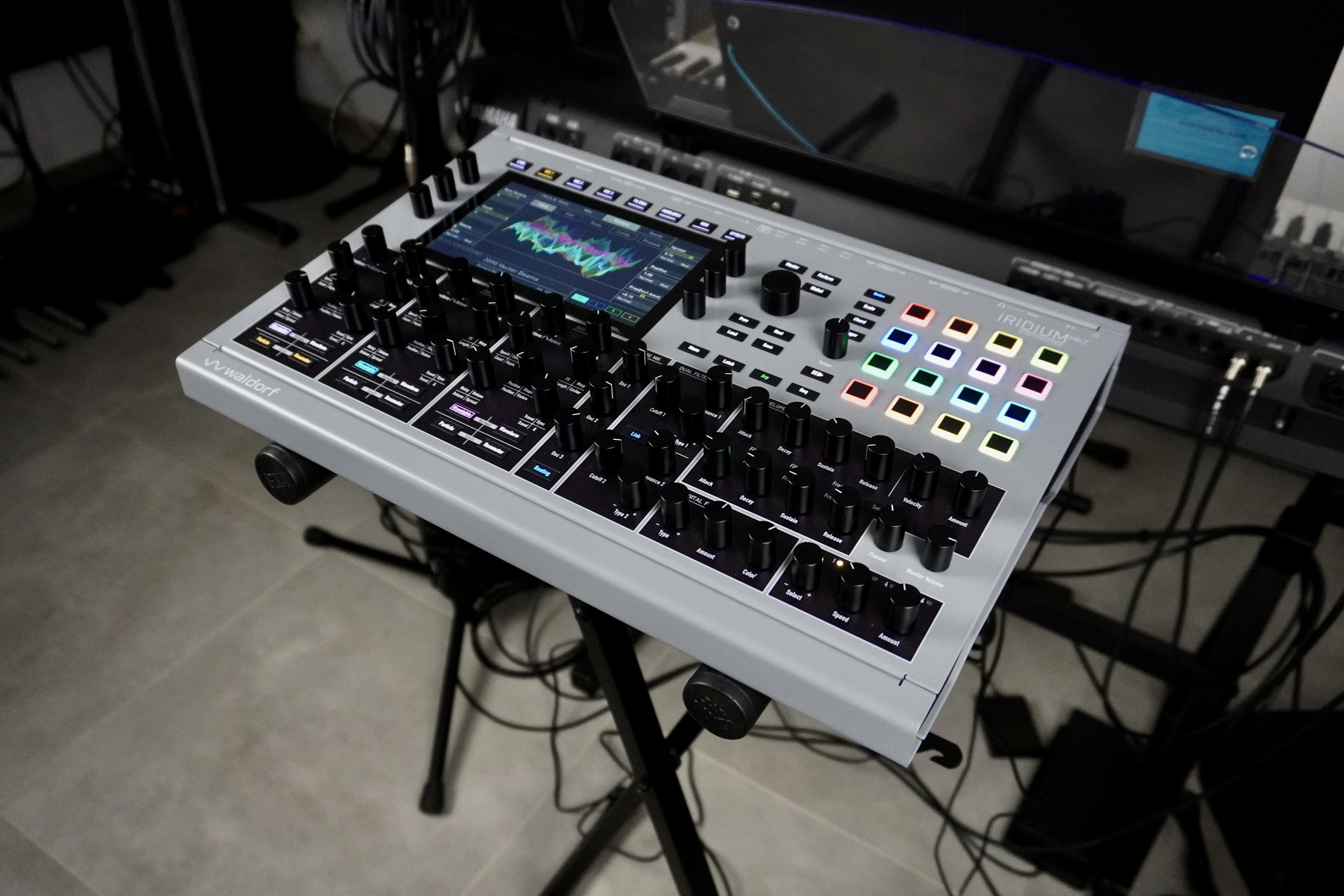
The Iridium series gets a fresh new look with an even more powerful module, featuring more flash memory, a brand-new synthesis engine, and four-layer multitimbrality. Let’s see what the Desktop MK2 has under the hood…

The Iridium series was launched in 2020, based on the Quantum, the flagship of the lineup, and incorporates most of that unit’s capabilities—except for the analog filters. The Iridium synths are advanced digital synthesizers (available in keyboard, module, and compact module formats) that provide various forms of synthesis combinable within three oscillators, which are then processed by a variety of extremely flexible multimode filters, modulated in real time via numerous modules, and enhanced by a robust effects section.
Following the Quantum, it’s now the Iridium series’ turn to upgrade to MK2. The update includes a boosted CPU board, providing 6 GB of flash memory for samples as well as increased processing power, enabling a new synthesis engine, expanding multitimbrality to four channels, and adding new features here and there. Let’s take a closer look at all of this on an Iridium MK2 kindly loaned by the German manufacturer (firmware version 4.0.6)…
Construction and ergonomics of the Iridium MK2
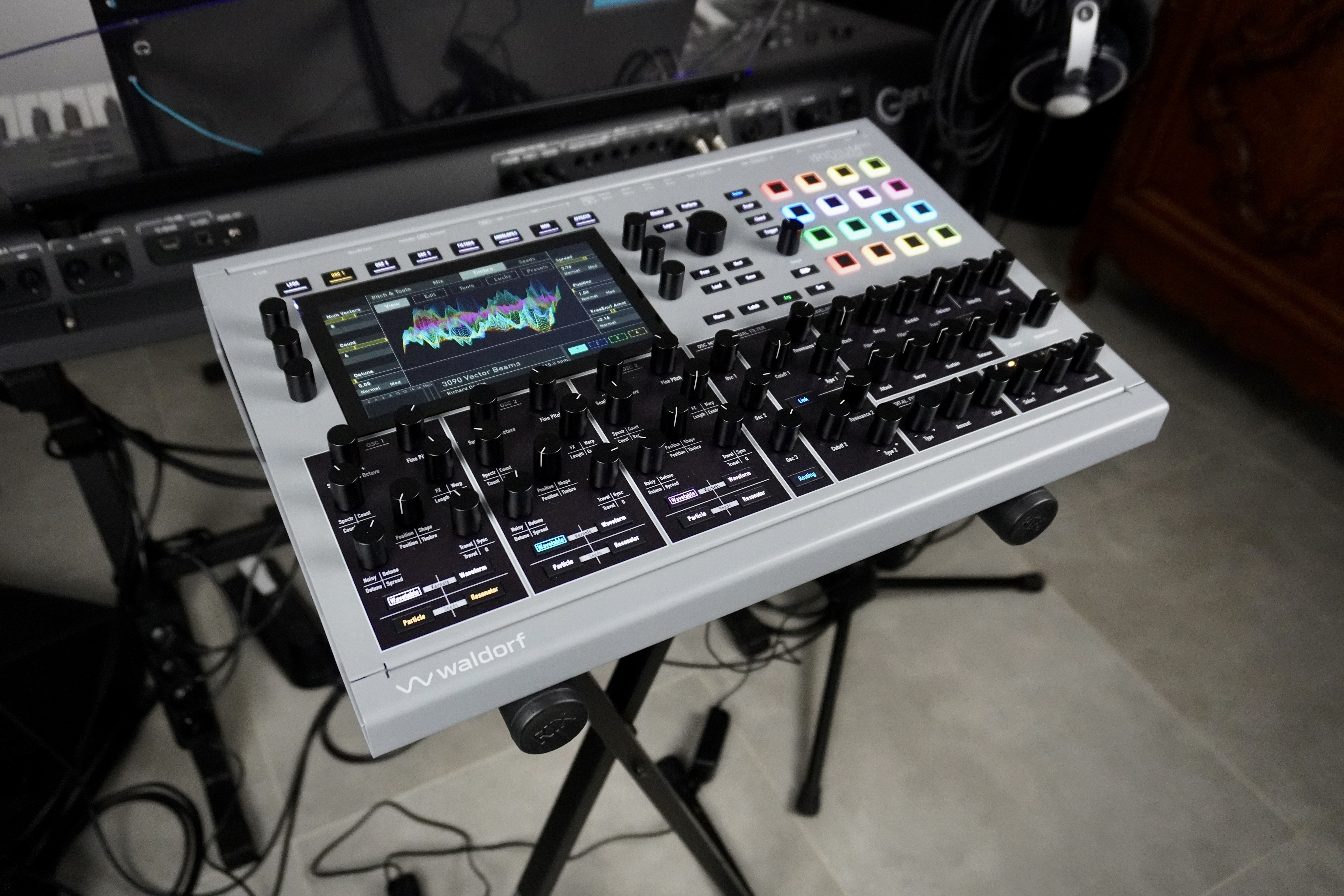
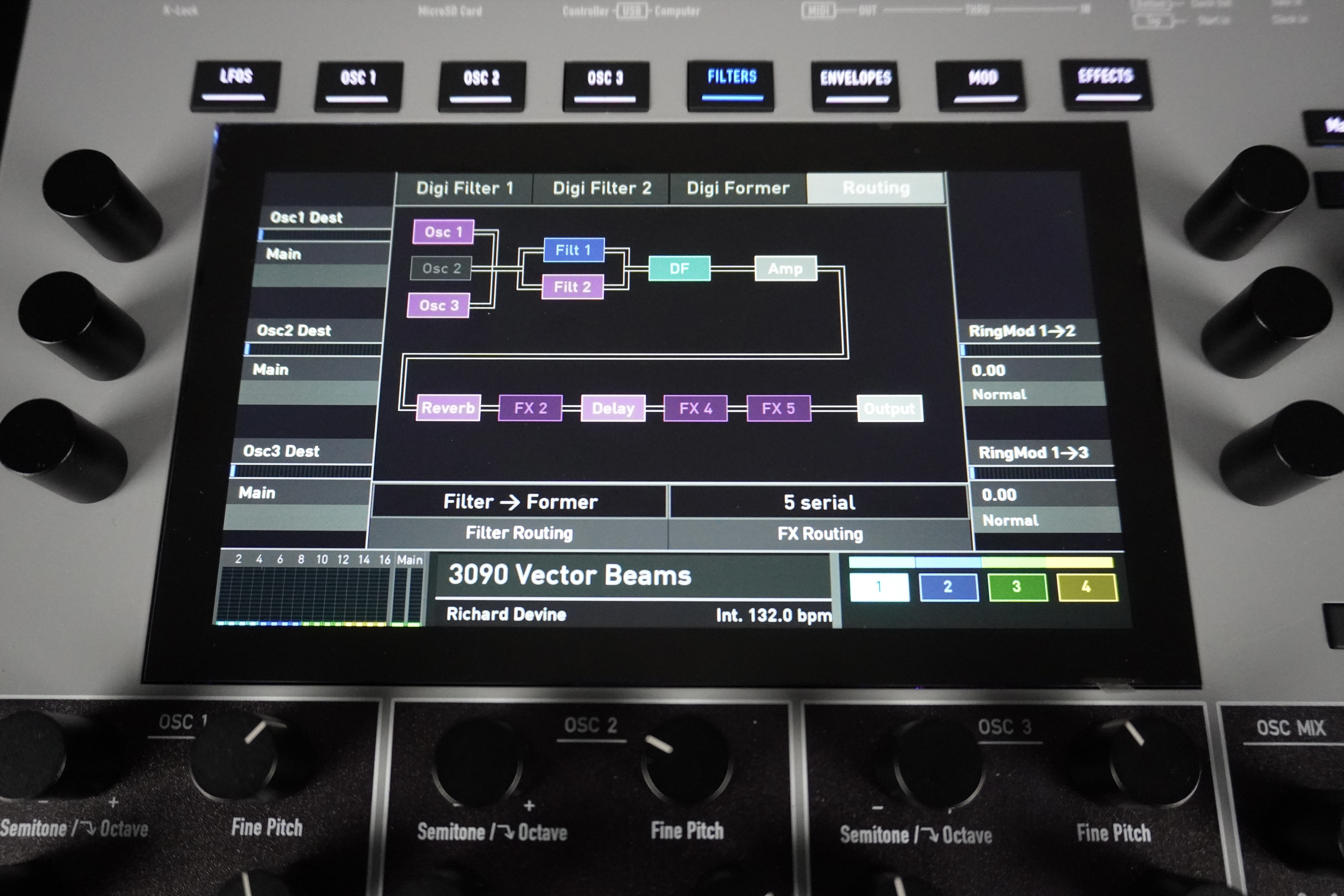
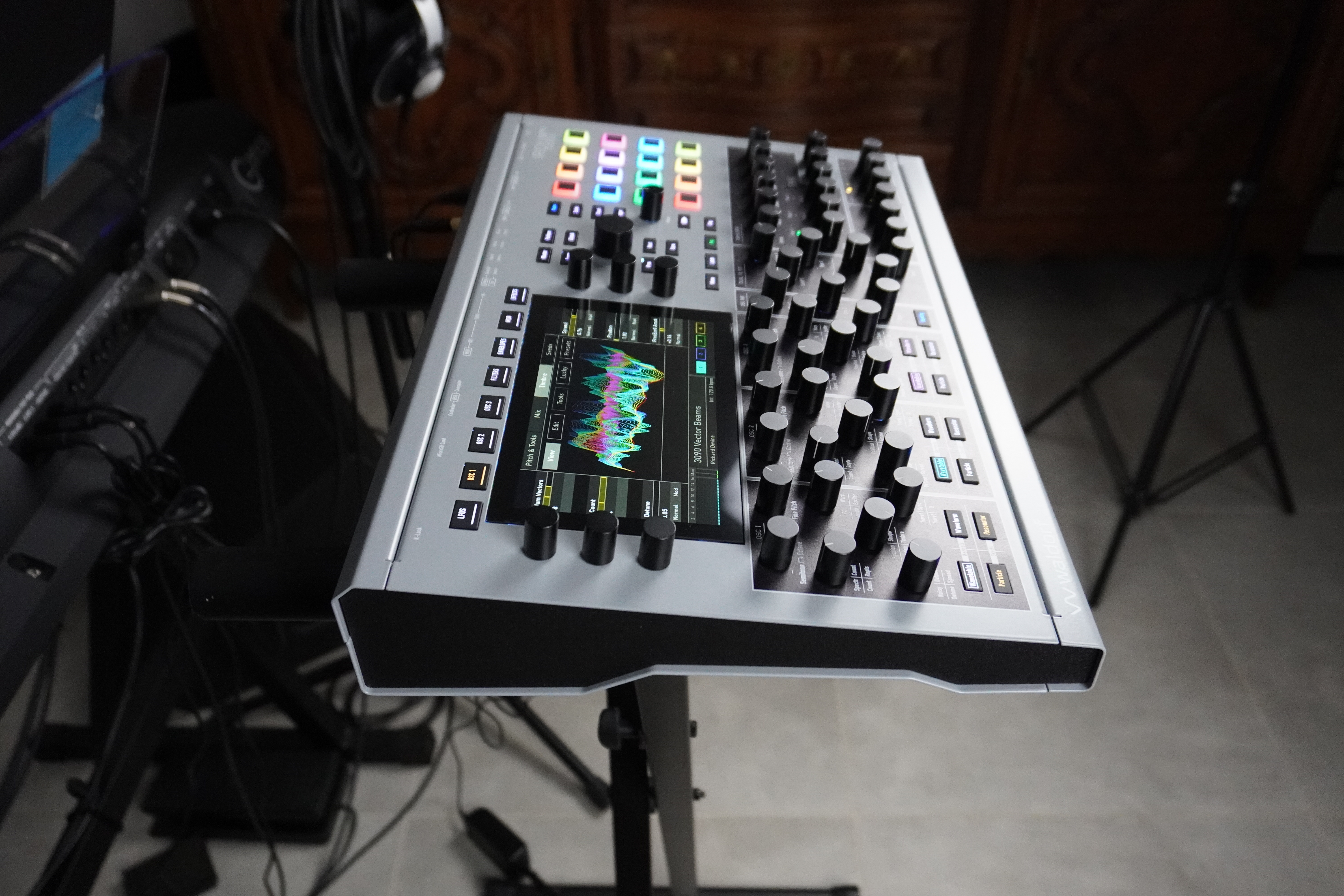
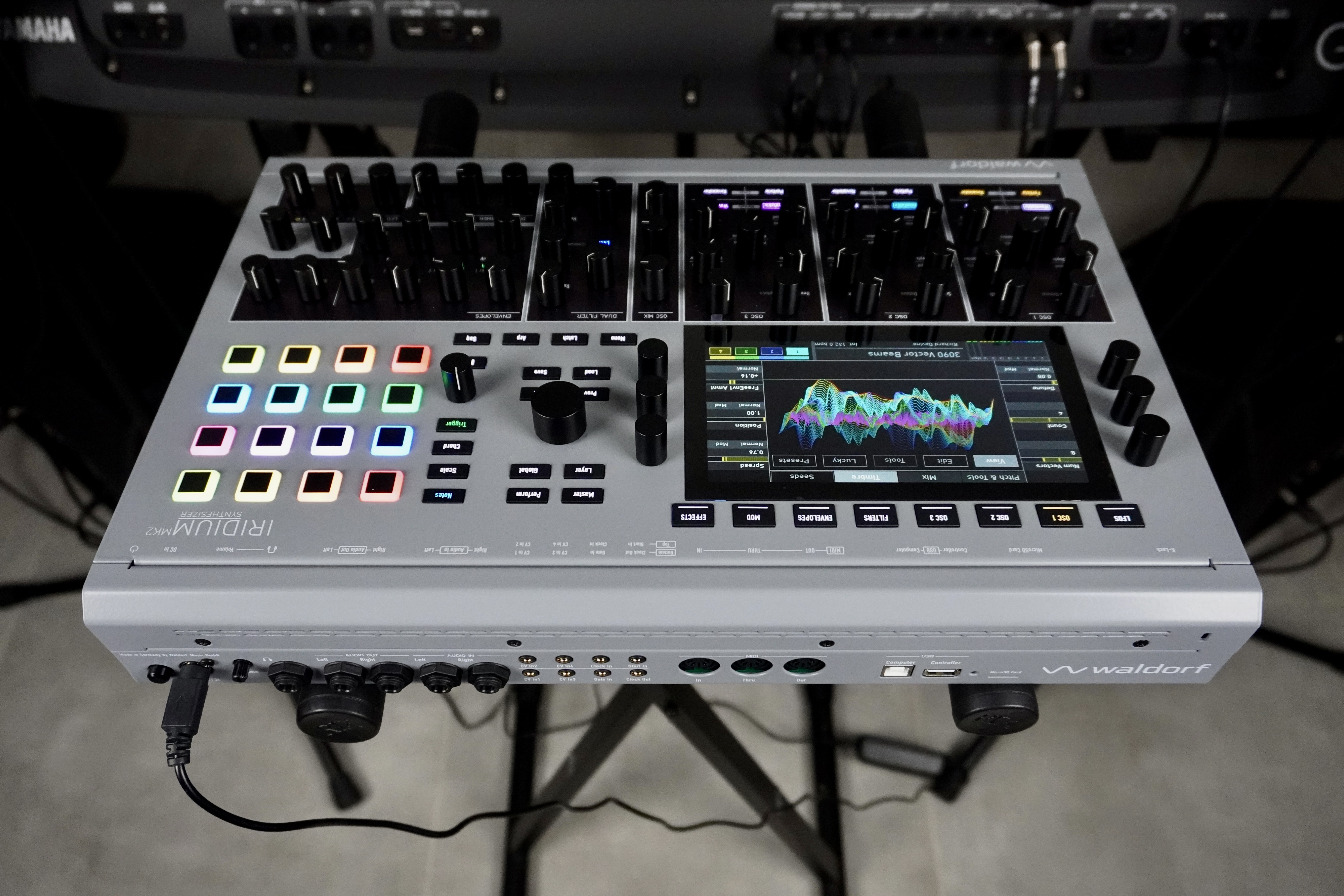
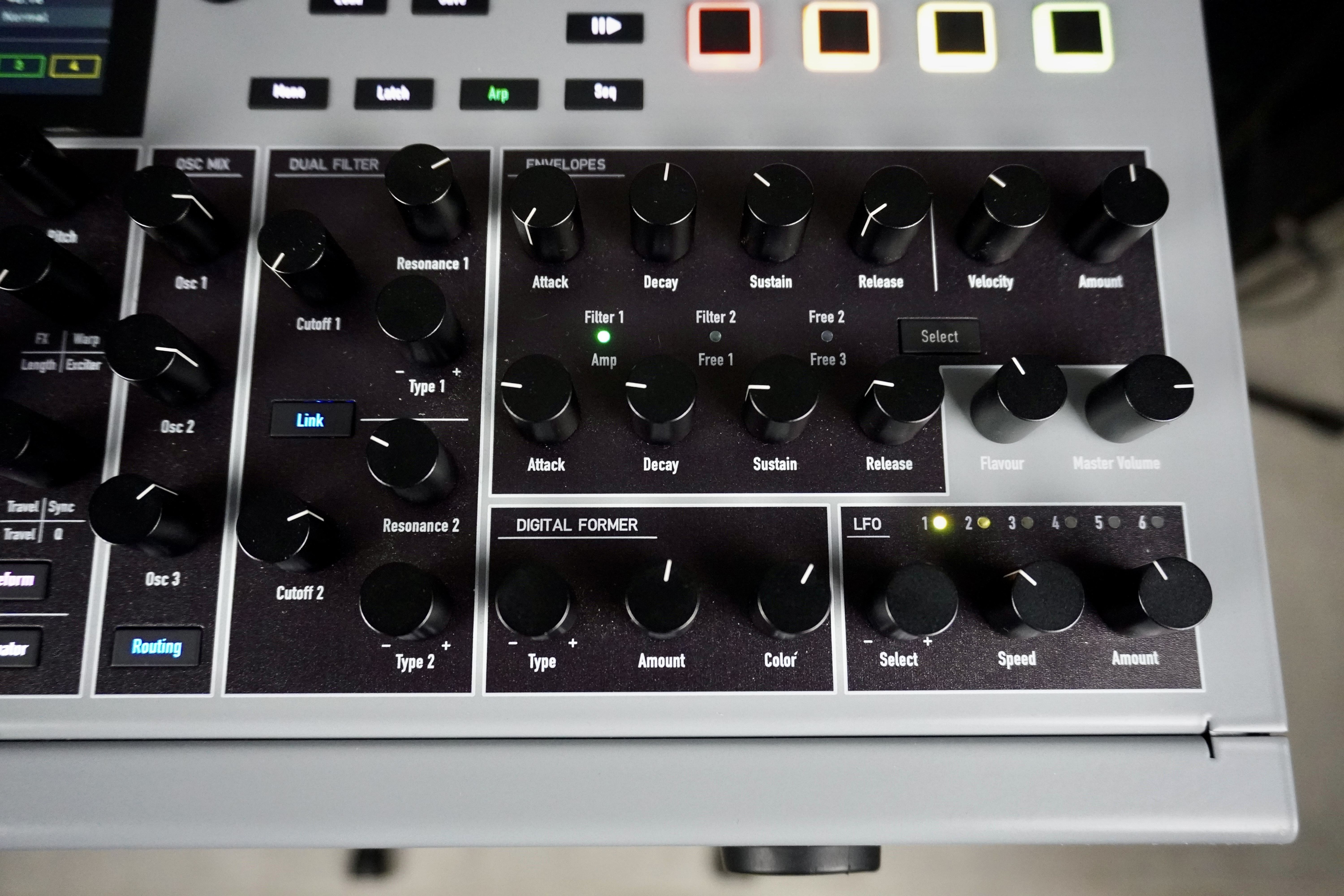
The module is a comfortable size, measuring 44 × 31 × 9 cm (17.3 × 12.2 × 3.5 inches) and weighing 4.8 kg (10.6 lbs.). The lower section houses the direct controls for the main parameters: oscillators, mixer, filters, digital processor, envelopes, and LFOs. Given the plethora of available parameters, you often need to access the menu to edit settings. This is done in the upper section using the touchscreen, the eight module selection buttons, and the six context-sensitive encoders.
The graphics are both attractive and precise, perfect for keeping track of everything that’s happening. The ergonomics are very well thought out: display of stored/edited values, different resolution levels, MIDI CC assignment via learning… however, there’s no “compare” feature. Too bad; it would be a time-saver.
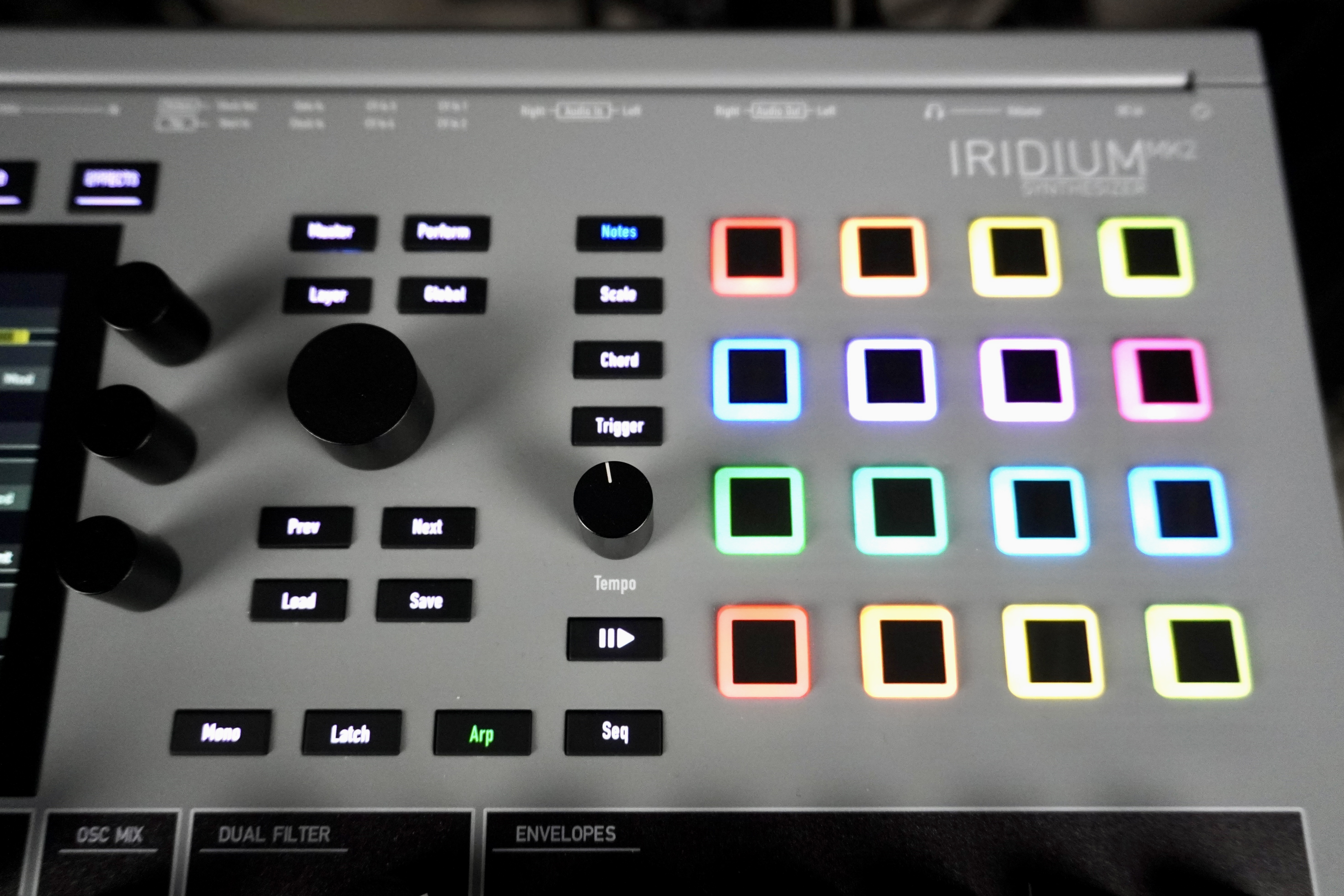
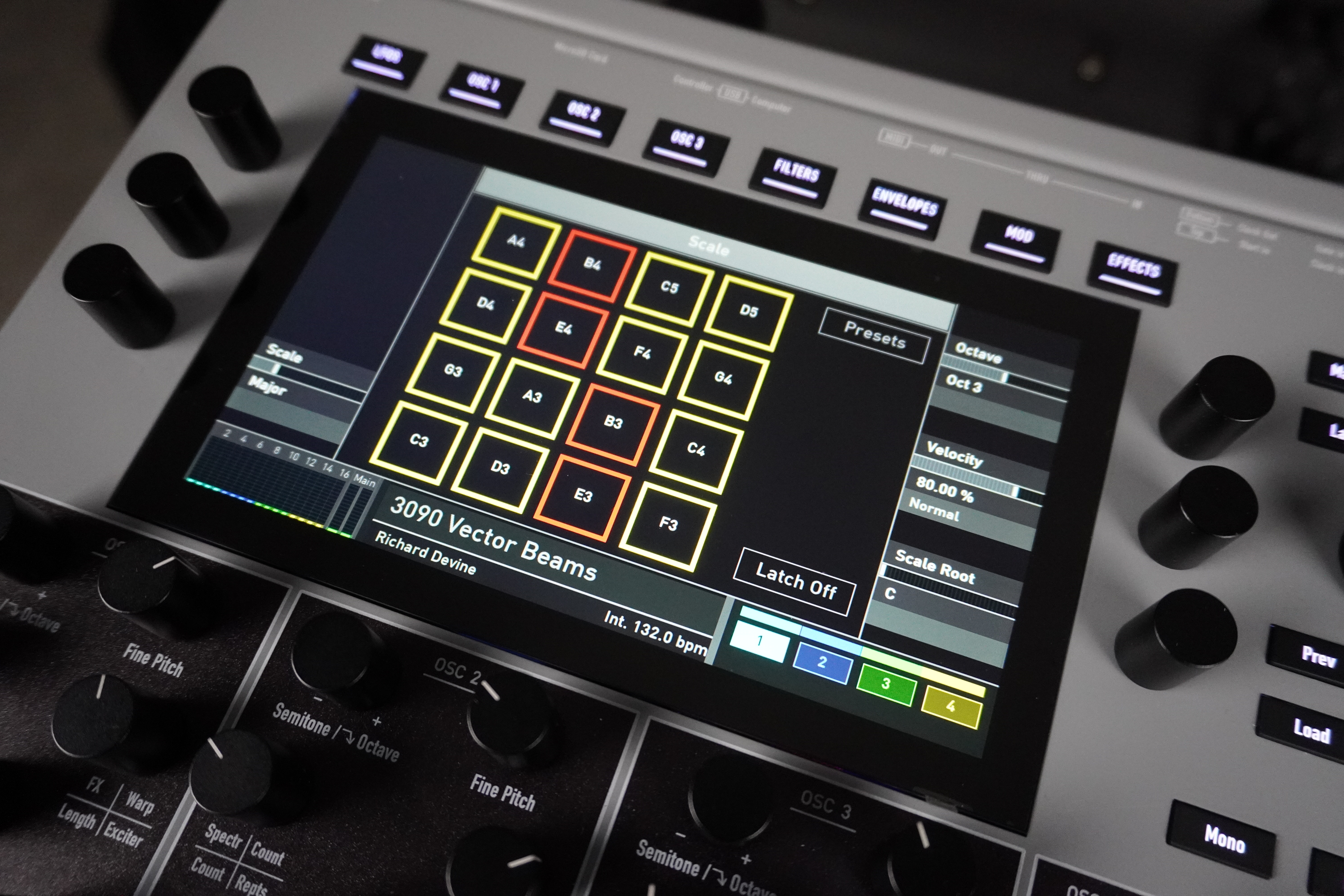
A section to the right of the screen lets you select the playback mode, load/save a program or layer, or launch an arpeggio or sequence. Finally, on the right, the 16-pad multicolored array lets you play notes, chords, arpeggios, and sequences. These are simple switches, which isn’t great in this price range.
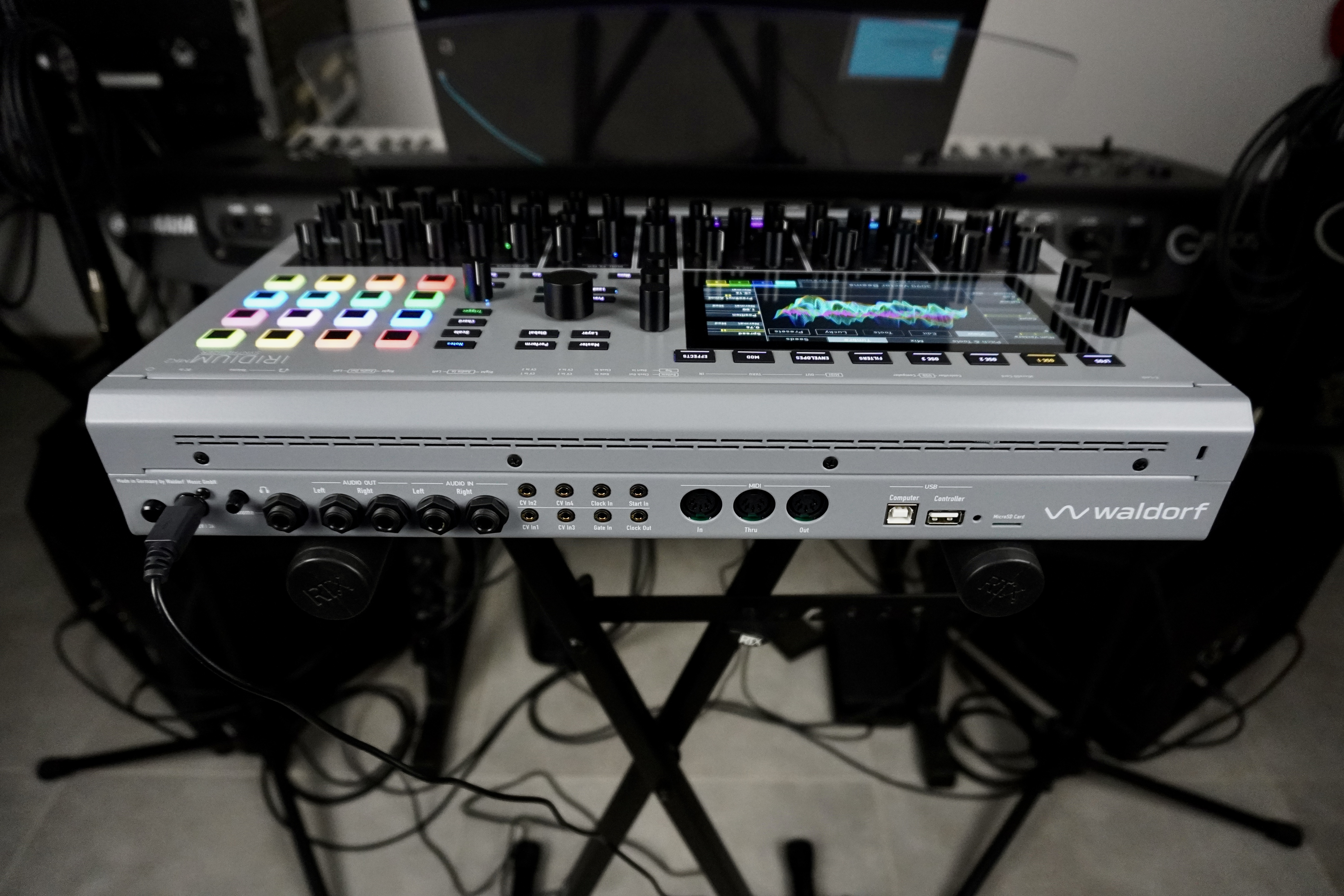
The connectors are screwed or crimped to the rear panel. They include a DIN terminal for an external power supply (via a central power supply unit), a 6.35 mm (1/4-inch) headphone output with mini-pot volume control, stereo audio outputs and inputs on 6.35 mm (1/4-inch) TS jacks, for sampling a signal or processing it via the granular engine, filters, or effects.
In addition, you’ll find eight mini-jack connectors: four CV inputs, one Gate input, one Start input for the arpeggiator or sequencer, one clock input and one clock output.
There’s a MIDI DIN trio, a USB-B port to computer (MIDI 2.0 / MPE, CC, NRPN, and SysEx), a USB-A port to a controller or storage device, and a microSD card slot (for managing programs, samples, oscillators, wavetables, MIDI tables, system). It’s truly a shame that there’s only one pair of stereo outputs given the instrument’s multitimbral capabilities, and that USB audio wasn’t included.
A very user-friendly and high-quality sound library, with over 2,000 preloaded programs
Sounds can be selected by number, bank, author, type, and four customizable attributes, which can be saved when saving programs. For immediate efficiency, you can organize your preferred programs into favorites (12 tabs of 20 sounds each). A function allows you to load an entire program or one of its four sound layers.
The knobs can respond in step, threshold, or relative modes. We appreciate their precision and the three resolution levels offered for each continuous parameter. The front-panel controls transmit MIDI CCs and are easily assignable to a modulation source—we’ll come back to that. This also works in the menus. Holding down the desired parameter opens a dialog box for its assignment.
The Iridium MK2’s sound quality is excellent: high output levels with no background noise, wide bandwidth, and beautiful stereo depth. The sounds are crystal-clear, finely detailed and precise. We appreciated the PPG-style evolving textures, the atmospheric chorus sets, the dreamy ambiences, the various modeled percussion sounds, the ethereal wind instruments, and special effects of all kinds.
A new engine, dubbed “Seeds, ” has made its debut. It adds highly evolving wavetable-style sounds, but with a potentially different synthesis method at each stage. That allows for a sequence of distinct sonic colors as the table unfolds, which enriches the synth’s palette (the first five sound samples use this engine). It’s particularly well-suited for ambient music and sound design. It also produces some VA-style polyphonic sounds, but the Iridium lacks the thickness and natural fluctuations of polyphonic analog synths, as well as the punch of a monophonic synth. On the other hand, it blends very well with dense sounds, adding edge or subtle fluctuations.

Programs with four layers of sound arranged in different modes
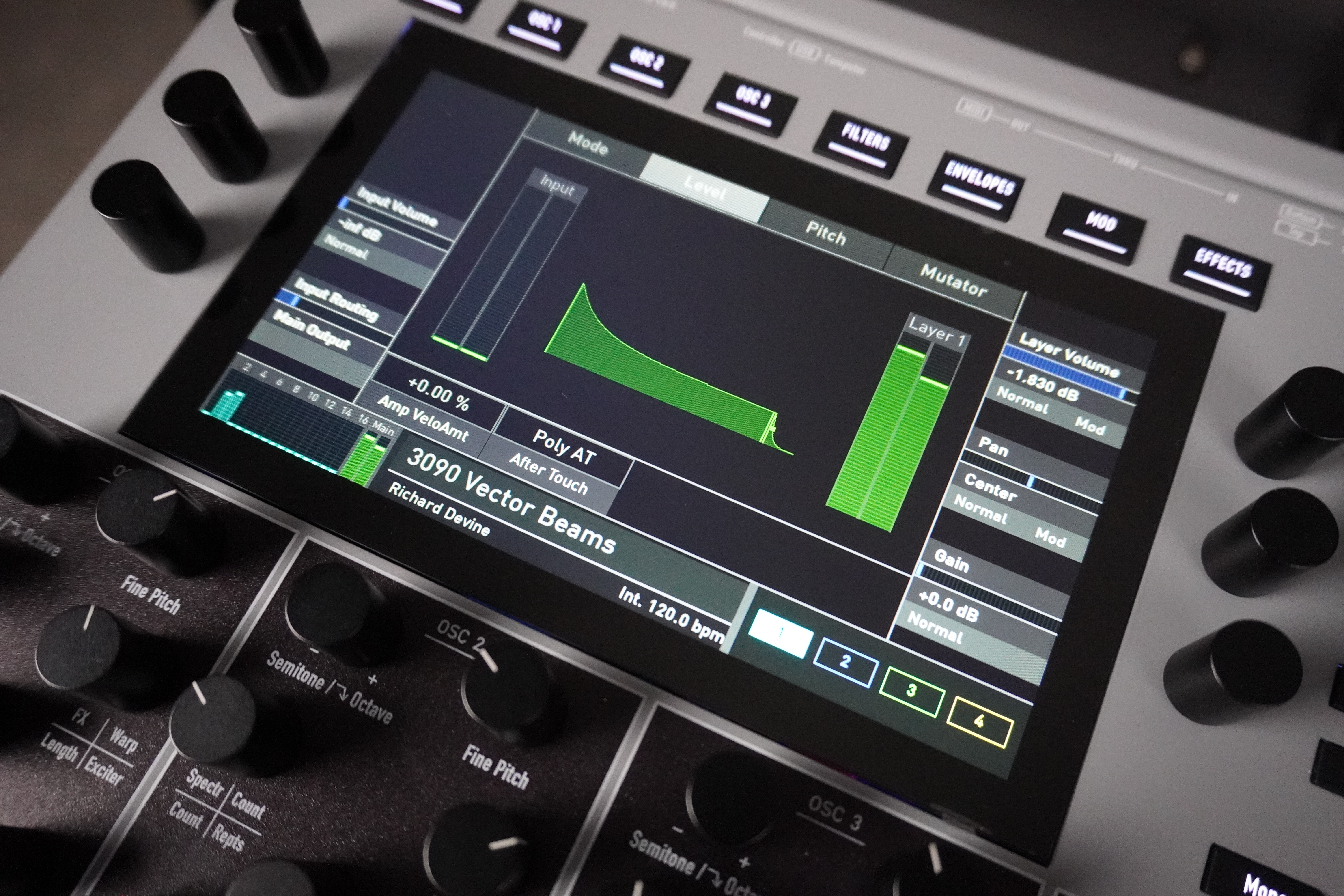
These latter modes are derived from the company’s Protein module. For each layer, you can adjust the volume, pan, velocity-sensitive volume, audio input gain, audio input routing (to the output, filters, or the layer’s effects), and unison mode (number of voices, detuning, stereo width, delay). Only one layer can be edited at a time, as the software selection buttons 1–2–3–4 are mutually exclusive.
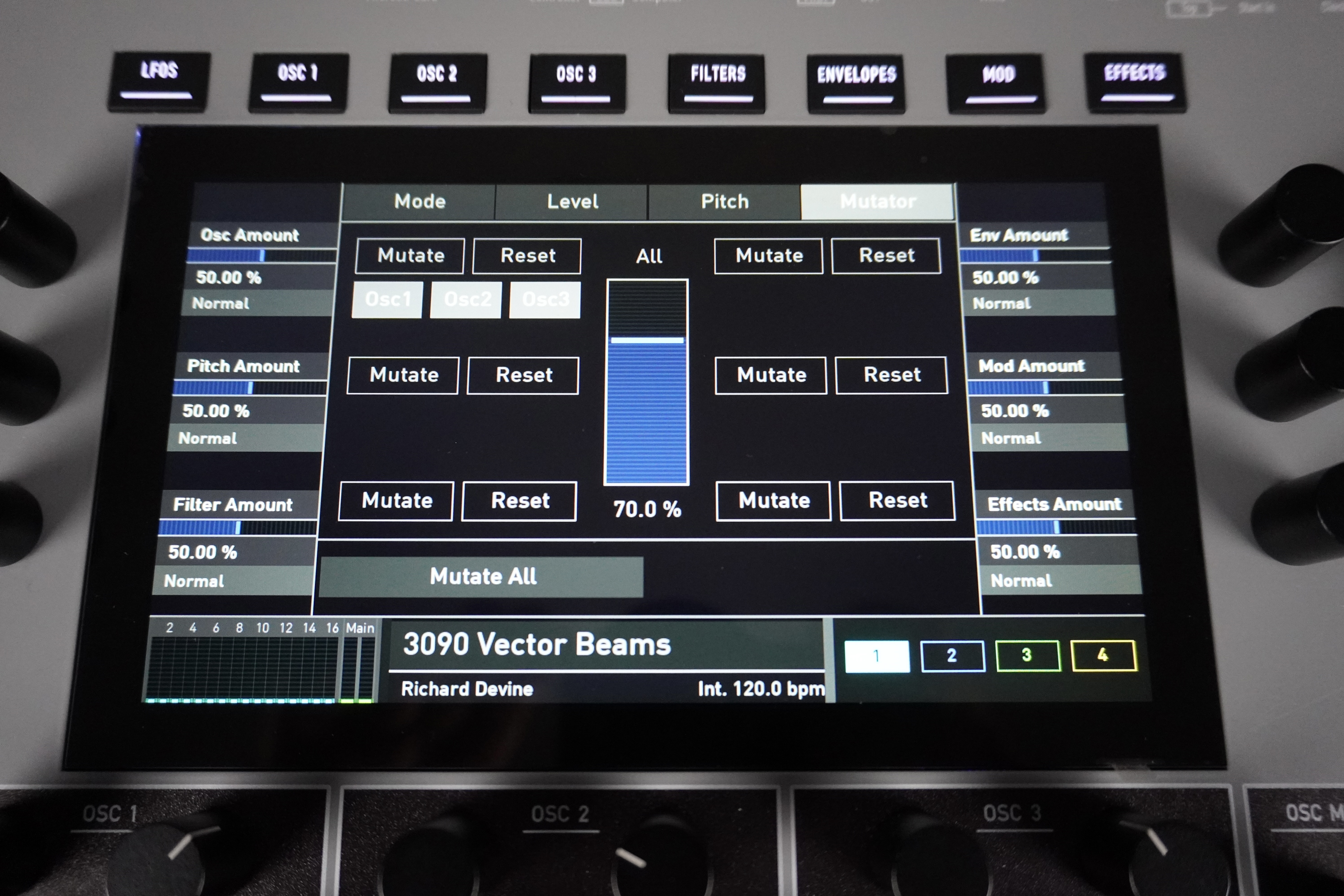
In Split mode, you can set the voice reserve per layer. In Stack mode, polyphony is divided according to the number of active layers, as you’d expect. A new Mutator page lets you randomize certain synthesis and effects parameters—well beyond just pitch—either globally or individually, with the result adjustable via the encoders.
Each voice features three oscillators, two parallel filters, a signal processor, and an amplifier. In addition, there’s a complex modulation generator, six envelopes, six LFOs, and a modulation matrix. Each oscillator offers a choice of six synthesis engines: Wavetable, Waveform, Particle Generator, Resonator, Kernel Synthesis, and Seeds.
On the front panel, you can adjust the key parameters of the selected engine (see below) and the oscillator’s pitch (octave/semitone, hundredth). However, you must access the menu to adjust keyboard tracking for pitch (bipolar), volume (normal, fine, or superfine precision), panning (same), the oscillator’s destination (dual filter, signal processor, amp, with filter balance in 5% increments), the volume of ring modulations (1×2 and 2×3), the amount of pitch bend, and pitch variation (a simulation of analog oscillator fluctuations). The other parameters depend on the synthesis engine. At the global level, you can choose a tuning system from a long list of presets or program up to eight user-defined tunings—great for fans of microtonal scales.
First engine: Wavetable
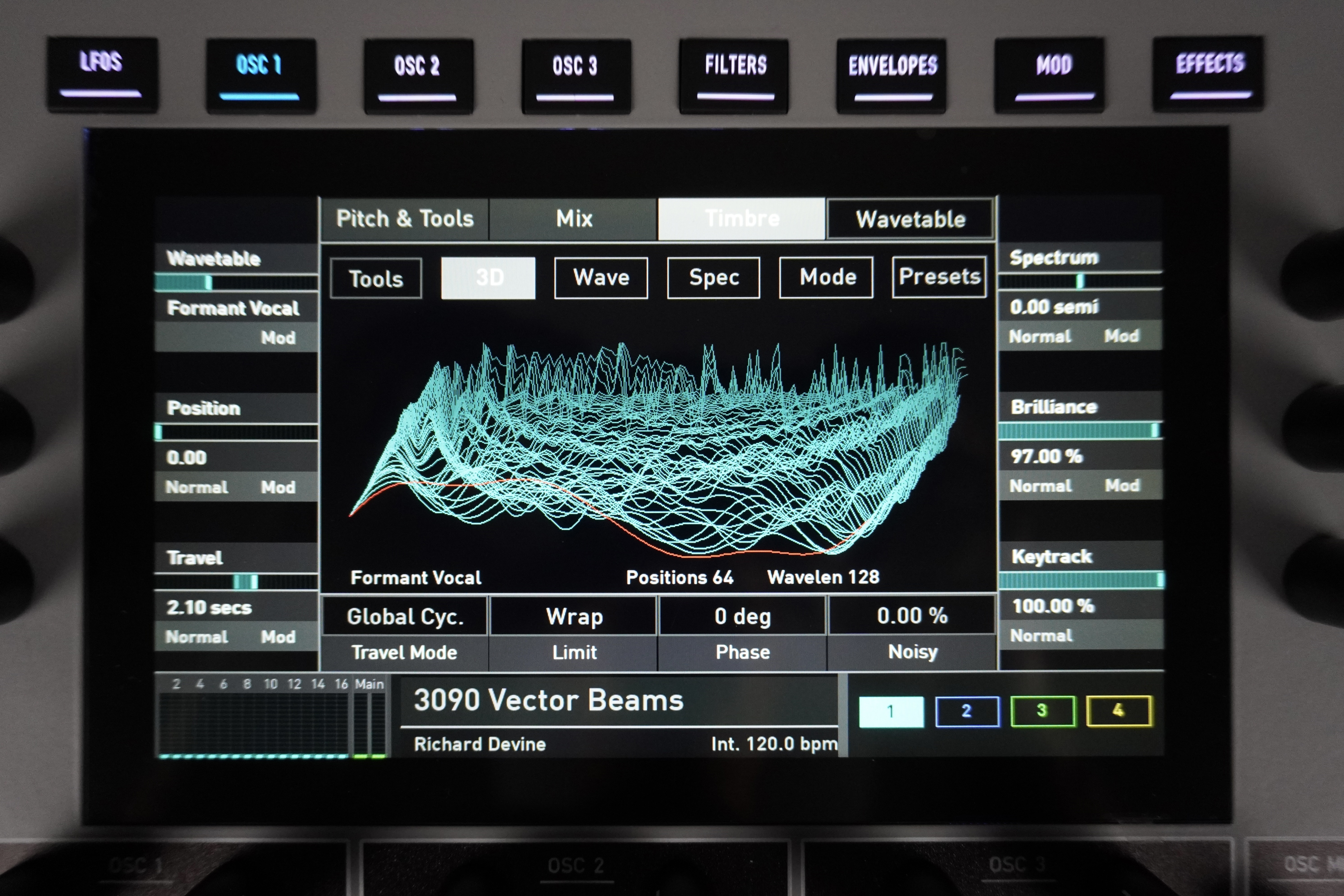
This allows you to play perfectly synchronized chords or completely uncorrelated notes, depending on the modulation sources chosen. Direct controls let you adjust the transposition of the sound spectrum, the noise level, the initial playback point in the table, saturation, and cyclic playback modulation. It’s actually surprising that you can’t change the wavetable directly on the front panel; Waldorf didn’t prioritize upgrading the MK2 with dual concentric encoders like on the company’s M module.
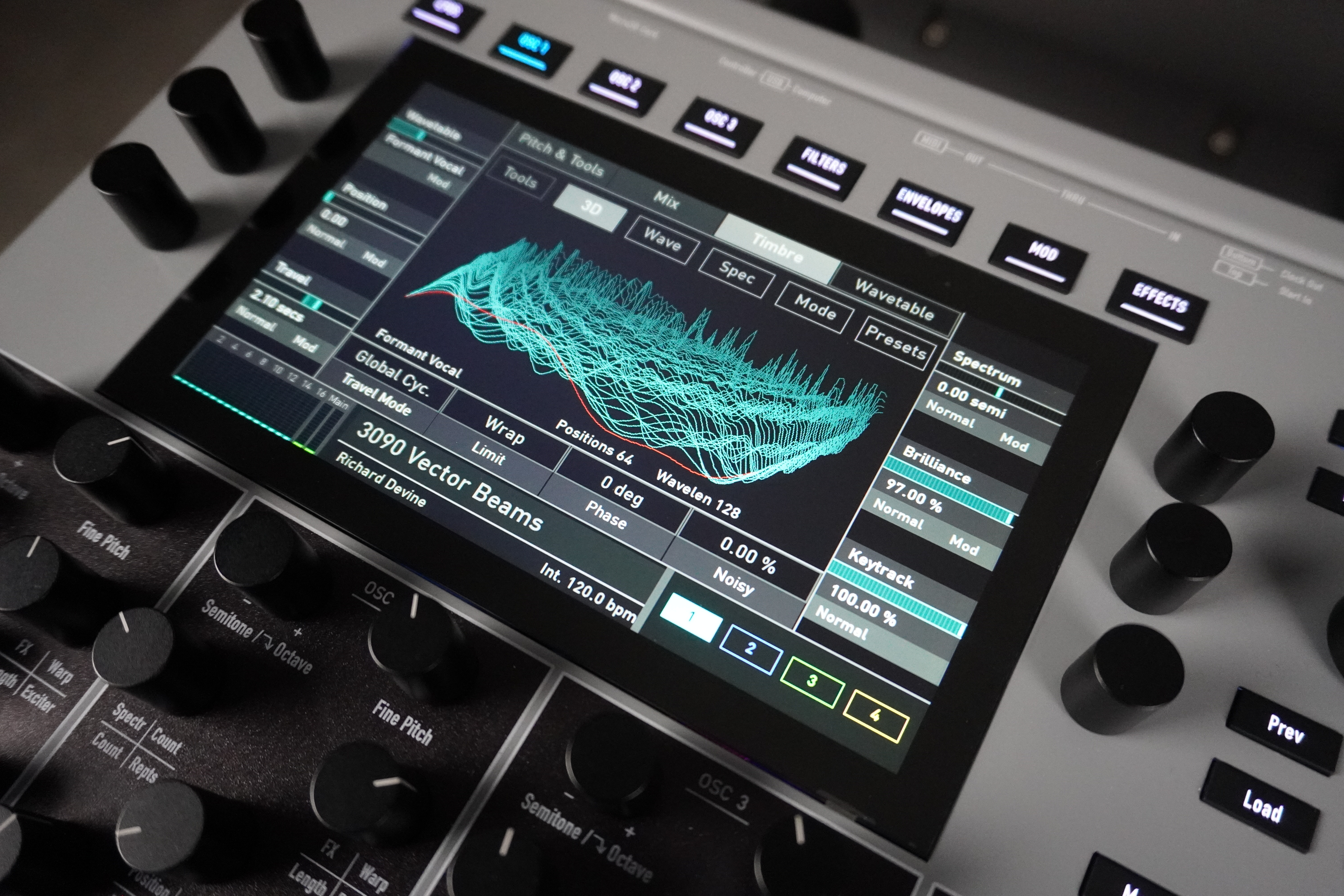
The screen displays a 3D representation of the Wavetable’s spectrum, which you can explore by changing the starting position—it’s magnificent! The synth also offers a toolkit for creating and exporting wavetables. For example, resynthesize a phrase played on the keyboard, analyze an imported audio file, or create a table of eight short waves from a WAV/AIFF file, with a maximum of 1,024 samples (recalculated as needed), or convert a WAV/AIFF file into a constant-period wavetable (between 64 and 4096 samples). Tables can be imported/exported via the micro-SD card reader. Kudos for this built-in editor!
Second engine: Waveform (analog modeling)
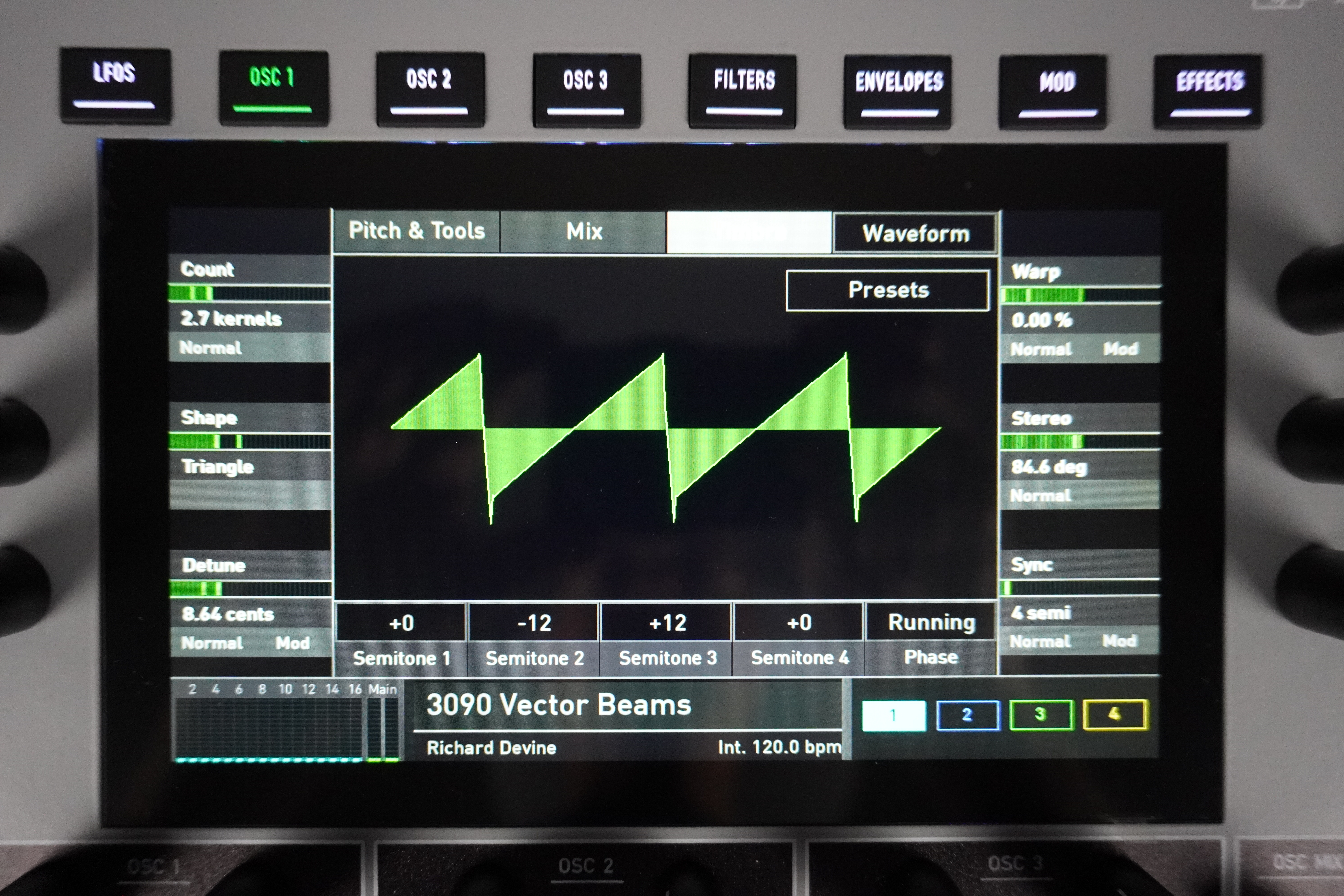
The harmonic content varies depending on the waveform. With the sawtooth, you gradually transition from a double sawtooth to a single sawtooth, then to a square wave. With the sine wave, it transitions from a gently sloping ramp to a sine wave, then to a smoothed sawtooth.
The triangle wave transitions from a ramp to a triangle wave, then to a sawtooth wave. If you choose the pulse wave, you can adjust the pulse width from nearly zero to almost 100%. Finally, with the two noise types, we transition from filtered noise to unfiltered noise, then to variable-pitch noise.
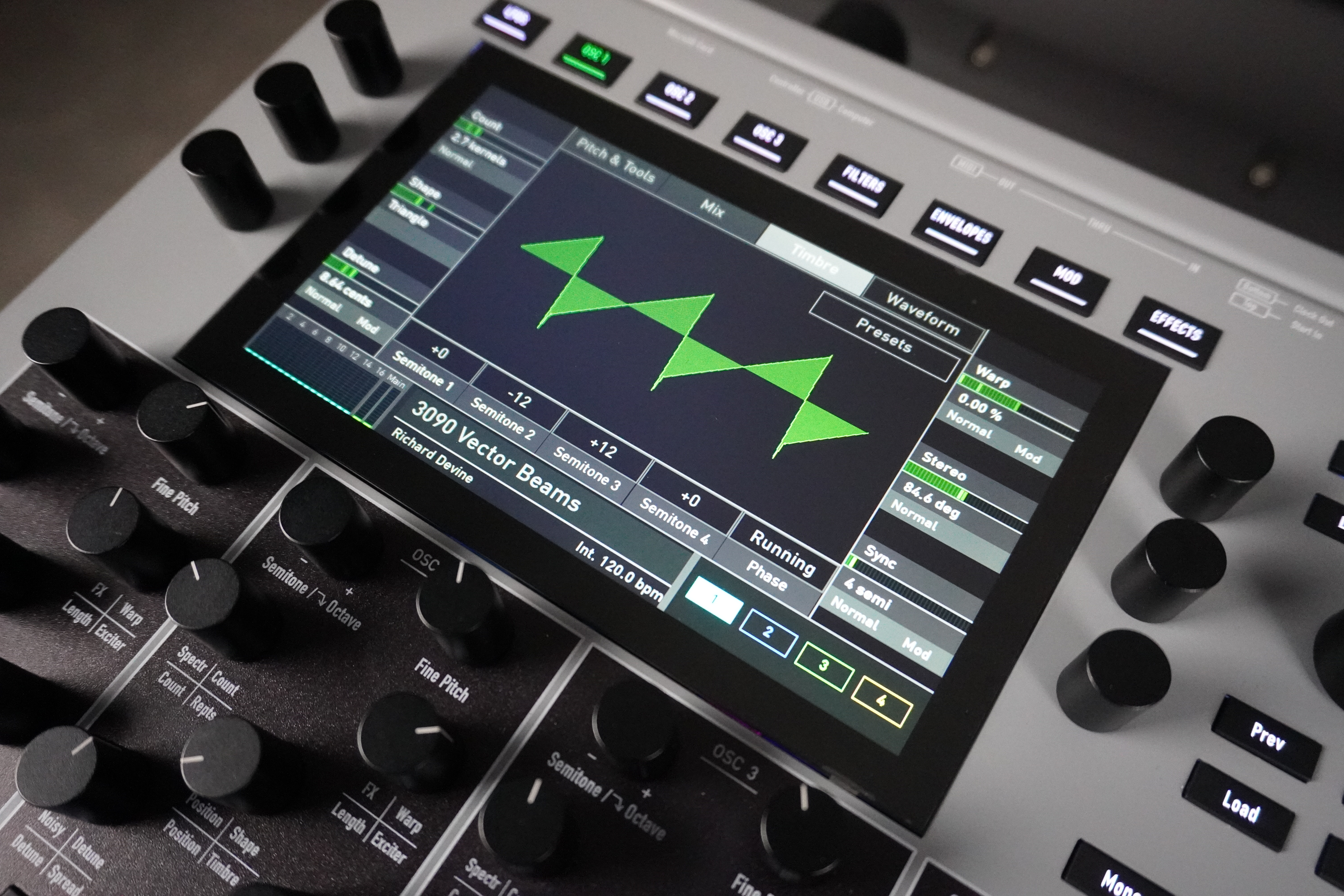
You can also load, name, and save preset waves, just like with the wavetables. This is a highly sophisticated engine that, once again, doesn’t merely imitate the existing sounds.
Third engine: Particle Generator (granular synthesis)
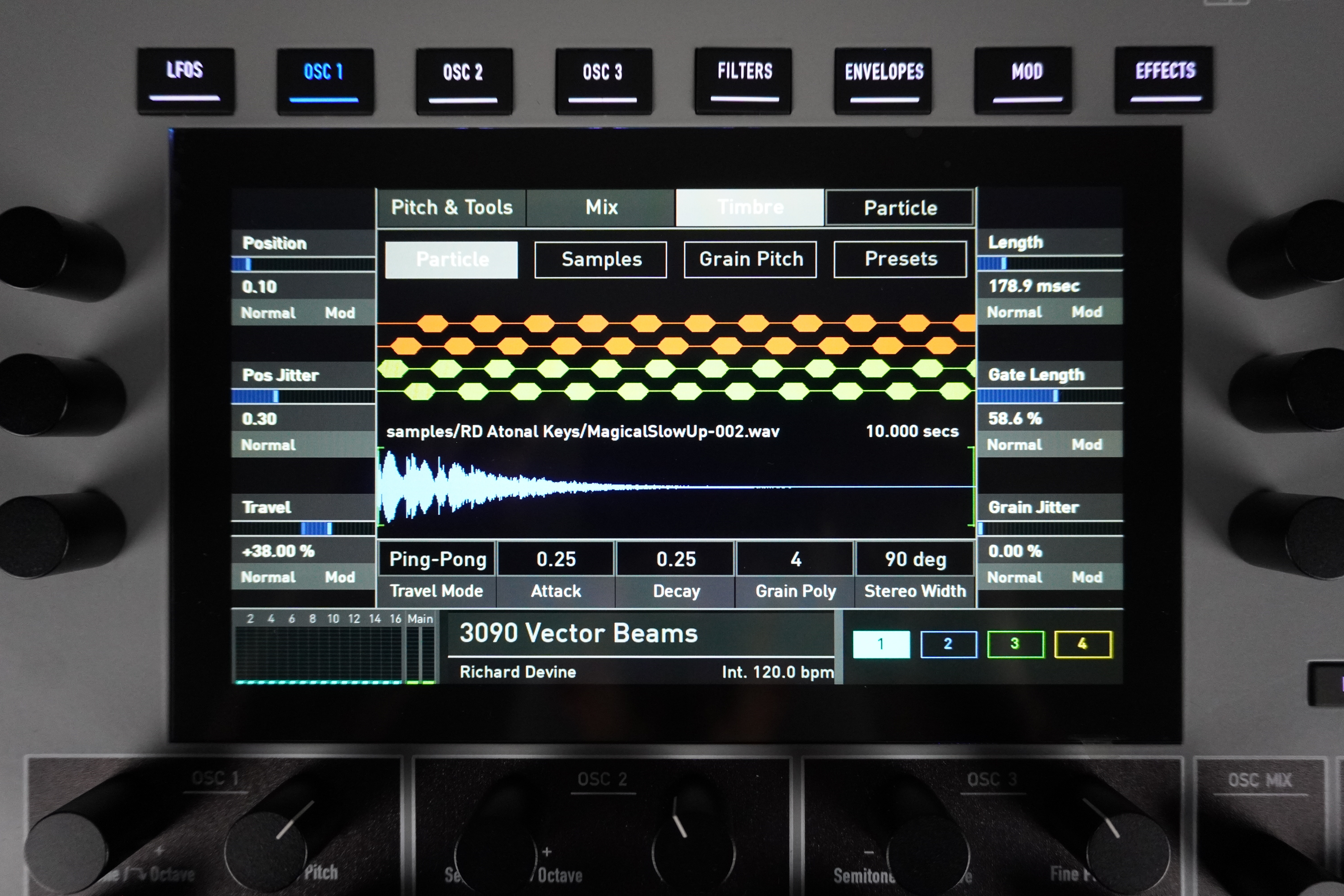
Samples come from internal memory, a micro-SD card, recordings made directly from the device, or the audio input. Samples can be edited just as in Global mode (see box). You can also assemble them into multisamples, to play them back simply or resynthesize them via granular mode. Options include sample selection, pitch, range and velocity window.
If you assign the same range and velocity to multiple samples, you can then alternate between them according to different rules: ascending order, descending order, ping-pong, random—the competition would do well to take a cue from this!
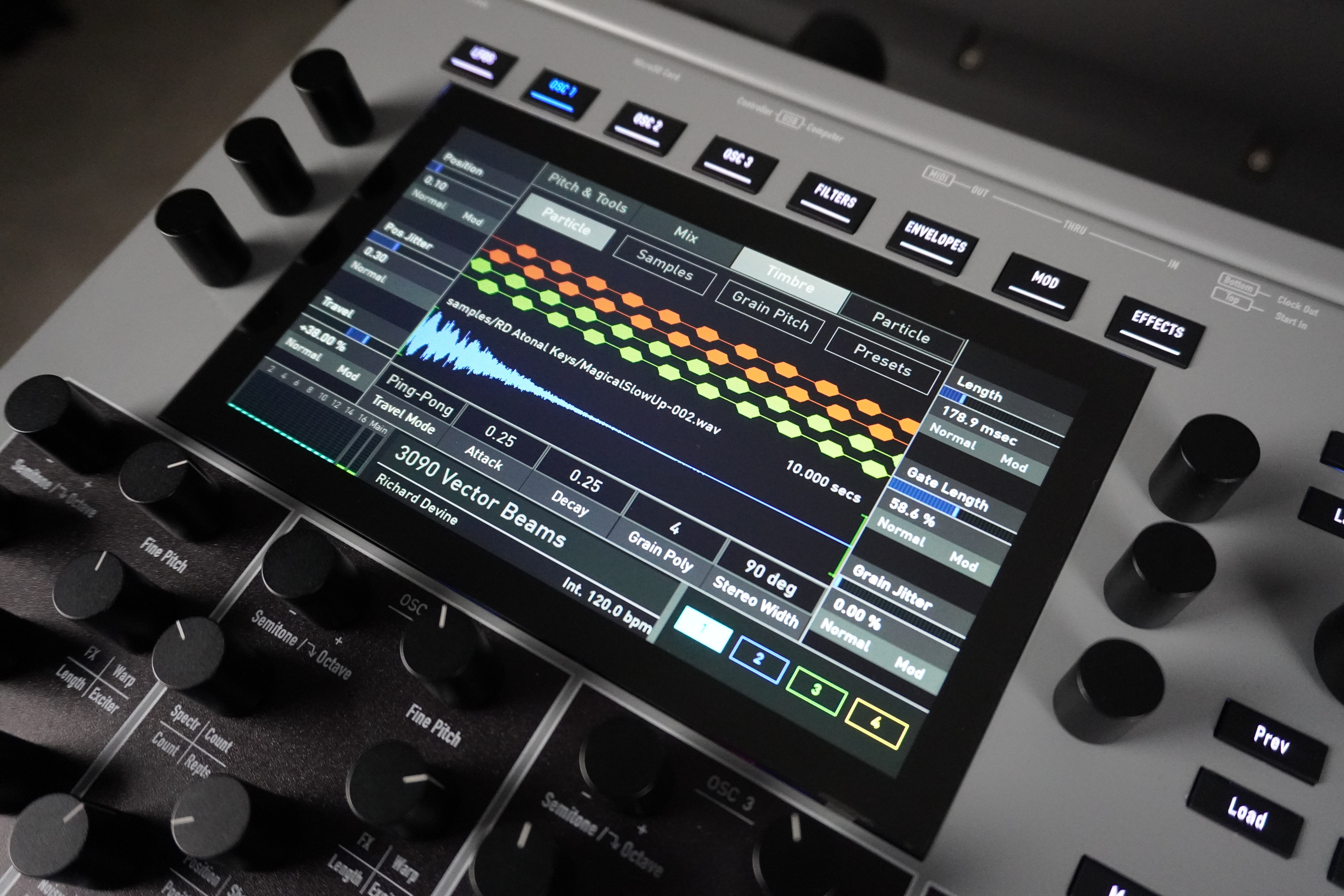
Via the menu, in granular mode, you can access additional parameters: random start point, gate (grain density), agitation (random variation in grain length and density), playback mode (continuous, single shot, ping-pong, global—all of which can be adjusted in real time without having to retrigger the sound), envelope attack, envelope decay, and stereo width.
You can also adjust the pitch of the grains: dispersion relative to the central pitch, dispersion mode (various rules, some of which are random or set by semitones…). Here again, you can load and save presets, and the display is very intuitive, helping you understand what you’re doing and how it affects the samples. A successful and unique synthesis engine.
Fourth engine: Resonator (physical modeling)
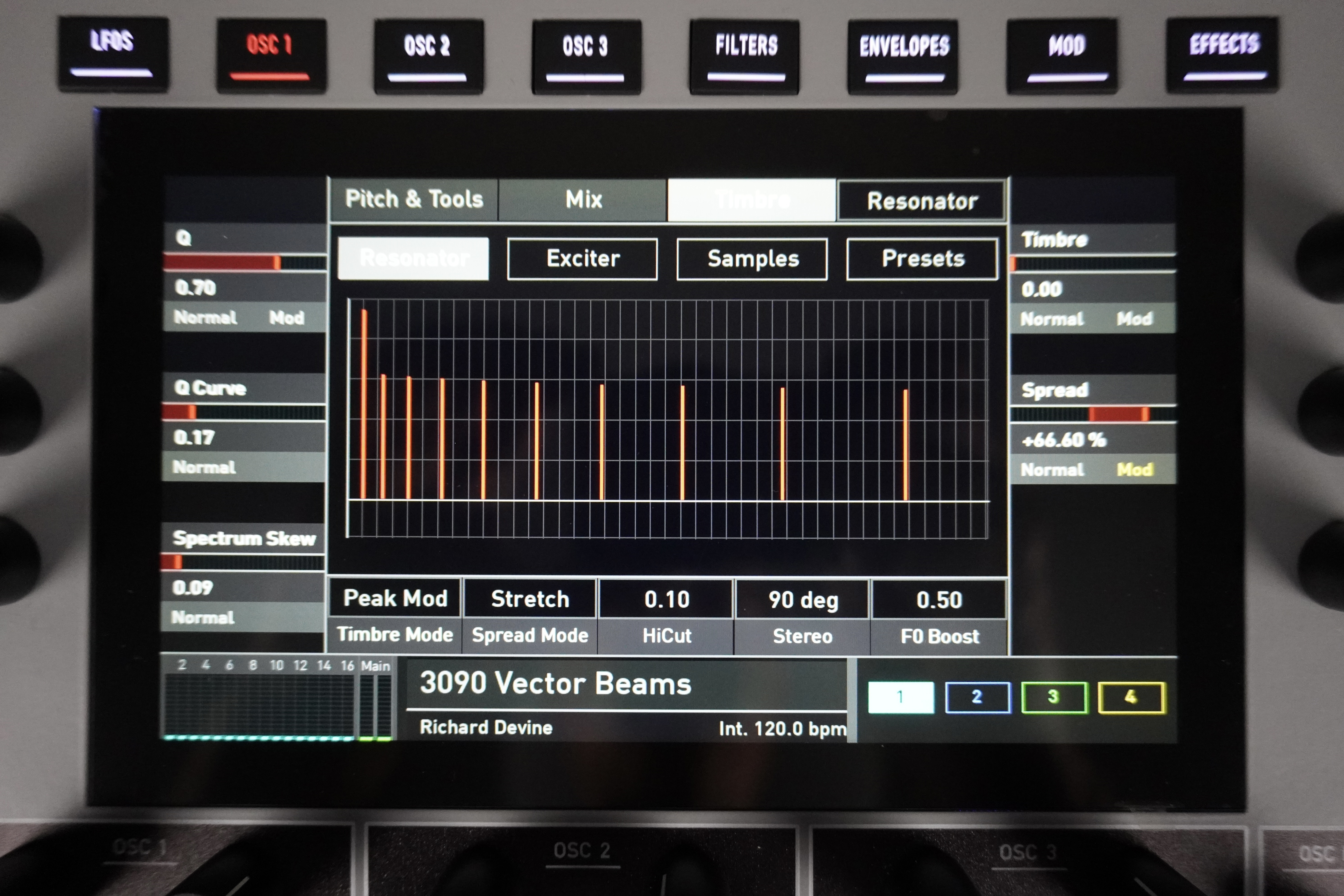
The screen displays the resulting spectrum in real time as a harmonic series. Through the menu, you can adjust the amount of accentuated partials (shifting from a woody sound to a metallic one), the brilliance (ratio between low and high harmonics), the excitation envelope (AD), the acceleration of repetitions (for example, to simulate a bouncing ball that eventually comes to a stop), the filtering balance of the partials, high-frequency filtering (between the excitation and the filter bank), stereo width, and fundamental boost. As always, there is a bank of loadable and editable presets for creating your own resonators.
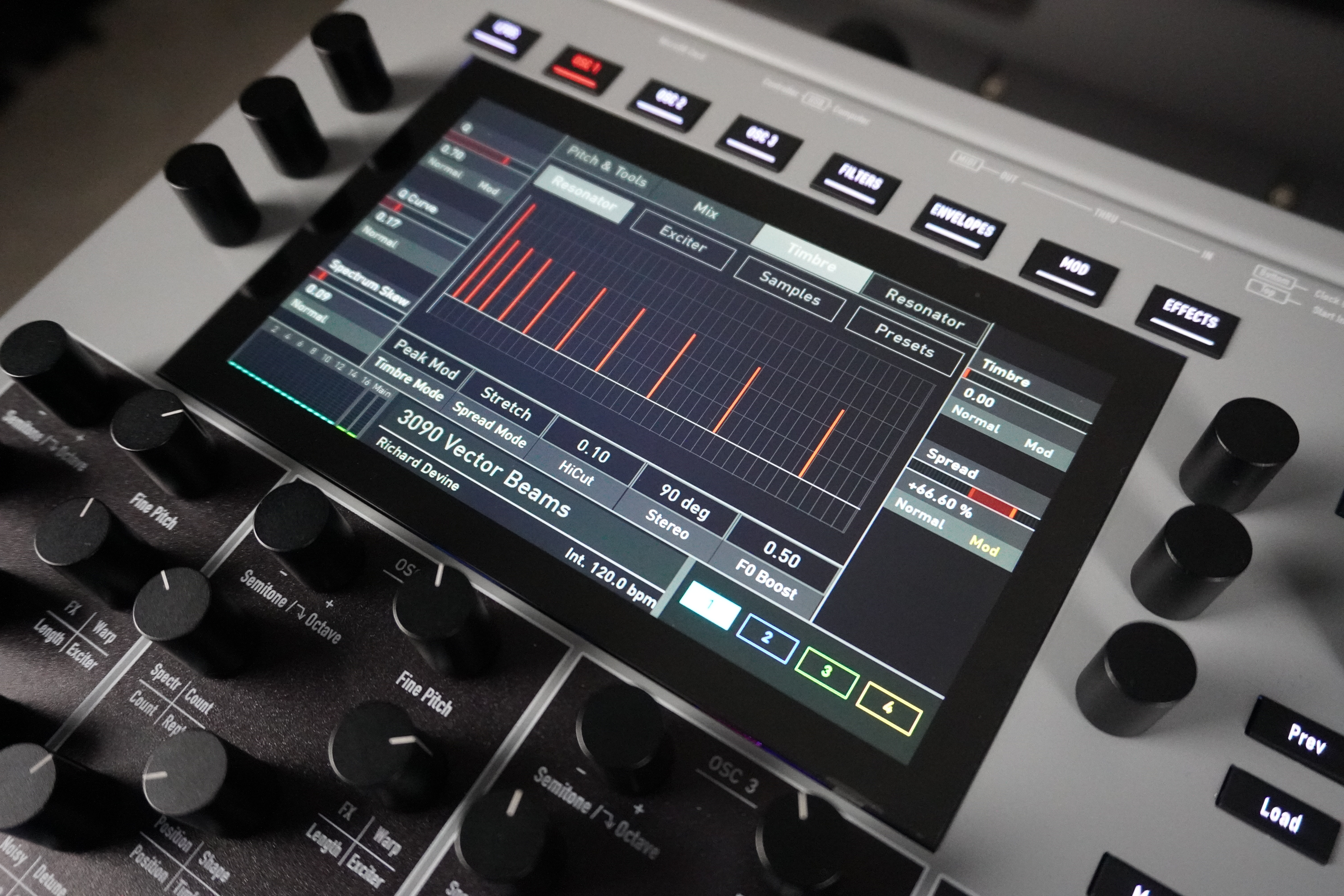
Within the resonator-type oscillator, just like in the Particle Generator engine, you can edit samples and assemble them into multisamples, which can then be used as an excitation signal. The only difference here is that there is only one alternation mode for samples with the same pitch range and velocity window.
The sounds produced with this type of oscillator range from wooden percussion to metallic percussion, wind instruments, and trickling sounds. It’s an oscillator just waiting to be explored, capable of producing unusual sounds—sometimes organic, sometimes acoustic.
Fifth engine: Kernel Synthesis (algorithmic synthesis)
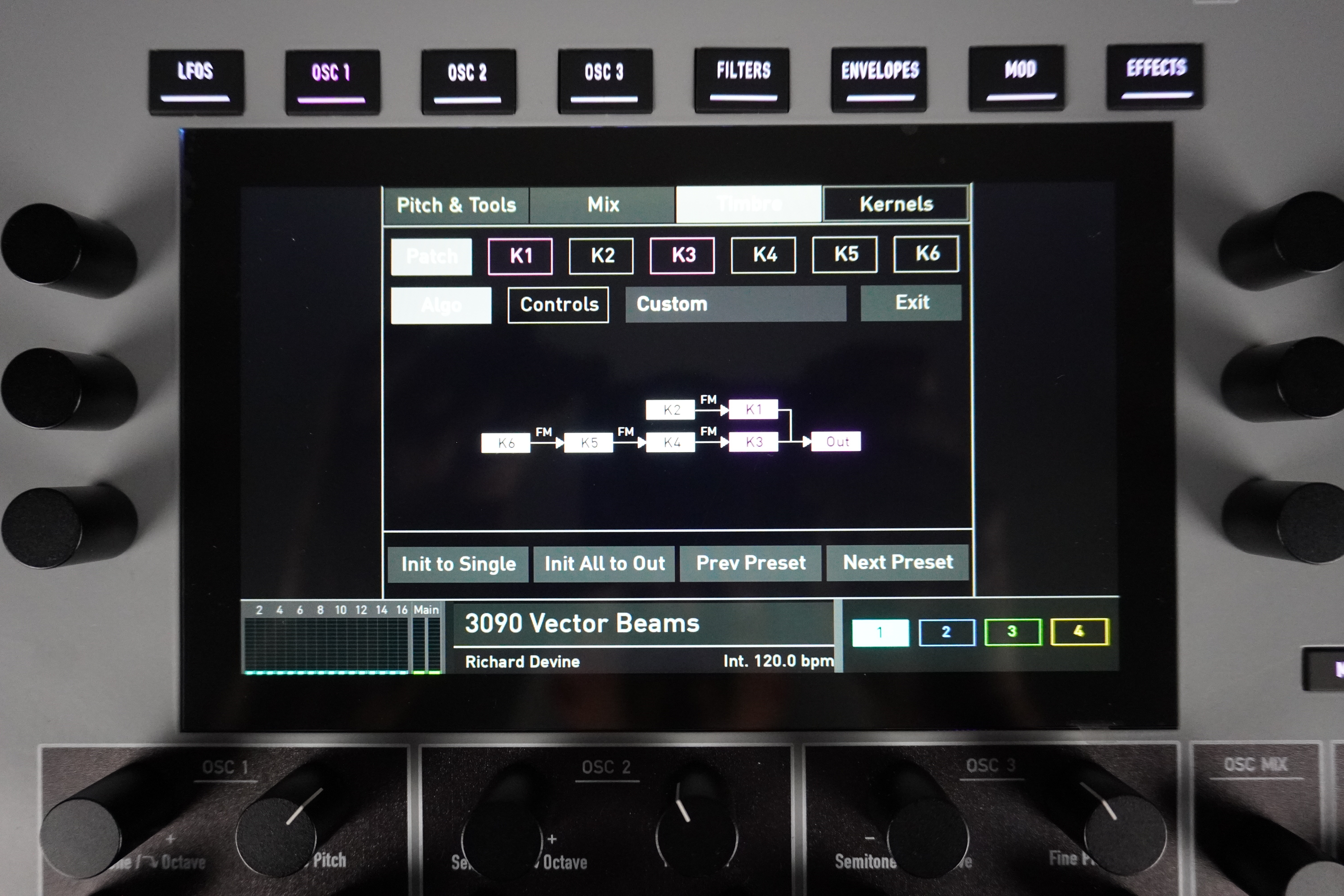
The first, Template, is for quick adjustments using the five front-panel knobs in the oscillator section, which become context-sensitive based on the selected template. The screen displays a page with the assigned parameters, which you can then modify to save your own templates. This allows you to use this mode without getting too lost in the details.
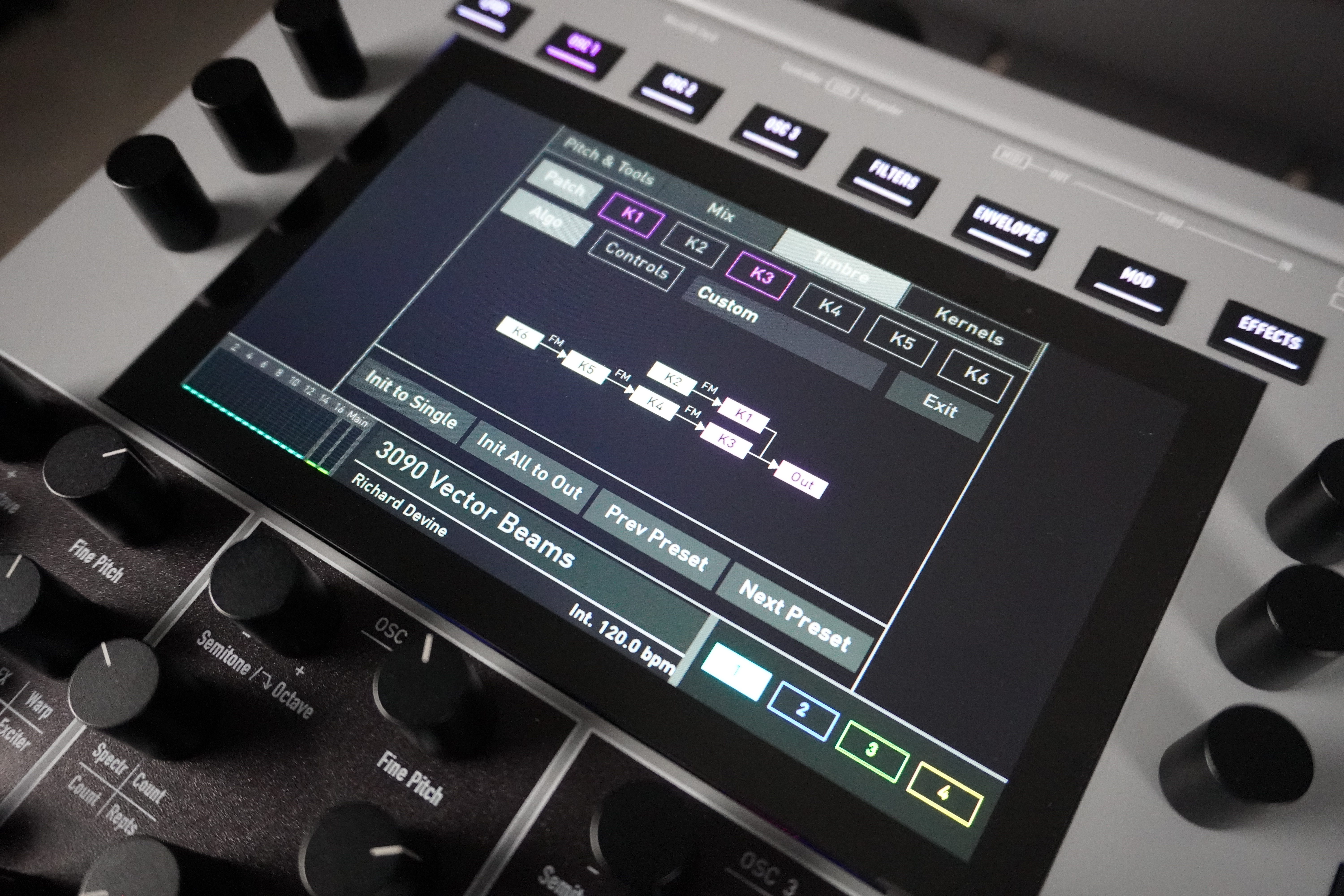
There are several types of modulation: phase (DX7), linear FM, ring modulation, AM, and wavetable playhead position. For phase and amplitude modulation, you can set a feedback level for each Kernel. The screen displays the algorithm as it is being formed in real time, showing all the routings and modulations created.
You can also assign the five front-panel knobs to six simultaneous parameters per knob (a modulation matrix-style macro system where each cable selects the parameter and the amount of bipolar modulation). Editing at the Kernel level is done via dual tabs, allowing you to easily switch between Kernels within a given parameter page (waveform, modulations, envelope, and level). On the Waveform page, you select the waveform type: sine, ramp, sawtooth, square, white noise, pink noise, resonator, or internal wavetable. You can set the initial playback point of a wavetable, its phase, and its level (volume and/or modulation, depending on whether the Kernel is a source and/or a modulation) and its pitch type (constant ratio, allowing you to obtain harmonics or partials, or fixed frequency).
On the Modulation page, you define the routings of the three modulation-source Kernels for the current one. On the Envelope page, you adjust the level envelope (volume and/or modulation) of the Kernel, which is of the AD1D2 type with keyboard tracking. Finally, on the Level page, you control the level, velocity response, keyboard tracking, and panning. Once again, this is a full-fledged synthesis engine that also allows you to import banks of 32 DX7 programs via Sysex. Isn’t life beautiful?
Sixth engine: Seeds (multi-synthesis tables)
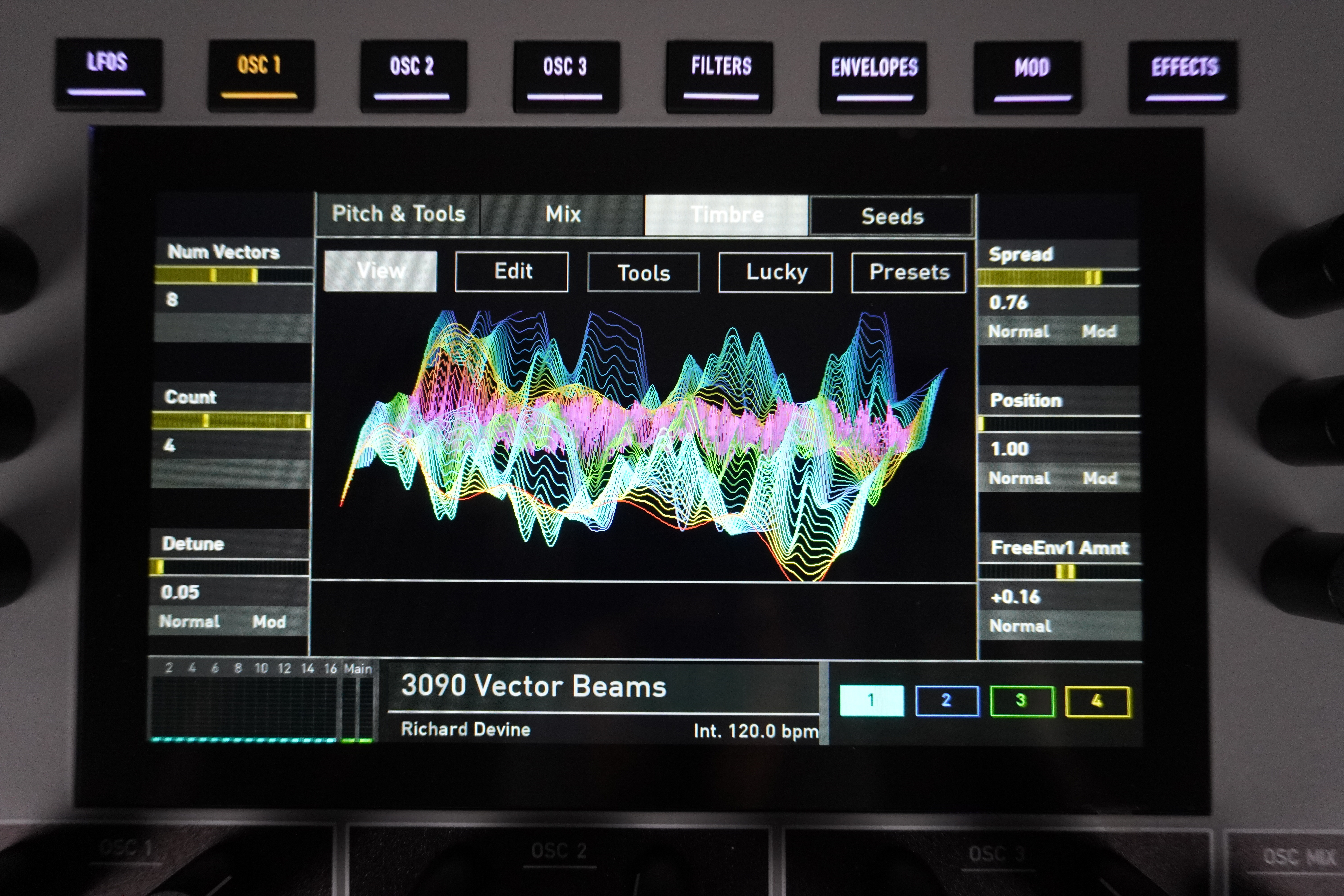
The sound structure is based on wavetables, which can contain up to 12 Vectors (stages). The difference from a classic wavetable oscillator is that here, rather than chaining together static wavetables, Seeds are used—variable oscillators generated from different types of synthesis: four-part additive synthesis, wavetables, FM with feedback, ring modulation, and a complex noise generator (wind, rain, interference, crackling…).
Each Seed can stack up to four virtual oscillators (of the same synthesis type), producing an effect similar to a chorus (detuning + stereo spread). A dedicated envelope (free-form) allows you to directly modulate the Seed’s evolution. The vector table (or Seed table) is scanned in the traditional manner, starting from a programmable initial point.
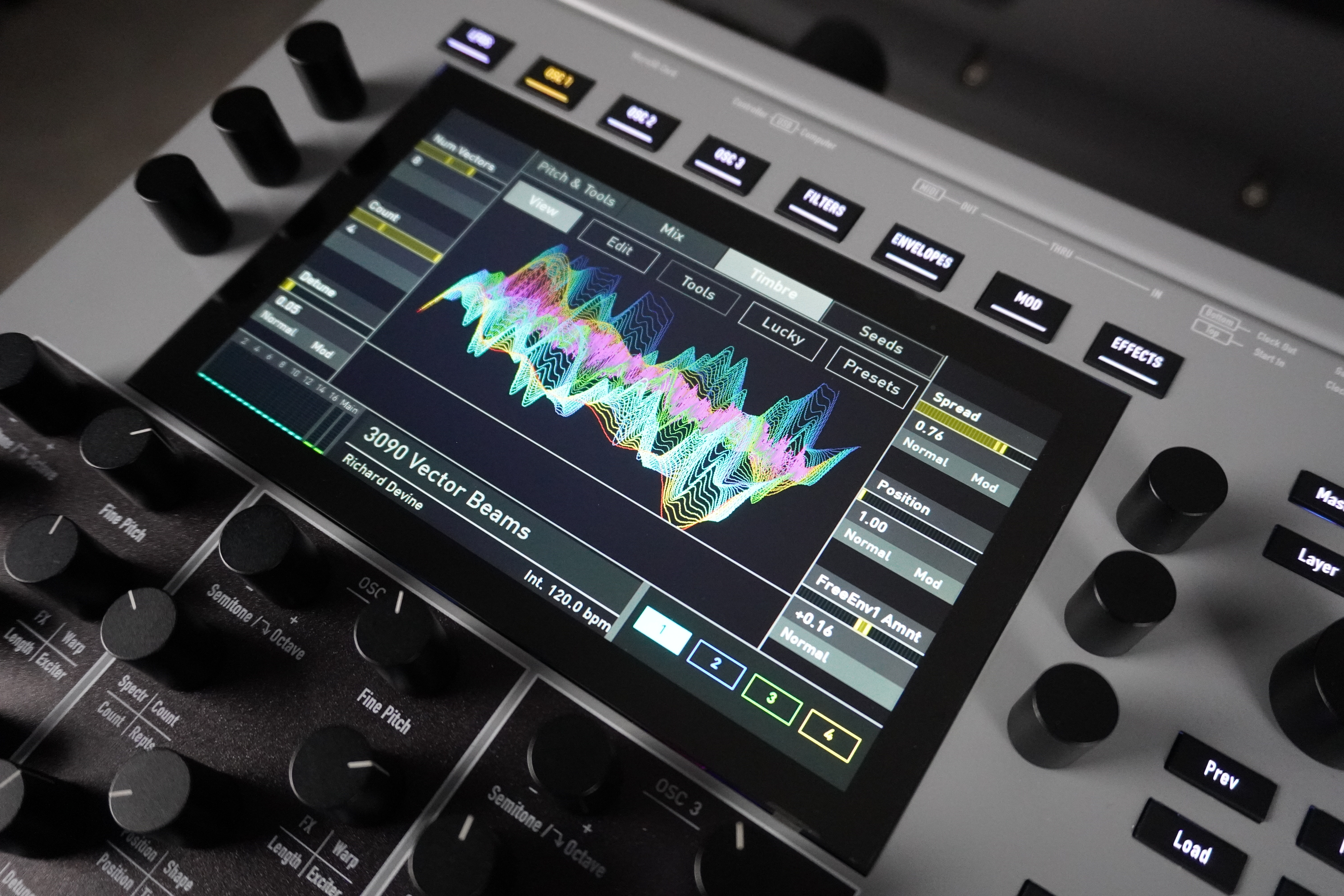
The other pages allow you to edit the 1 to 12 vectors via a drop-down list, with options to select the synthesis type, volume, transposition, and parameters specific to each synthesis type. All settings are highly customizable via the matrix.
For those who might feel overwhelmed, the designers have included presets with useful settings and a random generator (“Lucky”) that can operate using five more or less outlandish calculation modes. The more adventurous, meanwhile, will relish the fact that everything is programmable from A to Z. We truly appreciate that the developers have gone to great lengths to enhance a synth that’s already very comprehensive in terms of its oscillator engines.
Two digital resonant multimode filters combined in parallel

Each filter offers six models available in different modes: state variables&(LP/BP/HP x 2/4 poles x 3 input levels: classic/saturated/dirty = 18 modes), slope varying with resonance (LP/HP x 2/4 poles x 3 levels = 12 modes), Largo (18 modes), Nave (18 modes), PPG Wave 3.V (LP x 2/4 poles x 3 levels = 6 modes), and Quantum (six modes).
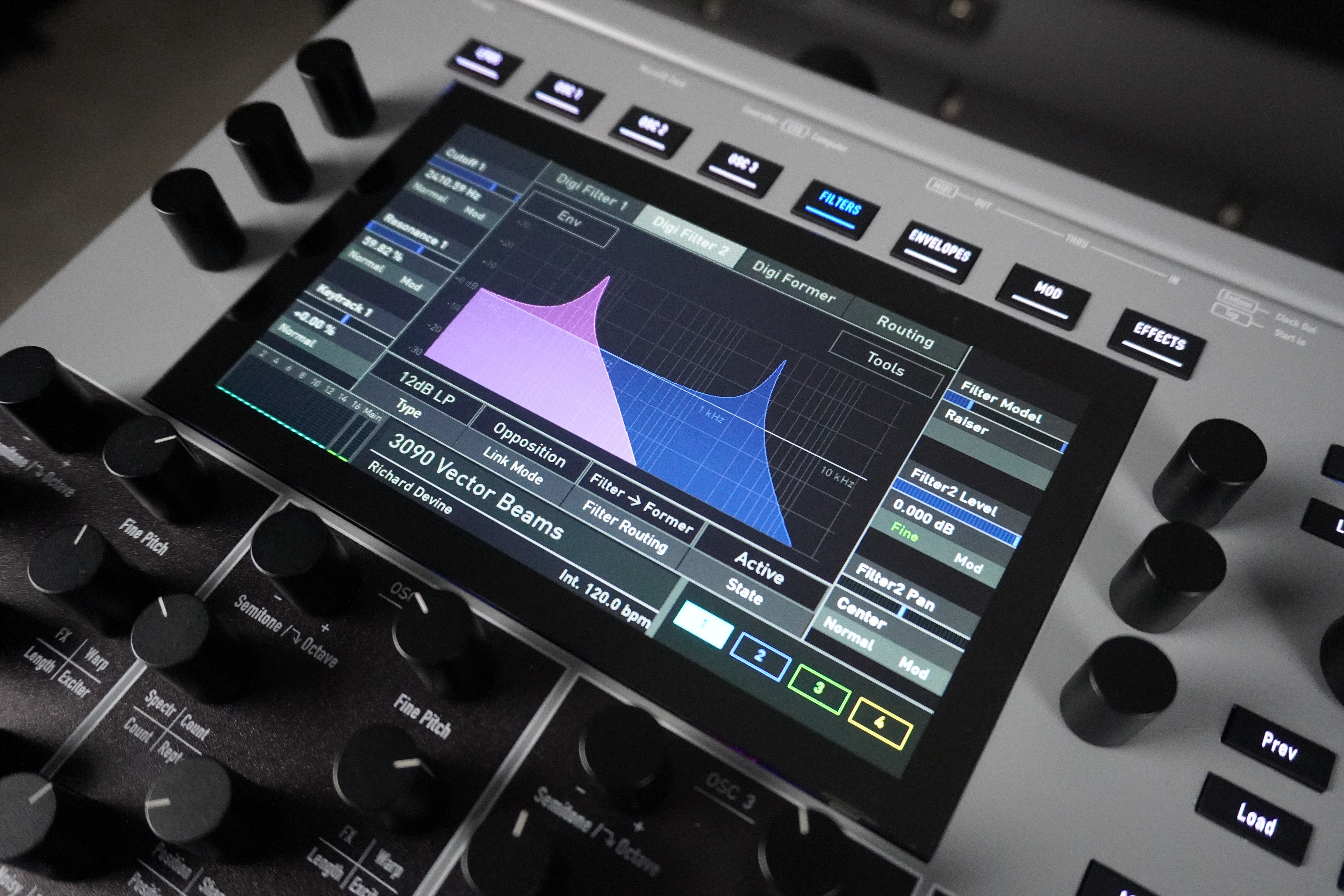
Filters of any type can enter self-oscillation. All continuous controls offer, once again, three resolution modes: normal, fine, and superfine. On the front panel, you can directly adjust the cutoff frequency, resonance, and filter type for each filter, as well as their interconnection.
There is no step effect on the cutoff frequencies; the resolution is in the order of one-thousandth. Via the menu, you can adjust the response of the keyboard, envelope, or velocity to the frequency, as well as the volume and pan of each filter. The screen displays the filters’ response curves in real time very smoothly, and you can edit them using drag-and-drop; it also lets you visualize the routing of the various sound components—oscillators, filters, signal processor, amp, effects… very educational!
A signal processor that can be combined with the two digital filters
On the front panel, you can select the effect type and adjust two parameters related to the chosen mode; the rest is configured via the menu. For the drive effects, you can select from different circuit models: transistor, tube, electret microphone, diode, Crunch (an FM-based waveshaper), and Cuff (distortion similar to the Big Muff-style distortion, we believe). There’s also a gain algorithm with reversible phase.
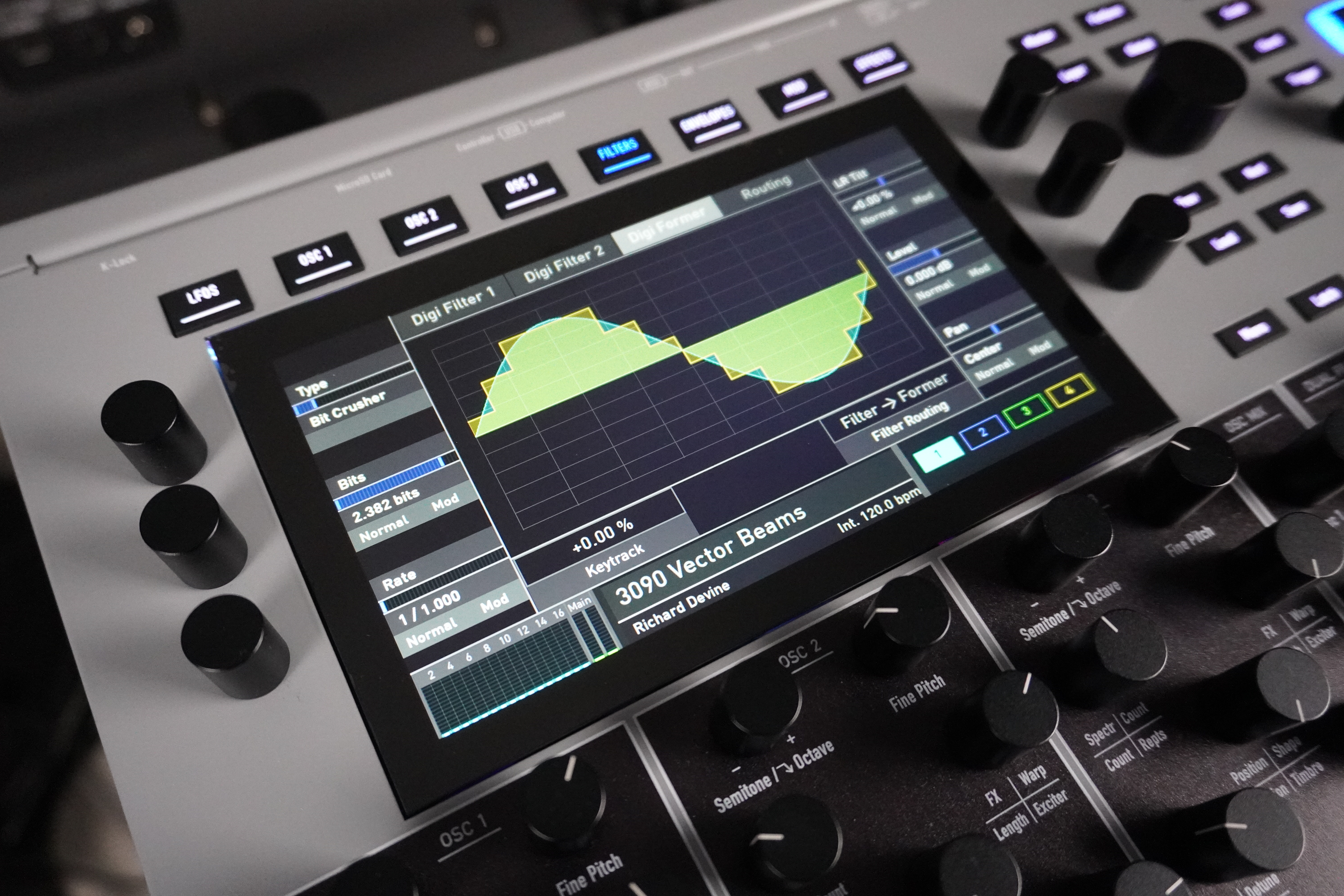
Next are two comb filters (positive and negative), for which you can adjust the frequency and feedback. For the Bit Crusher, you can adjust the resolution and sample rate in real time.
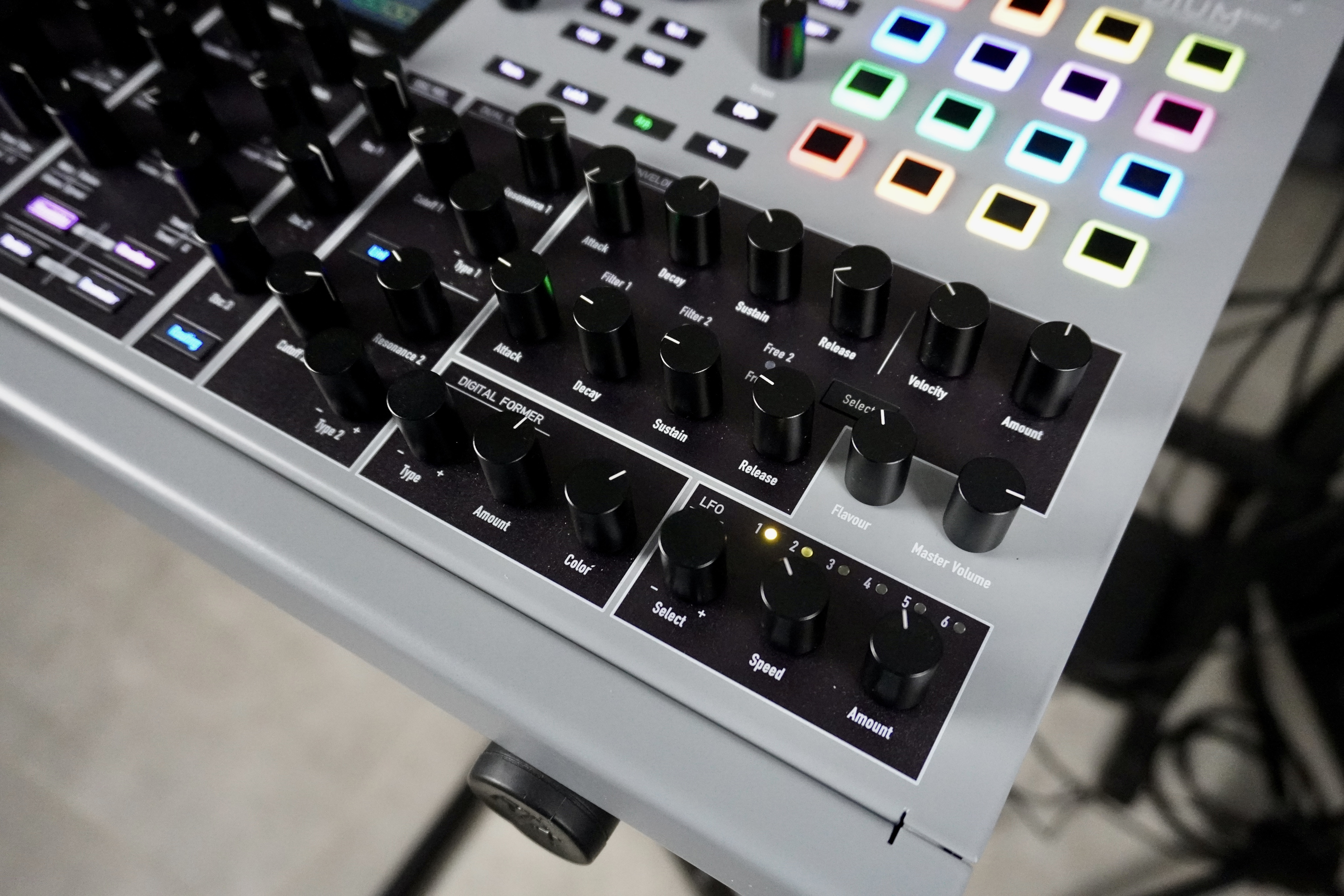
Regardless of the filter mode, you can adjust the cutoff frequency and resonance on the front panel; through the menu, you can access additional parameters, such as the routing of the oscillators and the various filters. The sound quality of this signal processor is varied and rich, making it an excellent complement to the two digital filters.
Modulations, Part 1: LFOs, Envelopes, and the Flavour Parameter
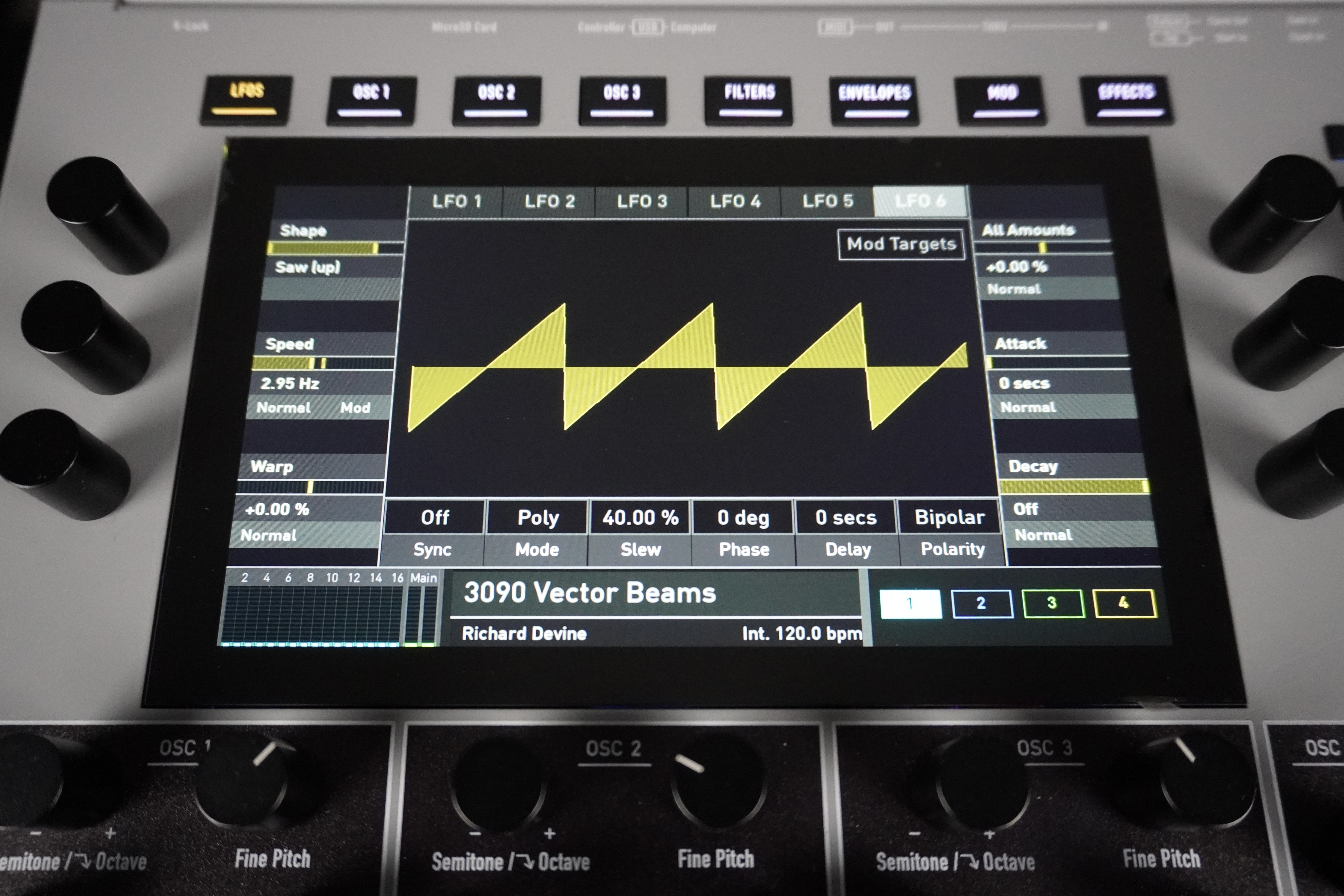
Next are six identical LFOs, which share just two controls on the front panel: frequency (from four minutes to 100 Hz) and depth. The numerous additional settings are accessed via the menu: waveform (sine, square, triangle, sawtooth, ramp, S&H), clock synchronization, continuous wave distortion (compression for sine, morphing for triangle, pulse widthpulse width for square, folding for sawtooth waves, edge distortion for S&H), fade-in, fade-out, synchronization between voices, wave smoothing, phase, delay, polarity (single or double), and direct targets.
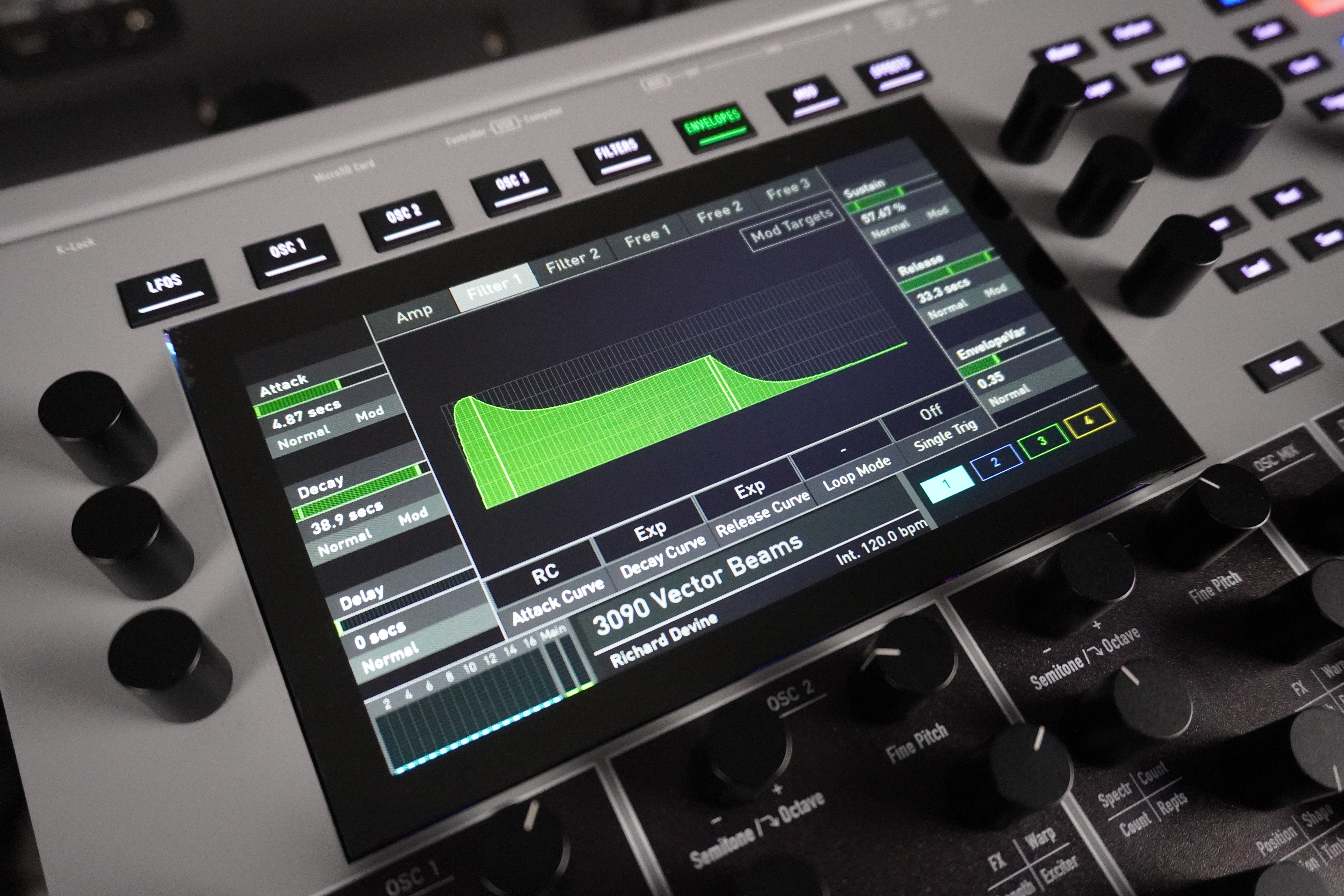
The menu allows you to edit all parameters across six tabs (as with the LFOs) : DADSR segments, phase shift of the AD segments (to simulate a vintage analog synth), ADR curve shapes, looping (AD or ADSR), retriggering (single, multiple), and direct targets. Here again, the screen displays the envelope curve in real time; you can drag it, and you can see each voice follow it—it’s both fun and educational! Durations range from 0 to 60 seconds, which is very convenient.
The MK2 includes the Flavour parameter, which first appeared on the Protein. It’s a comprehensive module that generates calculated (or pseudo-random) micro-variations between modules, each with its own intensity settings: three oscillators, two filters, envelopes, pitch, volume, and pan. A front-panel knob lets you control the overall effect. This animates the sound in interesting ways, creating subtle differences between the voices.
Modulations, Part 2: Komplex Modulator and Note Locks
From an ergonomic standpoint, it’s very simple: in the editor, you enable recording, play a note, adjust up to 16 parameters, stop recording, and then move on to the next note. Copy, paste, and delete functions are available to simplify the process. Very original! According to our information, it seems unlikely that the older Iridium/Quantum series will be equipped with this feature, given the processing power required.
A powerful modulation matrix that can control almost anything
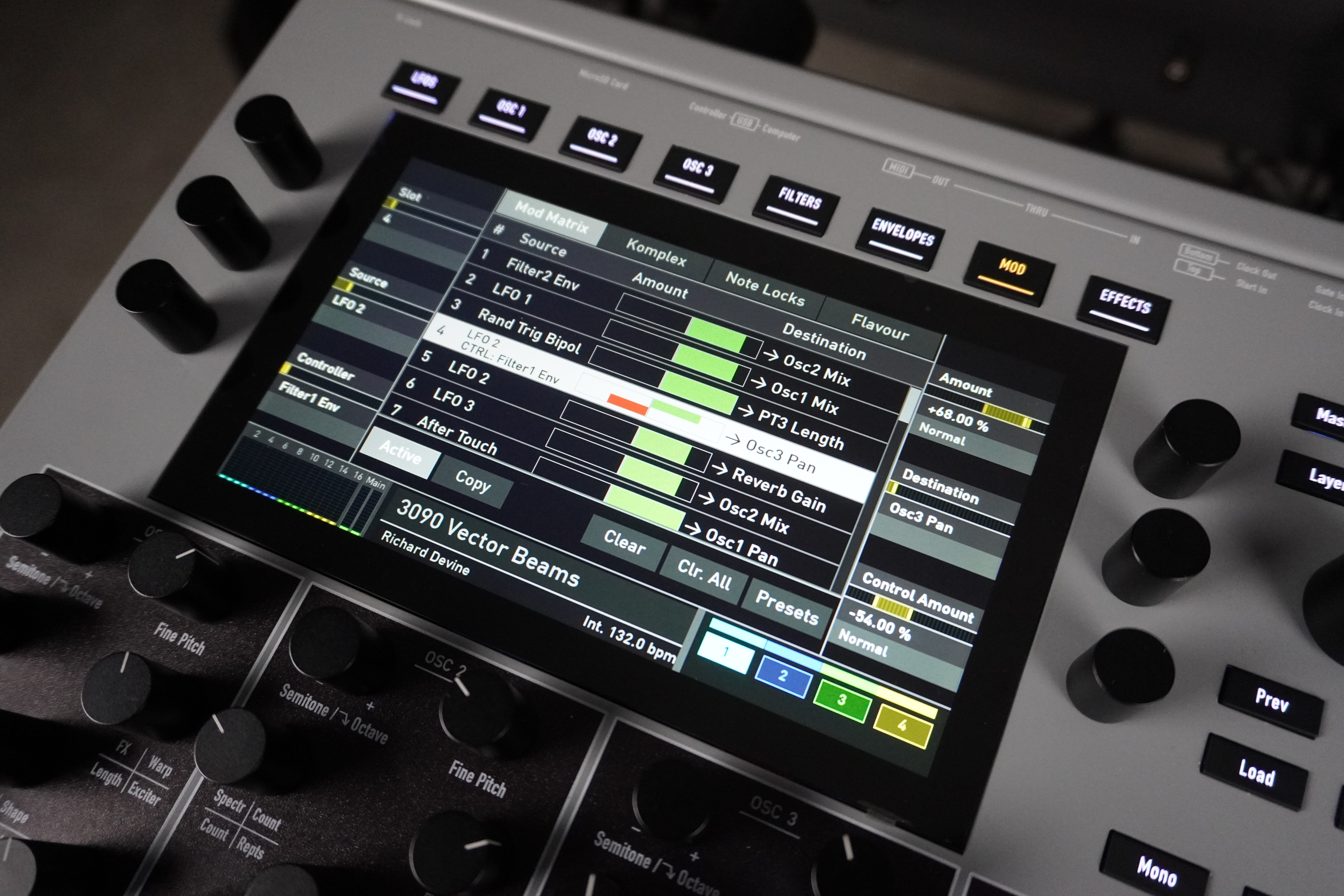
The front-panel controls make it easy to assign a destination to a source represented there (envelope, LFO). Most of the time, however, you’ll need to go through the menu to access all available parameters. This is quick and easy: the matrix page displays a drop-down list of cables and the modulation amounts as red or green horizontal bars, depending on the sign. You select the connection to edit using an encoder and access all parameters via the other context-sensitive encoders. You can edit or delete a string at any time.
Destinations include: overall pitch or per oscillator, the level of each oscillator, oscillator parameters (almost all), filters and the signal processor (all parameters, including levels and panning), volume, panning, segments of each envelope, the speed and gain of each LFO, the complex modulator parameters, the glide time, certain effects parameters, and certain parameters of the arpeggiator and sequencer. Kolossal!
We appreciated the ability to modulate the wavetable number—a rare feature, especially since the result is very well controlled, with no unwanted side effects.
Modulable multi-effects available for each sound layer
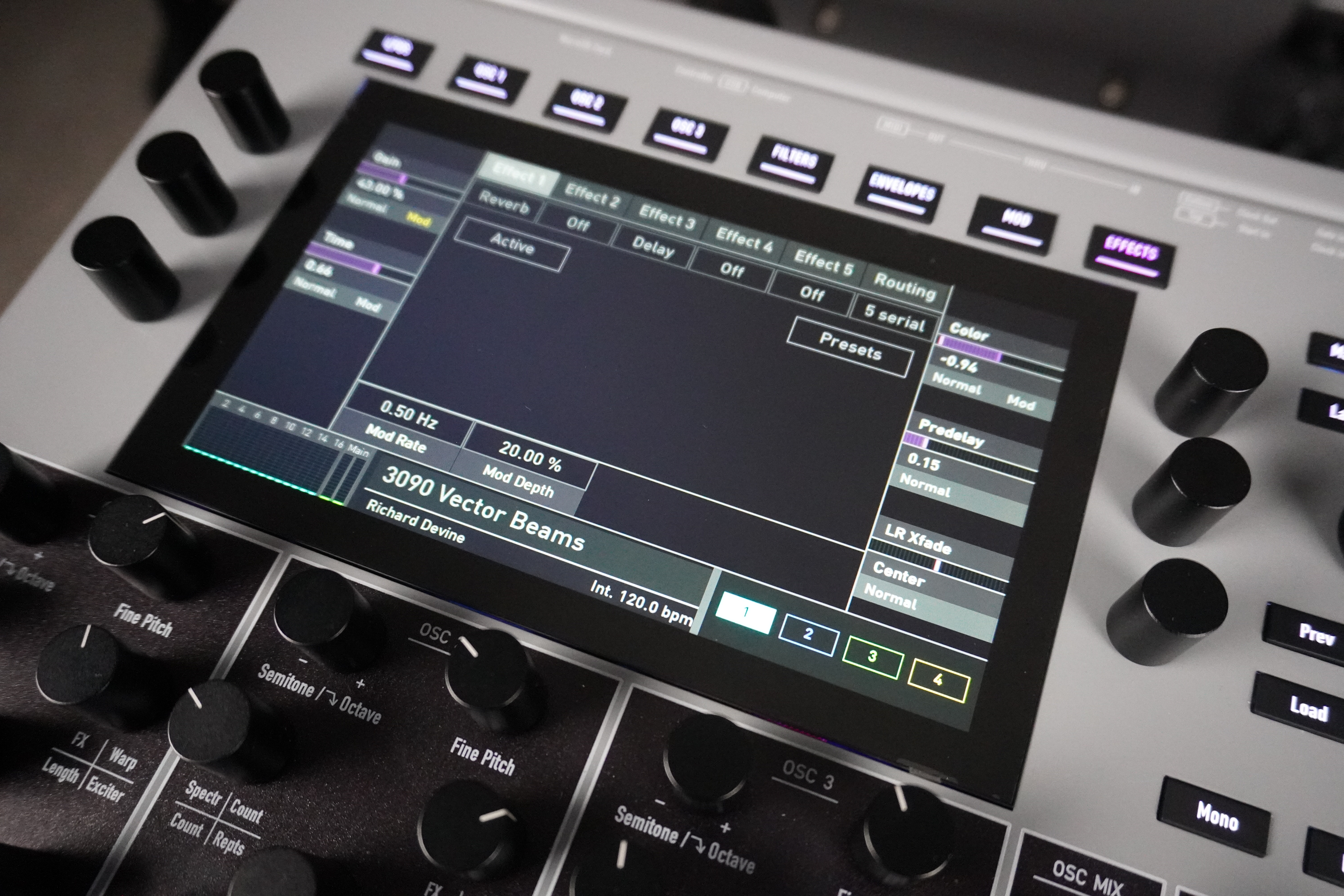
The list of algorithms assignable to each block is extensive: tremolo, phaser (various types, including those from the Nave and the PPG Wave 3.V, ranging from 2 to 16 stages), chorus (two to eight stages), flanger, stereo delay (with tempo sync), reverb (various colors), four-band parametric EQ, saturation (transistor, tube, electrostatic microphone, diode, Crunch, and Cuff modeling), and compressor (very comprehensive, with all desirable parameters except a side-chain input).
The single stereo output prevents you from applying separate processing to each sound layer or from retrieving an unprocessed layer separately—which is a shame. Finally, on the global level, there’s a bass amplifier (simple on/off), which can be useful depending on the sounds. It’s too bad it’s global.
A reboosted arpeggiator and a mono sequencer with movements
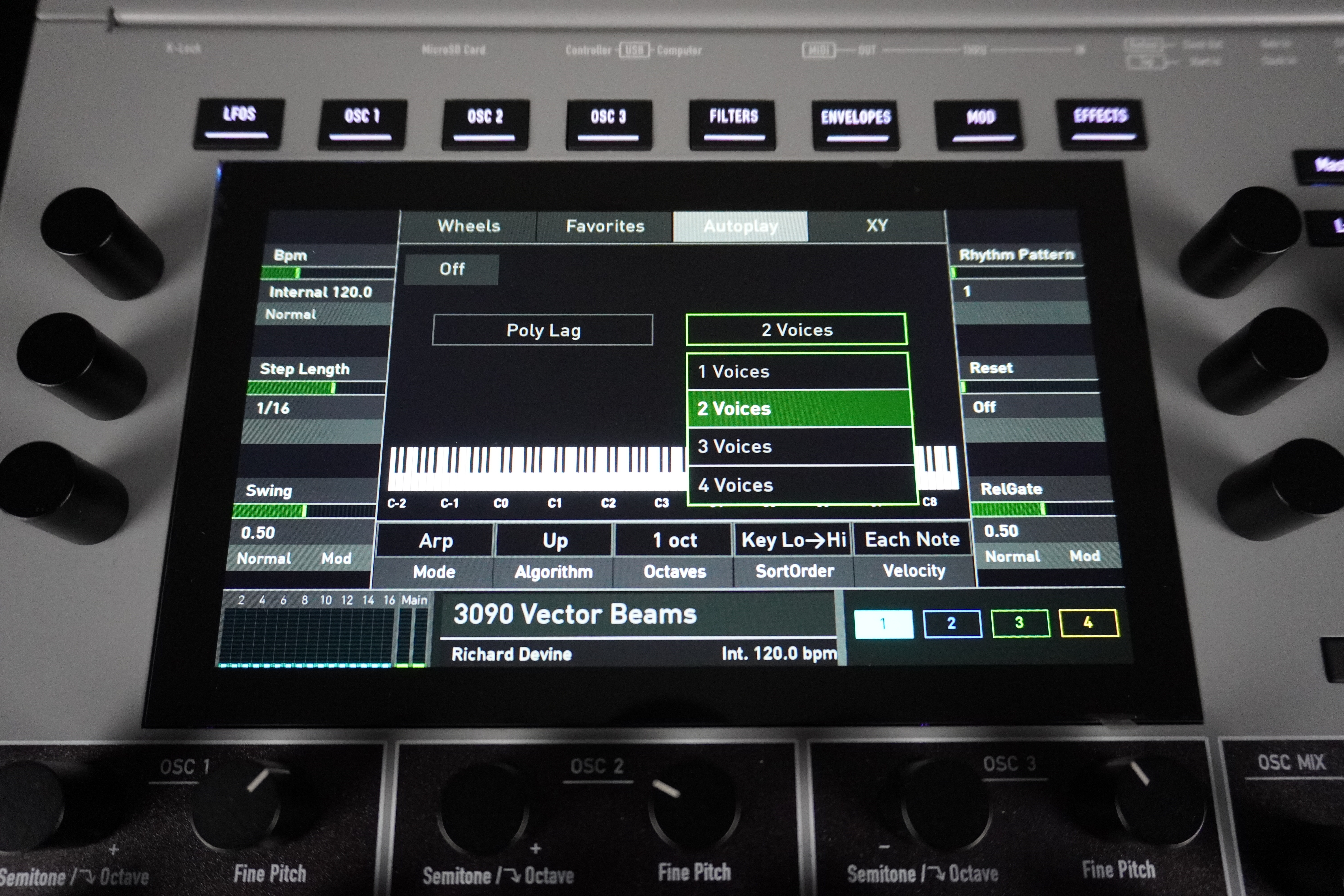
In the latter mode, pressing a note that’s already being held removes it from the chord. The available parameters are tempo, time division, swing, the rhythmic pattern (31 types with different accents), the delay before retriggering, the release gate time, the playback direction (up, down, up and down, up and down with repeat, down and up, down and up with repeat, random), the’octave (1 to 4), note sorting (as played, reverse order, ascending or descending by pitch, ascending or descending by velocity, chord), and velocity playback mode (all played notes, first note played, last note played).
The MK2 features a polyphonic mode that adds up to four voices, whose behavior relative to the main arpeggio can be defined using several combinable parameters: follow / omit / offset / transpose—some of which can be combined—which considerably enriches the arpeggios produced with minimal adjustments.
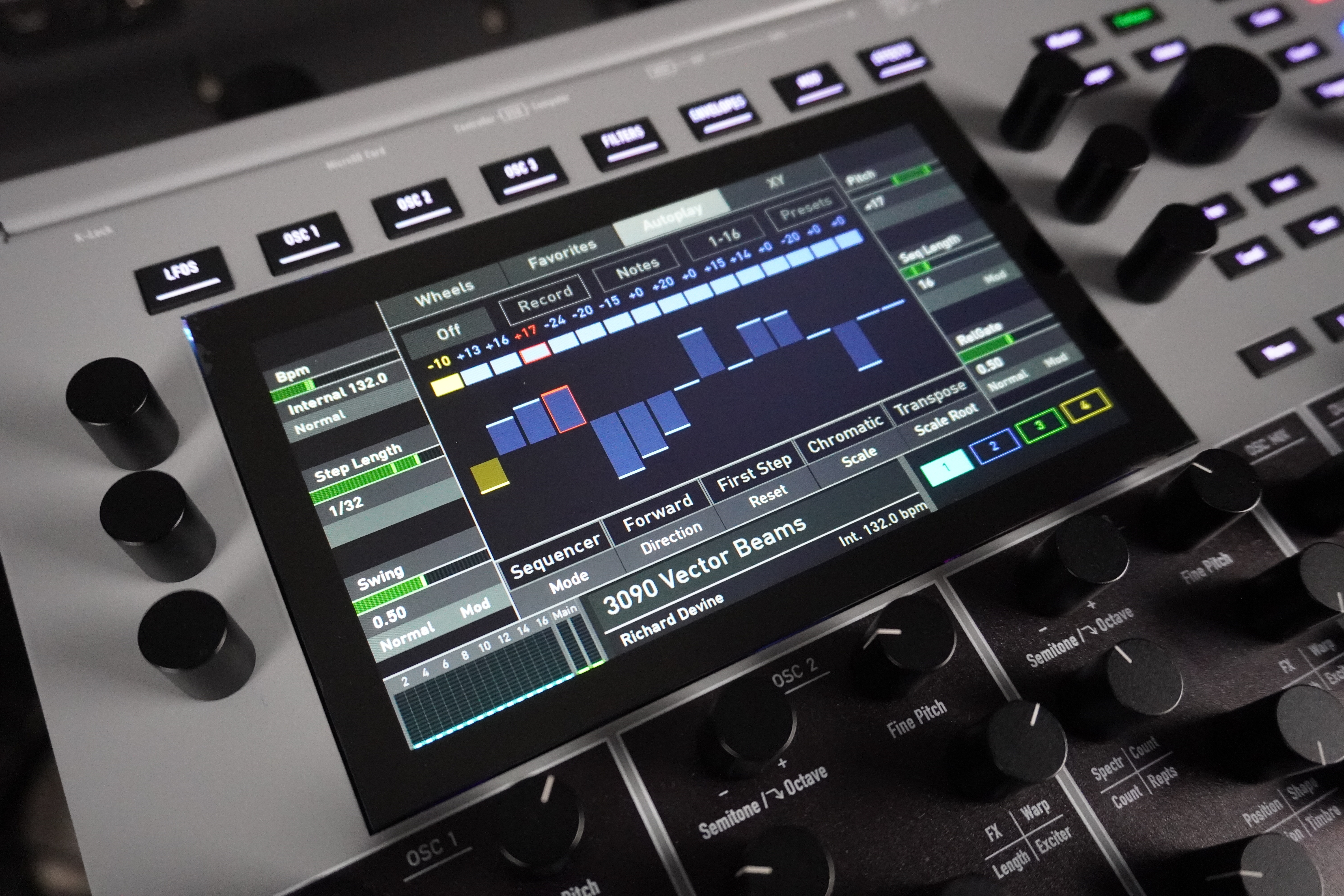
You can activate a step, mute it (make it inactive without deleting it), or double its length (the next step is skipped but remains in memory). However, you cannot link two steps, create autobend effects, or use Ratchets. You can also enter notes directly using the 16 pads or an external keyboard. Here again, the instrument allows you to save and load sequence presets.
The playback direction is customizable: forward, backward, ping-pong, alternate, and single play. Similarly, you can specify where the sequence starts when you press a new key: at the beginning, in the middle, or at a random step. Sequences can be transposed directly using the 16 pads or an external keyboard. You can even choose a tuning system and a root note. The other parameters (tempo, time division, swing, etc.) are the same as those for the arpeggiator. Note that arpeggiated or sequenced notes can be transmitted via MIDI/USB, which can be configured in Global mode.