



Just a few months after releasing the MPC Live III, Akai unveiled a new flagship model to replace the MPC X SE. It could have been called the XXL: larger, more powerful, and even more ambitious, the MPC XL is set to become the nerve center of the modern studio.

Successive generations of the MPC have gradually transformed the platform into a standalone production station that lets you compose, record, arrange, and mix without a computer. The recent release of the MPC 3 has reinforced this direction by bringing the user experience even closer to that of a modern DAW.
Following the MPC Live III, which marked a major evolution in both hardware and software, Akai is already back with a new flagship machine. The MPC XL succeeds the MPC X SE and incorporates most of the advancements introduced on the Live III: a second-generation eight-core processor, MPCe pads, a step sequencer, an assignable touch controller, and the MPC 3 environment.
But whereas the MPC Live III retained a certain degree of portability thanks to its built-in battery and speakers, the newcomer fully embraces its role as a studio machine. Larger, better equipped, and with even more physical controls, it aims to become the heart of a complete production setup. It remains to be seen whether this move upmarket translates to the user experience.
Hands-on, ergonomics, and connectivity
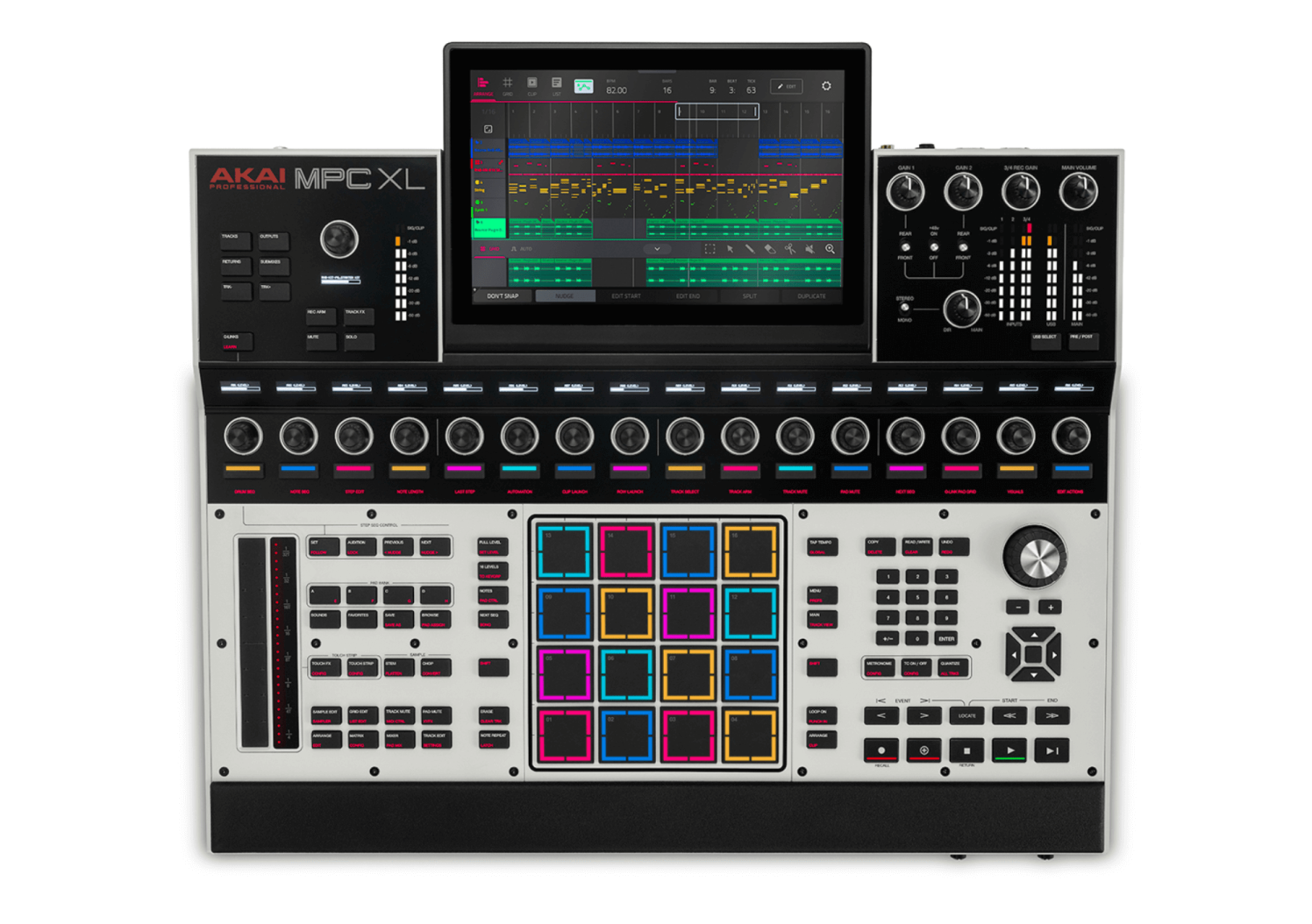
The build quality inspires confidence. The metal chassis and overall construction feel reassuringly sturdy. The connectors are securely mounted, the encoders offer satisfying resistance, and no component feels overlooked.
One detail is surprising, however: the plastic side panels. They contrast with the rest of the unit and seem a bit flimsy. The plastic appears to be the same as on the Akai MPK Mini IV. While that might be acceptable in that unit’s price range, it isn’t for a top-of-the-line product like the MPC XL. This is all the more surprising given that everything else exudes quality.
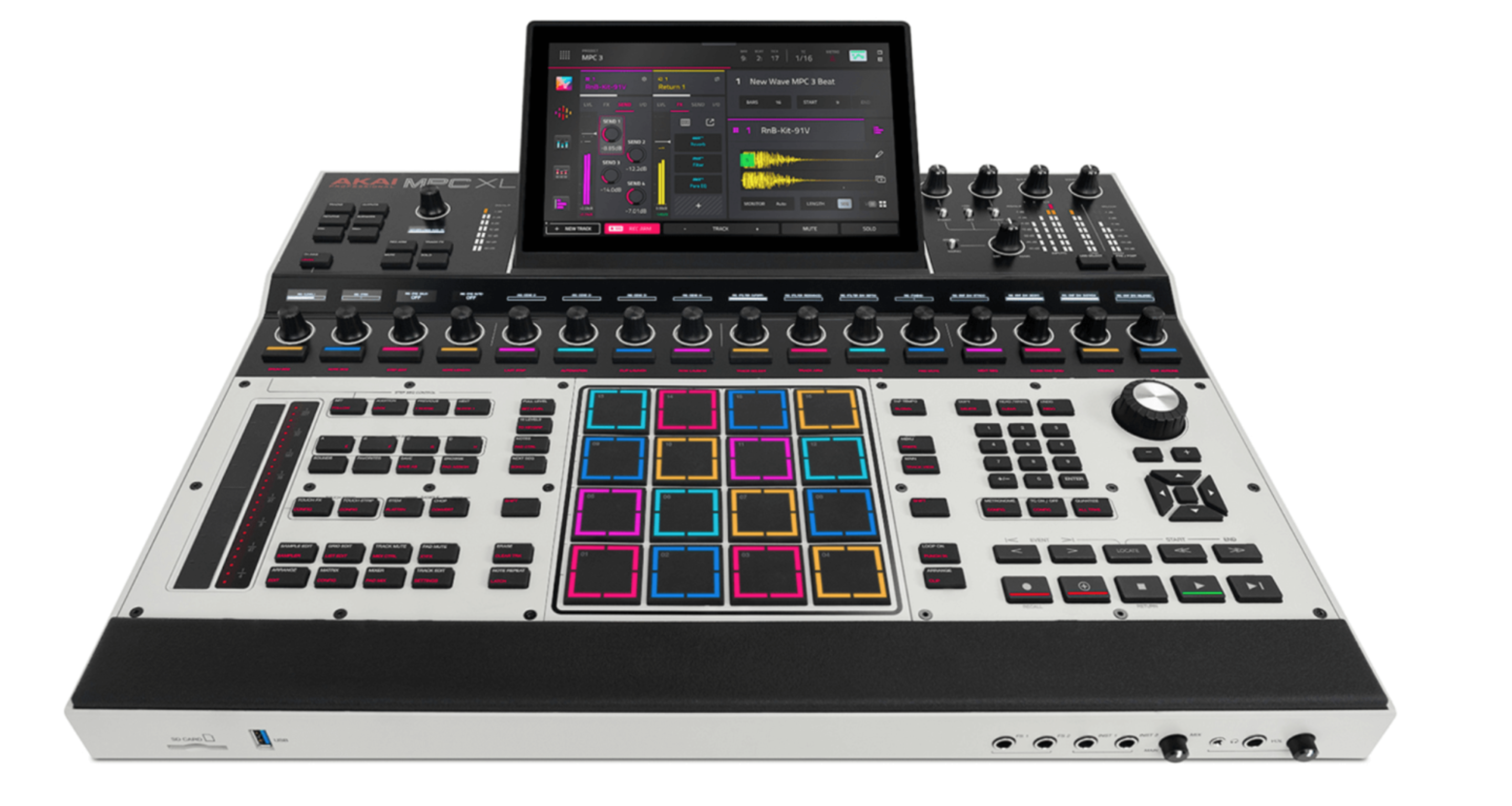
The 10.1-inch multi-touch screen plays a major role in streamlining the navigation. Larger than the one on the Live III, it offers a more comfortable workspace, for example when editing in the piano roll, mixer, or arranger. The resolution is excellent, the viewing angles are very wide, and the responsiveness is impeccable. As with the Live III, the screen feels more like one on a modern tablet rather than a simple touchscreen built into a musical instrument.
Another standout feature is the sheer number of physical controls available. The sixteen Q-Link encoders each have their own OLED display and let you quickly access a multitude of parameters without constantly using the touchscreen. Added to this are sixteen backlit buttons that can be used, for example, for the step sequencer, along with numerous dedicated controls. In practice, this abundance of controls truly enhances the user experience. Many operations become faster and require less back-and-forth between the system’s different pages.
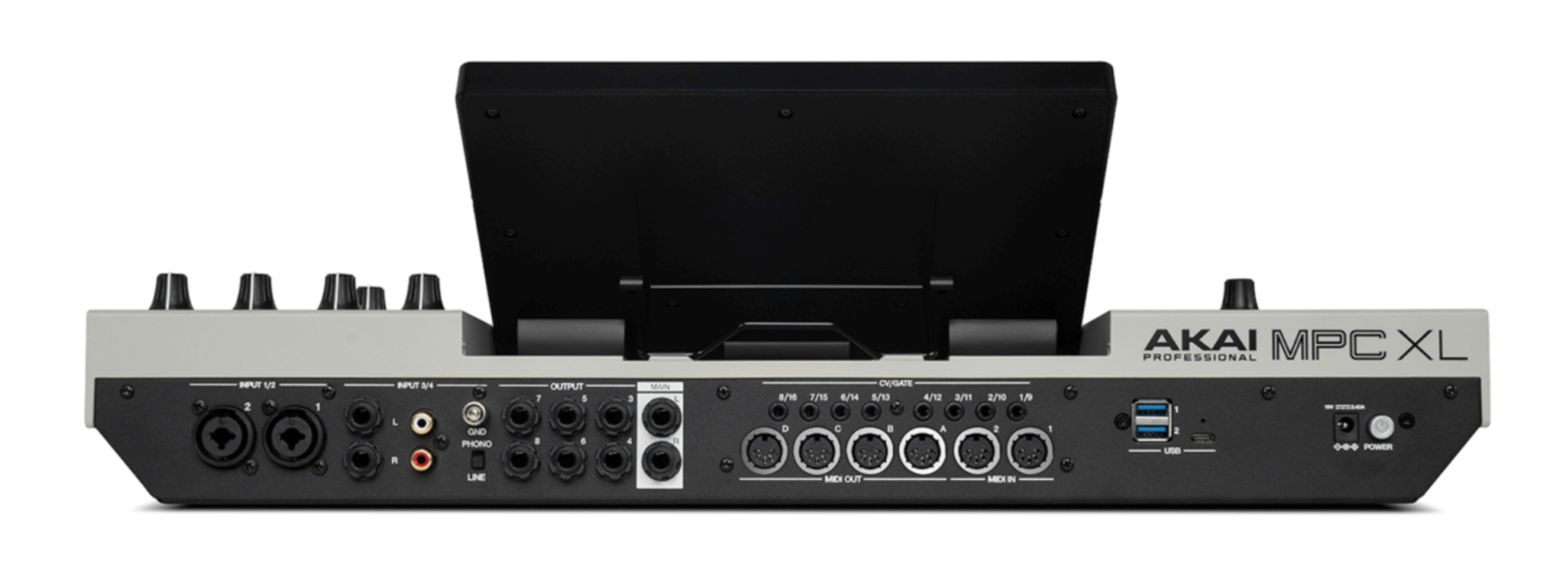
Additionally, three USB-A ports allow you to connect controllers and storage devices, while the USB-C port enables communication with a computer. The unit can thus transmit up to 24 audio channels and 32 MIDI channels via a single connection. An SD card slot rounds out the package.
In terms of computing power, the MPC XL features the same eight-core processor first seen on the Live III but doubles the amount of RAM to 16 GB. Internal storage now totals 256 GB with its built-in SSD. Suffice it to say, that leaves plenty of room before you’ll feel limited. This makes it the most powerful MPC Akai has ever released.
As with the review of the MPC Live III, I asked Cyril, aka Greenfinch, to collaborate with me on two short tracks using the MPC XL, which you can listen to in the audio clips. You’ll find his thoughts on the MPC XL following the review.
MPC 3 architecture, workflow, and environment
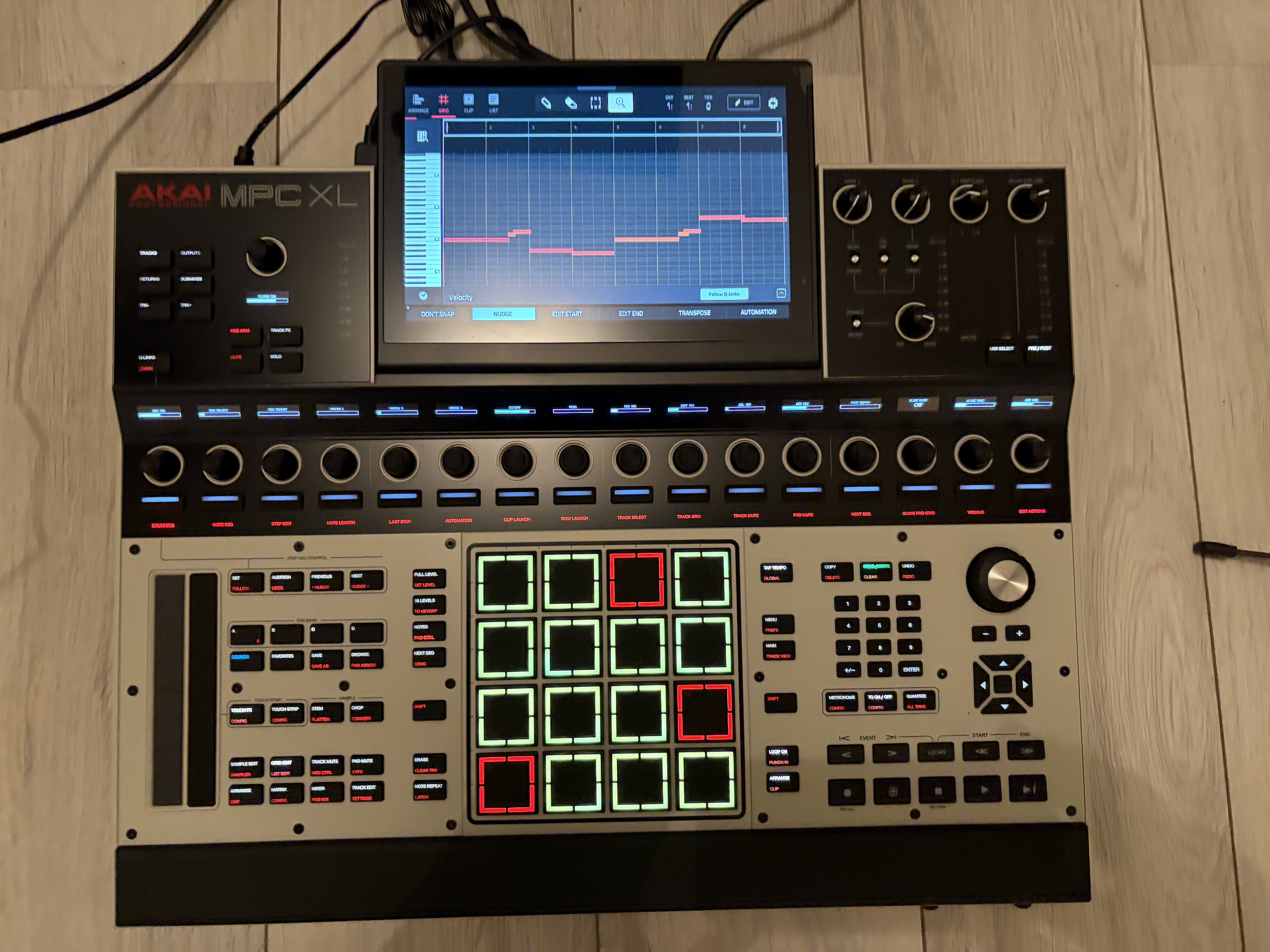
It thus includes various track types: Drum Programs, Keygroups, audio tracks, virtual instruments, external MIDI, and CV/Gate control. While the traditional architecture based on Programs and Sequences is still present, Akai has gradually brought its environment closer to that of a modern DAW.
Indeed, one of the most significant developments in recent years has been the introduction of the linear arranger. Long centered on a workflow of independent sequences assembled in Song mode, MPCs now let users work directly within a continuous timeline. This approach greatly simplifies building complete tracks and will appeal to users accustomed to software such as Ableton Live, Logic Pro, Cubase, or Studio One.
However, sequences remain a valuable tool for quickly developing different sections of a track. This can even be useful for creating multiple variations of a passage before assembling them in the arranger. This coexistence of old and new workflows may confuse some users, but it is one of the great strengths of the current MPC environment. Matrix mode, inherited from the Akai Force, is of course still there. Inspired by the clip launchers popularized by Ableton Live, it lets you organize audio and MIDI clips in a grid and then trigger them in real time.
In practice, the XL takes full advantage of its more generous control surface. The numerous dedicated controls reduce the need to switch back and forth between screens and make the overall experience more fluid than on the MPC Live III or previous generations. However, the MPC XL remains feature-dense and requires a significant learning curve, but this wealth of features is well managed given the breadth of possibilities it offers.
MPCe pads and step sequencer
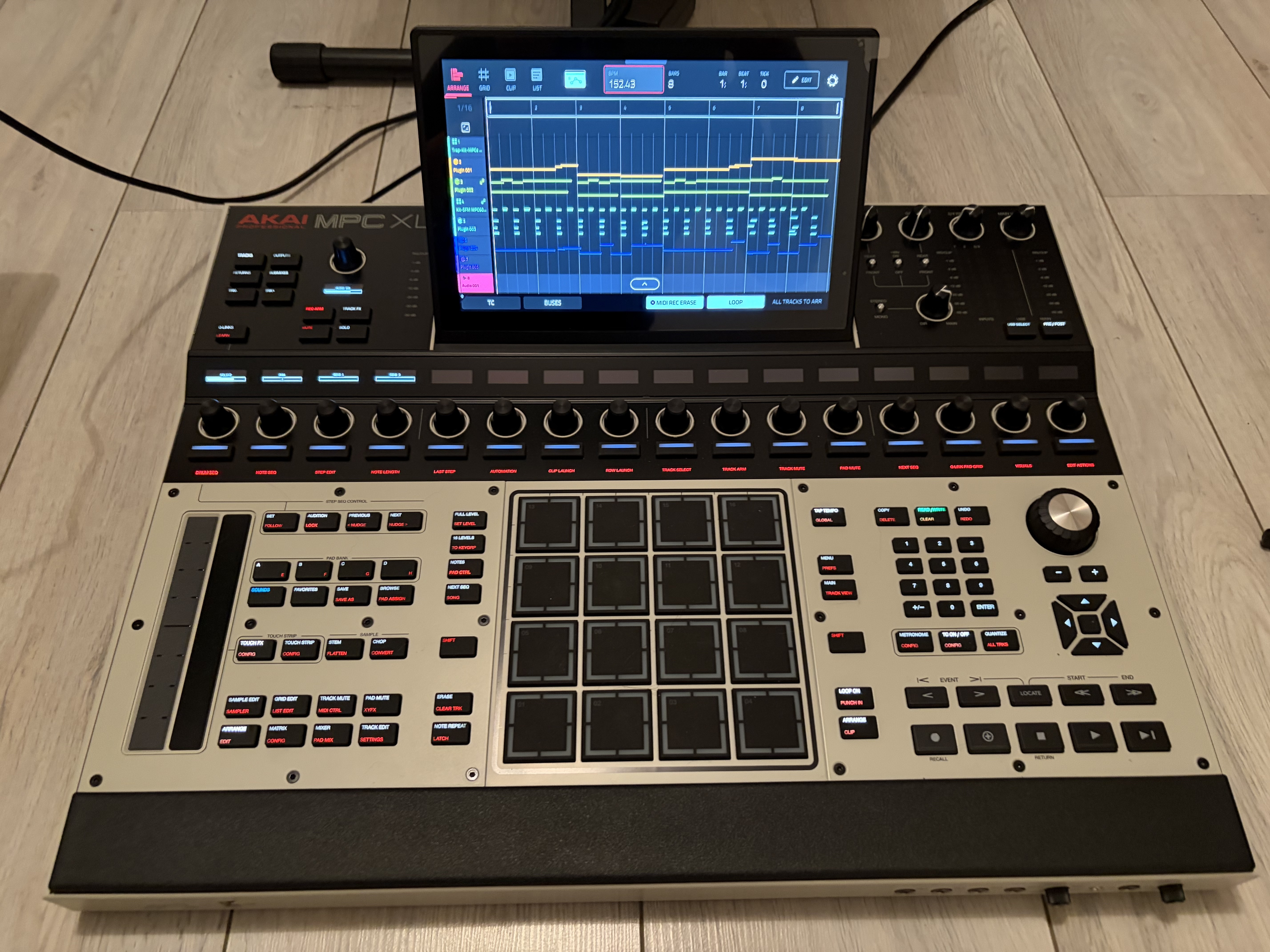
In practice, you can trigger different layers of samples depending on the area struck and the control synthesis parameters. You can even add various rhythmic articulations without taking your hands off the pads. The possibilities are numerous and might seem like gimmicks on paper. In practice, however, they integrate quite naturally into your playing and provide a real boost in expressiveness.
The same is true of the step sequencer. Admittedly, previous MPCs allowed you to program sequences using a similar approach. But the addition of sixteen dedicated buttons changes the user experience. Programming becomes more direct and closer to what you’d find on certain classic drum machines. While finger-drumming enthusiasts will feel right at home, users coming from scenes more oriented toward TR, Elektron, or analog sequencers now have tools tailored to their workflows.
Sampling, instruments, and sound design
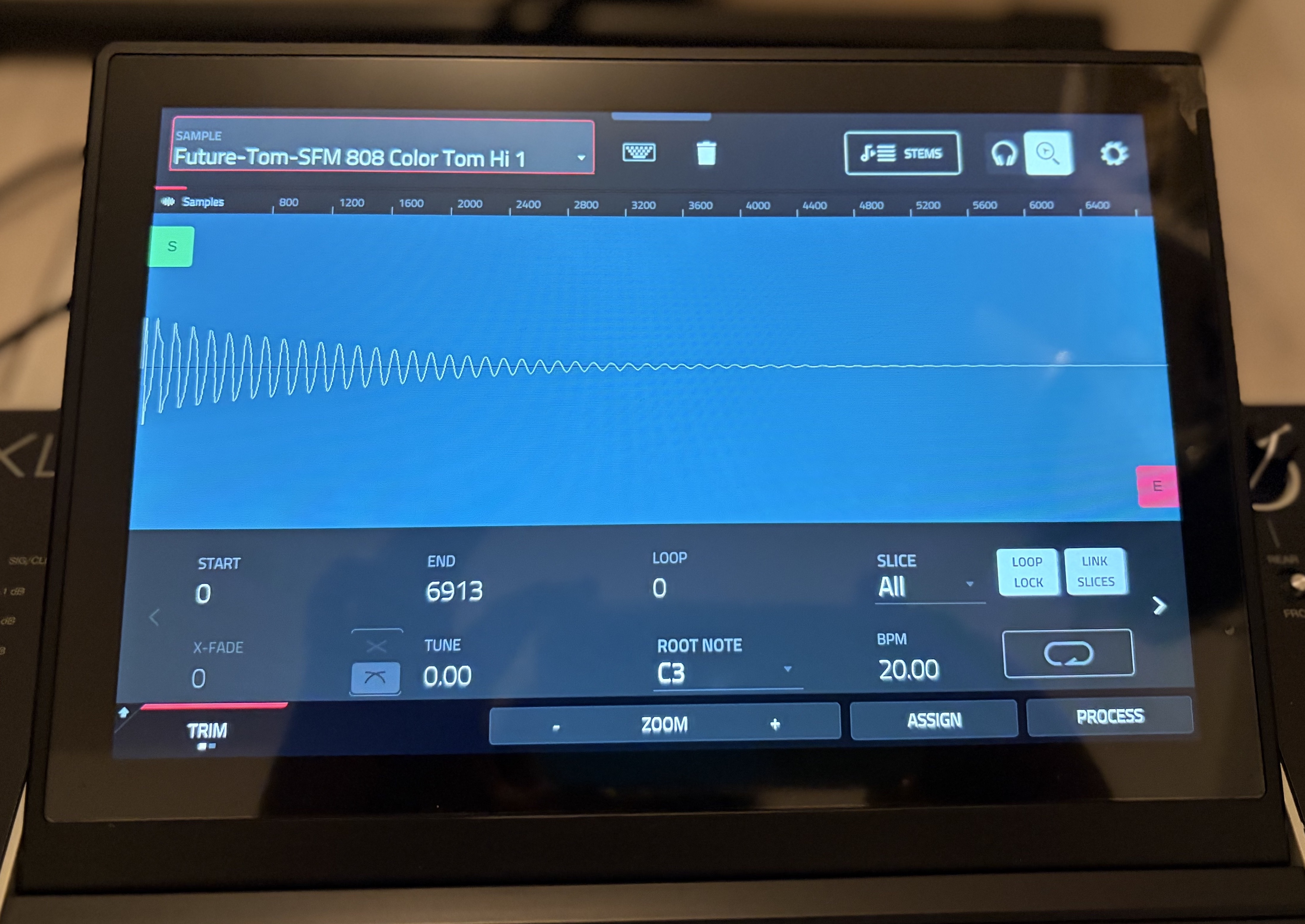
Recording is fast and intuitive. The numerous available inputs make it easy to capture signals from a microphone, a synthesizer, a drum machine, a turntable, or another external source. The USB-C port further expands possibilities by facilitating data exchange with computers and mobile devices.
Sample editing remains one of the machine’s strengths. Cutting, transient detection, automatic slicing, normalization, time-stretching, and even the creation of multi-sampled programs: everything you need is there to quickly transform raw material into a usable music production.
But, of course, like other recent MPCs, the XL isn’t limited to sampling. It features a diverse suite of virtual instruments, from synthesizers to acoustic and electromechanical emulations. Some are optional and require an additional purchase. Demo modes are available, however. The instrument lineup is the same as on the MPC Live III. The quality of these instruments varies. The synthesizers do their job perfectly well, but while some replicate classic analog models, don’t expect to find faithful emulations of the Minimoog or the Juno, for example. The electric pianos are very well done.
On the other hand, the acoustic instruments are more inconsistent and don’t always measure up to today’s best software libraries. But in practice, this is rarely an issue. Once integrated into a full production, they function properly and allow you to work efficiently without relying on a computer. Unlike with a computer, integration here is seamless—everything is immediately available, perfectly adapted to the touchscreen interface and direct controls, and ready for use right within the device.
Sound and audio performance
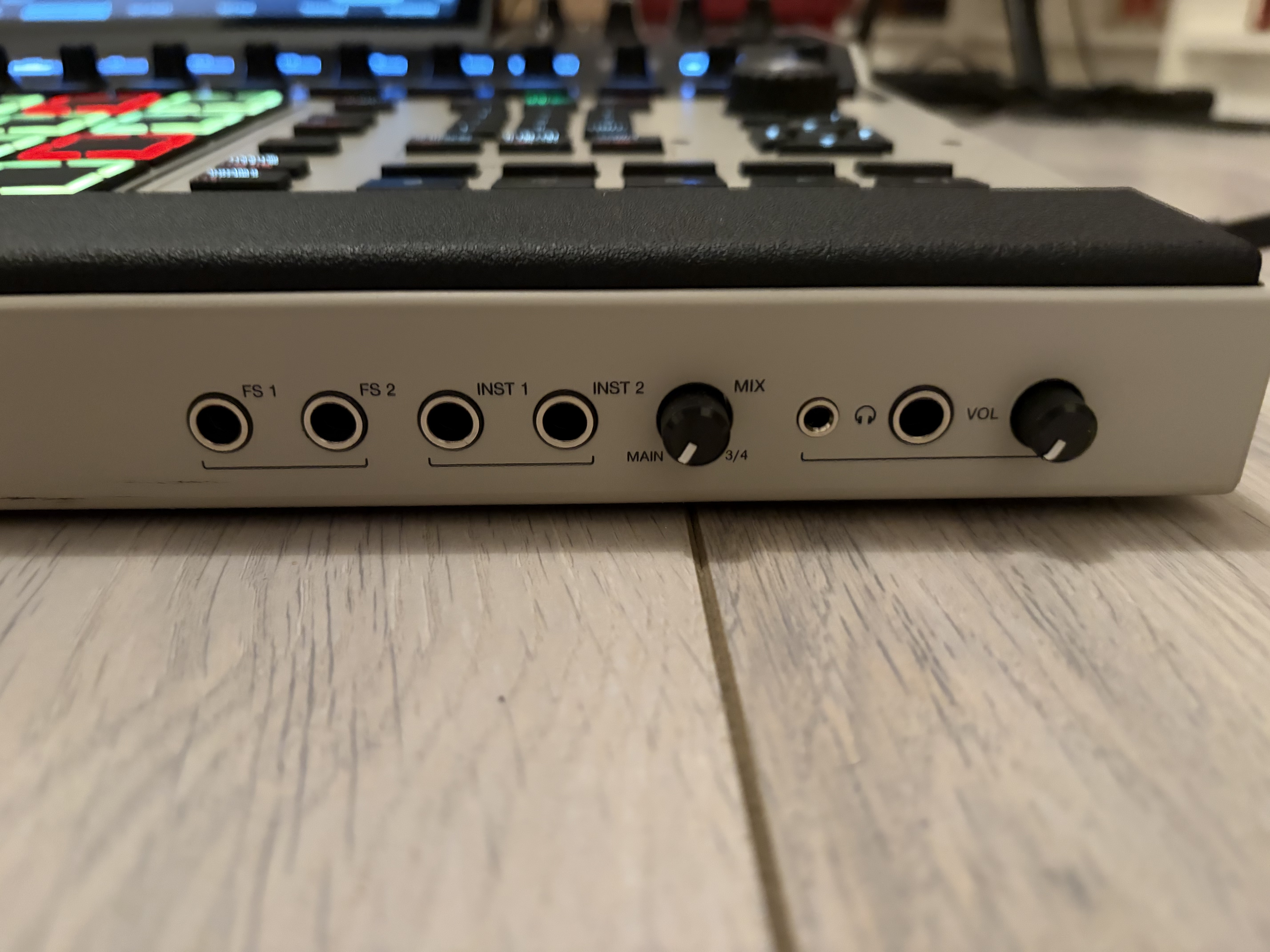
After analyzing the technical specifications and measurements published by Akai, several factors helped explain this perception. The most striking difference concerns output levels. The MPC XL’s line outputs can reach +20.4 dBu, compared to +12 dBu on the Live III. In a professional studio environment, this extra headroom makes it easier to integrate with mixing consoles, external processors, and high-end interfaces.
The phono inputs also benefit from measurable improvements. The dynamic range reaches 103.3 dB compared to 92 dB on the Live III, while the signal-to-noise ratio has improved significantly. The same is true for the microphone inputs, whose performance exceeds that of the portable version.
The situation is more nuanced with the headphone output. The Live III retains a slight advantage in certain technical parameters, such as dynamic range and distortion rate. The XL, on the other hand, delivers significantly higher power, allowing it to easily drive particularly demanding headphones. In practice, these differences do not radically transform the user experience. The two units remain very similar in terms of sound quality. Nevertheless, the XL appears to be more geared toward professional studio integration, whereas the Live III prioritizes a balance between portability and versatility.
The effects of the MPC XL
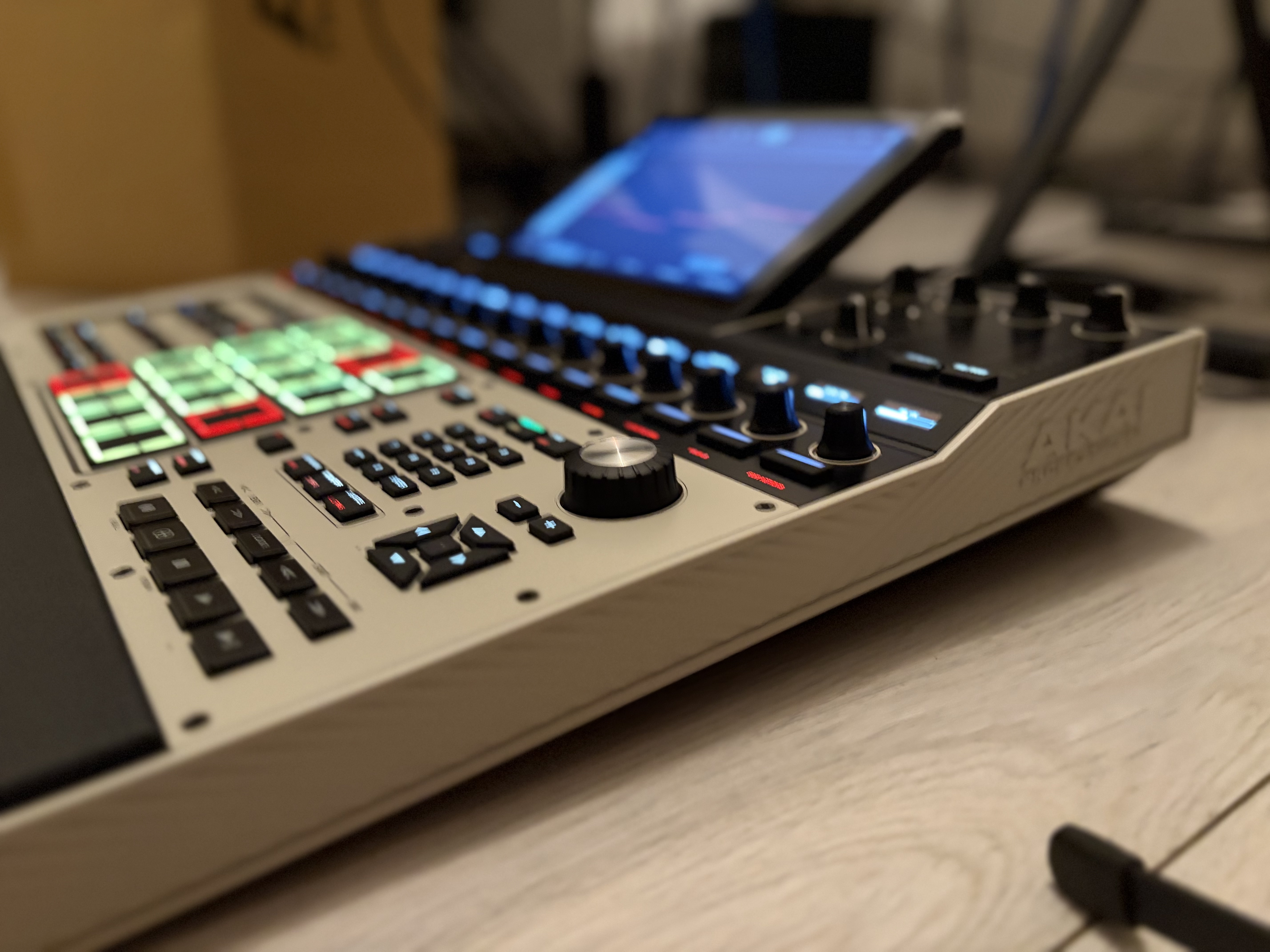
The overall quality is decent, and sometimes very good depending on the specific effect. Certain reverbs and delays blend quite well into electronic productions, while the dynamics tools effectively fulfill their role during the mixing stages.
Of course, some producers will continue to prefer specialized plug-ins in their favorite DAWs. But it’s becoming easier and easier to finalize a track directly in the MPC without feeling the immediate need to export the project. Automation is comprehensive, routing is flexible, and the available CPU and RAM allow you to use effects without feeling limited.
Greenfinch’s take on the MPC XL
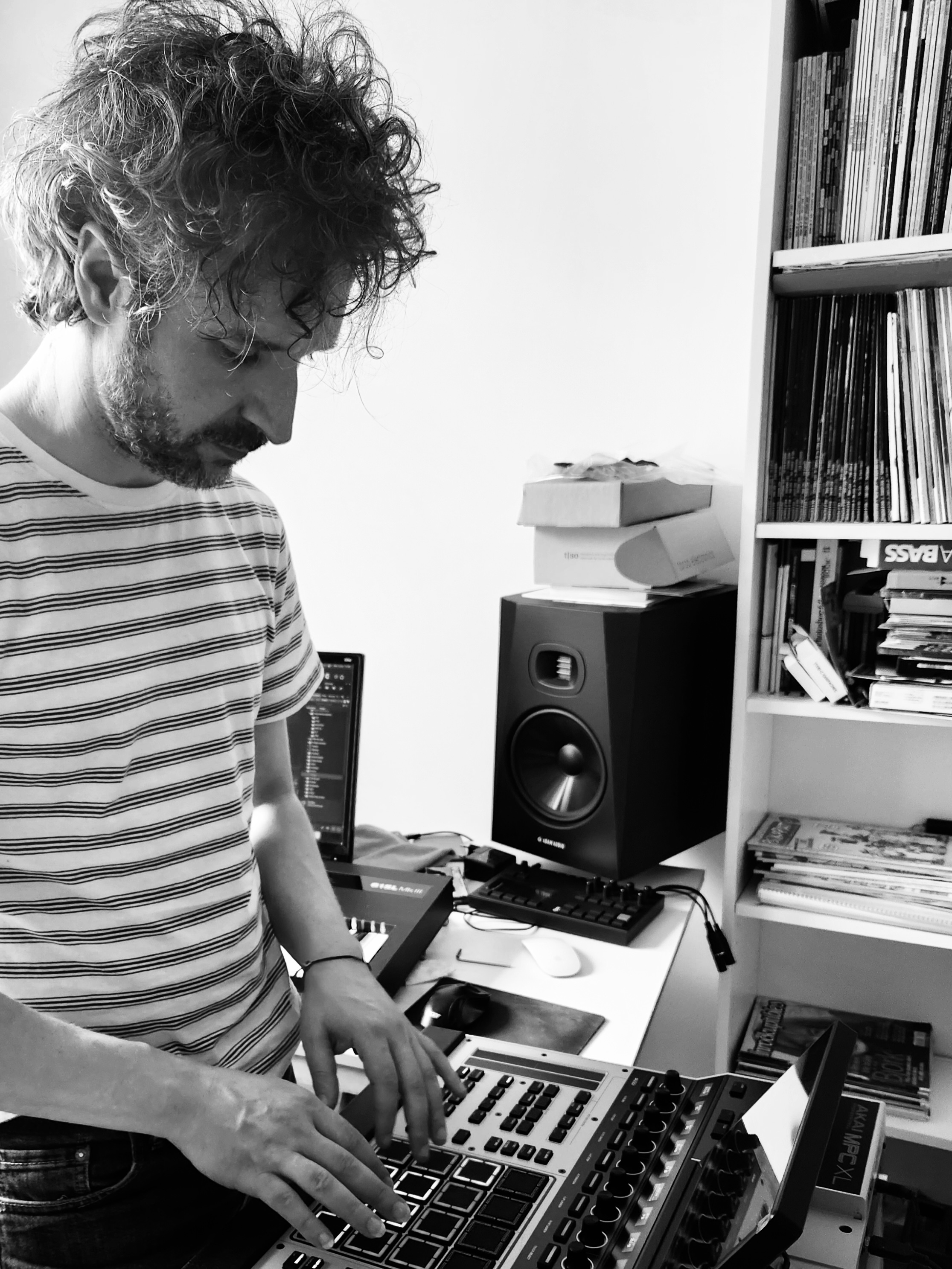
I was a little scared at first.
Did you find it intimidating?
Yes, intimidating. I thought it was going to be more complex than the MPC Live III, but it actually turned out to be even simpler. Well, I’d already gotten the hang of the Live III’s OS, so I was somewhat familiar with the interface. That helped me anticipate certain things, but even so, I found it easier to use. I was able to work much faster.
There are more controls, and the common ones are laid out differently.
Yes, there are more buttons—it might feel a little less like the workflow of vintage MPCs—but you have pretty much everything you need to work in the studio. You don’t even need an audio interface.
Here, you’ve got what’s essentially a hardware DAW.
For me, it’s definitely a built-in DAW. Honestly, I almost felt like I was using Ableton or Cubase. I really got that impression. It has the same kinds of features, with a workflow that’s pretty similar. I think anyone coming from any DAW won’t be lost when faced with the interface.
You mentioned that you felt intimidated. Is that because it’s larger than the MPC Live III?
Yes, it’s bigger. So you don’t really feel like moving it around. For me, it’s a machine that belongs in the studio. Plus, it doesn’t have a built-in battery, speakers, or microphone. In that regard, the MPC Live III is much more portable. I wouldn’t think twice about taking it to a park or the woods to play around with it.
For live performances, the MPC XL is still an interesting option.
Yeah, of course. But you’d still think twice before hauling it around. In any case, I’d think twice about it. Maybe because it has that slightly plasticky feel on the sides. You don’t get the sense of a heavy metal chassis, like on an Isla, for example. An Isla is heavy and immediately inspires confidence.
So you wouldn’t feel completely confident moving it around? Did it give you the impression of being fragile?
Fragile… maybe not quite to that extent. Just a tiny bit, let’s say. But at the same time, I don’t think it’s meant for that. I see it more as a studio machine. Then again, I’m a studio musician myself—not really on the go and not very live-oriented either. So that’s just my take on it.
Personally, it seemed solid. I looked at the connection ports—everything seemed sturdy. The buttons are responsive, and everything is perfectly aligned. Overall, the build quality seems really solid. The only thing that bothers me is the plastic side panels, which seem lower quality than the rest.
Yes, it creates a contrast. At this price point, you’d have a right to expect something else. Fortunately, the rest is made of metal, and it’s true—both the buttons and the controls respond very well.
We’ve already talked about the MPCe pads with the MPC Live III, so we won’t go over them again since they’re exactly the same. On the other hand, what did you think of the screen?
The fact that it’s bigger than the one on the Live III makes a real difference. It’s much more comfortable.
Let’s also talk about the tracks we made. You set up MPC Green Three very quickly—that was pretty impressive. For MPC Green Four, you created a basic structure, and then we both added parts. You used the MPC’s built-in plugins, while I recorded parts from external analog synths into the MPC XL.
Yes, the plugins are the same as on the Live III, but the XL has more controllers. It’s more enjoyable to use on the XL.
One important thing to note about the MPC XL is the sound. Once we’d recorded our parts, we both noticed a very slight difference in how they sounded. And most importantly, everything mixed together better. We called each other to discuss it, even wondering if it might be a psychoacoustic effect. So I contacted the importer to get the full spec sheets, and—surprise—there really are small differences between the two machines, notably a higher output level on the line outputs.
Yes, it was surprising. Everything mixed together much better. I also wondered if it was simply due to the choice of sounds, because that can make a huge difference. But I had to clean up the tracks less. It was tighter. And then, on the MPC XL, we’d enabled the vintage simulation, SP mode. You have to take that into account, too.
Speaking of which, let’s talk about these vintage DAC simulations.
I thought they were very well done. That said, for someone who isn’t used to processing sound, it’s still pretty subtle. On a vintage machine, even at 16-bit, when you pitch a sample, you can always hear that something’s going on. There’s a slight coloration. On the Isla, on the other hand, the aliasing is completely over the top. It’s more aggressive—sometimes even a bit too much. On the MPC XL, aside from SP Ring mode, everything remains fairly subtle—and ultimately, that’s not a bad thing. Today, lo-fi has become a very polished style. There’s old-school lo-fi and new-school lo-fi. We’re hearing fewer and fewer truly gritty productions. Yet, originally, that was kind of the soul of lo-fi: aliasing, imperfections. But even some A&R reps at specialized labels don’t really like that anymore. These days, lo-fi has almost become cinematic.
That’s true. Sometimes I listen to tracks billed as lo-fi and wonder what’s actually lo-fi about them anymore. That doesn’t mean they don’t sound good, but to me, the term means something else.
Yeah, now it’s ultra-polished. It’s the school of slowness.
Let’s get back to the MPC XL. Its whole thing is that it’s self-contained. Can you imagine working exclusively with it?
Yes, but I think it takes several months of learning before you can say you can produce a track from start to finish with it, from mixing all the way to mastering. Well, maybe not mastering… although, why not? There are plugins that let you do that, too. But you really have to master the machine. Personally, though, I still feel the need to export tracks so I can tweak them a bit in a DAW. That said, you can definitely do everything on the MPC XL as long as you’ve really mastered it. At first, if I had one, I’d be more focused on demo and pre-mixing. I’m pretty meticulous, and I feel like I can be even more so in a DAW. Maybe it’s also just a matter of habit. On the other hand, with the MPC XL, you get straight to the point. It offers a different way of working, and that’s one of its biggest draws. It all depends on the project. If tomorrow someone asked me for a big, old-school lo-fi track—nothing too complicated—I’d approach it exactly the same way we did on the tracks we made together.
Personally, I felt you were much more comfortable on the MPC XL than on the Live III.
Yeah, definitely. The Live III is a great machine, but if I had to choose one, I’d rather save up a little more to get the MPC XL. So yeah, you lose the portability, the battery… Actually, the ideal would be to have both! (laughs)
That’ll be our closing remark. Thanks, Cyril.