Log in
EN
FR

Graphic EQs

306 products found

Sort results
  • Popularity
  • User ratings
  • Price - low to high
  • Price - high to low
  • Used price, increasing
  • Used price, decreasing
  • Name (from A to Z)
  • Name (from Z to A)
  • Added on

The best Graphic EQs reviews

The reviews Audiofanzine members found the most helpful.
  • « The best EQ on the market »

    Way back in the 80s or 90s, TC Electronic released their amazing 1128. This is a digitally controlled analog graphic EQ that's ridiculously transparent. It's MIDI-able and footswitchable. These units came in various configurations, so the actual specs varied a bit. A lot of these were used in professional recording and TV studios, so not all features will be exactly useful to guitar. UTILIZATION TC does a great job at making things easy to use. The manual is written out clearly, and it's not too hard navigating the unit. The LCD is very clear, which is needed when you're using the spectrum analyzer. Programming and storing the various EQ presets you'll be making is a touch tedious, but you'll get used to it within a few minutes. You just have to realize how the knob interacts with the EQ. The biggest drawback is that TC no longer supports this unit. If something breaks, you're kinda dead in the water. This actually happened to me with one of the older blue LCD devices. SOUND QUALITY The sound of this is TC's selling point. This thing is 100% transparent. There are very few pieces of gear out there that are this transparent. I was blown away by how clear everything sounded. The EQ sounds exactly like an EQ should be. You get all your tone shaping with very little noise, which is probably the most important thing about any EQ out there. The thing is crazy versatile with all the presets you can save, too. There really hasn't been anything on the market like this, even today. OVERALL OPINION If you can find one of these units in working condition, buy it. Beware that they could break, and TC no longer supports them. If you're willing to assume that risk and need the absolute best EQ ever made, check this out. The spectrum analyzer alone is worth the price of admission. I can't believe TC no longer makes something like this.

  • moosers's review

    The Sphere 920 is a vintage graphic equalizer that seems to be pretty rare. I've only ever seen one of these, and it was brought in by an outside engineer that I was assisting for. The 920 is made up of all analog components, and I'm not sure if they always come as a stereo pair, but the one that he brought in was indeed stereo. It was in a rack mountable, single space casing, but I'm not sure if this would be the norm or not. UTILIZATION It isn't difficult to use the Sphere 920 at all, as it's a pretty simple graphic equalizer. It's got 11 bands in total, including a high pass filter. It also has a few other control settings, but we didn't use any of them. I doubt that any inexperienced users will be coming across and using this anytime soon, so I'll say that pretty much anyone using this should be able to use it easily right from the start. I doubt you'd ever be able to find a manual for the 920. SOUND QUALITY The sound of the Sphere 920 is nothing less than fantastic. It's got a super clean sound and is versatile enough to be used across the board on just about anything. I'm generally a bigger fan of parametric EQs, but when an EQ sounds this good I don't really care what form it comes in. Plus, there's definitely a good amount of control between the bands anyway. This is definitely up there with the best sounding graphic EQ's that I've ever heard before. OVERALL OPINION Not too many people out there will get the chance to use a Sphere 920, as they are definitely rare and hard to find. If you do find one it will most likely be in a professional studio or in professional engineer's hands. The engineer that brought this into the studio had a whole ton of different gear with the 920 amongst it all. While I wouldn't recommend trying to find one of these as you probably won't be able to, if you do ever come across one I'd definitely recommend taking advantage of your time together!

  • moosers's review

    The DOD R-430 is a dual channel graphic equalizer, suitable for use in the recording studio or for live sound reinforcement. It is an analog piece of gear, with input and output connections for each channel, both in the form of 1/4" and RCA. It is a rack mountable piece of gear, only taking up one space in a traditional rack system. UTILIZATION There's nothing hard about using the DOD R-430. It's a simple graphic equalizer, with 15 bands on each of the two channels. The frequencies range from 25 Hz to 16 kHz, so pretty much the whole spectrum that you'd like covered is covered here. Each channel also has a low cut button, an in/out button, and a knob for setting your output gain level. That's pretty much all that there is to it, so a manual shouldn't be needed. SOUND QUALITY While I wouldn't say that the sound of the DOD R-430 is anything to really write home about, it has a good enough sound to get the job done most of the time. I don't know that I'd recommend using it in the recording studio over using it for live sound, as it seems better suited for live shows. Most of this probably has to do with the fact that it is a graphic equalizer, as I find parametric EQs to be a lot more helpful in a recording studio setting. You do have a good amount of control here, but it's best for eliminating a larger width of frequencies rather than zeroing in. It won't color your sound other than the changes you make to it, but really doesn't bring much to the table in terms of sound beyond being able to make simple EQ moves. OVERALL OPINION I can't say that I would encourage you to seek out the DOD R-430 specifically if you're in the market for a graphic EQ, as there are plenty to choose from in this price range that will do the job just fine. Although it doesn't necessary stand out, it does the job just fine and should be the in conversation if you're looking for something inexpensive. So while there are certainly adequate substitutes for the DOD R-430, it's still a very solid graphic EQ on it's own...

  • moosers's review

    The Urei/JBL 535 is a stereo set of outboard graphic equalizers. It is made up of analog parts and is generally very simple in make up. It has XLR inputs and outputs for each of the two channels, as well has speaker cable connections, as keep in mind that it is an older piece of gear. It is indeed rackable and will take up two spaces in your standard rack case. UTILIZATION Using the Urei/JBL 535 is just about as simple as it gets for an equalizer in general. Even if you don't know too much about how equalization works, graphic EQs are very simple and easy to understand. Each of the two channels on the 535 has ten bands to work with, each with the same frequencies on both channels. It would definitely be hard to find a manual, but most users won't need one anyway. SOUND QUALITY In general, the Urei/JBL 535 does a great job for basic graphic equalization. It has a good amount of precision available, although in general I do think that it could be a bit cleaner sounding as you do get some noise with it. However, this is to be expected when using older pieces of equipment, and the noise isn't all that distracting anyway. The 535 is suitable for use on all sorts of different instruments, as I wouldn't say that it is better for one application over another. While you don't get as much versatility as you would with a parametric EQ, for a ten band graphic equalizer it does the job very well. OVERALL OPINION Getting your hands on a Urei/JBL 535 would probably be a pretty tough task as they definitely aren't all that readily available. It isn't the type of gear that I looked for in anyway, as I happened to have it on hand at a professional studio that I was at and decided to give it a try. Generally I will use parametric EQs, but being that this has the Urei label on it, I decided to try it out. I'm glad that It did, as I found it to be up there with the best graphic equalizers I've used. While I can't say I'd recommend going out and getting one of these if you're a home studio owner or a smaller professional studio owner, but if you're a larger studio looking for a vintage graphic EQ, the 535 is at least doing some research for to see if it is something that you might be interested in.

  • « For the price, it is the best! »

    The Ultragraph FBQ 1502 is a 15 band stereo graphic equalizer that will give you full control over your audio signal. It is great for live and studio recordings because of all of its functions. It has a low cut filter that will get all of those low end muddy frequencies out of your mix or out of your live sound depending on where you are using it. It also will do a great job with your feedback frequencies and eliminate them so you will be feedback free! UTILIZATION This EQ can be racked and should be racked if you want to get the best use out of it. We have it in our rack case that has about 8 racks total in it so we never have to take it out we just carry the whole case with us when we go to perform or work a set. The FBQ 1502 could not be easier to use, you will not need a manual to use it as long as you have some basic knowledge of how EQ works. Using this EQ is even better in my opinion than using a similar EQ in a VST version because I feel like hardware just works better and you do not ever have to worry about it crashing. SOUND QUALITY Sound quality is amazing when working with this EQ. You can get it to create any sound you want. It may take a little more work though if you are use to working with computer based EQ. OVERALL OPINION We have also used this in a studio as the main equalizer and we loved working with it. It gave use the sound we were looking for when using it as our master EQ. There are not bad things to say about this unit, it works great and has no problems. For the price that it cost it is a must have for any live musicians or studio musicians because it only cost 100 dollars. You will love the sound you can get with it, you cannot beat this value for the price.

  • « Decent at best »

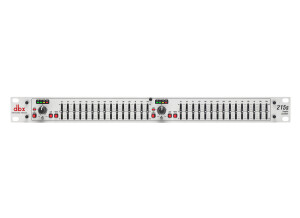
    The 215EQ is a dual band graphic EQ and it cost under a 100 dollars. It has nice and bright output level LEDs and a switchable 12 6dB cut or boost. The low cut filter on this unit is also a great addition for it to be at this price. The low cut filter is 80 Hz 24 dB. UTILIZATION Setting up this unit is very easy especially if you have used similar models before. There are 2 15 bands on the 215EQ and it can be racked up only taking up 1 rack space on your rig or set up. I used this EQ for a few months before upgrading to the PV 231EQ because I was in search of more bands. SOUND QUALITY The sound quality of this unit is decent; if you want better quality go with the PV 231 unit. You can use the 215EQ to get a decent sound that will work for your set up, but with this unit only costing 99 dollars you won’t get a great sound. I only used it for live gigs and never had a chance to test it out in a studio. After I finally upgraded this unit is when I realized that it was not that good. This was one of my first EQ racks and at the time I really didn’t know how important it was to have a good quality one. This unit is not going to take your sound to the next level but it will work for you until you can get your hands on a better unit. OVERALL OPINION I think this unit could be a lot better if the sound was better but that is why they make better models of it. This one is the most inexpensive unit that they have and it is worth the buy if you are just getting your feet wet and in the learning process. But if you are a live gigging musician or DJ I would not get this.

  • « Boss Pro GE-21 Graphic Equalizer »

    Bought it from a friend for about 75 euros. I think it's not made anymore ... It's BOSS, it's a 21 bands equalizer, ... You can give your guitar and amplifier a new dimension with it. I wanted to buy a 7-bands pedal but this thing is so much better, 21 bands in a half rack with an on/off footswitch as option, GREAT !!! For the clean channel you can shape your sound very well, but most time I use it on the overdrive channel, you can go through extremes !!! When you turn it on, there's a lot of hum if you set the highs a bit more than normal, but with a good noise supressor there's no problem anymore. It's not made to throw with but it is sturdy enough best place it in a flightcase, I made one for it by myself. But it's boss, so don't worry. Nice EQ-unit, good sounds, Boss, 21 bands, ... This review was originally published on http://www.musicgearreview.com

  • « i expected a little more, but still nice »

    The Behringer Ultragraph Pro Series is an analog effects unit that is exactly what the name states. It is indeed a rack mountable piece of gear and it will take up two rack space units. UTILIZATION The make up of the Behringer Ultragraph Pro is really basic as it simply has ten sliders set at fixed frequencies that you can cut or boost, as you would expect with a graphic EQ. It also has two other knobs to control the level of output coming out from the unit. If you have any experience with graphic EQs, the Moog Music 10-Band Graphic Equalizer is a cinch to understand and figure out. I've never seen the manual for the Behringer Ultragraph Pro so I can't speak to how helpful it would be, but the unit is easy enough to figure out without one. SOUND QUALITY The sound quality of the Behringer Ultragraph Pro is pretty good overall, but isn't anything all that crazy in my opinion. Don't get me wrong, it is definitely a clean sounding EQ but sometimes I feel like Behringer products get hyped up a little bit so maybe I was expecting more. Either way, the Behringer Ultragraph Pro is a great EQ that will output just as clean of a signal as you send into it. While I usually prefer to use parametric EQs as I find them to have more control over your sound, this unit does provide a good amount of options and plenty of bands. OVERALL OPINION I've only been using the Behringer Ultragraph Pro for about a year. I'm a huge fan of all products made by Behringer so I decided to check out this EQ and while Moog clearly isn't known for their signal processing gear, they definitely did a great job with this unit overall. While I wouldn't recommend it if you are looking for a single EQ to use for your home studio, it is a great addition to any studio looking to expand their outboard gear. The only problem is that these are extremely rare and hard to find and I really just got lucky. If you are a fan of Behringer and are also an audio engineer, the Behringer Ultragraph Pro is a must try.

  • moosers's review

    The Urei / JBL 527 A is a simple graphic equalizer that consists of 27 bands and is best suited for use in the recording studio. I've only used it in the studio, and I don't think that I'd recommend using it elsewhere since it isn't your typical cheap graphic equalizer at all. This is an all analog piece of equipment, the types of connections of which I do not know. It was connected to the patch bay of the recording studio where I used it, so there was no need to make any connections in the back of it. This is indeed a rack mountable piece of gear that will take up two spaces. UTILIZATION If you are at all familiar with graphic equalizers, you'll be able to understand the Urei / JBL 527 A without hesitation. Either way, graphic EQ's are really very simple and self explanatory anyway. The 527 A has 27 bands of sliders, ranging from 40 Hz on the low end to 16 kHz on the high end. It also has a gain knob for setting your output level, but besides that there aren't any other parameters. Because of this extremely simple make up, a manual isn't necessary. SOUND QUALITY The frequency selection of the bands on the Urei / JBL 527 A makes it a great graphic EQ with a lot of room for getting the proper equalization done. I will always choose a parametric EQ over a graphic one, but the 527 A is a lot more versatile than most graphic equalizers as it has more bands than most out there. It has a very clean tone quality that doesn't color your sound at all beyond the EQ moves that you'll make. I've used the it on electric guitar, drums, and bass guitar thus far in my time using it, but I definitely think that it will work well for any application. OVERALL OPINION The Urei / JBL 527 A isn't the most popular piece of gear made by Urei, as it definitely seems like these are hard to find, but if you do get a chance to use one I think you'll like what you hear for sure. I'll pretty much always recommend going with a parametric equalizer over a graphic one, but this is definitely an exception when it comes to the 527 A as it's really as good as most equalizers out there and can do the job just as well for sure. Urei makes top notch gear for professional engineers, and the 527 A graphic EQ is definitely no exception.

  • moosers's review

    The Peavey Q231 FX is a stereo graphic equalizer, with each band consisting of 31 bands. It is an analog piece of equipment and it can be used either in the studio or for live shows. I've only used the Q231 FX in the studio, so this review will be focused on this application of the equalizer. A major feature of the equalizer i the FLS, which stands for Feedback Locating System. It allows for quick and easy filtering of noise and feedback. It's got 1/4" TRS connections for both channels and for both inputs and outputs. It is rack mountable in a traditional rack casing. UTILIZATION Using the Peavey Q231 FX is just about as simple as it gets in terms of using a graphic equalizer. Simply move the sliders up or down for cutting or boosting at the specified frequency. The frequencies on the 31 bands range from 20 Hz to 20 kHz, and overall they are chosen wisely. In addition to the 31 bands on each channel, the Q231 FX also has buttons for a low cut at 40 Hz and bypass. There is also a gain slider for setting your overall output, which ranges from -15 db to +15 db. It also has metering for the overall output level. A manual isn't something that is necessary for this unit. SOUND QUALITY The Peavey Q231 FX won't add any sounds of it's own, and will simply do what it is told to. It is great for notching out the specific frequencies found, and since there are 31 bands you can almost always find the frequency you're looking for. The Peavey Q231 FX can be used across the board, as I can't necessarily say that it sounds better for one application over another. It is best for filtering out noise and feedback, but also will do a great job with notching. I usually prefer using a parametric EQ for versatility purposes, but when you've got 31 bands, I really can't complain. OVERALL OPINION I've used a good amount of different outboard graphic equalizers before, and I really can't think of too many that are all that much better than the Peavey Q231 FX. I can definitely think of a ton of other parametric EQs that I'd rather use, but when it comes to graphic EQs it seems that the Peavey Q231 FX is as versatile as any that I've used. The FLS is a great feature which really just puts it over the top. The price of one of these new isn't too expensive, and since they have been making them for a little while I would imagine that you can get one used for a good amount cheaper. If you need a hardware graphic EQ, the Peavey Q231 FX will do the job very well at a reasonable price.

  • moosers's review

    The Dbx 2031 is a stereo graphic equalizer, each channel containing 31 bands of equalization. In addition to a stereo equalizer, it also has a limiter and type III noise reduction, which is a patented Dbx type of noise reduction. Each channel has XLR and 1/4" inputs and outputs as well as speaker connections. It is in rack mountable form and will take up two rack spaces. UTILIZATION Using the Dbx 2031 isn't very complicated, as everything is straight forward and easy to follow. Beyond the 31 bands on each channel, there are parameters for input gain and threshold (for the limiter), and buttons for bypass, low cut, and for the type III noise reduction. It also has a button to choose the range, which can either be +/- 5 or +/- 15 db, which is definitely a useful tool. I haven't seen the manual so I can't say anything about it's make up, but I don't think that one is necessary anyway. SOUND QUALITY Overall, the Dbx 2031 is a very clean sounding equalizer suitable for uses of all types including in the recording studio, in a live rig, and even for home stereo systems. I however have only used it in the recording studio, but it definitely has the versatility to be used elsewhere. Having the type III noise reduction on here is a big plus, as is the limiter, as it really makes it a versatile piece of gear. In fact, I would bet that most people would be using the 2031 in a live setting because of this versatility. OVERALL OPINION Dbx is a leader when it comes to graphic equalizers and other signal processing, and the Dbx 2031 is a combination of a lot of different elements that Dbx has to offer. While I'd only get this if you're looking primarily for a graphic EQ, and not because of the other features, these other features really add to what the 2031 has to offer. Because of these extra features, the Dbx 2031 has a leg up and should definitely be checked out.

  • moosers's review

    The T-racks EQ 1215E is an analog hardware stereo equalizer. T-racks is primarily known for making plug-ins and software, but the EQ 1215E is one of the few pieces of hardware that I've used from them. Each of the two channels has 15 bands, which has frequencies that are pretty well placed. Each channel has both XLR and 1/4" connections to work with, and it is a rackable piece of gear that will only take up a single space. UTILIZATION Using the T-racks EQ 1215E is extremely simple, even if you don't have any experience with equalization. As long as you understand what an equalizer is and what it does, you'll be fine. Simply cut or boost any of the fifteen bands that you have available. A great feature that this has is that you can either set the range to +/- 6 or 12 db. It also has knobs for setting your output level and a bypass button as well. I don't think a manual is necessary for using the 1215E. SOUND QUALITY The T-racks EQ 1215E generally has a pretty clean sound. It isn't really anything to write home about, but it will definitely get the job done for simple equalization. I generally prefer using parametric EQs, but this one is set up pretty well, with useful fixed frequencies and plenty of control to zoom in on the sound that you're looking for. It is definitely suitable for use with any and all applications, as it isn't like it will perform better for one thing or another - it is all about how you set the bands and what you want to do with it. It won't color your sound with noise or in any other way other than how you manipulate it yourself. OVERALL OPINION I definitely haven't seen many models of the T-racks EQ 1215E out there, but you can buy them if you want one. I can't necessarily say that I would recommend this over too many other graphic equalizers, as it doesn't have much to make itself stand out. Having said this, it will definitely do the job more times than not if you're looking to use a graphic EQ. For more simple equalization, I'd recommend looking at some of T-racks' plug-ins, as this is what they are best known for, but if you do come across the 1215E, it is definitely worth a second glance.

Categories that may interest you