Log in
EN
FR

Alesis

385 products found

Categories
Series
Filter
Sort by
Evaluation
  • Reviewed or not
  • Editor’s award
  • Reviewed by Audiofanzine
Availability
  • Available or not
  • Sold new or used
  • Sold new
  • Sold used
Must-have products
  • All products
  • Flagship products
  • Best rated products
  • Hot products
  • Popular products
Price
  • Freeware
€
Clear
Sort by
  • Popularity
  • User ratings
  • Price - low to high
  • Price - high to low
  • Used price, increasing
  • Used price, decreasing
  • Name (from A to Z)
  • Name (from Z to A)
  • Added on
Sort results
  • Popularity
  • User ratings
  • Price - low to high
  • Price - high to low
  • Used price, increasing
  • Used price, decreasing
  • Name (from A to Z)
  • Name (from Z to A)
  • Added on
Filter results 385 results found
Evaluation
Availability
Must-have products
Price
  • Freeware
Show results

The best Alesis reviews

The reviews Audiofanzine members found the most helpful.
  • « Great value for money »

    2-channel audio recording interface for computer Recording at 24 bits and 48 kHz Balanced Master output and headphones output Professional A/D and D/A converter Low-noise preamp and 48V phantom power Mic, line and instrument level inputs MIDI in and out to play and control instruments It works with virtually all software programs without the need of installing drivers ─ Plug and Play USB-powered, no external power supply needed For Windows and Mac OS X Comes with a CD, Steinberg Cubase LE and a USB cable Dimensions: 4.9" x 6.3" x 2,2". (125 x 160 x 55 mm) Weight: 13 oz (380 g) "Recording at 24 bits and 48 kHz," that says it all. Clear and precise recording. I use it mainly to record electric, acoustic-electric and bass guitar, as well as rap texts and vocals. Good overall reproduction, no particular remarks. UTILIZATION Stable drivers, I usually use it with the Asio4All drivers, no latency problems. The setup is quite extensive but in the end the result is very satisfying. Unfortunately limited to 2 simultaneous tracks, which is nevertheless more than enough for my small home studio, 48V phantom power if required. I use it mainly with protools and also ableton. GETTING STARTED Installation on a PC is pretty smooth. You connect the USB cable and the drivers are installed a couple of seconds later, then it's ready to use. OVERALL OPINION I have used it for almost a year and have never had a crash. It's value for money is amazing. I strongly recommend it to people who want to start their home studio at a reasonable price. I don't regret my choice. I have informed myself and this one seems the best value for money by far!

  • « Swiss Army Knife of Sound Design and workstations »

    Specific application-primarily for practicing classical, jazz compositions for piano-also for composing and arranging works for myself and others. Have also used for creating samples and original sound design. Due to pandemic, basically using this in my home studios at present-I have 2 8HDs I fully restored. Will use for live gigs, jam sessions. Am an experienced keyboard player-have worked in professional bands, educational settings for live performances and shows as a music director, long-time user of music technology professionally and for my own enjoyment. Have owned many musical instruments-going back to pre-synth days playing electric pianos and Hammond organs. Keet up with most advances in music technology/computing and equipment-have several other classic workstations-I prefer keyboards that tend to be different but advanced. I own the Generalmusic Equinox, Ensoniq TS-12, yamaha SY77, several classic "beat-boxes"-the MC505 Roland and RM1X Yamaha, plus Yamaha QY's, a Roland PMA-5, have experimented with many auto-arrangers (not really my style) and now have several of the newest Casio Privia 88-key stage pianos. Have pretty good musical "ears" due to my training on various musical instruments, arranging and composition. So have tested many instruments-acoustic and electronic-prior to purchasing my used Fusions, and also research and listen to many instruments on Youtube, other user groups, I belong to several. Pros and cons This workstation has one of most well-supported, well documented user groups I've ever come across. www.alesismusic.com is moderated by 2 of the most knowledgable professionals I've had the privilege to seek information from. Big, big plus for something as complex and powerful as this workstation. Alesis abandoned this many years ago although InMusic in the US and UK still carry some parts and assisted me in restoring my Fusions. Another plus. Polyphony-unbelievable how this allocates voices and resources-I have yet to come across another workstation that can support this many voices, for songs, multis (called mixes in fusion speak) and programs. This is a monster of polyphony. Sequencer/recorder-32 tracks-only Generalmusic had such a thing-why I kept my Equinox. A little tricky to work at first-but can record like a DAW-audio tracks using the 8-input HD recorder, and 32 tracks of midi. Inputs/outputs are solid construction and TRS. The large monochrome screen-only the newest color screens surpass this-but this one is still very clear and easy to read. if it fails, it can be replaced or modded with LEDS, nice! I can do anything i need pretty easily from the screen and sequencer. Sounds-called "programs" in the Fusion-I learned piano on Steinways-and have owned several digitals as these progressed through the years. This is so comfortable to play with the 8-key Fatar action (its a TP40-same as in the newest Doepfers, Nords, Studiologics and some Korgs-but the fusion had it in 2005). i can practive serious classical for hours-finally can work on Chopin, Debussy, Schumann and others which I could not get through happily on other digitals-the weight was either wrong-or too noisy-or not enough dynamics-this feels fantastic to me. All other sounds-this has audiophile specs in the sound dept.-and it sounds it-very quiet throughout the signal chain. Factory sounds were OK, on par with Tritons, Roland RD's others I tried over the years. But the amount of work programmers put into this over time-astounding. It is a chameleon-I have only begun to program this-and it already has sounds I've only heard in my SY77 for FM, the Hollow Sun programs-listen to the Novachord samples-I've never heard anything like this anywhere. and others have created literally-a history of classic synths in this thing. Stuff I've only heard on Peter Gabriel recordings-i have played many older machines including Moogs, the original sequential Pro-One for analog, heard the first Memorymoog before it came to market-my god-this thing-its made everything else I have obsolete. I knew it-I watched this one for years-read about the problems-the more I studied the Montages, Fantoms, etc. the more I was pulled to this-I didn't care about the cost-i wanted something really different-and this is. And it is a full-on stereo sampler-and the sampler inputs can be re-routed to the HD recorder with simple patch cords! Geez! Now the bad stuff-it is heavy-but then the Kurzweil/ Fantoms/etc. with weighted actions are not lightweights either. it is very solidly constructed-all steel and aluminium plus Fatar TP40 thus the weight. Th pushbuttons might not be to everyone's tastes-but everything is back-lit, real nice for dark venues. This is an unorthodox design-but with 4 knobs-in a matrix can act like 16-takes a little getting used to. But then, even organ drawbar settings can be designed to work with the knobs, several organ programs include this function. The bottom curved shape is weird-won't sit flat on a keyboard stand unless you make some adjustments to how you fit it. Big complaint-Alesis abandoned the SATA outboard interface-frustrating because the electronics are all in there, but they did not create the firmware to activate it! it even recognizes my SATA drive in diagnostic mode-but you cannot access any info in the drive-but it has a CF card reader which works, but only up to 4GBs. Other big problem-if you don't upgrade to OS 1.24-which is readily available from the user groups-this was plagued with bugs-which is partially why it failed-maddening because the subsequent OS upgrades fixed almost everything except the SATA outboard connector-different loop lengths for individual tracks are there-syncing audio and midi now works-new DSP includes formant vocal effects and several others. another big complaint-which many users did not understand at first-I do! Since many sounds are sample-based (equally many are not-FM, VA and PM sounds for example) it initially takes a few seconds to load the larger sample-based sounds-taking these off the hard drive-but then you can load any sample-based sound directly from the hard drive when you first power up-store it in a "mix", "song" or 'favorites" folder-now sounds will be immediately accessible until you reboot. When you reboot-these samples load all at once and are instantly accessible. If a sound is not sample-based such as the VA or FM sounds-these load instantly. And 384MBs sample RAM with expansion cards installed-maybe not as much as the newest boards with sampling-but not shabby. I've played 1GB soundfont acoustic pianos that sound no better than the HG Fusion piano-which uses alot less sample memory than this. This thing is a monster-if you are looking for a very deep, perhaps too complex but very original sounding workstation-and are not too much in love with virtual software machines for music production-you might want to try one of these. If you are willing to put in some time, and have a good ear for music and sound design, I think you will be pretty amazed at what this thing can sound like. Join the user groups-you might need to, to learn your way around this-its not for a beginner certainly unless as a beginner you want to advance to becoming a sound designer and composer. Thank you.

  • « This keyboard is OK, but how tedious it is to set it up! »

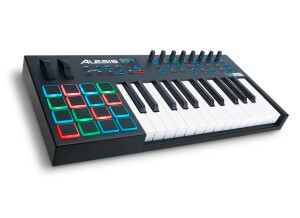
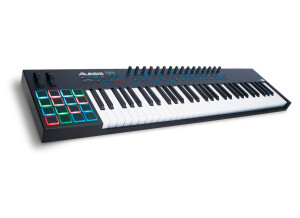
    With what configuration, software and other gear do you use this MIDI controller? In what context and for what musical genre(s)? What are your thoughts on its stability and durability? I bought this keyboard to include in a 50/50 Software/Hardware setup. Since then, I’ve gone 99% hardware. No problem as to its stability or that of the editing software (in spite of its horrible usability, but I’ll get back to it in a moment). Are its controls and features ergonomically designed? Is MIDI mapping straightforward? Controls are adequately placed on the keyboard and it also features many switches and encoders – a real asset in my opinion. HOWEVER, you’ll have to set everything up yourself, manually – there’s no factory button to change the MIDI channel or split the keyboard (all functions that are basic on most other keyboards). The problem is – the included software supposed to edit the keyboard is very badly done. The changeable parameters are quite complete (you can even edit a split on the keyboard). The keyboard features 24 "Presets/Layouts", each made up of a different MIDI setup. If you want one preset per MIDI channel, you’ll have to configure preset 1 to only affect MIDI channel 1, preset 2 for only MIDI channel 2 and so on. Considering that the default parameter sets every preset as identical and only sending to channel 1! (it’s a bit hard to explain thoroughly, but clearly whoever coded that made it quick-and-dirty ) So, you end up with a clear lack of ergonomy, and if you have a hardware setup forget it – you’d have to use a computer to change parameters through a dedicated software with a century-old ergonomy, it clearly wasn’t designed for your kind of setup. This is a pity, really, as once it’s adequately set up the keyboard works wonder! What do you think about the feel and function of its keys and pads? Do they permit you to play with precision? The keyboard features semi-weighted keys, which I consider the best compromise between playing comfort and feeling. A keyboardist friend of mine has recorded using it, and he was happy with how the keyboard was feeling. The pads also feature a nice feelinf. Their backlight is absolutely useless – except for going red when the pad is hard-pressed of green when it’s pressed slowly. What are the pros and cons of this MIDI controller? The keyboard and controls are well done. However, the way to set it up is clearly exhausting due to the useless included software. It also only features a single MIDI out, which by the way works perfectly once set up adequately, even when the keyboard is used in standalone mode. I recommend programming presets 1 to 16 to send data to MIDI channels 1 to 16 respectively. In the end, i’ll recommend this keyboard if you’s on a software-only setup and you’re a masochist in love with badly-designed software editing interfaces.

  • « Unreal for the price »

    The Alesis 3632 is a 2 channel compressor that will give your sound a lot of warmth and richness with little effort. This compressor was a lot more in depth than I thought it was going to be at first glance. There are a lot of knobs on the front of it and it was unlike any other compressor that I have used before. It did take a while to fully get the swing of working with this compressor and limiter hands on but once I got the hang of it, it gave us a whole new sound. Controlling the dynamics of your audio will make or break your overall sound. The Alesis 3632 gives you t he tools you need to get the sound that not only you want, but you need to have. UTILIZATION Using this compressor you will have no trouble getting a “big” sound with it. Just a small amount of tweaking can change the dynamics of your whole master. With the side chain that will send and return and the ability to switch operating levels gives you t he full ability to run it with any of your gear or audio signals to give you way more than what this unit cost. SOUND QUALITY The sound quality is great, it does add some life and color to your sound. You do not just have to use it with mastering. It is great for individual tracks and instruments as well. OVERALL OPINION There are only 2 XLR inputs and 2 XLR outputs on this compressor. It would be nice to have a few more though especially for use because we just don’t ever know exactly what gear we are going to be using. But for more outputs you have to spend more money, so at the time we did not have a problem using just 2 inputs and outputs with this compressor. It has really put our audio to a professional level all while staying within our budget. I would purchase this again in a heartbeat if we needed to. We have moved on to some better compressors but I will never forget what this one has done for us.

  • « Great for beginners and for appartments »

    Bought new in the U.S. for $ 542 (390 euros), we can say that it is not too expensive. I took six months of classes 22 years ago and I have not played since, so do not expect advice from an expert. I have been using it for a few months now. The build quality seems very good, and the assembly is relatively light, given the size of the product. The sticks, stool and kick pedal are NOT provided. So I bought a Pearl P120P secondhand for $ 38. The rebound is very good, much better than on other more expensive units IMO, whether on the snare (3 zones: rimshot and circle over the skin) or the toms. The crash works very well, and has a choke: nice feature. The Hi-Hat pedal is well made and works well once you know what you're doing. ;-) At first it did not seem to register all the hits and the hit level varied a lot but after a few weeks it either started to work better or my playing got good enough. Need to tap it in a specific place for it to work well, though, the whole surface is not usable. The ride works well but has only one zone apparently. In short, if you want it to be a great kit you'll need to consider buying real cymbals and a real hi-hat, and i personally miss having a splash. But for playing over CDs like i do, this is FANTASTIC FUN, i play sometimes for 2 or 3 hours a day and i am LOVING IT like you have no idea. Some sounds of the module are not bad but most are pointless so i would recommend using the USB feature and trying some software for better sounds. The MIDI "songs" sound terrible and are very "Fisher Price" ... I do not see myself using these songs in ANY way, much better to use your own MP3s or CDs. Editing: The sound is easily modified: sample, volume, pan, reverb and pitch. Saving the edited kit is very intuitive. The overall volume is adjusted by a very small volume knob behind the module: i would have preferred to have one fader per instrument on the front but in practice it is not a problem. However, what IS a problem is the hiss and low level of the outputs, on both the headphone and line outputs. There is a USB output that should remedy the problem when you have a PC handy but one should be able to make music in good conditions with just this module and no PC or mixer or anything else: for playing live it's ok but if you record you'll need to dehiss your drum tracks for sure. I have a cheap little Behringer mixer bought used and it helps out to play over MP3s but I should not need it. There is a line input for mp3 on the module but given the low volume it is hard to use. It should have a digital output. The module is less basic than the DM6 but is still really very basic so expect fun but not professional sounds or quality, for that you will need to use the USB and special software. Finally, the kit was delivered to me incomplete: missing 3 screws and bolts fixing clamp. I contacted Alesis Support (Numark) and they responded with amazing speed and I was immediately sent the missing parts, which arrived very quickly. That is very reassuring and after several month of heavy use the kit is still almost as good as new and works even better than it did out of the box. And i've been hitting it very hard sometimes! Overall i HIGHLY recomment this kit for beginners or for any drummer who cannot have a noisy proper drumkit at home, or simply for anyone tired of using a drum machine on recordings and looking for more realism: the USB port should be great for that. I am very happy with it and i think it is great value.

  • « Not something I will use again »

    The Elevate 3 is a pair of studio monitors that only cost around 90 dollars per speaker. These are very inexpensive and the sound shows it. I didn’t purchase these speakers but they came with a bundle that I purchased a while ago. I only used them for about an hour before I realized that I couldn’t even use them for reference monitors. They really are not that bad, but when you are coming from Rokit’s to these you will hear a huge difference. I tried to roughly mix one of my compositions with them and I was not happy with the sound that I got and never used them again. SOUNDS There is a volume knob is right on the speaker and do not interfere with the magnets in monitors or other equipment because they are magnetic shielded. The low frequency is not bad, but you can hear how naturally wide it is and can lead to a muddy low end mix later on. The highs are a bit too sharp for my liking and the mids are decent. At high volumes is where I really heard these flaws at. When played louder the bass sounded very muddy and the highs almost hurt my ears. OVERALL OPINION If you cannot afford to purchase a better set of monitors then you will have to work with these. They could work just fine if you adjust your ear to work with them and feel them out. If you can save some more money to upgrade I highly recommend doing so because in the long run this will not last and give clean radio sounding mixes. The speaker seems to be built very well though for the price. I do not see any issues arising with it. I have used many models of speakers from Alesis and actually the MI from Alesis is one of my favorites. But the Elevate 3 just didn’t work for me.

  • « Too bad... »

    I’ve used this interface with Ableton. The sound card is stable and provides little latency. The interface is ergonomic: a well-built aluminium casing, and a practical line/guitar switch. This sound card is aimed at travelling musicians or for simple recording sessions (which is my case) of synths or mics (with an XLR/Jack combo input). The preamps are fine, so is the gain and there’s no obvious hiss. However, the soundcard only offers a single (and low-powered) headphone out. Don’t even consider pluggins it into a table or speakers, the resulting sound would lack precision. A big cons has to do with a big flaw in design. The interface ends up recording outcoming sounds. As a result, you get the metronome and other tracks that were playing recorded in the background when the recording was made. In a nutshemm, it’s not a bad product, but this very flaw justifies this low grade. Too bad, Alesis...

  • « Great for mobile recordings »

    Perfect to record multi-track gigs live. Connected via firewire to a laptop you can retrieve the separate tracks for analysis or mixing. Very transparent, it offers an array of send/return effects (by a prestigious digital effects brand), from reverb and chorus to delay and pitch shifting. The preamps start getting noisy halfway, but if you manage well, you shouldn't need to go beyond that. The EQs do their job in a transparent way. In short, it's ideal for tight budgets who wish to - mix live - record everything on multiple tracks - record rehearsals - and certainly many other applications, which I haven't tried out.

  • « small and portable »

    The Alesis MultiMix 4 is a four channel USB mixer that is very easy to set up and start using right away. There is no compression on this mixer and also no effects. The EQ is fixed and there are 2 EQ bands per channel. The knobs are made well and do not seem as if they could break off or get stiff as long as they are taken care of. This mixer is pretty small so it can fit on almost any desktop recording surface and it does not look to bad either. The best part about it is the value for the price; this is a pretty good little mixer for 75 bucks. I have used many mixers and other gear from Alesis and they always have great quality products. UTILIZATION The MultiMix has a switchable HP filter at 75 Hz, but only on channel one and channel two. This is great for getting rid of that low frequency sounds that can get very distorted and it is also great for taking care of wind noise “air”. SOUNDS One of the cool features that I enjoyed working with is that I can use it with my iPad. I just had to have the Apple USB adapter that I got from the Apple Store and that was it. OVERALL OPINION There is also a guitar input on this mixer and multicolor monitoring (LED). The sounds is pretty clean when working with it, I would not want to use it as my main mixer though just because it is not better than any of the higher end mixers that I currently own. But for portability you cannot beat what you are getting with the Alesis MultiMix4. I recommend anyone who is on the go and needs a smaller mixer with them at all times to purchase this mixer; at this price you really have nothing to lose.

  • « Performes well »

    If you are looking for realistic piano sounds than the Alesis NanoPiano could be just what you have been looking for. The device itself is pretty small and its not rack able. Just looking at it made me wonder how they got all those good pianos and organs into this little device. The module itself doesn’t have a screen like other modules it just has a few simple knobs but the knobs will still give you control over how you want it to sound just not 100 percent control over it. Its also kind of weird to navigate through sounds with a knob. Instead of having a small LED screen and scrolling you just turn a knob that looks like a lot of knobs on an audio interface. Actually the whole module looks like its an audio interface at first glance. UTILIZATION Set up is really easy, no manual was needed at all you would only need that if you need to learn how to set it up in your DAW but if you know how to do that you will have no problem getting it work right. SOUNDS Sounds are realistic, especially some of the pianos are very clean and natural sounding. I don’t think there are enough effects just because I love to use a lot of effects In my music but I guess if you don’t like effects than this will work with just some basic reverb and such. I think all the sounds are pretty decent I really don’t have any that I think are bad. There are some room for improvement though. OVERALL OPINION Overall, for the price (that it is now not when it came out) its worth it. Back when it came out I didn’t buy it because I could use that money for a more useful piece of gear. So I purchased it years after it came out just out of curiosity when I saw it at the music store. I am still an owner of it and still love it.

  • Tamino's review

    24/48 AD/DA converter (96k possible with 4 tracks), 19" rack-mountable format. - Front panel: Power switch, +4dbu / -10dbv switch, level/clip LEDs - Rear panel: Power connector (internal transformer), 1 adat in/out, 8in / 8out on balanced jacks 96db dynamic range for the AD and 95db for the DA. For all the features: http://www.alesis.com/products/ai3/ OVERALL OPINION It's as easy as it gets. It works fine right away and it doesn't get hot (despite the internal transformer). I have this converter connected to an RME Hammerfall 9636 (which is awesome!) and to an Allen&Heath GS3v (24/8) mixer. I used to have a hoontech dsp 24 value (2in/2out). Regarding the conversion quality, the Ai3 is way better than the Hoontech. More well-defined and less "metallic." I can't say how it compares to other hardware, because I would have to test it under objective conditions, same mic, same source, same preamp, same monitors... But my first tests are pretty conclusive in terms of quality. The converter is limited in terms of connection options but it will allow you to make the best of older hardware because it supports up to 48kHz max., which is why you can still get it at reasonable prices. If you don't want to go beyond 48khz at 24bits, it's a very good solution. It deserves a high mark (9), due to its price and quality, the only point I'd take off is due to its dated(?) possibilities.

  • Alex081's review

    Characteristics already detailed in previous opinions. What is missing to be the top: MIDI I / O and SPDIF Semi-parametric EQ Mediums Independent headphone volume adjustment A series of 4 LEDs per level (not essential but comfortable Live) A compressor / limiter and gate per Phantom power-enabled XLR for each individual a separate microphone talk-over on the console An insert effect for every Of LEDs to display the position of each key press! No 64-bit drivers ... CORRECTION: A big bravo for the technical support I want to emphasize quality and responsiveness! I got by mail attachment, just hours after my request, 64-bit Windows drivers for Multimix USB 2 BETA VERSION (this is why they are not mentioned officially). Congratulations! The links in here, all offering the same files posted for downloading by BuBuOne (thank you!) Megaupload (single site in French): http://www.megaupload.com/?d=Y4BPMN7Y Rapidshare: http://rapidshare.com/files/331674929/ALESIS_USB2_X64_2.8.17.zip.html Netload: http://netload.in/dateipOHsX1HHv0.htm Zshare: http://www.zshare.net/download/70904865c99d3358/ Filefactory: http://www.filefactory.com/file/a1741dd/n/ALESIS_USB2_X64_2.8.17.zip Badongo: http://www.badongo.com/file/19587556 UTILIZATION English manual! French not even available for download ... but it is possible to find a user manual in French, scanned courtesy of the MultiMix 16 USB 1 ... Pseh thank you! http://pseh.dixkey.com/Mode% 20d%% 27emploi 20Multimix.pdf ( http://pseh.dixkey.com/Mode%20d%27emploi%20Multimix.pdf ) Very easy to use. SOUNDS Not enough experience or competence to judge its sound quality ... But the result is perfect for me! OVERALL OPINION I have had that for several days. This is my first console after 1 week of testing the MultiMix 8 USB2 (traded as unsuitable to Live). I find great value for money. FYI I paid € 499, 2 year warranty, at Action Music in Toulouse.