Log in
EN
FR

Universal Audio

386 products found

Categories
Series
Filter
Sort by
Evaluation
  • Reviewed or not
  • Editor’s award
  • Reviewed by Audiofanzine
Availability
  • Available or not
  • Sold new or used
  • Sold new
  • Sold used
Must-have products
  • All products
  • Flagship products
  • Best rated products
  • Hot products
  • Popular products
Price
  • Freeware
€
Clear
Sort by
  • Popularity
  • User ratings
  • Price - low to high
  • Price - high to low
  • Used price, increasing
  • Used price, decreasing
  • Name (from A to Z)
  • Name (from Z to A)
  • Added on
Sort results
  • Popularity
  • User ratings
  • Price - low to high
  • Price - high to low
  • Used price, increasing
  • Used price, decreasing
  • Name (from A to Z)
  • Name (from Z to A)
  • Added on
Filter results 386 results found
Evaluation
Availability
Must-have products
Price
  • Freeware
Show results

The best Universal Audio reviews

The reviews Audiofanzine members found the most helpful.
  • « A real gem! »

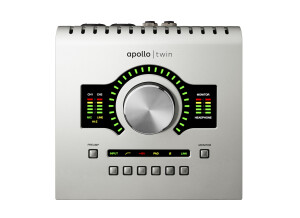
    I use this sound interface to complement (not to say replace) my old ESI ESP 1010e. I went up in terms of range and it’s a real investment but believe me – it was worth it. Latency is ridiculously low, especially in direct monitoring. Using the Unison technology, which implies replacing the clear-sounding and modern (yet high-quality) interface pre by a Unison-compatible plugin (eg a Neve strip, vintage preamp, some guitar amps too), monitoring is still direct. Unison allows to change the physical preamp’s behavioe using a plugin, which is an amazing technology. The installing process was seamless, and the same goes for the plugins (the included bundle + a special offer which consisted in $749 worth of plugins + a $79 off coupon on an Helios EQ + those I purchased to take advantage of other special offers – seems like I bought it right on time :-) ). Yet, there were audio problems with the sound dropping but it got resolved with changes within Windows and the use of a special PCI-e USB 3.0 card instead of the motherboard’s chipset (it seemed to work with a mere update, but you never know). Thanks again to the UA tech support, they really know their job. I work on an 17 5820K with 32GB of RAM. This leads me to a problem I’ve encountered: the plugins work on an internal DSP on the card, with a total only 2 DSPs as it’s a Twin model. Its capacity soon gets exceeded, which implies freezing the tracks, saving the settings and make clear decisions then to reset to the default mixer screen so as to empty the DSPs. In native mode, I can use many mort plugins without saturating my Computer, so it’s a real pity that you can’t mix the DSP and PC’s power, as I could use many more UA plugins than I currently can (I sometimes have to use SE versions of the plugs on secondary tracks). Lat alone that point, quality of the converters and preamps is incredibly good! Used with a nice microphone (a Neumann TLM 102 in my case), the result is exceptionally good, especially considering that the Unison allows to tweak the sound using channel strips, vintage preamps emulations and so on. But even then, the original preamp stands its case and is more than usable! The mixer is both easy to use and very practical. A real asset! Most parameters can be controlled both using the mouse or the interface’s controls. I like: + the preamps’ overall quality + the Unison technology + the quality of the converters + the mixer + the possibility to record or not the effects in Cubase Pro 8.5 (or any other DAW) + the exceptional quality of the plug-ins (even superior to Waves in a way) I like less: - the DSP technology which causes more problems than it helps. It once was very practical (in the days of the UAD-1), but nowadays the processors are so powerful that the UAD-2 is surpassed and it’s a pity. It still can be useful for someone with a small setup, but it’s not my case. - only two channels, making it impossible to record a guitar amp using three microphones - a single headphone out, which is not practical to tweak the vocals while making it heard by both the singer and engineer However, this interface is more aimed at home studio owners who work alone, and for that purpose it’s still a very fine interface. I’d make the same choice a million times if necessary. I hesitated between this and an REM Fireface, well I’m glad to have entered Universal Audio’s universe! When I can, I intend to buy a UAD-2 Octo (Satellite USB 3.0 or PCIe, depending on the better compatibility, I’ll see when I have the budget) in order to use more DSP power and take full advantage of all these wonderful plug-ins. With such a high-quality interface, I’ll also have to invest in good microphones as the only really good mic that I have is the Neumann TLM 102 (I also own a lower quality condenser T-Bone, a ribbon T-Bone, an SM57 and an SM58). But as I have already invested a lot, that will be for later… If you can afford an interface in that price range, don’t hesitate and go ahead, you won’t be disappointed! It’s also a pity that it is the only Apollo available for Windows system computers, i would have preferred an Apollo with more inputs and two headphone outs, and most important more included DSPs… But for 899€, you already have access to an exceptional quality! So let’s not demand too much, a 600€ interface with a lot of ins/out will never reach this one in terms of quality. CAUTION: if you work on a laptop PC, there is a risk that it will not be compatible with the USB 3.0 chipset. Look up for yourself beforehand. Edit: the interface is now even cheaper with the release of the Twin MKII, but you won’t get as many plug-ins as I got :-D Since then, I’ve bought 2 UAD-2 Octo cards – one USB 3.0 Satellite and one internal PCI-e. I can tell you that I no longer have any problem to run as many plug-ins as I like now :bravo: (of course, there’s a world between 2 DSPs and 18...) For the internal mixer, only the interface’s two DSPs can be used, but it seems well enough with only two inputs, unless you really have to use several plug-ins which is something I rarely – if ever – do. The Twin MKII and its Quad version are almost unnecessary, unless of course you want to use it for mixing (I speak for those who do not own additional UAD-2 cards). Months later, i still consider it a great product!!! (and the problem with the audio signal which was dropping has almost vanished, except in very rare circumstances which are not even that much of a problem when it happens). PS: I went to Cubase Pro 9 in the meantime (taking advantage of the grace preriod), and the software is even more stable than before, with crashes becoming rarer… I actually still have to face any, if I remember correctly.

  • « a really great interface »

    I bought this interface 3 months ago after I had the opportunity to try many different audio interface models in several stores (mainly in Europe). As the shope rarely had high-end monitors available, I compared all interfaces using mid-range, 2-way monitors. Caution : I did not try the Appolo 8 but the previous model, since the Appolo 8 was only released later in May 2015. Every try I gave it, the Appolo 8 provided superior sound quality and dynamics compared with other models. I also compared it with much pricier interfaces, and either the difference was almost unnoticeable or the Appolo sounded better… That’s how I initially made up my mind towards buying an “old” Appolo. I then heard it through Eve Audio sc 408 monitors, and it sounded just sublime – clear, clean, noiseless, in a word: great. On the day I was set to buy it, I’m mentioned the availability of the new Appolo 8. So, I decided to buy it based on sound amelioration, added functionalities, the unison system available on several inputs and the better software. I did not have an opportunity to compare both (old and new) models side by side. The sound the Appolo 8 delivers is breathtaking, I believe it to be even clearer than earlier models but the difference seems rather small. The interface is well-built, sturdy – very sturdy – , the controls are pleasant to use and the functionalities easy to read on the front. It features an external power supply, which is a large block to be hidden under the table. The possibility to use two different headphones for monitoring at the same time is a very good point. Almost all functions can be set up directly from the software, which is awesome. The unison feature is also very useful, no mic or instrument is perfect and corrections can be applied using this feature which is available on all inputs. It doesn’t look like much but it’s possible from the input to set everything up so as to get a clean recording with a good basis, hence one that will need less tweaking later on. Latency is minimal, impossible to perceive to me at least. Noise level is also extremely low, much lower than any other interface. It’s very important when recording solo instruments or classical music that features important volume variations. Another huge asset is the possibility to use high-quality plug-ins within the interface. Unfortunately they’re not free or cheap, but it just takes watching for special offers to get important discounts. Considering the general price of interfaces and that of this model in particular, the price is not excessive. Don’t forget the (very useful) additional features that come with it such as the unison functionality and the possibility to work directly with plug-ins, which relieves your CPU.

  • « Great for MASTERING »

    I have the hardware unit of this device. I have used it for 6 years and used SSL for 20 years. This plug in is very close to the $6,000 unit. I only use this for sub mixes and mastering. I don't use this on much else than mastering and overheads or sub mixing drums. If your input is hot in level you can really hear the compression kicking in. There are shelved settings and variable knobs like the unit. But it is not like the original and few can say they own the original. I have heard many people say they use this on a vocal or a snare drum. I only use the SSL channel strip for that. I don't use this plug in for snare or kick or toms. This compressor when used on kicks for example it won't be heard unless you hit the compressor hard and so to me it is not effective when used that way and I don't like the use of this plug in or the hardware unit for much else other than overheads on drums and room mics depending on what mics I have used to record the room sounds and or overheads. I like to allow some transients through and attack the compression with at max a 4:1 compression setting. I am not a fan of this unit on mastering. It is one of the best units for mastering you can use but very few are familiar or have ever used this unit so they just play around with it and use what ever they land on. I use this plug in for mastering all the time and it is my favorite go to piece or plug in I have. SUITABILITY/PERFORMANCE I have used it for 4 years the plug in and the real unit for 6. Love it and it is stable, performs as advertised and sounds as advertised. I have spent 10 years using SSL for mastering so with the release of this product I was happy to find that it is very close to the original hardware piece. I like the fact that the make up gain has head room and that fact that when you have on a buss it has a real subtle effect for grouping drum compression or if I use it on backing vocals so long as they are grouped and compressed lightly. SSL has a specific tone and if you have worked on one you will know what I am saying. OVERALL OPINION For mastering it is must have and for soft compression on sub mixing it is a must have. This is an industry standard for most pros who like to use professional sounding compression. If you have no experience with SSL it is a good place to start. I like the fact that you can make the compressor sing by hitting it hard but you can also have a soft compression if used on a buss send and aux return. For mastering I use it on a buss so that I can control the compression.

  • « Great Pre Amps »

    UA makes some really good stuff. Good layout and good set up and not difficult to use. Sounds like UA audio, great stuff but it has a specific sound and you have to have a taste and time to work with this unit when recording hot inputs. When using these units you have to be aware they are a bit authentic sounding in that you have to pick what you are going to use them on. If you use them on drums they sound great and on guitars. Vocals can be a bit more tricky. You have to find a mic that sounds right with the singer that your recording. You will find that they are a bit sensitive and you would not get turn it on and just hit go. There are a bit more tricky in that they are more colored so as you get your input you need to pay attention to the sound and what you are getting. Don't use any plug ins to start with nothing on the playback input track and get a feel for the active input. As you turn up the input you will find that there are defined differences in what your inputs or instruments are. On vocals it is bet harsh at 4.5K so dip that at least 3 db and you should be good to go. Also the pre has a bit of a bump in the lower frequencies 50 to 80hz so use a high pass filter. UTILIZATION There is not much to the set up. Plug in turn up the input based upon the instrument your micing and get to work. SOUND QUALITY Very clear sound but they do have a colorizing effect on the mid range. I have noticed this a lot with female vocalists no matter what mic I use. OVERALL OPINION They are a bit pricy and there are other pre amps like the focusrite 8 channel preamp ISA that I like. If you like a little color on the sound then I would get this one. Not as transparent as some of the other preamps.

  • « Finally, Real Amp Tones in a Pedal »

    Off the bat, the Universal Audio’s Woodrow ’55 is not a simulation but an emulation; and this is as close to something other than an actual amp sounding like an amp. Woodrow ’55 is based on the Fender Tweed 1955 amp, together with its functions, but also amp reactions, such as that rumbling breaking-up quality you get when cranking an amp. Let’s look at the controls and features, and I’ll leave the ‘amp sound quality’ for the accompanying demo. https://www.youtube.com/watch?v=B43-riqVtWw There is a main Output control for the volume, which you set after fine-tuning the other two Volume (gain) controls. The Instrument Volume does increase volume to some extent, but it more so increases the dirt and drive, into a warm growl. The Mic Volume has a similar effect and is not part of the original amp, but refers to the gain produced as you increase mic sensitivity when recording direct from the speaker. It also produces a gain, although not as growly as the Instrument Volume. When combined (in high levels), there’s a deep, heavy fuzz-like sound, ideal for Doom and Stoner rock. When both Volumes are turned relatively low, Woodrow has a super clean and slightly trebly tone (cuts through the mix like crazy), making for an ideal pedal platform (add a high-gain pedal, and the Woodrow serves just as much a modern amp as it does a vintage amp). Of course, dialing a mix of the two Volumes in different ratios produces a wide array of drive tones. I mixed different ratios in the demo, and relative to the six different speaker emulations, but dozens of different sounds can be produced. Now we’re onto the speakers. You receive three different speaker choices, but when registering you receive another three speakers, and this adds to the wide range of possible sounds (NOTE: You require a USB Type-C cable, not included). Speaker brands/names are addressed in the demo and, again, these are emulations and not IRs. What’s cool, however, is that Universal Audio provides a quick bypass of the included speakers, in case you wanted to run Woodrow direct to a preferred IR/loader, or you can use it as a preamp running into another amp/cab. Speaker emulation (and IR quality overall) has a lot to do with the sound and realism coming from any non-traditional amp, and UA knocked the ball out of the park with these speakers (and Woodrow overall). I watched some demos as they go through speaker selections, and often the reviewers keep the same amp settings as they proceed through the six options, turning their noses up at some options (as they may sound a bit thinner, too trebly, too nasally or midrangey, etc.). What I can say is that all speakers sound good, and offer unique flavors, if you dial into each one accordingly. I found it took 1-2 minutes to find a good usable tone for each speaker. The Room control is not a reverb, but a sense of space, providing that ambience, as though an amp/speaker is in the room. It ranges from completely off, to barely audible, to very apparent. Sometimes I like it on, other times just below half-way, depending on whether I’m mixing delay, drives, etc., but suffice to say, it adds an element of realism I haven’t heard from other amp-in-a-box designers. The Tone control is very much a mid-range control, and you can hear that as you sweep through the frequency. You can dial in more darkness or more brights, but it doesn’t go bottom heavy bass or sharp treble. And if you want to really push Woodrow with gain, and with certain speakers, you may not get quite enough highs out, and it can sound dark (or have a midrange hump, which can sound good with cleans, but flubby if more driven). This is where the Preamp function comes in, which increases volume to some degree, but serves more to enrich the signal and alter its character. There are three Preamp Boost types, including a ‘standard’ clear boost by UA (middle switch position), which gives a nice punch when on low and a ballsy drive/growl when turned up. The KORG SDD-3000 rack unit preamp (switch up) produces a smoother and less robust result, and it’s slightly more trebly. Most people may find this preamp lackluster compared to the Standard (middle selection), but I found this preamp useful for a few of the speaker choices that have a lot of mid-range or muffle (when cranking the Inst & Mic Volumes). The Maestro EP-3 tape delay preamp (switch down) sounds closer to the Standard selection, but is darker and helps tame any biting or harsh tones. I very much like these preamp boosts, as they add life to the raw amp, even when low. A few other features are the Preset saving, Stereo In and Stereo Out, and the mobile app. The Preset is exactly that; there’s already one on board, but you can change it. Alter the Mic Volume, change the speaker and preamp, etc., and then save it with a click of a toggle switch. In effect, this produces a quick 2-channel amp, for mixing clean with dirty. (FYI: Woodrow cleans up brilliantly via the guitar volume… from aggressive crunch to sparkly.) You can run Woodrow in mono, but there is both stereo ins and outs, which is nice for going direct to a FRFR cab (for example) and then direct to a PA. The Mobile App is for preset management, global settings, preset access to some world-renowned musicians, etc. In other words, you can create many different presets via the Bluetooth-ready Woodrow, save them and then recall them via the app. And, you can do the same with the many pre-made presets by the likes of Tim Pierce, Cory Wong and Justus West. Obviously, the app requires a mobile phone/tablet, which I do not have and could not explore; I would have liked a desktop version, but most companies are abandoning that route. Perhaps a PDF of what the premade settings are would be a good alternative. Overall, the Woodrow ’55 is a definite game-changer and I hope UA continues down this path with Marshall or even more modern amps, and for a few reasons: 1) no more heavy amps/cabs to lug around or take up space in a studio; 2) UA’s pedalboard amps (I also have the Ruby, which is an AC30 emulation) cost far less than the real thing; and 3) they sound authentic and fantastic. They’re not inexpensive, but when you consider what you’re getting, in both sound quality and amp flexibility, it will be difficult to dethrone Universal Audio.

  • « UA LA-610 | A Vintage Channel Strip with Modern Capablities »

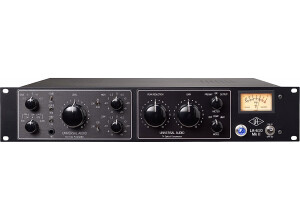
    The Universal Audio LA-610 channel strip is a modern interpretation of two classic, vintage tube designs, the legendary Bill Putnam designed 610 console pre-amp and EQ and the now ubiquitous LA2-A Compressor/Limiter. "Modern" is the key word here: while the design of this unit harkens back to the glory days of the 1960s, both in its retro looks and the 5 tubes it has under the hood, the LA-610 is surprisingly capable of achieving a variety of modern, brighter tones along with the myriad of harmonically rich and darker vintage tones that one would expect. Therefore, it should be noted that this unit is far more capable than just a boutique, color piece. While it's overall set of controls and connections may seem sparse, the LA-610 has a few distinct characteristics that set it apart from other rival channel strips. For example, the input selection knob on the front panel has four distinct impedance settings for microphones and high-impedance instruments. This means the LA-610 will play nicely with a variety of different microphones, along with both passive and active instruments. The other key feature is the line level input connection on the back panel. This allows anyone with an output from their soundcard to effectively re-amp audio from their DAW through the entire circuit path of the LA-610, utilizing the preamp section to add color and drive and the optical compressor section to add warmth and punch, along with additional harmonic distortion from the compressor's output gain. The ability to use the LA-610 as both a competent channel strip and a line-level conditioner is one of it's strongest attributes. UTILIZATION The design at surface level is straight-forward and simple and any experienced audio technician or home studio owner could likely just dive-in. However, the controls do have an unorthodox configuration that will take some experimentation to fully grasp the concept. The large Level and Output knobs are the most prominent controls on the front of the unit. This leads one to believe that 'Level' is the input gain and 'Output' is the output gain. However, this is a misnomer, because these controls exist on separate circuits. The 'Level' knob is in fact the output gain for the pre-amp section and the 'Output' knob is the output, or make-up gain circuit for the compressor. This becomes problematic, because upon first use when trying to achieve a clean signal, one initially turns up the 'Output' knob thinking they are turning up the output of the pre-amp and then in turn, lowers the 'Level' knob as low as possible, thinking they are keeping the pre-amp input gain low to avoid distortion. In reality, what has happened is that the user has turned the output gain of the pre-amp way too low and then in-turn is distorting the weak-signal by having the make-up gain of the compressor turned up too high. The result is a dark, muddy signal that will leave first-time users puzzled as to what the vintage appeal is really all about! This is where reading the manual is very important, as it explains the controls adequately! The input-gain for the pre-amp is in-fact the small, disproportionate knob in the top-left corner of the faceplate. It is referred to as the "Coarse Gain Adjustment", meaning that the input gain is set to a fixed power curve whose overall level is adjustable in steps of + or - 5 decibels. Therefore, set at -10 and -5, the pre-amp is at it's cleanest, most transparent state. Likewise, the 0, +5 and +10 settings add in more tube saturation ranging from light vintage coloration to rich overdrive depending on the source signal. Therefore, in practice, the best approach to setting up the LA-610 would be to turn the large "Level" knob all the way to 10 and then adjust the coarse gain knob in increments until an adequate level is achieved. Then you can back the level control down ever so carefully until you achieve the desired levels in your DAW. Understanding how the input and output gain structures work on the pre-amp side of the unit, one can then make better use of the compressor/limiter side. While the LA2 side won't be a formidable replacement for the real LA2-A, it is fully capable of delivering that signature, smooth sound and rich tone that the LA2-A stand-alone unit is known for, particularly for bass and vocals. It is also important to note, that it is an essential element of the channel strip's overall design! While, the photo-optical cell used in the LA2 design to compress audio is revered for it's smooth, rich sound quality, it's also notorious for making the source signal much darker. Therefore, the preamp circuit has been modified from its original vintage design to be a bit brighter in order to compensate for this darkening effect. Therefore, a few dBs of gain reduction and a little bit of the make-up gain can go along way to evening out the tone of the unit as a whole, espeically if you find the pre-amp to be initially a bit bright or sibilant on its own. The compressor is also very easy to use, simply turn the Gain Reduction knob and follow the VU Meter. Like the original LA2-A, or with most LA2-A plugins, you will similarly find that the output, or make-up gain circuit can add a lot of color and drive. This could be particularly useful if you run your LA-610 into a mixing desk first and have a fader to control the ultimate level that reaches your DAW. The only feature untouched here would be the EQ controls. Oddly at first, the EQ section comes before the compressor. This is because the EQ controls paired with the 610 pre-amp mirror the same design pairing found on the original 610 console from which it was based. The eq consists of a high and a low shelf filter. Along with the impedance settings, these controls are particularly helpful in this first position in adapting the LA-610 to different microphones or instruments. For example, a modern condenser microphone that may appear too bright at first may be thickened up with the low end and have some of the highs rolled off. Likewise, a vintage microphone or line level signal can be brightened up to compensate the effect of the compressor. Additional warmth can be added to the low end of electric pianos and basses and some of the harsh top-end can be rolled off of electric guitars and guitar amp cabinets. SOUND QUALITY With proper grasp of the controls and setup of this unit, the sound quality is certainly worthy of any professional studio. Below I will touch on how this unit performs in different scenarios: Bass: This unit is often found in professional studios purely for tracking DI Bass. Because of the inherent tube saturation of it's design, effective EQ controls and signature optical compressor tone, the LA-610 is a world-class unit for DI Bass. From a warm vintage tone with moderate coarse gain settings and subtle compression, to radical gain settings that induce rich overdrive, the LA-610 can cover a lot of ground. If you can't achieve a solid bass tone with this unit, then you haven't set it up right. Here is an example of Viola bass recorded through the LA-610 in a classic rock context, showing off the picking dynamics and thick tone: https://en.audiofanzine.com/channel-strip/universal-audio/LA-610/medias/audio/a.play,m.473853.html Vocals: The other most common application for the LA-610 is for vocals. For many studio owners, this would be the tube-powered foil to their pristine, solid state pre-amps. With low coarse gain settings and moderate compression, the unit delivers surprisingly clean and transparent tones, especially when paired with an equally transparent condenser microphone. It even works perfectly for voice-overs, providing a warm, slightly colored tone with plenty of clarity. Upping the coarse gain setting, the harmonic distortion becomes more apparent, inducing a vintage vibe to vocals. With even more coarse gain and compression, you can achieve Motown like distortion and overdrive to pure destruction depending on the source and microphone. In conjunction with the eq and compressor settings, the saturation on hand with this unit can be very useful for beefing up thinner vocal tones. Pushed to its limits, it easily overdrives, but does so in a musical way. While the LA-610 will surprise in it's versatility for recording vocals, a few notes should be made here about microphone pairings and the amount of available gain. This is not a Neve 1073 or comparable Great River pre, it will not deliver heaps of scorching gain. This is a vintage tube unit that easily, but musically overdrives at its limits. It should have more than enough clean gain for most condenser microphones. However, if you are like me and you want to pair a ribbon or a dynamic microphone with it, I highly recommend purchasing a Cloudlifter. In fact, I consider it indispensable when using an SM7b. Likewise, many people often comment on this unit that it doesn't suit one microphone or another. While the LA-610 is far from a Swiss-army knife in terms of versatility, if you spend time playing with the impedance settings and the EQ, you will find that it adapts to most scenarios surprisingly well. Guitar: The LA-610 can work nicely as a pre-amp for Cabinet mics. For example, if you are using a punchier, solid-state pre-amp powering a dynamic mic on one part of the speaker, you could provide an alternate, airier tone with a condenser mic powered by the LA-610. Using the different controls to color the signal to taste, one can get some interesting tones to pair with their standard on-axis SM57 approach. Likewise, powering a dynamic like the SM57 through the LA-610 can help add warmth and at times extra saturation to amp recordings. However, what I have found the LA-610 to truly excel at with guitars is a front-end for DI recording and Amp Simulators. Amp simulators and their effectiveness are much debated, but it's certain that an amp simulator is only as good as the pre-amp you play through. The tube design of the LA-610 feels and responds to an electric guitar with the same sensation and picking dynamics as a standard Tube guitar amp. It's saturation does a wonderful job of adding organic color to your DI tone before it hits your DAW and eliminates a lot of the hiss and high-end unpleasantness that even the best amp simulators are prone to. Furthermore, it responds very well to effects pedals! Guitar effects pedals, particularly higher-end and boutique pedals, are designed to be used in front of tube amps. So, their sonic characteristics interact more naturally with the tube-powered LA-610 verses the HI-Z input on your soundcard. Being able to add rich overdrive tones into your favorite amp sim via the LA-610 is major coup for the small studio owner who doesn't own a fleet of vintage tube amps, much less a sound-proof space to use them. Another quick note on using the LA-610 with guitars is its effectiveness as a volume booster. Think of it as a rack-mounted tube treble booster with built-in optical compressor! All you need is a re-amp pedal so the line output from the unit can feed into your regular signal chain of effects pedals on it's way to the input on your amp. Active Instruments: This area I don't have much experience with the LA-610, as I primarily work with midi synths and keys. However, the lower of the high-impedance DI settings is designated for Active keyboards, basses and guitars and I imagine would be very effective in this area. While experimenting for a soundtrack project recently, I ran a multitude of signals from my iPad into the 47 k impedance setting with great results. From adding saturation to GarageBand app strings to adding analog depth to the Animoog and Korg iMS-20 apps, the organic quality that was added by the LA-610 was very noticeable and appreciated. Re-amping: The Line-level input on the LA-610 really opens this unit up for experimentation in the studio. When re-mixing other people's projects, the ability to re-amp signals and add in harmonic content and saturation to previously dull sounds is indispensable. Likewise, it's a perfect unit for slamming drum samples, both for effect and for parallel compression/distortion. This same technique applies for vocals. A mono print of the lead vocal bus, distorted and heavily compressed, can be mixed to great effect back in under the dry tracks. In fact, this approach can be applied to anything in the mix that needs a touch of character and attitude. OVERALL OPINION Ultimately, the LA-610 is a top-class unit worthy of its place in any professional studio. It's not the most versatile of channel strips available, but it will accomplish more than you think. While its weak points may be discouraging for some, it should be noted that it performs its strengths better than most units in this price range. It won't replace or perform all of the functions of a stand-alone LA2-A, but the combination of the 610 pre-amp and the reduced format LA2 compressor side provide a character-full, superb sound quality at an accessible price point for project studios and professionals alike. Ideally, having one cleaner, solid-state pre-amp would be good to have in the rack next to the LA-610, but if you're looking for a front-end to your favorite DAW capable of delivering a wealth of organic, analog tone to any signal source, than I highly recommend the LA-610. Pros: +While not inexpensive by most project-studio standards, being able to obtain this pre-amp/compressor combination on the used market for under $1000 is remarkable. +Variety of Impedance settings for matching a myriad of different microphones and instruments to the unit. +Line input and reamping capabilities open up this unit's vintage tone to a world of modern experimentation. +A perfect front-end for recording guitars. It's ability to respond to guitar effects pedals and greatly improve the sound quality of amp sims is a major consideration for the project studio owner. +If there is one thing no professional will argue, it's that this unit is world class for recording bass. +The rack appeal of it's vintage design is an immediate statement of intent in any studio. Cons: -For a unit that will attract most people for it's use as a saturation-inducing tone-box, the limited ability to control the input gain on the pre-amp section is disappointing. If this is your sole concern and the compressor side of the unit isn't of great interest to you, then you should consider the stand-alone 610 Solo from UA. It has fully-featured Gain and Output Level knobs for dialing in the precise amount of saturation, along with the same EQ and Impedance controls. -VU Meter: While it's accurate, it is quite small. It has since been made larger on the MKII version of this unit. -Lack of available gain for lower-ouput microphones, such as an SM7b or ribbon mic. (Easily corrected with the addition of a Cloudlifter to the signal path) -No true bypass for the compressor section. The bypass switch is a misnomer, as the gain element is still active and only the photo-optical cell is disengaged. -Likewise, no bypass for the pre-amp in order to re-amp sounds directly to the compressor side. However, setting the pre-amp section so the signal passes to the compressor as transparent as possible certainly wouldn't detract from the source signal. -Only XLR inputs and outputs for line-level signals, no balanced input jacks. Will require a balanced jack-to-XLR cable for those whose soundcards do not have XLR outputs.

  • mooseherman's review

    This is an interesting box right here. A multi-purpose device (mic pre and DI box), it's also got the unique feature of employing both solid-state and tube design. This is a rackable unit that has input level and output level knobs. The input is a solid state transimpedence, and the unit has two gains operating simultaneously to the same output. There is a knob that allows you to select one or the other, or the blend that you want. There aren't usually effects on mic pres, but the range and flexibility of this one allow you to really experiment with the timbre of whatever you're recording, and can result in some strange distortion. UTILIZATION Editing the sound in this preamp is a bit more of a fine process than with most pres, but it's not difficult. Basically, you can control input level, output level, how much tube and solid-state signals you want, and there are options for pads, phantom power, and low cut and polarity. This thing is pretty versatile when it comes to sounds and uses. The manual explains things a bit more in-depth for those who aren't as familiar with mic pres, but other than the tube/transistor knob, there's not much that hasn't been seen before. SOUND QUALITY The console isn't exactly transparent unless you set it that way. This is different depending on the instrument. The thing about this pre is that it's such a crazy blend of solid-state and tube that you can get the positive qualities of both technologies without any of the drawbacks. Thus you get the warmth of a tube amp with the high response of solid-state. The fact that you can get a great DI sound out of it as well only adds to its charm. It sounds great on drums, guitar, vocals, almost anything. In this respect it's one of the more versatile mic pres in its price range. It sounds great when on the tube setting especially, as I tend to prefer the tube pres. It also can be adjusted to make anything sound more natural. OVERALL OPINION I think that for the price, this mic pre possibly can't be beat. Since it's only about $800 on the street, it's way better than anything that averages at about that price. The sound quality is superb, and it never colors the sound in an unpleasant or unnatural way. I have used many mic-pres in my time, but I haven't been able to find a better one for doing so many different kinds of tones. It's a budget engineer's best friend, I was able to sell off two other mic pre's as this one outperformed them both. I would certainly say that this is a great choice for anyone.

  • « The All-Rounder! »

    This is an excellent piece of hardware that would surely bring new sounds to your production. On one hand you have the massively acclaimed UA plugins, based mostly on their hardware counterpart and bringing one of the best emulations on the market. On the other, you have the actual interface that brings top class converters and vast array of input and output connectivity. It’s simply mind blowing the things you can do with it. Check out the video on YouTube where Fab Dupont explains how to connect the Apollo with the Dangerous Music D-Box. The onboard DSP power gives you everything you’ll probably need for your session. Not so long ago, I ran a Pro Tools mixing session with 105 channels. I did not have a plugin on every single channel, but there were still a lot! It was refreshing to know that I could just put a plugin anywhere and the system would still run like nothing. I was running a 2013 Mac Mini with 16GB of Ram and Pro Tools 10. UTILIZATION I own the Firewire model and it definitely brings zero latency to the table. Through its two headphones output I can monitor in real time, and using the UA virtual console, I can for instance, have a compressor in the chain going into Pro Tools with Reverb on an Aux. All with no latency. One of the things that I like the most is the 610 Tube Preamp emulation. I record with it no matter what. The default preamps is very good by itself. Pristine, that’s how I would describe it. Now, when I use it with the preamp emulation it just turns into gold. It distorts the very same way an analog tube preamp would, and adds shimmery high sparkles to the sound. I’ve used it with an AKG C414 XL II and it’s just amazing. The very first thing I used to emulation on was on a Cajon, and it blew me away the way it rounded the high frequency transients but leaving the bottom end full and punchy. Just like the real analog gear! The 224 Lexicon Reverb is something out of this world too. You load it and you get instantly beautiful reverb that I have never gotten with any other plugin. I also own the Neve 88RS channel strip, and I’ve also had the chance to work with the real console. It is as quirky as I remember it. Great EQ but you have to go easy with it; the compressor/limiting section is spot on. The only complain that I have is the Gate. Not as usable for shaping sounds as the real one. I also demoed the newer versions of the 1176’s and the LA-2A’s. I liked them, but to me they’re still missing the gluey factor of the real ones. I mean, the real one have some breathing in it, which is why they’re extremely regarded: you simply don’t feel the compression. The plugins don’t do this. They recreate the harmonics really well, but the compression part is still lacking IMO. In fact, I used the Bluestripe emulation on a vocal take without actually engaging the compressor, just because of the nice harmonics when I drove the input. Of course, these are all tools. Depending on how you use them is what it is going to make the difference. That’s why the default plugins that come with it are just as useful. GETTING STARTED Not too much to say on this one because the installation was as easy and trouble-free as you can get. The only thing is that I had to download the latest UAD drivers to run the newer plugins. Because of my not so fast Internet I had to wait quite some time to download the 750 MB file from the UA website. OVERALL OPINION The reason why probably many of you are buying this interface is because of the plugins. But is not only the plugins that you are getting, is the hardware with top quality converters and the flexibility that’s just unparalleled. Recently I test it against a Prism converter and it was on par. Really, you would have to be the pickiest mastering engineer to discern the difference. Pros: - Awesome sound quality - Zero latency - Great connectivity - Lots of DSP power - Great on-board Preamps Cons: - The compressors and gate emulations are not that good. - The rotary buttons feel a little bit cheap and flimsy

  • moosers's review

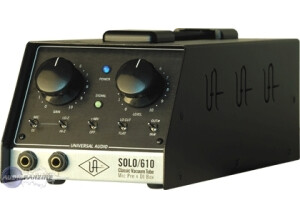
    The Universal Audio Solo 110 is an analog solid state pre amp that is a both a pre amp and a DI box in one. It has 2 1/4 inch DI inputs and XLR connections as well. It is not a rackable unit, and is in a box that has a handle. UTILIZATION The configuration of the Universal Audio Solo 110 is pretty easy to follow and understand, and there are a lot of nice options and parameters to help you get your level in the best possible way. There are two large knobs for gain and level, as well as buttons that are either on or off for 48V phantom power, either Lo-Z or Hi-Z, either mic or DI, a low cut, and a phase button. There are also two LED lights that show power and the level coming. The manual for the Universal Audio Solo 110 is pretty complete, but the pre amp is easy enough to use that you don't need the manual to learn how to use this. SOUND QUALITY The sound quality of Universal Audio Solo 110 is pretty great. The pre amp is full sounding and will faithfully reproduce whatever mic or direct input that you throw this through. It has a rich and warm tone quality to it that makes it great for applications of all types. I have used the Universal Audio Solo 110 on everything from vocals to guitars, always with results that I'm happy with. The overall sound of the Universal Audio Solo 110 is full and is a great choice for applications of all types. OVERALL OPINION I've been using the Universal Audio Solo 110 for about a year and I've found it to be both a great direct input box and mic pre. I have come to know Universal Audio as a company that makes top end gear that really sounds great and is easy to use. The price of the Universal Audio Solo 110 is pretty reasonable, and isn't overpriced at all in my opinion. If you are looking for a reliably great sound mic pre and DI box in on, this is seriously worth a look.

  • « Modern Clarity with Old School Vibe »

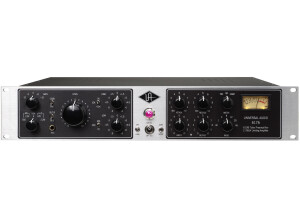
    The 6176 is a composite two of universal audio’s finest pieces: the preamp of the 610 series coupled with the compression of the 1176. This is an analog unit with tube circuitry- not to be confused with the starved plate designs of inexpensive units, this preamp delivers actual tube warmth. There is a direct input available, which (for me) excelled in di bass recording situations. The typical xlr connectors allow mic inputs. There is a solid needle; I owned cheaper units where the needle bounced around so much it was basically useless. This UA meter responds the way it should, presenting the critical information needed to dial in a great sound. UTILIZATION It may be hard to jump in and get a great sound with this unit. The preamp is notorious for having a large number of criticisms, particularly in the preamp gain staging. With quick dialing, it appears difficult to get a hot level to disk, it seems to go from low/moderate gains to ugly breakup. The key is to use the pad (when necessary) and …get ready for it…dial with your ears, not your eyes. The interplay between the settings is symbiotic; everything has a drastic impact on other parameters and thus the end product. Also know that most of us are no longer recording to tape, but to disk, so extremely hot track levels are unnecessary and mostly ill advised. SOUND QUALITY I would not describe this preamp as transparent; it is a character piece. That being said, you could dial in some decent clean tones, but if that is your goal, look elsewhere. This preamp loves old school gristle and delivers in a big way. Sinatra to Van Halen, UA has been on a lot of legendary records. This unit helps to take the edge of that surgical clarity that cpu recording tends to deliver. OVERALL OPINION I spent most of this review speaking of the preamp, but the compressor is beyond glorious! It slays in every application I throw at it: kick drums, overhead, room, VOCALS (YES!), bass guitar, acoustics…it can give cool special fx with the all buttons in. I love that compressor, the preamp on the other hand was more love/hate. The gain staging is not an easy task, and there are many units that will deliver more accurate results. So if you are looking for 1 killer preamp, I may not recommend this unless you are a Sinatra type performer. But if you have an array of modern preamps and need one that will be unique flavor, look right here. Sadly, I flipped this piece…regretted it a year later, than proceeded to flip that one too. I’m just not getting the business nor utilizing my studio enough to warrant a preamp of this cost…but if I run into a (2) 1176 at a good price, I would pounce. I think the biggest flaw in the 6176 is knowing that you will want two to serve as a stereo set, making it a costly investment. Perhaps the day will come when I can swing that….

  • « The EMT 140s bigger brother... »

    As with all U-audio, no issues to report. SUITABILITY/PERFORMANCE See above... OVERALL OPINION The EMT 250 was the first digital reverberation device to create ambience through a purely electronic system. With its single reverb program and iconic lever-driven control surface, the EMT 250 is still an indis- pensable tool within the record-making elite and is widely considered one of the best-sounding reverbs ever made. Although only around 250 were built, the EMT 250 has made an immeasurable impact on record making history in the hands of studio legends like George Massenburg, Bruce Swedien, Allen Sides and many others. Captured from Allen Sides’ unit at Ocean Way Re- cording, endorsed by EMT Studiotechnik GmbH in Germany, and re-engi- neered for plug-in use by EMT 250 creator Dr. Barry Blesser from his original documentation, the UAD version of the EMT 250 goes beyond emulation and is the very same algorithm found in the original units—for a fraction of its orig- inal $25,000 price! Besides the coveted reverb program, the EMT 250 for UAD provides the five additional effects (Delay, Phasing, Chorus, Echo and Space) also included in the original unit. Lighted pushbuttons select the desired program, while four click-stop levers provide the primary reverb parameters of delay time, prede- lay, and high and low Filtering. LED ladders provide additional visual rein- forcement of program selection and parameter positioning. Like the hard- ware, the plug-in operates in “quad,” with two discrete stereo output pairs accessed through the added front/rear output switch. Additional “digital only” features include dry/wet mix, wet solo, reduced noise (if desired), and hard bypass via the EMT power icon. All input and output characteristics of the EMT 250 are fully emulated in the plug-in. This includes all of its idiosyncrasies, such as the A/D and D/A anti-aliasing filters (which are not linear-phase), system latency, input clip- ping, and limited frequency response. All these quirks embellish the unique sonic signature.

  • « My absolutely have Reverb plug... »

    Typical U-Audio...all good. SUITABILITY/PERFORMANCE See above. OVERALL OPINION Universal Audio’s uncanny representation of that unmistakable sound can be found in the EMT 140 plug-in. Measured and analyzed by UA’s DSP circuit modeling experts and then tuned by ear over a four month period, the EMT 140 replicates the sonic signature of three uniquely different EMT 140s for- merly installed at the Plant Studios in Sausalito, CA. That’s nearly two thou- sand pounds of sound in one plug-in! Impractical or impossible for most be- fore, Universal Audio brings this classic mix tool within the reach of everyone. Licensed and endorsed by EMT Studiotechnik GmbH as the world’s only au- thentic plate reverb emulation. The Input Filter is a dedicated equalizer that is used to re- duce low frequency content in the reverb. On hardware plate systems, this setting is rarely modified because it is found at the plate amplifier unit itself and is not easily ac- cessed from the control room. EMT 140 contains two types of filters: original EMT elec- tronics and Martech electronics which was/is a common plate system retrofit. In the modeled source units at The Plant, plates A and B use the EMT electronics while Plate C utilizes the Martech elec- tronics. In EMT 140, you can use either filter type with any of the three available plates. The original EMT filter (indicated by black text) is a cut filter centered at 80 Hz, with three available levels of attenua- tion: –4 dB, –10 dB, and –16 dB. In controls mode, these values are prefaced with an “E” to designate the original EMT electronics model. The Martech filter (indicated by red text) is a shelf filter, therefore all frequen- cies below the frequency are reduced. Six shelving frequencies are available: 90 Hz, 125 Hz, 180 Hz, 250 Hz, 270 Hz, and 360 Hz. In controls mode, these values are prefaced with an “M” to designate the aftermarket Martech electronics model. Plate reverb systems are extremely simple: A re- mote damper setting, and a high pass or shelf fil- ter found at the plate itself. Additional manipula- tion is often used, including reverb return equalization, which is typically achieved at the console. Predelay is/was often achieved when necessary with tape delay, sending the return to a tape deck. Different tape speeds allowed dif- ferent pre-delay amount. Each setting is a model of a completely separate and unique plate system. Three 140’s for the price of one! I cannot mix without this any more. Unless I use the EMT 250.