




The new Cubase is arriving, as usual, a few weeks before Christmas, offering features the community has long awaited. Does that make it a must-have update?

Let’s face it: given its long history and Steinberg’s penchant for innovation, Cubase is one of the most sophisticated and comprehensive DAWs on the market. In fact, when you look closely at its competitors, you have to admit it lacks very little—so much so that every year it’s a challenge for Steinberg to find a good reason to make us pay for an update.
After a rather interesting Version 15, we were still waiting for improvements in M/S management, audio objects, and meta-effects/instruments—features found in most of its competitors’ products. And regarding that last point, the good news with this V16 is that Steinberg has finally listened to us.
Stack-frites!
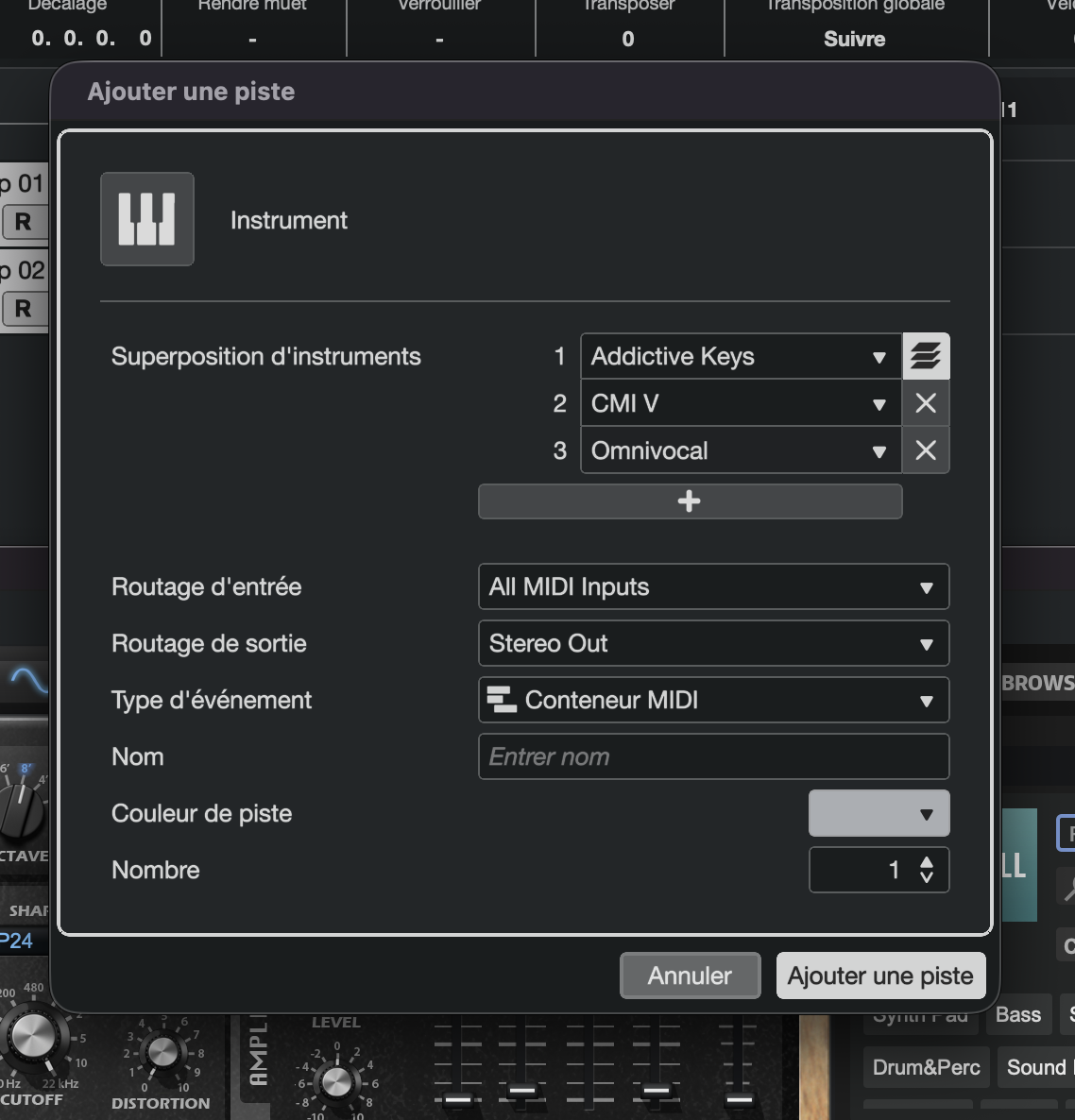
In short, it’s similar to the Combinators in Reason and the racks in Tracktion Waveform Pro—a type of feature that most major DAWs have integrated over the years, but has been sorely missing from Cubase.
It’s a real joy to see the Instrument Stacks feature arrive because, beyond the creative possibilities it unlocks, layering is one of the most widely used production techniques. For example, it allows you to add depth to an electric bass by sub-mixing a synth triggering the same pattern, or stack several bass drums to create the perfect kick drum—even if we regret that Steinberg didn’t adopt some of its competitors’ good ideas such as an interface editor and a modular graphic system that would make it easier to build complex meta-instruments and meta-effects.
On that note, let’s see what’s happening on the plug-in front.
How about two more slices?
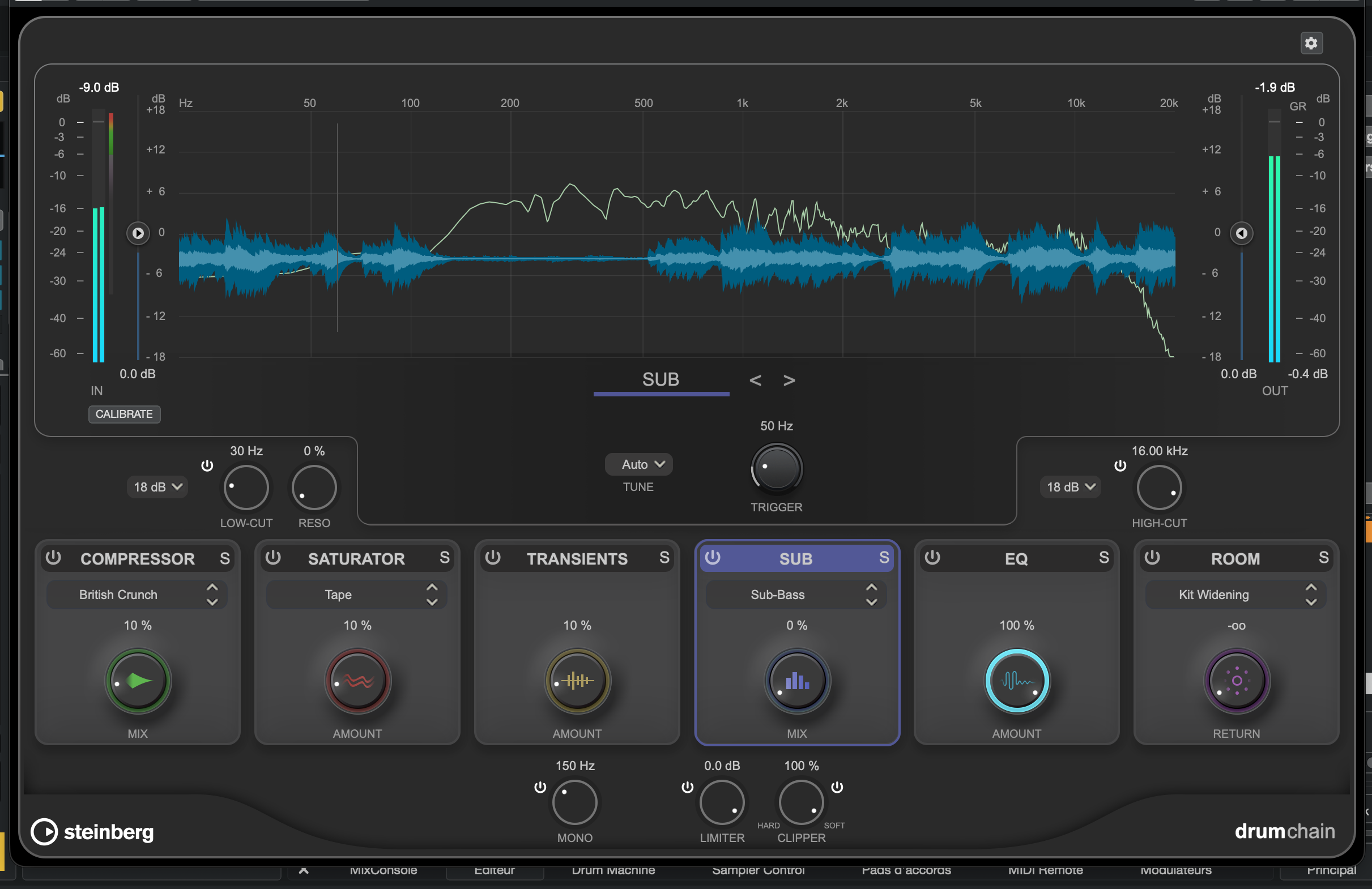
The whole thing is well-designed and lets you work quickly on both the overall sound of a drum kit and its individual elements. It’s worth noting, however, that Steinberg has simply combined several processing tools already available in Cubase into a single plug-in, whereas we would have liked to have had more control over certain effects (reverb and delay, in particular), automatic gain compensation, and perhaps some less conventional features: a Snapback-style sampler/drum replacer, a pitch shifter to tune specific elements, or even a module to reduce the pluck in a take. This is all the more surprising given that VocalChain—already included for vocal processing—is far more comprehensive.
In any case, the tool is effective, as you’ll hear in this example:
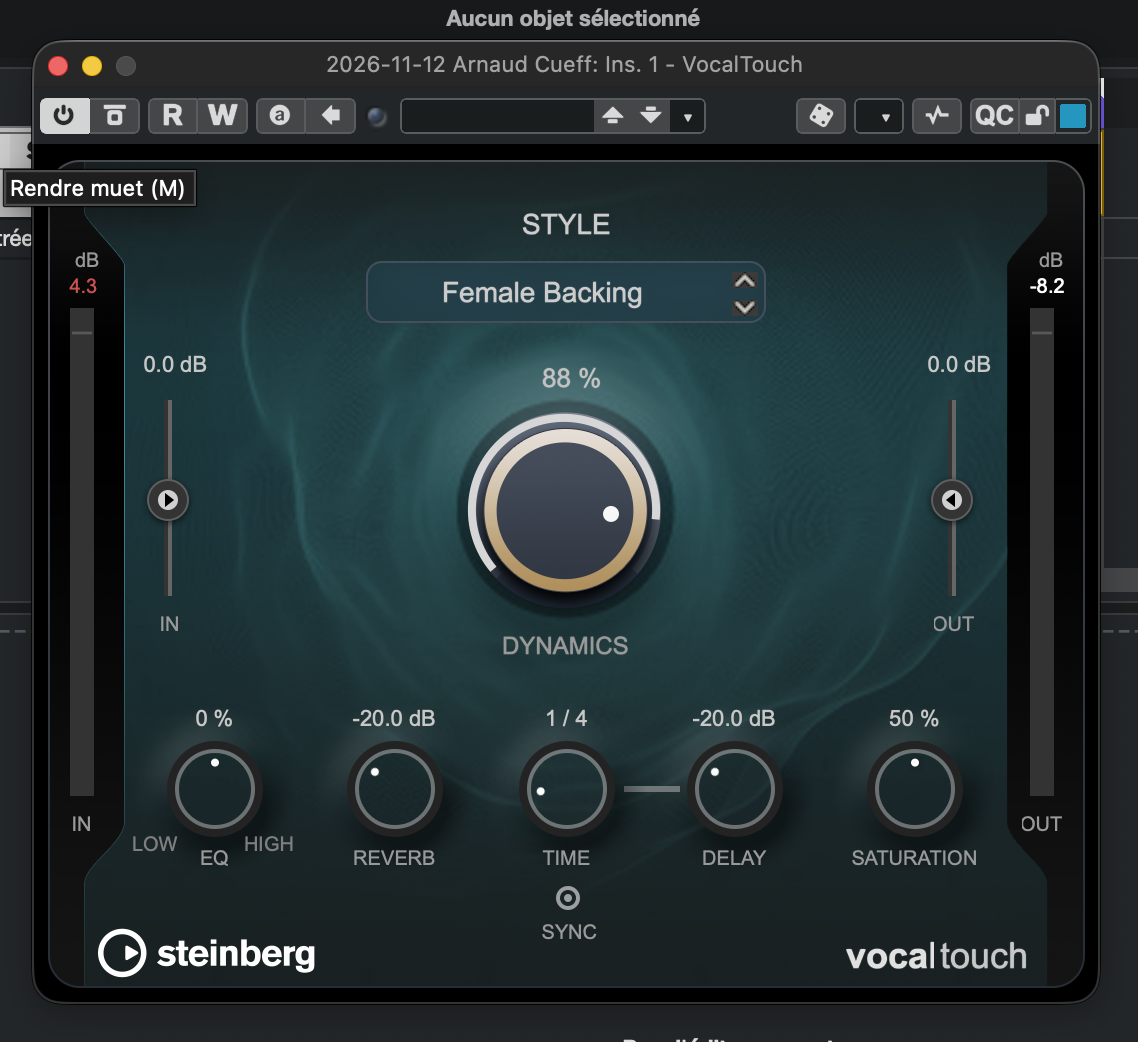
And what about VocalTouch? With just three clicks, you can achieve a lot, but this streamlined approach comes at the cost of a more rudimentary user interface than VocalChain. The order of the effects is limited, and without a de-esser or a dynamic EQ, you’ll need to look out for midrange harshness that can occur depending on the distortion.
Let’s take this opportunity to discuss the new features regarding instruments, keeping in mind that this won’t take long since there aren’t many: a new version of Omnivocal is introduced, offering fewer settings than the previous one but still limited to two voices to promote the pro version, which you can purchase separately.
Also included are five new sound and loop packs with evocative names (Afro House, Beats & Breaks, K-Pop, Latin Vibes, and Organic Sessions), along with Module, a sound bank for HALion Sonic based on FM synthesis. The latter features over 200 presets offering leads, keyboards, basses, and textures: these sound great and reinterpret the great classics of FM synthesis, making them fully usable, though not necessarily very original.
So, we have new content but no truly new instruments, which makes this update feel a bit sparse. As a result, the new editing and processing capabilities are what’s more likely to justify an update.
Strum arrangement
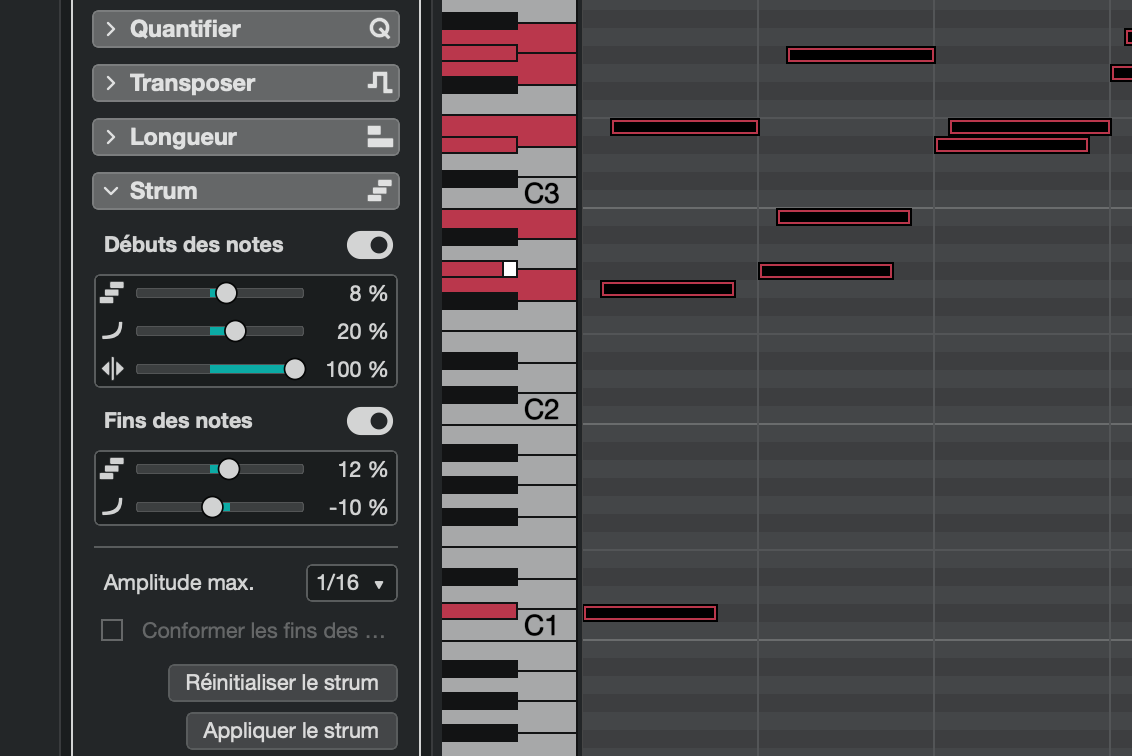
Along the same lines, there are now new modes for configuring how the mouse handles the stretching of MIDI notes: a simple click-and-drag allows you to speed up (accelerandos) or slow down (ritardandos) a sequence—the latter being particularly useful for ending a track, for example, to mimic how musicians slow down the tempo as an outro.
Steinberg also offers new features in the processing department, particularly with Time Stretch: not only are tempo detection and tracking now more efficient, but there’s also a new Spectral Warp mode that allows for extreme stretches in the style of Paul Time Stretch.
This is sure to be of interest to sound designers and remixers alike, who will also be delighted to learn that the STEMS demixing algorithms have been improved: in addition to Drums, Vocals, Bass, and Other, Piano and Guitar are now available. This is a positive development, even if it simply follows the trend set by most competitors.
Preferences and M4A
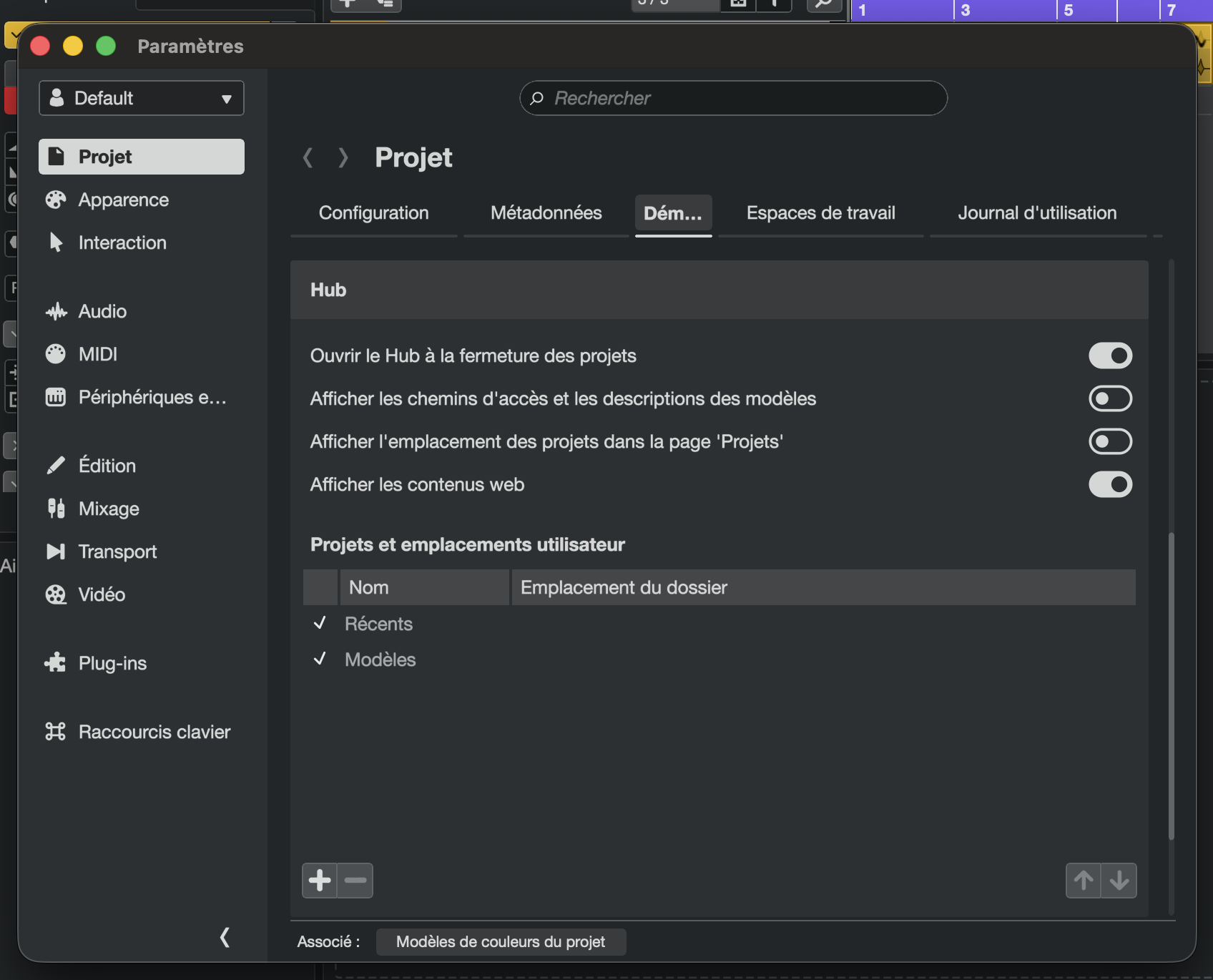
More interestingly, the developer has redesigned the preferences and settings area. While these options used to be scattered throughout the software, Steinberg has brought them together in a much more user-friendly tabbed window. It really makes a difference in day-to-day use!
But will that be enough to convince some people to shell out the money? That remains to be seen.
What Cubase Pro 16 is still missing
We’ve been asking for tools to create multis for ages, and Instrument Stacks are finally here—though they could still be improved in terms of both functionality and usability. Beyond that, there are plenty of other long-standing shortcomings to lament, such as the application not offering comprehensive M/S processing or true audio objects like those that have been in Samplitude for ages.
To take things to the next level, we’d also love for Steinberg look closely at what’s happening in the world of plugins and offer us something new inspired by iZotope, Noiseworks, Eventide, or even Oeksound—whether that means becoming the first sequencer developer to offer an amp simulator that reads NAM profiles or to implement automatic gain staging. In short, while there’s so much to invent or integrate, past updates have been more inspired and generous than this one.
This in no way calls into question Cubase’s excellence as a tool for making music—whether for composition or production. Steinberg’s sequencer remains one of the most robust and comprehensive solutions on the market. It’s just that it’s not a given that many V15 owners won’t wait for V17 before spending 100 bucks to update.