Log in
EN
FR

Eventide

135 products found

Categories
Series
Filter
Sort by
Evaluation
  • Reviewed or not
  • Editor’s award
  • Reviewed by Audiofanzine
Availability
  • Available or not
  • Sold new or used
  • Sold new
  • Sold used
Must-have products
  • All products
  • Flagship products
  • Best rated products
  • Hot products
  • Popular products
Price
  • Freeware
€
Clear
Sort by
  • Popularity
  • User ratings
  • Price - low to high
  • Price - high to low
  • Used price, increasing
  • Used price, decreasing
  • Name (from A to Z)
  • Name (from Z to A)
  • Added on
Sort results
  • Popularity
  • User ratings
  • Price - low to high
  • Price - high to low
  • Used price, increasing
  • Used price, decreasing
  • Name (from A to Z)
  • Name (from Z to A)
  • Added on
Filter results 135 results found
Evaluation
Availability
Must-have products
Price
  • Freeware
Show results

The best Eventide reviews

The reviews Audiofanzine members found the most helpful.
  • Audiofanzine FR's review

    (Originally written by plastok2/translated from Audiofanzine FR) Almost 800 presets: harmonizer, pitch, delay, rev, chorus, flange, phazer, doubler, etc. Two analog inputs and outputs Last device from the H3000 Series launched in 1992. UTILIZATION Pretty easy to use but I still recommend you to grab the user's manual from time to time. Clear and typical Eventide design (it's the same for all series). Huge preset number... (includes all presets of the previous series). SOUND QUALITY I love using it as delay and doubler effect. Some reverbs sound very nice. But the thing I like most is the wideness of the sound. Eventide is the reference if you want to create wide vocal ensembles or incredible stereo delay effects. The sound is warm. The unit has a more natural sound than the DSP Series, which have much more processing power. But when it comes to a The Edge doubler or delay effects, I prefer the H3500 because it provides a more "analog" sound. Good signal to noise ratio considering it's a modulation effect made in 1992. OVERALL OPINION When producing music it's important to have the possibility to quickly choose a certain sound color and the H3500 allows that. You can double lead vocals, process a snare with a fat gate reverb, add subharmonics to a synth, create a beautiful delay on a guitar recording, etc. The H3500 does all these better than most other processors!!!

  • « Unique and Awesome Sounding Modulated Delays »

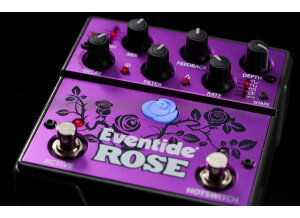
    FYI… if you’re not into watching/listening to the entire demo, I encourage you to put on headphones and tune in around 10:15 for a sample composition with various Rose settings that was recorded with the Hooke Verse 3D audio headphones… listen as the binaural sounds swirl around your head! SOUND: Eventide is known for its digital effects, but this time the company has integrate analog with digital, thus resulting in a warmer and more organic sound (as opposed to its crystal clear digital fare). The dry path is analog, as is the Mix, Filter and Feedback components of this delay/modulation pedal. The sounds produced range significantly. You can create very short delays in slap-back territory, but add in some modulation and the Rose becomes a chorus pedal. As with any delay there is a Feedback (repeat) knob, but also a low-pass Filter knob so that the effect can have a higher or lower pitch, great if you want the effect to jump out in the mix (more treble) or remain dark and mysterious in the background (more bass). Modulation shape can vary with a Sine, Square, Envelope or Random wave while affecting the Rate (pulse) and, of course, the overall Mix. One of my favorite features is the Infinite Repeat, which is like a freeze button (however, if you play over the freeze you do not hear the pedal’s effect – only a dry signal). To add to the diversity of the sound, there is a Reverse button, and also a Delay Multiply button, so that you can produce a 2x, 3x, 4x and 5x repeat for some very spacey time effects. Eventide did not stop there. You can save five presets, but each has an A/B option (which means two patches per preset). What makes this cool is that although you can switch between A and B with the Hotswitch footswitch, you also can morph the two with an Expression Pedal, thus producing some ultra-unique sounds limited only by your imagination. OVERALL: A combination of analog with digital, the dry path, mix, filter and feedback are analog, whereas the delay and modulation are digital. You can create utterly unique and fabulous sounds with delays that range from 10ms to 10 seconds, and even adding a reverse delay or inverting (flip phase) the delayed signal; and add a delay multiply (2x to 5x) for delays that last up to 50 seconds. Although you can achieve a lot of different delay ranges and results, when combined with the modulation component delays can range from subtle (chorus-like) to freaky spacey. Modulation includes sine, square, envelope and random waves that sweep from ½ to 2x the standard delay time, simultaneously modulating pitch across a full octave +/- (while controlling the depth and rate of the modulation). Both delay and modulation are controlled further with the Mix knob, but also the low-pass Filter knob (so that the wet signal ranges from a lot of treble vs. a lot of bass… clear or subdued). You can save 5 presets, although each has an A/B switching option (moreover, if using an expression pedal you can morph between the A and B settings). The Hotswitch footswitch can be assigned to different operations, including tap tempo, infinite repeat, LFO hold, LFO reset and A/B switching (in case you don’t have an expression pedal and want to flip between settings). Some additional features of the Rose include USB (for MIDI, software updates and to be used as a preset manager), a TRS input (for expression, auxiliary switch or MIDI), a selectable bypass (relay, buffered or input kill), and finally an input level select switch (line/instrument). At $349 USD the Rose brings with it a hefty price-tag, but compared to other high-end delays (with modulation and all the features of the Rose) you get a lot of bang for the buck and some very unique sounds. GENERAL USE: It will take a day of discovery to learn all the ins-and-outs, but a little bit of patience will make it all worth the effort as you can produce some utterly unique modulated delay effects. I won’t cover everything, but will go through some general guidelines. The delay knob allows you to select a ‘range’ by pushing down then turning the knob (the ‘range’ places you in a general area, e.g., 500ms delay); you then adjust the knob (without pushing) to fine-tune the milliseconds. Once you have a delay time you like (keep in mind you can tap tempo) you then can add a Reverse to the delay, besides adjust the Feedback (repeats) and even add a Delay Multiply (so that you hear your delay 2x to 5x). The amount of delay also is significant, ranging from 10ms to 10 seconds – add in a Delay Multiply the delay continues for nearly a minute even after you stop playing. Assign the Infinite Repeat to the Hotswitch and the signal will repeat forever (until you press the Hotswitch a second time, thus allowing the effect to trail off). Speaking of Hotswitch, you can assign many things to this footswitch besides an Infinite Repeat – you can use it as a tap tempo, use it to hold the modulation effect or reset the modulation (turn it on/off), and also use it to switch from a Preset’s A and B settings. In regard to the last assignment, if you have an expression pedal you can switch from A and B settings of a preset (heel down vs. toe down), but also morph the two into some fantastic sound-scapes (as you play and rock the treadle). The Modulation aspect of the Rose allows you to add various shapes to the delay tone, including a Sine, Square, Envelope or Random wave. You can adjust the depth of that shape, as well as its Rate (for a very slow wave to a fast pulse, as indicated by the Rose LED flashing to the set pulse or rhythm). Both the Delay and Modulation aspects can have a higher treble or bass response, whether you want it to be prominent and cut through the mix or remain dark and warm. And, of course, you can adjust the overall Mix so that even a complex sounding modulated delay remains nothing more than a hint in your tone. OTHER DETAILS: The Rose is a medium sized stomp-box, measuring 115 mm (W) x 120 mm (D) x 60mm (H) or (4.5 x 4.7 x 2.37 inches). The input impedance is 600K ohms (mono) and its output 470 ohms (mono). The heavy duty chassis has purple/pink top with a dark grey base. The six editing buttons are of heavy plastic and would withstand normal use and abuse. The two footswitches (Active and Hotswitch) are soft switches, viz., no click when engaged or disengaged – there is no popping or significant signal noise when switching. All inputs (cable inputs/outputs, expression pedal, USB, MIDI and power input) are located in the back of the Rose to save on pedalboard space and to prevent possible damage from regular stomping use. Any LED lights are low profile and are safe from damage from regular use. The Rose requires a 9VDC power supply while consuming 500mA of power – however, this pedal also comes with its own power supply.

  • « One of the best »

    I know that many musicians claim that this is the best digital delay units on the market. I wouldn't disagree, but I just couldn't jive with it. For me this unit is in someways over produced. There are so many tweaking capabilities that I found myself playing with this thing more than playing the guitar itself. There is so many options that is got to be too much for me. I like things simple and easy. I don't like things to be too complicated. I like plug in and go. UTILIZATION Eventide TimeFactor Features: * Studio-quality Eventide sound in a stompbox * Two independent 3 second delays * 20 presets/unlimited via MIDI * MIDI sync, tap tempo, and an input for an expression pedal * True analog bypass * Instant program change * Guitar or line level inputs * Class compliant USB for computer control * Rugged cast metal construction * 10 of Eventide's best delay effects in mono or stereo: * Digital Delay * Vintage Delay * TapeEcho * ModDelay * DuckedDelay * BandDelay * FilterPong * MultiTap Delay * Reverse Delay * 12-second Looper with VariSpeed Inputs 2 x Instrument Outputs 2 x 1/4" Power Supply Included Yes Batteries 1 x 9V Height 2.12" Depth 4.8" Width 7.5" Weight 2.15 lbs. SOUND QUALITY I played this unit with an assortment of rigs. I tried it will my Gibson Les Paul and I tried it with my Fender STratocatser and several different amps and I just couldn't get a tone that I liked. I also found that the volume would drop when I would engage the unit. I had it on the guitar line out puts and inputs and there was a noticeable differ3nce in volume when I clicked this thing on. Perhaps I need to have the output the line level out or whatever it read. Either way it was enough for me to dump it. I'm sure I could have with a little more time figured out how to run this ting properly but I am impatience and it didn't hit me right off the bat. There update via the internet are very easy and I like that capability. I really like Eventide but my patience in thin and they have so much tweak ability in their products that I would not find pleasing. OVERALL OPINION At new these units come in at around $399. On the used market you can get them under $300. Not a bad price for this unit. It definitely is the best delay out there but too much figuring out for me. I don't use that much effects in my gigging rig anyway so this thing was just overkill for me.

  • moosers's review

    The Eventide H3000 Ultra Harmonizer is a unique studio effect that is one of the first of its kind in terms of harmonizers. It is an all analog unit and is a rack mountable unit that will take up two rack spaces. I'm not sure what connection types the Eventide H3000 Ultra Harmonizer has because the studio I have used it at has it pre racked. UTILIZATION The configuration of the Eventide H3000 Ultra Harmonizer isn't the easiest to follow, and since it is a unique effect, it takes a little while to understand and be able to use everything on this unit. There aren't that many parameters, but the lay out is sometimes hard to follow since it is one of the first analog harmonizers out there. The possibilities are pretty varied when it comes to this unit, but isn't the easiest unit to navigate on. SOUND QUALITY The sound quality of the Eventide H3000 Ultra Harmonizer is pretty good considering how old this unit is. It can definitely be useful in the studio if you want to figure out or add some harmony parts to your vocals or any other instruments you might want to add to. I mostly have used the Eventide H3000 Ultra Harmonizer for vocals, but have also tried it on guitar and keyboards, with some pretty interesting and cool results. OVERALL OPINION I've been using the Eventide H3000 Ultra Harmonizer for about five years and it is definitely an interesting piece of gear to say the least. When it comes to harmonies, I would rather actually sing them myself than let a machine do them for me, but this can provide you with some awesome sounding effects and definitely has interesting creative capabilities to it. The price isn't that cheap if you can find one used, but I wouldn't really recommend buying one of these unless you are a professional studio anyway because it isn't worth it this day and age. The Eventide H3000 Ultra Harmonizer is definitely worthy of a try though.

  • « Incredibly clear and diverse reverb »

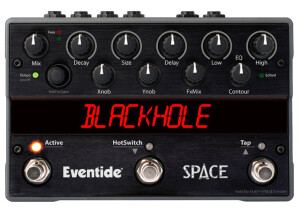
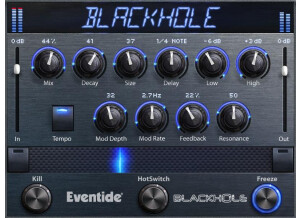
    Most important is the sound of any piece of music gear, and the Blackhole does not disappoint. Anyone familiar with Eventide’s reputation, but also the fact that the algorithm in this pedal is the same as in the Space pedal and the H9, will confirm that the reverb in the Blackhole not only is extensive (from a medium slap-back room to an infinite space, but incredibly clear and pristine – you can hear the detail in the reverb, as opposed to it being murky or washed out. That certainly is a plus, but the nature of the Blackhole’s reverb is extensive. You can have either a standard or reverse reverb (of different weights or ‘gravity’), mix in some or a lot of modulation, and also add delay up to 2000 ms. You can sculpt the sound of the reverb with hi and lo EQ controls, affect the resonance with the Q control, and add in feedback for short or long tails. Overall, and for $250 USD, the Blackhole reverb pedal is worth the investment, since it is studio grade and can be implemented on vocals, guitar, and keyboards (there’s a Guitar-Line Level switch on the back). However, this pedal does have some serious contenders for about the same price among its competitors, which I have not tried in order to make a comparison. Regardless, I can compare it to the reverbs found on Fractal (Axe-Fx) units, and the Blackhole holds its own very well. It’s also ideal if you want a smaller, more compact version of the Space pedal and if you desire the Blackhole algorithm, yet with massive amount of flexibility, a Freeze function, MIDI capability (via USB), running in either mono or stereo, and you can add an expression pedal for some cool transitions. I should mention, also, that the Blackhole does come with its own adapter, but requires only standard 9VDC 200mA if choosing to use a different power supply. For those interested, I’ll address the Blackhole’s operation, which is addressed in the video, along with its sound possibilities. The Mix affects dry versus wet, whereas Size is how big a space you want and the Gravity how pronounced the reverb’s attack (either normal or inverse decay). The Feedback affects whether the tail is nearly non-existent to a massive wave that washes over the sound. Gravity is minimal when sitting at 12-noon, whereas normal decay weight occurs with the knob turned clockwise, and inverse weight increases when turned counterclockwise. Obviously, tone of the reverb is controlled via the Hi and Lo EQ knobs, but the Q (resonance) does sculpt that tone even more (with no effect if the EQ knobs are flat, at 12-noon). You can add a sense of warmth or a big warble of gooiness with modulation, controlled via the Depth and Rate knobs, as well as adding in some reverb Delay, via its knob. Now, to keep the Blackhole pedal small, most of the knobs do have double functions. When pressing the toggle button at the top right of the pedal, the Gravity becomes Delay; Feedback becomes Q-resonance; Size becomes Depth (modulation); and Lo EQ becomes Rate (modulation). As stated, when using the software, you see all these controls simultaneously, thus making it easier for detailed editing. The use of an expression pedal adds to the diversity of the Blackhole; any of its controls (e.g., mix, delay, EQ, etc.) can be assigned to the expression and in any amounts/within any range, so that you can alter those elements in real time. In regard to the two footswitches, the left acts as an on/off (bypass can be set to buffered, relay, DSP+FX or kill dry), but also in selecting a preset. The right footswitch enters preset mode (when held down for a few seconds), but also Freezes the reverb when clicked quickly and released. Freezing allows you to play overtop with a dry signal, although it sounds best if you have some delay in your mix to make it sound less bland. The left switch’s LED can be pressed to toggle between Latching<>Momentary; and to save a preset, press and hold the right switch’s LED. Lastly, the Blackhole can be set to include/preclude the ‘Catch Up’ function, which eliminates abrupt changes in sound when tweaking knobs beyond their saved settings (e.g., the Mix knob may be at 3-o’clock for a preset, but physically turned to 9-o’clock on the pedal).

  • « A Nice, Flexible Channel Strip »

    Installation of UltraChannel is straight-forward, however, you will need to have an iLok account and install their License Manager software to register your copy. It’s not the most intuitive process but once you’ve got it registered, you’re ready to start loading it in your DAW. The user interface is extremely simple with no menu diving or pages. Every function has a labeled knob, button, or slider dedicated to it and each of these functions are clearly and concisely explained in the manual. SUITABILITY/PERFORMANCE I’ve been using UltraChannel in both Renoise and REAPER without any instability, however, it is somewhat performance heavy. On my PC with an Intel i5 2500k overclocked to 4.5ghz, each instance of UltraChannel used around 1.7% CPU. Making a similar Channel Strip FX chain with REAPER’s plug-ins only used 0.8% CPU per instance. This is far from being a dealbreaker, but it is something to keep in mind if you if you plan on using UltraChannel frequently in very large sessions or if you have an older/less powerful computer. OVERALL OPINION UltraChannel consists of 2 compressors, an EQ, a gater, a micro pitch shifter, and a Stereo Delay module. The compressors, EQ, and gate can be rearranged in any order, but the micro pitch shift and Stereo Delay are fixed and always placed after the other 4 modules and before the output. The compressor has your standard threshold, attack, ratio, and release controls but also contains a useful de-esser to help remove sibilance as well as a saturation button to add a bit more grit. The O-pressor is a pared down version of Eventide’s Omnipressor, which is designed to add more flavor to your tracks than a standard transparent compressor. The 5-band Parametric Equalizer allows a lot of flexibility with the ability to choose the kind of filter for each individual band. The Gate is probably the most straight-forward module in the plugin, with no additional features, just a threshold slider and release knob. The Micro Pitch Shift slightly changes the pitch of the track and increases the panning spread, effectively acting as a stereo expander. The stereo delay is a transparent delay but with the added function of being able to route the feedback of the delay into some of the other modules in the plugin giving the tail some character. Using this feature in conjunction with rerouting the top level modules can give you very interesting delay sounds. Ultimately, UltraChannel is a great sounding, versatile channel strip plugin with a lot of flexibility due to the module rerouting. The O-pressor is capable of altering your tracks in a very extreme way with its extremely long attack and release times. I also find myself going to the Micro Pitch Shift a lot as it can really thicken up pads or bring lead sounds a bit forward in the mix. The retail price for UltraChannel is fairly expensive, but it’s quite capable of being a go-to channel strip. Pros: +Great sounding modules +Flexible Routing +Awesome Micro Pitch Shift +Delay feedback can be routed to other modules Cons: -A little performance heavy -Expensive

  • « A worth while plug in but will take some time to understand »

    Eventide H3000 is a harmonizer plug-in that can confuse you if you are not use to working with algorithms to create modulation and filtering. It will take some time to understand how to work this program even if you look at the manual because most of understanding it is just application and spending time messing with it. There are over 100 original effects from the original H3000 (hardware) and over 100 newly added presets from some really good sound designers on Eventides team. SUITABILITY/PERFORMANCE Installing it was pretty quick because it is not a large program it just takes time to understand. It will run on just about any Mac as long as you have sufficient CPU available for it. The main reason I chose to go with this plug-in is for it’s high and low pass capabilities and even for the pitch shifters, filters, and delays. Working with all of these aspects too me some time to understand in the H3000 plug-in because everything seems to be analog and you need to program these functions yourself. OVERALL OPINION I am not sure if they have a DEMO version of this plug-in but if they do I suggest trying it out before you buy it. It is not like your standard harmonizer plug-in with a bunch of presets. It requires some more work. I use this with Pro Tools HD and it works just fine on the Mac we are using running operating system 10.5.1. This plug-in is price well but it could be a waste of money if you don’t learn how to use it properly so be prepared for a learning curve. There is a Native Version of this so it can work in multiple platforms but I have only worked with it in Pro Tools HD and also Pro Tools LE.

  • « A ridiculously powerful guitar reverb »

    The Eventide Space is a reverb effects stomp box that has more features and capabilities than you can possibly imagine! Loaded with 12 reverb algorithms, including the famed BlackHole reverb, standards like Plate and Hall, and with oddities such as Reverse and Shimmer. It is fully capable of stereo input and output, which makes it perfect for studio use. It is software upgradable via USB, and it is fully controllable via midi, and it is also controllable with external footswitches. It is capable of saving presets, but the presets cannot be saves or transferred to the computer via the USB connection. UTILIZATION This pedal is a bit confusing to use; notably, changing presets versus changing the reverb type can be confusing, especially since the first new factory presets are the exact same names as the reverb type (Hall, Plate, etc). It also doesn't help that both of those are controllable by the same knob. However, editing an actual preset it fairly easy, just turn the knobs, and the name of the parameter shows up in the display. The general names of the parameters are written on the box, but for some presets, they switch it up. There is also a hotswitch function, which lets you change the parameters within a preset instantaneously, back and fourth between two settings. A cool function, but I'm not sure when I would ever use it. SOUND QUALITY The sound quality of the Eventide reverbs is top notch: with so many controllable parameters, these are some of the best non-convolution reverbs I've ever heard. In fact, they certainly beat many convolution reverbs I've heard as well. When the mix and room size are turned up to extreme levels, the reverb doesn't hide, it shines. Eventide is famous for their delays and reverbs, and it certainly shows here. OVERALL OPINION Overall, this is a great (but pricey) reverb box unit. Is it worth buying for a guitar setup? Probably overkill, unless you are utilizing some of the more unusual reverbs, or if you need huge reverbs. Is it worth using in the studio? Possibly, but sometimes using VST or software-based effects can be easier. If you're looking for one of the top reverbs available in a physical hardware stomp-box form, then this is the pedal for you.

  • « Eventide's new workhorse »

    The Eventide H8000FW is the king of all effects processors. There is more technology and processing power in this thing than any other rack device out there. It has all of the famous rack algorithms built into this, the ability to make your own algorithms, 5.1 sound setups, full MIDI implementation, and of course, the world's most famous harmonizer. UTILIZATION I might as well start with the bad things. The device is extremely hard to use if you're not familiar with Eventide products. Editing and making great presets from scratch is a huge pain. The stock presets themselves are also a bit over the top. The worst thing is that there's some lag as the presets load. This can cause some issues if you're using it in a live rig without utilizing some sort of workaround. The manual is also bigger than a phonebook. That said, it contains some of the most ridiculous features that no other rack device has on the market. Not even the Axe-Fx can do everything the H8000FW can do. SOUND QUALITY The sound quality with this device is beyond amazing. This is the device that all the big boys use in their studios, and it's no real surprise. It doesn't matter if you're making a classic rock album or some brand new Pirates of the Caribbean soundtrack. You can do everything with this one device. The reverbs and delays are ridiculously lush and soothing. They are deeper than anything I've ever heard. Don't even get me going about the harmonizer. It's seriously that good. OVERALL OPINION The biggest issue with the H8000FW, aside from the price, is that it's extremely expensive. If you can find one used, it will be worth picking up, but until then, it's hard to recommend used. However, if you do have a deep pocketbook, this should be one of the foremost devices you should try to get your hands on. There's no other device on the market as good as this thing in terms of effects.

  • moosers's review

    The Eventide SST-282 Space Station is a delay plug-in that's a digital recreation of the Ursa Major hardware model of the same name. It's pretty much a piece by piece digital version of the original. The plug-in is available in nearly all formats and I believe it's available on a strictly individual basis and not in a bundle. Having used the original and also the Princeton Digital version, it's clear that this is an upgrade over the Princeton Digital plug-in, although it's based on the same algorithms. No plug-in can ever live up to it's original hardware counterpart, but Eventide's version of the SST-282 Space Station comes as close as you can get. We have this at the studio where I work, as we've got pretty much all of the Eventide plug-ins on hand, so I wasn't involved with the installation process here. Learning to use the plug-in wasn't too hard for me as I had some previous experience with the interface, but even if you don't have any prior experience with the Space Station in it's few forms, it's still a fairly easy to understand configuration. Included here are controls for eight delay taps (four stereo pairs), delay presets, reverb/echo feedback, mix, echo delay time, input level, low and high cut filters, and a button to choose between using it as primarily a reverb or an echo. There's a lot to work with but it's definitely a good thing as it doesn't mean it's convoluted in the least. SUITABILITY/PERFORMANCE We're running the Eventide SST-282 Space Station plug-in on a few different systems, all of which are Pro Tools HD based. That's really all you need to know as it's a very rare occasion that we'll have any problems running any plug-ins, and I've never had a problem with this one in particular on any level. I'd try out a demo if possible before buying, but as long as you're comfortable running your DAW you shouldn't have a problem here. OVERALL OPINION The Eventide SST-282 Space Station is a really awesome plug-in and can be a benefit for any DAW user to have. Regardless of any previous experience with hardware or software versions of the Space Station, I think all users will heavily enjoy using it as it's an interesting take on delay and is awesome for a variety of purposes. I love using it on vocals, but it's great for guitars as well. It's so versatile that it can be used pretty much in any situation where you'd want some delay. Whether it's for some slapback or some super multi-tap delay, the Eventide SST-282 Space Station is a great delay that all DAW owners should try out if possible.

  • « Eventide's 1U Effects Processor »

    The Eventide Eclipse is a new effects processor aimed towards guitarists. It's a somewhat slimmed down Eventide compared to the huge monsters we're used to seeing, but it's actually more powerful than some of the older, bigger boxes. It includes nearly every feature you can think of and then some. The famous big scroll wheel is still here and what you'll mainly be using rather than the dial pad. The coolest thing is that it's housed in this 1U rack enclosure. UTILIZATION This is probably the biggest downside with all Eventide products. They're very hard to use for first timers. It takes reading the manual a few times, and the manual is as huge as a phone book. You can only have so many effects being used at any given time to boot. To top it off, even with the latest software, there's quite a bit of lag when switching between certain presets. You can get by this with some trickery of x-fading and whatnot, but it takes some understanding this unit to fix these flaws. It's definitely not for somebody who has limited time on his or her hands. SOUND QUALITY The sound is where all Eventide products excel. The effects just sound amazing. Those looking for that signature Eventide "coloring" will find it in spades here. The harmonizer tracks wonderfully, the reverbs are huge, choruses are lush and it's guaranteed to enhance your tone. Most of the stock presets suck, so keep that in mind. You'll also need to do a bit of tweaking when it comes to levels. The weakness of this unit, in terms of sound quality, is the amp sims. The whole guitar/amp things don't really sound that great, so I recommend just avoiding them. OVERALL OPINION Overall, if you're looking for a do-all effects processor at this point, I think you're better off looking at the Axe-Fx Ultra. It's more versatile than this, has better support, easier to program and is roughly the same price. If you're limited to just using a 1U effects processor, this could be worth looking into, but I have a hard time recommending it to the gigging musician.

  • « A wide-ranging effects palette beyond traditional chorus »

    Not everyone likes the sound of chorus, but when applied sparingly, it can give depth and thickness to a tone. But enough pandering. Eventide has a solid reputation for producing studio-quality effects, and the TriceraChorus may be the most versatile chorus available, ranging from iconic 80’s shimmering to tone enhancement and customization on several levels. The included demo video provides this pedal in a mix, but goes through the various settings that are about as wide-ranging as is possible on a chorus pedal. I also recommend visiting the Eventide site, as they include synth samples that sound awesome (GHOTZ sounds particularly amazing), besides tutorials: https://www.eventideaudio.com/pedals/tricerachorus/ DEMO https://www.youtube.com/watch?v=uSuF-eqwja0 TriceraChorus allows you to tweak the knobs as usual, but the included editor software makes experimentation and fine-tuning easy. There is a toggle button that switches from one set of controls and to unveil a secondary or sub-set of controls, thus allowing for a total of 12 parameters in which to manipulate. I’ll address the functions briefly. Beginning with the top left of the pedal, the Mix selects pure Vibrato (no dry), or you can turn the knob for Chorus voices or Chorale voices (the latter of which is an enhanced chorus effect with added voices). The Rate knob adjusts the modulation and the Detune knob adjust the mix for stereo detune. The three Channel knobs controls the modulation depth of the center, left and right channels (which can make the effect very subtle to extremely apparent). When pressing the pedal’s Toggle button, the above controls then affect other parameters. The Rate (Mix) knob now adjusts the amplitude envelope amount sent to both Chorus/Chorale mix and Detune Mix. The Rate Envelope (Rate) knob adjusts the amplitude envelope amount sent to the rate of the LFOs. The Pitch (Detune) knob now affects the stereo detune for all three channels (center, left and right). The three Channel knobs now control distinct parameters, as well. The left channel provides upward of 200ms of Delay for Chorus or Chorale. The Center channel knob now becomes a Filter, so that you can provide a low or high cut (set at 12-noon it is flat). The Right channel knob is now the Output Level, for unity gain, boost or cut of the volume. A great feature is the Swirl switch, which adds stereo phase shifters after the Detune section, thus creating throbbing and swooshing effects (most noticeable with higher levels of Chorus, Choral or Detune mixes). Its speed is adjusted by Rate, ranging for very subtle to deep swirl effects. The Swirl switch, with the Swirl effect disengaged, is used to toggle between Preset selections, of which there are five. You can save a lot more presets with the software editor, but the pedal will keep five on board. Now, the TriceraChorus can work in either mono or stereo. If playing in stereo, the chord between instrument (or other) and this pedal does require a TRS tip, but it sounds pretty good going straight to mono and within an effects loop. There is an I/O switch to select guitar or line/effects loop, as well as a USB (cable included) for software updates and MIDI over USB. Another feature is the EXP input, for use of an expression pedal. Many of the controls on the TriceraChorus allow one to create a range so that you can manually adjust things like Mix, Rate, Detune, Channel modulation, Mix Envelope, Rate Envelope and Delay, and whether changing one parameter or many simultaneously. And if any of this sounds confusing, the TriceraChorus does include several dozen presets via the editor (with five permanently stored in the pedal), all of which can be tweaked and saved. TriceraChorus is MIDI capable, which means sending messages to alter parameters, including Mix, Rate, Detune, etc. I reviewed Eventide’s Blackhole pedal, which also is part of this ‘classic’ pedal collection; it has a Catch Up knob function (set to off out of the box). This function also is available on the TriceraChorus. To explain, as you adjust or load a preset you will hear sudden changes in the sound (e.g., think of a delay pedal with the repeats changed from few to many). The Catch Up function prevents sound change until the knob is moved into the position corresponding to the current value. In other words, a preset may have the Rate low, whereas the pedal’s knob is set at a higher level; you have to move the knob to the position that corresponds to the current value and then make adjustments. This may or may not be practical or desired in a live setting, which is why this option is ‘off’ initially. TriceraChorus comes with removable knob setting templates that correspond to the five stored presets. These make it convenient if you want to adjust from the original setting, or if you make changes to the presets (and want to return to the original), then you can dial it back in quickly. It also has its own 9VDC power supply, which can be replaced with a pedal board power supply that can provide 4.5W and 500mA of power (the Mission Engineering 529X would work). And the software can do more than make it convenient to fine-tune and customize Chorus sounds and update firmware; you can import/export presets, view/organize presets, and backup/restore the pedal’s content to a file. Overall, the clarity and quality of TriceraChorus is most impressive. When applied sparingly, it can have a six-string guitar sounding like a 12-string, or it add a dimension to rhythm and lead playing by adding additional depth and harmonics. Certainly, you can achieve classic chorus sounds, and even sounds that are over the top and dissonant sounding, but I think much of its power is in transforming a good tone into a great and unique one.