Log in
EN
FR

Image Line

96 products found

Categories
Series
Filter
Sort by
Evaluation
  • Reviewed or not
  • Editor’s award
  • Reviewed by Audiofanzine
Availability
  • Available or not
  • Sold new or used
  • Sold new
  • Sold used
Must-have products
  • All products
  • Flagship products
  • Best rated products
  • Hot products
  • Popular products
Price
  • Freeware
€
Clear
Sort by
  • Popularity
  • User ratings
  • Price - low to high
  • Price - high to low
  • Used price, increasing
  • Used price, decreasing
  • Name (from A to Z)
  • Name (from Z to A)
  • Added on
Sort results
  • Popularity
  • User ratings
  • Price - low to high
  • Price - high to low
  • Used price, increasing
  • Used price, decreasing
  • Name (from A to Z)
  • Name (from Z to A)
  • Added on
Filter results 96 results found
Evaluation
Availability
Must-have products
Price
  • Freeware
Show results

The best Image Line reviews

The reviews Audiofanzine members found the most helpful.
  • « A Feature Packed DAW »

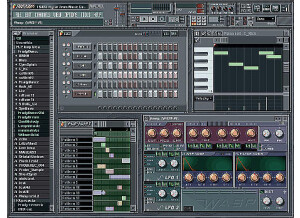
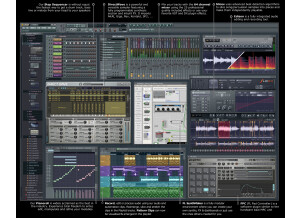
    FL Studio 11 XXL Signature Bundle is the most complete FL Studio package you can get. It contains all the FL Studio features with no restrictions and costs $299. If you already own the signature bundle from previous versions then you can get 11 for free. You can use it for sequencing, recording, mixing, mastering, programming drums, inputting MIDI data, etc. It's a loop-based DAW. It supports MIDI input and can be used with various hardware devices including keyboards, drum pads and other devices such as the Maschine. It also comes with a comprehensive user manual which explains almost every aspect of the GUI including some basics in electronic music. I actually learned how to use FL mostly from the user manual itself which speaks volumes on its clarity. If you're familiar with the FL Studio family then there are no major changes in this edition and you can get to work really fast as I did. But if your new to the DAW it may take some time to get used to because it is an unconventional DAW. SUITABILITY/PERFORMANCE The installation process is easy. During setup you're prompted to install the ASIO4LL driver which is a must if you want to use FL Studio to record. It doesn't allow you record using any other driver except ASIO which can be frustrating at times. You're also given the option to install it as a Rewire device for use in other DAWs. I run FL 11 on 2 physical Windows 7 machines and 1 virtual Windows XP machine with no major issues. The main problem I come across is instability of the software. It crashes at random times so it's important to save regularly otherwise you risk losing your work. I've used FL Studio for 10 years and it's still my main DAW to this day. When it comes to getting out ideas really fast nothing beats FL Studio once you've gotten used to the workflow. It may take some time to get used to for newbies or those who are used to traditional DAWs like Protools, Cubase or Studio One. The workflow is unique, but can be very effective once you find your way around it. I often get a complete beat done in 20 - 60 minutes on FL. I use it with a Native Instruments Komplete 6, Avid Mbox 3 Mini, Akai MPK Mini MIDI controller and occasionally with other gear. I haven't experienced any notable performance issues with that hardware. FL runs primarily on Windows although it's possible to run it on Mac using Darwine. OVERALL OPINION One great thing about FL Studio is that you can make music using just your computer keyboard and mouse, a MIDI controller is not necessary, though it does make things easier. Few DAWs can compete with the way FL implements this feature. The step sequencer is great for programming drums. It also has the most feature-rich piano roll that I've seen. It has a lot of handy features such as strumming, quantization, arpeggiation, exporting to score, legato, articulation, randomization, chopping and various other features which make editing MIDI data quicker. I've used REAPER, Ableton Live, Studio One, Cubase, Mu-Lab, Orion and Reason; none of them has a piano roll as feature-rich as FL Studio. Another great thing about FL is its MIDI handling capabilities. It supports various devices and it's very flexible. Setting up a MIDI controller is quick and easy. I use it with my AKAI MPK Mini and it works great. When it comes to recording instruments and vocals I've found FL Studio to be a bit frustrating. For one you can't use any other driver except ASIO for recording, which is very limiting if you have other drivers that you wish to use. Another issue is that you can't see the wave form until you're done recording so monitoring visually is impossible during recording. The playlist can be polarizing. The traditional FL Studio playlist which had pattern blocks has been phased out in this version. So anyone who heavily relies on that may find the new playlist frustrating. I for one took quite some time to get used to the new workflow. I've had to use workarounds to get a similar feel to older versions by locking all patterns to one playlist track. It's not the same as before but it gets the job done. I'd prefer to have the old blocks back though. One of its strongest selling points are the plugins it comes bundled with. From the generators my favourite are Harmour and Sytrus. Those 2 plugins alone can create almost any sound. From the effects side you get some great plugins like Maximus (a mastering plugin), Fruity Convolver (a convolution reverb), Hardcore (a guitar stomp-box) and the Fruity Parametric EQ 2 which I use in almost every track. With FL I'm really spoilt for choice and rarely have to use external plugins because the default ones are great. All in all FL Studio is a great DAW. Of all the DAWs that I've used it's the easiest to use only with a mouse and computer keyboard. It comes packed with basically every feature that you'll require to compose, record, mix and master a complete song or album. The pros and cons are: Pros: - Self-contained DAW which has almost everything needed to compose, record, mix and master a song. It comes packed with a tonne of effects, synthesizers and samples. - Feature-rich Piano Roll - Great live performance features. Probably second only to Ableton Live - Easy to use with only a mouse and keyboard - Flexible for use with MIDI data - Lifetime free updates. Once you buy it you get all future updates at no cost - Flexible pattern-based drum sequencer - Can be used as a Rewire host or client - Great forums and user support - Supports VST and DXi plugins Cons: - Recording module is not very flexible. - Unconventional GUI (steep learning curve if you're used to more conventional DAWs like Cubase, Protools, REAPER, etc) - Limited number of mixer tracks and playlist tracks. For most projects this is not a big deal but for huge projects this can be quite frustrating. - Constant crashes. The DAW is very unstable especially with some external plugins - Recording is only supported using the ASIO driver - No 64 bit version available I would buy this DAW without a second thought. It's an excellent DAW especially for composing beats. Its vocal recording functions are not as flexible as many other DAWs out there, but it gets the job done. If you're going to do heavy work with recording and processing of vocals then FL is not the right DAW to use. But for almost all other intents and purposes it works great. The value for money is great. You can get everything except the kitchen sink with this DAW. You don't have to buy extra VST effects or instruments because it comes bundled with basically everything; samplers, a soundfont player, synthesizers (FM, Wavetable, Subtractive, Additive, etc), effects (reverb, EQ, compressors, a maximizer, flangers, etc). Considering everything that's packaged it's a bargain. It's particularly good for hip hop and dance music.

  • « I love it »

    FL Studio 10 has made some major improvements from previous versions of it. When you purchase producer edition you will not be getting everything you can get with an XXL version. I do suggest getting the XXL version of producer edition because you will get more valuable plug-ins and the price difference is not that bad. I do use a few different sequencing programs, but FL Studio is always like home. I have been working with it for about 10 years and I am so familiar with all of its functions. They keep a lot of the stuff with it the same from version to version so you will not have to worry about relearning anything. SUITABILITY/PERFORMANCE FL Studio 10 producers’ edition comes with Sytrus, Maximus, Hardcore, and DirectWave. I do use Sytrus a lot so it was great to see that they have included it but I already had it from a previous version and nothing has changed about it. I would have been great if they would have given Sytrus a facelift, I feel like it has been exactly the same since FL Studio 7 or 8. OVERALL OPINION The great thing about Fl Studio is that you can run it on just about any system you have. I have used this program on about 7 different computers over the years and nothing has ever not worked. My favorite thing about FL Studio 10 is the MIDI piano roll and the mixer track. The piano roll has been the same forever and not too much has changed with it. But the mixer track has been given a facelift from what it used to look like. Basically all of functions are still the same it just looks a little different now and that is a good thing. Another great thing about FL Studio 10 is it has great capabilities to work with external software synths and just about anything can work in it and vice versa; FL Studio can be used via ReWire to work with other programs. FL Studio is just so versatile and it has been working for me for a long time, I will never leave it.

  • BeyondR's review

    Fruity Loops designed by Image Line is one of the most popular music software on the market now. It has plenty of nice plugins that can help to boost your music on a whole new level. It's easy to use and reading the manual should explain basically everything you want. SUITABILITY/PERFORMANCE The software works great and one of the greatest things about FL is not using many cpu resources(I had run FL on a 256 mb ram pc ) and I could create some beats. It's very stable regarding of what many musicians say and hate it, you could really create some nice beats in there, the design is mainly manufactured for hip-hop purpose, it's much easier to set a drum pattern on FL than in Logic Pro let's say, or Ableton. I've been using FL a long time ago,it's a good software to start in music understanding and how it supposed to sound and how to create the sounds. OVERALL OPINION What I like the most about FL as I said are the low resources needed to run this software, also it has one of the most complex piano editing right now, no software could compete with that at the moment, even logic or ableton. The price is pretty low, and you get a bunch of plugins with the program, however I would recommend to get some other samples, vengeance are pretty high quality. Another great thing about it is that it can run as a vst to other Daw which can be quite handy. The Arranging is easy to create, you can really make something original in just a few minutes. Well,having said that,I really recommend that you get into FL if you're a beginner or just someone that loves to create some music without wasting too much time, but as you progress you should consider some other daw's that are more complex, have some others features and provide something completely new on the market.

  • FP User's review

    This is a great tool for creative minds. It has mircoscope control. It mixing on this is harder to hear depending on the monitors you have. You can easily walk away with a track you think is hot, then try playing it in your radio and it sound totally wack. It also has MIDI features. Price paid $100 This is pretty easy to use after a while just like any other beat making machine. It mite take you a period to learn how to use it. Take your time with it and you'll use it your own way. Nobody uses this program the same way to create stuff. It is pretty hard to use at first but, its childs play after a while. SUITABILITY/PERFORMANCE This Comes with crapy techno sounds. You have to put better sounds in it for quality hip hop, r&b, soul tracks. It could do well with Pop tracks but you still need to get another wave creating/ chopping program to use this program to you advantage. They don't tell you that when they give it a rating huh. Its only as good as the producer. You can easiest make something new and fresh that other think is wack .Be careful OVERALL OPINION Me I love this program but I had it for a year before I was good at it. If you have the time and main frame you'll do ok. I plan to use this program to build my studio around. Holla front Originally posted on FutureProducers.com Posted by: Unknown ( 5-, 2003)

  • JoeW1's review

    No compatibility issues found while using this DAW. The manual provided by Image-Line is amateur friendly , great principles , great exposure of the program itself. The general setup is very simple , no additional effort required , it usually takes just a couple of minutes. The typical functions are easy to spot , well placed , great guide provided with the soft. SUITABILITY/PERFORMANCE The software works very good even on weaker computers , the program is stable , no crashes while working on your project , no time bugs and no errors. I'm getting decent performances while using this version of FL , I've been using other versions of FL in the past , for about 4 years. OVERALL OPINION What I like most about FL is the piano roll editing , the step sequencer , the 30 synth sounds included with the program that are bass , guitar , piano , strings , flute , etc. Another great thing about FL is the multi channel input so you can record multiple instruments at the same time or just record a single one. Edison is also a unique feature that FL has , a very powerful recorder that has multiple effects like loop recording , reverb , noise reduction , spectrum etc. A lot of effects come with the program as well , compressors , limiters , vocoder , reverb , delay , eq and many other cool effects. My opinion about the value for the price is wow , very cheap product considering the possibilities regarding arranging , editing and mastering. Precision and quality of the sound is very good , the samples provided with the program aren't as good as let's say in Ableton or Pro Tools , apart from that , everything is perfect. Knowing what I know , I do think I would buy this product , mainly because of the few resources that it needs and the fact that it can work as a VST in another DAW.

  • Azuma's review

    There weren't any kind of compatibility issues , the program works on any platform either Windows XP, Windows Seven or MAC OS. The book provided with the program was quite good, well detailed , all the information that was relevant to the product itself was well explained there. General configuration and setup is straight forward , pretty amateur and easy to follow along. SUITABILITY/PERFORMANCE The Software works correctly without any types of errors or mistakes , also the gear and configuration is very stable , Image Line did make a very useful and easy to understand Daw. I'm getting great performances , mainly in creating my drum sets , different grooves and patterns. I've been using this product a long ago , about 6 years ago , and recently I've started using it again , mainly because I like the piano roll editing and groove editing. OVERALL OPINION What I like most about it , is the melody generator , the groove generator , the strum functions and many other features that consist in midi editing. I do like as well how actually straight forward this program is , this is probably one of the simplest daw out there , everything is well made and thought so that the person that's using it wouldn't have a hard time getting to know the program. What I don't like about this daw however , are how weak the plugins are , the samples are as well not very high quality , and at least for me , the design isn't working. Probably the most useful tool about this DAW is that it can work as a vst so that your midi editing can be easily translated to other DAW. Opinion about value of price is nice , it doesn't cost much , however as I mentioned keep that in mind when thinking about purchasing this program.

  • « runs good »

    BioHazard was a vst that I thought had a lot of potential to be great, it runs smoothly and gives you all of the options to edit and transform your sounds right on one screen, there are no menu’s or other screens you will have to worry about or navigate through. Its all right there on the main vst screen which makes it easy but still difficult at the same time if you don’t know what everything means. The program was easy to install, the demo version was already installed on my copy of Image Lines Fl Studio. I did need to hit the fl studio message boards for a lot of my questions with BioHazard when I first started using it. SUITABILITY/PERFORMANCE If you are into making trance music, or maybe even some spacey music then I think Bio Hazard is perfect for you. Most all of the sounds are really trancy like though and that’s one thing that I didn’t like about it. I do make Trance and progressive house music from time to time but I don’t think the sounds were versatile enough for me. I wanted to hear some thicker sounds and less spacey ones. that’s where BioHazard fails to me. OVERALL OPINION Overall, it’s a solid vst that will give you no computer problems or any issues using it. But the sounds selection was a problem for my style of producing. I felt like BioHazard kept me in a box, the way that I know if a vst is good for me or not is if I can complete a whole song right in that 1 vst. BioHazard just wouldn’t be able to do that for me because I like to mix different types of sounds together when I create. But it seems like it would be a great vst for someone who is into trance and hard style music 24/ 7.

  • « came with my fl studio »

    Image Line’s Sytrus is a pretty cool vst. After purchasing Fl Studio many years ago I was very curious on how some of the built in synths and plug ins would sound. So I started digging through them, come to find out I got Sytrus free in FL Studio. I though that it actually came with the software normally but it didn’t. I purchased some sort of a bundle from FL Studio and didn’t even know that I did it and got a few vst plug ins with the program itself. I am not sure if you can use Sytrus as a stand alone but I don’t think so and im not even sure if it can be used in any other software besides Fl Studio. SUITABILITY/PERFORMANCE It can start to cause some problems if your ram and cpu arent up to par. I have used it a few times a several different machines and some of them just cant handle the plug in, it will start to lag and cause problems with Asio sound drivers. Also, im not sure how long the program actually takes to load because it loaded with fl studio and not separate so I only know the load time of the whole fl studio . But when loading sytrus into a channel its pretty quick and instant no matter what machine you are on. OVERALL OPINION Sytrus is worth the buy if you are looking for some good sounds, Sytrus comes with a lot of presets which is why I like it a lot. But once it gets into editing those sounds I run away. I can only edit sounds in certain vst set ups. Sytrus’s set up was pretty different and the layout was confusing. Overall, not a bad vst. I think it would be better for me if it could be used in many other programs or as a stand alone.

  • « nice vst »

    I have been using Poizone 2 since I discovered it was in my version of FL Studio automatically. After just looking for new sounds scrolling through all of the vst’s I saw this one and opened it up. It was only DEMO mode though but I was still able to mess around with it then it would go silent (because it was demo). But just after messing around with it for about a hour and knew that I was going purchase it sooner or later . So as soon as I had the money I went to image lines website logged into my account and purchased Poizone 2. SUITABILITY/PERFORMANCE After purchasing there was no installation because I already had the software installed it just needed to register so I had to do that and it only took a few seconds and it was out of demo mode. Demo mode and full mode are pretty much the same difference is that you can save your work with the full mode. Demo mode you cant save and it will go silent on you every minute or so. But getting use to Poizone wasn’t too hard it was a lot like Biohazard. OVERALL OPINION Sounds are really ambient and clean. Some of the basses arent that good to me. I wish they had some more saw type basses and less wobbly basses. But the Syths leads arps and sound effects are great. You can had so many different effects to everything right on board. Plus it has a built in arp panel so you can arp pretty much anything right in Poizone 2 and you don’t have to do it from the channel in Fl Studio. I am anxious for PoiZone 3 to come out so hopefully its soon. The price is affordable , so if you are looking for something clean to start using that will give you some good synths this is the way to go. Keep in mind it has been out for a while though .

  • « lots of options »

    Gross Beat from Image Line was a software that I have used after Dblue glitch. Gross beat can do so much more than glitch can that’s why I purchased it. It will take a little time for you to really get the hang of Gross beat. Not a lot of time though, but once you figure a few small things out you will be using it a lot. Gross beat comes with so many presets that you can experiment with and build your own patterns and save them as a preset so you can use them another time. You can also download a trial version of Gross beat so you can see if you really want to pay the 100 + price tag for it. But I will say that its worth that amount of money because of all that it can do. SUITABILITY/PERFORMANCE It came installed with FL Studio on my computer I just had to purchase it and get the reg code. No manual was needed it was all pretty self explanatory. Everything with this software works great and hasn’t caused me a single problem yet. I have been using it for a little over a year or so now and I have put Dblue glitch away for now because Gross beat is just way more advanced. OVERALL OPINION I love all of the options that you have to choose from to do to your sounds. I put this on my master track and really get some good effects for my build ups and breaks. Some of the things I don’t like about it are some of the gates really don’t fit my style and I havent found a way to really change most of them yet. Most of the gates are just a little too much for me. So I only mess with the patterns which is fine because that does exactly what I need it to do. I am happy with my purchase of the full version of Gross Beat.

  • « good, but they want you too keep buying plug ins »

    Image Lines FL Studio 6 is an older version of FL studio and is no longer being sold, I am pretty sure they are up to version 10 now. At the time when I had FL Studio 6 I thought it was a great program and it was. But Image Line has made some great changes to FL Studio. Especially to the play list and menu’s. Most of the other things really havent changed at all. But they do keep adding new stuff to FL Studio as the new versions come out, some of the changes are for the better and some for the worse. When I was using FL 6 I remember having a lot of fun with it, I don’t remember really completing many songs just because I felt limited by the mixer tracks and channels and I didn’t feel like they gave enough plug ins to use in the mixer tracks. Not saying that they don’t have the mixer plug ins available because they do have a lot of good ones but you will have to pay extra for them. They can get pretty expensive as well, up to 3 hundred dollars per new plug in. I think that’s just a sales gimmick from fl studio because they know you need more so they make you pay for it instead of just including it in the xxl version of fl studio. SUITABILITY/PERFORMANCE Fl Studio 6 worked great with my dell laptop and never crashed or had any problems. It was very stable even when running multiple plug ins, the free asio drivers kept my cpu pretty low.. OVERALL OPINION Overall, fl studio will forever be around. If only they could just include some of the better plug ins with the program itself instead of trying to give you a trial version of it and up sell you on a new product every time. FL Studio 6 is affordable but all of the bells and whistles (plug ins) can get a little tedious trying to keep up with buying them. Fl Studio just wants you to buy buy buy, I still use FL studio to this day, but I wont be buying all of there plug ins.

  • « dont get it »

    The DrumSynth Live by Image Line is a plug in that came with my version of fl studio. I hardly ever use it and it just doesn’t seem good enough to me. It seems like vst that they through together as fast as possible and didn’t even try to make it look attractive. Its very dull and old looking. I am not sure when it came out but it looks like it could have came out with the original version of fl studio when it came out. SUITABILITY/PERFORMANCE There are far too many good vst’s for drums that you can purchase to day that are way better than DrumSynth Live. I am not sure if they are still actually trying to sell Drum Synth live but if they are do not buy it. Look around for some other drum and percussion synths. There are some really good ones like addictive drums or toontrack or a bunch of other ones that you can get for free from KVR audio and they will be way better than drumSyth live. Fl Studio and ImageLine dropped the ball with this one. But its kind of confusing to use. Its too much work just to get it to do what you want it to do. OVERALL OPINION I am someone who takes the drum parts of my tracks serious and I do a lot of eq ing ad changing my drums a lot but trying to do everything with DrumSynth Live was horrible to me. This program will not get used again and will just sit on my hard drive. I would un install it if I could figure out how. Do not buy it, there are far to many other programs that are out that are way better. Save your money and get one that will last you for a long time.