Log in
EN
FR

Magix

202 products found

Categories
Series
Filter
Sort by
Evaluation
  • Reviewed or not
  • Editor’s award
  • Reviewed by Audiofanzine
Availability
  • Available or not
  • Sold new or used
  • Sold new
  • Sold used
Must-have products
  • All products
  • Flagship products
  • Best rated products
  • Hot products
  • Popular products
Price
  • Freeware
€
Clear
Sort by
  • Popularity
  • User ratings
  • Price - low to high
  • Price - high to low
  • Used price, increasing
  • Used price, decreasing
  • Name (from A to Z)
  • Name (from Z to A)
  • Added on
Choose a category
Sort results
  • Popularity
  • User ratings
  • Price - low to high
  • Price - high to low
  • Used price, increasing
  • Used price, decreasing
  • Name (from A to Z)
  • Name (from Z to A)
  • Added on
Filter results 202 results found
Evaluation
Availability
Must-have products
Price
  • Freeware
Show results

The best Magix reviews

The reviews Audiofanzine members found the most helpful.
  • Audiofanzine FR's review

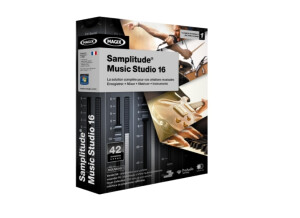
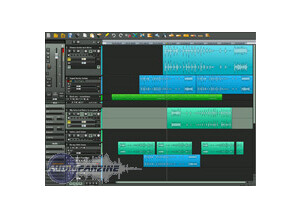
    (Originally written by RajaSan/translated from Audiofanzine FR) No installation problems either with XP or Vista. No incompatibility with my Firebox and M-audio USB keyboard. I spent only 5 minutes with the configuration panel so the overall configuration is quite easy. The user's manual... I closed it almost as soon as I opened it and looked for answers elsewhere. I was lucky: a friend already used Samplitude (the normal version) and gave me some good tips. SUITABILITY/PERFORMANCE The software works fine with my Pentium IV 3,2 GHz (single core). Sometimes I have display troubles and I have to restart the project but it's ok considering the price. OVERALL OPINION I'm very satisfied. I don't want a huge software program. With this one, my Firebox, my USB keyboard and a computer (even a small laptop), I have a small and easy mobile studio. I tried out Music Maker 15 (and other Magix products) which was simpler, but you can't use any effects while recording. I bought Samplitude MS 15 because it allows me to use effects directly during a recording (reverb and more). And once the signal is recorded you can bypass the effect used during recording. I connected a couple of mics and a guitar into my Firebox and it worked immediately. Note for dummies, like me: Before recording set each track you want to record in mono mode so that one track = one sound card input (a stereo track uses two inputs). Once you recorded the track, you can edit each track after you separate them: right click on them and select object, ungroup objects. I'm sure I could connect a bass to the 4th input of my sound card without having a single problem, and also use the SPDIF inputs (when I find out what exactly they are for). I like to use the virtual synths (Vita and Revolta 2), it's fun and the sound is nice. I don't look for freeware synths anymore because these two are good enough for me. I will only keep my freeware VST soundfont player to keep and expand my sound bank (harmonica, accordion, church organ, violin, etc.). Beatbox 2 seems to be great to edit your own drum kits step by step. The effects provided sound good. The other synths bundled with Samplitude MS15 are not so good and I don't use them. Don't hesitate it! For the price, avoid Music Maker 15 and buy Samplitude MS15.

  • « Great software just not good enough for me »

    The Magix Samplitude 11 is a very basic and simple program to set up and operate. Its basically a watered down version of some of the more powerful softwares on the market. Though it claims that it can do everything that most softwares can but there is just no way you could do everything with it that you can do in pro tools cubase and or fl studio. I have experienced this first hand with my nephew. He was using this for a while because he really couldn’t afford pro tools . Samplitude is very affordable and that’s probably why most people purchase it because the price of pro tools is pretty high these days. You can do some basic recording in it though and get some good demo’s. But I wouldn’t try to go into too much depth with mastering or even mixing your songs because it just doesn’t have the tools and capabilities that you would need to record a master song on it. SUITABILITY/PERFORMANCE One thing that I can say about this software is that it is very very stable. Its almost like it was made to come on your computer with the way that it runs. It wont crash or get buggy on your. Its just not a powerful enough software for me. OVERALL OPINION Overall, if you are new to recording and doing songs from home this software may fit you perfectly and could lay down the foundation to start understand how to record and cut your vocals in from certain parts. Bu if you want to get into using effects and mixer tracks this program wont do you any justice. Its just not powerful enough for that. ( in my opinion but im sure the developers would argue otherwise). Great program but not for me and after using pro tools there is no way in heck you can start using Magix Samplitude and get the same results and satisfaction.

  • « You will need to get a more powerful program »

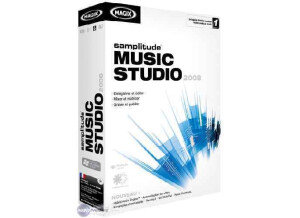
    Magix Music Studio 2004 was one of the first programs that I have used outside of FL Studio. I can say Im really not a fan of it if you are wanted to do more complex stuff. Magix Music Studio will work great for you if you want to keep it basic or maybe just some quick demo type of stuff. But it has no where near the capabilities that all the other softwares on the market offer. But what can you expect for 60 bucks. You really wont find any other software that can make tracks as easy as Magix though. I mean, you can simply press record and that’s it. Nothing fancy or hard to understand, you wont even need the manual. I don’t even remember opening the manual up after using this program. I no longer use it though and probably never will again. But I recommend this to any younger kids looking to record some songs from home. It will be extremely easy to use and will plan the seed to start growing musically and understanding basic software DAW functions. SUITABILITY/PERFORMANCE Don’t try to do to much in this program, you can not mix or master your tracks. Don’t try eq or any type of compression. Its just not there with Magix, I don’t think it was mad for that. It is a bottom line software that is good just for recording. So if you are on a budget and need something to record for cheap go with this. Otherwise if you can save up a little more money and a higher end DAW that can do a little more. OVERALL OPINION But for the price and functionality of this software you really cant beat it, just 60 bucks to have a home recording studio. You will be well on your way to understand how computer based recording works with this software but you will need to upgrade almost immediately if you want to take your music to the next level.

  • « Great Upgrade for a great DAW »

    Getting started is simple on Sequoia...but it is seriously deep. Doing just about everything except shining your shoes. From sequencer to recording, mixing, mastering, burning the final product all inside the same software. SUITABILITY/PERFORMANCE Once you get into it and get all the buffer settings happening, this is the best sounding, fastest work flow, most stable DAW there is OVERALL OPINION What I love about it is that unlike everything else when you monitor in the box this sounds just better. A lot better. I have no idea what they do with their audio engine but it is extremely noticeable. Lots of small and big things that make life easy. For example if you freeze a track you keep a root project that when you want to make changes you go back to that. And you can treat it as it own separate session. The way it has a "revolver" function to comp alternate takes and reload them. The comping of tracks...record say 10 takes and you can open all of them in a separate project linked to the original project so you hear it against the tracks But only deal with what you need to comp. Spectral editing where the wave form is visible not just in th time and dynamic domain but also frequency. Frequency editing ala reNOVAtor where you can move the squeak of a chair or audience noise out of a classical performance for example. And my favorite 4 point editing as wells source/destination editing. Where unlike slice and dragging or nudging just just define in and out points of audio on one track then select in and out points on another and you're just flying when it comes to editing The build in effects are amazing. Delay compensation the software pings on the external hardware so everything is in sync. Just a really well thought out program. Down side you kinda need a PH.D just to find the manual.Well not quite but it has a bit of a steep learning curve. But it is very much worth it.

  • yoTrakkz's review

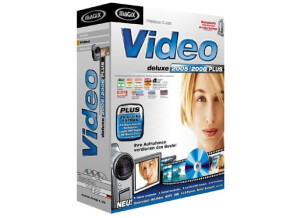
    Magic’s Video Deluxe 2007 is a great program for editing. I actually haven’t found to many other programs on the market that are as easy to use as Magic’s video deluxe and are still affordable. This program holds its weight when it comes to video editing, you can do almost anything you can imaging with this software. Keep in mind this is the older version of the video editing so if you are using any of the HD pocket records from today they wont be recongnized by Magix Video Deluxe software. The only issues I really had with Magix is when I had the tracks maxed out at 32 and I try to do some effects on the lower half of the tracks the program would sort of freeze up on me, Maybe I pushed the limit a little too far with it, but it never crashed it would just get really slow and start lagging and that shouldn’t happen on a quad core computer that is brand new. But I dealt with it, and it worked great, minus the lagging. But in today’s computer world im not too sure how much this would work for us, not having any HD capabilities wont cut it, especially when you can get programs today that can do just as much as this one for around 55 bucks, it almost just pushes all of the old software editing programs out of the door. But Magix has created a few different programs that are like starter programs just to get you use to how video and music editing works. So if you are a beginner and you don’t use HD video, definitely use this software as it will show you how to edit and create your own videos and it will get you going in the right direction so when you upgrade you wont be behind.

  • Audiofanzine FR's review

    (Originally written by libfree/translated from Audiofanzine FR) No problems regarding installation even though it takes quite some time, but the software is also very comprehensive. I had no incompatibility problems with Windows XP Pro. The basic configuration is very straightforward. The sound card is immediately detected and the Asio drivers settings are very easy for those of you who own an integrated AC97-type sound card because you can set Magix to low latency 2008 getting a satisfactory latency time. The user's manual is very short but the program includes a very comprehensive manual. SUITABILITY/PERFORMANCE I use it with my PC: ASUS P5LD2 motherboard Intel dual core E6300 CPU 2 GB RAM Realtek AC97 sound card (which I plan to upgrade for a more powerful one). NVIDIA Ge Force 7800Gs 512 MB graphic card SAMSUNG HD300LD HDD The software works properly but it crashes very often. When you work with the Midi keyboard it might happen that it is not detected and you have to reset the keyboard and then restart MAGIX Music Maker. Program freezes are not rare (and it's not due to lack of RAM) and when I try to close it, the computer shuts down and restarts displaying the infamous "A serious error has been detected!" message. Program performance is ok: It can play WAV, MP3, OGG, etc... and export WAVs. Lots of settings are provided: You can add as many virtual instruments as you wish with this XXL version corresponding to the "Producer Edition". The Magix Music Maker 2008 basic version doesn't allow you to add VST plug-ins. You can play virtual instruments with the provided Midi keyboard and record audio signals from instruments or microphones. It's a very good program with an especially good value for money. But the stability is not the best yet. OVERALL OPINION I've been using it every day for nearly one year. Pros: It's a good software to start working with a DAW because it's easy to use and you won't need hours to get results. But the program also allows you to make a bunch of other things. It provides lots of sound settings and effects and it allows you to compose a song from A to Z with the velocity-sensitive Midi keyboard without using a single prerecorded sample. It would take me forever to describe all the features, just try it out. I must admit that I haven't used all functions yet. Cons: I haven't found cons. I tried out several sequencers and of course Cubase or Ableton offer more possibilities but they don't really match beginners needs. However the recording quality is very good and it can be compared with much more expensive programs. Thus this software has a good value for money. If I would have to choose a new sequencer, I would buy this product again.