Log in
EN
FR

Native Instruments

623 products found

Categories
Series
Filter
Sort by
Evaluation
  • Reviewed or not
  • Editor’s award
  • Reviewed by Audiofanzine
Availability
  • Available or not
  • Sold new or used
  • Sold new
  • Sold used
Must-have products
  • All products
  • Flagship products
  • Best rated products
  • Hot products
  • Popular products
Price
  • Freeware
€
Clear
Sort by
  • Popularity
  • User ratings
  • Price - low to high
  • Price - high to low
  • Used price, increasing
  • Used price, decreasing
  • Name (from A to Z)
  • Name (from Z to A)
  • Added on
Sort results
  • Popularity
  • User ratings
  • Price - low to high
  • Price - high to low
  • Used price, increasing
  • Used price, decreasing
  • Name (from A to Z)
  • Name (from Z to A)
  • Added on
Filter results 623 results found
Evaluation
Availability
Must-have products
Price
  • Freeware
Show results

The best Native Instruments reviews

The reviews Audiofanzine members found the most helpful.
  • « A perfect complement to maschine studio »

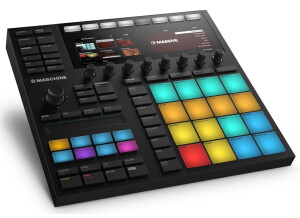
    What configuration, software and other gear do you use with this MIDI control surface? In what context? What are your thoughts on its stability? I already owned maschine studio soi t was quick to install (5 mn). 2 expansions (to be chosen) were offered for Maschine owners. Do you find the different features and controls to be ergonomically designed? Is MIDI mapping straightforward? Yes, it’s a perfect complement to Maschine, it brings a lot of additional controls. Now, I haven’t done mapping for third-party softwares. What are your thoughts on the feel of the controls and keys in terms of robustness and precision? Good overall quality. The touchstrips sometimes lack precision, but you can adjust things precisely with the shift + touchstrip command. What are the pros and cons of this product? Pros: - step sequencer - mix with touchstrip - DJ effects with performfx - arrangement (finally !) simpler with the Song mode and quick update - piano roll , keyboard mode, and touchstrips in note or chord modes allow for easier composition - parameter morphing (a very creative feature) with the shift + lock mode - enhanced sound design with touchstrips in Controls, Tune, Aux modes. It’s also possible to save these parameters as snapshots and to morph between them (an excellent feature) Cons : - no realtime timestretch... - I would have likes a possibility to control the velocity and length of notes using the touchstrips in step sequencer mode. - No pad velocity. - Not enough visual contrast on the pads, you can’t alway see which pad is selected. - No screen, so you look at the computer more often. - Many parameters are difficult to access if you have neither a maschine studio or mk, or you have to do it on your computer using the mouse. - No controller unsync, while I would have liked a possibility to work on two different groups or instruments simultaneously.. Overall : This maschine jam has largely enhanced my workflow, both in speed and creativity for composing, sound design, arrangement, mix and live. I’m really having fun!!!! It’s still not perfect, but NI are known to provide regular updates. Still, I’d mostly recommend it as a complement to a maschine studio or mk, as by itself it makes your workflow more dependent on a mouse.

  • « A total mess ! »

    This version 4 of Battery is a total mess. A lot of things have regressed compared with Battery 3, and finally only little evolution. Compared with Battery 3, here is a list of what was lost: - It is no longer possible to rename several cells at once. - "Random" mode is now totally erratic, plus it lost some features. - If no sample is affected to a certain cell, there no longer is any visual indicator to show the cell is being played by the host. - Some cell colors are hard to distinguish from others. - Cells are too small and hard to read. - The envelope curve that used to be shown over the sample's curve is no longer there. - The cells no longer indicate the audio outs they are affected to, nor the key that triggers them. - linking cells to each other (for instance so that the kick and snare are triggered together whn pressing a single key) is now a pain, even if before it wasn't as easy as it should be. And still the same lacks inherited from Battery 3 : - No synthesis to emulate drum machines or create new sounds. - EQ is ridiculous and not intuitive. - No included flanger/chorus effect. - No test cell (to test sounds without disorganizing the current active cells ans so as to gain space). As for the good points: - Filter, saturation and transient designer sections were added, as well as automation.

  • « How to start computer music without getting discouraged »

    Which setup are you using this device on? : I own a big gamer’s setup: Win 10 / 32 gb of ram / I7 / GTX1070 What about its stability? How much resource does it use? The Maschine software is very stable, i’ve never had a crash or CPU overuse with it In what context do you currently use this product? : I purchased it to produce Detroit/Berlin style Techno (I know, there’s quite a gap between those genres ^^) Then, training for FINGER DRUMMING, and why not ending up playing live – everything seems eventual with this MK3 as i twas precisely made for a hybrid use Is the manual sufficient? : The Maschine software and MK3 come with a very complete documentation as NI’s website provides a 1,000-page PDF I wish they would have provided us with a printed version as reading 1,000 pages on a screen is not the most pleasant thing to do, but let’s say Native saves trees! :-D Is it easy to use? What about its learning curve? : I’m a beginner, I once tried Ableton live 2/3 hours so here go my notions in computer music ^^ – you could say nothing at all. I started in that domain recently and I’m not disappointed, I feel like this is the best tool for a beginner as the MK3 allows for a simplified control over the Maschine software. Everything is very user-friendly, with the MK3’s screens and switches that light on depending on whether they can be used or not. The Maschine users community is also very large, so when needed tutorials are easy to find all over the web. I’ve been learning to use it for a week now, spending several hours on it daily and I learn day after day with no frustration, so this Maschine is perfect for beginners then perform. It’s a real hybrid in all regards: both for the kinds of users it addresses, and the way it can be used. What is the quality of the included instruments and sounds? Are they numerous enough to your taste? : So far, the included instruments (Monark , Massive , Gentlemen…) are way enough for me, provided you tweak the sounds with effects and so on. Possibilities are endless, leave alone the 9GB (!) of soundpacks which come with the Maschine. I’ll see later if I need other VSTs or soundpacks. What are the pros and cons of this product? Perhaps I’m under the beginner’s “WOW” syndom, but so far I like everything in it and can’t find any fault with it. Perhaps I’ll come back and edit in some time to precise my pros and cons. What aspects or features have guided your choice to this piece of software rather than another model? As I said above, the fact that it’s an ultra-hybrid product, both in terms of music-making process and the user profiles it addresses.

  • « Totally worth it... »

    I bought it as an upgrade+promotion of my 10 edition. I use a Win10 PC with i7, 64gb ram, 2xssd disks, audient i22 sound card AND Komplete Keyboard s61, 1st edition. I use it in combination with the S61, through Cubase 9 only for "home studio purposes" as a VST and not as a standalone synth for live concerts etc. The Native Access program that comes with the bundle is the key factor for working well. Last year I had a huge problem with the older version: I had problems with the updates and the support finally (after some months of co-operation with them) suggested a CLEAN INSTALL of WINDOWS!!! I did it and everything worked OK thereafter. So, the Native Access is an update manager who checks for you licencees, gets and installs the updates. Hence there are no problems anymore with the updates and upgrades.Although the previous versions (8,9) I bought the version with the Hard Disk, in this case I downloaded the material and install it through Native Access. YouTube videos are very helpful although Steinberg is by far in front regarding these videos. Everything works fine and the collaboration with the S61 is unique. Moreover there is a collaboration with Arturia and the V5 set of VST. They can collaborate the one through the other and with the S61. This is an excellent idea for both factories. Finally sounds and effects are broaden my horizons... If I could exploit the half of the capabilities of the Koplete 11, I could be Zimmer, or Jarre... Pros: Excellent sound quality, large number of VSTs, effects, atc. Native Access is a must for such a company as NI and it was pity that they did not developed earlier, excellent collaboration with S61, upgraded cooperation with other VST like Arturia V5,the low price of updates for older users (i got it at 200 euros) Cons: the frequency of new editions that makes us feeding the "industry". I hope I helped. If you have questions or you need any info please don't hesitate. NM

  • « Don’t lose the opportunity to acquire!!! »

    As I mentioned in other reviews, my studio has a PC i7, 64 GB Ram Win7(64bit), Nvidia GTX 750 Ti, 1XSSD 512GB m 1XSSD 256GB, 1XRaptor 2TB, AKAI EIE pro, 2X E-mu precision Monitors, Komplete Kontrol S-61, Cubase 8 (prior 7,5), Halion 5, Groove Agent 4, Native Instruments Complete 9, Arturia V4, Synapse audio Dune 2,2, Tone 2 Nemesis. I am composing my music pieces using them for private use and for my school (I am a Mus. Teacher). I bought the NI Komplete Ultimate 10 update at a half of price using the promo - bargain that NI has until the 31 of May. Guys do not miss it ! If you do not want the Kontrol S61 see if you can much it with another hardware. It’s a great offer. I paid euros approx. for Komplete 10 Ultimate and the Komplete Kontrol S61. As you can easily understand I had the Komplete 9 Ultimate and now I bought the update! For the Kontrol S61 will follow a specialized review. I had no problem installing it. The only problem that I had to deal was that during the installation the installer found some newer versions of the programs and I had to pass this point. Another one problem was that during the installation some of the libraries (probably for the same reason) I had a very strange message, on the installers screen, that: “...An installation package for the product Native Instruments Balinese Gemelan cannot be found. Try the installation again using a valid copy of the installation package ‘Balinese Gemelan Steup PC.msi… This appeared many times. I ignored them and the installation completed OK. I will get in contact with NI and if needed I will upload their answer. I have to warn you that you need a couple of hours (depending your internet connection etc). Then I installed the Kontrol s61 programs in order to “see each other” and then I finished. The whole package is very inspiring. It gets you on the computer and “pushes” you to write I am very satisfied with the quality of sound overall. For the Native Instruments Vienna Concert Grand I wrote a special review and you can read it. The orchestral sounds are a “value for money” case. I mean that if you have more money to spend then you can bring the Berliner Philharmoniker in your studio and ask them to play your works. As a result for under 1000euros it is an excellent collection of sounds. As far as my ear can get, the sounds are very fruitful, the harmonics are very rich and their range is very wide. The program installs Absynth5, Battery 4, FM8, Guitar Rig5, Kontakt5, Massive, Reaktor5. Moreover you get the service centre which is responsible for the updates. Each one of the aforementioned are for a solo review. There are well known among the users and therefore I am not going to proceed to more details. What is exceptional here is the collaboration of Kontrol S61 with the synths of the Ultimate 10! You get the Komplete Kontrol program and you can use them through this. It is very convenient, I believe and it works through my DAW. I will try to attach some PrintScreen photos. There are to many things you can do with this collaboration. More details in Kontrol S61 review. You can use the Browser Pros: Variety of presets sounds, the plethora of choices you have, good communication with my DAW, ease of use, simplicity, VALUE FOR MONEY. Cons: In some, few, drum presets (not the orchestral ones) I believe that the low frequencies are not as rich as I want. Hope it helped. If you want i can play some sounds and upload them but i think you can get them at NI.

  • « Cool stuff for starters! »

    I've been using AV Music Morpher for 2 years and been totally into it. This program is not the best DJing stuff for professional DJs but definitely a cool "weapon" for starters. It includes a new virtual DJ, a new Converter module, a multi-track recorder and editor, a whole suite of professional effects and famous patented vocal Remover and Extractor. Its brand new virtual DJ allows you to remix songs, add sounds FX, adjust channels, EQ or any other included studio-quality effects. All-in-one converter module is especially designed for the convenience of users who need to convert one music files to any other types, this tool support a variety of file types so that you will absolutely feel comfortable to morph songs and achieve any type of output you desire. The multi-track session editor is the place for you to mix several songs into one on a waveform chart. You can also modify and combine other effects for a better music quality with a huge library of popular and vivid sound effects. In addition, this program also allow you to convert you favorite songs for karaoke singing or just to enjoy the melody without main vocal or simply extract vocals for other remixes with its vocal Remover and Extractor. Besides these cool functions, AV Music Morpher Gold contains loads of amazing features such as enhancing the quality of your music, customizing your audio clips for cartoons, movies, TV shows, ect. From now on, you can fully enjoy doing DJ tasks without any difficulty and experience yourself as a professional DJ with the help of this amazing tool. Things will get better for a DJ to start learning stuffs from software to a real studio. Thanks to this program, I'm having a certain understanding about working with sophisticated songs now and hope this review is helpful for newbies!

  • « Own it »

    My setup: Third generation Asus iCore 7 laptop, 8 Gb RAM, 1.5 Tb HDD. I use it with Ableton 9 as a VST plug-in. I'm still discovering things, but Komplete is very exciting, Monark, Massive and FM7 are a slap in the face, the SSL-like audio plug-ins are amazing. It's not too resource-intensive, even if you work with your own patches and you have packed it with effects, although I haven't driven it to the limits (16 tracks), I downloaded the most recent control center and it forced me to enter the serial number again with every element installed. Once you've gone through this and validated everything you won't be bothered again. Massive give me lots of pleasure, it is THE modern modular. MONARK is amazing in mono, especially with an arpeggiator. I'm far from having explored everything Komplete has to offer, but it's a must-have for all enthusiasts.

  • « Another great Native Instruments synth »

    Setting up Native Instruments' Absynth in my DAW, similar to setting up Massive and FM8, was a breeze. However, like the others this semi-modular synthesizer is pretty intimidating at first sight. With a complicated, dynamic interface, the new user is exposed to a sensory overload of parameters that may be hard to sift through. My recommendation remains static: go through the presets and tweak the parameters that are affected to see how they are affecting the signal, then use those techniques in your own original sounds. This is made even easier by the 1,200 presets that Native Instruments supplies with the program. Yet, if you are having trouble figuring something particular out, the manual though dauntingly large is well put together and informative. It should be able to help. So, in short, is this an easy plug-in? No. And it may take a while before it is easy for you to make the sounds you want to make, but is it worth it? Absolutely. SUITABILITY/PERFORMANCE Running on my MacBook Pro with a 2.7Ghz Intel Core i7 processor with 4GBs of RAM, Absynth works fine. I have had some issues with CPU usage if I have Absynth and Massive running at the same time on multiple tracks in Ableton Live 8, but for the most part it is a stable, reliable plug-in. I have been using this synth for almost a year and have been able to effectively implement its use in my production of DubStep, Electronica, and Hip-Hop. Like Massive and FM8, Absynth is very easy to program to a midi controller and works well in a live environment as there are many parameters to map, manipulate, and play around with. OVERALL OPINION Overall Native Instruments' Absynth is an expansive, expressive synthesizer that is a very capable tool for the driven producer. My advice, for beginners and experts is to give it a chance. I am a fan of Native Instruments products and have dedicated a lot of time to exploring sound through their lenses, but still feel as though I have much to learn from these plug-ins. If you are interested in sound design or just a producer for fun, you can benefit from playing around with this huge synth - there is even a demo to prove it. As far as its value compared to its price, $200 is on the low end of music production software prices and the product is on the high end of music production software, so I believe it is comparable. But I encourage you to experience it for yourself and see if it is what you're looking for. Out of all of the Native Instruments products I admittedly use Massive the most, but Absynth has made significant appearances in my productions and I would certainly recommend it.

  • webstersays's review

    This software installed without any problems. I didn't have any compatibility issues. It was very easy to get set up. The only thing that was a little confusing was the registration. Native Instruments has a number you can call for help though, and they were very helpful with helping me with the registration keys. Once you get it installed, it's very easy to use at first. Then you realize how huge this program is, and how many options there are. It gets confusing from there! The manual is actually not that great, but it gives you a good starting point to check out all the features. SUITABILITY/PERFORMANCE I have a dell computer with windows with an intel processor, and 2GB of ram. The software works very well with my computer. I use it in Cubase mostly. It doesn't ever crash the computer so it is very stable. It doesn't use a ton of memory so you can use it worry free on your recording. OVERALL OPINION I have had this for about a year. My band and I used this in a studio when we were recording our album. We wanted to put an organ on a song, but the studio didn't have one. When we mentioned we wished we could do that, they brought up this software. I was really blown away with how good it sounded! It's like having a box full of a ton of different real organs. You can really customize the sound too, even with different kinds of tremolo and distortion. Unfortunately when you play it with a MIDI controller a lot of the time it can sound a little fake, but it you're good with MIDI then you can make a performance seem totally convincing. I have heard other organ emulator software and this one by far takes the cake. I was so impressed with it that I bought my own copy for my home studio. The value for what you get is really great, especially when you compare it with the cost of getting just one real organ. I would buy it again.

  • « A nice virtual instrument, but not a must have »

    I really love Native’s products, but this time I’m not entirely satisfied. My computer is an i7 6700k 16gb RAM and windows 10 (64bit, of course). I make music such as ambiance, OST… The demo is very well done and commercially efficient. As usual with Native, the anti-piracy system is not burdening. The instrument doesn’t offer thousands of parameters, making it easy to use. The sound’s quality is very good and the presets are nice. You can’t really judge Una Corda for its realism, this is not its aim. You’re not here to emulate a Steinway or Yamaha c7, but into a very different register. A piano with a single string provides less harmonics – but it also leaves more room for the rest, and minimalism is also part of music. I consider the price to be a little high… Which is often the case with Native by the way, it’s too bad even if I remain a very good customer for them… I think they should offer more pertinent special prices, but i guess always wanting more for less is a musician’s habit… Value for money is a bit unbalanced. For a little less, why not… I don’t regret buying it, even if I haven’t had many opportunities to use it. In the end, after a certain moment, the sustain pedal’s noise is a real drag (and you can’t set it off). The balance between the noise (hammers and mechanism) and the sound in itself is way too much in favour of the hammers – a real hassle!

  • « Excellent product - Happy to use it »

    Let me start the review by asking sorry for my English but since they are not my native language, it is difficult to express myself the way I want. I bought the Native Instruments complete 9 (the Ultimate edition with the Hard disk). I installed all the instruments and the Vienna Concert Grand. I use them through my DAW. As a DAW I use Cubase8 pro (64bit). The rest of my equipment you can see it at by viewing my profile. Initially I believe that the anti-piracy is not excessive and does not burdens its functionality. I am using it for both educational and non-educational purposes since I am an educator in a Private Elementary school and at the same time I am composing things for myself. It seems that during these projects it does not consumes a lot of CPU’s strength. Unfortunately I am not a person who gets a piece of gear and exploits (or drains out) every little detail of its possibilities. (I love manuals and I printed the whole manual of Cubase 8 although the Videos on YouTube and the articles on Audiofanzine are much better and easy to use). So, in practice it is very easy to use it. Everything you need to access, lies straightforward. Midi programming also. As I mentioned above I did not enter to “shadowed” and difficult (or more “professional and demanding”) for me areas but as far as I use it everything is at my “fingertips”. The sound is very “piannish” if I can say that; very close to the natural piano and with “light” as I like to say when I refer to brightness. It is not to much bright but you can claim that it is at the exact amount of brightness. Small and large (polyphonic) chords are sounding very nice and the instrument sounds magnificent. In some presets like the “Vienna Grand with Overtones” there is something that I don’t like, not in the whole keyboard but only after C6. I have the sense that something sounds there more “chimmy”(?) but it can be due the Overtones. Problems that I can mention are only due to my midi keyboard and this is a constant problem of pianists who does not have the real sense of piano on the tips of our fingers. I like it and I fully recommend it. The only reason that I am not claiming that it is the best Virtual Instrument Piano I experienced is that I purchased the Vienna Instruments Boesendorfer and I am testing it right now. If you want I can upload a couple of demo sounds (2-3 scales and 3 or 4 chords) in order to hear it better. The only problem is that i don't know how to upload it as a part of this review. Pros: Quality of sound, ease of use, CPU usage, Value for money, Very realistic. Cons: If there are then some presets can be proved a little bit out of the “real thing” but not at the whole keyboard. :-D;):-D:bravo:

  • « Fast and inspiring production workflow »

    Native Instruments has made sure that learning how to use Maschine is as easy as possible. The software and driver installation is the same as all other Native Instruments products, very standard fare. The manual has pictures and diagrams for each of Maschine’s functions and they’ve uploaded a wealth of videos walking you through using Maschine step-by-step. SUITABILITY/PERFORMANCE I haven't had any performance issues or instability. The software doesn't seem bloated but I can't say that it feels exceptionally light, either. That said, there's no lag and I've had no problems even with projects with many sounds and patterns. OVERALL OPINION Once you start the software, you’re greeted with the biggest selling point of Maschine--The Interface. Every function related to using Maschine is accessible on the hardware with no need to look at your computer monitor. Since it’s marketed as a marriage of software with a dedicated hardware controller, the quality of the hardware is paramount. The endless encoders are smooth and the velocity-sensitive pads have a fantastic feel and are responsive to all levels of pressure. The layout is well designed, with every control placed in an intuitive location and there are enough buttons and knobs to keep page and menu diving to a minimum. I find this tactile workflow to be very engaging and there’s just a kind of connection with pressing pads and tweaking knobs to produce and arrange your songs that you just don’t get with a traditional mouse-driven DAW interface. However, the groovebox-style design isn’t without shortcomings. Maschine simply can’t handle multi-track recording. It doesn’t even have the concept of “audio tracks.” It’s designed to use patterns of midi notes, software synthesizers, and short samples which isn’t ideal for many styles of music. The capability to cut, copy, paste, and other standard audio editing functions aren’t there. When I have a desire to write and record a guitar and vocal based song, it’s just not feasible to produce that in Maschine and I must use a different program. Though, I call that a shortcoming, I hesitate to call it a flaw. Native Instruments deliberately avoided those features and instead opted for a hardware-software combination with a very narrow focus on features that lent themselves to immediacy and inspiration, which I personally enjoy. The included library is solid. A decent quality assortment of various drum hits, synth stabs, live instruments, and sound effect samples. As of version 2.0 they’ve created and included a great drum synth that’s capable of recreating both classic drum synth sounds as well as some more realistic percussion. Native Instruments also gives Maschine owners a free copy of Massive which means that you can really have everything you need to start producing with a single purchase. The sampling capabilities are a bit of mixed bag. The knob based interface for trimming and chopping samples is extremely fast, but without some of the more advanced audio editing features and the baffling lack of timestretch, you may find Maschine’s sampling a bit lacking for your needs. Maschine is a fast and creative production environment. The groovebox design places an emphasis on tactile control and pattern based song arrangement which doesn’t work for every genre of music, but is extremely fun for the ones it does work for. Pros: +Fast, Fun User Interface +Good Sound Library including Massive +Well-built hardware Cons: -Does not have the functions or interface necessary for certain kinds of music -Sampler missing some key options