Log in
EN
FR

Software algorithmic reverbs

609 products found

Filter
Sort by
Brand
Evaluation
  • Reviewed or not
  • Editor’s award
  • Reviewed by Audiofanzine
Availability
  • Available or not
  • Sold new or used
  • Sold new
  • Sold used
Must-have products
  • All products
  • Flagship products
  • Best rated products
  • Hot products
  • Popular products
Price
  • Freeware
  • Low-cost (< $65)
  • Mid-range ($65 - $150)
  • Premium (> $150)
€
Clear
Sort by
  • Popularity
  • User ratings
  • Price - low to high
  • Price - high to low
  • Used price, increasing
  • Used price, decreasing
  • Name (from A to Z)
  • Name (from Z to A)
  • Added on
Sort results
  • Popularity
  • User ratings
  • Price - low to high
  • Price - high to low
  • Used price, increasing
  • Used price, decreasing
  • Name (from A to Z)
  • Name (from Z to A)
  • Added on
Filter results 609 results found
Brands
Evaluation
Availability
Must-have products
Price
  • Freeware
  • Low-cost (< $65)
  • Mid-range ($65 - $150)
  • Premium (> $150)
Show results

The best Software algorithmic reverbs reviews

The reviews Audiofanzine members found the most helpful.
  • « worth the Buy »

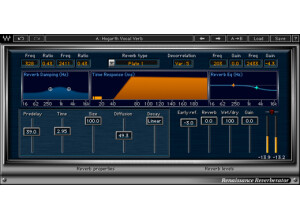
    I had no problems at all getting started with the Waves Renaissance Reverb. You Don’t need an iLok to authorize it with, but if you have experience with that it should be no problem. I run it with Pro Tools 7.4 LE and I had no need for the manual. It is easy to install and figure out the functions. SUITABILITY/PERFORMANCE I use this on my Macbook Pro (2.2 Ghz, 2 GB Ram) and I've had no issues at all with it. I use it on an auxiliary track with every session I do. This saves processing power; if I were to put this plug-in on every track however, I do believe it would slow down my computer quite a bit. This is to be expected with any sort of powerful plug-in such as this one though. As long as I keep it on one track or a few at most it runs great. OVERALL OPINION I've had it for about a year now and it is the only reverb plug-in that I use - its that good. Not only is it really easy to get a nice sound from it, but the controls are really in depth and useful. I've used a couple of reverb plug-ins in the past and this one trumps them all. While I haven't done this, I believe that you can download extra presets for it, a great feature that I will look into when I have a chance. Even though it is definitely a bit pricey, for me it is worth every penny. I've used an 140 plate reverb and the emulation of that on this plug-in is impeccable. If you are looking for a serious reverb plug-in, spend the money and get this; you won't regret it and you will have a great sounding reverb for all of your sessions. Worth the buy!

  • moosers's review

    The Lexicon PCM Native Reverb Plug-in Bundle is a set of seven different reverb processors all based on Lexicon's high quality formula that has made them one of, if not the leader in digital reverb for so many years. This bundle is pretty much compatible across the board as far as I can tell as it works for both Mac and PC and in VST, RTAS, and AU plug-in formats. I wasn't the one to install this plug-in on the systems that we've got at the studio, as they were already installed before I started working there. Even though there are seven different plug-ins here for different types of reverbs, they all more or less share the same sort of interface. There are graphs to show you the depth and space that you're trying to emulate, which is handy, as well as metering for input and output levels. Each also has a number of high quality presets that make for great starting points if nothing else. I haven't had a gander at the manual for these plug-ins myself, but it's pretty easy to use on it's own where you probably won't really need one. SUITABILITY/PERFORMANCE The main room that we've got the Lexicon PCM Native Reverb Plug-in Bundle running on is Pro Tools HD based with a Mac Pro computer. The computer has 10 GB of RAM and dual 2.66 Ghz Intel Xeon processors. We have the bundle running on all of our systems at the studio, and all of them are Pro Tools HD based. However, since this is a native bundle of plug-ins, it does run on RTAS and will take up a little bit of our processing power inside the box, which of course isn't ideal in an HD situation. Having said this, I've been running them all on auxiliary channels and haven't had a performance issues with it to date. OVERALL OPINION The Lexicon PCM Native Reverb Plug-in Bundle is one of the most complete bundles of reverb sounds available to home and professional studio owners out there. The sounds are rich and full, just like all of the hardware Lexicon processors that I've used as well. Between the seven different types of reverb plug-ins, the possibilities are pretty much endless as you could get lost for days trying to get new sounds with all the possibilities here. On the other hand there are some great presets, so you can also get some awesome sounds quick and easy from the start. The types of reverb plug-ins included here are Plate, Vintage Plate, Hall, Room, Concert Hall, Random Hall, and Chamber. If you're interested in getting an incredibly complete reverb package for your home or professional studio, the Lexicon PCM Native Reverb Plug-in Bundle is one of your best bets out there.

  • moosers's review

    Overloud's BReverb is a high quality reverb plug-in for your Digital Audio Workstation. It is available for Apple and Windows systems and in VST, RTAS, or Audio Units plug-in formats. Getting the plug-in installed and up and running was pretty easy, as I didn't have any technical or other issues. Using BReverb isn't necessarily hard, but there's definitely a lot that you can do with it, so learning all the ins and outs will take some use. It has four basic modes for plate, room, hall, and inverse reverbs, each of which have their own presets and parameters to work with. It's a cool looking interface and is one that is also pleasant on the eyes. The presets are great starting points and it's also easy enough to make your own. I wouldn't think that too many users would need the assistance of the manual, but I can't say how well put together it is since I haven't seen it. SUITABILITY/PERFORMANCE Within my current home recording rig, the Overloud BReverb plug-in runs just fine. I'm running it as an RTAS plug-in in Pro Tools LE 8 and on Mac Book Pro computer. The lap top has 4 GB of RAM and a 2.2 Ghz Intel Core 2 Duo processor, while I'm running Pro Tools LE with a Digi 002R audio interface or a Digidesign Micro Box if I'm on the go. I always run reverb plug-ins on auxiliary channels to save processing power anyway, but within my system I could definitely run a number of them at once without issues. I'd think that as long as you have a system where you can currently run your DAW and plug-ins comfortably, you should be okay. OVERALL OPINION Overall, the Overloud BReverb is a great reverb plug-in. It isn't my first choice, but it's definitely on the quality of being a first choice reverb plug-in. I guess I'm just used to using TL Space and Altiverb, so I'll usually go with those first. Being fairly new to this plug-in, I'm still learning about it, but in the couple of months that I've had it I've definitely been using it more and more. It has a great sound and I love the interface and the way everything is set up as it makes it really easy to use. My favorite algorithm is probably the plate reverb since I'm a sucker for plates, but all of the modes are very useful and the presets are great as well. This plug-in really doesn't cost much relatively, so if you're in the market for a great verb plug-in, I'd definitely encourage you to try out BReverb.

  • moosers's review

    PSP Audioware's PianoVerb is a free plug-in available in a variety of formats. The plug-in is available directly from PSP's website and is available for both Mac and PC operating systems. For PC you can download it as either a VST or Direct X plug-in, while it's available as a VST or MAS plug-in for Mac. I used to run this plug-in in Cubase SX on a Mac, but don't currently have it running on my system at home. Installing the plug-in is really easy, as all you need to do is go to PSP Audioware's website, download it, and follow the step by step instructions that show up on the screen. Learning how to use the plug-in should also be quite simple, as it has a straight forward and user friendly interface. The parameters included that you have to work with include knobs for decay time, damping, transpose, tune & detune, mix, output, and a button for bypassing. If you are unsure of what some of these parameters do, I'd suggest simply messing around with it for a bit until you get the hang of it. Not sure if there's a manual, and if there is I haven't seen one. SUITABILITY/PERFORMANCE I'm not running this plug-in anymore, but when I was it was in Cubase SX 2.0 primarily, and later in SX 3. The computer that I ran the plug-in on was a Hewlett Packard Pavilion dv 8000, consisting of a 3.0 Ghz processor and 2 GB of RAM. I ran everything through a MOTU 896HD audio interface. I can't ever recall having a problem with performance with the PSP Audioware PianoVerb. It's definitely designed to be a low processing power needing plug-in, as it's free and the idea is that it will be able to run on most, if not all systems. If you're having any questions, just try it for yourself. OVERALL OPINION I'd definitely encourage anyone with a compatible to go ahead and download the PSP Audioware PianoVerb. It's free and you won't find too many free things out there these days! The best part is that this plug-in actually sounds pretty cool! It's not groundbreaking by any stretch and isn't by far the best sounding software reverb out there, but considering it's free it's pretty nice. There's really no reason for you not to be downloading it and trying it for yourself right now...

  • songboy's review

    I run Logic 9 and Ableton 8 and this plugin works flawlessly in both programs. Yes the manual is clear enough, it also gives you some good tips on how to mix and generally use the plugin as well as some good definitions of what the elements of "reverb" are. It also does a good job getting you familiar with the interface, this is a pretty strong plugin with a lot of tweaking capabilities so I recommend reading through the manual. Overall, I would say the configuration and setup is not simple. Its not too hard either, getting a good sound out of this plugin does not take a lot of work, but there are a lot of options you can mess with, so its not simple compared to your average reverb plugin. Yes, the typical functions are all laid out right in front of you. SUITABILITY/PERFORMANCE I run the earlier mentioned programs on a Macbook (2.2ghz, 320hdd, 4gb Ram) and it does work correctly and wonderfully. So far, I have never lost a custom preset, had a crash or come back to the plugin after closing down the DAW and anything change. As for performance, this beast gets a solid 10 out of 10. I have only been using this plugin for about a month. OVERALL OPINION What I like most about this plugin is I finally found a reverb that stands up to Logic's built in "Space Designer." The sounds in Masterverb are truly realistic and, with the help of the presets, obtaining a great sounding 'verb for whatever you need is no more than a 15 minute task. Another thing I thought was nice is they included an 'Undo" feature in the plugin, similar to the "compare" button found on Logic 9 plugins. You can only go back on one action, but its better than nothing. Well, we bought this plugin for around $200, which is pretty dang expensive, but it is really a great sounding reverb app. So far, I haven't heard another reverb plugin come even close besides the "space designer." This is definitely a must have if you need a solid reverb option but don't want to lug around rack gear. 10 out of 10 for sound quality, but it better be for $200. I have used many reverb plugins (IK mulitmedia, Logic 9, Ableton 8, audio damage, PSP...) This one sits on the top of the list. Yes, I would definitely make this choice. My studio partner and I want to invest more into Hardware gear in the future, but don't want to buy anything until we can afford the really nice stuff. Until we can do that, we are very happy with the performance of Wave Arts plugins.

  • songboy's review

    All four of the plugins that came with this package work perfectly well with Logic 9 and Ableton 8. I have not needed to reference the manual so far. All of the plugins share the same looking interface. All of the knobs on each are very easily accessible. The nice thing is that you can select between an advanced parameter selection or easy parameter selection (far less options and therefore easier to use). In "Easy" mode, it is very easy to setup and configure a good sound. Advanced is obviously more difficult but great if you want to do some deep editing. SUITABILITY/PERFORMANCE The software works great on my Macbook with the earlier mentioned DAW's. As for stability, all four plugins have never crashed and always retain presets and the settings that I left them in. These are great sounding reverbs. Very realistic and with all four options, you get pretty much all the reverb options you could use. I give it a 10 out of 10. I have been using this plugin for about 9 months. OVERALL OPINION What I like most about this package is that you get four separate types of reverb that pretty much cover most if not all of the reverbs you will need for a very sweet mix as well as live implementation (the "Inverse" is a new favorite for drums and vocals). Another thing I like is that the units are designed to look like hardware gear which makes it easy for me to use (I have used hardware gear for many years before making the jump into software). There is not much I don't like about these reverbs. They sound great for software plugins and are very easy to use. I think I paid a little over $200 for the whole package which is pretty expensive, but I am happy with the purchase. I some day want to purchase some very high end reverb Hardware, but these will hold me over until then. I use the "Space Designer" in Logic 9 often, probably more than this package, but I still come to it for some tracks, especially drums. Also, because "Space Designer" is Logic only, the CSR plugins are my go to reverbs in Ableton 8. Because there is no better option in Ableton 8 for Reverb, I would definitely buy this package again.

  • songboy's review

    I had no compatibility issues running this plugin on my macbook. As for manuals, there is really no need for one, this is a emulation of a very simple plate reverb unit. If you had experience with one before, this is going to be cake for you, if not, you will get a handle on it really quick. Yes, the configuration and setup is very simple. There are three knobs, two faders and five buttons to tweak and they all make sense even if its your first time using a reverb unit. All the typical functions are easily accessible via the front (and only face) of this unit. SUITABILITY/PERFORMANCE I use this mainly on drum samples and so far it has worked like a champ. There has been no crashes that have resulted from this plugin as far as I can tell as well as any presets I make are always found with ease. I will give this a 9 out of 10 for performance. Its very easy to use, very good sounding and its large interface is easy to see. I have been using this plugin for about 6 months. OVERALL OPINION What I like most about this unit is its easy to use interface. Its large, and its designed to look like an old plate reverb rack unit. I like when audio plugin designers do that because I am very comfortable around physical gear. I find that some plugins are small and have convoluted interfaces which slow down my work flow. I can't really say I dislike this unit but I have found a slightly better plate reverb option in the IK multimedia CSR reverb pack. I find the IK just a little more warm and realistic, but I still use the ADverb on drums and other things I don't want too much "realism" on. I paid $39 for this unit and I have used a lot over the past couple months so I think its a fair price for a good plugin. I have used the CSR reverb from IK multimedia as well as the reverbs in both Logic 9 and Ableton 8. This one can hold its own ground. For $39, yeah, I would buy it again. I still like to use it.

  • moosers's review

    The TC Electronic M30 Reverb is a software plug-in that is compatibility with a variety of interfaces and systems. I didn't have a problem at all installing the plug-in as I went through the simple prompts that always come up when you are installing a plug-in. It was also easy to download from the website, as I got this plug-in as a free download during a 72 hour period (which is still going on as of today) that TC Electronic offered up this plug-in for free. I had the plug-in downloaded and up and running within a few minutes. The interface of the software is also simple enough to follow as there isn't anything complicated going on here. The plug simply has knobs for pre delay, decay time, hi color, mix, and a mode section. Everything is straight forward and easy to understand, so although I haven't seen the manual for this plug-in, I don't think one is necessary as everything is self explanatory. SUITABILITY/PERFORMANCE I am currently running the TC Electronic M30 Reverb on a Mac Book Pro that has a 2.2 Ghz Intel Core 2 Duo processor and 4 GB of RAM. I run the plug-in in Pro Tools LE 7.4 that runs with a Digi 002R audio interface. Thus far I haven't had an issue with the plug-in, although I haven't been using it for very long. I have run it only on a auxiliary channel and sent buses to it, as this is what I always do with reverbs and delays to save processing space. While I've only downloaded and been using the plug-in for the last day or so, I haven't encountered any problems with it related to performance. OVERALL OPINION In the short time that I've been using the TC Electronic M30 Reverb plug-in I've been pretty impressed with it. While I probably wouldn't have bought the plug-in, since I got it for free I have been able to try it out in my configuration. I've been impressed with gear made by TC Electronic and this is no exception. The plug-in offers up a very realistic sounding reverb in a variety of forms. Even if you don't get this free plug-in in time before the free download expires, this is a cheap enough plug-in that it would be worth a trial to see if it something that you might want to be, as it really has a great tone. I'd definitely recommend this plug-in for any home studio owner looking for a good sounding reverb on the cheap, or anyone in the next few days of this review as you can get it free!

  • moosers's review

    The process of installing the Softube Spring Reverb plug-in wasn't hard as it only took a few minutes. It was the same process as most other plug-ins out there as it was straight ahead with nothing out of the ordinary. The interface of the plug-in didn't take me too long to get used to as everything is nicely laid out. In the interface you've got parameters for mix, number of springs (one, two, or three) and bass and treble in the form of knobs as well as sliders for tension and shake. This is awesome because it has parameters strictly in terms of a spring reverb and caters itself to this, so you can really get some versatile sounding spring reverb tones. I haven't seen the manual for the Softube Spring Reverb plug-in, so I can't say how well together it is or not. SUITABILITY/PERFORMANCE Thus far I haven't ever had any problems with running the Softube Spring Reverb plug-in on my system. I am currently running an RTAS version of the plug-in on a Mac Book Pro that has a 2.2 Ghz Intel Core 2 Duo processor and 4 GB of RAM and I run the plug-in in Pro Tools LE 7.4 that runs with a Digi 002R audio interface or a Digidesign Micro Box, depending on where I am. I've never had a problem running the plug-in within this configuration although I do tend to use an auxiliary channel with any type of reverb to save processing power. However, I have been able to run a few of these on a few different aux channels without any issues. I think that as long as you have an adequate system to run Pro Tools on, that you shouldn't have any trouble running Softube Spring Reverb. OVERALL OPINION I've been using the Softube Spring Reverb for about six months and I'd definitely a fan of the way this plug-in sounds. There aren't too many plug-ins out there that are solely devoted to a spring reverb, and this one does a great emulation of one. It is easy to use and definitely provides enough parameters to make it quite versatile in terms of the different sounds that you can get. The price of the plug-in is quite cheap when compared to other plug-ins of the same nature. This is a great reverb plug-in for both home studio owners and professionals alike.

  • « From Lush to Chaotic - Delay into Reverb into Distortion »

    When you combine reverb with distortion you get some darn freaky results. Although MangledVerb offers some straight-up presets to add zing to your drums and other instruments, those with a longer decay and more drive are fantastically unique and sometimes downright creepy and eerie. This plug-in derives from the Eventide H9 hardware (combining a variable pre-delay into a stereo reverb, then into a distortion), and although the algorithm can allow for some lush reverbs, you can make them extremely edgy and chaotic for a modern and industrialized sound. MangledVerb is very flexible as you can have mono-in/mono-out, mono-in, stereo-out or stereo-in/stereo out (for those who don’t care if it’s mono and for those who demand nothing but stereo). And although ideal for studio use, it was designed for live use, as well. The Ribbon feature control allows you to program two settings/combinations while transitioning between the two; and the HotSwitch permits you to jump instantly to alternate settings at the push (click) of a button. Other useful features include the Wobble control (for detuning effects) and the MixLock (which keeps the wet/dry mix constant while scrolling through presets). With over 180 presets at your disposal, several are artist-based, from the likes of Vernon Reid, Danny Gomez, Headsnack, Richard Devine, Symbion Project and others.

  • « A Multitude of Reverbs that Sound Utterly Real »

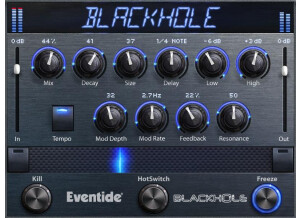
    This overview considers the 2016 Stereo Room, the SP2016 and the Blackhole plug-ins by Eventide, which with its own demo. 2016 Stereo Room Natural and organic sounding, Eventide’s 2016 Stereo Room set the standard with its unique sound and spin on room reverb. Originally from the SP2016 rackmount, this plug-in offers delay lengths, reflections, and other properties that are truly distinct. The parametric controls are simple and intuitive to achieve various room sizes with unique characteristics (including a control for precise mic placement, diffusion from sharp to rich and dedicated EQ controls). There are plenty of reverb types for guitar, drums, vocals, strings, horns and synth, with some artist presets by Joe Chiccarelli, George Massenburg, and Dave Pensado. All in all, you can get some very lush and subtle sounds, but also cavernous reverbs that almost echo in their feedback. Overall, I am impressed with the number of great drum reverbs, with each sounding utterly unique and different from the next – and all useable. However, I am equally impressed with how a small boost of reverb from the 2016 Stereo Room plug-in thickens up a guitar tone without it sounding like traditional reverb (the Subtle Stereo and Vocal factor presets are awesome). When used in moderation, the reverb combined with an acoustic guitar sounds utterly life-like – as if you’re sitting in the room listening. SP2016 Reverb Developed in 1982, the SP2016 set a standard for its signature and lush reverbs that have been used in several top hits and with top artists. Now available for DAW, you get six distinct reverbs that are some of the most natural sounding in the industry. There are authentic emulations of Room, Stereo Room, and Hi-Density Plate algorithms, each available in two versions: Vintage and Modern. The Vintage algorithms are the same found in the original rack-mount SP2016 version, including bit-depth, whereas the Modern algorithms are brighter, more diffuse, and use a higher bit-depth. There are many reverbs and versions of each reverb possible with this plug-in, besides all the adjustments possible, but I kept my demo simple by integrating short, medium and long reverbs on synth (and instrument emulations, like flute, violin, sax and choir), a drum track, and electric guitar. As you listen to the demo do keep in mind that I recorded all tracks dry, while adding the SP2016 (which does not swallow much memory and I could apply the plug-in to several individual tracks). What will be obvious is how authentic these reverbs sound, from the early reflections to how the echo density increases with time, but also the smooth decay of the reverb tail. All in all, like other Eventide effects, these reverbs sit so well in a mix that they naturally sound part of the music atmosphere, rather than an added effect. Besides some basics, including unique reverb for various instruments and voice, there are several presets created by top studio mixing engineers, including Dave Pensado, Richard Devine, Joe Chiccarelli, Sasha, etc. Their creations are based on the parameter control capabilities of the SP2016’s pre-delay, decay, position and diffusion; as well, there is an EQ section that allows for high and low (cut/boost) filtering of the reverb with adjustable filter ranges. BLACKHOLE Not your typical reverb, but one of an extraterrestrial nature that defies typical sound effects. If you’re looking for that creepy, eerie and lingering reverb with harmonic tails that places your instrument in a different realm, this plug-in is it. And for that cinematography edge you can’t do much better. It is without question that when I created a demo for the Blackhole plug-in I focused on a cinema-based soundscape – it seemed so obvious a choice. Although some of the reverb presets are extreme and otherworldly, Blackhole works so well in creating drones and subtle effects that sound utterly real and three-dimensional. And with a host of editing options there’s nothing you cannot do to create that ethereal reverb you always heard in your head, but couldn’t create until now. And so, not only do you get 50 great presets, but there is a ‘Gravity’ control to reverse time and invert the reverb’s decay. There is a Kill Switch so that you hear only the reverb effect. There is a Mix Lock to allow for the scrolling of presets or settings while keeping the wet/dry constant. There’s a Ribbon and Hot Switch that allow for changing any combination of parameters simultaneously. And you can apply Blackhole in mono or stereo. To appreciate its full capabilities, I encourage you to investigate Blackhole with a free limited trial download.

  • BeyondR's review

    I didn't had any problems regarding the compatibility of the program , everything worked as I expected. The configuration doesn't require much time, the manual is very clear and provides all the necessary information regarding how the program works , where to find your tweaks and the laid out is very simple and straight. The usual functions are quite accessible because the design provided is very handy and amateur friendly. SUITABILITY/PERFORMANCE The application performs incredibly good, the software is high quality and the gear is stable and easy that's why I'm enjoying to work with this program so much. The configuration is stable and I haven't had any errors or crashes during its use. I'm getting great performances in terms of sound quality, creation and making some smooth pads and synths. I have been using this program for just one month, however during this time I learned a lot how to get the most from this software. OVERALL OPINION What I like most about this program is are these advanced options that include late reverb pre-delay with daw tempo sync (1/4, 1/8 and 1/16), Warp (a multi-LFO modulator for different types of reverb), input signal width control (via the Mono tweak), and Bnc Rate and Bnc Depth knobs, which enable a high level of modulation. I do like the presets provided by this program , however the downside about them is the number of them , which is only 28. These presets can be either used on your drums to make them feel more alive , or on some orchestration level that allow to create different variations in terms of harmony. Precision and quality of sounds I would rate 8/10 mainly because I have tried many different reverbs and there are some that sound greater than this , an example is Aether. Knowing what I know, I do not think I would buy this program over and over again even if it's decent and it works quite stable.

Categories that may interest you