Log in
EN
FR

Pocket Recorders/Multitracks

296 products found

Filter
Sort by
Evaluation
  • Reviewed or not
  • Editor’s award
  • Reviewed by Audiofanzine
Availability
  • Available or not
  • Sold new or used
  • Sold new
  • Sold used
Must-have products
  • All products
  • Flagship products
  • Best rated products
  • Hot products
  • Popular products
Price
  • Freeware
  • Low-cost (< $150)
  • Mid-range ($150 - $500)
  • Premium (> $500)
€
Clear
Sort by
  • Popularity
  • User ratings
  • Price - low to high
  • Price - high to low
  • Used price, increasing
  • Used price, decreasing
  • Name (from A to Z)
  • Name (from Z to A)
  • Added on
Sort results
  • Popularity
  • User ratings
  • Price - low to high
  • Price - high to low
  • Used price, increasing
  • Used price, decreasing
  • Name (from A to Z)
  • Name (from Z to A)
  • Added on
Filter results 296 results found
Evaluation
Availability
Must-have products
Price
  • Freeware
  • Low-cost (< $150)
  • Mid-range ($150 - $500)
  • Premium (> $500)
Show results

The best Pocket Recorders/Multitracks reviews

The reviews Audiofanzine members found the most helpful.
  • Audiofanzine FR's review

    (Originally written by Almasty/translated from Audiofanzine FR) - How long have you been using it? About one week. - Which feature do you like the most / the least? Pros: - Good manufacturing quality (although made in China ); Sturdy metal housing (unlike EDIROL's R09) - Good overall usability, real controls for recording and playback volume, easy-to-see buttons (unlike EDIROL's R09) - Good-quality mics (unlike EDIROL's R09) with windscreen! - 2 GB internal memory + SD and SDHC card - Battery operation (LR6 or AA) for up to 16 hours. I haven't actually checked if it lasts that long, but it's true that you can use it for hours... - Low frequency filter (unlike EDIROL's R09) - LED indicator that flashes faster and faster when you reach the maximum recording capacity - PIP PSU + remote control - 12 recording formats: MP3, WAV (up to 96KHz/24bit) and WMA - Good-sounding headphone amp (unlike EDIROL's R09) - Editing menus (tracks copy/cut/paste but no direct rename function... however you can do everything you want on your computer) with reset option and memory protect function for the internal memory and a SD card to avoid data loss - Screw thread for camera stand + wristband (unlike EDIROL's R09) - Software included: Steinberg Cubase 4 LE Music and video tutorial! Cons: - Internal memory/SD card selection is too complicated - Complex menu structure due to the folder architecture, but freely editable "Fn" function (I use it to select between the memory card and the internal memory) - Mic "zoom" function doesn't work properly (it's like using a limiter), - no optical or coaxial output (unlike EDIROL's R09) - No pre-rec function with buffer memory (unlike SONY's PCM-D50) - No voice-controlled auto start (unlike MARANTZ' PMD 620) - Data transfer is not made in alphabetical but chronological order. Perhaps that can be changed... - Low-quality of the small integrated speaker (just enough to listen to a voice but not for music or sound ambients). As a summary: it's a nice tool and it will replace my R09 (whose 1/8" jack is faulty), except for the connection to my hi-fi system via optical cable because only the R09 has this option (unlike the R09 HR). - Did you try any other models before buying it? Roland EDIROL R09 plus MiniDisc (Sharp MD MT 866 and MD-DR 470H) and DAT (Sony TCDD-7 and TCDD-8). - How would you rate its value for money? Very good A bit too expensive but very interesting considering its quality. - Based on your experience, would you buy this product again? Certainly.

  • « Limited Use for Everything but Live Recording »

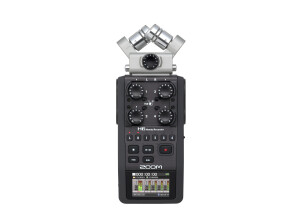
    The controls are cumbersome, at best. Between the Menu switch and the arrow slide and switch, you can eventually get most functions to work if you are patient and memorize the weird defaults. Unfortunately, the mixer does not function as a tracking mixer, final mixdown only. As if anyone but a very poorly equipped hobbyist would ever mix down using the H6. An obvious use for the H6 would be as a portable, free-standing recorder. My expectation was that I could add a sync/scratch track to a folder and add other instruments remotely to the recording for later extraction and adding to a session in Pro Tools or Logic, etc. Zoom engineers have decided that "overdubbing" is only for adding one track at a time. Oddly, Zoom has taken 50 years to not quite provide the function of a 1970s Teac 2340 reel-to-reel. Someone needed to learn something about multitrack recording before being allowed to play with product development. The sound quality of the H6 preamps is fine. The preamp controls are clearly marked and easy to use. The XY, M-S, and extra non-phantom-capable extra pair of pres are decent. If what you want to do is record 6 tracks simultaneously and as a free-standing remote recording deck, the H6 will be fine. I discovered that the engineers didn't think much about typical remote applications, though. Connecting the Zoom pres to a splitter that allows a preamp's phantom power to the Zoom will wreak the H6's phantom power. It's hard to imagine not being able to protect a current limited phantom supply circuit from something as common as linked phantom power, but Zoom failed that test. Be super careful with splitter use. If they aren't fully isolated, the H6 will probably self-destruct. Obviously a work-around to the overdubbing flaw is to use the H6 as an interface and do the sync signal with a computer. As an interface, the H6 has a lot of better priced and featured competition. The whole point of the H6 should have been to be a free-standing, multitrack recording system.

  • « Sony PCM D-50 will not turn on. »

    I use this attached to the mixer board and record a duo. Can't find any pros for this product as it will not turn on now. Used it for 3 years and it slowly had problems turning on. I have seen other reviews, on other boards, and it seems at least 100 people have had exactly the same problem. All Sony will say is, send in for repair, this would mean sending it to Toronto and I understand cost is prohibitive. Most likely they change to a board that they have fixed the problem and they make another $350.00 !!!! I will never buy Sony again. The Tascam looks as good and at 1/2 price.

  • « Great performances, but lack of ergonomics »

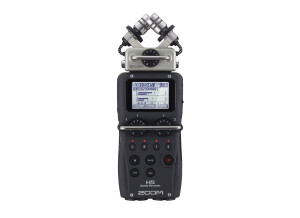
    Pros The H5 is super powerful; great built-in mics, great preamps, and the gain control knobs are a great step up from the H4n. I highly recommend it, it offers a great quality and can be used in almost any situation. Cons The only concerns that I have are about ergonomics. My main issue is about powering it; on batteries, it doesn't last long at all when phantom powering an external mic. And the only option to plug it to a power source is using the mini-USB port. This is a shame, because it can be very easily get unplugged, either when moving the Zoom around, or because of the weight of an USB/AC power adapter + extension cord. My workaround I have found a way to power the Zoom that keeps things easy and handy; through power banks. They are cheap, lightweight and last forever (even when using phantom power). Here is a little explanation : http://rgalix.com/audio/power.png

  • « Top-notch pocketable field recorder »

    Since I've purchased the M10 a few months ago, it's been my sole recorder for both outdoor field recording ambiances and also studio recording sound effects. It's also easy to keep in my pocket to carry around and record random sounds that I encounter while I'm on the go. The first thing you notice about the PCM-M10 is that it's extremely compact, about the size of a small cellphone, though a bit thicker. It features 8GB of internal storage with a slot for a MicroSD card or Sony's proprietary M2 format for more storage and both a microphone and line input in addition to the two onboard omnidirectional microphones. The omnidirectional mics are actually quite usable and relatively quiet for cheap onboard microphones. They actually have a bit of wind protection under the casing, making them usable outdoors on mildly windy days without requiring a fuzzy wind protector. It's important to note that the M10 doesn't have any XLR inputs and it doesn't supply phantom power, so you'll have to use a phantom power supply or a separate mixer like the Sound Devices MixPre-D to power condenser microphones if they aren't battery powered. The M10 is able to record in PCM format up to 24-bit/96KHz. It's also capable of recording in encoded MP3 in 3 bitrates: 64kbps, 128kbps, and 320kbps. One problem with the M10 is that even when using an external microphone you cannot record in mono. I do most of my recording with the M10 for one shot sound effects so I don't actually need stereo recordings too often, therefore I have to manually strip or downmix in my 2-track audio editor to get a mono recording. A mild annoyance, but an annoyance nonetheless. The build quality is great. It's mostly plastic with an aluminum face, but it doesn't feel flimsy at all. There's no loose parts wiggling around and it feels very solid. There is some handling noise when you use the onboard mics, so you need to be careful with your hands while recording. The interface is decent, but you need to dig through menus quite a bit when it comes to enabling options and features as the front panel is very simplified with just the transport buttons and a few other utility buttons like changing what the display shows and an options menu button. There's a roller knob on the side that controls your recording level and a rocker switch on the other side that controls your line out volume. The preamps are very quiet, especially for a handheld recorder in this price range. I use a Rode NT1A, NT3, and NT5 with a Denecke PS-1A as a power supply as my main microphones when recording sound effects in my studio. The results are clean and clear with low noise, definitely capable of professional quality recordings. I used a Zoom H4n briefly before buying the M10 and found both the mics and preamps quite noisy in comparison (though still usable!), so I returned that and purchased the M10. That said, the line out when using headphones is actually quite noisy, even when set to headphone mode, it's mostly only useful for simple monitoring. The display isn't very big, but the backlighting is sufficient and the volume levels take up a good portion of the LCD screen so they're easy to see even in low light situations. When using the onboard mics, there's actually two LEDs on the top left and right corners that will light up green or red to give you a quick reference for your volume levels as well. Two of my favorite features of the M10 are the exceptionally good battery life and the Cross-Memory recording. Sony handheld products in general are usually pretty good about battery life and the M10 is fantastic in this regard. Two AA batteries will power the unit for over 30-40 hours before you'll need to replace them. In real world time, this can end up lasting weeks or months unless you're doing very long recording sessions on a regular basis. The Cross-Memory recording will seamlessly switch from the internal storage to your MicroSD card once the internal storage fills up without stopping a take. A very handy feature that will give you some peace of mind during those really long recording sessions. The M10 has a built-in limiter and low cut filter to help reduce some wind and low frequency ambient noises, but it's not as configurable as some other handheld recorders in this price range that let you specify the frequency you want to cut at, it's just a simple on-off option. It's an awesome little recorder for not much money. If you can get past the lack of XLR and phantom power, it's an easy recommendation. It's small, has decent onboard microphones, quiet preamps, and some excellent quality of life features like the cross-memory recording and best-in-class battery life. Pros: + Great build quality + Superb battery life + Decent omnidirectional microphones + Quiet preamps + Cross-Memory recording so you don’t need to stop a take and switch from internal to external storage + Small and portable + Affordable (about $200-250 USD new) Cons: - No XLR or Phantom Power - Can only record in stereo - Some menu diving necessary to turn on and off features

  • « Handy 4-Track Recording Studio »

    WHAT WE SEE OUT OF THE BOX The Zoom H4n is described as a handy recorder (hence the "H"). It's a pocket-sized unit about as long as today's bigger smartphones with about thrice the thickness, capable of recording four tracks. It has four channels available for recording, two of which are dedicated to two built-in condenser microphones. The other two channels come in the form of two combo XLR/TRS input jacks. The unit can be powered via an included wall-wart power supply, USB bus power, or two AA-sized batteries. It stores data via SD cards and will accept cards of up to 32 GB in capacity. A brand-new Zoom H4n will come with a protective plastic case, a windscreen, the previously mentioned wall-wart power adapter, a USB cable, a 2-GB SD card, and a Cubase LE 5 CD. The front panel shows us the familiar transport controls, mute/arm switches for built-in mics and input jacks, and a big monochrome LCD screen. The right side panel shows independent controls for output and input volume levels, menu navigation controls, and the SD card slot. The left panel reveals a headphone output, AC adapter input. When opening up the battery cover, you will see the small "Stamina" mode switch. FEATURES AND FUNCTIONS The Zoom H4n can function both as a standalone recorder or as an audio interface once connected to a computer via USB. As a standalone recorder, it can function in three modes: Stereo (default), 4-channel, and Multitrack. When used in one of these modes, the recorder is capable of recording audio data in WAV format of up to 24-bit/96-kHz resolution. To save SD card space, one can also set the Zoom H4n to record in MP3 format. However, I would advise against recording in MP3 format if you want to get more professional sounding results or if you want perform further mixing and editing of the audio files after recording. Stereo mode is pretty much straightforward to use. Upon turning on the Zoom H4n, it starts up in this mode and you can start recording immediately. Hitting the record button once will activate the microphones or input jacks but will not start the recording process. At this stage, you will see the record button's border flashing a red light. This step provides the opportunity to check microphone input levels, allowing the user to adjust the levels and ensure that there is no clipping. To start recording, the user must hit the record button for a second time, and the light will stop flashing. In this mode, the user have the choice of recording via the default microphones or external microphones connected to the recorder via the XLR/TRS input jacks. To be able to record using the built-in microphones and the XLR/TRS jacks simultaneously, the user must switch from Stereo mode to 4-channel or multitrack mode. In multitrack mode, one can record four mono tracks simultaneously, a function very similar to vintage TASCAM 4-track tape recorders. A user may also set up two mono tracks as a single stereo track. One thing that's very good about the Zoom H4n's multitrack mode is that it is possible for the user to perform a variety of recording studio/DAW functions such as panning, EQ, and inserting effects, functions that are certainly very useful for creating professional sounding recordings through just the use of the recorder itself. There's also a variety of effects that a user can insert into each track, most of which mimic popular effects pedals, guitar amplifiers, or a combination of both, which is quite handy for users who would like to plug in their guitars directly and start recording. As an audio interface, it is a plug-and-play device that will record at a maximum of 24-bit/48-kHz resolution. It is immediately recognizable by many DAWs such as Cubase, Ableton Live, and Logic Pro. While functioning as an audio interface, one may choose the built-in mics or use the combo jacks to record using external microphones or instruments like an electric guitar or synthesizer. VERDICT I have great appreciation for the many features of the Zoom H4n and I am very satisfied with the sound quality it can deliver. The built-in condenser mics have a flat response, thus they are able to record audio without any tone coloration whatsoever, making then very useful for recording things such as lead vocals and samples. The packaged windscreen is perfect for cutting out wind noise when sampling and it also physically attenuates the built-in mics to some degree, making it easier for me to get the levels right when recording various spaces (such as a concert hall, etc.). The multitrack function is also very important for recording while away from my home facility. Projects recorded under different modes are stored separately into well organized folders inside your SD card, and so it's easy to organize everything you record with it. Now, here's what I don't like about the H4n. First, the protective plastic case provides a snug fit for the unit, therefore you cannot fit anything else. This will require you to have another case or bag for it in order to fit all the accesories you might use for it. Another thing is that navigating the menus needs a little bit getting used to. Lastly, some functions such as importing stereo tracks into a multitrack project is not straightforward i.e. you need to manually convert two mono tracks into a single stereo track before you import your stereo audio file. Overall, I still do think that the Zoom H4n is a very useful handy recording unit for the musician who's constantly on the road. PROS: - Various modes useful for many recording situations. - Pristine recording quality. - Plenty of professional/prosumer features. CONS: - Included plastic case only fits recorder, requires another bag or case for accessories. - Menu navigation needs getting used to. - Some features are not straightforward.

  • « Not to shabby, could be better »

    I really like this version of the H2n. I've used the 1st model which was good but this one is a lot better sounding in my opinion. I love the fact that there are different mic modes to choose from, this allows the user to get creative and really capture some interesting sounds before editing in post. Before purchasing this H2n or the original version I had tried a few different ones from Tascam as wells Zoom's H4n (another good field recorder). In my opinion the H2n sounds pretty clean, there is a little noise in it, but you can't avoid that will lower end recorders. I think it's priced reasonably fair for the quality you get from the mics on board. I wish it had a regular field recorder's look rather than that of a condenser mic, but that's just personal perference. If I were to start out fresh, looking for a good priced all purpose mic: Field recording (amb sounds) podcasting studio condenser voice overs (basic) I may go with the H2n, it has some great features, the mics sound really good, simple to use and the build quality is a tad bit better than the H1N Zoom (both are units have plastic builds) If you're planning on doing any outside field recording I would strongly suggest purchasing a fury head. This is very similar to a wind screen or wind cutter. They look very similar to the hair found on the old school troll toys. This is going to cut a lot of the wind you run into thus giving you better quality sound. I'd also experiment with recording the same sound with the each mic option this way you can really control the dynamics of the sound once you're in post. This one main advantage the H2n has over most of the other portable recorders out there. I gave this record a 6 overall because for the price it should include XLR input like many of the other recorders in it's price range. All in all it's not bad for the money Ps be careful of unit noise, make sure all recorded sounds are above the floor noise for best possible recordings

  • « for a guitarist »

    The Korg D4 is a four track digital recording device with some pretty simple effects that are built into it. Its not really a pocket recording device though. Its just too big to carry in your pocket, but if you have a book bag or a larger purse you can certainly carry it around with you. You can record two tracks at a time, its sort of like having a multitrack recorder with you wherever you go. All of the info is stored on a CF card because it has no built in hard drive to safe stuff on which I think is a downfall. It should have atleast some sort of a small built in memory so you can save stuff on it, most similar devices do have one but this one doesn’t. The interface of the Korg D4 is the selling point, there really isn’t anything going on that you cant see right from looking at the front of the device. Forget all of the submenus that most devices have because they arent in the Korg D4. You can also plug in a footswitch and use it to be a trigger. With the style of effects that it has is mainly for a guitar player though, if I would have known that before purchasing I wouldn’t have gotten it, I am not a guitar player at all. Which is why I ended up reselling it back to the store because I kept it longer than 90 days and could get a full refund. But the Korg D4 has the must an solo buttons that you ned to really get to work on it, if you are a guitarist this is perfect for you to be able to record almost anywhere. It has everything that you need, But like I said keep in my it’s a flash memory card. So if you don’t have one of those you will need to get one or this device will be useless for you.

  • « very handy to keep on you »

    The Edirol R-1 is a compact solid state recorder that uses microSD cards to record .wav files up to a resolution of 24 bit, 48 kHz stereo with its built in, twin condenser microphones. MP3 recordings and lower quality stereo and mono .wav files may be recorded, but I have only used the highest quality settings which produce very accurate results. The 2 gb card that is included will record for approximately an hour and 50 minutes at the highest stereo resolution. There is a switchable low pass filter that may be set at 40 hz, 80 hz, or 120 hz, or off entirely. There is an 1/8” line in for connecting external microphones and an 1/8” headphone/line output on the other side. On the rear of the unit is a small stand for slightly elevating the recorder when placed on a flat surface. There are automatic record level setting of “high” and “low,” but it's probably best for the user to set the level at manual to adjust the optimum recording level for the material at hand. I purchased this to do live recordings of concerts. It records a little hot with the condenser mics, meaning I have to set it manually to a recording level of 0. Fortunately, it hasn't clipped on me yet, and having nearly two hours to record is plenty of time for the type of work I'm doing with it. When I received the recorder, I was pleasantly surprised by its compact size, which is small enough to slip into a shirt or pants pocket. It handles recorded sound very accurately and even has some switchable EQ controls in the menus that I've never bothered to fuss with. The battery time is decent, but I'd recommend anyone who purchases it to also buy a 15 minute recharger set for AAA batteries. You will not have to change batteries within a straight two hour recording. For longer recordings, on either a larger card or at a lower resolution, the recorder can be USB powered, such as through most standard micro USB chargers.

  • Audiofanzine FR's review

    (Originally written by Xavuplex/translated from Audiofanzine FR) I've been using it for a few months. I like the portable concept, the look, the sound, the virtual tracks and the bounce mode (that allows you to merge a virtually infinite number of tracks, it's fabulous). Cons: Battery operation time, integrated mic (useless because of its lousy quality). I didn't try other models, this one seduced me for its price, looks and features. It's exactly what I needed. Excellent value for money. You'll be able make good-quality demos pretty fast. The effects provided are very good and I get decent vocals with a small Sony stereo mic. Yes I would buy it again. I take it everywhere with me to make demos or record ideas directly as MP3 files (very convenient).

  • « Versatile portable 4 channel digital recorder »

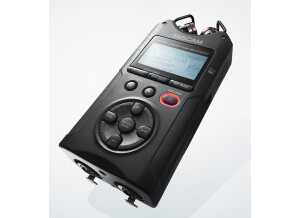
    I bought Tascam DR-70d earlier this year (2025) second hand, but for the second time! In 2018 I bought one new. I sold it in 2024 but regretted it. I also owned Tascam DR-07. Handier, but a lot more hiss when using the built-in mics. When I bought the DR-07d for the second time, I briefly considered the Zoom H4n Pro which ticks most of the boxes. My experience with the Tascam was what drove me to buy that again. When reading older reviews of this recorder you may find some issues about problems with memory cards. Note that all problems have been solved with a software update, so those reviews are not valid anymore. I never had issues with my recorder. The Tascam has a design that is sold since 2014 but still very much competing with other digital recorders. Selling points for me were: - 4 lockable XLR inputs with Phantom power - low noise on every every input - USB-c power bank can be connected for long recording sessions - plug-in powered 3.5mm input also has very low noise level - very sturdy, but not too heavy - simply attachable to DSLR - built-in mics There are some minor issues that are no deal breaker for me, but may be good to know: - display is nice, but small (no issue if you're young, but I'm 68 years old) - the knobs are small and close together - battery life is short (1.5 hrs) when recording 4 channels with Phantom power. No issue with a power bank - built-in mics are good to have, but of average quality - monitoring is only on all channels at once. At the moment I use this mostly with DIY binaural mics based on Primo EM 272 on the 3.5mm input and a Sony MS mic using XLR inputs.

  • « Use an external USB battery »

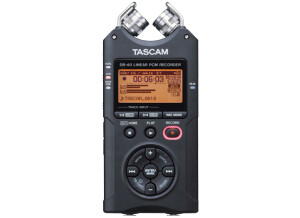
    The DR-40 is a standard recorder in the videography world. Especially for DSLR cameras and camcorders without XLR mic inputs. It is simple and easy to use. With a 16 Gb memory card it will record days of audio. I am not sure about the noise floor as I am doing location recordings of shows which are never absolutely quiet. I record in 24-bit mode at a lower gain and then boost and compress in audacity which works for me. I can hear the audio purists gasp :-) I have recorded both phantom powered mics and unbalanced line level mixer outputs and both work well. As to batteries, I work around that problem by using an external USB battery pack. You need to remember to connect it and set it as an external power source before you start recording. I am very happy with my DR-40 and at less than $100US for a used unit, a very good value.