Log in
EN
FR

Recorders/Multitracks

1291 products found

Categories
Filter
Sort by
Evaluation
  • Reviewed or not
  • Editor’s award
  • Reviewed by Audiofanzine
Availability
  • Available or not
  • Sold new or used
  • Sold new
  • Sold used
Must-have products
  • All products
  • Flagship products
  • Best rated products
  • Hot products
  • Popular products
Price
  • Freeware
  • Low-cost (< $300)
  • Mid-range ($300 - $850)
  • Premium (> $850)
€
Clear
Sort by
  • Popularity
  • User ratings
  • Price - low to high
  • Price - high to low
  • Used price, increasing
  • Used price, decreasing
  • Name (from A to Z)
  • Name (from Z to A)
  • Added on
Choose a category
Selected category: Recorders/Multitracks
Sort results
  • Popularity
  • User ratings
  • Price - low to high
  • Price - high to low
  • Used price, increasing
  • Used price, decreasing
  • Name (from A to Z)
  • Name (from Z to A)
  • Added on
Filter results 1,291 results found
Evaluation
Availability
Must-have products
Price
  • Freeware
  • Low-cost (< $300)
  • Mid-range ($300 - $850)
  • Premium (> $850)
Show results

The best Recorders/Multitracks reviews

The reviews Audiofanzine members found the most helpful.
  • « The 21st century’s mixing tool »

    It’s just a big-sized touchscreen designed to use ProTools or Logic X. Well, not only... The multitouch screen comes with a piece of software which adds (down on ProTools’ screen) a bunch of programmed controls or batched commands. You can also program your own commands easily. What’s great is that the mouse is originally only able to control a single fader at a time... So they added their own mixer which allows controlling 6 or even 8 faders in the same time. Hence, every ProTools functionalities are at your fingertip, and a mere click on a batch command allows you to automatically insert your favourite compressor on each of the selected channelstrips... I’ve only used it for a week so far but it’s REALLY user-friendly. Installing is easy, well described in the manual – or the many online videos available if you prefer. The only delicate point is calibrating the screen, but nothing too difficult. Before the Raven, I’d mostly used an Avid MC Mix with MC control, but nothing on the market that was a strict equivalent to it. Caution : it’s obviously a rather well-thought product, but it still needs some adjustment. Slate has worked hard on updates. -some batch commands are reserved for ProTools HD (I use the LE version) -being 100% comfortable and accessing all the most subtle commands requires using the keyboard in QWERTY mode -the screen needs to be regularly recalibrated – it seems to be to go adrift after a few hours -there are so many controls and templates that you sometimes have to look for what you want, but the ergonomy is rather well-thought and logical: you easily get used to it Also, their forum is VERY reactive – a problem, a question? Drop a word on their forum and you’ll get your answer within a few minutes or hours (depending on your time zone). I had long hesitated to take the plunge as 2000 bucks is a lot of money. Frankly, this multitouchscreen + software combo is a real killer. They’ve entirely rethought how to work with a DAW. I haven’t mentioned the editing capacities that are offered on the “edit” screen, but as a whole you can edit whatever you want with a finger or two. With pictures being worth more than a thousand words, I encourage you to go and see the various Youtube videos on this device. I personally really like this one (see the link further down), as even if it was made with the MTi’s big brother, the MTX, the concept remains the same. Maxidingue Here’s my favorite video: EDIT 1- Newer versions of the included software now allow for use with Cubase, Ableton Live, Samplitude and Studio One. 2-The Raven’s Windows version is now available. 3-I’ve signaled on the Raven’s official forum that some batches wouldn’t work with a French, AZERTY keyboard. After discussing with moderator Jameyz who told me they considered addressing the issue for the European market, I have in the meantime found a – very simple actually :bravo: – workaround Go to preferences/keyboard Add a secondary QWERTY keyboard An icon appears in the menu bar, allowing to switch in real time between both keyboard layouts As soon as the Raven’s been launched, make the switch And, here you are! Everything works as expected. Ain’t it great! :-D I’m now selling mine for a SSL Nucleus, due to my lack of room and my tendency to want to try and use just everything there is on the market. My geekness will be my undoing... A link to the Raven’s review in SOS: https://www.slateproaudio.com/wp-content/uploads/2013/07/SOS-RAVEN-May-2013.pdf http://www.neutrik.com/website/uploads/images/03/660x/raven-logo.png?v=1 Competitors have now arrived – didn't I tell you this would be tomorrow’s mixing gear?... Waves – a bit $$$$$$: Devil technologies – but you’ll need a compatible multitouchscreen:

  • « 80 'music industry »

    24 track analog cards amp input / output class A, using strips 2 "in / out XLR. Magneto used on any recording / mixing the album "Thriller" by Michael Jack .. I tried several magneto: Otari mtr 90 (tough, reliable) Sony APR 24 (tape transport good), Studer A827 Gold Edition (top) and the 3M M79 is robust tape transport less reliable than those mentioned, but the sound is better that all these magnetos ... except that the loan studer is really great but the sound of 3M has a very warm character.

  • « Indispensable »

    I've been using it since Christmas 2011 (yes, it was a gift...) and I always take it with me to take "audio snapshots," because I think sometimes a sound says more than an image. As usual with Tascam, the manufacturing quality is excellent and the learning curve is easy. It would've been better in a metal housing, rather than a plastic one, but that's not so important to me. The controls feel right under your hands and the volume is set with a knob, which is the best. Excellent battery life (5-6h without any problems, without taking into account the AA batteries). A nice detail is that that it has a screw adapter on the bottom, to fix it on a stand or on a camera stand with a special suspension. The built-in cardioid mics are good (the omni I don't like so much), but they are very sensitive to wind, even with the windscreen included. A "hairy" Rycote windscreen is mandatory, even with light breezes. I like it specially due to its XLR inputs, so I can connect the mics I want; and the possibility to record at 96/24, which guarantees a high audio quality. What I like least is the submenus, but that's unavoidable if you want to have lots of functions at your disposal. Plentiful connection options, it comes with a remote IR/wired, but without power supply(!). The headphone jack is excellent, but the built-in loudspeaker is useless. It lacks a software to edit sounds (or a smartphone app), because it's always hard to rename/move/edit sounds without a keyboard, unless you use an SD card and do it on a PC. If you ask me, such a unit at this price is an excellent value for money.

  • Audiofanzine FR's review

    (Originally written by elriton/translated from Audiofanzine FR) Analog connection: TS jack Digital connection (SPDIF): RCA or XLR 32/44.1/48 KHz sample rate with linear 16-bit resolution Internal or external SCSI hard drive recording Synchronization: Proprietary Akai, MIDI and SMPTE (extension card) Recording: 4 analog tracks 3 digital tracks (4 with additional AD card) UTILIZATION Direct-to-Disk system with real musical approach (editing and copy/paste facilities). You'll be able to start working with it after only half an hour. Comprehensive and clear user's manual. SOUNDS Awesome AD/DA converters! Exceptional audio dynamics for its time. The DR4 ousted the last Revox from recording studios. I regret that the unit has no anti-aliasing system and no band speed selector. OVERALL OPINION I bought it in 1994. I'm using it with a Sony 60ES DAT for backups, copying and mastering. Pros: AD/DA converters and ease of use Cons: No anti-aliasing. Pay attention to the different versions: DR4d version 2: No ping pong DR4d version 3: With ping-pong DR4d version 4 or DR4vr: 256 virtual tracks but no ping pong. I personally prefer version 3. Version 4 has too many virtual tracks that you have to manage with a pen in your hand... it's a good memory exercise!! Version 2 is too restrictive. It's a standard.

  • « A safe bet! »

    16-track digital mini studio that works at 16 bits/44kHz. It records simultaneously 8 tracks and also has a stereo track to record a master. It uses an internal hard drive to store what your record. The CD player/burner allows you to import (as long as you respect the ISO formatting mentioned in the documentation), export and save an entire project, or parts of it, in wav format. No USB, no SCSI...not very practical, but you get used to it, given the quality of the unit. You have 12 mono and 2 stereo tracks for mixing, as well as 8 levels of independent virtual tracks. No track automation (although it's possible via midi and an external sequencer) but there is a Scene Memory that can be useful. In terms of precessing, you have a parametric equalizer (4 freq) and a compressor (expander, limiter, etc...) per channel (inputs+tracks!) whose settings are very comprehensive. 2 very comprehensive multi-effects, too. A (very limited) 4-channel sample player. For more info see the (lengthy) documentation. UTILIZATION The studio is rather well thought-out, although it is not the same in terms of usability as a PC software (but that applies only to the usability!). The track editing functions are laborious, but the results have an impeccable quality. Audio routing is the same as on a standard analog mixer, so it shouldn't pose a problem for people familiar with them. And for those who don't, this mini studio will be useful for the future. SOUNDS In my opinion, this is the main strength of this unit, which is why I don't want to let go of it. The converters (16bits/44kHz) are of a very high quality. No converter is transparent, but how can I put it...I prefer them over several 24bit/96kHz ones. The headphone and main outputs are very good, which is ideal for mixing. The EQs, dynamic processors and effects are simple and effective (it's yamaha, remember?...). OVERALL OPINION It breathes quality. It's solid. A safe bet, despite the absence of something that seems crucial today in terms of communication with the external world (usb, firewire) but...it's a (nice) unit from another era.

  • « Excellent Alternative to DAW Recording »

    I first bought the DP-24 SD but changed for the older version with CD Burner and Midi. This was not necessary as I’ve never used those extra features. However I have recorded an entire album on this in my home studio. It’s easy to get started but I would recommend following some YouTube tutorials first if you’re never used this machine before. You can record up to 8 inputs at once and record in with 16 or 24 Bit quality. I use 24 all the time as the extra storage on the SD card is not a worry when a 32 gig (max you can use) are so cheap to buy. The audio quality is excellent. And you have the option of doing everything in the box mix down and mastering tools. Or you can export individual stems via usb to a computer as 16 or 24 Bit WAV files for further processing on a DAW if you wish. The built in dynamic effects are good but limited to the basics. I found the audio quality of my recordings improved massively over time as I learned more about the technical aspects of recording sound. I don’t think you will find much better hardware recorder in this price range. The audio track attached to this review was recorded on this machine.

  • « Great little 2 tracker »

    The Tascam 22-2 is a two track reel to reel recorder than prints to 1/4" tape on 7" (or smaller) reels in one direction. This means it will have the same amount of track width as a 2" 16 track recorder. It can be run at 7.5 or 15 ips and was designed to record on 1 mm thick, +3 tape such as Quantegy 407. Since Quantegy no longer produces tape, it can use RMGI (Emtec) LPR 35, which is the equivalent of Quantegy 457, a +6 tape. Although slightly underbiased for this, using this tape will produce more high end. The 22-2 is a little workhorse of a machine and is intended for mixdown. It does have two mic pre-amps on each of its two channels via 1/4" inputs, so it could be used for location recording without a mixer, although there is no onboard EQ or speaker, just a stereo headphone out via a 1/4" jack and RCA outs. The recording quality is pretty good, but this machine is entirely mechanical, unlike it's big brother the Tascam 32. This means that there are no memory points, no real return to zero facilities, and no way to really do any editing of the tape. This machine features three heads (erase, record, and play) meaning that the user can monitor from the tape a split second after a recording is being made. This is especially useful during mixdown because what you're hearing is literally what you're going to get as an end result. It could also be used for slap tape delay in conjunction with another recorder. In the time I owned this machine I was very happy with it. The only issue I ever had was the capstan belt was too worn. This will be apparent by playback slowing down or even not working at all; it will not affect rewind and fastforward. This is a relatively simple repair, the machine just has to be opened up, the bad belt located, and the new one slipped on. I only sold it because I now have a larger, more versatile machine, the Otari MX-50 NII.

  • « H6 is perfect EXCEPT it doesn't allow overdub with onboard mic/capsule »

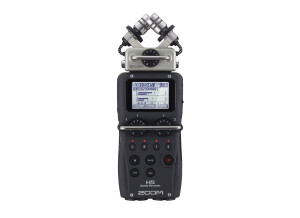
    Having owned the Zoom H4n a few years ago, the H6 is like revisiting an old friend that had lost weight, got in shape and stopped cussing all the time. The interface is really sleek, easy to get to, easy to adjust, and easy to see recording volumes. The volume knobs on the front are a very welcome improvement over the H4n. I liked the H4n but, always hated having to mess with the menus before recording. Never a good option at band practice as it took so long to go through the menu system and you could never be certain what kind of volumes you were recording. I recorded with the H6 as a stand alone using the onboard MS microphone, as well as two DI outputs from my Fishman Artist amp, into the 1/4″ inputs of the H6. The MS mic for the Zoom H6 is very clean, full, and smooth on both vocals and guitar. I even experimented recording with an iPad, using the iPad as an instrument into one of the Zoom H6 tracks that sounded amazing. I use a little app called ThumbJam. Love the Cello on ThumbJam and I can’t believe how well it recorded. Used the headphone jack from the iPad into channel 2 of the H6, with a 1/4″ plugin. The H6 onboard M/S mic recordings of the guitar finger picking and vocals came out better than the plug in from the Fishman DI output. I was able to hear every note, clearly, ringing vibrantly with the onboard M/S Mic Capsule. The recorded tracks from the Fishman DI outputs weren't as clean but gave a nice mix to the finished Mp4. Also used the zoom H6 interface with Logic Pro. It worked well as an interface but, got a bit muddy after several tracks. It was all usable though not the same sound quality of the direct MS mic. Now for the bad. With the H4n it was nice to be able to select which input to use for each track. With the H6 that isn't an option. When you record with the onboard mic capsules, you get a stereo L/R track that can't be overdubbed. Nor can you record with the onboard mic capsuled to another track/channel other than the L/R tracks, making overdubs using the onboard mic capsules impossible. I did call Zoom about this and was told the mic capsules are "hardwired" into the unit which doesn't allow the overdub or re-assignment of tracks. I've posted the email, with the suggested work around, from Zoom on my website https://www.deberney.com/zoom-h6-overdub-work-around/ Here are two recordings using the H6. https://www.deberney.com/home-page/deb-erney-2/deb-cover-songs/ One version has the H6 recordings along with tracks using the H6 as an audio interface with Logic Pro X. The second version is the clean version with just the H6 inputs, no effects, no processing.

  • « Very good multi-track recorder »

    Hi. I've had the R16 for 2 years and use it in my home studio, as a multi-track field recorder (radio deck, conferences) and a soundcard. That's its main strength: It's a multi-task device that allows you to work without a PC. I think it complements perfectly a pocket recorder, like the microtrack II. While it's very light, it's also very fragile. I think there's not much to add regarding its usability and functions. I didn't have the stuck plugs problem, but I did have the one regarding tracks that produce loud noises (hiss) at the input. The problem goes more or less away if you let the unit warm up. Apparently, it's a problem with the electronic components of the preamp. I had to take into to the shop twice (under warranty the first time and then for a manufacturing problem, so I got a free replacement and only had to pay shipping and handling). I'm crossing my fingers now... I'm not a big fan of the control surface function, which is somewhat of a trifle. It's perfect to record a public conference: Up to 8 speakers simultaneously and you can mix live to send it to the stereo master and the PA via the jack outputs. Another good point is that it supports SDHC cards of up to 32GB, so there are no recording capacity issues, even with 8 tracks. The drivers are up to date for windows 8.1, so it's still a relevant product in 2014. However, there's no news for Linux, the hardware isn't generic, so it isn't recognized as a sound card (however the R16 is perfectly recognized as a player, so you can import your recordings and mix them with Ardour). As a multi-track soundcard, it works fine with Cubase 6LE (included) and also with my old Sonar 5, while Audacity and RadioDJ recognize it as a 2-track soundcard. In short, it's a good value for money, but be careful if you get it secondhand, first check that everything works fine. I don't think I'd buy it again now: I think I'd go for a more modern unit (and not the R24, which doesn't add many things). Nevertheless, a secondhand R16 in good shape is a good deal.

  • « Best Guitar Teacher . »

    I bought this back in 2006, many have claimed that this device doesn't last long, obviously, mine survived many years of repeated use . If you drop it, it will easily break, since it's made of plastic . HANDLE WITH CARE . The Tascam CD-GT2 Guitar Phrase Trainer is one great way to learn your favorite song. 100% accurate without much effort . ● It has a tuner. ● It features a Metronome. ● Built in effects, decent but the distortions are kind of enimic and you can add an overdrive distortion pedal to get you that chugging sound . ● You can add a momentary switch to loop back 5 seconds to learn complex parts more accurately. Or you can chose to use the momentary switch to change the effects patches instead. ● The music can be slowed down with out affecting the pitch of notes being played . ● Another cool feature, is that you can lower or raise the pitch of the CD, just incase your not in the mood to tune your whole guitar or if your guitar is locked down by a Floyd Rose. Just raise or lower the pitch of the CD to match your guitar's tuning . I like to have the loop function, instead of the other option of just changing effects . The CD can be put on the right side and your guitar will be on the left of you headphones . You can slow down Yngwie Malmsteen, Dime Bag Darrell, Megadeth, Joe Satriani, Al Di Meola, Allan Holdsworth or Steve Vai to learn ever nuance of their playing . This device can help you stop depending on tabs or totally depend on a guitar teacher .

  • « 17 years of reliable service. »

    I bought this item on a whim to do digital, two track recording from the main outs on my new Mackie 1604VLZPro, around 1998 or 1999. It was five hundred dollars at the time, and very small. I imagined with the ATRAC compression cutting off a lot of lows and highs that I could add them back to the mix by dubbing them through some low end on the board. The cheapness of the disks appealed to me, as did the portability. I only use it these days for listening to the 100 or so MD that we fully recorded in stereo (74 min) or mono (148!) And to prove that it still works. The sound quality was incredible. Building quality was top notch. It took some hard floor drives during it's career, travelled to some shows and on trips. Not a smoke free environment. Never once gave up, never quit working. MD is of course a dead format now, and it really does sound like MP3s, especially through the 1/8" outputs. But the "remote" is handy, and the manual is great.

  • « It's great »

    There's not much to add. USE It's very easy to use. You push a track, choose the input, mic,line or jack, set the track's level, press Rec and you're done. Very comprehensive manual. It's not complicated. You even have the possibility to move the tracks from a time code to another one using the in and out points, or seconds or tens of a second. All that is done pretty quick, there's not much of a learning curve. There are even customizable beats. I must say, however, that it took me quite a long time to get the right volume levels, because the VU-meter is not very precise. In fact, you can let it peak without risking any distortion, which is what you have to do for the final result to have a high-enough volume. SOUND Lots of effects for guitar, bass, vocals and piano. Lots of effects in general. Besides reverb, chorus and delay. To cut it short, it features all you need. In terms of the sound alone, it's quite all right. With a good mix, with the right volumes and pans, you can make good quality songs. I must admit that I can already see its limitations. It's semi-pro, I think the songs sound a bit "tight," with a slight lack of dynamism, even if you listen to them on headphones. But it also seems logical, considering it works as an amp for guitar, piano, vocals, so it's inevitable. You might get a truly optimal sound using external preamps connected to the line inputs. OVERALL OPINION I've been using it since I first started writing songs, back in 2005. I never did switch to computer music because this is precisely the kind of tool that allows you to do without a computer. The sound might not be the best, but it depends on what you connect it to, and since you can plug anything to it... For those who don't know, the number of tracks is unlimited. You can record 8 tracks, bounce them, record 8 more tracks and bounce them with the ones you had already bounced before, etc. It's great. It's portable, with batteries, it's solid, I have never had a technical issue. It makes recording easier.. You can easily find memory cards in any shop. I recently connected a mixer to it because I think one of its limitations is that it can only amplify one instrument at a time (besides guitar and vocals). This means you can't play simultaneously with a drum machine and synth going into the boss. It's natural, but it annoyed me, now it's cool. One last thing, the CD reader/burner is very nice but, in the end, it's faster to transfer it all to a computer, so even if it's a great value for money (it allows you to mix and finalize a song at a very affordable price), there might be another model in the series without CD reader and, thus, cheaper. I always use it. Without my Boss, I wouldn't be able to record anything. It's the key element in my studio!