Log in
EN
FR

Digital Multrack-studios

149 products found

Filter
Sort by
Evaluation
  • Reviewed or not
  • Editor’s award
  • Reviewed by Audiofanzine
Availability
  • Available or not
  • Sold new or used
  • Sold new
  • Sold used
Must-have products
  • All products
  • Flagship products
  • Best rated products
  • Hot products
  • Popular products
Price
  • Freeware
  • Low-cost (< $450)
  • Mid-range ($450 - $800)
  • Premium (> $800)
€
Clear
Sort by
  • Popularity
  • User ratings
  • Price - low to high
  • Price - high to low
  • Used price, increasing
  • Used price, decreasing
  • Name (from A to Z)
  • Name (from Z to A)
  • Added on
Sort results
  • Popularity
  • User ratings
  • Price - low to high
  • Price - high to low
  • Used price, increasing
  • Used price, decreasing
  • Name (from A to Z)
  • Name (from Z to A)
  • Added on
Filter results 149 results found
Evaluation
Availability
Must-have products
Price
  • Freeware
  • Low-cost (< $450)
  • Mid-range ($450 - $800)
  • Premium (> $800)
Show results

The best Digital Multrack-studios reviews

The reviews Audiofanzine members found the most helpful.
  • « VERY GOOD PRODUCT »

    Its recorder / burner function is very practical. I use CD-RWs and if I'm not satisfied I redo the mix and it's practical. The guitar effects are interesting (interesting COSM functions). Some good basic effect as well.. The mic effects are very, very good! I always keep my Yamaha keyboard, prodipes, echo chamber, and drum machine plugged in. USE I didn't know anything about it, so I had to study the manual one month (290+ pages). Conclusion: A bit hard at first but then it becomes quite intuitive. I don't use the built-in rhythms, I prefer to record with a Boss (ROLAND BOSS Dr Rythm DR 670 with two FS-5U pedals) or with my Yamaha synth or the studio's drum kit. It's very useful and I recommend it for its multiple functions. SOUND Faithful dynamic response. OVERALL OPINION I'd buy it again to have almost professional results. It's really easy to use the 8 tracks (64 virtual tracks).

  • « Okay for the price, but watch your jacks »

    I've been using it for 4 months in the following three setups (with a band): Firstly, I have the same jack issues as some fellow reviewers, namely, the XLR/jack connectors that "eat" the plug. They are so hard that if you connect a poor quality plug (I had the problem with a 50 cent jack/RCA adapter), the tip will remain stuck in the R16 and you will have one jack less on your R16. And getting it out is not a walk in the park nor is it exempt of risks, since the cables are excessively short. I haven't had this issue with good plugs, though. Soundcard: Not bad, low latency, good performance. The recording quality is all right, no noise. The dynamic range and headroom are not as good. It's not a Mackie, but it's not the same price either. At this price point, I'm not sure there are many products that can record 8 tracks via USB, apart from Behringer's Xenyx, which would make for an interesting comparison. It's easy to set it up with a DAW (Mackie Control mode). I use it with Reason and have no issues with it. When you move the faders, the software faders move, too, but since you can't use it live with your DAW (awful sound, you are force to monitor it), personally, it isn't very useful, but it's amusing. (I'm sure the sound is okay with 2 or 3 tracks, I've tried it with 8 only). Mixer: It can be used for emergencies. Bad accessibility to the EQ and effect controls. The reverb is not bad , the delay is okay, but the rest is to be used only in an emergency. The EQ is okay. Recorder: Great. Personally, I think it's very easy to use and that the sound is perfectly in sync, without any latency or compensation. You stick in an SD card, create your program, record, take the card out, put it into the PC, and import the tracks (WAV) into your DAW, easy as that. In short, for the price, it's a good recorder to make demos. It may also be used as a mixer but not for live gigs, although if you don't have other options, it does the job, but don't expect to be able to do much in terms of settings and also consider that the outputs are very limited. It's a pity it doesn't support MIDI. Would I buy it again? At this price, sure, although next time I'll surely get a Mackie Onyx.

  • « Excellent sound, but lacking in features. »

    I purchased the RADAR V upgrade from a RADAR II parts machine. It has the equivalent of the IZ Corp. Classic Converters, which sample up to 24 bit/ 48 kHz. I also purchased the additional SMPTE/MTC synchronizer card allowing for synchronization to other devices through standard audio and MIDI cables. This RADAR has a 80 gb SCSI hard disk and record on all 24 tracks simultaneously. It records in a proprietary bwav format, but these files can be converted to standard .wav files and be exported through a USB drive, a DVD-/+R through it's DVD recorder, or to an internal IDE hard disk. There is a VGA output for a monitor to view the recording and the waveforms. This RADAR has a session controller which has a meterbridge, but a standard PS/2 keyboard can be used to navigate with some key modifications. When using a PS/2 keyboard, the use of a monitor would be absolutely necessary to view time and record information, but the monitor is not required when using the session controller. Both the session controller and keyboard can be connected and used simultaneously and interchangeably, meaning the keyboard could be used in the control room and the session controller with its meterbridge could be used in the recording room. There are no built-in effects nor can MIDI tracks be constructed or edited on the machine. UTILIZATION The machine is very intuitive and operates much like a tape machine. The manual is easy to understand. Essentially, connect the RADAR V to a mixing console and you're ready to rock. The only function that is unlike a tape machine while recording is dropping in tracks. For instance, say 4 tracks are being recorded, and for whatever reason, while recording is progressing, you want to add another 4 tracks. On a tape machine, you would merely arm the new tracks you wish to record on. For whatever reason, even though the tracks will arm, no recordings will be made on those tracks until the machine is stop and re-engaged into record mode. This isn't a major limitation, but you must be aware of it, especially if you're trying to record something on the fly, because you'll lose whatever you're trying to capture until you actually stop and then start recording on the machine. Punch-ins work just like a tape machine, in that if you are in play mode you merely hit record in order to "punch-in" the recording, and hit play to "punch-out" of it. Some editing is possible in the way of nudging tracks and cutting and pasting, but other than fades not much else can be done on this type of machine. This machine will slave to a tape machine with a SMPTE track very well and there are no noticeable artifacts on the recordings when doing this. SOUNDS I think this is one of the best sounding digital recorders on the market thanks to its excellent converters. That is the best part of this recorder, but like a tape machine, it can't do much more than record without additional equipment. OVERALL OPINION The best part of this machine is the high quality recordings it captures. I think it is more or less competitively price, but for being a relatively high powered computer system, it is missing some major features such as the ability to use and edit MIDI tracks. There are also a couple of decisions that seem a little odd regarding the hardware. For instance, although the machine has USB ports, in order to connect USB thumb and hard drives to for easy importing and exporting, the ports are located exclusively on the back of the machine. This can be a major pain to access if the RADAR is rackmounted (as it ought to be), and at least two ports should have been provided at the front of the machine. This problem can be somewhat solved with a USB extension cable, but for a machine of this caliber and cost it should not be necessary to have to resort to such measures.

  • « If you can get it for cheap, it's a great machine »

    The 788 can record on up to six tracks simultaneously to eight tracks (or to an immense number of virtual tracks) at 24 bit, 44.1 kHz. It supports both MTC in and out, which is a feature not found on later Tascam eight multitrack recorders. On the latest OS, which can be purchased as a chip from Tascam for around $30, it can both import and export in the .wav format via an external SCSI CD-R drive. My $109 purchase price included an external SCSI drive. It has four mic/line level inputs, which are through 1/4". The lack of XLR inputs is a pain, but this is kind of expected for a budget oriented machine, even if it wasn't a budget machine when it was new. It also has two RCA auxiliary inputs that can be recorded on. There are a lot of available effects, but only two different channels of effects can be used. However, multiple effects (compression, delay, reverb) can be strung together as one main effect. UTILIZATION The manual clearly outlines the functions of the machine. Recording on this machine is a breeze, the only thing that makes it a little difficult is working with the EQ, since there aren't real knobs and this has to be changed via menus. By modern standards, burning CD-R's is slow, but bearable. SOUNDS The sound quality is excellent for a Portastudio. The only difficulty is running EQ and effects, since these are all menu-driven. However, for an experienced recordist who has worked with "real" EQ and effects, it's not too difficult to figure out, but I could imagine that for a first time recordist it might be a little difficult to understand and envision what he or she is trying to accomplish within the menus. OVERALL OPINION This machine has stood the test of time for a DAW, being limited only in its slow, separate CD burner and relatively small hard drive. However, for a cheap project/vacation studio, this is an excellent machine, especially if you can get it for under $150 with the CD burner. Upgrading the OS to the latest version is a great option in order to mix down tracks on a separate DAW. I originally bought this for a classroom recording studio. It is perfect for this purpose, and is still easier than using a full on computer based DAW, with absolutely no latency or compatibility issues, while still producing high quality recordings.

  • « Awesome guitar training device! »

    This is a "guitar trainer"... it's basically a CD player that can slow down your CD's to play at lower speeds, thus making it easier to learn different guitar parts. It's got a lot of cool features. You can slow or speed the tempo of the track you are listening to by 50%. It also has key change options, up to six semitones. It seems to be miscategorized here, though, as it's not exactly a recorder. UTILIZATION This thing works really well overall. You can use it quite easily, it's easy to change tempos and keys. There's also a lot of playback options, like single and loop mode, you can also loop certain sections of the song if you want to focus strictly on those. You can even change the tempo of the song without changing the key, which is difficult to do in other programs, manually. There's also the option of plugging in your guitar, or a mic if you're so inclined, so that you can listen to yourself play along with the song. There's a 1/4" input for this as well as a volume control for the guitar. You can hook up a footswitch to this machine but I never bought one and don't know much about it. SOUNDS The sound of this is going to depend mostly on outside factors like audio quality and the quality of your guitar signal. I recommend using an amp modeler of some type to allow you to compete with the tones you'll be hearing. In fact, if you want to avoid hearing the guitars, there's a "guitar canceller" on this piece of gear that will let you get rid of it so that all you hear is you. OVERALL OPINION I used this thing for many years when was into a lot of metal and progressive rock, and it certainly helped me learn a lot of those songs. While there are some software programs that do the same basic function as this device, it doesn't have nearly all the extra features, and they make the experience much better as they really let you feel like you are playing along with the band. That alone will give you the confidence you need to learn the song, as well as really allow you to know how well you are doing. Once my ear training reached the point where it was better, I didn't need it as much (I also started listening to music that's clearer, slower, and generally easier to figure out, so that helped too.). Overall, though, I'm glad I have it in case I do find myself needing it.

  • FP User's review

    It depends of what for you want to use this machine; if you want to use it like a stand alone gear to record, mix and burn, it's perfect if you want to use it like a mixer, and have the possibilitie to route many output signals, it' a little hard; you just have 4 output and the stero monitor output; if you want more, you've to buy optional in or output boards, anologic or numeric another option is the mastering fx card( with waves fx ); but i can't say anything on it, i didn t tried it Price paid 900 euros (2* hand) UTILIZATION It's praticly one of the easiest machine i used; really it seems to be ok; mine is a second hand ( it just worked for one song, 2 years ago) , and it seems to be a new one; i hope it will dure a long time SOUNDS Great, nothing to compare with the 01v great pre amps, great eq, very correct fx; big number of tracks (16 tracks with 8 virtuals one each) the first try it, i just had one roland mc505 (great machine,needing work too sound good); it 's been so easy to record pattern with midi sync. Eq are very great , and automix function so easy to use 3 hours later, a song was borned from only one pattern; to really test the function , i just recorded 5 measures, and tried the parts edit function ( copy, trim, pitch...) and the result was very positive; copy, are perfect, no cracks, no little bad noises; i copied perhaps 15 times the same 4 measures for each sounds from the pattern; result: no desync beetxen the tracks, just perfect sync during all the 15 copies i tried too the sampling pad; it works good, no particular problems (you can have 2 * heigt sample pads banks, with its own sequencer. i tested it totaly, with burning my mix; everithings 's been all right; in 4 hours, i recorded, mixed and 'masterised' and burned the song on cd. fist taste was the good one; it's a good machine, that i don't want to be separated now!! OVERALL OPINION When i bought it, i wanted to really try it, so i took it in my room; it stayed there for three weeks, and i falled in love with it! my girl friend is jealous now!! seriously, i really like it because for the moment i really didn t had a deception with it Originally posted on FutureProducers.com Posted by: skeuv ( 2-, 2004)

  • FP User's review

    The only real problem that I have with the 2400 is that it has NO SCSI, USB, FireWire, or any other way to connect it to the outside world. The CD-burning capability is fine for doing your own little projects -- but if you expect to make a living from recording other's stuf, and expect to be able to easily archive artists' work (to be able to erase and reuse the hard drive) forget it. There is no way to even attach an external drive. The 2400 is a completely sefl-contained piece, period. $2,700 UTILIZATION NO -- this thing is NOT easy to use!!! I finally figured out how to use everything that I wanted to be able to use it for -- but even now, there are things that I wish that I could do with it that I can't. Ordinarily, Roland stuff is pretty road-worthy -- but this sucker was only in my studio, and began to exhibit some problems with the data wheel about six months into heavy use. After I sent it out and got it back, it began to show signs of wear on the faders. Ugh. SOUNDS Mine came with the two VS8F cards, which jacked the price up. It sounds exactly like I would expect it to sound -- which is to say that I don't hear the sound. I hear the music that I record onto it. OVERALL OPINION I do love this sucker after all. It has helped me to create some really good-sounding music. At the end of the day, whatever works is what works. Originally posted on FutureProducers.com Posted by: SammyJames (January 0-, 2005)

  • goodbyebluesky's review

    The DP-01 has two 1/4 in. TRS mic inputs for dual mono or stereo recording. The DP-01 has a USB 2.0 jack for file backup and transferring files to a computer, There are analog RCA line outputs, a headphone out and S/PDIF line output, as well as each of the 8 channels having an effects send. According to official specs the sampling rate is &quot;CD quality 44.1kHz/16-bit.&quot; Problem is, no one with the capability to record at 24-bit would ever go slumming it in the 16-bit realm. Oh, how I wish I had read up more before buying. You will notice the difference. It will record eight tracks uncompressed audio to an internal 40g harddrive, which is really nice. Each channel of the DP-01 has a 45mm volume fader, plus dedicated controls for pan, effects send, high EQ and low EQ. An LCD display shows meters, editing settings and locate points, though it is not a lighted screen so a desk lamp of some kind is a MUST to use this thing. UTILIZATION As far as knobs and faders, its like running a mixer and self-explanatory. Navigating the menus is a whole 'nother story. Some will find difficulty, other will adjust and learn the ins and outs. I don't have a lot of patience for overly complicated menus, especially on such a beginner bottom-run-of-the-ladder piece of equipment such as this so my opinion is that they could have streamlined it and given it a more user intuitive interface than a couple VCR style buttons. This thing is NOT a Portastudio. Getting started is pretty easy though, and the manual does help when it comes to editing/copying/pasting/saving/deleting functions. SOUNDS The concerters aren't great. Maybe that is why Tascam just discontinued it because it won't be hard to replace it in their lineup of products. There are no effects, because I skimped and bought just the DP-01 and not the DP-01FX, but I read the effects were terrible quality anyway. OVERALL OPINION It would be nice to have true 3-band eq. It would be nice to have XLR inputs. It would be nice to record in 24 bit and not 16. It would be nice to back songs up on a USB drive, so I don't have to lug this thing into the next room to upload files onto my PC. It would be nice if it wasn't blue and felt like a toy. For your money, I would buy the cheapest 4 track that records in 24 bit, because you can't record 8 tracks simultaneously on this anyway. This is a definite step up from my Yamaha anolog 4-track days, but I was still disapointed and wished I had dropped more money. I would buy one of these if you got it real cheap and used it as a portable studio for scratch demos only.

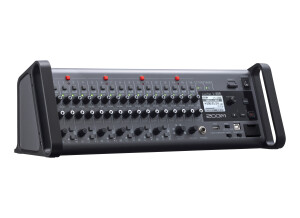
  • « Great live board with high quality recording capability »

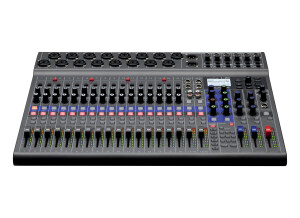
    I have a small live recording studio and needed to upgrade from my reliable Mackie analog board connected to a Focusrite FireWire computer interface. I reviewed several similarly priced products and selected the L-20. I have found it to be a easily configurable live board with 6 easily modified monitor outs and very good sounding main outs. I typically record 6 to 10 mono channels on to the SD card. I am the guitarists and vocalists and also the recording engineer. Getting correct level set was a challenge. Having the recording interface closer made getting input levels easier. Pros 16 combo XLR/1/4” inputs with decent preamps and easily configured effects 6 easily customized personal monitor outs Small footprint...easily rack mountable Programmable ‘scenes’ allow for quick setup. Cons Fairly steep learning curve It’s easy to not set the inputs faders to the desired levels if a previous setting has been used I feel that the Zoom L-20 is a great value and have produced mixes that equal those obtained using my traditional computer interface.

  • « Spend a little more to upgrade if you can »

    The Tascam CD-VT2 is a CD and MP3 vocal trainer that has an anti shock memory of up to 10 seconds. It has an LCD screen that will display the song title or album titles. There are not many inputs and outputs on the VT2 you will get a 1/8 stereo output for your headphone jacks and a 1/8 stereo line output. You inputs will be ¼ for an instrument or microphone. The microphone and instrument input has a level meter indicator on the display screen. The VT2 is battery operated and does not come with a wall AC power plug. You can buy a power plug separately which I do recommend. UTILIZATION Using the VT2 is pretty simple, it is not hard to understand and you can pretty much start using it right out of the box with no manual needed unless this is your first vocal trainer and don’t understand the basic functions of how to use one. SOUNDS There are no effects and filters on this unit, and it really does not matter what style of music you make if you need a vocal trainer. OVERALL OPINION If I could change one thing with this vocal trainer it would simply be that they include a AC power adapter to plug it into the wall. This device eats through your batteries very fast and you will find yourself running to the store more often to get batteries. If you want the wall outlet AC adapter you will have to pay about an extra 30 dollars to get one. I feel like it should be included with the purchase of this vocal trainer because spending that extra money is very unattractive. Though this vocal trainer is good because you can use it with CD’s I still think the Boss eBand JS 10 is a better player because it has more options to play files with. It does cost a lot more than the CD-VT2 does but if you are investing in something that is going to further your career do not cut corners and save money.

  • « Still use it, still love it! »

    Samples at 24... All sorts of sync ability...Wave format ...DVD storage...80GB hard drive and DVD archiving...Has full mastering capability as well as surround sound mixing, etc...VGA output is great...mouse makes it easier to use too...The motorized faders are a nice luxury too! UTILIZATION There's a learning cure for sure...It's steep at the beginning but once you know your way around, it's a very functional box.... There's great compression available on all channels and the FX are all very good...There's even Auto-tune and Lexicon reverbs available... It's failed on me once...It was a disaster as I didn't have everything backed up....I learned fast! The manual is very good although it's thick and comes in different versions, User's Guide - Owner's Manual, etc- each with different info... The saving grace here is Roland's tech support....AWESOME! They've helped me out a ton over the years... SOUNDS Gives you back what you put in....The preamps are pretty good and the recording is smooth and goes without issue...16 tracks at a time....Full mixing automation! The mastering is something I've only played with but it is quite impressive...If I didn't use a TC Finalizer I would use the VS2480... The reverbs and other FX are great and blend well.... The available plug-ins are more than I expected and quite impressive... OVERALL OPINION I like its ease of use and functionality most...It's great for recording at home and in the studio...It's a much more solid piece of gear than it gets credit for...It still stands up to its competition albeit with fewer bells and whistles...It's great for giving back what you give it in a creative and functional way....You can't go wrong with these units...If you find one, grab it and give it a whirl...You'll be surprised... If mine died, I'd buy another... High quality and a bit dated but still amazing...

  • « Korg D32XD »

    I am a seasoned bass player and vocalist.I have been playing bass for almost forty years. I enjoy playing all styles of music. I became interested in recording about three years ago. I now operate a small project recording studio out of my home. Although now that I have the D32XD it is not quite so small. I purchased it used (although it looked brand new) off of e-bay two weeks ago. I paid $1599.00. I feel it was quite a bargin. The sound quality is amazing. The ease of use was great...especially for a non techie guy like me. I already had a Korg D16XD (which i love) with the additional eight quarter inch inserts and analog compressors. I easily transfered them to the D32XD. So the sixteen tracks of simultaneous recording is wonderful. The multitude of effects makes my recordings sweet. I love the simplicity of the editing features. Mixing on this unit is a breeze. There isn't anything i don't like about the D32XD. It's the best. The D32Xd is wonderfully constructed. It's totally professional looking. This unit is without a doubt the best DAW out there. It is a shame Korg has discontinuted the line. Korg please reconsider. I highly recommend if you find one....BUY IT!!!!! I plan on saving up for a second one soon. This review was originally published on http://www.musicgearreview.com