Log in
EN
FR

Virtual Sound Modules

122 products found

Filter
Sort by
Evaluation
  • Reviewed or not
  • Editor’s award
  • Reviewed by Audiofanzine
Availability
  • Available or not
  • Sold new or used
  • Sold new
  • Sold used
Must-have products
  • All products
  • Flagship products
  • Best rated products
  • Hot products
  • Popular products
Price
  • Freeware
  • Low-cost (< $45)
  • Mid-range ($45 - $100)
  • Premium (> $100)
€
Clear
Sort by
  • Popularity
  • User ratings
  • Price - low to high
  • Price - high to low
  • Used price, increasing
  • Used price, decreasing
  • Name (from A to Z)
  • Name (from Z to A)
  • Added on
Sort results
  • Popularity
  • User ratings
  • Price - low to high
  • Price - high to low
  • Used price, increasing
  • Used price, decreasing
  • Name (from A to Z)
  • Name (from Z to A)
  • Added on
Filter results 122 results found
Evaluation
Availability
Must-have products
Price
  • Freeware
  • Low-cost (< $45)
  • Mid-range ($45 - $100)
  • Premium (> $100)
Show results

The best Virtual Sound Modules reviews

The reviews Audiofanzine members found the most helpful.
  • « requires eLincenser key »

    Steinberg Halion Sonic is affordable and runs at a high level. It installs quickly and does not take up much disk space. You can also run other programs on your computer at the same time because it does not take up much CPU. It comes with a tone of sounds and patterns and you can even integrate it with Cubase 5 very easily. That was one of the key decisions for me because I use Cubase a lot. SUITABILITY/PERFORMANCE The layout of Sonic is easy to work with, it makes everything faster because it seems like all the options are right in front of you on the main screen. You will have infinite possibilities to edit and shape your sounds in this program because it gives you all of the parameters, and you can even tweak those using a MIDI controller or keyboard. OVERALL OPINION You will get over a thousand different instrument sounds with this program and a ton of effects to use with those sounds. Now not all of the effects are that great, but they are useable and better than a lot of effects that come standard with most DAW’s. You can use this software on a Mac or a PC, you will need to have at least 2 GB of RAM, if you have that much you will be fine and it will run great. Another thing to take note is that the activation process can get daunting because you need to have internet connections to do proper activation. For me that was an issue because my studio computer has no internet connectivity (on purpose) to keep all viruses and malware away from it. I thought I would be able to activate right out of the box but boy was I wrong. It was a headache trying to get it activated online but we figured it out. It does also require an eLicenser key and that is not included

  • « no longer available »

    Native instruments Kore player was a virtual synth that I downloaded for free years ago and still use it today. To actually get the module itself is free you can download it. But to have more packs and sounds you will have to pay for those. I downloaded a strings pack for about 45 dollars which wasn’t bad at all. Kore player gives you a few options at the top to edit and manipulate the sounds a little bit but it really doesn’t give you full control of how the sound will come out. I wish it had some EQ options built into it so I didn’t have to do all of that from the mixer tracks. SUITABILITY/PERFORMANCE Software runs good though, never had a issue with it and never will. I have been using it for a few years now and not much has changed and I don’t think they have come out with a new version of it. For some reason I think it is discontinued or something because even on the website it isn’t available to download (at this current moment. ) So im thankful I already have it in my computer. OVERALL OPINION I like how easy it is to use, it doesn’t take any effort to get to what you want as far as sounds go. Changing some sounds doesn’t take any effort either because you don’t have many things you can do to change them. I wish they would put out an update changing how long it takes to load up some of the sounds. Not the sounds that come with it, but I have some string patches that take 5 to 10 seconds to load after you click on them. that’s way to long it should be instant! Hopefully they fixed in the newest verson from Native instruments sooner than later.

  • « presets! »

    One of the things that made me fall in love with Hypersonic was how many sounds and presets it has. Not just that either, the quality of those sounds and presets and that it has them all broke down into proper categories so you don’t have to do too much searching for the sounds you are looking for. SUITABILITY/PERFORMANCE It runs great with FL Studio and doesn’t crash or cause any problems to my desktop computer. I have been using Hypersonic for years and it continues to get used, even though I have upgraded to the newest version now. Everything with Hypersonic works great and no manual is needed because its that easy to understand. But since its that easy to understand means that there wasn’t enough options for me as far as editing the sounds and adding effects to them. With each sound that you load up only gives you a few options to change , you cant edit all the parameters like you can in a lot of other vst’s that are used. OVERALL OPINION I think Hypersonic is a great software plug in with high quality sounds and im glad that I purchased it. I also happy the sounds are as good as they are right from the presets because if they weren’t you wouldn’t be able to change to much about them because there arent any options to really dig deep into editing the sounds. This was the first version of Hypersonic that came out and I think they made a great impression with this one and it even made me get the upgrade (hypersonic 2) not too long ago. Good thing is you will have a ton of sounds to go through and it will take you a while to use most of them! I am not sure If you can actually still get this version of hypersonic though since version 2 is being sold.

  • « You need this.. »

    Steinberg Hypersonic 2 is a great vst plug in to have into your setup. I run it on vista OS and have absoluty no problems with it. It hasn’t crashed on me not 1 time. It is loaded with a lot of presets that you can use right off the bat and don’t have to tweak at all. But if you wish to tweak or edit any sound you can do it in a flash without any problem. This software is easy to understand and you wont need a manual. But you if choose to use the manual it will help because its very easy to understand and will get you doing exactly what you want to do. Setting this program up is very is and quick, didn’t take but a few minutes to load it up and get it running on my computer. SUITABILITY/PERFORMANCE The software works great with vista OS, not too sure about other systems because I don’t use other systems. But if you have Vista you will be just fine! I have been using Hypersonic 2 for years, I update it every time an update comes out. OVERALL OPINION The thing I like the most about Steinberg Hypersonic 2 is the quality of the sounds, the sound quality is great and you wouldn’t expect that to come out of a piece of software for this price. Sounds are very clear and crisp. The price for this software is very reasonable, they aren’t asking too much for it. There are a lot of other vst software’s that are way more money and don’t have as many quality sounds as Hypersonic 2. So its well worth the buy, and a good investment for your studio setup. Knowing what I know now, I should have got with Hypersonic 1 when it was out. That way I would have been on this a long time ago!

  • « Xpand 2 review »

    I didn't experience compatibility issues with this product, and i didn't use the user manual because the plugin is really easy to use. The main functions are easy accessible like choosing a preset, change its cutoff filter, add reverb, etc. SUITABILITY/PERFORMANCE This plugin works correctly and it is real stable and it doesn't use much cpu power of the computer. I dont use it much i got it with my 003 rack & protools, but it has some pretty good presets but they sound better when layered or edited. OVERALL OPINION I like some of the sounds in xpand 2, i use them once in a while, but skipping through the sounds is real annoying as it doesn't have a "next" button. you have to go in the list over and over again to pick the next sound. I got the plugin when i purchased protools, its an okay product, but some sounds sound a bit cheap.

  • moosers's review

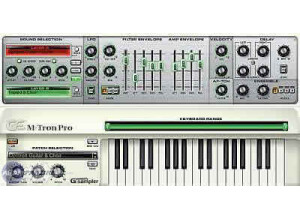
    The GMedia GForce M-Tron is a virtual synth emulation of the classic sampler known as the mellotron. It was an easy piece of software to install as I didn't have any compatibility issues or any other sorts of problems. The interface is also quite simple as it simply has a switch that gives you the ability to choose your sound, which like the original mellotron is between either strings, flutes, or brass. It also has parameters in slider form for attack and release as well as knobs for volume, tone, and pitch. I haven't seen the manual for this software so I can't say if it is helpful or not, but it is easy enough to figure out on its own. SUITABILITY/PERFORMANCE I've never had any problems at all running GMedia GForce M-Tron. I am currently running it on a Mac Book Pro that has a 2.2 Ghz Intel Core 2 Duo processor and 4 GB of RAM. I usually run it in Apple Logic, but sometimes will route it into Pro Tools with Logic or another sequencer as well. I've only had the need to run one at a time, and within my configuration this works fine. OVERALL OPINION I've had the GMedia GForce M-Tron for a little bit more than a year and I have to say that I am definitely a fan of this virtual instrument. I think it is a pretty great emulation of the mellotron as it pretty much sounds just like it. It has enough parameters to get all of the sounds that you would be after in a piece of software like this and is quite easy to use. I love all of these classic sounds as most of the music that I listen to is from the time period that the mellotron was primarily used. The price is very cheap and is really a great bargain. If you like the mellotron and want to get its sounds but can't find or afford one like most of us, the GMedia GForce M-Tron is the way to go.

  • songboy's review

    Actually, for some reason I had to place the files in the correct area manually which was very confusing, but I eventually figured it out and I am by no means a computer tech. I have a macbook and besides the misplaced sound bank, no compatibility issues. Again, with the soundbank issue aside, this is a fairly easy plugin to use. The manual didn't help with the soundbank issue but did have some great history on the instruments. That was a nice touch. SUITABILITY/PERFORMANCE I have a macbook with 2.2ghz, 4gb ram, and I use a Presonus Firebox/Firepod as my interface and Logic 8 as my DAW. So far, everything works great and sounds amazing! I would give this a 10 in performance. The sounds are immaculate and the ability to combine any patches from any of the built in instruments is so much fun. So far, no crashes or glitches, just good old fashioned samples. OVERALL OPINION I have been using the sampletron for about three weeks. What do I like most? Everything about this plugin rocks! The patches are amazing! I have never played or been in the same room while one of the sampled instruments has been played, but I have recognized the &quot;real deals&quot; on older recordings. With that said, I feel this program does an amazing job reproducing those sounds. There are choirs, flutes, violins, sample options (drum loops, horns, bass etc.). Like I mentioned earlier, you can combine patches from the different instruments to make awesome custom sounds. I had tried the M-audio Gforce Mellotron demo, but wasn't really amazed. The IK Multi though definitely wowed me. It can be hard to justify a couple hundred dollars for a program that just emulates a few instruments, but If you love the mellotron/chamberlain sound but can't afford the real deal (wicked rare and wicked expensive) than a few hundred bucks isn't that bad. I would definitely make the same choice again. This program will really spice up your tunes as well as makes a great performing instrument. The flute patches are so awesome and you can make some amazing textured pads with the combination features and a volume pedal and delay pedal. I always get compliments when i use this live.

  • FP User's review

    Excellent feature set. The ability to control so many parameters for each instrument seems daunting at first, but the time I needed to change a guitar sounds from a hard pluck to a mellow one, I came to appreciate them being there. You can set up to 5 (tweakable) effects per instrument as well. SO what starts out as a simple clean guitar can become a funky wah guitar easily. You can also layer sounds to create some unique and interesting sounds. I was a bit disappointed that you must use a local drive to store the sounds. I did not have the 8 gigs of space required for the sounds on my local drive and it would not work correctly when I tried reading them off a network drive. I eventually bought a new local drive. Price paid: $150 Very easy to use out of the box, but like most modern programs, it is well worth the effort to dig in and find the power withn the advanced features. SUITABILITY/PERFORMANCE Top notch. I have yet to find a sound that sounds 'cheap'. Everything feels like it's oozing quality. No complaints here OVERALL OPINION This is one of my goto instruments. It has just about every type of sound and the quality is so good it makes me sound good. Originally posted on FutureProducers.com Posted by: NFX ( 8-, 2005)

Categories that may interest you