Log in
EN
FR

Akai Professional

337 products found

Categories
Series
Filter
Sort by
Evaluation
  • Reviewed or not
  • Editor’s award
  • Reviewed by Audiofanzine
Availability
  • Available or not
  • Sold new or used
  • Sold new
  • Sold used
Must-have products
  • All products
  • Flagship products
  • Best rated products
  • Hot products
  • Popular products
Price
  • Freeware
€
Clear
Sort by
  • Popularity
  • User ratings
  • Price - low to high
  • Price - high to low
  • Used price, increasing
  • Used price, decreasing
  • Name (from A to Z)
  • Name (from Z to A)
  • Added on
Sort results
  • Popularity
  • User ratings
  • Price - low to high
  • Price - high to low
  • Used price, increasing
  • Used price, decreasing
  • Name (from A to Z)
  • Name (from Z to A)
  • Added on
Filter results 337 results found
Evaluation
Availability
Must-have products
Price
  • Freeware
Show results

The best Akai Professional reviews

The reviews Audiofanzine members found the most helpful.
  • « A well-conceived, efficient and inspiring device »

    I wish I could have given it 4.5 out of 5, but as you can’t give half-stars… I’ll go with 4, as it’s still perfectible! :-D After using it for a few days, I think I can deliver a review on this MPC Live and the said review is all the more positive! First, the promise to get a real standalone gear, like in the good ol’days BUT with modern features (touchscreen) and high capacities (RAM Size, SSD, USB3…), is kept. This was the most important question to me, and I must admit Akai really did the job. It features 2GB of RAM to load samples (which is LARGELY Enough), and yesterday I mounted a NTFS 120GB SSD spare drive that I had, so I could put my entire samples collection + many others, and I have plenty of room left (with no need to reformat anything). It was immediately recognized and you can browse it as easily as you would do on your computer.: very practical for those who like to use their directory tree to organise everything. Then come the sounds. Frankly, I consider it a clear round: full, punchy, warm sounds are here, I’m almost surprised as I expected a more neutral/cleaner converter output so that’s a nice surprise. You can even overdrive it all and have to take care (if need be you still can lower the master level setting in the internal mixer to avoid having the output overdriven). Oh, by the way, the headphone out is really punchy, so no chance you’ll find the sound too thin when monitoring on your headphone, even if it features a high impedence (too bad the connector is a small 3.5mm instead of the usual 6.35 that is usually featured on pro studio gears). The device itself is a bit on the heavy side (well, you can’t blame it for that, it shelters a computer and battery), but it seems designed to last. Quite sturdy, plus it’s good-looking – well, that for one is a question of taste. Its dark/matt/sturdy side is nice in my opinion. No noise can be heard when activated (silent supply, you really have to put your ear just next to the Live’s left panel to perceive a very discrete high frequency – it seems to be using a fanless technology), so you can quietly work in a quiet environment. The battery lasts the promised 5 to 6 hours with no problem. What a bliss to have such a device which you can take anywhere with just a headphone to make sound where and when you feel like to! The sample tweaking is rather well done, you can easily set the start/ end/ loop points where you want, it’s quick and there’s even a zer-crossing option available. Such editing modes are not totally dynamic though, and you can’t modify a loop point while keeping the pad pressed while having the position changed: the pad has to be retriggered to hear the change (to be added to a future update wishlist). On the sample editing screen, you can have a horizontal zoom by pinch or QLinks, while in the piano roll you have to use your fingers – but you soon get used to it. Ergonomically, the QLinks are a welcome surprise as while they do have a default function on each of the OS’s page, they can be customized at will to do whatever you want. In a nutshell, you have 16 knobs available (4 in each of 4 pages) and you can assign each of them the function that you want assigned to it. Another very good point is the possibility to change at anytime the starting and finishing bar within a pattern (that they call “Sequence”), which is very practical to go and correct a precise part (especially if using a long pattern) without requiring you to listen to the entire pattern – and this is a non-destructive feature (you put the starting point back to bar 1 and the end to bar 8 and here we go!> back to the entire pattern getting played) . The way a song is organized can appear quite obscure at first, but once you’ve found your feet and understood the device’s underlying logic it’s a real piece of cake (as it often is). The internal effects are rather efficient (including the distortions/overdrives from which I didn’t expect much usability, while in the end they do the job – provided you take the time to set them up correctly). The reverbs do the job too, but they lack stereo width, which is a pity but should be within reach of a further update. As for delays: once set properly, the Stereo Delay does its part; there are several delay types, and although none of them is really exciting (I got used to mu Strymon TimeLine…), you can stack two of them for a more complex delay effect. The RAM space taken by the samples in a song can be checked (those unused can be purged in a blink), as well as the global CPU usage. However, there’s no detailed “per-FX” view so as to detect which of them are the most CPU-hungry. Regarding effects, a very good news is the fact you can put these in Aux (with a total 4 aux buses available on the master) or insert. In the latter case, plenty of opportunities are provided: on the pad alone, on the bank, on the channel… and that’s great! :bravo:. Another real good news if you want to stack many effects on a pad: resampling of a pad or sequence with effects so as to free CPU is easy. There are resampling features at all levels where it can be needed by the way, so as to avoid slowing the workflow down. Once connected to the computer, the Live instantly recognizes all VSTs and allows to access all plugs. Since it features a sound output, its own audio engine will work as a sound device! (unlike Maschine for instance, which requires an additional audio interface). What’s cool is that you can easily take a stem that contains a VST plug-in applied to the sample, then unplug the device and get back to standalone. That’s where the “best of both worlds” aspect is plenty efficient. Akai’s software is not without faults, but as a whole it does the job. So far, I haven’t spent enough time on it so as to have a real advice, as the standalone mode is what I’ve been most interested in until now. Regarding its teething problems, which we can expect at least some to be addresses through the device’s future OS versions, the following points can be noted: - no current tempo-adjusted loop preview (or at least I still haven’t found how to do it) - no native crossfade within the loops - no granular synthesis on samples (that would be huge !) - the filters do the job especially at extreme settings (low-pass & high-pass), but they’re not very musical at intermediate values in filter-sweeping mode (if only we could gat back to the sound of the E-Mu filters…). It is particularly necessary to go softly on the resonance setting, or it will crack awfully. But you still have plenty of filter to choose from… - no proper modulation matrix : sources and their destinations are fixed and very little in number, so it’s a minimal service so far but those which are already implemented already allow to bring the samples to life. - the automation can only be edited while the device is connected to a computer, unless you use one of those tiresome tricks. Another teething problem. In the end and in spite of its faults, there’s a real pleasure in the ability that it brings to be able to make whole songs outside of a DAW (goodbye you MOUSE!!), as could be expected. It provides more pleasure, sound quality and efficiency, and I’m eager to try its audio functions when recording a guitar or bass part ;) I’d been lucky enough to have an Elektron Octatrack for 2 years in the past. A very good device, but really electronic music-oriented (and not even all styles, but it does the job if you’re into house or minimal). When Akai has implemented a proper automation (especially in standalone), or even a P-Locks system such as that which Elektron users know well, we will have a superb machine able to satisfy all musical uses and expectations. Here we go, that’s a rather positive overview and with a little luck it may even get better with the internal OS and software’s future updates (which seem to be one single object developmentwise, if I understood correctly). But i twill have taken a looooooong while before Akai finally woke up and provided us with a machine that is both 100% standalone (up to its supply mode), while being able to use all that makes a computer’s power (VST/AU/RTAS) when connected to it so as to potentially go back to standalone :-D, filled with nice sounds, but it was worth the wait. Now we’ll see how the software part evolves, as it’s far from perfect (I forgot mentioning a few bugs here and there), but nothing too bad. How pleasing to get back to standalone and be able to make sounds lying on a couch with a good old DT-770 on your head… and how pleasing it is to finally get rid of this horrible mouse/trackball/pad to concentrate on what really matters: the sound. And this little Live frankly has a lot of it to offer – and it’s everything but small. Now the Live has become a central piece in my setup. Now, when I want to work with a VST I don’t even bother turning on the Akai software and I stay in standalone mode: I simply load the VST in my favourite DAW (which happens to be Reaper), then I only have to enter the MIDI parts directly in the Live’s sequencer (and since class-compliant USB devices are recognized, you can use a small auto-supplied USB controller such as a MIDI keyboard for instance – but it can also be done through the classic MIDI port). Once satisfied with the result, here you go – sample it to the Live and, voila! The workflow if plain awesome as you remain in a standalone environment, why bother with a mouse and PC for something else than loading your favourite plug-ins? Using it, I realize I use my external pedals much more than before: all you have to do is use the 3/4 outputs and take back the effect’s output. What’s cool is that separate outputs can be affected PER PAD, making it possible to send all the pads of a drumkit to 1/2 EXCEPT for the snare that you’ll route to 3/4 to put a great hardware reverb (such as a Strymon Big Sky, for instance ;)) ). So you just press play and listen immediately listen to the outcome, in-context, allowing you to tweak the reverb’s sound at will in real time. You’re just a little sampling away from replacing the sample, re-routing the pad’s output to 1/2 and here we go! In a nutshell : I’m still happy with it, even more than ever. It’s really the small machine that I had expected for long. I still can think of a few improvements that would make it an even more lethal soundweapon: > automatable editing (so far in standalone mode all you can do is erase or overwrite) > real-time listening to the loop points (so far the pad has to be retriggered) > Crossfade looping > Granular synthesis

  • « A great device! »

    Hi all, I see no review has been published for this product so far, so I’ll shoot first. As an introduction, I'll start by stating that I’ve owned almost each and every MPC model ever released, the good ones (60, 3000…) and the not-so-good ones (2000, Renaissance...), plus several other samplers (EMU, 440, SP...). So, here’s my review: On the hardware side, this MPC X is a very good device. Sturdy, heavy duty, the knobs don’t seem fragile and the building quality is flawless. A little problem with the screen, though: while very practical, it still protrudes above the device when folded, which not only looks strange but also tends to limit its transportability – nothing too bad though. Very efficient LED display on each qlink pot. The main wheel controller is just as you like it, neither too stiff or too soft: the same as on a Ren (and this is one of the Ren’s strengths), and it also reminds me of the 60’s and the 3000’s. The touchscreen does the job. I particularly appreciate the fact that each control has been doubles, through the screen and qlink: in the end, you can choose depending on your own preference. As for the firmware, the software was really well-thought. It features a classical architecture with sequence, track, drum program, MIDI or audio. The various modes are interesting to use and rather intuitive, both in grid edit or step sequencer mode. They have really worked on the ChopChop, and the result is here! The sound edit feature is also totally MPC-worthy. As a whole, the navigation process is rather easy and quick, it will favour creativity and allow you to do everything you can expect from an MPC (granted, it won’t make music in your place!). The audio engine is very transparent, I personally use it in 24bit/44kHz mode (you can choose from 16 or 24bit). The output dynamics is respected, I’ve sampled through the phono and line ins and the outcoming result was up to my expectations. Now, you know the saying, Shit inside/Shit outside, so if you sample s###... The overall architecture does the job, I have experienced no bug or freeze so far. However, I haven’t pushed it heavily with 50-track projects overloading the RAM or whatever of the kind. The various controllers I’ve used with it respond perfectly, even if you don’t insist. The MIDI and CV/gate perfectly communicate with other instruments or modules. The USB host is very practical, I have plugged a tiny keyboard on it and it’s instant plug-and-play – a real pleasure. The preamps offer a certain margin, so you can boost your sources if necessary without inducing a hiss. I haven’t used it in controller mode (and I don’t intend to use it as such either), so I won’t review this part of the device. So, that was a first review after using it for 3 days. I may complete it with time if necessary, but so far I believe Akai has really managed to go back to the original standalone MPC concept. I’m unsure as to whether JJ has a lot of margin for software optimization. ;-) It’s well-thought and efficient – hats off!!

  • « Great fun / Unusable live »

    This is a sample player. You load the samples on an SD card, the machine reads them. It's simple, but that is exactly what I needed for me not lugging a computer on stage. It could have been awesome BUT: the samples are played louder or softer depending on the strength of your hits on the pads, which is cool to have fun, simulate a drum ... but UNUSABLE to read samples in live situations. I was hoping Akai adds a feature to disable the pad sensitivity, but their "technical representative" told me that it was not in the agenda. UTILIZATION Very simple. No need for the manual. It is easy to have fun with. SOUNDS Transparent. No problem. Warning: unbalanced jack output so = ​​You need 2 DIs for use on stage! OVERALL OPINION I used it for 4 months. THE BIG PROBLEM: No option to disable the pad sensitivity. Specifically, in live situations, when I trigger a sample (2 or 3 times per song, at the very most): I never know if the volume is going to be too loud or not loud enough because it depends on the way I hit the pads (which varies! because no, I'm not a machine!). Result: the sample is either too loud or not loud enough. Working with the sound engineer for 1 hour will not change anything because the volume varies despite all my efforts to be as regular as possible. = The sound engineer goes crazy. = The MPX8 stays sleeping in the closet, I no longer use it. And I don't recommend it to anyone as long as Akai does not provide a firmware update in order to have the possibility to play samples at fixed volume. (Which is not going to happen according to J. Sandeen, their "Technical representative")

  • « A great MIDI keyboard - a not-so-great software »

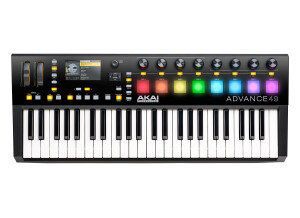
    After a whole weekend spent getting used to this Advance 49 keyboard, my first conclusions: an excellent keyboard, very pleasant to be played, with great egonomics. On the other hand, the VIP software that comes with it is what I'd technically call "a real pain in the arse". Installed on booth my computers, it keeps bugging and its ergonomics is rather dubious. The scan of available VSTs is easy (the included mappings aimed at automatically detecting the most common VSTs' presets work perfectly), but only two folders can be entered - so any VST installed elsewhere won't be detected. And when they are, you end up with an endless list (3500 sounds for some of them) to be scrolled through - a thing I already hated in the Arsenal software that came with the M-Audio Trigger Finger and which was made by the very same developer, AIR Music, an Avid affiliate company. I won't even mention the countless bugs, freezes and restarts of the VIP (while both my computers are well powerful enough: Win 7 with Core 5 & 7/8 & 12GB RAM, and they work perfectly with all other computer music and video softwares). The most frustrating is that when doing a Multi (a stack of VST: the main reason why I got this keyboard), you can't (so far, hopefully they'll fix this in an update) listen to a preset without erasing the previous ones that you chose. Clicking "Enter" on a VST to choose a sound erases everything, you must restart from scratch. All you can do is drag and drop presets in the Multi blocks, without previewing (well, prelistening) them. Or, you have to listen to each of them before, separately, but then how to know how they'll work well with the others in the Multi? In short: it's a great MIDI keyboard/controller (it deserves a full 5 stars), but the VIP software is to be improved - quick! On the other hand, the software bundle that comes (freely) with the keyboard is really worth having, with great plugins and synths (such as Hybrid 3, Velvet, Xpand and others). It also includes Transfuser 2, which offers interesting possibilities for remixes - and normally costs $150 on its own!

  • Audiofanzine FR's review

    (Originally written by elriton/translated from Audiofanzine FR) Analog connection: TS jack Digital connection (SPDIF): RCA or XLR 32/44.1/48 KHz sample rate with linear 16-bit resolution Internal or external SCSI hard drive recording Synchronization: Proprietary Akai, MIDI and SMPTE (extension card) Recording: 4 analog tracks 3 digital tracks (4 with additional AD card) UTILIZATION Direct-to-Disk system with real musical approach (editing and copy/paste facilities). You'll be able to start working with it after only half an hour. Comprehensive and clear user's manual. SOUNDS Awesome AD/DA converters! Exceptional audio dynamics for its time. The DR4 ousted the last Revox from recording studios. I regret that the unit has no anti-aliasing system and no band speed selector. OVERALL OPINION I bought it in 1994. I'm using it with a Sony 60ES DAT for backups, copying and mastering. Pros: AD/DA converters and ease of use Cons: No anti-aliasing. Pay attention to the different versions: DR4d version 2: No ping pong DR4d version 3: With ping-pong DR4d version 4 or DR4vr: 256 virtual tracks but no ping pong. I personally prefer version 3. Version 4 has too many virtual tracks that you have to manage with a pen in your hand... it's a good memory exercise!! Version 2 is too restrictive. It's a standard.

  • « Flawlessly built ! A very nice analog sound. »

    1- I use this drum machine in the studio only, for Electro, Trance, J.M.Jarre-style (oxygène...), etc, etc. 2-The finish is incredible, but after all this is AKAI PRO! Creating a sequence is very easy if you read the manual from start to finish. The good surprise is the adjustable disco toms, awesome! 3- Analog sound ( techno, acid, trance, but not only). I use it a lot for minimal rhythms (ala J-M Jarre). The bass drum is a killer. You can "maul" the poor cat too for a dirtier sound using the appropriate feature. Hurray for the delay on claps. The hh is great, a lot of possibilities using accents. I haven't used the "pattern" mode yet, for I mostly play fill-ins. I haven't programmed the beast either. Don't forget to link the Tom Cat to a worthy reverb or another effect that will even further its capacities. The ins/outs are comprehensive, for both audio and midi. The dynamics is as expected (no need for a compressor compared with software DMs) but that's only my own opinion. 4- Its size is adapted to environments that lack space, it's not space-consuming at all. As far as its USB connection is concerned, I haven't looked into it, I did connect it though but not testes. I'll look further into this CAT and tell you more later...

  • « all round equipment »

    Bought this unit after a testdrive for weeks. It may have the name and purpose as a drum machine / sampler but it is much much more. This unit replaces my apple when i'm on the road. It will be my recorder, sequencer,sampler and editor. At home i use it in combination with standard studio gear and will be my background vocals, second voice, backup recorder and non destructive dubber. I also took a good look at the " music production Controller" but you still in need of a computer which for me is a big Downside. The positive side is that it is not only a drum machine like everybody is saying. It is much more. It is everything you need if you don't have a studio with equipment. it can handle everything from idea till the cd release which this machine can do too. Downside for me personally are the buildin effects. They are acceptable but not excellent and i realy miss some effects in the audio editor but i can work arround those limitations. Another downside is the fact that the harddrive recorder option is stereo only and not a direct 8 track. But hey, you can't expect everything in a machine that has so much to offer already.

  • supamonsta's review

    huge, apart from the limitation 128mb RAM, but it's very very good. UTILIZATION Is a very complete machine, with a very specific OS, there's naturally a time of learning. SOUNDS The sampler is very very good, the converters are best, that is transparent to the possible. OVERALL OPINION 2 months of use. + Quality workmanship, beauty of SE + Size of the beast, layout controls + Quality and sensitivity of the pads (and better than maschine padKONTROL) + Screen size (and blue is very nice) + Operating system + 4 and 2 midi out midi in + 10 audio outs, SPDIF + + Usb + Supports compact flash cards up to 32 gigabytes or 64 with the bone ... - 128mb Ram Max - Resolution of 64PPQN sequencer (cons 480 for a rm1x, and much more for any sequencer software) - Very heavy (but it's sturdy) - OS akai home very limited compared to what is proposed DD Excellent product

  • « Useless as a Sampler »

    I have found the MPX16 to be useless when used as a sampler because the sampled output is not the same as the original. I now use it as a MIDI controller for my hardware synths. The pads are good and it has a standard MIDI output as well as being able to assign note numbers to each of the pads without using a computer. Because of this, I think that the MPX16 is worth the money as a MIDI controller. However, it does not send CC numbers which I don't need anyway. If you want to hear for yourself, I have attached three audio files. The first audio file "Original" is the original sample. The second audio file "Recorded onto SD Card" is the recording of the sample onto the SD card inserted into the MPX16. This is the sample after it has passed through the A/D converters and input circuitry. The third audio file "Played through Output" is the recorded sample on SD card played back through the main outputs of the MPX16. This is what you would hear after you assign the sample to a pad on the MPX16 and then strike the pad. The sample in this case has passed through both the A/D and D/A converters and output circuitry. The output of the MPX16 was connected to the line input of a Zoom Q3HD camcorder. The third file was taken from an SD card inserted into the Q3HD. I believe the Q3HD records quality audio through its line input. It is quite clear that the MPX16 distorts the sound BOTH when passing through its A/D converters and its D/A converters, making it useless unless you like to produce lo-fi music. The sound I hear when recorded onto the SD card AND when played back through its outputs is not satisfactory for me. I now use a Volca Sample to do the sampling which does not distort the sound.

  • « Akai headed to the future »

    Unlike any other MPC, the Renaissance is more geared to work with your computer set up better than the other models that have come out. You will get the real MPC pads on the Renaissance which are what all MPC enthusiast love and have to have. You will also get all of your basic MPC functions like MPC Swing. But the main place where the Renaissance sticks out is that it can synch with your computer in ways that the other MPC’s just cannot do. The Renaissance supports all of your standard audio file formats like WAV, MPC3 and it can even host VST plug-ins. It comes loaded with a ton of sounds, over 6 gigs of sounds. You will be able to use the Renaissance on a Mac or a PC and whichever one you use it on. You do not have to worry about problems syncing them up. It is pretty much automatic and can be done in seconds. You will also get a vintage mode that will give you the sound of the MPC3000. It would have been nice to get the sound of the original MPC 2000 but we will settle for the 3000. The Renaissance gives you a 64 bit sequencer and sampler but the area where I feel that it lacks is with how easy it was to find what you were looking for in the original MPC’s. For some reason they have changed some things up, to some people they might be minor things. But for people that have used MPC’s for a decade, then they come out with this one and some of the Menu options are different and sub menus are a little different (mainly just switched around) it can become very frustrating and felt like I had to learn the whole system over again. But overall, you will love the new things you can do with this MPC over how the older ones used to be. I you are still using a previous model MPC; I do not think it is worth the upgrade to the Renaissance. Just stick with what you have and what you know. But if you are new to the MPC and getting your first one, then this will be a great start toward the new direction that Akai is going.

  • Audiofanzine FR's review

    (Originally written by kehi75/translated from Audiofanzine FR) Great for audio and Midi!!!!!!!!!! The sequencer is just amazing. UTILIZATION Very easy configuration. Once you know how it works you can start right away. SOUNDS I read lots of things about the quality of the 2000XL converters and I can only say they amazing. Why? Because the response is very linear. everything that comes in comes out exactly the same. That means you won't have surprises, and that's what I expect from it!!! As a summary, the musician makes the sound not the MPC!!!!! OVERALL OPINION I've owned almost all MPC models (2000, 2000XL, 1000, 2500, 4000). I started with the 2000XL and ended up with the 2000XL!!! All other MPC models are good too, but I think you have to choose a gear depending on what it does best. And all technologies provided by the newer MPC models are also available in sequencers like Cubase, Pro Tools, Digital Performer, Logic, etc. Right now this device offers an amazing value for money on the secondhand market. If you want an all-in-one device and the legendary MPC sound you'd better buy other MPC models. But if you use it for what it was conceived and you already have all other tools you require it's an amazing machine!!!!!!!!!!

  • FP User's review

    I'm extremely satisfied with the features, especially with the MIDI sequencer, the best I've ever used in my opinion. Price paid $1.900 UTILIZATION It's a breeze to use, the user interface is very user friendly, with all the common functions accessible right on the front panel. The manual is one of the most comprehensive manuals I've ever looked at from Akai, thanks to the genius creator of the MPC, Roger Linn. I only use mine in the studio, but yes it is "robust" enough to use at a gig, it's built like a Hummer... lol. I've had mine for almost 2 years now and I haven't broken any buttons, knobs etc. yet. I've dropped my MPC twice and it still works like a dream. I've never had to contact customer support about my MPC... funny I never thought about that until now. SOUNDS The sound quality is excellent, 16 bit sampling of sounds. It has no onboard sounds since it is a drum sampler and sequencer. The MPC 3000 can be and is used in a vast range of musical genres, it's not limited to any particular genre of music, contrary to popular belief. The onboard delays are useful to an extent, but I usually use outboard effects. OVERALL OPINION I'm in love with this machine!!! I've had heated arguments with several girlfriends over it, needless to say they're gone and the machine stays... lol. Originally posted on FutureProducers.com Posted by: Unknown ( 4-, 2002)