Log in
EN
FR

Apple

466 products found

Categories
Series
Filter
Sort by
Evaluation
  • Reviewed or not
  • Editor’s award
  • Reviewed by Audiofanzine
Availability
  • Available or not
  • Sold new or used
  • Sold new
  • Sold used
Must-have products
  • All products
  • Flagship products
  • Best rated products
  • Hot products
  • Popular products
Price
  • Freeware
€
Clear
Sort by
  • Popularity
  • User ratings
  • Price - low to high
  • Price - high to low
  • Used price, increasing
  • Used price, decreasing
  • Name (from A to Z)
  • Name (from Z to A)
  • Added on
Sort results
  • Popularity
  • User ratings
  • Price - low to high
  • Price - high to low
  • Used price, increasing
  • Used price, decreasing
  • Name (from A to Z)
  • Name (from Z to A)
  • Added on
Filter results 466 results found
Evaluation
Availability
Must-have products
Price
  • Freeware
Show results

The best Apple reviews

The reviews Audiofanzine members found the most helpful.
  • moosers's review

    Apple WaveBurner is a utility program that comes with Apple Logic music software. I don't believe you can buy it on it's own. It's designed for sequencing tracks in order and preparing CDs for burning, and of course for actually burning them to disc. It's definitely a mastering tool and is great to have at home to get your recordings ready for mastering or for your own home mastering purposes. The program will install during the process of installing Logic - I'm not sure if there's an option for choosing to install or not install it, but everyone who has Logic may as well in my opinion. There's a good amount possible with WaveBurner, but I've only just used it for sequencing tracks and preparing the tracks to be burnt to a master disc. It's got a pretty user friendly interface as I didn't find that it was ever hard to use. I've never had a look at the manual... SUITABILITY/PERFORMANCE My system at home is running Apple WaveBurner as I've got Logic running on the system as well of course. I've got a Mac Book Pro lap top that has a 2.2 Ghz Intel Core 2 Duo processor and 4 GB of RAM. It's definitely been enough to run this program sufficiently and I don't think I'll be having any problems in the future. OVERALL OPINION Apple's WaveBurner software that comes as a utility for Logic is definitely a nice little program to have. Other than this I don't really have too many other programs like this on my system at home, so I'm happy to have it. It's easy to use and can do a whole lot for you in preparing your discs for mastering on all levels. While you can't really get this if you don't have Logic, if you do, this is definitely a program you need to get familiar with as it will definitely be useful for you in finalizing your discs for mastering purposes...

  • niconel's review

    IPad Air 32 Gb, A7 processor, OS7,wifi. 10h battery life Lightning connection. The retina display is what seduced me straight away. It is extremely light. SUITABILITY/PERFORMANCE It's a very pleasant tablet because it has no bugs and it's pretty fast (compared to the iPad 2 for example) I've had no issues with the wifi. It takes about 20 seconds, tops, to load big applications like Garageband. Its lightness and retina display are a significant asset because you can use it often vertically to read, for example. OVERALL OPINION I use it mainly with Garageband to record myself and then transfer it to my iMac to master it. I have an itrack dock from Focusrite to plug in my instruments. It's awesome to be able to record my ideas and send them straight away to my musician friends without the need to transform anything. I wish I had an iMac exclusively for music but that's beyond my possibilities right now. The ipad + itrack dock solution cost me $700, but an iMac + interface is $1300. I use it both at home and on the road. In terms of apps, I find it's a bit rigid because you need to really do it the way it wants. You can't drag a folder, for example, you have to open it with such or such app; transfers between a mac and the iPad are pretty complicated (you have to use iTune or iCloud). Anyway... I'm used to it. GETTING STARTED I've used an ipad 2 for 1 year and now this one, which I've been using exclusively for music for two months. I didn't try other brands because the other brands don't offer the performances nor the accessories that I need for music creation. Besides, we have an iMac at home. I must say that I turned to Apple after always having worked with Windows. If you want to get similar performances, Apple and the rest cost the same. But a Mac gives you less problems. I chose this product for its quality, I don't want a toy for my home studio. I only find its operation is a bit rigid.

  • « "Logic Pro X, an end to Logic ?" »

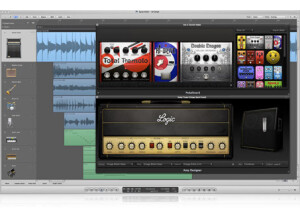
    Logic Pro X as the Apple website clearly states "The most advanced version of Logic ever" (which I completely do not agree with and we will come to that shortly) is the latest digital audio workstation in the Logic family, for songwriters and engineers. Compose, Record Audio, Play Midi, Edit, Flex, Mix, Master and Bouncing are the main core features that Logic X provides, similar to any other DAW out there. With a download size of 828MB directly from the Appstore and an extra 35GB of additional instruments, plugins and loops, this "64-bit only" Logic X runs on smoothly from OS X 10.8.4 or upwards with a minimum of 4GB RAM. Logic X supports 255 audio, software instrument and auxiliary channels with unlimited number of midi tracks, with 15 plugin slots and 8 effects send slots for each channel strip. Since I have given a quick positive introduction to this new version of Logic (for those who are new to Logic X), having used Logic Pro 9 for the past 6 years, I have to sadly say that Logic X is a clear disappointment for Logic Users. The reason why I am mentioning only "Logic users" is because I am pretty sure Logic X's initial customers/clients would be previous owners of Logic 9 or earlier. Being one among them and seeing other users around me, first and foremost, the initial setup does not include a .DMG file, rather, the installation and download process is done directly via the Apple Appstore. The Initial install takes around 2GB space on the system and then another additional 35GB content needs to be downloaded (this will take time but you can resume your work with Logic X minimising the download window) to get Logic X in its full shape. The Manual is clear by its own terms. The Key commands have changed for certain functions, which is very irritating for professional musicians and producers. When you call it a new version, you never expect the key commands to change. This takes time off from people and lead to confusion. Sadly, I got used to the new key commands, even though I later started using the old Logic 9 key commands on Logic X, as it was not working and slowed me at times. Logic X being 64-bit supports only 64bit audio plugins and virtual instruments. Another Headache. Opening Logic 9 sessions (Logic X supports sessions from Logic 5 and upwards) on Logic X might look very cool. But when you start playing the session, you face errors and pops. Audio regions are sometimes mis-placed. 32bit plugins seems to work with the Logic's built in audio bridge for 32bit to 64bit. But this is only for certain plugins, and there it is finally - "Your first Crash" . The new "Auto save" feature is a great help. But I don't think anybody would want to keep re-visiting previous auto-backup save sessions every 5 minutes? The basic and general functions are almost similar to previous versions. The Arrange window seems to have certain locational variations otherwise Logic X looks quite compact and sleek with a taste of Garageband software here and there. Everything seems to work and function faster when compared to previous versions of Logic. For first time Logic X users, you will definitely enjoy the look and design of it. SUITABILITY/PERFORMANCE Previously I was using OS X 10.7 (Lion) with Logic Pro 9. Though the Lion OS itself was a disaster to my working environment, after clearing all the hurdles and successfully solving the compatibility issues, I continued my work on OS X Lion version itself even after the Mountain Lion had arrived. Usually there is a say "If something works for you, don't update". I should have listened to this advice when I moved to Mountain Lion (I like things to be updated always). The sole reason for quickly moving onto Mountain Lion was Logic X, as it only supports from OS X 10.8 onwards. At the moment, Logic X 10.0.7 runs on my 8 GB, 2.8 GHz Core 2 Duo, Mavericks (10.9) system. Its been 1 complete year after getting Logic X and so far, other than constant crashing and certain sessional related defects, that me and many of my friends have still not found answers for, Logic X runs seamlessly faster and is very powerful in handling complicated and hybrid sessions. The Audio engine is updated. The usage levels of the RAM and the processing speed of plugins are slightly lesser and faster respectively. After switching to Logic X, the performance I receive is sometimes noteworthy but most of the time, it gives me only issues. Let us put it this way. The more size and larger the session is, the more amount of problems occur. With a lot of newly added features, notably like the "Flex Pitch", "Track Stacks", "Drum Kit Designer", "Retro Synth" and the "Smart Controls", Logic X attracts many of us and gets along easily with these problems mentioned earlier. The "Flex Pitch" as you would have already understood is a new addition to the flexing options. Now you get to flex any audio signal inside your session. Though I would say Logic X does a good job with flexing (This looks almost like Melodyne to me but not that accurate though), it is not stable at times. With a large audio file, for e.g., 5-10 minute long file takes up-to 5-10 minute itself for processing before one could start flexing. To avoid this situation I usually slice the audio regions and put them onto a separate track just for flexing purposes. Here is where the "Crash" sometimes arrives. When such a large file is duplicated, Logic X starts to become a child by itself and panics. The playback stops abruptly at many times when the Flex option is active. As you all might be wondering now if this could be my system configuration's issue, which I also though initially, I was wrong when I found out that many users encounter the same problem. I was forced to flex the audio signals on a separate session or via another program/software. "Track Stacks" is awesome! This was something I was looking forward to earlier itself. To have a folder within the arrange session, and to control all the instruments with just one slider was a relief, especially for Logic users. Though this is possible by just bussing all your wanted tracks to an auxiliary channel, here, Logic X provides you an instant time saver. Select all the tracks, right click and enable track stack, and all the tracks become a single folder with one slider. Don't get confused. This is not the Folder feature we had up-to Logic 9, where the tracks hide themselves inside another separate window. The "Drum Kit Designer" is attractive but sometimes rules over us giving us more than what we ask. With several custom preset - customisable drum kit designs, this is an easy solution for Producers. With some industry leading drummers around the world, Logic X has incorporated their involvement in the playing and groove styles giving you a virtual drummer with its own mix setup. Feel free to tweak the settings. If you have a verse - chorus - verse structure for your song, the drum kit designer immediately recognises this and gives you a series of drum patterns accordingly. The "Retro Synth" is something I loved. A completely new re-touched collection analog and dirty synths have arrived. The settings are quite similar to every other synth based instruments. "Smart Control" is a completely new feature and very much well-thought insertion. It allows you to globally control all the instrument plugin's basic function knobs - all in one - window. This is completely helpful, as you do not need to individually go over each instrument to tweak the settings on a general level. OVERALL OPINION Pros 1) 64bit - More faster and powerful 2) Re-designed Guitar and Bass Amps 3) Smart Control 4) Automation can now be copied and pasted with the Marquee tool 5) Compression level can now be monitored on the channel strip without opening the plugin 6) Session exporting is now compatible for more devices and applications 7) Auto-backup 8) The new Arpeggiator - Midi plugin is absolutely innovative 9) Re-designed EQ 10) "Logic Remote" allows you to control the session via an iPad 11) Track Stacks makes the sessions tidy and gives a much better workflow to the user Cons 1) Constant and unexpected crashes at the middle of sessions. 2) Last saved sessions deliver audio cross fade-pops at times. 3) Flex Pitch is good but does more bad 4) 32 bit only plugins - Good bye, or use 3rd party applications like SoundRadix to get them on Logic X. Re-starting the AU manager on any previous Logic Pro and then opening Logic X sometimes solve this issue. 5) No Environment window anymore 6) Slicing, editing and aligning regions sometimes gets snapped onto wrong time-lines, even though "snap to absolute/relative grid' is enabled. 7) The mouse pointer is un-recognised on the region window if you need to click on an empty space. Now you are forced to click on the play-head time line. For $199.99, Logic X is a satisfactory - painful welcome into your life. I have not noticed any difference in the quality of sound when compared with previous versions of Logic. The production and the outcomes are the same in terms of both sonic quality and sound. Being a die-hard Logic user for several years now, I would have anyways purchased the Logic X - be it good or bad (This is the selling point, as a previous user of a software, especially like Logic, is always naturally excited to experience the latest update of it). But now, to be frank, I don't use Logic X for professional dead-line based projects, keeping in mind some of the scares on my client's face and mine earlier, while using Logic X, I have finally moved back to Logic 9 for constant work-flows, keeping Logic X only as a back-up. and for experimental projects.

  • « Still powerful »

    When the Apple G5 Power Mac Desktop first came out I was really impressed with how fast and reliable it was. But when if first came out it was just so expensive you would have to put it on credit in order to have it. Most Macs are very expensive when they first came out, that’s why I wait at least a year or two until the hype around them dies down before I see if it’s a computer that I would want to buy. I have owned about 15 different versions of Mac computers over the last 13 years or so. Not a single one of them did I purchase when it first came out. My G5 Power Mac had a 64 Bit processor with 8 GB of memory. It was all powered by a 3.5 Ghz processor. When this first came out in 2005-2006 it was cutting edge technology and everyone was trying to get there hands on one. Now you can purchase one of these for literally 80 percent off of the original price that It cost when it first came out. I highly suggest still looking into purchasing one of these G5 Power Mac’s for a few reasons. Number 1 reason being that you can purchase it “clean”. meaning that it wont have an operating system on it if you purchase it from most resellers online. So you will just have to get an OS before you can use it. But with the power and RAM alone, its worth every penny. Just purchase the most recent OS from Apple and you will have a high powered machine that is ready to be the brain of your whole set up. I am actually thinking of purchasing another one of these and putting the newest version of software on it now. You can purchase this for around 250 dollars just for the hardware. That is a steal, for a super fast computer that can run your whole pro tools set up.. I highly recommend still finding one of these and getting your hands on it. It is still a very powerful computer.

  • « Woefully over looked... »

    SImple enough to set up. Obviously depending on whether you want to use this with keys or guitar you will need a midi and/or audio interface. SUITABILITY/PERFORMANCE OSX only, do I need to say more. I expect Apple products to have rock solid drivers to run rock solid on Apple hardware. OVERALL OPINION What we have here is essentially a "rack" that lets you run the Apple instruments, amp sms and Apple and 3rd party plug-ins as a standalone app without using your DAW. I came across it when it came bundled with Logic Pro. Now Apple sells it in the App Store for $30 by itself. The basic idea to turn my lap top into a amp modeler was never of any use for me. However when I toured in Asia the first time 2 years ago and only had questionable rental amps and my "pedal board" consistent of an "emergency" overdrive pedal I packed this came in very handy. I used it with a small audio inter face (Apogee Duo) either in the loop of an amp, or worst case scenario in front of the amp. Signal chain was guitar, over drive, into the sound card from there into Main Stage, out of the sound card into the amp. When the amp had an effects loop it was guitar, over drive, amp, loop to sound card into Main Stage, sound card back into the loop of the amp. This way I used Main Stage to add my have AU plugs. I ran the PSP Audioware PCM 84 for delay, Soundtoys pitch shifter, and U-audio tape sim plug. It was such a god sent to have that option. Saved my butt on pretty much every gig. With main stage I have my back-up set-up in my laptop bag and am prepared for any horrid gig surprise. I guess absolute worst case scenario I could go direct.

  • « New owner, same sequencer... »

    Seeing that Logic is MAC only it's pretty much a no brainer on OSX. The manual is ok at best, however there are numerous on-line resources to help with those short comings. Install from the DVDs will take a while for all the extra loop and instrument content. SUITABILITY/PERFORMANCE Again since it is now an Apple program I expect it to run stable on a Mac, and it does. OVERALL OPINION I used to use Logic at Version 4 to 5.5 on PC back in the day. When Apple bought it and made it Mac only I went to use Samplitude/Sequoia who used to have the same distributor and wrote the Logic audio engine. Years later at version 9 I actually decided to give Logic another shot since by then I had switched to Mac (thanks to being able to run it as Windows or OSX). And I really didn't like to have to deal with dongles. So...back to Logic. It now seems much more user friendly. Has some new features the might be great for some like audio quantize. I love using it to write and when I have any midi programming to do. For audio I'm not so fond of it. It still is limited to 24 bit files. Heck even Pro Tools now lets you use 32 bit float files, just like Nundo, Cubase, Repaer, Samplitude, Sequoia, etc...have done for years. So if you're shuttling projects back and forth between DAWs the audio files need to be converted before. What I find a bit disheartening is that the soft synths have not gotten a face lift since I used to use it 5 major revisions ago. Those were state of the art for 10 years ago. Now...not so much. Apple recently went from boxed DVD to download through the app store and lowered the price. Which on one hand is awesome, on the other now the extras like Main Stage etc are separate purchases.

  • « The phone that put Apple on the map »

    While the original iPhone was the phone that brought Apple into the market, it was the release of the 3G that really bumped their sales to the point where they became legit competitors with RIM and the such. This phone features 8 GB or 16 GB of storage, 128 MB of ram, a 412 MHz processor (underclocked for battery life), the famous touch screen, a 2 MP camera and more. The most notable feature with the 3G is that it can now use full 3G as opposed to “2.5G” that the previous one used. The back was redesigned with a polycarbonate backing to help prevent some heat issues. However, this did cause some slippage issues that some people experienced. The buttons were changed to metal to help provide a more tactical feel and longer lasting life. The phone itself was tapered more to help give it a sleeker look, as well as feel better in your hands. The overall size is pretty close to the original with the 3G being ever so slightly smaller. The touch screen on this thing is to die for. It responds like no other touch screen on the market, and you can easily see why so many people are rushing to make “iPhone killers.” Until they can match the touch screen’s response and Apple’s App Store, they really won’t have much of a chance at beating this phone. The App Store is the biggest advantage Apple has over everyone else in that it features thousands upon thousands of useful and approved applications that people can download for their iOS devices to help improve their functionality. This is the true key to Apple’s success with the latest touch screen phone. The 3G is now fairly dated, so if you’re in the market for a phone, I recommend trying to get the latest iPhone if you can. While there are other phones out there with touch screens, very few stack up to Apple’s.

  • « Server grade hardware »

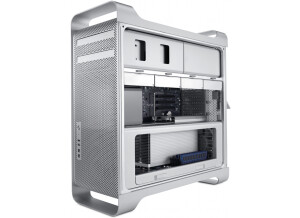
    The Mac Pro is Apple’s professional workhorse. This computer is featured in many top facilities of the recording industry, and it has been the flagship of Apple for quite awhile. There are many different versions of the Mac Pro since they dropped the Powermacs, but the one I’ll be talking about has two 2.4 GHz Quad-Core Intel Xeon Westmere processors, 6 GB of RAM, 1 TB hard drive, a Radeon HD 5770 with 1 GB of RAM and a Superdrive. The Mac Pro is not necessarily the prettiest to look at, and it’s actually getting a bit dated considering Apple mostly focuses on looks for most of their lower level machines. However, the Mac Pro is a purely professional machine, and looks are second to hardware. The hardware in this thing is all server/industrial grade stuff. You have the Xeon Westmere processors, which are renowned for their stability under heavy load and FB-DIMM RAM with extra thick heat sinks to help prevent any heat soak that may occur when pushing this thing to its limits. Most people complain about the price of this machine, and given that it’s about $3500, their complaints are a bit justified. However, you can’t forget that this is top of the line industrial hardware. It’s true that Apple charges more than most people, but once you start factoring in the hardware, it’s not as big of a difference as most people thing. The computer comes standard with OS X 10.6 Snow Leopard. This is an upgraded version of the 10.5 Leopard, and it has upgraded 64-bit compatibility to allow usage of both quad-core processors. I’ve found 10.6 to be more stable than 10.5, and it’s way better when it comes to things like Wi-Fi. The best thing about the OS is that you don’t have to worry about getting a pesky virus like so many other OSes out there.

  • « Pretty pointless But cool »

    The apple iPad 2 is a very nice piece of apple technology. I personally do not see the point in the iPad other than playing the ipod touch games on a bigger screen. It is kind of like a macbook pro cross with an ipod touch, I am impressed with the product do not get me wrong but it is a little bit of a waste of money if you have both and macbook and an ipod touch or iphone also. The sound quality is very good but not through the not so good apple headphones. I think it is a little too expensive for what it is, but with all apple stuff they can charge that amount just because people feel as though they need it. I have not tried any of the rip off models of this product such as the tablet thing I see around sometimes, I think apple's ipad would be a lot better than those anyway as they pioneered the touch screen technology and things alike. I would not buy another if my warranty expired and this broke probably because with apple they bring out a worse version that everyone buys and then bring out a better version a few months after. All together I think this is very nice and a lot of fun, I would not recommend this to anyone that has a macbook or an ipod touch/phone. Another personal point that I like about the ipad 2 is that the internet speed increased so you are not waiting a few minutes for a page to come up as was the case with the old ipad. One last thing is, if you are a fan of angry birds, you should definitely get it on an ipad, it is a great game to play on a bigger screen and can keep you occupied in the studio for a good few hours!

  • moosers's review

    The Apple Mac Pro Intel Xeon is a desk top computer that I've used for recording purposes. This is the computer that we've got in the main room at the studio where I work. It's got dual 2.66 Ghz Intel Xeon processors to go along with 10 GB of RAM...that's right, 10 GB! After all, this is the computer that we record everything with in our A room and it needs to be able to handle anything and everything you throw at it, and it certainly does! We are running the computer with a Pro Tools HD system, so most of the processing is done on our three accel cards. We keep this computer on at all times and so far in my time working at the studio we've never had a problem with it whatsoever. In fact, everything runs very smoothly, which is rare for a Pro Tools system as each one seems to have some sort of bug somewhere or another. Beyond getting crazy and getting something like a Quad Core or Eight Core processor, this is pretty much the best Apple computer you can get that I'm aware of. I know that if this can handle a full on Pro Tools session that it will be able to handle anything you throw at it - recording wise or not. Even though this isn't the most recent technology as far as processors go, it's still pretty close and should absolutely be more than enough for most users. In fact, something like this would probably be too much processing power for most people and in most situations is probably under utilized. If you are looking to get a super fast and clean working Apple computer for your home or professional recording rig, the Apple Mac Pro with Intel Xeon processors will get the job done and then some...

  • songboy's review

    I absolutely love this device. What I like about it most is simply the fact that I can carry all of my music collection and a couple of movies in my pocket. Another thing that is good is the screen size is acceptable enough to watch movies or podcasts and is very easy to see and read. I also find that the battery life is pretty dang good. Just yesterday I was traveling home from visiting my folks and the last leg of the trip was mine. My Ipod had only a sliver of battery power (down to the thin red line). I spent 5 minutes creating a quick playlist, then plugged it in. I drove for 3 hours and it was still going. I even kept selecting more albums, which turns on the screen and zaps more juice, and it still kept going!!! I was very very amazed. When I first got the Ipod, I was disappointed about the lack of control over the media. You really can't change anything without having it plugged into iTunes. I eventually realized that you can make a playlist on the Ipod (called On the go) by finding a song and holding down the center button until it blinks. Now that I know that, I am much more pleased about it. I paid around $300 for this device with a Bestbuy 4 year protection plan. It really was a lot of money, but I am overall pleased with the price and the device. I live for music so having all that music in my pocket is a must. The precision and quality of the sound it fantastic. The headphones that come with the Ipod are OK, but when I plug my really nice Studio monitor headphones in, it sounds amazing. I have had one of those cheap ass mp3 players that cost like $20, but they really suck. It couldn't compare with the sound quality, the fact that the Ipod has a really nice screen to watch movies on, the amazing battery life and the huge amount of storage. If I were to lose this thing, I would cry for a month straight, especially because I cannot afford to purchase another one. But, eventually, when I had the money again I would run to the store skipping all the way, because for the same price I paid, I can get the 120gb and keep a crap load of tv shows on it too. If you are ever stuck somewhere, like waiting in the doctors office or whatever, this thing will keep you entertained. One more thing, you can but a cable that can hook your ipod directly up to a tv. This comes in handy when you are traveling and you want to watch a family with your friends/family. Just bust this out, plug it in, and you are good to go.

  • moosers's review

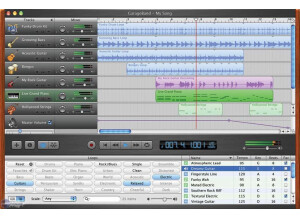
    Apple Garage Band was easy to install, as it came installed with my Mac Book Pro when I bought it. It is designed by Apple, for Apple computers, so I never had any compatibility problems at all and it has always run smoothly for me. The interface of the program is very easy to follow, and is really just a simplified version of Apple Logic. I mostly use this software to record ideas and demos straight from the microphone on my Mac into Garage Band. I don't have a manual for this, but if you have never used any program like this, it might be a good idea to have around. However, on the other hand, if you have any experience with audio or MIDI software, you should be able to figure this out without a manual. SUITABILITY/PERFORMANCE I am currently running Apple Garage Band on a Mac Book Pro that has a 2.2 Ghz Intel Core 2 Duo processor and 4 GB of RAM. I have never had a problem running as many audio or MIDI tracks as I'd like in Garage Band with this set up. I have run up to about twenty tracks of audio or mixed audio and MIDI at once without issues. However, how many tracks and effects you can run at once really depends on your machine more than the software itself. OVERALL OPINION I've been using Apple Garage Band for around year since I got my Apple computer that it came installed on. While I have Apple Logic and Pro Tools that I use for most of my projects, I use Garage Band for demos and ideas when I just want to record straight from my computer microphone. The price of Garage Band is free with an Apple computer, but is cheap within the iLife bundle if you need to buy it. Garage Band is powerful software even though it comes with all Mac computers. It is great for beginners looking to try out this type of software.