Log in
EN
FR

Guitar multi-effects

685 products found

Categories
Filter
Sort by
Brand
Evaluation
  • Reviewed or not
  • Editor’s award
  • Reviewed by Audiofanzine
Availability
  • Available or not
  • Sold new or used
  • Sold new
  • Sold used
Must-have products
  • All products
  • Flagship products
  • Best rated products
  • Hot products
  • Popular products
Price
  • Freeware
  • Low-cost (< $200)
  • Mid-range ($200 - $400)
  • Premium (> $400)
€
Clear
Sort by
  • Popularity
  • User ratings
  • Price - low to high
  • Price - high to low
  • Used price, increasing
  • Used price, decreasing
  • Name (from A to Z)
  • Name (from Z to A)
  • Added on
Choose a category
Selected category: Guitar multi-effects
Sort results
  • Popularity
  • User ratings
  • Price - low to high
  • Price - high to low
  • Used price, increasing
  • Used price, decreasing
  • Name (from A to Z)
  • Name (from Z to A)
  • Added on
Filter results 685 results found
Brands
Evaluation
Availability
Must-have products
Price
  • Freeware
  • Low-cost (< $200)
  • Mid-range ($200 - $400)
  • Premium (> $400)
Show results

The best Guitar multi-effects reviews

The reviews Audiofanzine members found the most helpful.
  • « For studio? Yes. Live? It depends. »

    It's a pedal with a built-in Sansamp, meaning a preamp with speaker simulation, plus a delay, a Plexi simulation and a 21dB boost. It's analog, with very sensitive controls, all of which have a real impact on sound. I use it live with a mixing console. So the Sansamp and the speaker simulation must always be active. UTILIZATION Very easy setup, if you know how to dial in an amp. Unfortunately, it has no memory, so settings can't be recalled The controls are a bit small for live editing, besides being very sensitive. Simple and clear manual with sound examples. SOUND QUALITY The Sansamp part is great. You really have the impression of listening to a very good tube amp, some of which don't even sound as good as this pedal, at least, to me. And it has a reverb, which many tube amps don't. The clean sound is quite all right. Increasing the drive you can get a light and very nice crunch. Everything is very responsive to the volume pot on the guitar. I use it with a Mexican Telecaster. The Sansamp part is truly interesting. But that's something I already knew, since I have already used similar Tech21 products. The Plexi sound is very... Plexi. You can really hear that fat Hendrix tone. A simple F#m7 on the 9th fret and, voilà, Foxy Lady is in the house! But that might be it's biggest defect. The sound is huge, apocalyptic, and a bit muddled when strumming the lower stings. Furthermore, the mixer input level is not very high. The delay is convincing and you can even get a chorus, depending on the settings. The boost... boosts, but it lacks a bit of oomph when the Sansamp + Plexi are engaged. I think it's more convincing only with the Sansamp. OVERALL OPINION It's a good all-in-one pedal. However, it doesn't quite suit my rhythm playing. This pedal has a big personality, but in my view as someone who is not good enough for solos and plays rhythm guitar in a band, it's not sharp enough, it's too fat, with lots of lows. It will probably do the trick for a '70s-like band with only one guitar player, but not for me. You really need to test it under the conditions you are going to use it. At home it was very good. I tested it live with another guitarist and I wasn't really convinced by it. I'm actually looking for an amp head in pedal format. On paper it's pretty convincing. In reality...I'll keep my AMT M2, which sounds really good.

  • « Quality and reliable piece of gear. »

    The Rocktron Intellifex doesn't have many effects and features compared to today's rack units. However, the effects it does have, it absolutely excels at. Housed in a compact 1U rackmounted chassis, the original Intellifex has 8 voice chorus, delay, reverb, pitch and a noise gate. The unit also has full MIDI integration compete with IN, OUT/THRU inputs. A phantom power jack is conveniently located on the unit to power whatever MIDI board you'd like. One feature not usually mentioned about the original Intellifex is that it actually has a jack for bypassing the unit via a footswitch. The Intellifex Online does not have this feature. UTILIZATION The ease of use of the Intellifex is one of its high points. Not only is every menu clearly laid out with logical menu scrolling, but you have physical knobs you can turn for various values. You don't need to be fiddling with one scroll wheel the entire time, nor do you have to go through an elaborate process to edit presets. The original Intellifex manual is actually not available for download. However, the Intellifex Online's manual is. Besides the 1/4'' footswitch bypass jacks in the back, there is no difference between the two in terms of functionality. The manual is clearly written so that anybody who skims it would be able to delve into the unit with no problems at all. In fact, even without reading the menu, the unit is so easy to use that anybody should be able to master it within about 15 minutes of usage. Although it uses set algorithms for presets, the algorithms are clearly laid out and easy to see at the touch of a button. SOUND QUALITY The Intellifex was mainly meant for guitar effects. What's amazing is that the AD/DA converters are extremely transparent. Set to Pre-HUSH, you'll have almost no coloration of your tone. Keep in mind that the Intellifex was meant to be used in a serial loop. In a parallel loop, you might experience some phasing issues due to no kill-dry function, but it'll still be more than usable. If I had to find some real faults with the unit, it would be that the pitch is not intelligent and the noise gate is a bit dated. In the day, the HUSH noise gate was famous for its quality. However, compared to today's gates, when it's activated, the tone degrades a little bit. You can test this yourself by simply pressing the "Bypass" button on front of the unit. Given the price point, the unit does a stellar job. OVERALL OPINION The Rocktron Intellifex is one of the oldschool rack effects units that has withstood the test of time in terms of reliability, ease of use and quality of sound effects. Not only do they go for a great price on the used market (which, unfortunately is the only way you can buy them at the moment), but they effects are of high quality. The 8 voice chorus and reverb are pure 80s goodness. The ducked delays, while not 2290 delays, are superb. Pitch is a bit lack luster, but it delivers that awesome old school unintelligent pitch for those Jason Becker style riffs. The biggest issue would be the tone suckage when the gate is active, but if you set the unit to Pre-HUSH, everything will sound great. I highly recommend this unit to anybody who is looking for a reliable, tour worthy effects unit.

  • moosers's review

    The Ibanez UE-405 is a multi-effects processor in the form of a rack mountable piece of outboard gear. Since I've only used this in a professional studio where it was already racked up and ready for use, I don't know what types of connections it has in the back. It was hooked up to a patch bay, so when I wanted to use it I would just make the connections there. It does however have 1/4" connections in the front for both an input and two outputs. The UE-405 will take up two spaces in a traditional rack casing. UTILIZATION Using the Ibanez UE-405 isn't hard whatsoever. All of the different effects are broken up into different sections to work in. The effects/sections found on the UE-405 include a compressor/limiter, stereo chorus, a parametric EQ, and analog delay. While I've played around with the compressor and the equalizer, I've used the UE-405 mostly for it's chorus and analog delay. Each effect/section has it's own array of parameters to work with. I don't believe that a manual is necessary, but I haven't seen one so I can't really comment on it. SOUND QUALITY For a multi-effects processor, the Ibanez UE-405 has a very good sound. Like I said earlier, I've primarily used this in the recording studio for it's chorus and analog delay sounds, but the compressor and equalizer definitely have some worth as well. Both the chorus and the analog delay share a similar round quality to them that I enjoy a good deal. I've used the chorus on electric guitar and keyboards, while I've used the analog delay for vocals and a Fender Rhodes. The compressor and equalizer are perfect to have around when you're using the other effects and want to fine tune your sound within the same box, but I don't think that I would necessarily use them on their own. OVERALL OPINION There definitely aren't too many Ibanez UE-405's out there today for whatever reason. While I generally like to get my modulation effects inside the box if I didn't already get them at the source, the UE-405 provides an option both after the fact or during tracking if you so choose. It's great to have a few high quality effects in one spot, as I find myself experimenting with them where I might not normally do so with a plug-in or a single effect processor. I can't say what sort of price the UE-405 would command, but if you can find one at a reasonable price when compared to other multi-effects processors like this one, I'd say the UE-405 is definitely a piece of gear worth considering.

  • Audiofanzine FR's review

    (Originally written by tazon79/translated from Audiofanzine FR) Very comprehensive effect set: compressor, distortion, EQ, wah-wah, whammy, flanger, chorus, phaser, delay, reverb, noise gate, intelligent harmonizer,speaker simulation... Digital technology. The small preamp tube adds warmth to the overall sound. Headphone output, stereo output and jam-along connection. Two big knobs allow you to adjust the output level and presence. The display shows the program number or the edited parameter. The LEDs display the active effects for the preset. UTILIZATION The LEDs are convenient to see the different effects and their position in the sound chain. The user's manual is quite comprehensive. Unfortunately, this footboard is not very easy to use. It's possible to get a very good sound but you'll need to spend a lot of time editing, considering the amount of parameter some effects have. But once you get passed that, this footboard becomes very versatile and can provide very different sounds. SOUND QUALITY The effects sound very authentic and can still compete with new multi-effect processors in the same price range. The preamp tube enhances the overall sound. Only the distortion section is not so good, especially if you want a fat distortion sound. It's impossible to get a huge and fat distortion for death or black metal. The footboard provides the typical Californian sound (like the whole RP Series of that time). This footboard is a high-quality tool that provides an excellent clean sound and very high-quality effects (especially modulation effects). I use it with an Epiphone Les Paul and a PRS Santana SE and the sound is very satisfying. The sound is great with a Club Reverb amp. It's excellent in a stereo setup with two amps. The sound color might be old and not trendy anymore, but it has a proven quality. OVERALL OPINION Right now the main assets of this footboard are the clean sound and the effects. The distortion sound is not so good in spite of the preamp tube. Compressor, EQ and speaker simulation effects are not on the same level as modern effects anymore. You'll need to be patient with this footboard, but you'll get a wide sound range in return . The device sounds great in a stereo setup. With a more versatile and authentic sounding preamp stage this device could have been a guitarist's secret weapon. I miss that small detail that would make this excellent unit sound exceptional. The sound is too clean, thin and accurate. Except for the GT3 from the same generation, few multi-FX are so interesting, and certainly no product in this price range can compete with it. This product is very attractive but you'll need time to get to know it. The value for money is exceptional nowadays and perhaps a better preamp tube (like an Electro-Harmonix) could add more warmth and punch to the sound. I would surely buy it again, even if I'm considering getting rid of it to get an RP 14, 20 or 21D because they simulate famous amps.

  • « High-Quality Sounds on a Budget »

    Of all the budget multi-effects modelers, the MATRIBOX is my favorite, and I would venture to say that some of the guitar tones (particularly hi-gain) sound impressive. They are ‘dry’ and sound decently authentic without that high-end fizz that often exists with other modelers. The cleans also sound good, as do tones for Bass and Acoustic (I do have an acoustic sample on the demo, which has the highs turned down, for a warmer quality to match the composition’s somewhat biting lead). I can continue to praise the amps and cabs on this unit, but the demo speaks for itself and the MATRIBOX may sound exceptional for the money due to Sonicake’s ‘White-Box Digital Modeling Technology.’ No idea what that comprises, but the company is bragging and this may be the reason. There also are several demos on YouTube that emphasize the hi-gain tones, and so, I do recommend investigating those since I only sample a few in my demo. The MATRIBOX is simple to use, even without the software (PC & Mac). The on-screen LCD menu is clear enough to read, although some older folk may need their glasses on. It also is easy to access, edit and move around blocks. Of course, this is effortless if accessing the software, which is one of the better ones I have seen and used. In that regard, the MATRIBOX is one of the best for accessing and editing presets, no matter if doing it from the unit or the software. Now, I wanted to address sound and ease-of-use first, since that is what most musicians are interested in, but then we have what is on-board or what you get for $129 USD. The MATRIBOX is no different from other such units, in that you have a host of gear and features, and so, I will address that in brief. You get 40 legendary amp models with 38 cab IRs (and you can import 15 IRs), ranging from Fender, to Orange, to Mesa, to Soldano, etc. Usually cab IRs are on the ‘cheap’ side and people tend to import their own. For hi-gain tones, I do prefer the KSR Amps’ V30 IR that I imported, but those included with the MATRIBOX do have some respectable qualities and stand on their own. There are 130 effects (compressor, octave, drives, fuzzes, delays, reverbs, etc.), and with the amp/cab, there is a total of 9 ‘blocks’ that can be arranged in whatever order you see fit. All these effects, amps and cabs are shared among guitar/bass/acoustic, although with the majority for electric guitar. Other features include 100 drum patterns covering different styles, a 90-second looper (45-sec if running with effects), 198 presets (99 factory & 99 user), chromatic tuner, expression pedal (volume, wah or effect morphing), stereo out, headphone out, stereo aux input (for MP3s, etc.), and USB audio interface function with stereo streaming. With 24-bit 33.1kHz signal processing, the MATRIBOX is something I wish I had when first learning guitar and getting into effects, and the sound quality under its metal chassis make it very desirable to use just as a practice unit for those not wishing to power up a tube amp and pedal board – it is a pleasure to use as opposed to the thin, sterile sounds found with many of its competitors. You also get a power adapter, but any source with 500mA supply will work. Overall, I believe Sonicake has set a new standard for multi-effects processors, and particularly at this price point.

  • « Great multifunction pedal »

    I was wanting, needing a volume pedal with a wah but, came across and, man I'm glad I did. If you use the drive in moderation and set the tone and level you also have a boost pedal also. These used to sell for about $180 new and $70 I paid for it was an awesome deal! I use it on the floor not on a pedalboard. My new Fender Mustang GTX100 already comes with a pedalboard and this Morley just finished the whole package. Love it!!!!!! I didn't mention anything about distortion or overdrive because I'm using that part for a clean boost but, it will perform that function if you want it just turn the drive knob up. If you're looking for heavy distortion like for metal probably won't do that well but, overdrive not bad if you're wanting that. I had one of these a few years ago but, sold it. Should have kept it but, now I was fortunate to find a good used one. Just needed a cleanup some pot cleaning and very slight adjusting. Good as new. Morley pedals are built like a tank. That's all I'll ever use.

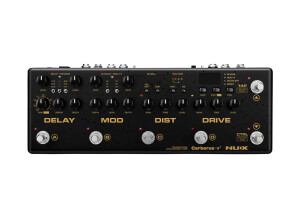
  • « Fantastic Modulation/Delay/Reverb with Pure Analog Drive/Distortion »

    SOUND: Being of 32-bit quality, the digital components are extremely clear in the mix. Coupled with the Analog Drive and Distortion, the Cerberus is a great sounding unit. The delay and reverb are very distinguishable from the main tone – complementary, yet separated (not muddy). The Cerberus allows you to route the delay and reverb in different configurations, e.g., parallel (both act independently of each other), reverb into delay and delay into reverb. Obviously each produce different results and characteristics and both delay and reverb can be mixed with different depths, levels, etc. There are three chorus selections (from vintage to modern), and all have a good range in sound, without being dissonant or crass when turned up (the notes sound thicker and blend well within the tone). The Modern Chorus sounds fantastic when added to lead. The phaser is impressive, ranging from the subtle to very broad and sweeping, to the point of sounding as much flange as it does phase. The uni-vibe is very unique as it combines elements of tremolo, chorus, rotary and phaser, with each aspect seemingly standing out and depending on the depth, rate and level/mix. The drive is based on a Blues Breaker circuit, which is modest in gain, but it adds a nice amount of fullness and dirt to a clean signal – ideal when playing clean or when wanting a slight edge to some rhythm playing. The distortion is based on NUX’s Brown Anger (which has a British flavor), which seems to impress many who have reviewed the Cerberus. It has an excellent grain to it, sounds full and thick, and definitely analog. Turned up low and it makes for good crunch rhythm, and when turned up high rolls off nicely via a guitar’s volume knob. As you crank up the distortion past 1-o’clock the sound becomes increasingly saturated, which is fine and if you like that quality (up full and its super heavy sounding, ideal for Doom Metal and that thick fuzzy Psychedelic Rock quality). However, if you want to retain that grittiness, then keeping the distortion down (12-noon or even lower) while pumping some drive into it is the answer. Similar to the delay/reverb, you can route the drive and distortion in three different ways: distortion into drive produces a darker and fatter tone, running the distortion and drive parallel (so neither affects the other) produces a clearer quality, and drive into distortion (likely the most common setup) produces a result somewhere between the other two. There’s also a built-in 20dB Boost that can be triggered with a foot switch – even when turned down to its lowest level (controlled at the back) it is very noticeable and seemingly loud enough. Obviously how the drive and distortion sound will be affected by the Cab or IR (impulse response). The Cerberus comes with eight built-in cabinets from which to choose, but you also can upload third-party IRs and purchase additional IRs from NUX (wave file format). OVERALL IMPRESSION: There are several integrated effects units on the market, and at $299 USD you get a lot for your money with the Cerberus. Considering buying a boost, a drive, a distortion, a delay/reverb and a modulation pedal (as well as a pedal board to keep them organized and fixed) and you definitely will exceed the price of the Cerberus. Not only that, the 32-bit quality digital effects coupled with one of the best sounding drive/distortion combinations (both of which are analog, Blues Breaker + Brown Anger) make the Cerberus one of the best values in the integrated pedal category. As well, you can route the delay/reverb and the distortion/drive in various configurations (e.g., drive into distortion, distortion into drive or run both in parallel) and integrate the Cerberus in various ways with your other gear (amps, pedals, etc.). Although the Cerberus is partly analog, you still are able to store 128 presets (16 built-in with the remainder blank) and recall those settings at the stomp of a switch. The unit comes with eight built-in cab simulations, for a host of varying tones, and you can upload 3rd party cabs or purchase additional ones through NUX. This makes it ideal when running the Cerberus direct to a PA, although you can bypass the CAB function and go direct to your amp. There is a built-in tuner and you can attach an expression pedal, which acts as a volume pedal with the Cerberus, route other effects between the distortion/drive and the modulation/delay (so that your add-ons come after the drive/distortion), control your gear via MIDI and get firmware updates via USB (cable not included). Ideal for studio use, the Cerberus is great for rehearsal or practice when you don’t feel like hauling a full pedalboard, and obviously perfect for travel since it has a built-in headphone jack for quiet practice. GENERAL USE: Although seemingly complex at first, the Cerberus is not difficult to use with only an hour or so of tinkering – and once you dial into some good combinations you can save them to one of the 128 presets/patches. If you check out the demo video, I work through the Cerberus starting with the delay, which offers up Tape, Analog and Digital. You can select the Time via the tap temp switch or with the dial to fine-tune (you can see the milliseconds in the pedal’s window to zero in on your timing); the delay’s time dial also selects tempo subdivision (e.g., eighth notes). Reverb can be added or removed via the Control foot-switch (which also turns the modulation, drive/distortion and boost on/off). The Modulation section includes three types of Chorus, as well as Phase/Tremolo/Uni-vibe – the Chorus turns on/off via the footswitch in the Modulation section, whereas turning the Phase/Trem/Uni-vibe on/off is done via the Ctrl footswitch. This may seem odd or clumsy until you get used to the unit and, as stated, you can save any setting group as a preset so that all the fiddling is done once. Each aspect needs to be set, including the Level and Repeats of the Delay, Level and Decay of the Reverb (and what type under each) – the same with the Modulation and the same with the Distortion and Drive. This is no different from any pedal or amp. Allowing you to save these settings definitely is a plus, and particularly since the Cerberus offers you the ability to route the delay/reverb and the distortion/drive in various configurations; having the delay/reverb run parallel sounds very different from the delay going into reverb or the reverb into delay. Likewise, tones are very different if you choose to run the distortion/drive in parallel or the drive into distortion or the distortion into drive (or if you want one and not the other). The Cerberus has four preset switches on the front, which gives access to four selections at a time (without scrolling through banks), such as a clean with reverb, a clean with delay/reverb and some chorus, a crunch rhythm and then a lead (with or without boost). You can create 32 groupings (of 4) or banks like this, making it ideal for gigging and having each bank represent a different song. Banks are scrolled through easily via two footswitches at the far right of the Cerberus (the Tap Temp and Ctrl footswitches scroll up/down when in Preset/Patch mode). As well, whether in Manual mode or Preset mode you can edit (and save if desired) any settings. OTHER DETAILS: An integrated pedal board, the Cerberus does not feel heavy for its size (I presume an aluminum chassis). Of decent size for a fly rig that contains so much, the Cerberus measures 12.6 (l) x 4.3 (w) x 2.6 (h) inches (32 x 11 x 6.5 cm). There are six foot switches, five of which produce a solid click when stepped on (no noise detected when engaging or disengaging either the drive or distortion), whereas the tap tempo is a soft switch. The footswitches have close proximity to the various knobs, but are at a higher level and should not pose any issues with regular use. There are fourteen knobs, all of which seem to be of heavy plastic, attached to pots that are smooth and solid in feel when turned. There are five toggle switches, all of which feel solid when selecting parameters. There are seven push buttons that feel solid during use. All inputs are located in the back, including MIDI In, Expression, Headphones, Power and Stereo Outs. The ten on/off LEDs on the Cerberus are low profile and will not be damaged from regular use of the pedal. The textured powder coated paint is exceptional and so wearing and chipping should be limited. Surprisingly, and although the Cerberus offers several effects, the unit requires a standard 9VDC power supply while drawing only 500mA of power (available with some pedalboard power supplies), which means not having to purchase any special adapter (the Cerberus does not come with an adapter). Do note that the manual indicates 275mA of current draw, whereas the back of the unit states 500mA.

  • « Incredible Sound Scapes is only the beginning »

    SOUND: Although you can use this reverb + dual delay in a very subtle way (a bit of reverb or delay) you will be addicted to hours of play and experimentation as you turn up the mix and mess around with the knobs. You get eight types of reverbs and 15 types of delays, and you can stack these in any order for some impressive textures. The reverb and each delay has its own Tone knob, so that you can make things a bit darker or brighter, to better contrast or merge with your guitar’s tone. The reverb has a Shimmer knob, which can be applied to any of the reverb types. I really appreciate that feature since many reverb pedals have a ‘shimmer’ type reverb, but you don’t get that feature with other reverb settings. The quality of the sound is 24-bit, which means crystal clarity so that every detail of every nuance seeps through, and I found this true of both clean and distorted guitar tones. And there are some excellent (and very different) sounding reverbs and delays. For example, the Filter and Flange reverbs add some real dimension to a tone, and there’s also a Distorted reverb if you’re looking for some grit. Delay A also has a Fuzzy (or distorted) echo, and both Crystal and Rainbow settings sound incredible. Delay B has modulating echoes, but also a Galaxy echo that is totally unique and spacey. And for those purists there are Spring, Hall, Plate and Room reverbs, besides Digital, Tape, Analog and Dynamic delays. And one of the best features is the Freeze capability – when in Play mode, step on the reverb, or either delay switch, and the effect sustains so that you can play over top. This is like having a synthesizer sing out some incredible swelling tones and dynamics, even with some basic settings. Using an expression pedal further adds to the ambiance as you can assign any aspect accordingly, such as a delay’s time or the reverb’s shimmer, etc. One thing I should add, which I did not demo in the video, is that you can run the delays in parallel. In the demo I had one delay feed into another (and you can have either delay first in the chain). Conversely, you can run them parallel so that neither will affect the other, thereby producing a very different result. OVERALL IMPRESSION: One of the best ambient devices around, the Ocean Machine is highly addictive. I say that with some hesitation since you can use the Ocean Machine like any standard reverb and/or delay, adding just a hint in the mix. However, its real strength lies in its diversity and quality of tonal stacking. There are eight Reverb types, and besides the usual ‘Decay’ knob, you also can adjust the Tone while adding Shimmer (often reverb pedals have a ‘shimmer’ function associated with only one of its patches). There are two different Delays, each with nine types of delay (a few they both share, but unique delays for each). Both delays also have a tone control, and you can save patches, have different divisions (e.g., ¼ notes, ½ notes, etc.) or tap tempos for each, and there’s an expression pedal out so that you can really make things freaky. One of my favorite features is the FREEZE option, which sustains the reverb or delay until releasing the footswitch (and you can play over top the drone). If that’s not enough, the Ocean Machine is MIDI programmable, you can add a ping-pong effect to one or both delays, add a trail to the reverb and ‘merge’ the trails when switching effect types, alter the order of the reverb and delays (e.g., reverb + delay A + delay B… or delay B + reverb + delay A, etc.) and assign an expression pedal to any of the elements (of a reverb or a delay). And then there’s a Looper that gives 44-seconds of recording time (dub as much as you want) and then you can reverse it, play it at half-speed or both. With a stereo-in and stereo-out and adjustable Global EQ settings, the Ocean Machine is a solid buy at $345 Canadian (approx. $299 USD). Overall, there are so many features that purchasing a reverb and two delay pedals would not give you as many options and easily would exceed the price of this one unit. Mooer has set a standard with the Ocean Machine. GENERAL USE: There are two independent Delays and a Reverb in the Ocean Machine. You can select Patch mode or Play mode (settings can be altered in either mode, although Play mode allows for Tap Tempo of the delays (and these can be set independently with different times), as well as the Freeze mode described below. When the unit first powers up you’re at a position you last left the Ocean Machine (it remembers where you left off). There are 24 pre-made patches that you can scroll through (up or down via the Delay switches), and if you make changes in Play or Patch mode you can save it to one of the patch numbers. The demo video included with this review addresses many of the features. The Menu knob allows access to the various aspects, and in there you can alter the millisecond timing of the Delays, if you want to add a Tempo (e.g., quarter-notes, quarter-notes doubled or tripled, etc.), whether you want to add a ping-pong effect to either, what order you want the two Delays and Reverb, etc. If in Play mode you can turn the Reverb and Delays on and off (allowing you to stack the effects while playing); otherwise (in Patch mode), the two Delay footswitches control the scrolling of the patches up or down. When in Play mode, stepping on the Reverb and Delay B footswitches simultaneously enters you into Tap Tempo mode. Also, with either Patch or Play mode stepping on both Delay footswitches enters into the LOOP function. When recording a loop you have 44-seconds of record time and you can add countless dubs. This looper functions easily – one click to begin or end recording, another click to add a dub, two clicks to stop playback, and a hold of the footswitch to cancel (erase) any recording made. During playback there is a Reverse switch (to play the recording backwards) and a Half Speed switch (to slow the recording way down for some cool and slow reel-to-reel effects. Of course, you can jam your guitar to the recordings and while making changes in the Reverb or dual Delays. One of the coolest features is the FREEZE option (when in Play mode). You can hold down the Reverb or either Delay footswitch and that effect (e.g., plate reverb, tape echo, etc.) will continue to sustain until releasing the footswitch. You then can play over top the drone, which actually can be quite interesting and lively in detail (particularly when you add Shimmer to the reverb or use an interesting delay like Galaxy). And besides having Global EQ settings you can control both input and output levels for easy integration with other gear. OTHER DETAILS: About the size of three regular sized pedals (since it houses a reverb and two independent delays), the Ocean Machine is of normal size for what it offers (including an LED screen). The dark blue metallic powder coated paint, on a steel chassis, is of good quality and structure. The three footswitches are far removed from the knobs and any other buttons are positioned low onto the chassis. The aluminum knobs are solid. The Menu, Reverb and Delay knobs ‘click’ in place and with each selection. The smaller sub-knobs (e.g., Reverb’s shimmer, decay, tone and mix) and their associated pots turn with good quality. The LED is clear to see and not overly-bright (blue lettering on a white screen). Each footswitch has an LED around the base (green for reverb, blue for delay A and red for delay B), which indicates whether the effect is on or off (excellent for dark stages as they are very noticeable and not too bright). Both delays also blink based on their tempos, e.g., 60 bpm = blinking at 60 bpm. All connections are made in the back of the unit, which saves on some pedal space, besides keeping any cables and the power input out of harms’ way. The unit does not work on batteries and does require 9VDC 500mA power supply.

  • « Great Tone and Packed with Features »

    SOUND: The Black Truck offers plenty of tone sculpting possibilities. The Hi-Gain component, for example, allows you to either hump or scoop the midrange, besides there being a Tone control and a Tweak control (that shapes and adjusts the lower frequencies, viz., tighter or heavier). The Hi-Gain channel then can be affected by the Overdrive module, which has a Tone control, and if you decide to use the Compressor feature, then it, too, has a Tone/EQ feature. And if that wasn’t enough, there is a five-band Graphic EQ module that you can apply pre- or post- OD/Gain. And so, imagine having the Hi-Gain channel set where you want, then in the middle of a song you step on the OD for added gain, but also a different tone, and then further in the song you apply a different EQ (and pre- vs. post- will give different results). And then there’s the Modulation module that allows you to add Tremolo, a Phaser or Flanger, any of which has a ‘color’ and ‘range’ control for even more tone shaping. And to top it off is a digital Delay/Reverb (you can use either or both in the mix). Now, when all is said and done, musicians are most interested in the sound and quality of the distortion or the Hi-Gain module. It is an analog circuit, and so it sounds pretty good, but the best way to describe it is a very modern and grainy tone. You definitely can get some hard rock sounds from it, but it certainly feels at home in a metal setting. You can go mono or stereo out, and if you use the headphone jack as your mono out there is a built-in cab-sim so that you can go direct to a mixing board or your DAW. The accompanying demo video showcases the Black Truck in a number of settings and with various parameters (although it just scratches the surface in terms of what is possible). OVERALL IMPRESSION: Pricing may vary, but currently the Black Truck is available in Canada for $352. Designed for hard rock and metal musicians, there are no menus to scroll through and it functions with actual knobs and switches. It is an awesome buy and for several reasons. First, it’s a great fly-rig for gigging musicians who want to keep it light with a lot of effect choices and easy hookup to an amp or PA system. Second, home recording musicians will find the analog quality with 24-bit digital ‘space’ (delay/reverb) excellent for direct DAW purposes (besides the headphone jack for quiet practice or for mono out with a cab-sim) and realistic tone. Third, those who may be on a budget, you will get a lot of ‘gear’ in a single unit that otherwise would cost 2-3 times as much if the modules were purchased separately. You get a Compressor, Overdrive, Hi-Gain, a Graphic EQ, Modulation (tremolo, phaser and flanger) and Delay/Reverb. Best yet, you don’t need a pedalboard to contain or accommodate various pedals as they integrate into one simple unit. Each component or module of the Black Truck has a lot of flexibility, including volume, tone, gain controls, depth, tap tempo, noise gate, guitar tuner, stereo output and a lot more. Factor in the FX Loop, which you can add to your amp, you also can plug in additional preamps (Mooer has 20 mini-preamps to date) to increase your tonal palate. It does not come with a power supply and does require a minimum 9VDC 1000mA adapter (Mooer has a 2A adapter for $29.95 Canadian), but it does come with a protective carry case. GENERAL USE: There is a lot of flexibility with the Black Truck, including how to hook it up straight to an amp or PA system (and whether to use it in an FX Loop or to integrate other gear in its FX Loop), and so I will provide some simple guidelines. If you want to keep the tone subdued and fairly clean, you would use only the Overdrive module on low. You can add in the Compressor if you want to boost the signal or even-out the loudness of your tone (and add a bit of sustain). Only when you want to get more edgy would you kick in the Hi-Gain, which sounds fairly meaty just at 9-o’clock, but nothing over the top. As you approach 12-noon, the Hi-Gain setting really soars, and beyond that you may want to apply the Gate (which is actually quite good and does not sap your tone or sustain). The Overdrive, Compressor and Hi-Gain components all have their own EQ or Tone controls, and so there’s plenty of tone shaping possible. The Hi-Gain also has a Mid switch to either add or scoop the mid-range frequency, as well as a Tweak knob to tighten up or fatten the low end. There is a 5-band Graphic EQ (100 HZ, 250 Hz, 1,4 kHz, 4K Hz and Level) that allows you to cut or boost accordingly, and you can apply it pre-gain or post-gain, depending on how you want to affect your tone or affect the OD/Hi-Gain elements. The Modulation module has a lot of possibilities, and includes Tremolo, Phaser and Flanger. With either of these you can control the ‘color,’ ‘range’ and ‘rate,’ thereby giving you more sweep, less/more low and high end to the effect, the degree of mix, etc. This module also includes a Rhythm Knob so that you can adjust the sub-division or tap tempo division of the modulation, such as a 1:1 ratio (very long and sweeping effect) half, quarter, eighth notes, triplets, sixteenth (for very rapid pulsating) or random. The ‘X’ setting produces random sub-divisions if you’re looking for something more off the wall and unusual. The Delay/Reverb module is digital and very clean. I like this module since you do not have to choose between Delay or Reverb (although you can), but can mix the two. Both elements have the usual controls of mix, and how much decay/feedback/time you want. As with any multi-effects unit there are dozens of possible combinations, and so operational instructions beyond this point is moot. Hook-ups need to be considered as well. There is an FX Loop that can be integrated into an amp, or you can bring in other effects (sandwiched between the OD/Hi-Gain and the other modules). This is a great place to add other preamps to diversify the Black Truck’s tones. There is a Stereo Out (although you can choose mono), as well as a headphone out that you can use as your mono out as it also includes Cab Simulation. The Tap Tempo remains active (the light around the footswitch pulses to its bpm), and so at any time you can tap in your tempo and it will affect the Delay/Reverb and Modulation modules simultaneously (or you can affect only one of the modules with a different switch operation). To access the guitar tuner, hold the Tap Tempo down for a few seconds, tune up, and then step on the Tap Tempo to return to the effects. You also can save 5 presets. To do so you switch on or off any Module you want (or don’t want) and then hold down one of the footswitches (1-5) as to where you want to save that preset. Keep in mind that the preset only saves what Modules are on or off and not where the knobs/toggle switches are set. To flip between Live mode and Preset mode you step on the Tap Tempo and footswitch #1 simultaneously (thus putting you in Preset mode) and then step on the desired preset (numbers 1-5). OTHER DETAILS: Measuring 370 mm (D) X 96 mm (W) X 51 mm (H) or 14.5 x 3.8 x 2 inches and weighs 1.23Kg (2.7 pounds), including the weight of the carry case, the Black Truck is highly portable for gigging musicians, but also a space saver for those wanting a lot of gear in a small package (and with footswitch accessibility). The six footswitches are ‘soft’ switches that do not produce any noise (clicking) when engaged. Any knobs or toggle switches located near any of the footswitches are set lower and are safe from any stomping feet. LED lights are built into various knobs and the LEDs (status lights) associated with the footswitches are located around the base of each switch. All knobs and toggle switches feel solid during operation, and the knobs’ pots feel smooth and of quality construction when turned. All mini-knobs for each Module (e.g., volume, tone and EQ of the Overdrive) have built-in lights so that you can see the settings in a dark room, which partly is a safety factor (you can see where the Black Truck is located), but certainly convenient if needing to change any setting. All inputs and outputs are located in the back, including the power source, headphone jack, etc. Battery operation is not supported and you do require a minimum 9VDC 1000mA power supply, and so be certain to have enough juice flowing or you could damage the unit. Mooer has an optional 2A power supply (PDNW-9V2A-MP). The padded carry case with handle is a nice bonus, for easy transport, but also to protect the Black Truck en route to a gig. In terms of size, think of a flute case.

  • « Diverse Waves Make this Tremolo & Reverb a Complete Package »

    SOUND: Mr. Moto is one sweet ride if you want an easy-to-use tremolo and reverb combination, as demonstrated in the YouTube video below: There are a number of impressive aspects to Rockett Pedal’s Mr. Moto, but what cannot be ignored is how natural the tremolo sounds, as though it’s a part of the original signal as opposed to it altering the signal. A bonus is that you’re able to adjust the Wave from a Sine to a Square and any combination between. This means you can achieve anything from a soft dreamy wave to a choppy and more aggressive pulse. And if that’s not enough, Rockett Pedals didn’t forget to include an excellent sounding Reverb, which goes so well with tremolo (particularly if you’re trying to re-create that famous 1960s surf sound). The Reverb is not extensive, such as a spacey or canyon type quality, but offers enough depth to satisfy any sense of The Ventures’ nostalgia. And you can use the tremolo or reverb independently. OVERALL IMPRESSION: For $199 USD you get a solid buy with Rockett Pedal’s Mr. Moto. First, the construction is super solid and hefty, and the ‘Speedswitch’ inside allows you to plug in a new switch if the old one malfunctions (no soldering required). Second, you get two pedals in one – a tremolo and a reverb – either of which can work independently or together. Third, both the tremolo and reverb are very natural and clear sounding – the electronics are superb. Fourth, you can select how smooth or choppy you want the wave, from pure Sine to pure Square or anything between (Mr. Moto morphes extremely well from one end of the spectrum to the other). The diversity of Mr. Moto is exceptional because of all these factors, making it ideal for 1960s Surf music, but also ambient Pink Floyd type compositions. If you enjoy playing slow to moderate melodic guitar, then you must have a good tremolo pedal in the mix, and Mr. Moto is a perfect solution. EASE OF USE: Tremolos are fairly easy to operate, although there typically is a wide range of potential results. Depth controls how much of the effect is in the mix, whereas Speed controls how rapid the guitar signal switches from ‘on’ to ‘off’ (which is how a tremolo works). You could have a rapid Speed, yet have the Depth rather low and barely notice the effect, like a slight tremor in the sound. Conversely, a slow Speed and high Depth can produce some very dramatic wave-like results. To add to the complexity and results you’re after, the Wave knob on Mr. Moto indicates how aggressive you want the pulse, from a very subtle and smooth Sine Wave to a very choppy Square Wave and anything between (although not cut in stone, some very atmospheric or ambient music usual applies gentle Sine-type Waves, whereas more upbeat ‘Surf’ music likely would embrace a Wave that is more Square or somewhere in the middle). Once you have this figured out, you then determine how much Reverb (if any) you want. The Verb on Mr. Moto is audible about quarter-way up and obvious half-way. As you turn the dial all the way you get some great reverb depth (e.g., Hall reverb) with a lot of clarity (definitely not a muddy-sounding reverb). A nice feature is that you can use the Reverb without the Tremolo and vice versa, making this a two-function pedal. RELIABILITY & DURABILITY: Things were made better in years ago – thicker metal, heavier construction and designed to last. Cars definitely come to mind with their chrome bumpers and solid steel bodies, and Mr. Moto is no different. Unusually heavy for a pedal, there’s no lack of steel in this effect. There are four plastic knobs (Depth, Speed, Wave and Verb) with a cream retro vibe that feel very smooth and of high-quality when turning. The footswitch has a very solid ‘click,’ also signifying solid construction and high-quality. The footswitch in this pedal (as with many other Rockett Pedals) has a ‘Speedswitch’ installed, which means when you remove the cover you can pop out one switch mechanism and plug in a new one… no re-wiring required… definitely a bonus for touring musicians since there is no soldering required if you need to make a last minute repair. All cable inputs (power, TS in/out) are located in the back, which saves on pedal board space and potential strain from a stomping foot. It operates on a standard 9V DC 2.1mm tip jack power supply (neither the manual nor the company’s website indicates the mA power draw, but I presume it’s not that much).

  • « Very Decent Effects for a Super Low Price »

    SOUND: The all-digital Behringer FX600 offers six different effects at 24-bit quality. Not only is the sound high resolution, but you can hook it up in stereo for true left/right channel imaging. The YouTube video below demonstrates the different patches at different settings, playing both clean and dirty: A big plus is that the sound quality is crystal clear. The ‘quality’ of the effects is very decent for the price of $39.99 USD. In that regard, the Flanger is not as good as a dedicated $150 flanger, and the same is true for the Chorus, Phaser, Delay, Tremolo and Phase Shifter. But if you use the odd effect the odd time and you’re doing it on a budget, the FX600 is a solid investment. OVERALL IMPRESSION: Some musicians may consider the FX600 as an entry level pedal, particularly those long in the game and collecting pedals of all types and qualities. Although true in one regard, for $39.99 USD it produces some very decent sounds… and they are crystal clear to boot. Besides the clarity, I actually like the digital sound of these effects… there is something very futuristic and machine sounding. It may be suggested that the sounds are the result of less expensive guts or electronics, but it actually is part of the FX600’s charm. If you’re into ‘Industrial’ Metal, then you very well may like the FX600 for the ‘edge’ it offers, whereas others will like the pedal for its superb clarity and price point. EASE OF USE: There are other multi-FX pedals on the market, such as the Dr. Scientist BitQuest, and typically thyy tend to operate in a similar manner. You decide what effect you want with the FX Selector knob (far right): Flanger, Chorus, Phaser, Delay, Tremolo or Pitch Shifter. The LEVEL knob (far left) dictates the degree of mix or how much of the effect you hear. Around 12-noon and the effect is very audible, whereas 9-o’clock you can faintly hear it (a subtle effect)… and turned up full produces full effect with no dry signal. The other two knobs play different roles, depending on the effect chosen. When choosing Flanger, Chorus or Phaser the PAR 1 knob affects ‘speed,’ whereas the PAR 2 knob affects ‘depth.’ When choosing delay those knobs control ‘delay time’ and ‘delay feedback.’ When choosing Tremolo those knobs control ‘speed’ and ‘shape’ (LFO waveform). And when choosing Pitch Shifter the knobs control ‘detune’ (slight shifting for a fatter sound) and ‘semi tone’ (pitch interval, e.g., 3rd, 5th, octave, etc.). As stated, some effects are barely audible with both knobs at 9-o’clock (e.g., clean guitar and the Phaser effect), whereas others are very audible (e.g., dirty guitar and the Flanger effect). Consequently, 10-minutes of experimentation will help you to zero in on how the effects are used best. RELIABILITY & DURABILITY: The FX600 can hold up when gigging, so long as stomping is kept under control and the pedal board is not abused during transportation. However, the FX600 likely is best suited for home playing or those on a budget as the housing is made of plastic (with a rubber topper where the foot stomps to switch the device on and off). The knobs feel solid enough and turn smoothly. The four knobs and the small LED are on a lower level than the foot switch, and so they would not be in harm’s way. All in the inputs are along the side of the pedal, which makes sense since there are several (two stereo in and two stereo out, besides the power input). The inputs and outputs are set much lower than the foot switch as well, making it difficult to produce any force on the cables with regular use.

  • « Dozens of sounds for multiple patches - a tweakers dream! »

    SOUND: Below is a YouTube video that demonstrates some multi-layering of tracks while using each of the patches or effects: Many of the patches are very unique in what they offer or can offer (as you turn knobs you get very different results). An example is the Ring Modulator, which actually sounds good and is usable. I’m not a fan of Ring Modulators… never could find a use for them because they often sound like fingernails on a chalkboard to my ears. This one is different, as are the other effects. As with the Flanger, which can produce typical flange-type sounds (obviously), you also can achieve some unique chorus sounds and modulating comb filter effects. Likewise, the Reverb can sound sinister and ominous on some settings, and the Delay has its own creepiness about it. I’ll address the other effects later, but you also get High and Low Pass Filters, a Notch Filter, a Bit Crusher and Octave Pitch Shifter/Harmonizer. And if that’s not enough you can play clean (your guitar’s original signal) or flip a switch for the built-in Fuzz, which can range from lo-fi to fat and chunky, depending on the settings among the various patches. OVERALL IMPRESSION: There is so much to like about this pedal, a Swiss Army Knife with several patches and dozens of tonal possibilities offering hours of investigation and experimentation. It would be cool to utilize more than one patch at a time, but then we’re getting into digital territory and defeats the BitQuest’s footprint (and price tag). What’s is most impressive is the sound and quality of each patch or effect, which stands apart from what you typically hear as a flanger, bit crusher, or even a reverb. The ability to tweak various knobs (and that the knobs can ‘mean’ something different whether playing clean or if engaging the built-in fuzz/distortion) can produces such a wide array of possibilities that the BitQuest has become an obvious ‘most popular’ Dr. Scientist pedal. BitQuest is an eye-catching pedal, with one half boasting a sparkle paint that is reminiscent of deep space and its stars (with two black knobs), whereas the remainder of the pedal involves two color zones with matching knobs (pink paint with pink knobs and purple paint with purple knobs). You can’t miss this on a pedal board. EASE OF USE: Those who want a simple plug ‘n play type pedal should avoid the BitQuest, but those who want a lot of tools, sounds, effects and a greater potential for diverse music composition will not be disappointed. There is so much possible tweaking with this pedal, and in that regard BitQuest literally is addictive to a gear junky. The Mix knob is not overly sensitive until you get past 12 noon (when you really start to hear an effect). It’s around 2-3 o’clock that you get anequal mix of both the guitar’s signal and the effect. Up full and you may start to salivate! The Fuzz/Clean switch is obvious, although how it affects each patch can differ. For example, when using a clean signal Control Knob 2 sets the delay time of the delayed signal giving you the flanger effect. Conversely, when using the Fuzz, Control Knob 2 controls the flanger level. And so there is a learning curve to BitQuest and it may be helpful to write down settings when you happen upon something cool. Fortunately, Dr. Scientist not only provides full descriptive details of each patch, but also a quick reference Control Guide for your deep-space travels so that you know what Control 0, Control 1 and Control 2 does with a particular effect (e.g., Flanger, Reverb, Bit Crusher, etc.) and whether playing Clean or with Fuzz. One thing to note about the BitQuestnote is that when you switch from Clean to Fuzz (or vice versa) the opposite does not click in automatically. For example, say you are using the Reverb with a Clean signal and you want Fuzz. You have to click off Reverb (to a different patch effect), flip on the Fuzz and then dial back to Reverb. It sounds a bit glitchy at first, but it’s not a big deal when you’re used to it. RELIABILITY & DURABILITY: Dr. Scientist has a great reputation in the pedal industry, for producing quality products, but also products that last. Typical of most pedals is the steel outer casing with very decent looking paint quality. The ‘mini’ on and off ‘soft’ foot switch (no hard clicking) sits on the very edge of the front of the pedal, to provide some clearance for the knobs and Fuzz/Clean switch. The Fuzz/Clean switch sits back from two of the knobs (Volume and Mix), which offers it some good protection. The knobs are plastic, but of a decent quality. All the connections are in the back, which not only saves on pedal board space, but keeps the inputs and cables from harm’s way. Lastly, BitQuest does not run on batteries, but its advanced circuitry allows you to utilize a 9-18VDC power supply.