Log in
EN
FR

Guitar Effects

10831 products found

Categories
Filter
Sort by
Brand
Evaluation
  • Reviewed or not
  • Editor’s award
  • Reviewed by Audiofanzine
Availability
  • Available or not
  • Sold new or used
  • Sold new
  • Sold used
Must-have products
  • All products
  • Flagship products
  • Best rated products
  • Hot products
  • Popular products
Price
  • Freeware
  • Low-cost (< $150)
  • Mid-range ($150 - $250)
  • Premium (> $250)
€
Clear
Sort by
  • Popularity
  • User ratings
  • Price - low to high
  • Price - high to low
  • Used price, increasing
  • Used price, decreasing
  • Name (from A to Z)
  • Name (from Z to A)
  • Added on
Sort results
  • Popularity
  • User ratings
  • Price - low to high
  • Price - high to low
  • Used price, increasing
  • Used price, decreasing
  • Name (from A to Z)
  • Name (from Z to A)
  • Added on
Filter results 10,831 results found
Brands
Evaluation
Availability
Must-have products
Price
  • Freeware
  • Low-cost (< $150)
  • Mid-range ($150 - $250)
  • Premium (> $250)
Show results

The best Guitar Effects reviews

The reviews Audiofanzine members found the most helpful.
  • « His Excellency Ditto II »

    See the detailed specs on TC Electronic's website. USE Since this is the first review on a device of a new genre, I will be as precise, especially as the user manuel (to be downloaded from TC's website) is not as clear as it seems - just like the device itself by the way. The compact user manual is a pdf file with a better layout than this very paragraph: I have edited it as a personal memo, provided you undesrstand French I willingly share it with you at the following address : http://1drv.ms/1BuAMux Basic features It is a bit subtle at first, but it soon becomes automatic after tapdancing with it for some time. Starting from scratch, both LEDs off: - activate once the left ( "Loop" ) footswitch to start recording a first loop (-- red LED on) - activate a 2nd time to end the loop that keeps being played (-- green LED on, blinking when the loop ends) - activate it a 3rd time to record an overdub on the previous loop (-- red LED on) - do it a 4th time to end the recording of the overdub (-- green LED on, blinking when the loop ends) - following pairs of activations of the footswitch behave as 3rd and 4th time for additional overdubs To stop the sound, with the right selector on "Stop": - activate once the right ( "FX" ) footswitch (-- left green LED blinking, signaling a sound is ready to play), or activate twice the "Loop" footswitch (but it is less precise and lets unwanted sound be heard in between - a flaw already present in the first Ditto). To start the sound again: - activate the "Loop" (left) footswitch (-- green LED on, blinking when the loop ends) - 2nd, 3rd (etc) activations act rhe same for overdubs To erase the last overdub ( "Undo" process): - while the loop is playing, press a long time the left switch to "undo" (-- the green LED blinks for half a second), and the loop keeps looping without the last overdub (-- green LED on, blinking when the loop ends). To restore the last overdub ( "Redo" ): - same as fo "undo", long press while the loop is playing (a short press will record a new overdub). This Undo/Redo feature is useful and convenient. Please note that the original loop remains the basis, unmodified in length, though you can overdub and punch in/ou at any moment of the said loop. There are three ways to erase the whole loop and its overdubs: - a long press on the FX (right) footswitch (whether the loop is playing or not) - a short press followed by a long on on the "Loop" (left) footswitch (the same as in the first Ditto) - a long press on the "Store" switch, which also erases the backing track recorded in the "B" memory slot (read below). Ditto 2 contains two memory slots, read simultaneously: - slot A ( "Loop" ) is where the live loops are being recorded - slot B ( "Backing track" ) is where the files that transit to and fro the Ditto and a computer are stocked. The files (all named "Track" ) can be wave, aif or mp3 files from the computer or wave or aif coming transferred from the "Loop" slot. Ditto's memory keeps both the contents of the A and B memory slots when unplugged. The "Backing track" feature To save in slot B a loop recorded in A (hence saving the latter): - short press the "store" handswitch (-- the left green LED blinks quickly for half a second). This erases any content already stored in "B". Ditto then plays simultaneously the "A" loop and the last file stored in "B" (the sound level of A can be changed at anytime using the loop level knob, that of B requiring to use the level knob + handswitch on "level"). A only contains the loops recorded as described earlier for the basic "loop" features, in parallel to the backing track which is the constant reference which will be played again and again. The "backing track" stored in B is not affected by the "Loop" or "FX" footswitches, and can only be erased by a long press on "store". The handswitches are located on the left and right sides of the knob: - a short press on the left switchstores the loop in B, a long press on it erases everything (as was already described). - the right switch switched up or in the middle position makes the "FX" (right) footswitch control the half-speed (green LED on) or reverse (red LED on) features. Pushed down, the same right handswitch makes the same footswitch control looping. Effects When the FX handswitch is used to select either of the two effects, activating the "FX" footswitch starts or stops the same effect, no matter whether the loop in playing, being recorded or stopped. Overdub can be done forward, backward, at half or double speed, and the LED blinks alternately in green and red (a real Christmas tree) with both effects on. No limit! Stereo Everything is doubled, including the two memory banks, so we have 2 devices with a single recording and playing command. If the guitar is plugged in the "mono" in with nothing in the "stereo" in, the mono signal entering is identically duplicated to both outs, including in "bypass" mode. Any instrument plugged solely to the "stereo" in is only routed to the "stereo" out Plugging two different, mono instruments on each of the "in"s leaves them independent, each will have its own dedicated out even in "bypass" mode. A stereo backing track stored in the "B" memory slot comes out translated in mono if only one out is being used. Combinations are almost endless... Quality and conception - the footswitches are soft and look sturdy. They're very sensitive as contact is done after only 2mm, with no hardpoint, allowing for an esceptionnal precision, no need to stomp violently. Beware not to wear too large a shoe so as not to risk switchinh both unwillingly. - as usual with non-slanted pedals, activating the footswitches requires to lift the whole leg, which (for a guitar player) can soon become exhausting. A little DIY can help here to make things more comfortable and also to make the LEDs more visible and the knob easier to reach. The wedge I use can be seen here https://flic.kr/s/aHsjXnEY6f , and another (more elaborate) version for an Xotics RC Booster here : https://flic.kr/s/aHsjPdJw2c . - the handswitches are small and compact. The left one (3-position, spring-return) is a bit hard. They are fixed straight to the electronic circuit, not on the external case - a benign exception to the general high building quality of the whole. - the level knob is great: huge in size, shaped for fingers, the white mark on it can be seen from 6ft above. Too bad there is no mark on the box itself, though - no, I'm just splitting hair. - connectors aregathered on the upper side of the box, which is a great choice which avoids cables to take too much space on both sides - a problem too often encountered. - the box is made of sturdy molded aluminium, the paint reminds of that of a luxury car. The good taste of the discrete, metallic, dark grey box color is not to be discussed - we don't care btw, only sound colors are relevant. SOUND QUALITY Review conditions Test 1 in mono: Solid body -- effects -- tube amp -- Ditto in FX loop It seems quite logical to use the Ditto in the amp's effect loop, at the very end of it, so that the initially recorded loop's sound remain unmodified by any other factor (effects, hi or lo gain amp in, amp settings...) that will still be useful to shape the overdubs. In case you don't have an FX loop, the best is to use the Ditto last in the chain, just before the amp's input. Test 2 in mono : Hollow body -- Ditto -- Acoustic guitar amp Test 3 in stéréo : Solid body -- stereo effects -- Ditto -- mixer -- studio amp Ditto respects the stereo loop, which is a good point. The result Both the true bypassed signal and recorded part sound transparent, no color or spectrum, no gain in highs or lows. No difference can be heard on a studio stereo amp (the loop is also recorded on the second channel, which couls have been thought of as a mere bypass). No much more to say here, the signal is perfectly respected. I even unwillingly tried the true bypass in reverse order after inverting the in and out jacks by mistake, it works just the same in both directions! A real pleasure to be able to add counterpoint high and low funky riffs on a series of bossa nova rhythm changes, for instance. Of course the mix shouldn't be overloaded, but this device can be used to record a whole musical piece. OVERALL What makes His Excellenct Ditto II better than the first is the ability to stop a loop by pushing the second switch only once, and the possibility to erase it by a long press on the very same switch, hence suppressing the short, audible transition (a real liability in live situation). The possibility to use batteries instead of an adapter is also a good thing for those reluctant to adapters, but I haven't tested how long batteries last. The "Backing track" and the possibility to import external files can be useful depending on the user's need, but it can't compete with pro backing tracks played on a CD or MP3 player or a guitar trainer such a s Tascam's GTR1 (which includes an efficient loop feature), which allow instant play of any music track of your choice. Indeed, the way to transfer files through a computer is not very quick, and Ditto can only keep one track at a time. For mere backing track, one had better export their best Ditto-recorded tracks to their computer so as to be able to play them back later through a more versatile and convenient device. The half speed feature can be used to provide violin-like or fast sounds, but prove less useful than a customizable speed rate which would allow analyzing a fast part. The reverse feature is not something I use much, except for goofing with friends once in a while. A basic reverb or metronome would have been more useful to me, but that is not so important and it's just a question of taste. The secondary features can be of interest for some, but as far as I'm concerned I essentially bought the Ditto for a basic use as a looper with a mono guitar signal. I use it in rock and jazz styles to work alone as well as in a band for some phases and analyzing some parts which are hard to set efficiently in rehearsal. In a nutshell, I consider this device to have been cleverly conceived with high quality materials for a high-quality sound in the end. What more could we ask for?

  • « Sound synthesis for guitar players? »

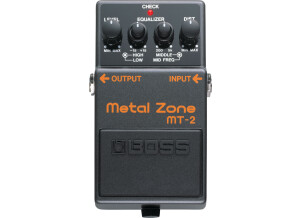
    Sound synthesis for guitar players? Exactly! Ladies and gentlemen, from now on sound synthesis no longer is the privilege of the sole keyboard players! But was it really the case until now? Whatever... Let's make it short (I'll edit this review when I'm more experienced with it. I've only had it since early September, have already created a dozen sounds with it and used it twice live). Here are a few constatations: - the SY300 has NOTHING TO DO with whatever was available before and usurped the name of "guitar synth". Nothing to do. I won't quote any brand, but there are not so many to sell guitar synth pedals that sound nothing serious. - the SY300 is not to be compared with all the Roland GKxx-type MIDI pickups, either in technology or the approach of their practical use to make music. These MIDI pickups (hexaphonic guitar pickups) are used to trigger real, sampled sounds of piano, sax, violins (and so on) and even... guitars (sic, getting a guitar sound while playing the guitar, how amazing!). Nothing to do either. As far as I'm concerned I never took this road, if I want to play the piano i play the piano, or ask a piano-playing friend to do this for me. But this is up to everyone and the SY300 is absolutely not a competitor for such systems. And, don't forget, the input source of the SY300 is SOUND! Not a MIDI value! A great difference, isn't it? Just to say that, of course, no hexa MIDI sensor is needed to use the SY: your guitar’s standard jack will do. - so the SY300 is a synth! Yes, a synth which input is whatever you feed it with – not literally, of course, what I mean is, the SY300 accepts all sorts of sound sources, not only guitars but really all sorts of sound sources, even mic’ed voices. - It features three oscillators, LFOs, filters and so on - it also features a multieffects that leaves behind most dedicated multieffects you can find these days. I’m a former HD500 user so I can compare: soundwise and regarding ease of use, they don’t compare. Direct feature editing is as simple as it was difficult to edit the HD500 without using Line6’s software editor. Boss also released a soft editor for the SY300, I do use it but I can just as easily configure everything with the box in standalone, with no GUI. A definite plus in my eyes. The SY300 is a synth, which involves that if you have no technical knowledge whatsoever regarding sound synthesis you’re gonna have a hard time developing your own sounds with it (the multieffect function left aside). It is indeed necessary to know at least a few things in that regard to use the SY300 for something else than the original presets which I’d call, err… pure sh*t, except for 4 or 5 out of 70. I personally learnt it all with a few Korg synths (including the MS20 and DSS-1, many years ago) and now I still use the Micro Korg, a real wonder that has all the roots of what you can do with a synth and a keyboard. So the SY300 has three oscillators, independant from each other (of course), which can be activated or not. Each has several associated parameters including waveform and pitch – try to imagine all you can do with just the three oscillators oneach with a differet waveform, different pitch and so on… Then come the filters : length, cut, resonance,. I’m not detailing everything here but these parameters are enough to show that we are here in the world of sound synthesis and that, obviously, the sound creation possibilities are almost infinite, and I’m only mentioning the synth’s basics. The SY300 offers many more wonders such as a small 16-step sequencer that you can set up as you like. This pedal (sounds a bit restrictive compared to how powerful it is but hey, it is meant to be activated using your foot) also features a tuner, and allows to associate CTL switches to precise functions (like opening the filters on a patch). Let’s now consider routing, or how the sound « travels » through the synth. This is one of the SY300’s strongest points. You can route oscillators it almost any way you like, just like the multieffect if you use it (you don’t really have to if you don’t want to). While it only has one “in” (which is way enough), the SY300 offers two “out” busses, MAIN and SUB (stereo or mono/L if need be). It is possible to assign the oscillators’ and effects’ routings to either, or both. As far as I’m concerned, for now, I only use the SUB out (I’ll explain why in a minute). There’s also a THRU jack output which allows keeping the raw, unprocessed guitar sound, unaffected bu the SY300’s sound synthesis modules (unless of course a stompbox or another effect is places before the SY300 in in the chain). Let’s get back to how I use it sor shows (or in the studio, for recording or rehearsal). Here’s how it goes: - guitar plugged first into the SY300’s INPUT jack - a jack comes out of the THRU out (raw, unaffected guitar signal) to my pedalboard. Yes, I have kept my good ol’ analog stompboxes (see pic), with the likes of Maxon OD, chorus, Boss DD20 and so on, YET I’m gonna dig deeper into the SY300’s multieffect section as the chorus and delays I’ve tried so far are very good, just like the OD/Dists (hey, there's even a metal zone sound!). - The pedalboard goes straight to the amp - The SY300’s sound comes out of the SUB jack outs to one of my PA’s stereo inputs. NEVER route the SY300 towards an amp!! Well, of course you can do what you please, but it just sounds awful, and by the way it wasn’t even designed for that. If Boss made it this way and included two stereo outs, it’s not just like that. During the show, I activate the synth when needed using the left on/off switch. Before that, I will have changed (or not) the patch using the CTL2(up)/CTL3(down) switches to change patches instantly. No latency, neither when changing patch or when playing. Really great, and I haven’t even yet mentioned the sound… The sound, by the way : I’m currently using a dozen different patches (none of the factory ones, or deeply remodelled from some of them). My arsenal is quite simple: “synth strings”-type sounds, some fat moog-style leads (EVERYTHING is possible with chords), a metal zone (with no oscillators, well, just like a real MT2 except I can add a reverb, delay, compressor and so on if need be) and other great sounds, some old-sounding but all come well with the band’s songs, which is what matters. Sounds are synthesized sounds, keep that in mind,. Once again, we’re not here expecting perfect modelling of a symphonic orchestra or a big band, but frankly, even only for the strings, it does the trick. I am approximately at 10% of what I can get out of this SY300, so I’ll update my review later in a little time. There also is a great US-based forum where a lot of SY300 users exchange reviews, advices and even patches. Here it is: http://www.vguitarforums.com/smf/index.php?board=189.0 There are also a lot of SY300-related videos on Youtube, but I’d say 80% of them are hopelessly useless, with people only reviewing the 70 (bad-sounding) factory presets, which are just as useless as those videos. In a nutshell, I wouldn’t hesitate to say the SY300 is a real turning point, not only regarding synth guitars (how I HATE this expression – it just should be banned!) but even sound synthesis. For synthesis addicts, who never dreamed to activate the ADSR adequation with the palm of their hand – not with a keyboard and keys? Well, Boss made it with the SY300. Incredible, but true, my friend! :) Your guitar-player’s hand does it all ! (well, technically essentially the attack and release, the decay and sustain can be set up within the SY). Overall, it’s really, really good! :) Eric EDIT : some soundcloud sound samples : http://www.soundcloud.com/sy300

  • « Line 6 Helix (Back to the Future) Great Scott !!! »

    Line 6 Helix (Back to the Future) Great Scott !!! My complete review of Line 6’s Helix – a full-featured and well-conceived multieffect unit. Unboxing day!!! When unpacking it you’ll immediately realize how heavy it is. It seems sturdy, up to par with the professional level you’d expect for such price ;) It comes with a classic power cord, a 512MB USB drive (what a shock – please see lower for details of the drive’s content) and a cheat sheet, which is a vague manual detailing the Helix’s various controls. The knobs and the big volume/expression pedal seem well-made, but strangely the six selectors under the screen seem a bit cheap and the joystick selector (which is quite useful) seems less sturdy than the rest. Time will tell, everything’s fine so far. The rear panel outputs are comprehensive, almost the same as the rack version (which is not that interesting pricewise considering you’ll have to add the foot controller). This pedalboard version however offers an expression/volume pedal plus 2 outs for adding external expression/volume pedals (a better value-for-money IMHO). It however remains quite easy to use without a manual. However, it can also soon turn hard to use if you start trying to creat fx chains with series and parallel chains within the Helix’s effect, amp or cab blocks + your own IR impulses. There was a bug that prevented the effect chain on the first line to display correctly when I first got in in version 1.01.2 (which was the first real update). I was perplex at first (what a good start, ain’t it ? :8O:), but I went to the official website which announced a v1.02.2 update that corrected screen artefact problems, so I installe dit which solved the problem. So don’t get mad if you encounter such a problem, though of course it can surprise from such a costy product. Helix is back Compared with the previous Pod HD (X) series, the user has to start learning everything from scratch – this is NOT a mere Pod. This multieffect unit WILL sound good, provided you manage to set correctly your inputs and outputs. Whatever you but after it also matters a lot : it won’t sound the same whether you use a poweramp with a cab, a neutral-sounding active amp, a tube amp head full of character or a combo, but this goes with every single multieffect you might think of, no matter its generation. The default Helix setting provides a neutral EQ with a percentage indicator: no more virtual knobs on the screen, as previous Pod users were used to. (e.g. it goes from 0 to 10 and 0% to 100%, so no clock reference such as “put it at 12” and so on) Compared with the previous models, the presets are mors neutral-sounding, and those unwilling to tweak them to use only the default banks (especially “Factory 1”) may be quite disappointed especially by overdriven sounds. Default clean and crunch sounds are usable as is, but the default distorted sounds sound strangely thin and locked in the lower range – all this of course is only for the default presets. With a rather (not to say much too) neutral setting for a preset, with say master at 4/10 and EQ at 5/10, the sound remains within a certain given sound range so all has to be reinforced. While the previous Pod generation could be said to have default settings that featured burdensome differences in volume and an excessive amount of effects that made some presets unusable, this time, it’s the exact opposite! The blocks are quite simple: a reverb + a distortion or drive + a delay and that’s all, folks… At least for most of them, not all of course. The “Factory 2” soundbank is more elaborated and sounds much better. The effects can be heard and show the different possibilities offered by the Helix. Please note you have 8 main banks, each featuring 32 different banks that are each made of 4 presets – I’ll let you do the count but it amounts to a total 1024 ( :8O:). Needless to say you have plenty of room. As for your personal IR cabs, you have 128 free spaces. My Name is Helix, Line 6 Helix Every name in the Helix can be edited, not only the presets and banks but also those of the default effects. Say you want to rename the Scream 808 (the digital model counterpart of the famous Ibanez green box) to Devil 666, well, you can. The footswitch colors can be changed too, with several colors to pick from. The 4 fx loops and the multiple ways to organise them (splits and all) will keep you busy for a moment, you’ll definitely like it if you’re the kind of persons who like tweaking amps and effects. If you tended to consider the old Pods were complicated to use, be aware that in spite of its ergonomics the Helix is to be considered for advanced (and/or demanding) users only, as getting a sound can range from easy to very difficult. Especially if you start a chain four times as complex as what you could do with the previous generation of Pod, which was limited to 2 parallel chains (vs 4 with the Helix + all the different block associations) With the two powerful onboard processors, say goodbye to the previous DSP’s limits that forbade some combinations and stuch the user (e.g. whammies and harmonizers are very demanding as far as DSP is concerned). It still has a limit of course, but when you’ve reached it you’ll get a big message with the amp or fx selection greyed out. Line 6 has been very reactive as far as corrective updates have been concerned, more than with the previous generations of products. Line 6 lends an ear to its community of users as far as suggestions and corrections are concerned, thanks to their Line 6 IdeaScale concept which allows users to suggest improvements. Users can then vote for the ideas that seem the best to them. Update 1: Versus fighting How does Helix rank compared with its predecessor? Since many people are going to want to compare it with a Pod HD (X), I’ll say first that some faults with the Pod HD have been solved, and that the sounds are more airy, less boxy. The sound reacts to the actual instrument used (a DiMarzio pickup-equipped guitar will react differently compared with one using an EMG81), which was not necessarily the case with a Pod HD which only provided the subtlest differences. I could compare sounds from a Pod HD and Helix with “typical” Line 6 sounds, that is Epic and Doom patches (metal-oriented) with only the amp and cab (no effect). I used almost the same settings (“almost” only considering one uses virtual knobs and the other percentages, as stated earlier). So I tried to reproduce the sound from the Helix on the Pod HD. Quite logically, the Helix’s corrected cabs allowed it to stand out by a wide margin. Unlike the HD, the Helix doesn’t sound like all cabs sound the same, and the mic type is also more pronounced, while the Pod HD’s sound was more boxy, with less dynamic and was missing a distorted preamp’s smoothness. I tried both with the same setting, using a Radial AB (A+B) box to switch from one to the other or even to hear both (I particularly liked the result of both playing together, by the way). I used my 2 neutral-sounding (modified) passive/active speakers with Matrix G50 amp inside + 2 Beyma 12GA50 speakers, for those who don’t know these are neutral speakers that don’t color the sound unlike most guitar speakers. I also have another system with a Thomann poweramp and speakers with Eminence Texas Heat speakers. I had to turn the Helix’s cab simulation off because of the characterful speakers, which is quite logical after all. Back to Pod HD vs Helix: both presets had the same Doom and Epic grain, but the Helix’s sound was clearly better with more character, reminiscent of a tube amp, the sound was less smooth and more in the open with harmonics (either natural or artificial) that stood out. Even the guitar’s sustain was better. With the same virtual amp+cab and the same virtual mic, the Pod HD’s sound lacked air compared with the Helix. The only field in which I found the Pod HD better was its ease of use: settings were easier to obtain, but in the same time I’ve been more used to it than to the Helix that I’ve only had for a short time – it takes time to get used to such a device. Update 2: Sound factory: Let’s get straight to it : once set properly, the sounds are very promising. Of course there are a few faults that I’ll list later on. However, I’ve never spent so much time on a multieffect, and yet I’m not the kind to put too much effects here or there – and I’ve had a few multifx! But here, i’m really having fun modifying sounds. Changing the sound panel is very interesting, with so many possibilities. Of course it has less effects than the previous range’s multieffect, but if you own two active poweramps working in stereo its capacities are huge – and so is the sound that comes with it. Only the fx part allows to come up with sounds that come from out of nowhere Clean and crunch sounds are full of dynamics, and if you can find fault with the default settings (as i said before), once you set it correctly the guitar’s sound and expression are precise and authentic in every detail. A volume swell test to get from clean to crunch and so on shows the same dynamics a tube amp would show. Bluffing! Let’s talk metal and other hairy styles – distortion included. Sounds will first sound a pit cold and very Line6-ish – back to my Doom or epic examples of Line 6 custom sounds. What I mean is you’ll find the typical sound grain you’d get from a Pod HD X, but in a more organic and less smooth variation if you set the Helix correctly. I must admit the default low-set distortions were not what most impressed me at first. The settings not being optimized, the sound was too soft and lacked asperity. I only got something more organic in opening up the EQ and raising the master volume. One thing I didn’t mention yet for the preamp part : I tried the 4-cable technique on a Hughes & Kettner Switchblade TSC and a Line 6 DT50 with XLR connector, and it works very well without an unwanted noise or color, no matter whether the preamp part was bypassed or not. All using only the effects on both tube amps and keeping their original – hence real – cabs. That’s getting interesting, especially with the XLR connexion to the DT50 while keeping the Helix’s preamp: it’s worth trying, even if it’s compatible it looks like It’s been added at the last minute. The only cons to it is – the preamps don’t all have the same default power, eg the Soldano Clean sounds very low in volume while the Fender Clean (also in preamp) sounded way louder, hence some unwanted volume raises not exactly agreeable. Is this a real problem? I’m not sure, what I know is that I haven’t found the same difference in volume on the amp + cab part. The Helix provides huge possibilities: you can chain mono cabs, put them in series or stereo, or even in parallel. The IR cabs you can add will sound better than the default ones, but I found that the Helix’s resemble much to the list of Red Wirez IRs so the difference was not all that obvious. Effects Time Although users of previous Line 6 products were used to have more effects (ah, the M13 or Pod HD X’s 100 effects!), I don’t miss those that left the list considering the quality of those on board and the possibility to add several blocks with almost no limit. The drive sounds are more punchy and add to the organic dimension on an amp that goes all the way from clean to metal. The pitch and oscillation effects are very good, and the way it allows to make rather psychedelic sounds resembles hardwares twice the price ;) I believe the delays, flanger, chorus and vibrato to be a notch upper compared with a Pod but I couldn’t try both to compare (I sold the Pod HD X in the meantime and mostly compared the amp+cab blocks). Finish Him !!! +The overall sound (if you want a quick overview of what it can do the Factory 2 sounds are much better than those from the 1) +Routing capacities and easy sound editing method +Well-finished and pro (heavy) hardware +Updates by Line 6 +Use your own IR Cabs +The Input’s Noise Gate, so efficient that most of the time the other block noise gates are not necessary and would only eat your sound out + ability to edit the switch colors as well as the names of all banks and presets +1024 preset possibilities for sound creation +Well-thought templates in the last bank (4-cable and 7-cable techniques, super-series, parallel and so on) +possibility to edit all parameters on the fly with the expression pedal – which turns out to be a little too sensitive, though… +Switches can be set to latch or unlatch -Default Factory 1 sounds (ain’t worked too hard, huh, Mr. Line 6?) -The preamps and their differences in volume -The ongoing compatibility problems with third-party expression pedals (say with Roland’s EV5) -The settings that go back to default every time you change the amps and cabs or preamps. It’s quite a burden to reset everything (EQ, volume…), hopefully things will evolve (I proposed it on Ideascale) - More amps/fx/cabs in the future? - the 512MB USB drive when others offer free chocolates – which are better. Former Axe FX 2 owners know what I mean. -The rack version, not cost-effective considering the foot controller to be bought separately (well, that’s my opinion) And please, please Mr. Line 6, a Mac & PC editor!!! Update 3 Finally, the preset editor for live editing the fx chains is here, and in the meantime many other updates came, with more amps or effects + bug fixes. Since then, I feel the sound has evolved. I’m always as happy with it, it’s as evolutive as an Axe FX and no need to start all presets from scratch everytime ther’s an update ;-) See what I mean, Mr. Fractal Audio? :bravo: *The 512MB USB key contains the Line 6 Helix’s manual, revision A. At a time when the merest USB drice counts in GBs and the manual itself is at its revision B… I’ll leave you fill in the blanks ;) For those interested, I created a French-speaking forum there: http://line6helix.forumactif.org

  • « A very good, versatile pedal ! A very good Delay »

    I use this with a Fender Baja Telecaster. To me, a delay works better with a clean/crispy :) For a delay, it takes very little current : 200mA. As for voltage, it’s a standard 9V. Esthetically, the pedal looks quite simple. Its color is not as white as it seems from pictures. In reality, it’s even prettier. It seems sturdily built. The pedal is compact (17cm) for a delay that features several functionalities. The three lower switches are made of metal, the knobs are plastic-made. As for the settings, it’s damn well designed! Reverse mode is a real killer! Vintage Delay mode makes it a rather warm sound (for a digital delay) SFX mode (allowing to simulate LO-FI/noise type sounds, which can give interesting results if one takes time enough to tweak the knobs) As I’ve only had it for a short time, I didn’t have enough time to review the other modes. All in all, 12 pretty well done Delays! The following settings can be tweaked on each delay : - volume - tempo (bpm, note (half, quarter, dotted quarter, whole note, 8th, 16th, triplet and so on...) - feedback, of course ^^ - filters (low, high, decibels, damping and even the pannel for managing stereo effects..) - tone - modulation (a rather good emulation of a Chorus effect) All this using the small lcd screen. Quite useful for all these settings. It provides high precision and a rather good ergonomics. Of course, not everything is perfect and it also has its part of cons. I essentially think of the “shimmer” mode. It only allows a single octave ! STRYMON’s Timeline (in its “ICE” mode) offers up to 5. On this point, Boss couls have done better and offered saveral octaves so as to enhance the sound and create ambiances with that sort of modes. Of course, the mode is still useable if you spend some time tweaking the settings (it’s possible to detune the octave using the “fine” feature, to change the octave to -24, -12, 12, +24). Like with a pitchshifter. All other modes are mostly good. A great innovation by Boss. The features of the third switch are a real crush It can of course be used for tap tempo, but also as an expression pedal! (note that a different function can be assigned to the switch for each preset). Well done, BOSS! :bravo: This avoid having to spend more in other types of additional pedals to benefit 100% from this one. Of course, you still can add external pedals for more versatility. Regarding the looper: classic! Record/play/overdub/stop. The different delays can be used while recording/playing. Still, you can’t save your loop (the pedal wasn’t designed for such). Just an advice if you are a delay fan: if you want to be able to build/finetune your sound, get this pedal! You sure won’t be disappointed. :bave:

  • « Some awesome sound presets, but two of them ain’t good at all »

    Hi If you LOVE mellotron sounds, If you’re a big fan of Genesis – hence of Tony Banks, or King Crimson and so on, If you love progressive and ambiance music… Here are the sounds you’ll get: 1. ORCHESTRA – This sound represents a full orchestra – including an octave below the normal guitar – and produces a gigantic, full sound. Really awesome! 2. CELLO – This sound of a solo cello includes the cello’s natural vibrato. Really awesome! 3. STRINGS – Presenting the sound of a small four-piece string section, including natural vibrato. Really awesome, this preset sounds very close to a real mellotron. 4. FLUTES – This preset presents the classic solo flute sound heard on many recordings. Sounds OK to me. 5. CLARINET – This osund of a solo clarinet sounds great both as a solo (played monophonically) instrument and when playing chords. Sounds OK to me. 6. SAXOPHONE – This funky vintage British solo saxophone sound is perfect for playing Beatles-like rock lines. It blends great with an overdriven guitar. This is where things get – say, complicated. While the Roland GR 20 perfectly simulates a sax’s sound (except for a little latency, or tracking if you prefer), this one ain’t good at all and makes it impossible to get a good, realistic and reactive sound with this rather bad preset. 7. BRASS – This preset is a trumpet-like sound, and when playing chords it produces a great brass section sound. The ATTACK and SUSTAIN knobs work differently for this preset than for other presets. The ATTACK knob controls a filter sweep for brass synthesizer sounds and the SUSTAIN knobadds the “lip buzz” characteristic of trumpet/brass sounds Same as precedent : far from seamless, and getting a good, realistic and reactive sound out of this – rather bad – preset proves just plain impossible. 8. LOW CHORALE – This sound is a full low-voiced choir made up of many voices. Really awesome! 9. HIGH CHOIR - This sound is a higher-voiced choir made up of many voices. Really awesome! So whether you like TONY Banks and 70s Genesis or not, you’ll get the ultimate pedal! Yet, sometimes its sound is a bit shrilly while Roland’s GR20 (for instance) won’t, it will be softer sounding – but also less warm – than EHX’s. That’s a choice to be made, as here you won’t need a GK3 pickup. This is a really good product, though a bit pricey and two of its presets (sax and brass) are really messy and dispensable. Please note that Roland’s GR20 features the same sounds and that its orchestral sounds ans string ensembles sound different, they’re more powerful and will sound more punchy and somehow less shrilly. Roland’s sax and brass simulations are also much better, making these presets more convincing. Now, it’s a question of choice – use, need, place, budget and so on... Don’t forget to read the manual, each note won’t deliver the same power and so on. It can be used with an overdriven amp and a clean sound amp, as well as in stereo. There are attack (like a swell/slow attack) and sustain settings, but also the lip noise simulation on the flute and so on. This pedal will only deliver these sounds, no organ sound like the brand’s B9 and C9.

  • « Made for instant playing »

    I tried it in a mixed setup : with a Flashback X4 and its looper followed by a Vox VDL 1 Looper then into Ditto. The pros : - Couldn't be more intuitive. You choose from either serial of parallel mode, start playing and you're not even 2 minutes away from new musical ideas. All can be setup in real-time using the front knobs - perfect for people like me who can't stand menus/submenus and so on. - the "smart" serial mode which only start loop 2 when loop 1 is over. I didn't have this option on my Vox VDL1, making it impossible to switch naturally from a verse to the chorus. With the Ditto, you just play without having to keep focused on your feet. Now, I use both chained so as to benefit from each of them's proper features. - It looks goog (yes, it does count for me) - Features MIDI (for possible expansions) - 24-bit sound - Included effects - plus they're easy to reach. - Loop length The cons : - No mic in (perhaps a next version with 3 loops? that would be the perfect looper) - Impossible to save more than a single loop or wav file, so unsuitable for backings tracks - Impossible to sync it with the other Ditto pedals that I own, so as to increase the number of loops (the Digitech Jam Man allows it: if the future Ditto models add that feature there'll be nothing left to complain about) I long hesitated between the TC Helicon Voicelive 3, Stereo Jamman, Boss RC300 or Ditto, and finally opted for the Ditto. Here's why : Voicelive : after watching the Youtube videos dealing with its looper feature, I decided all the manipulations that were necessary to enter and exit each mode definitely didn't suit my workflow. If I haven't been able to use a digital mulit-effect in a live situation for the past 25 years, there's no reason to expect me to manage to use a Voicelive in such a situation, especially with the stress of being on stage. The Voicelive certainly was made for a brain that doesn't get as easily saturated as mine. Jam Man : Almost perfect - except for the fact you can't play several loops in the same time, plus each loop has to be saved before getting to the next one. Unusable outside of the studio. Boss RC300 : Almost perfect for me - except for the MIDI sync problems often debated on forums and that still haven't been solved since the 10+ years-old RC 50. Plus, recording is 16-bit while others are in 24 (not that much of a problem to me though, especially for live). I had recently bought a discounted VOX VDL1 but it didn't totally suit me as both loops don't automatically work in series while that was an important feature to me. I was about to sell it but adding it to the Ditto I now have a very interesting multiloop system (with effects). This Ditto is a great purchase I made, it makes me smile the moment I start playing.

  • « An incredible sound design tool!!! »

    I’ve used this Red Panda (a grainshifter/pitch shifter to be precise as to what it does) with all sorts of machines (samplers, drum machines, synths), and I found it particularly inspiring. It is demanding and won’t find its place in just any setup, but when it does it’s an incredible tool to create sound textures and unheard of sounds!!! The pedal is easy to use from the start, you can instantly start experimenting with it, however exploiting it more deeply requires some time and this is where it reveals all of its capacities. The sound grains are efficient to make sounds glitch, to dirty up rhythm sounds or add a bit of strangeness to ethereal textures. In the end of the day, it’s a very inspiring tool, yet more aimed at a very specific kind of use.

  • « A really nice Deco »

    The Strymon Deco aims at recreating the sound and effects of the tape recorders that were in use in the studios before the digital era. I’ve used the Strymon on two ToneKing amps, the Imperial and Falcon – hence in stereo. These amp models recreate the sound of Fender BlackFace, Tweed or even Supro amps from the 50s-60s with an awesome clean sound that I use as a base for saturated/overdriven sounds and so on. No loop for modulations – these are at the end of the chain and the big sound comes from stompboxes (including the Deco among others such as an OCD, Dyna Comp, Grey Faze and a 1981 TS808). Guitarwise, I mostly use a Mexican Lacquer Stratocaster, a Duesenberg Starplayer TV Rebound, a ’56 Les Pauml Special clone by Tokai. I mostly –but not exclusively– aim at vintage, bluesy, rock sounds. The Deco’s brushed aluminium box is superb, it’s sturdy and definitely very beautiful. Ergonomically, it’s good with many features, well-disposed controls which are pleasant to use. The Blend control allows to balance the sound between both Stereo outputs, Lag Time controls the delay time, Wobble sets the detuning between the two outputs. Saturation and Volume do what they say, Type allows to choose the kind of lag between the tape recorder’s heads. A clear, printed quickstart guide including all features comes with the pedal, hence allowing to start using it even before reading the manual (which you’ll still eventually end up having to do, as usual with Strymon products). The back of the guide also explains lesser-used commands, showing a real effort by the manufacturer to make their product easy to use quickly while still packed with functionalities. You’ll still have to spend a while on it to control the entire beast. The manufacturer’s site and videos provide good examples. The Strymon Deco provides two separately-activable effect lines. A saturation that recreates that of the preamp of a tape recorder: very progressive and soft, really useable in a home studio to get a crunch sound over a clean basic sound. Time-based effects ranging from flanger to delay to doubler, chorus and slapback. These are subtle, very progressive and you get to the point where they remain on all the time, enhancing the sound without their presence being really remarked. Using a 90s Les Paul, you can quickly get Neil Young’s sound from the Dead Man OST: a Tweeb + the Deco’s saturation and delay set at 1 second and here’s the Wild West in your living room. A Strat and the Deco in Flanger/doubleur/Chorus mode (there’s a narrow margin for settings) allows you to recreate the awesome clean sound from A Fool for your stockings by Mr Billy Gibbons on Deguello, or the brilliant and resounding riffs from Sultan of swing. Actually, whenever you wonder “what’s that nice, light modulation on this clean guitar sound?” on a pre-digital recording, it was a tape recorder and the Deco really knows how to recreate this. In a nutshell, this is a really well-built pedal and an absolutely beautiful one with rather unique effects. When the pedal is turned off, there definitely is something lacking in the sound. This pedal is more one to be used in a (home) studio than a tool for live. The stereo sound spatialization is both very subtle and great. As for its cons, it’s still a bit pricey and the Lag setting is only useable in a rather narrow range, but that’s just a detail.

  • « "Les" Is More »

    An overdrive pedal that imitates the sounds of Fender’s 1950s tweed amps. Two knobs : the left one is a master volume control, and the other one controls the overdrive level. A three-way switch: To the left: the legendary 5E3 circuitry (Tweed Fender Deluxe) Middle position: High Power Twin sound (50′s Fender Twin ) To the left: Master Volume Tchula (a mix between the 5E3 and High Power Twin). Each of the three positions offer three very distinct sound flavours: The 5E3 provides less volume but more crunch. The High Power Twin offers mort volume and headroom. The Tchula is an elaborate mix of both, like a good 15W amp on the verge of crunching... While this pedal perfectly emulates the signature sounds of Neil Young or The Rolling Stones, it’s far from being a one-trick pony. After 3 years tweaking it, the Les Liu is IMHO a great, very versatile overdrive that can provide you with unexpected and exceptional sounds. Of all the OD pedals that I’ve owned (inclusing boutique models, Boss and so on), this is the one that sounds the slosest to a real amp, both soundwise and in term of behaviour. It’s very dynamic, and reacts greatly to every playing nuance (whether you have a strong string attack or go softly) as well as the guitar’s volume... It gets along well with each of my axes (an SSS strat with Alnico 3s, a ’75 Les Paul Deluxe with P90s, a PAF-equipped Epipgone LP…) and the sound is always impressive. I use it with my Fender Blues Deluxe Reissue and i discover a totally new amp... just SUBLIME ! As it’s not a conventional overdrive pedal with the traditional “volume-tone-gain” trinity, the Les Lius might disappoint you if you were to treat it as a mere overdrive pedal: please understand that it does not offer two interdependent channels, but rather a global master setting and a gain stage for even more juice – and when I say juice I don’t mean boost but overdrive. Treat it like a real amp, and it’ll serve you well!

  • « It does the job - for a lesser price! »

    I’ve used it with a US Standard Strat (neck pickup replaced with a Seymour-Duncan SHR-1B) and an Epiphone Les Paul Custom Pro; my amps are a Fender Machete and a Marshall 8240 Stereo Chorus. I play all kinds of music ranging from Dire Straits to AC/DC to the Beatles, Genesis and Depeche Mode. I use several stompboxes, the noisiest of them being the ProCo Rat, Boss CS-3, Boss PH-2, Boss OD-2, and the Silencer really does the job when using the appropriate routing for the FX loop. The pedal comes with a 9V battery, though having renounced to using batteries for ages now I use it with a Thomann supply. Controls are very efficient: - the Thresh knob sets the signal level necessary to open the noise gate and allow the signal through - the Reduction knob controls the amount of signal reduction, ranging from -70 to +4 dB - the Release knob controls how fast the envelope signal closes down after the incoming signal falls under the threshold. In a nutshell, this setting will allow you to tell the box when it is able to cut the signal again when you’ve finished playing the last note of your musical phrase. That speed can be set anywhere from 8 milliseconds to 4 full seconds. Unlike Boss (and many others), the manual doesn’t feature a routing diagram :8O: which may disturb beginners, so if need be I advise you to have a look at the Boss’s manual (available here, see on page 2: http://lib.roland.co.jp/manual/en/dl_06-10493/NS-2_e.pdf ) as the logic behind it is exactly the same as with the Electro Harmonix Silencer: you plug the guitar to the Input, the amp to the Output, get the signal out from the Send to the first pedal in the effect chain to be processed and get it back in plugging the output of the last pedal in that chain to the Return plug. Not so difficult, yet a connection schema would have been useful to those who don’t know how to use such a setup. I haven’t tried the ISP Decimator G-String, but it costs 275€ (vs. 59 for the Silencer) so clearly the Silencer is unbeatable as to its value-for-money.

  • « A great -but complicated- delay pedal »

    Digitech’s Obscura Altered delay pedal is – as its name suggests – an “altered” delay, offering several possibilities which can make its use all the more complex. It is a digital delay with an analog mode and max delay time set at 2 seconds. It can deliver an analog delay but it can also distort and lofi-ize the sound. It first addresses guitar players on the look for an unordinary sound. The box is made of metal, with outstanding graphics that still make controls less readable. Size (cm) is 11x6x3.5. It’s a true stereo pedal that does not sum the signals from both channels but renders them separately. Putting this pedal at the end of your chain, you can feed it with your modulation fx’s stereo signal instead of mono signal, while keeping your stereo modulation. The Oscura offers many delay types, with 4 of them being documented: - Analog : "bucket Brigade" simulation. - Tape : tube tape echo simulation. - Lo-Fi : based on an 8-bit digital delay. - Reverse : delays repeat what you play – but backward. A “Level” control adjusts the delay levels. When the “Revers” mode is selected and “Level” setting is at its minimal, no signal can be heard. The lower left knob has a dual function : - Time allows to choose the delay time - Repeats allows to set the number of time the signal is repeated. Starting at 3:00, you get infinite repeats through self-oscillation The Time control also allows to adjust the “Tap Tempo” when this mode is selected. Tap Tempo is selected through keeping the footswitch for 3 seconds. The last two controls are Tone and Degrader. The first modifies the delayed signal’s tone, from dark and hot to bright and shiny. The Degrader’s effect changes according to the selected delay mode. The footswitch is soft and features a multicoloured LED: red to just indicate the pedal’s switched on, it changes from green to yellow depending on the “Time” setting position. Up on the pedal’s front, there’s a 2-way “Tails” switch, allowing to choose the bypass mode (true or not). Overall: it’s a slightly complicated pedal, too much for me who likes to keep things simple. But it will satisfy those always on the lookout for new sounds.

  • « Excellent »

    Pedal in "nano" format (see nano clone - the same size as a phase 90), with standard power supply, so it fits well on a pedalboard. Despite its reduced size, you have plenty of settings, especially those that make a difference: Low and high. USE The pedal comes with a manual including settings examples, it's very nice to understand the new characteristic settings of the pedal (low and high). These two controls that allow you to EQ the signal are really well-achieved, once you get used to them, you miss them on all other chorus pedals. This mini-EQ allows you to get a somber chorus (wonderful for clean sounds) or a more brilliant one (very '80s), which suits distorted sounds well; fiddling with the other controls you can get "the" desired chorus and some other advantages. The rest are classic controls (level-rate-depth), it's plug and play. SOUND QUALITY The sound quality is really good, especially at this price point. I wasn't a big fan of chorus effects (I'm more into flanger/phaser), but I wanted something that worked fine with clean sounds and I picked this chorus, which made me change my mind regarding chorus effects. As a result, I invested on the Maxon CS-9 (which is supposed to be the ultimate chorus in pedal form) and it disappointed me, because even though it has a good sound, it's different, but not better than the MXR chorus and the MXR chorus has the "low" control that allows you to get fabulous chorus effects with clean sounds. One last argument in favor of the MXR (compared to the CS-9) is that it is also convincing with distorted sounds. I always thought that modulation for distorted sounds meant flanger/phaser, but the MXR made me eat my words.. To sum it up, the sound quality of this MXR is excellent, it has a very "neutral" sound, less particular, with much less character than the EHX, but it's not bad for a chorus. OVERALL OPINION I've been using this pedal for one and a half years. As I said before, I was able to compare it to a Maxon CS-9 and I chose the MXR for my pedalboard (I also kept the CS-9, which I use from time to time for a change, but the MXR always keeps coming back to my pedalboard). I also have a NANO CLONE, which is very particular and I don't quite like (it colors sound too much). If, like me, you don't like the big, intrusive chorus from the '80s, the MXR is very interesting. It's a chorus that can be very deep while remaining relatively discreet in terms of coloration. The M234 is a very good pedal I can recommend. Thanks to its low control it allows you to get fabulous chorus with clean sounds (especially together with a delay). And it's also the chorus pedal I've found most usable with distorted sounds.