Log in
EN
FR

Mackie Studio & Home Studio

172 products found

Categories
Series
Filter
Sort by
Mackie
Evaluation
  • Reviewed or not
  • Editor’s award
  • Reviewed by Audiofanzine
Availability
  • Available or not
  • Sold new or used
  • Sold new
  • Sold used
Must-have products
  • All products
  • Flagship products
  • Best rated products
  • Hot products
  • Popular products
Price
  • Freeware
  • Low-cost (< $150)
  • Mid-range ($150 - $300)
  • Premium (> $300)
€
Clear
Sort by
  • Popularity
  • User ratings
  • Price - low to high
  • Price - high to low
  • Used price, increasing
  • Used price, decreasing
  • Name (from A to Z)
  • Name (from Z to A)
  • Added on
Sort results
  • Popularity
  • User ratings
  • Price - low to high
  • Price - high to low
  • Used price, increasing
  • Used price, decreasing
  • Name (from A to Z)
  • Name (from Z to A)
  • Added on
Filter results 172 results found
Brands
Evaluation
Availability
Must-have products
Price
  • Freeware
  • Low-cost (< $150)
  • Mid-range ($150 - $300)
  • Premium (> $300)
Show results

The best Mackie Studio & Home Studio reviews

The reviews Audiofanzine members found the most helpful.
  • « great »

    I purchased this 12 channel mixer so that I can have all of my instruments and mics plugged in all at the same time to eliminate removing certain cords just to switch them with different ones so much. Because we have so much gear we wanted a mixer that we could just have and keep all of our gear plugged in at the same time and never have to switch out anything. This is a great interface that hooks up USB to your computer and depending on which daw you are using you can synch it with your daw and use it to control your virtual mixer right on this hardware device. Setting this up was a tough task at first and required a lot of reading of the manual and a little research on my daw but after a few hours I got it all to work and now when I slide the mixer knobs the knobs in my software slide to. With just a slight millisecond of a delay but they still synch up great. UTILIZATION The sound quality is great, and now have been using this as our interface for a while now. My friend as even went out and purchased one of these so he can have all of his stuff hooked up at the same time. His reaction seeing this when I was using it was great, he couldn’t believe for this price he could do all of this. The price of this is righ around 200 dollars or so which is unreal and a must buy if you ask me. SOUNDS The sound is clean, you cant ask for any more better of a sound for this price. OVERALL OPINION Great device, the Macki pro FX 12 has built in effects and 4 stereo channels. The actual mixer doesn’t seem really well built though, I wouldn’t want to drop it I would be scared that knobs and sliders would start popping off of it really fast if I dropped it so I take extra care of it, and for 80 dollars I found a mixer stand that keeps it tight so it doesn’t fall and hit the hard floor in my basement because that would just be a disaster. It is a great mixer for the home musician with a lot of different gear.

  • FP User's review

    Theres is nothing missing, i have the firewire so it great. I wish i could have bought the one with 4 buss on it, but my budget limited me. It has all you need to record anything. Price paid 1000 UTILIZATION Its very easy to use and the fire wire is plug-n-play so it loaded up smoothly. Also the low latency abilty really helps out when im working on bigger projects. Its very heavy duty can take a bit of a beating. but its my baby so i make sure its says in great shape. SOUNDS I love it everything that comes through it sounds great. The preamps are great! OVERALL OPINION I just love it, i was using an Edriol UR-80 so its a vast improvement as far as recording. I have many more options and have the ability to ugrade other equipment w/o having to worry if its gonna handle it. Great purchase!!!! Originally posted on FutureProducers.com Posted by: J2thaP ( 7-, 2005)

  • songboy's review

    With the right &quot;rack ears,&quot; then yes. But they are sold separately. So here is the break down Inputs=4 XLR with Gain, 4 Stereo 1/4&quot;, and 1 Stereo RCA Main Outputs= 2 XLR (stereo), Stereo 1/4&quot;, and 1 Stereo RCA Aux Output= Stereo 1/4&quot; Control Output= Stereo 1/4&quot; Sends/Returns= 2 Stereo 1/4&quot; labeled Aux 1 and Aux 2 that apply to all channels (each is set up as a single 1/4&quot; stereo Send to a regular (left/right) Stereo Return). 4 Stereo that apply individually to each of the XLR inputs ( each one is a single 1/4&quot; stereo) Headphone Output= 1 As for EQ you get 1 for the Highs, 1 for Mids, and 1 for Lows. You also get a Low Cut option on each XLR. There are no effects on this board. UTILIZATION The setup on this mixer is a little confusing. You have a decent amount of options but you really have to read the manual to get the gist of things. The things I had trouble with were the Control ouput options and the Send Returns. The Control output I eventually figured, by reading the manual of course, but the Send Return issue has never been solved. Its seems that the Aux 1 and Aux 2 operate differently. Where 1 operates as its own volume control and 2 requires the Main fader and the Aux 2 fader used together (very weird). I personally find this to very frustrating because the Aux two is always blended with the clean signal, so you cannot isolate the effect signal. I have read the crap out of the manual, and still find no mention of this strangeness. As for accessibility, everything is either fader or push button on the face and two switches on the back (power, phantom power). Everything is labeled well too, even some with info (i.e. proper input level). The manual is clear, concise and even a little silly. They have a sense of humor and they try to be funny here and there. My only complaint about the manual is the lack of info on the situation with the Aux 2. SOUNDS Well, I notice when I plug my keyboards directly to the amps instead of using the mixer, I think they sound better. Much warmer and louder. I have come to realize that I need a better mixer. I guess it has pretty decent preamps, can be noisy when you have weak signals, but usually fairly quiet. The EQ is really just cut or boost. I try to EQ my Fender Rhodes and the Mids are really just a volume control. Lets face it, good EQ comes from Units specified to do just that. OVERALL OPINION I have had this mixer for One year. . I am using this mainly as a keyboard/synth mixer going into a Roland KC-550, Peavey TNT 150 and a Fender Twin. What I like the least is the Tone loss. When my Rhodes reaches the Twin, it sounds thin and weak. Directly through is definitely warmer. Same with my Korg Tr going the the Roland. What I do like is its hardiness. This thing is solid, feels like I could drop it and nothing would happen to it. I tried another model recently, the Allen and Heath Mix Wizard. WAAAYYY better. Just twice the price. Other than that, I used some older mackie vlzs and strangely enough, I think they were better. As for value, yeah I guess. If you only want to spend $300 on a mixer, then this is probably the best one. But if you want a really good mixer, you need to spend more, at least from my experience. I would not buy this again, i would save up and shoot higher.

  • « Still no substitute, best line mixer out there... »

    I use not only the Mackie LM-3204 mixer with master section, but also 2 of the ultra-rare slave (LM-3204E) units daisy chained to the master via ribbon cable for my home studio. The setup gives me 48 stereo channels in fairly compact space. I've got at least a dozen synths most of which have multiple analogue outputs and I like to be able to make use of all of them. With the Mackie, I can do just that. Everything can stay connected, so no messing with cabling, I can just turn the studio on and get straight to work. The mixer is very clean, it doesn't add noise and has excellent headroom. I bought the master 2nd hand about the year 2000 and over the next 10 years I found the LM-3204E slaves one by one on eBay. I choose the Mackie mostly because there was nothing else in the market that came close and sadly today, it's very much the same, nothing new has really emerged in stereo line mixers. What good about this setup is 16 clean stereo inputs per module, good headroom and solid reliability. What's not so good? All the AUX Sends are post gain, I would have liked the option to switch to pre-gain as needed. Lastly, there are just 2 buses, the main-mix and the ALT3-4 bus. More would always be better, but I have learnt to live with just the 2 stereo busses.

  • « Never Record Without It! Best investment I've ever made for my home studio! »

    The Mackie Onyx 1620 has a total of 16 inputs. Eight of them can be used as either Bal/Unbal line ins or XLR3 microphone inputs. The remaining eight inputs are solely Hi-Z line ins. The inputs run through Onyx microphone preamps(one of the best mic pre's on the market is built into this board!). From there, it is equipped with Perkins E.Q., which is phenomenal. Not only do you have your typical E.Q. controls(high,high mid, low mid, low), but both mid E.Q. sections on each track have an additional frequency control knob. This knob controls the center frequency for the E.Q. filter. Think of it as a frequency selector. Once the desired frequency is found, you can then adjust the volume of said frequency in the usual way. It is equipped with Aux sends and returns that can be used for bussing premixes or effects to or from or through whatever-wherever. Analog tape ouputs, main line outs, main XLR outs, control room line outs, and an optional Firewire card. The Firewire card turns this kick ass analog mixer into a bad ass digital interface. So... What else could you need?... A lamp? just in case it gets dark? Oh wait. It has one. UTILIZATION Set up is always painless. It has no frills to get in the way and is extremely straight forward. With so many output options it is also extremely versatile. The manual is straight to the point and provides diagrams of suggested set ups for most common uses. I've used it in studio for the most part. When used in a live setting, however, it is just as simple. Plug up. Adjust levels and E.Q. Play. That simple. SOUNDS With the detail that can be achieved through the E.Q., everything is easily dialed in. No hissing or "electronic hum" from the unit. The Mic pre is constantly satisfying. With any preamp you sort of have to find it's sweet spot. Once learned, it can easily be reproduced for every occasion. The sweet spot on this one is pretty much everywhere. Dial it up to unity, adjust as needed, but it only takes a couple seconds to reach the perfect gain. Fan-Frikkin-Tastic. OVERALL OPINION This is constantly doing something in my studio. If I am working in my studio, this is undoubtedly being used. Best mixer I've ever owned. I'd highly recommend it to anybody who needs a board for any purpose. This is an older model, however, and I'm sure that the newer Mackie Onyx mixers have upheld the same incredible standard. Try one of those out first. If you can't find one of those within your budget that will suffice for your project, go old skool and find one of these. INCREDIBLE. Pros: -Onyx Mic Preamp -Frequency Selector on the Perkins E.Q. -Incredible versatility with multitudes of output options Cons: -I believe it is discontinued. That means(unless you can buy the mixer and the card together), finding a place to get the Firewire card for this model will be difficult.

  • « MR8mk2 vs the KRK Rokit 8 »

    The Mackie MR8mk2 is a 2 way reference monitor that has very professional transducers and great power amplifiers. You can crank this monitor up and not have to worry about it distorting the sound at all. They have clean highs and solid mids with warm low end sounds. I have used the MR8mk2 over a dozen times and I still think it is one of the best set of monitors that you can get for the money. SOUNDS The low frequencies are my favorite about them, no matter what style of music you are working with or listening to with them the low end is thick and warm, mainly because of the power amplifiers that these Mackie monitors have in them. The strange thing is that I have used other Mackie monitors in the past that clam to have the exact same style of amplifiers in them (dual precision), but they do not sound anywhere as good as the MR8mk2’s do. OVERALL OPINION I was using these at my home studio which is in a bigger room without just a little bit of acoustic treatments. They instantly upgraded my whole sound. Right before I had these I was using a pair of Alesis monitors that I thought where pretty good until I purchased these from Mackie. It was an instant upgrade. Out of most of the monitors that I have heard in this price range, these could be the best ones. I have been through so many monitors from home to the studio and for this price range the only other ones that I would suggest are the KRK Rokit’s just because they have a very similar sound but these have cleaner highs than the KRK Rokit’s do. With the sound being clean and warm you just cannot go wrong with getting these monitors. If you are looking to spend in the 500 dollar range for a pair of monitors check these out or the KRK Rokits if you just want to focus more on bass.

  • « Great but not portable »

    The 1604-VLZ3 is a beautifully constructed 16 channel mixer that is fully analog. There are 16 mic preamps on this mixer as well. I have used this mixer off and on at the studio for about 3 years now. The preamps are the high point of this mixer. They are very good and give you a high quality sound with any microphone you use with it. The sound will be clean and crisp but at the same time the frequency range is wide giving you lots of warm and full sounding low end for your recordings. At the studio that I use this at, we have it ready to record anything from vocals to recording drum tracks. No matter what you use with it, it gives us a great sound quality. UTILIZATION There was not a set up process involved when setting up this Mackie Mixer. I have used a few other mixers in the VLZ3 series and all of them are pretty good but for some reason I like the 1604 the best and plus the price of it is so affordable you can afford to have it at your home studio to record anything you want. SOUNDS The EQ section on the 1604 is very good, it surprised me with how in depth you can get with shaping your sound right form this analog board. There are low cut filters pan controls, aux sends and inserts on each individual channel on the 1604. OVERALL OPINION Overall this is one of the best and most affordable analog mixers that I have ever had the privilege to use. It will be your work horse and handle all of your recordings. The downside is that this mixer is pretty big and heavy for it to be just a 16 track mixer. I don’t see this unit being very portable, which is the reason a lot of people won’t get this type of mixer anymore.

  • « Decent reference monitors »

    The Mackie MR5mk2 do not come together, you will have to purchase them separate and they cost 150 USB a Piece. It has a 5” woofer and 1” tweeter (85 watts). The MR5mk2 monitors are very well built and will last you a long time if you take care of them. The low frequencies in this 5” woofer are amazing. I was really shocked to hear how much bass the MR5mk2 actually have, they have a smooth response and warm sound. They are rather small in appearance though , but that does not effect the sound of them. If you purchase these monitors make sure you have some sort of isolation pads underneath of them if you want to get the best possible quality you can get from them. SOUNDS The inputs on the MR5mk2 include TRS, RCA, and XLR connections. They are safe to put beside your monitor or TV and not have to worry about it damaging the color of your screen because they have magnetic shielding to protect your other gear. OVERALL OPINION Due to the fact these monitors should be used more for a reference , I don’t suggest you use them for your final mixes. You will need a better sounding monitor if you want to get a better mix. These do have the tendency to get a little muddy sounding if you have a lot of low frequency instruments and sounds going on in your music. But for the price they are not bad, I still would go with a pair of M-Audio monitors before I go with these Mackie’s . Mackie makes some great monitors and other products but they seem to lack certain things when they try to make an affordable product like this. Mackie does have some great monitors that are in the 400 dollar price range and up though, but I don’t recommend getting these unless you just don’t like M-Audio monitors. The M-Audio AV 40 is a better monitor than this one is, and they come in a pair cheaper than each on of these MR5mk2 are.

  • « Quiet Mixer »

    The Mackie 402-VLZ3 is a very small affordable mixer that is great for a home or personal studio. It cost less than 100 dollars and is a 4 channel analog mixer that has 2 microphone inputs and 4 different line inputs. The microphone pre amps are pretty decent though they could be a lot better but for less than $100 you really can expect much more. This mixer is perfect for home recording or out and about recording and running broadcast or “pod casting”. The small and compact size of the unit makes it very portable and easy to take around with you. I have dropped mine more times than I would have liked to but the only thing that happens is it will get a little scratched up, none of the knobs have ever broke off and I have had some pretty bad drops with it because I use to take it everywhere with me. I have been using the Mackie 402-VLZ3 for about 13 months now and it is still standing strong. UTILIZATION This mixer is simple to set up and only takes a few minutes before you are up and running like you have had it for a while. It does come with a manual but I don’t think I even opened it once. Mackie mixers are known for the quality and low price and this is no exception to that theory. SOUNDS The mixer is very quiet and does not generate much of any sounds like humming or hissing. EQ is decent, and depending on which microphones you use with it will depend on how good the final recording sound is. It is not just about the mixer, if you don’t have decent microphones to compliment it. OVERALL OPINION For the price, it will get you by for now at your home or small set up. Eventually I needed more which is why I don’t use this for home anymore. But I do keep it on me a lot when I am out an about to do certain things with it on the go and it works great for that. I am happy that I purchased it, and decided to keep it even though I don’t use it for a home set up anymore. It comes in handy when I have stuff going on outside because I am not afraid of something happening to it.

  • « Good Choice for the thrifty engineer »

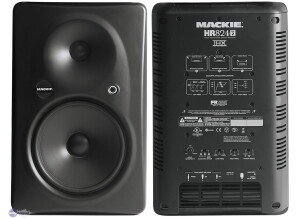
    The Mackie HR series all come with XLR, 1/4inch, and RCA inputs. That combined with the on-board amps make them a force to envy. But then throw in THX certification, individually tested frequency response graphs, and closely matching pairing you get an exceptional value from them. The HR624's can easily find a home in a "pro studio" as near-field monitors and will excell in the home studio as well. I must stress, and will again, if you want to be serious you must have a sub if you intend to use the HR624's as your primary monitors. SOUNDS The HR624's stereo field is entirely dependent on your placement and your mixing environment. Mackie has, fortunately, incorporated a few switches that can alter your treble response, a low cut, and also a room size adjustment. (just leave the room switch at normal and pay attention to the diagrams printed on the back of the monitors, trust me) Otherwise, if you have your equipment set up properly, the stereo image of the HR624's is quite good. "Are the dynamics respected?..." That is a very interesting question. The Mackie HR series monitors get alot of flac from many different people, beginners, intermediates, and pros. I personally would vouch for the HR series monitors any day. One of the biggest issues with these is that people don't know how to set them up properly and they often adjust the bass cut and treble adjusting switches to the absolute innapropriate settings. These monitors have a learning curve. You MUST run through a couple of mixes and then evaluate how they translate to other systems, make some adjustments even if it doesn't sound necessary, adjust your settings again.... repeat process until you've got them dialed in for your space. Yet again, I must encourage you to get a good sub. Preferably one that allows you to adjust the low-pass frequency cut-off. Use the included frequency response graphs that came with the monitors, choose an appropriate point for your sub to come into play, and then adjust your relative volumes accordingly. I will not explain this any more than that, you really ought to know or be able the "hear" these things already, or pay someone to do it for you. That being said, do you really expect a 6inch woofer to thump? Of course not. But, you've probably noticed that the HR624's are pretty darn good from about 75-80Hz up. OVERALL OPINION The Mackie HR624 monitors are a well balanced, THX certified, and affordable choice for the home studio user. The HR624's are very nearly pro quality and honestly for certain applications exceed the performance of some other small near-field monitors that have garnered tons of praise amongst home studio users and pros alike. The Yamaha NS-10's come to mind, the HR624's have got them beat.Period. For the price, under 1000$(us) a pair you simply will NOT find a better set of monitors. I honestly wouldn't even suggest buying the HR624's bigger brother the HR824's. Just keep in mind that having a good sub is absolutely necessary if you intend on doing serious work. Which, in my opinion, makes the slightly extended low frequency response of the HR824's a moot point. High end clarity is really good, where you'll need some reinforcement is the low frequencies, 60Hz and below, hence the need for a good sub. Yamaha, Event, Genelec, etc. all make very high quality monitors. However, when you balance the price vs. what you get with the Mackie's it really becomes a no brainer. Mackie has really stepped up the game with the HR series and you should be very satified with the product.

  • « Mackie Onyx 1620i »

    I work as a hobbyist sound engineer / operator at small-scale theatre, concerts, discoteques. I was looking for an audio mixer with a multitrack recording possibility. A Mackie Onyx 1620i was chosen, due to its highly recommended pre-amps and equalizers. Paid $1300 in a shop. Good faders, good acoustics. 1. Firewire. It kinda works, when you use it properly. This proper use is never described in any paper - presumably, because all the testing is done on Apple computers. And with regards to Firewire, they work rather different (and more stable) than Windows. The trick here is to: (1) keep all your music on the same playlist with the sampling rate, and (2) do not set the mixer as a default audio device (which happens automatically, so you need to set it up as non-default). If you do not follow this, at some point the mixer changes the sampling frequency, and everything begins to sound abnormal. It happens in all audio programs I tried, including the 'native' Mackie Tracktion 3. The only way to restore this is to reboot the mixer. And never, never try to run two audio programs simultaneously - this totally screws up the sampling frequency. There are also two ways of getting the input from the computer - channels 15/16 and control room FW input, routed to the main channel. The volumes of the two approaches differ by 6 dB (there is a 6 dB pad between channel strip and summing bus, not mentioned in the instruction manual). Not a big deal, but beware when you pre-listening. 2. Interference (bleeding). When I have a sound coming from Firewire (perhaps, other inputs too - I didn't test this), I can hear it even though the fader on the channel is at '-INF', and no input is selected in the 'Control room source'. This is valid for all outputs. The approximate level is 57 dB in the phones (in the right channel, less in the left), I didn't measure it on the main output. Mackie claims, their measurement gives 99 dB leakage. Mine is ceratinly larger. Maybe, a device error. Rather disturbing, when you're trying to listen to some details on other channels. 3. Muting and solo. It was only after using the mixer at a concert that I realized, and then found in the manual (yes, it is there, though not in the Muting section, so read carefully), that the MUTE button doesn't actually mute the PRE AUX sends. Hence using PRE AUX for monitors (as Mackie recommends) became a living hell: when I needed to turn a microphone off, I couldn't use the MUTE button, I needed to set its gain to 0. Using POST AUX for monitors is not good enough either, because the fader setup cannot then be changed during the show. Only Control room outputs allow for the needed flexibility, but then - no prelistening or Solo, as I used the PFL Solo for monitors. As an additional feature (or the lack of one), neither MUTE nor SOLO buttons have any indicators. So you need to remember, what you switched off. Guys, if you need to turn the microphones on and off during the show, do not use this mixer! 4. Support. My first email to Mackie is dated 23 October 2010. Their first response came on 3 December, saying that they had email server troubles. Another email came on the 10 December, explaining that their email system was down for 'nearly two weeks', and asking me about OS / DAW details. I replied the same day. The conversation proceeded in almost the same fashion - approximatelly one response in two weeks. Mackie claims this is due to personnel reduction in support. Well, if they have that many support issues - that tells me something about usefullness / quality of their products. Fine Mackie might have a good quality pre-amps and equalizers, but this is not a product yet. A product shall work as advertized (Firewire playback shall play what is there), it shall have well-thought features (like MUTE shall mute, right?) and proper configuration possibilities (where do I set my monitors?). An expensive product from a known company shall anticipate my needs (mute LEDs?), since they presumably have more experience than I do. And, last but not the least, a good company shall have a good support. The God is in the details, they say - well, Mackie is far from it. So for everybody evaluating a Firewire mixer - unless our needs do not overlap at all (you don't need monitors, you don't manipulate with microphones, you don't use solo, etc), Mackie 1620i is not for you. If I had a chance, I'd rather try a Phonic Helix Board 18 FireWire MKII - I don't know about its pre-amps, but it has all the switches and LEDs that I'm missing in Onyx 1620i. <img src="http://www.mackie.com/Products/onyxiseries/photos/Onyx%201620i%20Top.jpg" /> This review was originally published on http://www.musicgearreview.com

  • « Mackie DFX12 »

    Guitar Center, $249.00, had it about a year. Bought it to work with other equipment I bought from an expired band. I like everything about this unit. Easy to use, built with quality materials, and has a user manual in plain English for the novice user. Everything is labeled clearly and logically. I have no complaints about this unit whatsoever. Mackie even included humorous notes in the manual for those that take the time to read it. Mute buttton on each channel to easily cut off the channel when necessary. The industry as a whole calls these a 12 channel unit when in fact the stereo outputs which should be a single channel are counted as two. Nothing wrong with this unit as far as I'm concerned. This unit is made of a durable plastic, as most units are. The quality of materials is excellent, the connections are clean, the unit is very quiet. I was advised that if I wanted good sound in a quality unit with minimal noise and the most value for my money, I should leave the Behringer's and Yamaha's and buy Mackie. This has been reinforced by friends who run soundboards for bands. For the cost, it can't be beat. This review was originally published on http://www.musicgearreview.com