Log in
Log in

or
Create an account

or
EN
FR
Syntrillium Cool Edit Pro 2.x
(11)
Write a user review

Syntrillium Cool Edit Pro 2.x market value

Warning

Please note that this market value is more than 6 months old.

The prices quoted in the private classified ads on Audiofanzine are not necessarily the actual retail prices.
The classified ads that include options or are part of a pack are not taken into account.
Where to buy Cool Edit Pro 2.x?
Less
No retailers are offering this product at this time.
Availability alert
There are no classified ads for this product.
New ad alert

help required Separating individual songs from a 30 minute show

  • 1 comment
  • 2 participants
  • 1,566 views
  • 2 followers
Separating individual songs from a 30 minute show
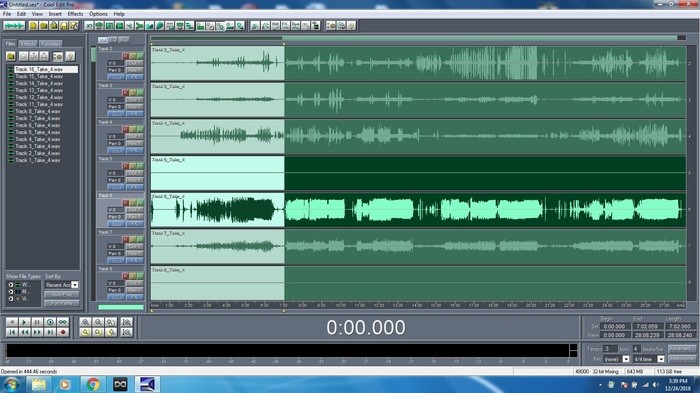
I've got a 16 track show recorded, all separate wav file tracks.
I want to separate these by song and save the multi track wavs for each song to it's own song folder for easier manipulation.

How can I separate the one huge file into separate songs while keeping the files synced to each other?

There seems to be no "select all" option in multi track view, so I can't simply highly all the tracks for one song and then cut. If I could I could do that, then just go to edit view and paste them all.

I'm at a loss.

Any help is appreciated! I've got Cool Edit Pro 2.0

syntrillium-cool-edit-pro-2-x-2465013.jpg
Hi
And merry christmas....

Cool edit is a very long time for me....
I believe there was a way to mark different parts of a multi track recording and export them separately.

But how.... I'm not sure about this

-Angelie

It's not about what you got to use ....    but how you use what you got...